-
-
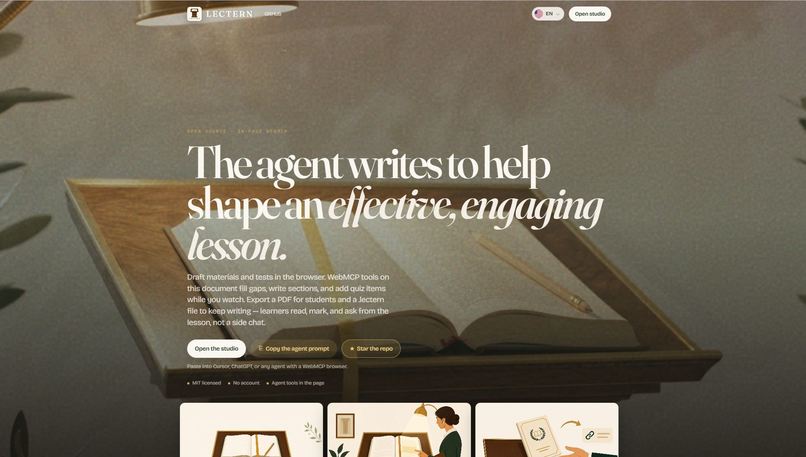
Lectern landing page
-
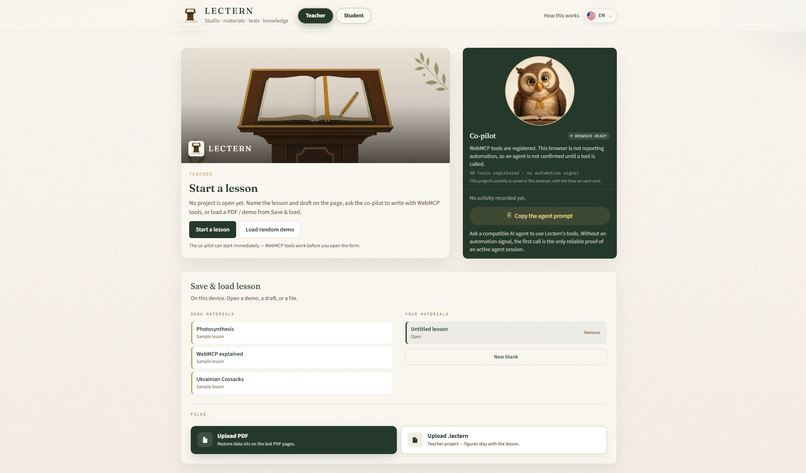
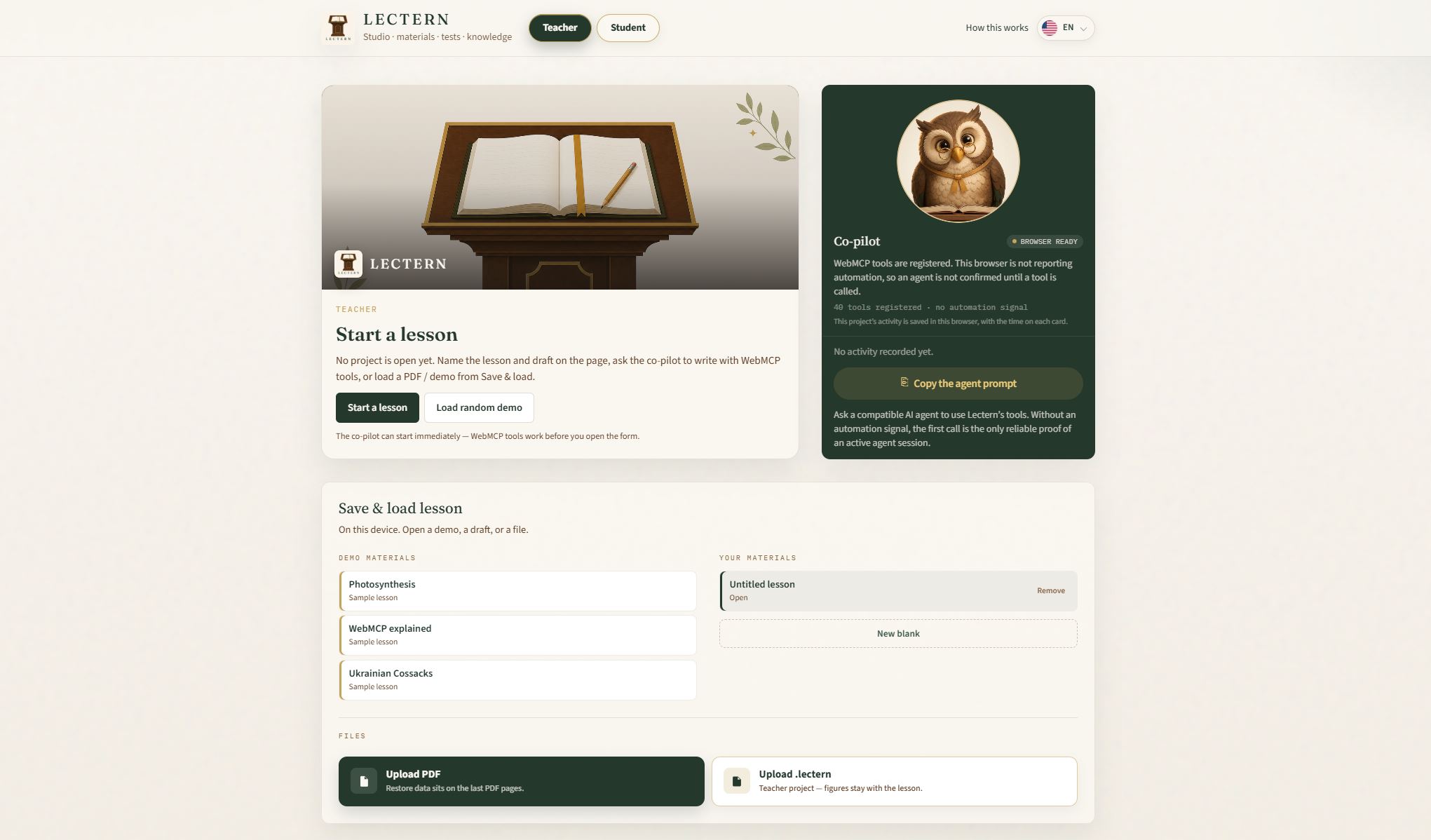
Lectern Studio
-
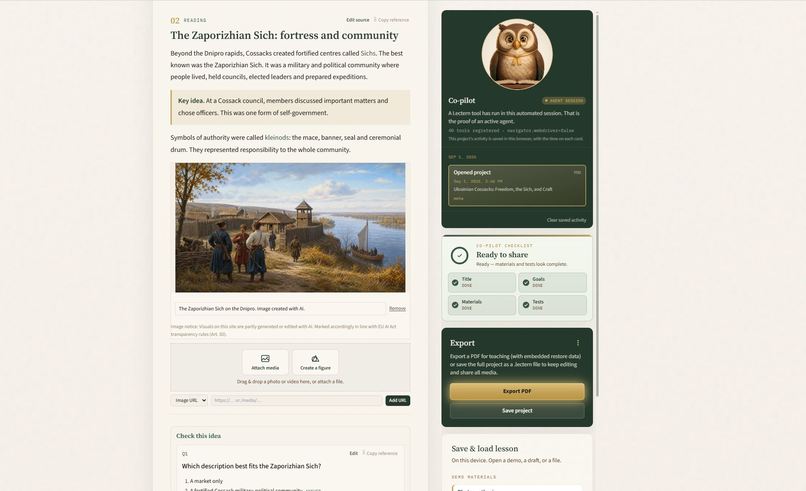
Lesson crafted via user and agent using WebMCP
-
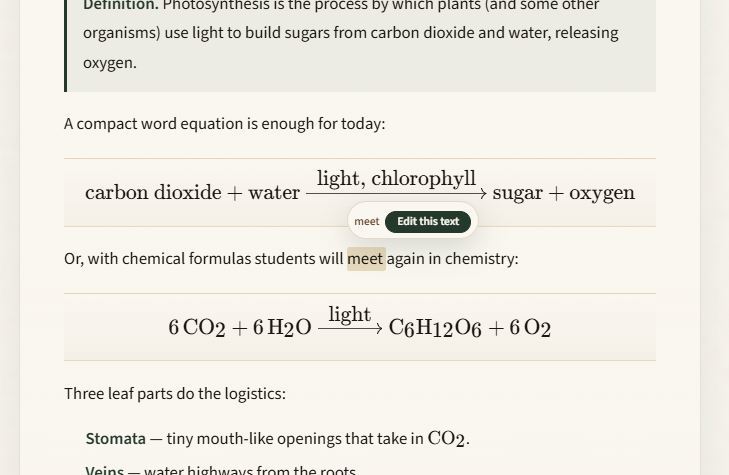
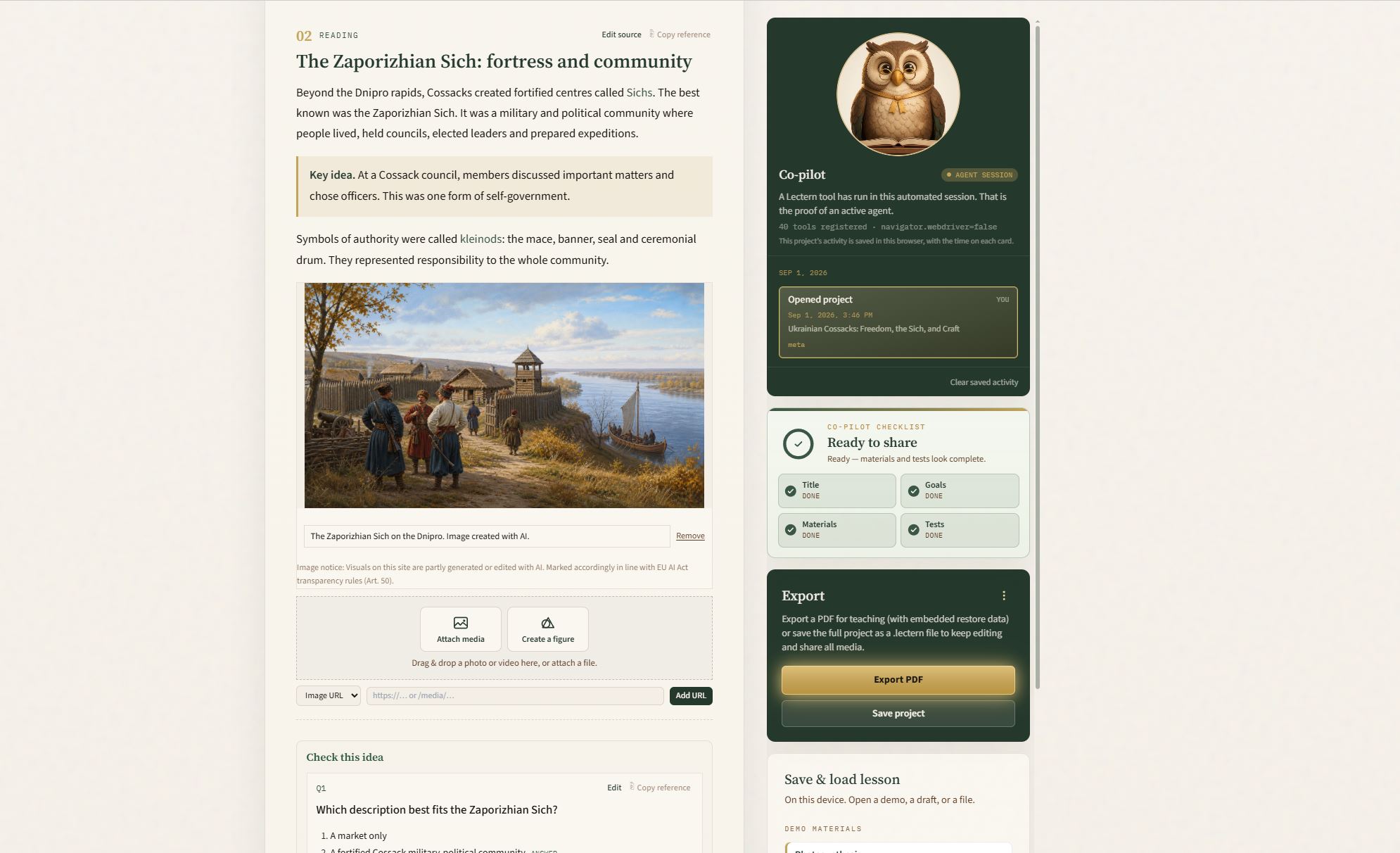
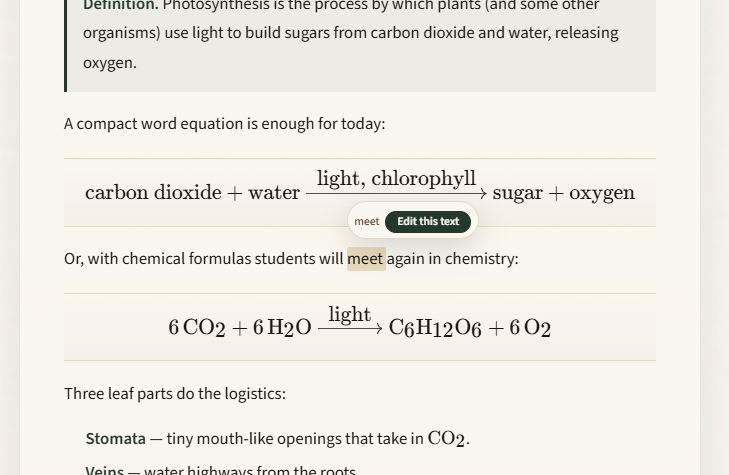
Double-click on word to enter edit MD mode from that place
-
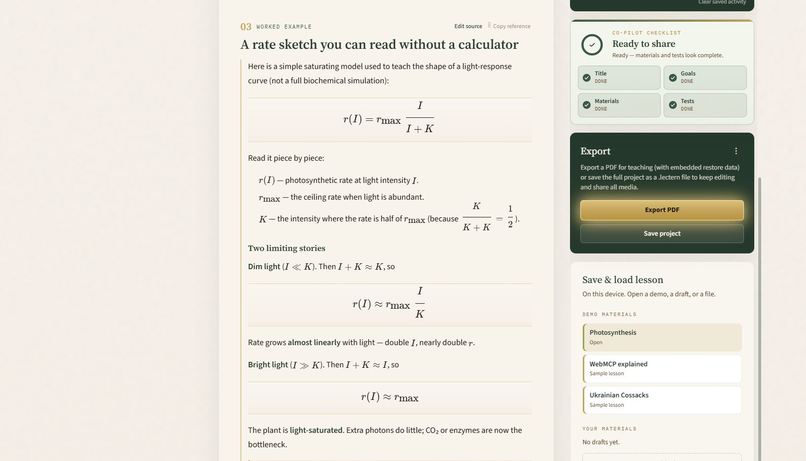
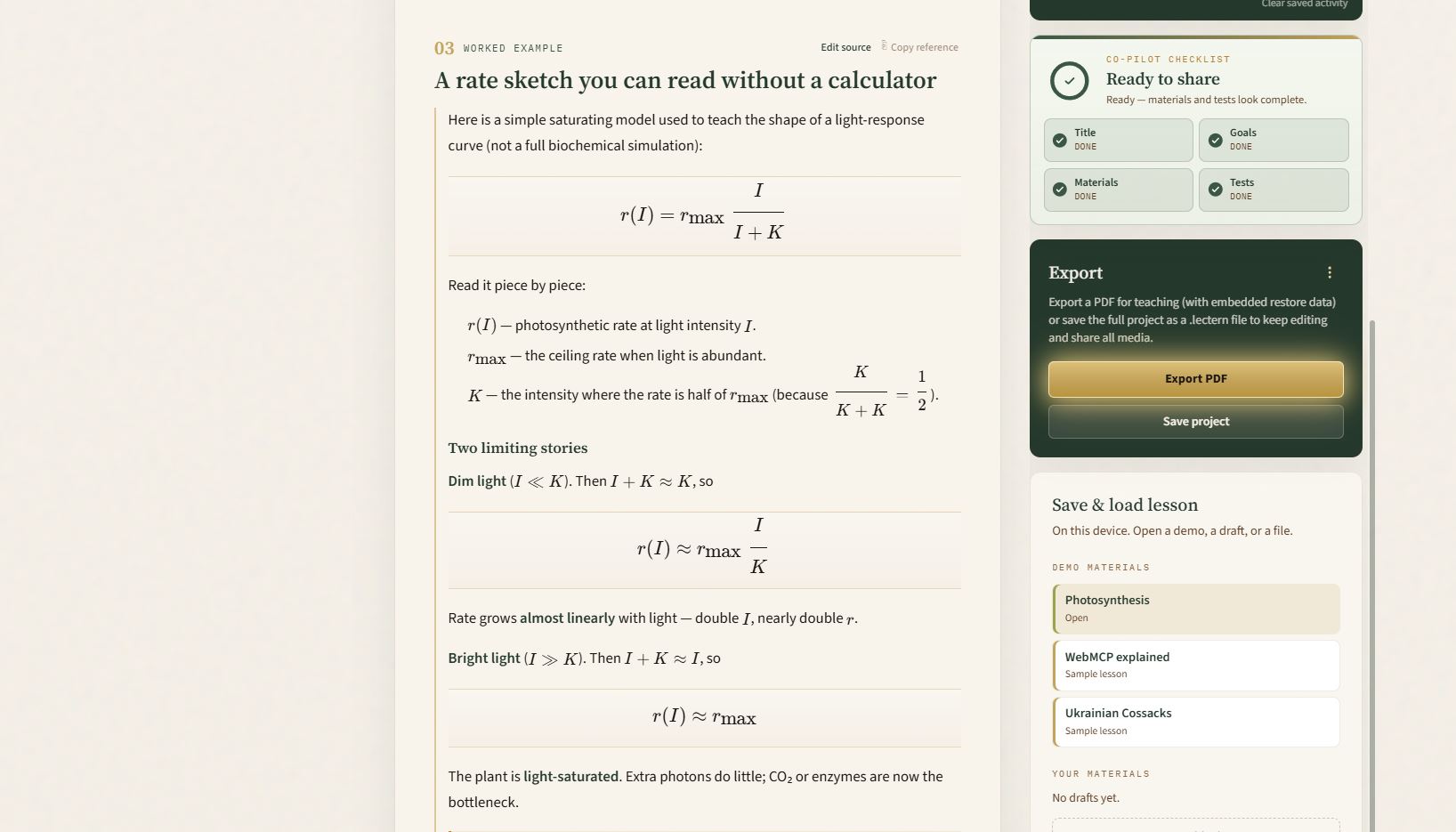
Support formatting and math formulas with Markdown + LaTeX
-
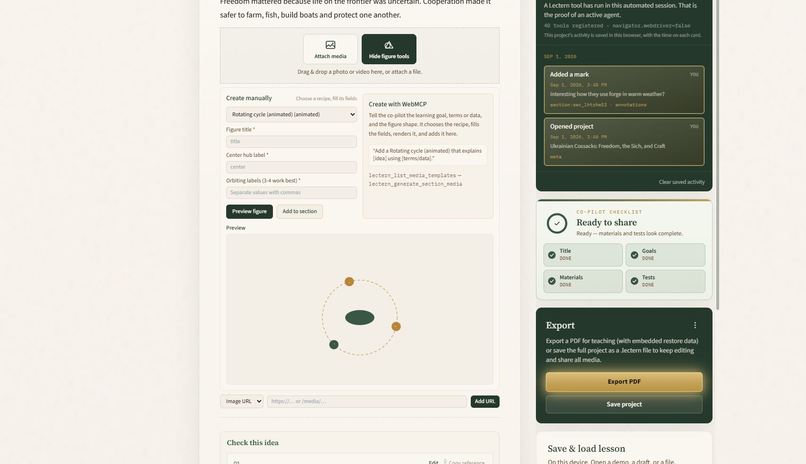
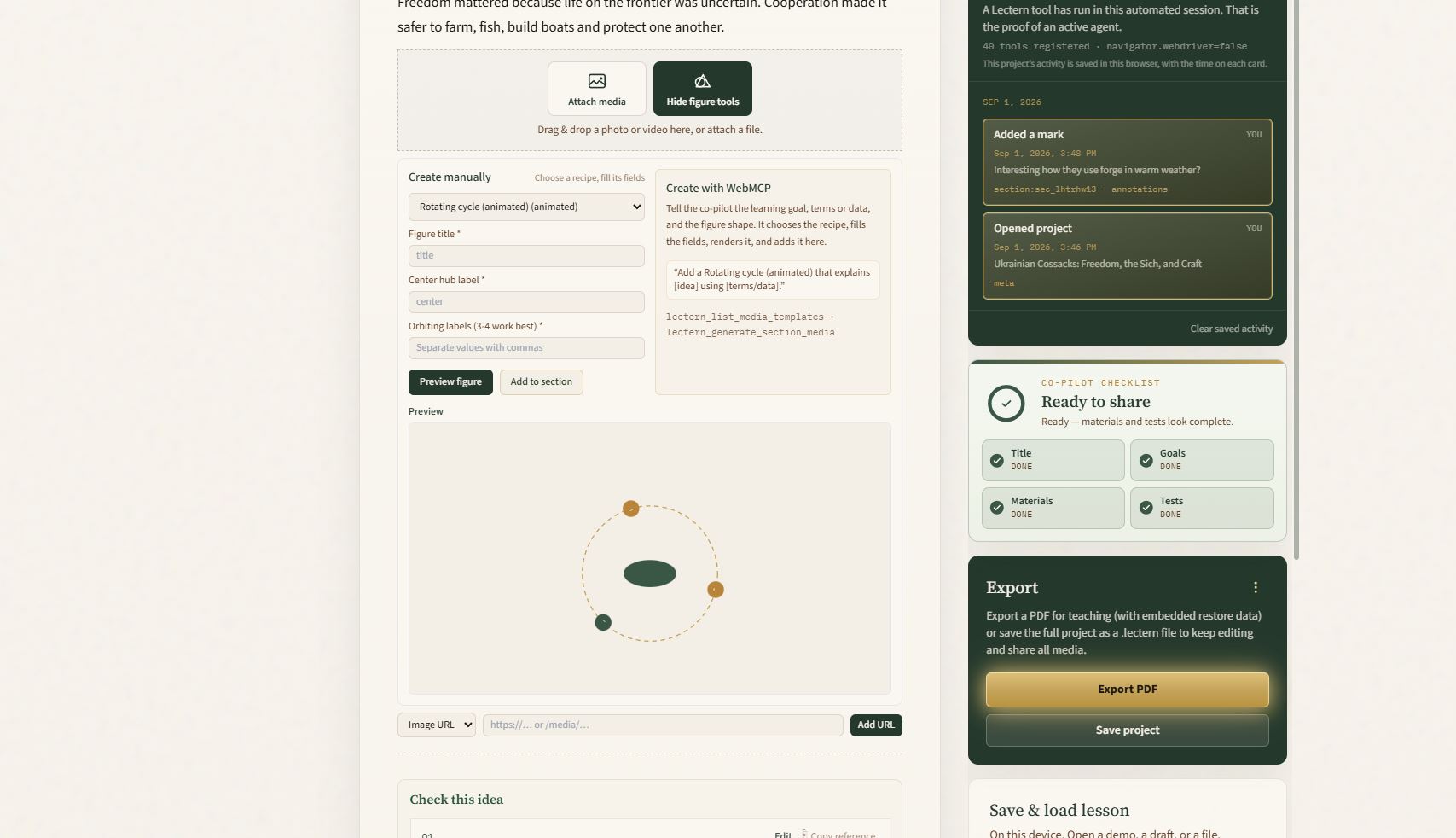
Provide list of Figure templates for the user and agent
-
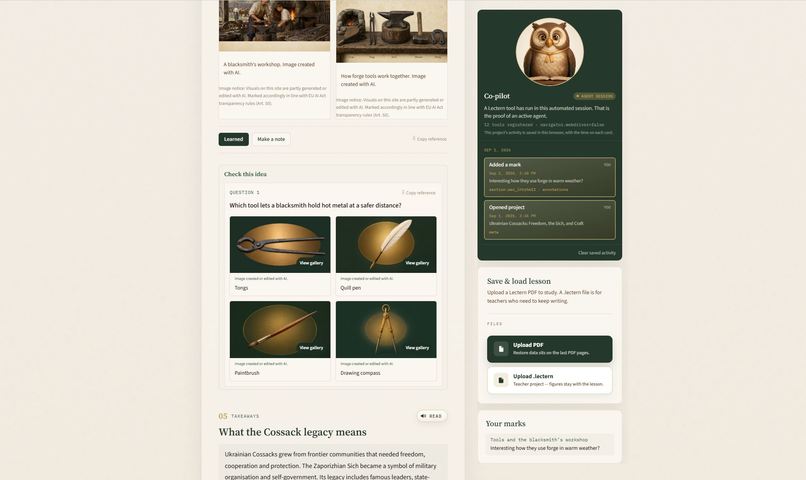
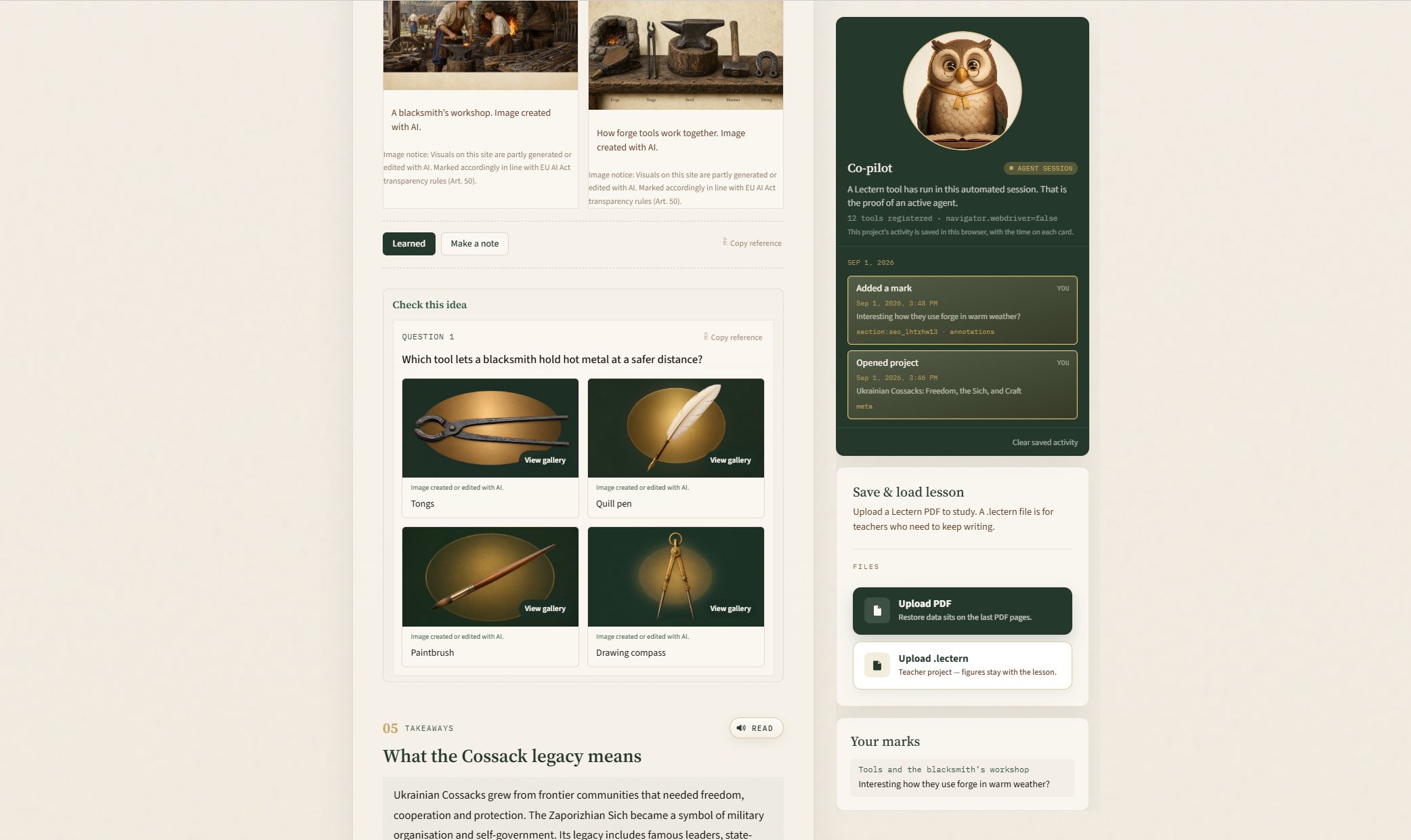
Quiz with generated media as an answer options
-
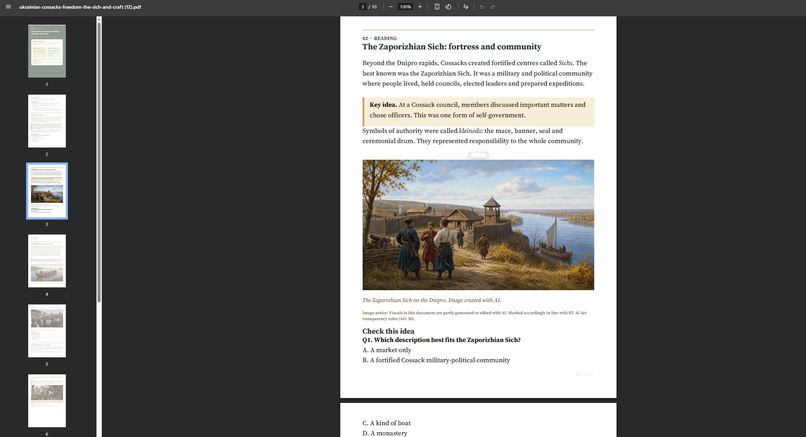
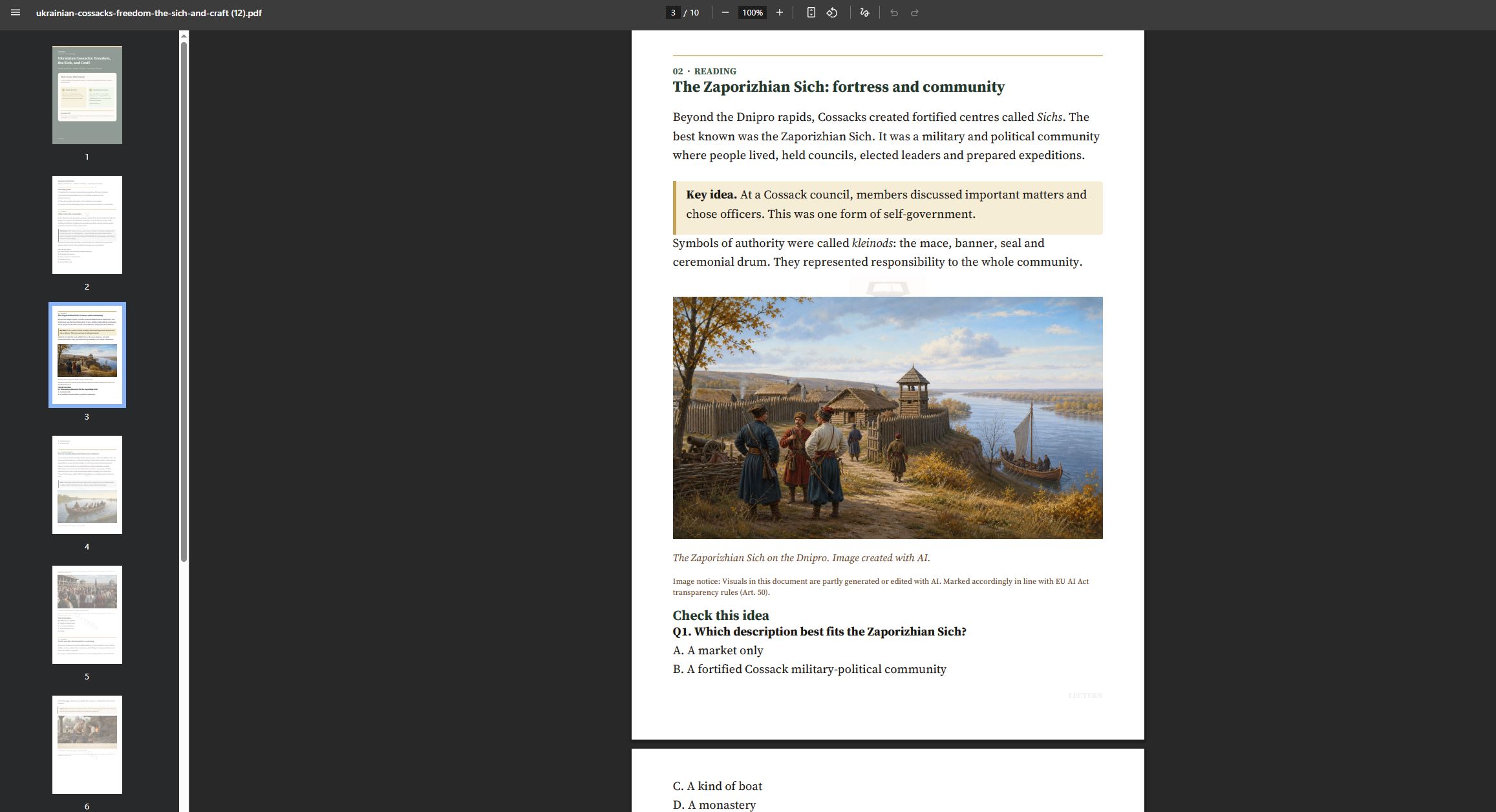
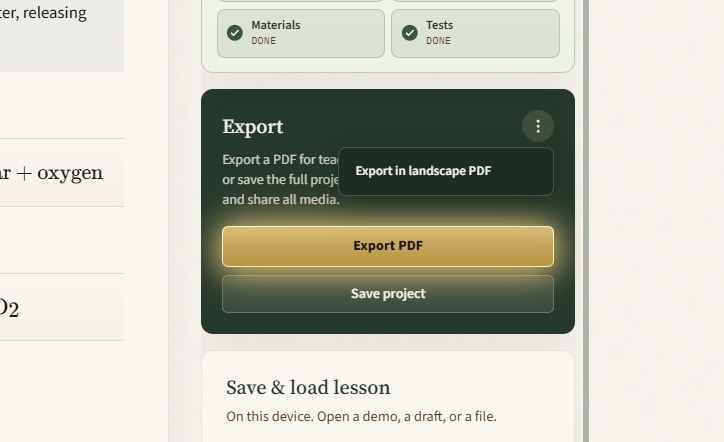
Exported PDF that can be user as standalone material or uploaded back to lectern.click
-
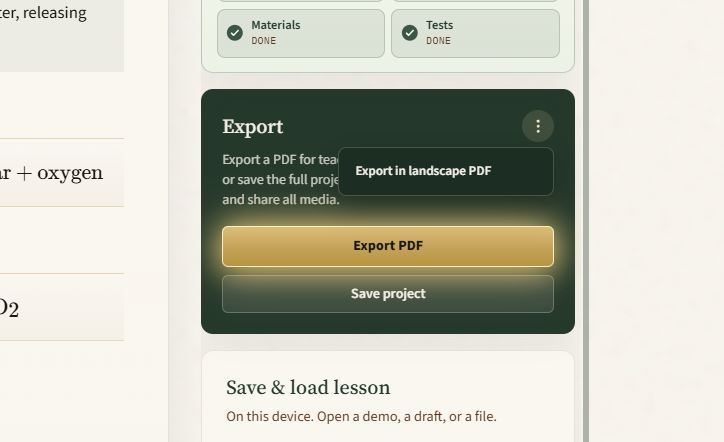
Landscape PDF export for LinkedIn and other Social Media
-
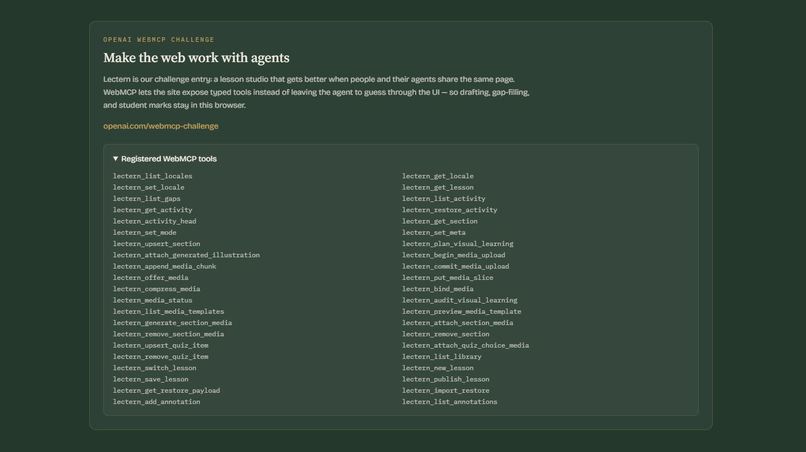
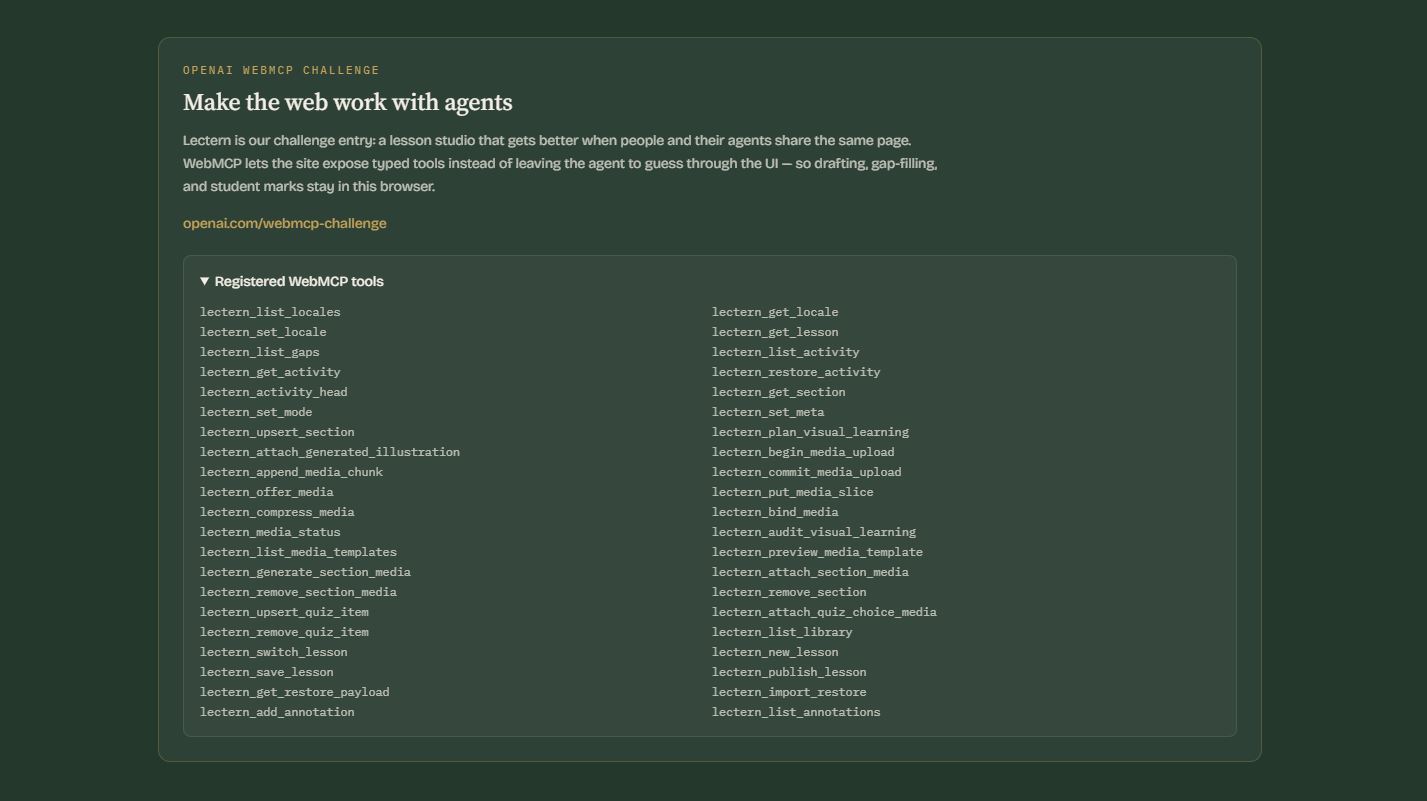
Lectern WebMCP ToolBox
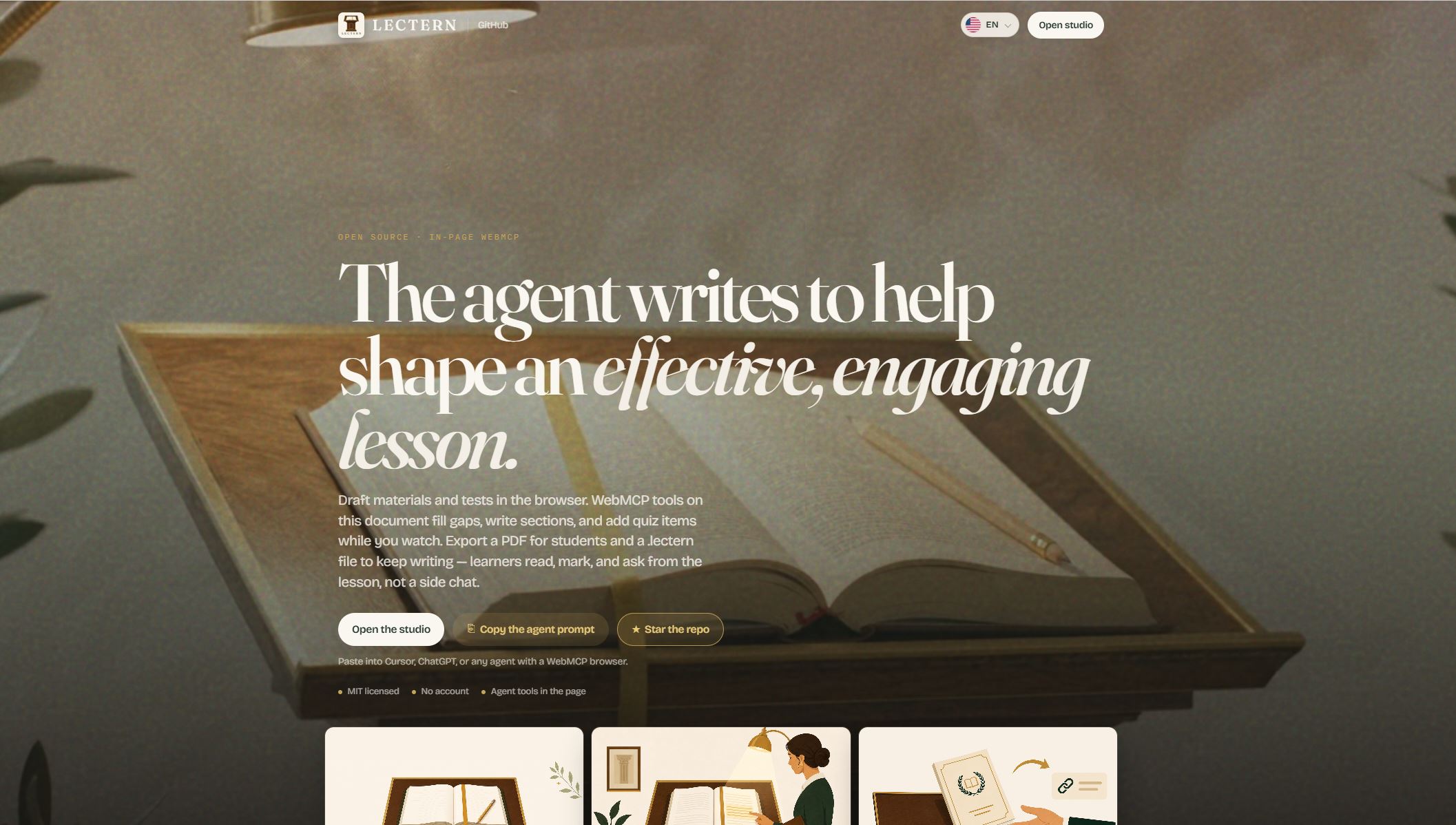
Inspiration
I build tools I will use myself, then share them.
I have managed engineering and shipped products for years. I have also watched capable people fail at the last mile of teaching: they know the subject, and they still cannot put that knowledge into a shape others can take efficiently.
Until now the rules were fixed, and they were bad for the person teaching. The AI writes in chat. You paste. You clean. You guess if it is ready. Learners get whatever survived the copy.
Lectern is for anyone who is supposed to hand knowledge on — founder, researcher, practitioner. The world under that knowledge now changes every few months. Models, APIs, examples, even the words. A real lesson still needs materials and tests. Notes and last year’s deck are not that.
That is the job I wanted to change.
WebMCP changes the rules. The page is no longer a dumb canvas the model talks about. ChatGPT’s in-app browser (or Chrome with WebMCP) can use Lectern the way a colleague at your desk would: see what this screen can do, then do it, on the document you are looking at. Fill a gap. Add a figure. Write a check. You watch it. You edit it. You say no.
The old game was: model generates, human pastes, lesson maybe. The new game is: human and agent share one lectern. That is why I built Lectern.
What it does
Lectern is a lesson studio. I work on the same page as the assistant. When the lesson is ready, a learner opens a locked copy, leaves marks, and asks questions answered from that lesson.
Why WebMCP fits this problem. Authoring is not filling a form, and it is not a file you throw over the wall into chat. If the assistant cannot write into the live document, you are back to paste. If it can only guess at buttons, you do not trust it in front of a class.
WebMCP is the missing rule: the studio exposes the work (gaps, sections, figures, checks, study mode), the agent does that work on screen, and the person who teaches stays responsible.
What people and agents can do together now
| The person | The assistant, on this page | |
|---|---|---|
| Author | Sketch the idea. Keep your wording. Edit, reject, approve. Decide when it ships. | Read the lesson, list what’s missing, write sections, add figures and quiz items, run the checklist. |
| Learner | Read. Mark “learned” or a question. Ask for a simpler explanation. | Tutor from this text. It cannot rewrite what you published. |
You leave a PDF to print and hand out, or a .lectern file that keeps pictures and figures with the lesson so you can keep writing. Learners upload the PDF and start. The teacher tab reopens from a Lectern file only — restore-from-PDF leaves authoring. The same assistant still works on the student copy — still on the page, still inside your text.
The studio is public, no account. The interface is in 17 languages, including Arabic. Generated images are labeled as AI.
Try it
- Open https://lectern.click/studio in ChatGPT’s in-app browser. You should see a WebMCP banner.
- Ask: List what’s missing and fix every blocker.
- Watch the lesson fill in on screen.
- Open the student demo. Tap Copy reference on a section, paste it, and ask: Explain this section more simply.
That sequence is the new rule in practice: you did not paste a lesson out of chat. The page and the agent did the work together.
How I built it
Lectern is a React 19 + TypeScript SPA. There is no agent backend and no account. The page is the MCP server: on load it registers typed tools on document.modelContext (older clients: navigator.modelContext). Every handler mutates the same lesson store the Teacher and Student screens already use, so ChatGPT’s in-app browser writes into the document on screen — not into a transcript you paste later.
Typed tools, not DOM scraping. Forty-two tools, JSON Schema inputs, descriptions written for the model. When you switch Teacher ↔ Student, the previous catalog unregisters and the new one registers. Teacher: 40 tools (meta, sections, SVG figures, illustrations, AMDP media, quiz, publish, Save & load / Your materials). Student: 12 (read, mark, ask, import). Authoring tools are gone on purpose — a learner’s agent cannot rewrite the lesson.
The agent is pointed, not stuffed. Copy reference puts a short
LECTERN_SECTIONpointer on the clipboard, not the body. The model callslectern_get_section. Completeness is a function (analyzeGaps/isPublishable): title, goals, materials, tests.lectern_publish_lessonreturns an error while blockers remain.The lesson leaves the tab with its figures. Thirty SVG templates render in the page and attach to sections; generated rasters are labeled AI. Export writes a student PDF with a compressed
LCT1restore pack inside the file (LECTERN_PDF/v1system pages, pdf-lib / pdf.js) and a.lecternJSON so the teacher can keep writing. Students upload the PDF. Authoring reopens from the Lectern file only. Until then the draft stays in the browser (localStorage, IndexedDB for large media).I treated WebMCP the way Chrome’s evals guide describes it. Isolation fixtures (
expectedCall), full teacher and student schemas, deterministic tests for mutations and the publish gate, CI on every build. Probabilistic LLM evals stay opt-in. Production is static nginx on HTTPS at lectern.click —modelContextneeds a secure context. The source is MIT.
Challenges we ran into
Putting the agent’s photos onto the page. Diagrams we already generate as SVG on the page. Photographs are different: the agent already has the bytes, and WebMCP
executeToolis still a string. The path that worked — sixteen quiz JPEGs, one sitting — wasbegin/append/commit: 4k base64 slices through JSON and CDPevaluate. That is a +33% tax, dozens of round-trips, and it puts pixels where they do not belong (in the model’s context). Lectern has no upload server to PUT to. Native Blobs are not in the spec yet. So we pulled a small library out of the studio: AMDP — cite a SHA-256, fill a content-addressed store (Merkle slices, a generated body file input the page conceals and plane-puts onchange, or json-chunk), bind purpose + alt onto the lesson. The model never has to hold the JPEG. Chunked JSON stays the fallback, not the protocol. Spec and diagrams in the repo.The lesson has to travel with its figures. A class already moves PDFs. A share URL that drops images — or a pretty printout you cannot reopen — is not a lesson. There is no packaging server: the tab has to emit the handout and the data in one sitting. First every path and URL figure is fetched in the browser and inlined as a data URL, so the pack does not depend on Lectern still hosting the file. Commit still writes that data URL onto the lesson so jsPDF can draw it and LCT1 can restore it. That document is JSON, deflated in-page (
LCT1.+ base64url). Then two downloads from the same store: a.lecternfile (embedded lesson, teacher project) and a PDF jsPDF draws — cover, sections, SVG rasterized to PNG at print DPI, prompt-only checks, an inverted answer-key page — after which pdf-lib attaches the LCT1 bytes inside that PDF. A student uploads the file; pdf.js pulls the attachment; Lectern inflates it into the live student document. Authoring reopens from the Lectern file only.Keeping control. I have watched enough “generate everything” demos to know teachers will not take that into the lesson. The hard product choice was slower on camera: the assistant writes into the document in front of you, change by change. You can stop it. That is the point of WebMCP here, and it was the constraint I refused to drop.
Two roles on one lesson. A learner who can rewrite the text is a failed teacher experience. Authoring and studying had to be different sets of actions, not a cosmetic switch. Getting that boundary right took more care than adding another generate button.
Knowing when it is actually done. After years in delivery I do not trust “looks ready.” Models make that worse: they add prose and skip the check. I put a checklist on the page — title, goals, materials, tests — that both of us can see. It does not ship while blockers remain.
Accomplishments that we're proud of
- lectern.click is live. No account. The assistant writes on the same page you see.
- The rules actually changed. You do not paste a lesson out of chat. You watch it written into your document.
- Ready is on screen. Title, goals, materials, tests - the same list for you and the assistant.
- Figures that teach. Diagrams for explanation. Generated pictures for engagement, marked as AI, checked before you share.
- Study without rewriting. Learners read your text, mark it, and ask their agent and you as a teacher. They mutate it.
- A sitting you can finish. Draft, complete, export PDF /
.lectern, study - in a single session. Switch drafts under Your materials the same way: typed tools, not a scraped panel. - Files, not URLs. PDF for the handout;
.lecternto keep writing. Restore-from-PDF leaves the authoring tab.
What we learned
- People who teach already have the knowledge. The scarce thing is a prepared text others can return to.
- WebMCP is not a badge on an old workflow. It is what lets the assistant stop being a chat you paste from, and start being a colleague on the page.
- When the work happens on your screen, you stay the author. That is the only version I would put in front of a class.
- A checklist is professional. “Looks done” is how thin lessons ship.
- Learners need a tutor inside your lesson, not a second author.
- If a lesson cannot be finished in the sitting you start it, you stay behind the tools your learners already use.
What's next for Lectern
- Real teachers, real saved hours on sharing knowledge across audience. Iteration on users feedback - enhancing user experience.
- Lectern Cloud: school brand, hosted PDFs, watermark-free export.
- More media support mp4, gif
- More advanced SVG schemas crafting skills embedded into studio
If you teach, train, or hand knowledge on: open Lectern studio and ask - help me prepare a lesson regarding “…”
Built With
- chatgpt
- passion
- typescript
- webmcp


Log in or sign up for Devpost to join the conversation.