-
-
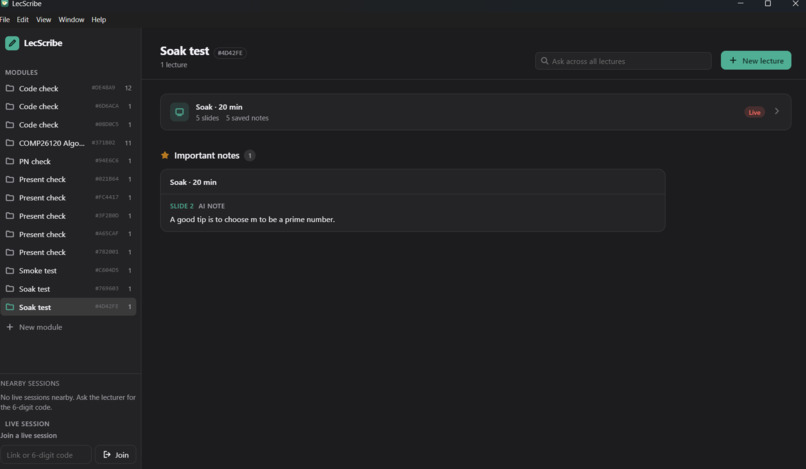
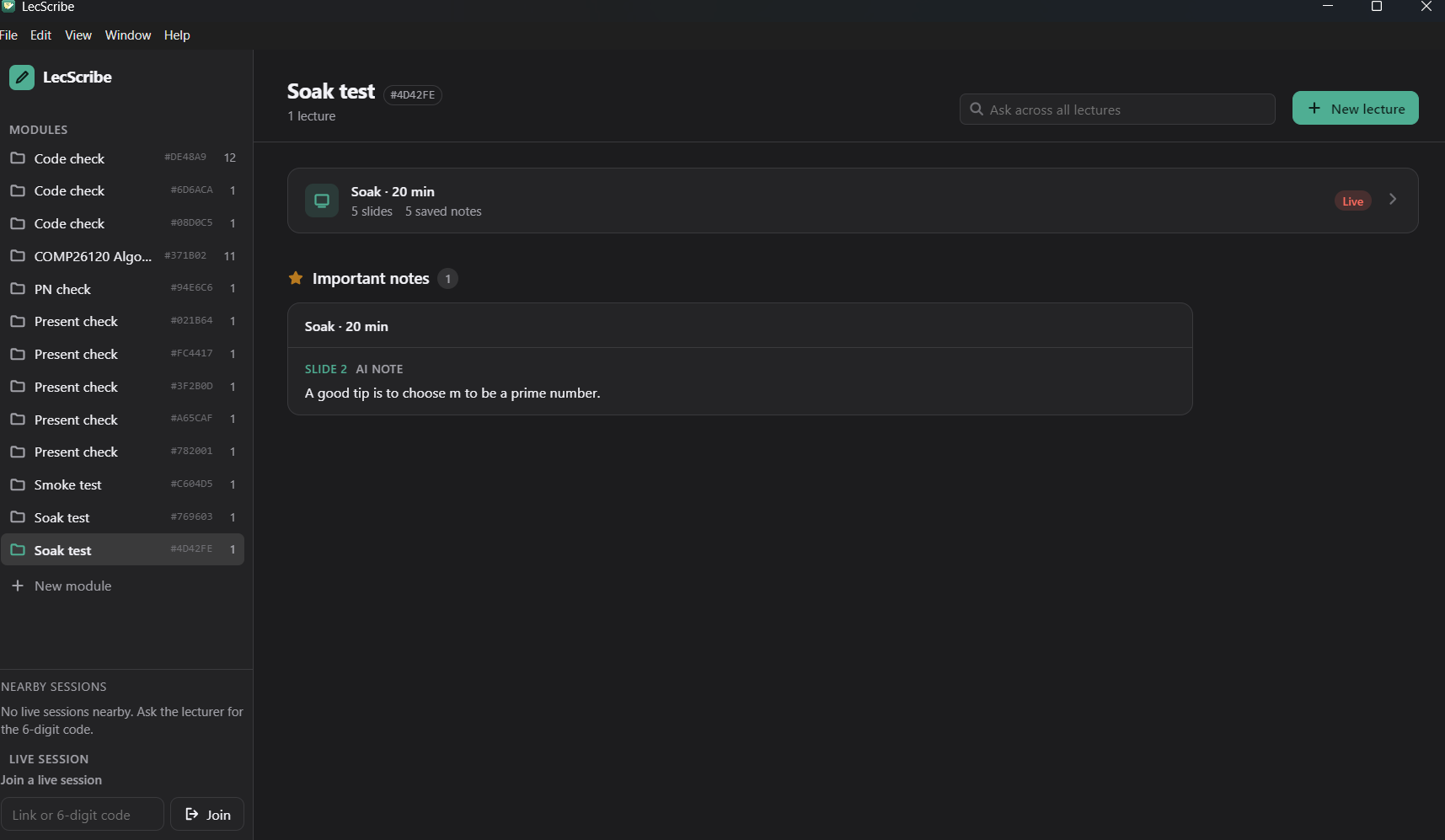
The main page
-
-
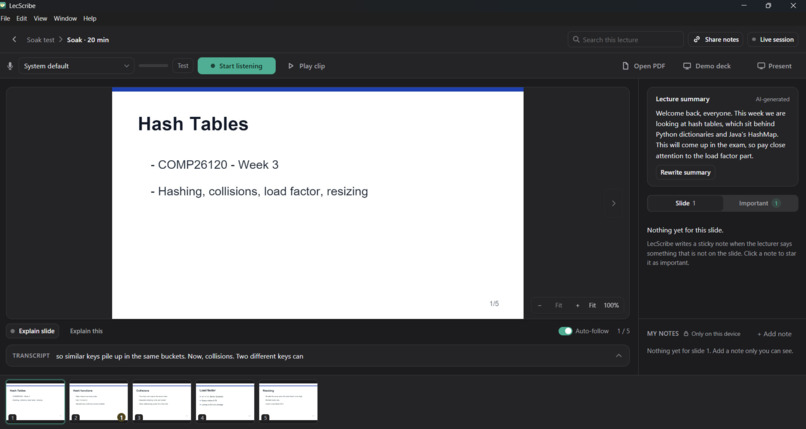
The slides
LecScribe
An on-device lecture companion: it follows the slides, writes margin notes from what the lecturer says, and shares them peer to peer. No cloud and no accounts. Built on Tether's QVAC (local AI) and Pears (peer-to-peer).
Inspiration
In our lectures we have always struggled to take notes. Sometimes that's on us (we can't sit still), but often the lecturer speed-runs the slides. The slides only hold the headings: the explanations, examples and "this will come up in the exam" hints are spoken, and they vanish. Recordings don't fix it, because nobody rewatches an hour of audio. In second year these lectures really matter, so we wanted to capture every detail.
The obvious fix is a cloud AI note-taker, but that means sending a recording of the lecturer and the room to someone else's servers. That raises privacy and consent problems, and it needs a reliable connection that lecture halls don't always have. Tether's challenge put it well: our data and tools are increasingly locked behind subscription clouds and middlemen. So we set ourselves a rule. Every AI step runs on a laptop in the room (QVAC), and notes travel straight between students' devices with no server in between (Pears).
What it does
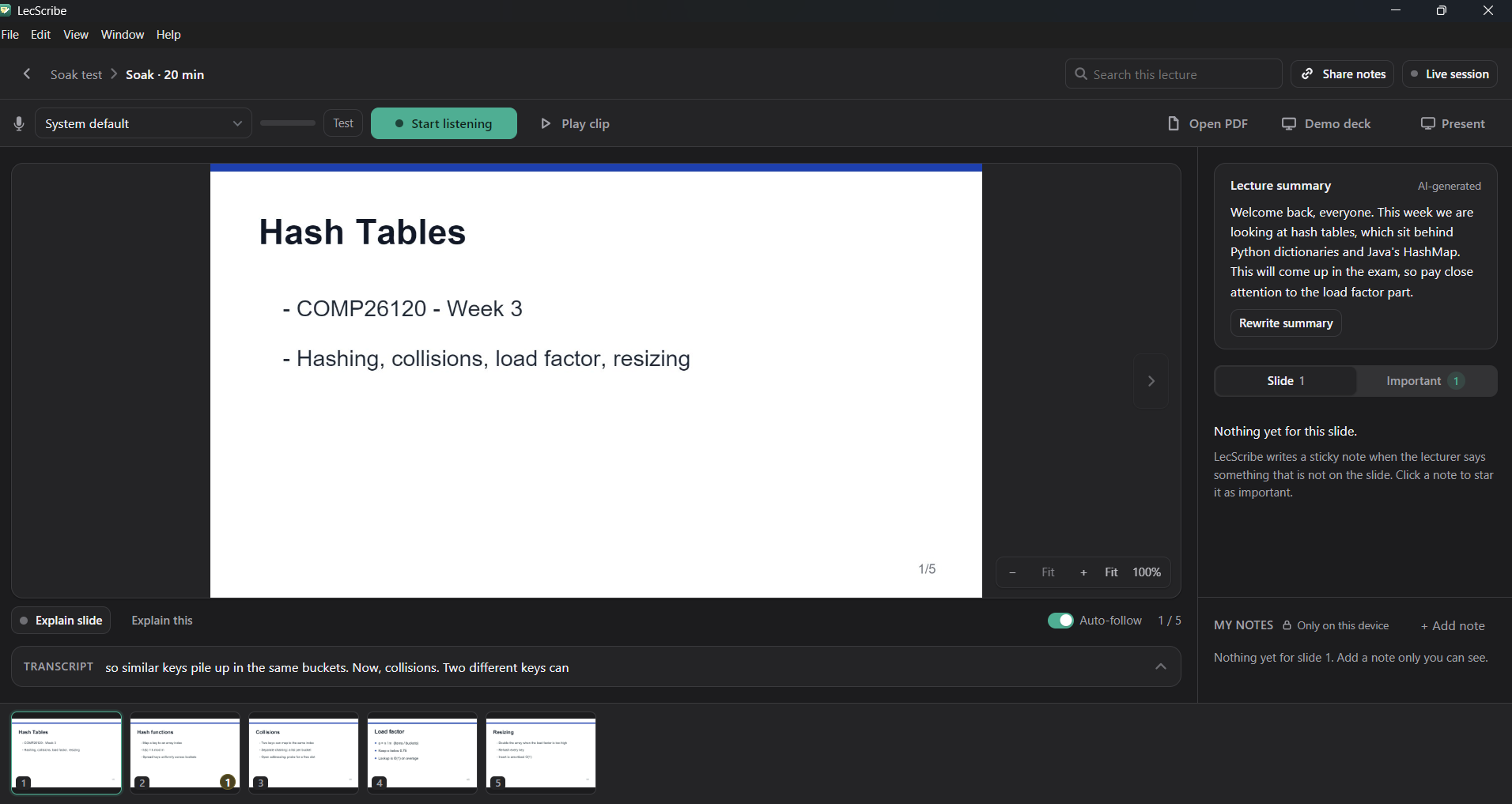
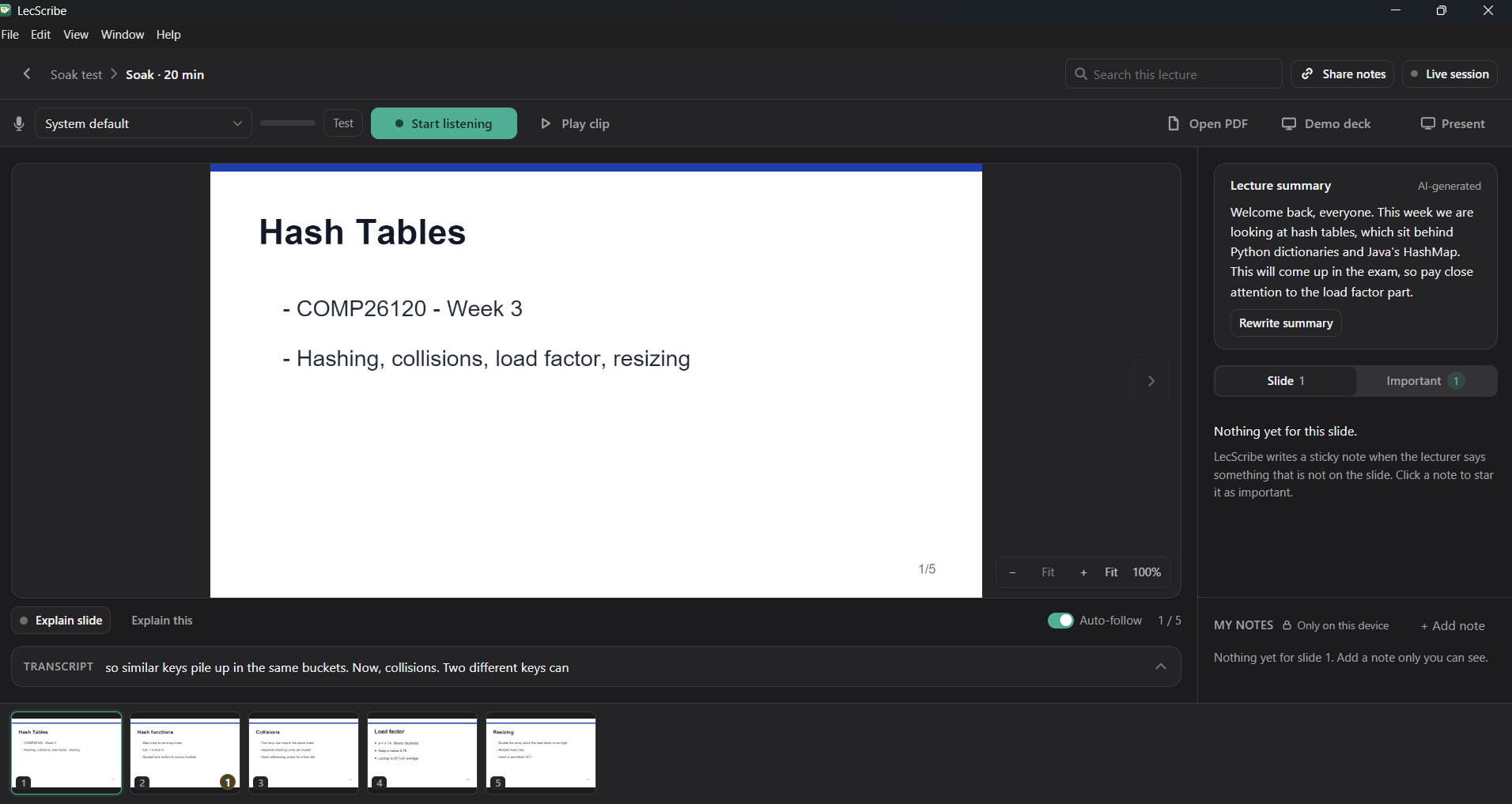
- Follows the lecture: you load the PDF slides, the app listens to the live mic, and it moves to the next slide when the lecturer does. Manual prev/next always works, and there's an Auto-follow switch.
- Margin notes: the AI writes sticky notes on each slide for spoken points that aren't on the slide (it filters out repeats of the slide text). Every note is saved automatically and linked to its slide and the transcript lines it came from. A star marks it important.
- Explain slide / "Explain this": the lecturer can record a fresh explanation that becomes a note pinned to the slide. Any user, viewers included, can ask the lecturer's laptop to explain a slide using all the slides plus the transcript so far.
- Library: modules contain lectures (attended, missed, imported or live). Each lecture keeps its slides, notes, transcript, summary and your own private notes, plus its own search index. Each module page lists its starred notes, grouped by lecture.
- Live sharing: coursemates join with a link, a 6-digit code, or the Nearby sessions list. They get the slides, the notes and the live transcript, and can tap "I'm lost". The lecturer sees a heatmap of counts per slide, never names.
- Missed a lecture? A coursemate shares a link to that lecture's notes. You import it, and your laptop rebuilds the search index locally. We share text, not vectors and never audio.
How we use Tether's QVAC and Pears
QVAC (100% local AI). Every model runs through the QVAC SDK (@qvac/sdk) on the lecturer's laptop. There are no inference clouds and no external APIs, and once the models are downloaded the AI works with the internet switched off.
| Job | QVAC model | Why this one |
|---|---|---|
| Final transcript | Whisper large-v3 turbo | accurate (8.1% word error rate on our test clip) and faster than real time on an M-series Mac |
| Live "grey line" transcript | Whisper base (English, Q8) | tiny and fast: words appear about 0.5 s after they're spoken |
| Slide tracking + search | EmbeddingGemma 300M | compares what's being said with each slide; powers per-lecture search |
| Notes, explanations, summaries | Qwen3 1.7B Instruct (Q4) | small enough to run alongside speech-to-text without lag |
| Image-only slides | QVAC OCR (Latin) | reads text from slides that are just pictures |
Pears (peer to peer, no middlemen). Sharing uses the Pears building blocks directly: Hyperswarm to find and connect devices, Hypercore append-only logs for the live notes feed and each student's "I'm lost" log, Hyperdrive for slide images, and Corestore to replicate it all. A coursemate's laptop pulls the lecture straight from the lecturer's laptop, or a missed week's notes straight from a friend's.
How this answers the challenge: it's an immediate problem for our university community. The inference runs on a device we control (the lecturer's laptop) with no cloud dependency, and distribution cuts out the middleman entirely through a secure peer-to-peer architecture. Audio never leaves the laptop; peers receive only slides and text.
How we built it
LecScribe is an Electron app with four areas. Each of us owned one, and they talk through a single event bus.
Renderer (ui/, Filip)          screens: Library, Lecture view, viewer mode
   │  window.lec.{emit,on,ai,p2p,library,discovery}   (IPC bridge, src/core/preload.cjs)
Main process (src/core/main.js, Filip) ── one event bus ──┐
   ├─ src/ai/        (Aryan)  QVAC on-device AI: speech-to-text, embeddings, LLM, OCR,
   │                          slide tracking, note agents, Explain, summaries
   ├─ src/p2p/       (Aaron)  Pears: Hyperswarm + Hypercore + Hyperdrive:
   │                          live session, "I'm lost" logs, share links
   ├─ src/library/   (Aaron)  JSON storage per lecture + its own search index
   └─ src/discovery/ (Aryan)  6-digit codes + Nearby (UDP beacon on the local network, DHT fallback)
- One event bus in the main process. The AI emits
transcript:chunk,slide:changedandnote:added. The library records them during a live session, the sharing layer republishes them to joined devices, and the renderer gets every event forwarded over IPC. - The lecturer's laptop runs all the models. Joined devices only receive and render, so any laptop can follow along (Windows laptops are viewers in normal use).
- How the sharing works:
- The live session is an append-only feed (a Hypercore) holding the slides, slide changes, notes and final transcript lines, so late joiners get the full history.
- Slide images travel separately, in a Hyperdrive.
- Live partial transcript lines and "Explain this" requests go over lightweight extension messages and aren't stored.
- "I'm lost" taps: each joined device keeps its own small tap log, and the lecturer's laptop merges them into per-slide counts (one per device, no names).
- Finding each other: devices use the Hyperswarm DHT with hole punching to connect directly. A network watcher re-announces the session after a Wi-Fi change.
- Storage: every lecture is its own folder with its own vector index, so deleting or sharing one lecture never touches another. Personal notes stay on your device and are never shared.
- Testing: more than 100 automated tests (109 passing on the demo Mac), including peer-to-peer tests on a local DHT testnet, plus a scripted end-to-end smoke run of the real app.
Challenges we ran into
- Stability in long sessions. Early builds wouldn't run for more than about 5 minutes before crashing. The causes were leaks in a long-running session: speech-to-text wrote a temporary audio file for every partial result (about 600 files every 4 minutes), and the search index rewrote its whole file (6.4 MB after 20 minutes) for every new transcript line. We now delete temp files (down to 2 in the same 4 minutes), keep the index in memory and write it in batches, restart the AI worker if it crashes, and cap how much the screen keeps in memory. In a 6-minute stability run the app's memory stayed flat, at about 290 MB for the main process.
- Note quality. Notes were inconsistent because the note agent often ran on too little speech, and sometimes it just repeated the slide. We now wait for at least 40 words of transcript per slide before writing notes (80 for a lecture summary), and filter out anything that mostly repeats the slide text.
- Speed vs accuracy for live transcription. One model couldn't be both fast and accurate, so we split the job: a tiny model writes the live grey line, and a larger model writes the final text.
- Campus Wi-Fi blocks peer to peer. On eduroam, the coursemate's laptop could find the lecturer's session but couldn't connect: the network randomises ports, which defeats hole punching. We built a diagnostic tool to prove it and moved the demo to a phone hotspot, where devices connect in about 1–2 seconds. Switching networks also left the host announcing its old address, so it now re-announces itself after any network change.
- Readability. Slides and documents were sometimes cropped. We switched to one page at a time, fit without cropping, with zoom.
- Four people, one codebase, one afternoon. We split the work by area with written interface contracts, so we could build against each other's work before it was finished.
Accomplishments that we're proud of
- The peer-to-peer system works for real: one laptop hosts, and others join with a link, a 6-digit code or the Nearby list. On a hotspot, a joined laptop gets all the slides with images in under 3 seconds, and new notes arrive in about a second.
- It's 100% local: speech-to-text, slide tracking, notes, explanations, OCR and search all run through QVAC on the laptop in the room. Audio never leaves it.
- It's usable in a real lecture: it's fast enough to keep up with a live speaker, the lecturer doesn't have to change anything, and students get notes for exactly the things they would have missed.
- Notes for what wasn't on the slide: the core idea, capturing the spoken extras rather than re-typing the slides, works.
What we learned
- Peer-to-peer networking in practice: how to set up links and codes properly, how DHT discovery and hole punching work, and why some networks (like eduroam's randomised NAT) block them. Testing on the real network early is essential.
- On-device AI is a set of trade-offs: model size against speed, and accuracy against latency. Pairing a small fast model with a larger accurate one gave us both.
- Long sessions find bugs that short tests don't: leaks only showed up after minutes of continuous use, so we learned to run soak tests and measure memory over time.
- Privacy by design is mostly about what you don't send: we share slides and text, never audio or vectors, and each device rebuilds its own index.
- Working in parallel needs clear contracts: agreeing on events and APIs up front let four people build at the same time without breaking each other's work.
What's next for LecScribe
- Ask across lectures: search and question answering over a whole module, with a jump back to the exact slide.
- Revision tools: turn starred notes into flashcards, and flag anything introduced with "this will come up".
- Works on any campus network: a relay fallback for networks that block direct connections, so a hotspot isn't needed.
- More devices: a phone app for following along, and letting Windows and Linux laptops host with the models too.
- A dedicated lecturer view on a second device, so the lecturer can see the "I'm lost" heatmap while presenting.
- Live translated captions for international students.
Built With
- electron
- tether


