-
-
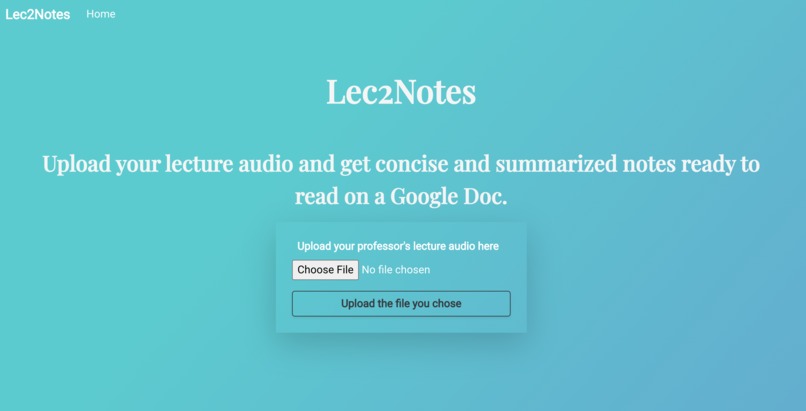
The main interface for the project.
-
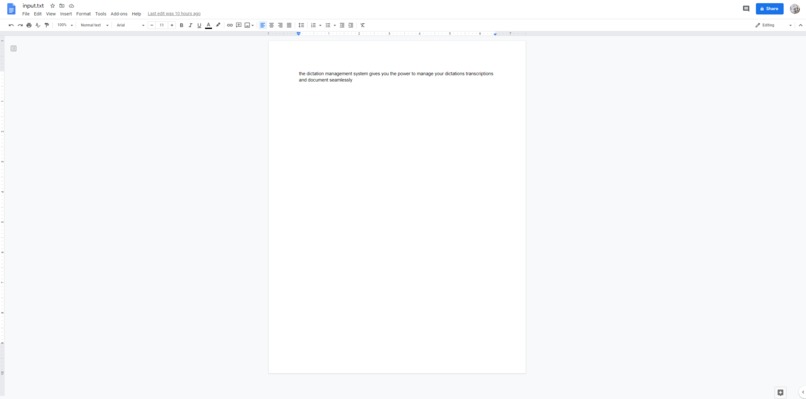
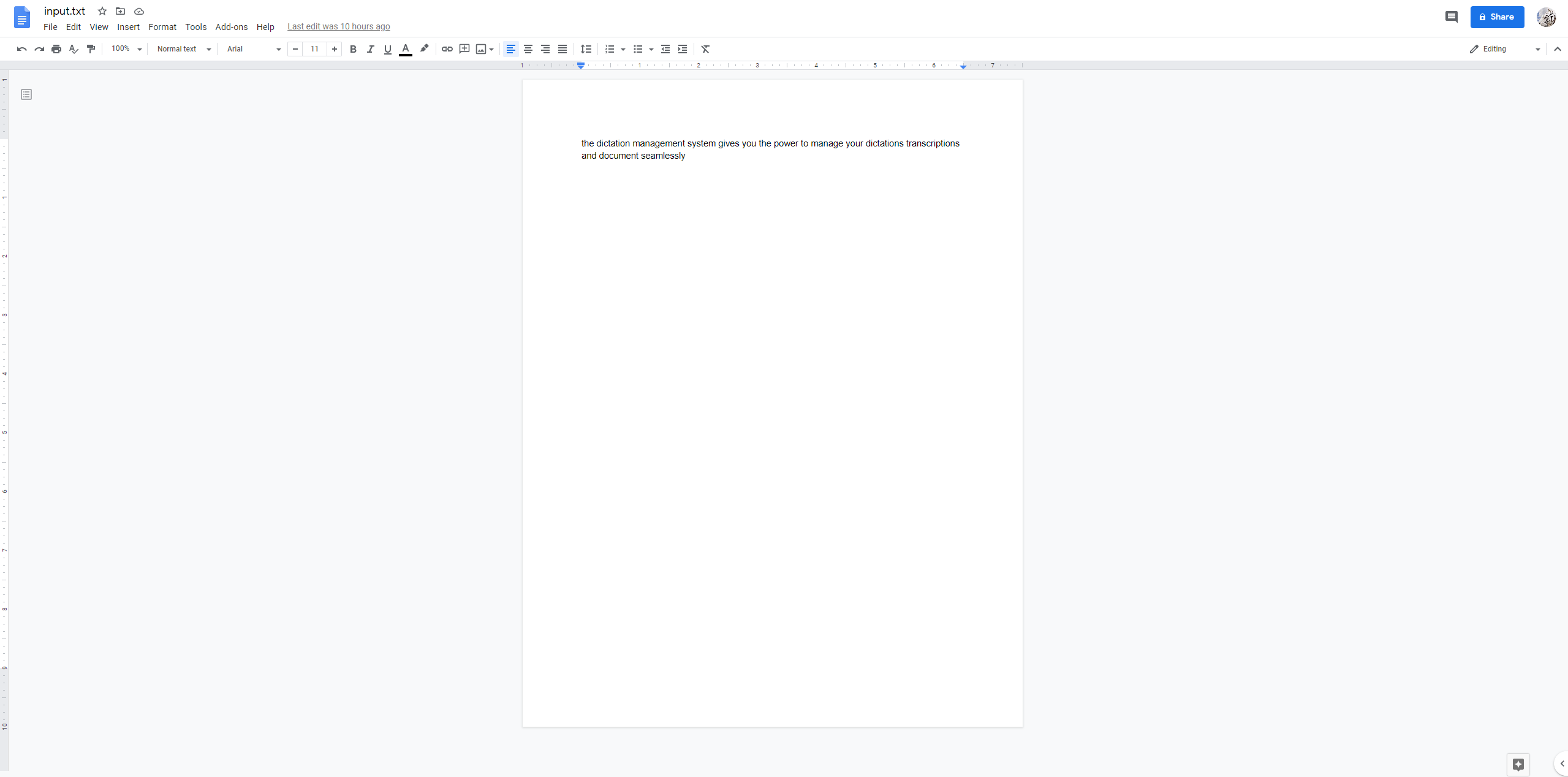
Google Docs output at the end.

Inspiration
We thought about the online nature of education right now, where some days there is a lot of lecture content to catch up with. One way to make it faster would be to provide you with notes for your lecture so you don't have to watch the full thing. We were also guided by the prize categories which we kept in mind when thinking of ways to implement our ideas. Some engineering students might consider that this idea is not very useful to them, as lectures are more like instructions for problem solving. However, many Arts and Science students that were asked about this idea said that it would be very helpful.
What it does
Takes your lecture audio, transcribes to text using Google Speech to Text, summarizes using a cutting-edge NLP model, outputs the summary to a Google Doc.
How we built it
At its core, this project is a combination of a speech to text engine and a text summarizer. We chose the Google Speech to Text engine as it is easy to use and powerful. For our text summarizer, we found a Python library called "transformers" by HuggingFace that uses Tensorflow or Pytorch along with cutting edge NLP models to summarize given text. The model's parameters are currently hard-coded to output a text with length between 1/5th and 1/4th of the original length. The NLP portion of the project was performed on Python, and the speech to text was performed on Node JS.
In order to apply Google Speech to text to long audio files, we had to upload said files to a Google Cloud Storage bucket first (up to ~480 minutes in length). We used the appropriate API for NodeJS to upload the audio to the Google Cloud storage, based on the credentials we downloaded. In order for another user to use our application, they would have to download and utilize their own credentials. The absolute path of the credentials must be stored in the environment variable "GOOGLE_APPLICATION_CREDENTIALS" as specified by Google.
To supply an audio file to this pipeline, an individual would first run app.js. This NodeJS application hosts an HTML/CSS website which takes an audio file in a form and supplies it to the JavaScript end of the pipeline through a POST request. As mentioned previously, this file is then uploaded to Google Cloud, transcribed using Google Speech to Text, then output to a text file. The python portion of the pipeline is commenced as a child process from NodeJS using the spawn command. The python file then opens the transcript file and applies an NLP summarizer model to it. We tested bart-large-cnn by Facebook and t5 by Google, though more testing is definitely recommended.
To improve the user experience further, we not only output the summary as a text file, but also utilize Google's REST API to output the summary into a Google Doc. The python folder of the project comes with a file named "initial_authenticate.py", which must be run prior to the main application. This file logs the main application into the correct Google Docs account.
Challenges we ran into
Our first challenge was to enable transcription of audio longer than a minute or greater than 10MB in size. This took us a while to figure out because our Google Cloud system had issues with billing that could not be resolved. We broke down the problem into different components and eventually the issue was resolved. We played to the strengths of each member and helped each other wherever possible. To combine the different aspects of the project, we needed to work together and understand the way each of our parts worked in order to combine them and make a functional product. This can be seen through our google cloud use being added to the interface which is then linked to Google Docs.
Accomplishments that we're proud of
We created a project, which could be utilized by end-users productively after some more testing and tweaking. After it has been completely polished, it can be utilized in day-to-day life to improve education quality and ease.
What we learned
From a technical standpoint, we learnt NodeJS development, Google Cloud APIs, REST APIs, Python natural language processing, pipeline architecture, and more.
From a more holistic standpoint, we learnt the difficulties of working on a real project as a group. We had to break the project into different pieces, work on them separately, help each other debug, then integrate the parts together. The tight deadline meant that our communication had to be as clear as possible.
What's next for Lec2Notes
When certain audio files are transcribed, Google Speech to text often does not recognize the ends of sentences. This leads to many sentences combining together into large walls of text. Obviously, the text summarizer gets confused by these text blocks and outputs gibberish when this occurs. Finding a fix for this is a critical next step.
Currently, our program runs a little slow when the file is as large as a regular lecture. This is because we ran the NLP model on the CPU. Making it GPU accelerated using CUDA (whether local or on Cloud Compute) would significantly speed up runtime.
For testing purposes, the entirety of the application was hosted locally. An important next step is to deploy our application. The NodeJS section of the pipeline would be hosted on a regular web server. The Python section however would run on a Cloud Compute server such as Google Cloud Compute.
The current application summarizes the transcription to approximately 1/4th of its original length. A nice feature to have would be to let the user control this fraction through the HTML form input.
Google Cloud Speech to Text only allows for input to be mono audio sources, and our pipeline only allows for FLAC and WAV files at the moment. To make the application easier to use and more applicable, we should add an initial pipeline that converts any given audio file into the required format. Allowing video upload and extracting the audio from the video is another useful feature.
We are currently using Google's T5 NLP transformer model, which is a state-of-the-art technology. However, we should still test more summarizers (we also tested bart-large-cnn) to ensure we are using the best we can. Furthermore, it would be best to utilize transfer learning and retrain the summarizer with a more relevant dataset (as opposed to news articles for instance).
Finally, a simple yet highly helpful feature would be a loading bar to see the progress of the program as it runs.
Built With
- google-client-authentication
- google-cloud
- google-docs
- javascript
- natural-language-processing
- node.js
- python
- rest
- tensorflow
- transformers


Log in or sign up for Devpost to join the conversation.