-
-
Turn Lectures into transcribed notes. Easy Breezy!
-
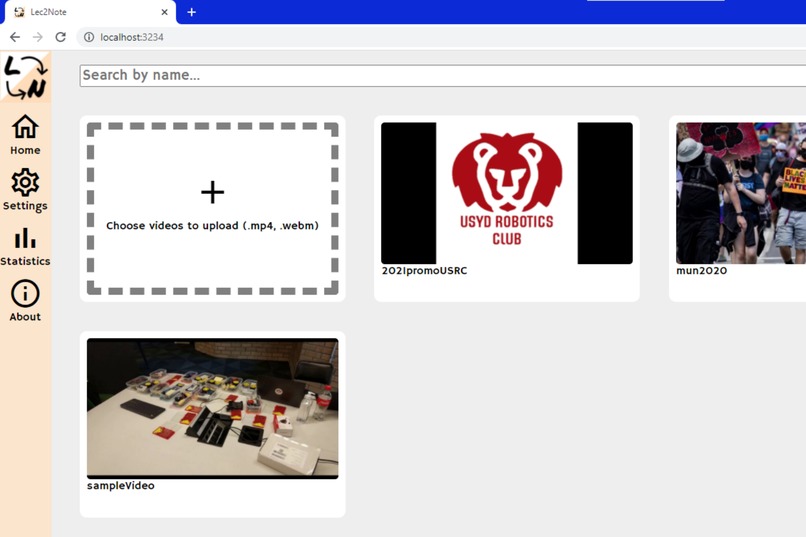
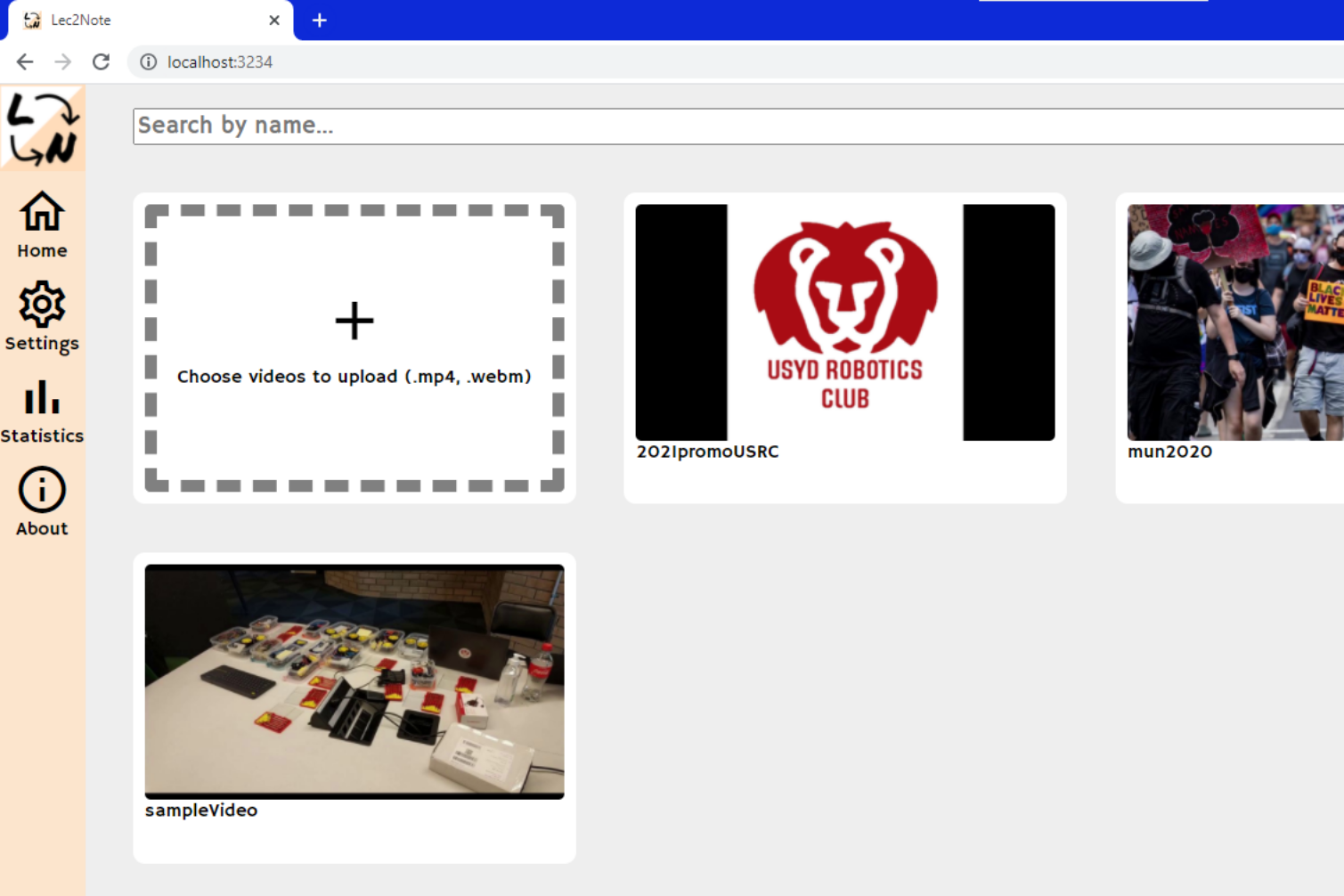
Simply upload your video files, and we'll transcribe them for you!
-
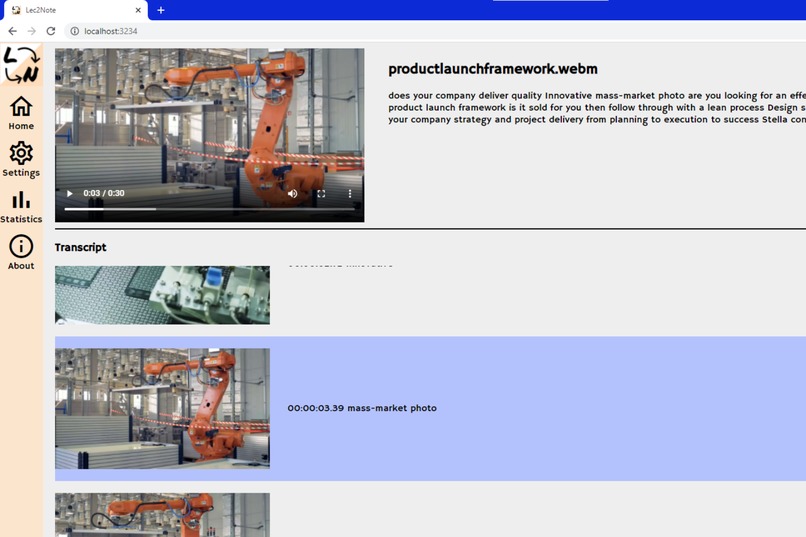
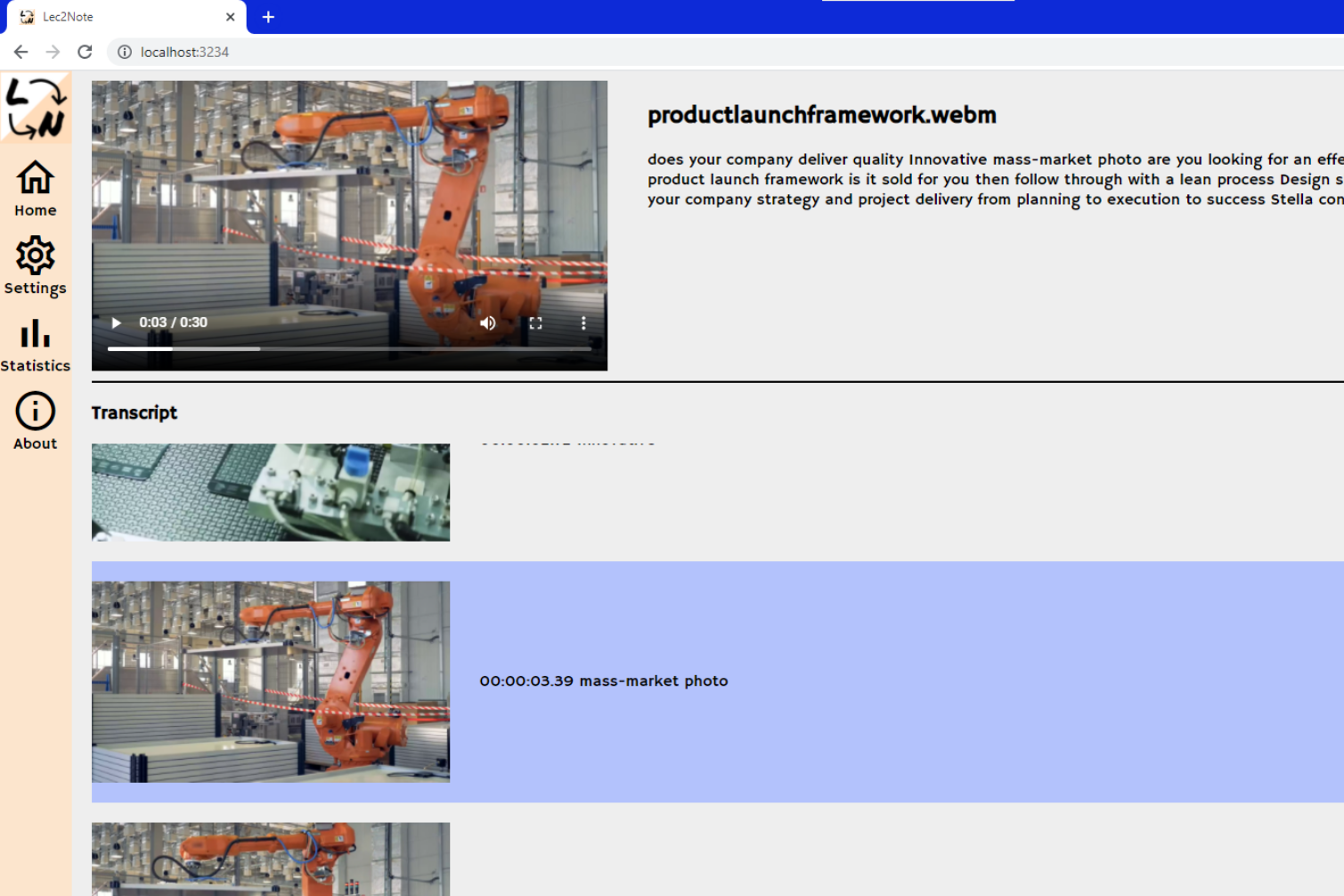
Generate video transcripts aligned with their corresponding slides!
-
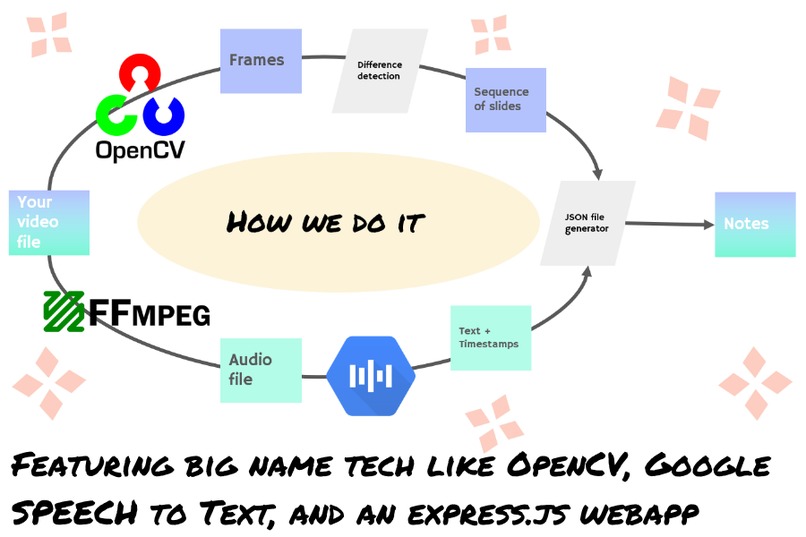
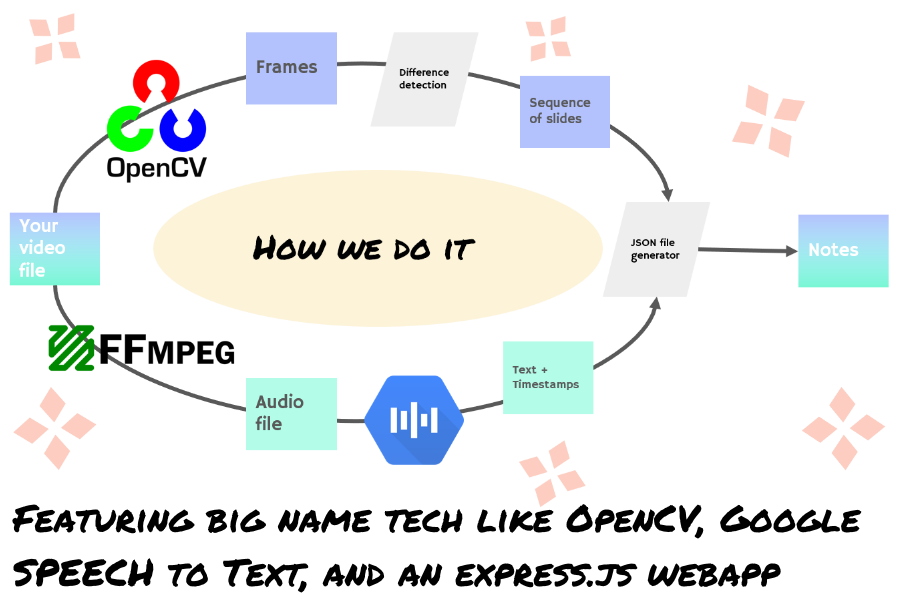
Featuring big name tech like OpenCV, Google Speech to Text, and an Express.js Webapp.
-
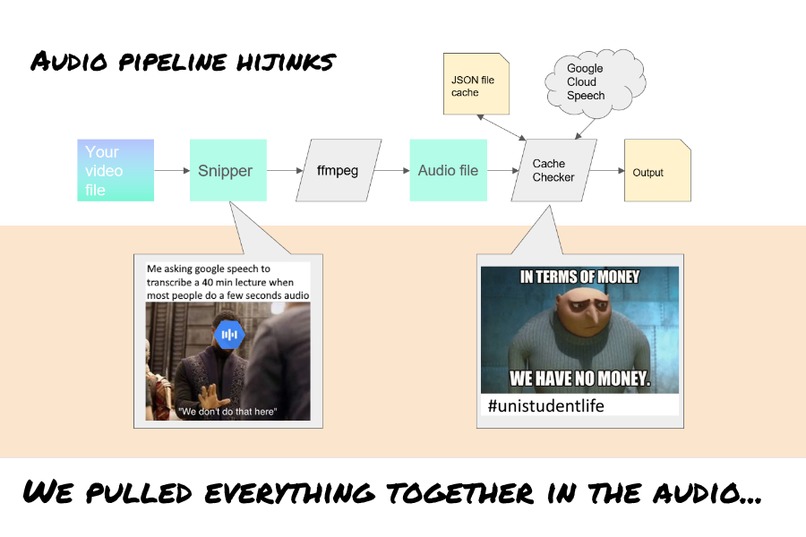
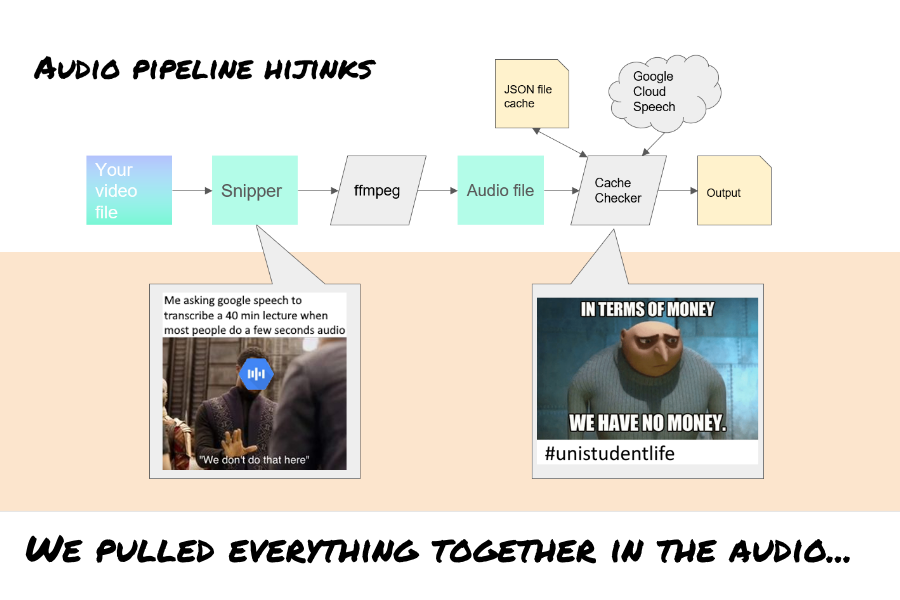
We pulled everything together in the audio...
-
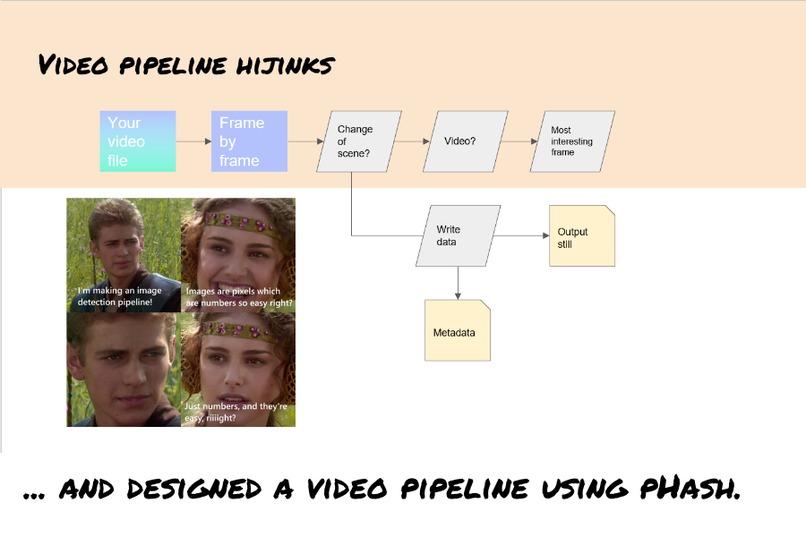
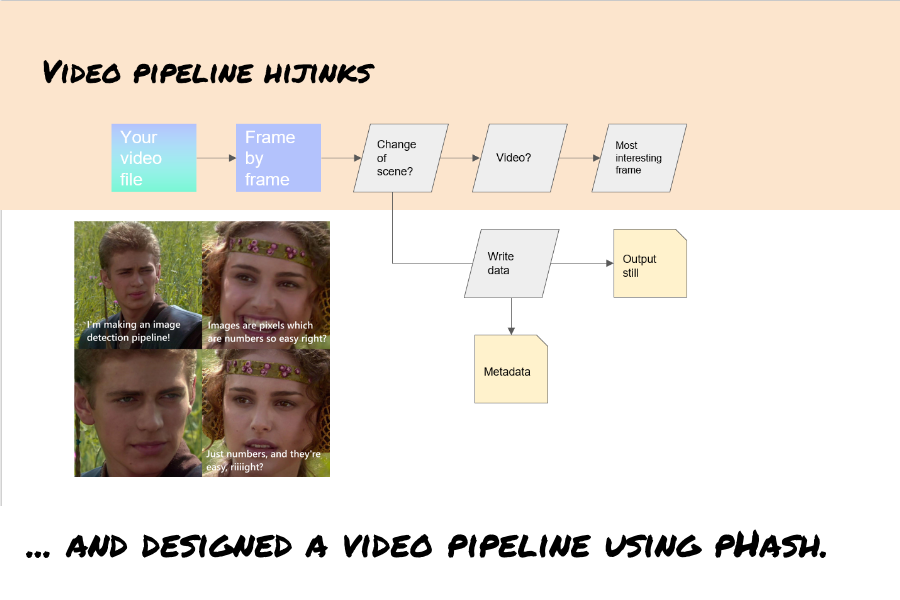
...and designed a video pipeline using OpenCV's Phash.
Inspiration
Watching recorded lectures is one of the most dreary parts of uni life. After a long day working on assignments, part time work, or other ways to spend the valuable daylight hours, maintaining the focus to watch (and actually digest) 2 hours of lectures is a big ask.
What it does
Lec2Note turns lectures into frame-synchronised transcripts to support your learning experience. Through these transcripts, students can:
- Search through lectures and make sure nothing's missed
- Skip silences and errata, and process lectures in idle time
- Match narration with slides without the manual effort
How we built it
Lec2Note uses Google's Speech to text API and OpenCV.
- Google speech to text is a cost effective way of getting high quality transcriptions from audio.
- OpenCV uses local processing power to identify key turning points in the video stream.
- ffmpeg and ffprobe were used to help with file type conversions. All of these tools are reasonably cross platform! ## Challenges we ran into
- Creating a video pipeline that was reliable enough to split chunks of video without over-splitting busy periods or missing key transitions was quite difficult.
- File format conversions are messy. Even things like # of audio channels tripped us up. ## Accomplishments that we're proud of Getting a robust video and audio processing pipeline up!
What we learned
Using opencv skills to create an actual real product was fun! We also learnt a few things about nodejs express and how to use a file system as a database in a pinch XD
What's next for lec2note
Popping it on a website so other people can use it would be nice :D We could also use wav2vec in the backend so that we can operate for free (sorry google)
Misc
You need to add your google credentials file as a google-credentials.json in the lec2note_main directory to use this.
Built With
- express.js
- ffmpeg
- google-text-to-speech
- javascript
- materialui
- node.js
- opencv
- python


Log in or sign up for Devpost to join the conversation.