-
-

LeashOff app icon
-
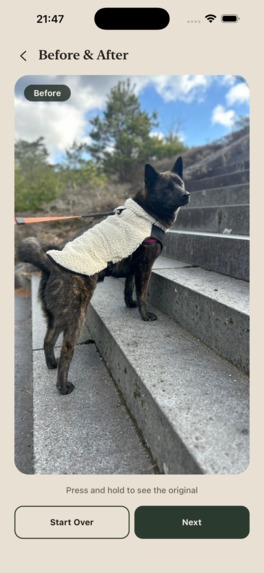
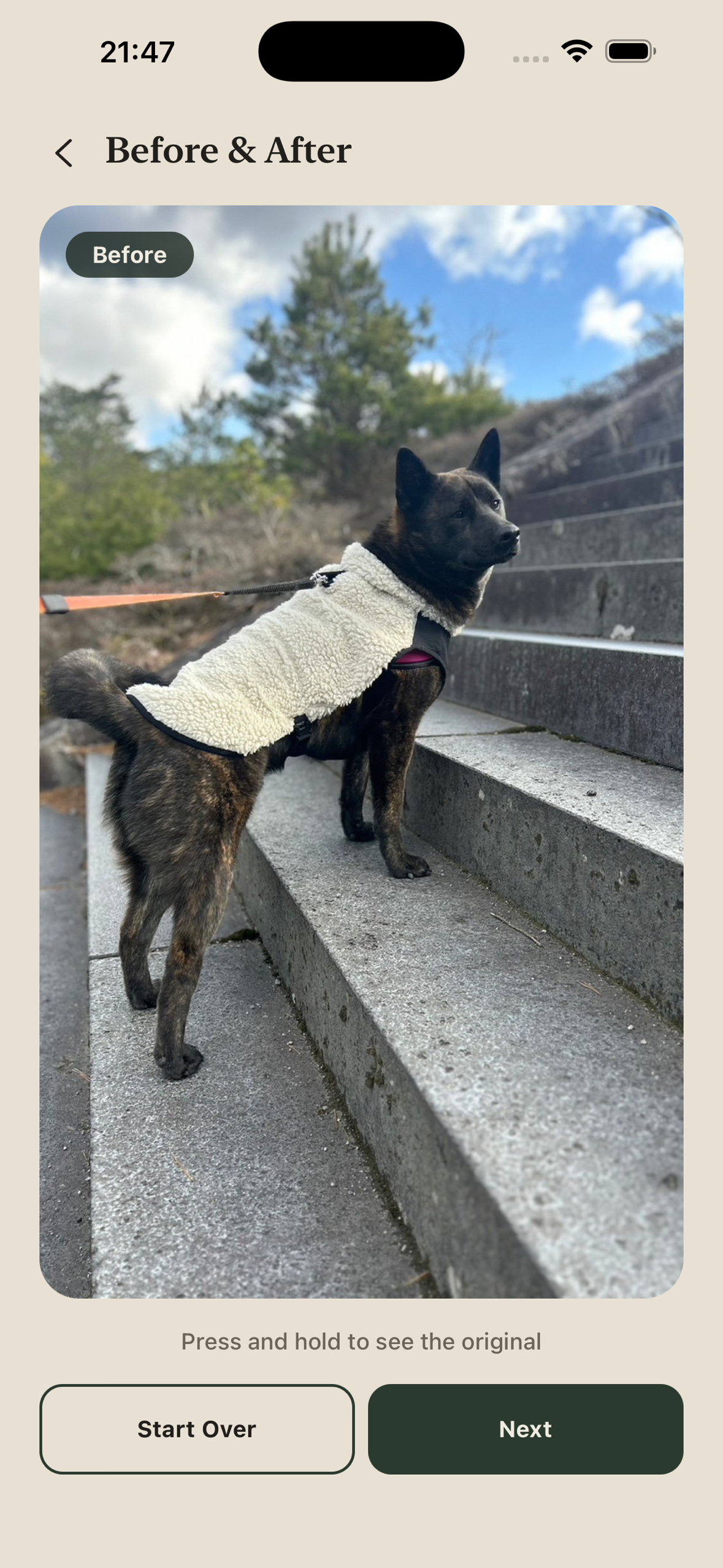
Before: a leash cutting across the frame
-
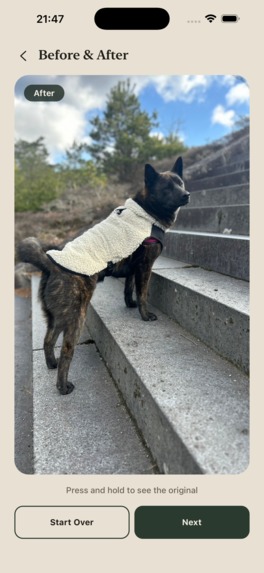
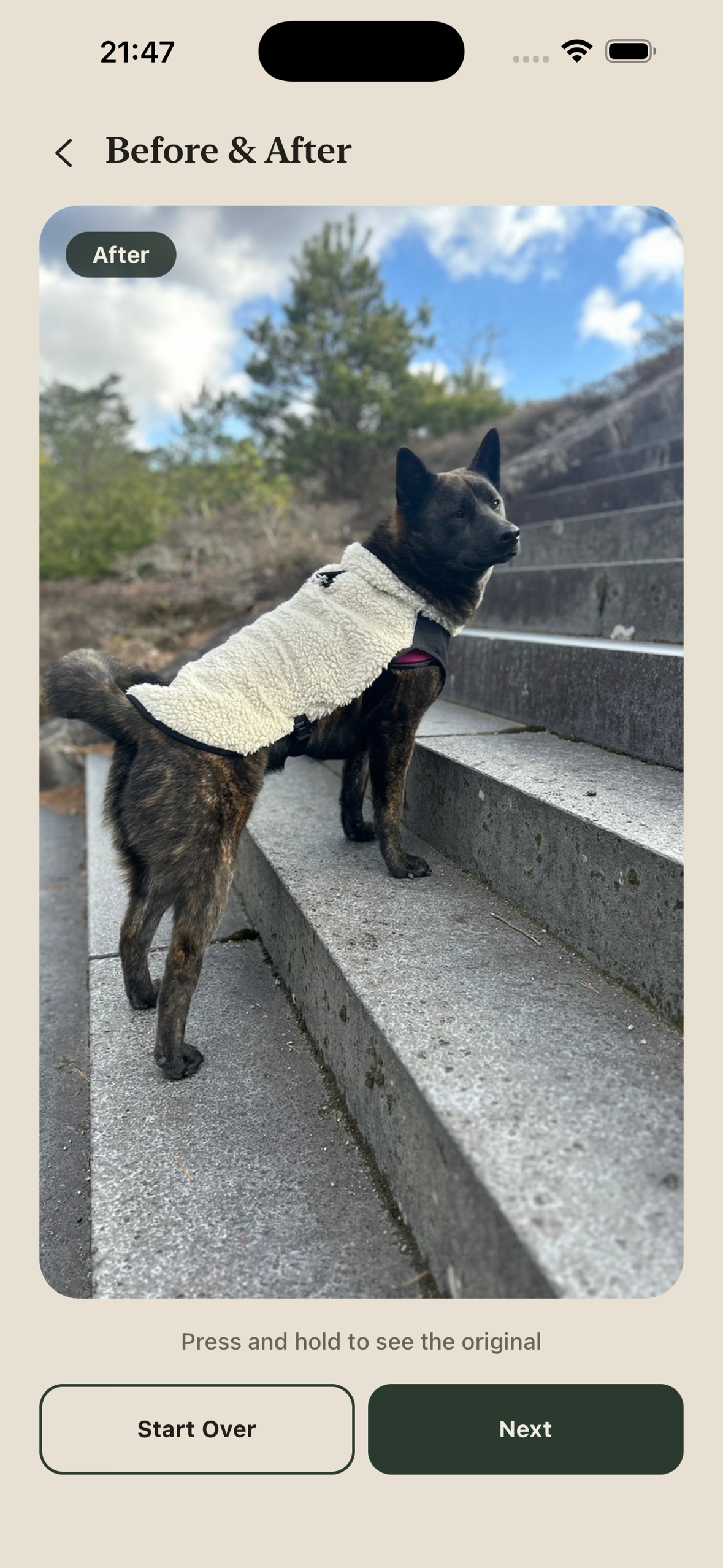
After: leash removed, dog and coat untouched
-
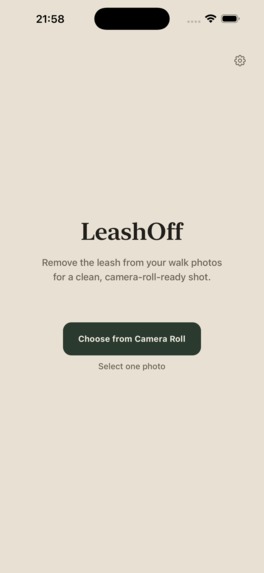
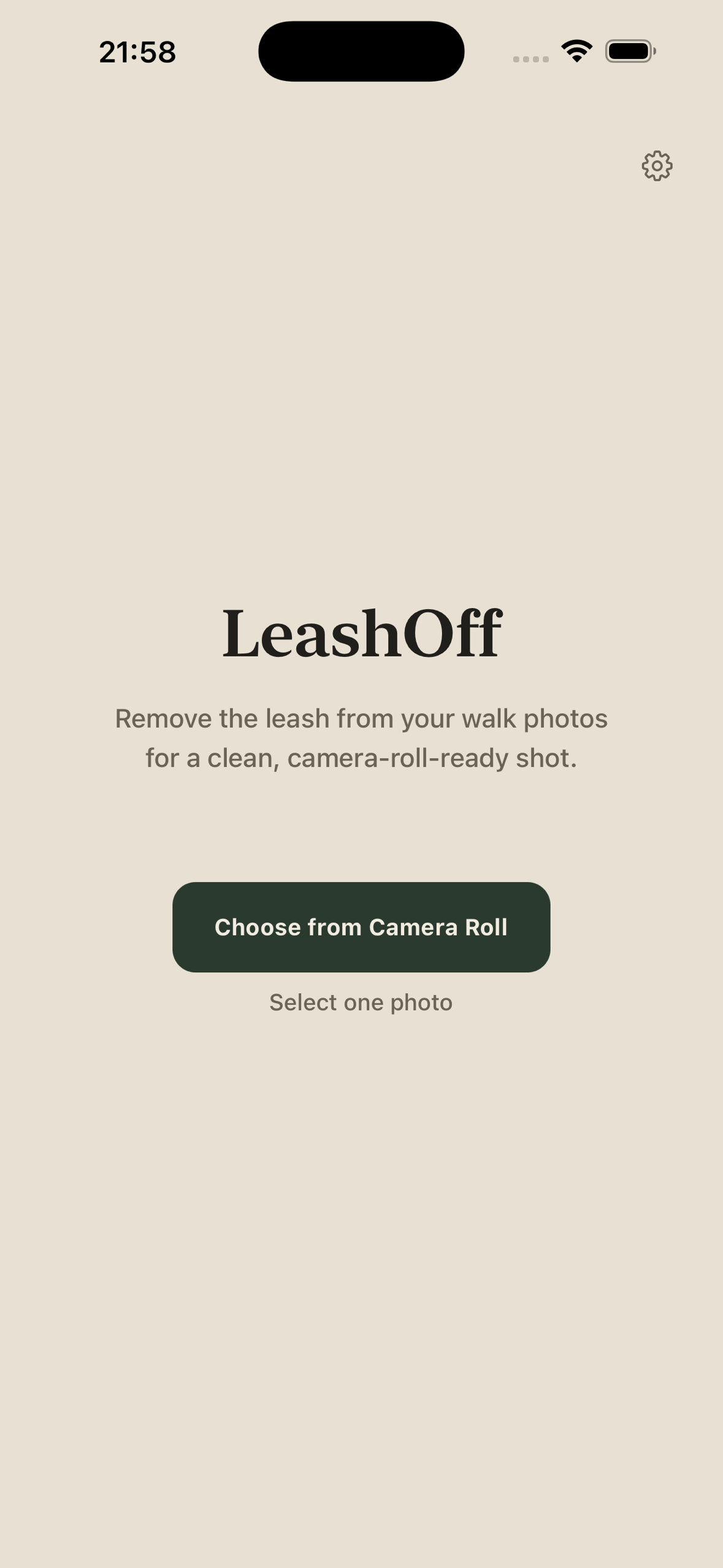
Home: pick a photo from your camera roll
-
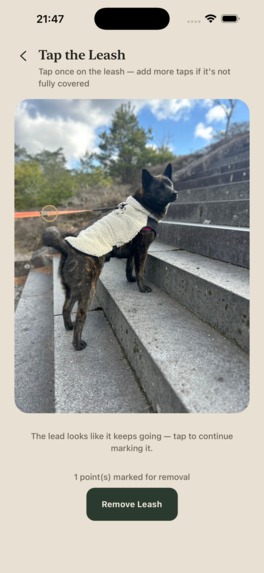
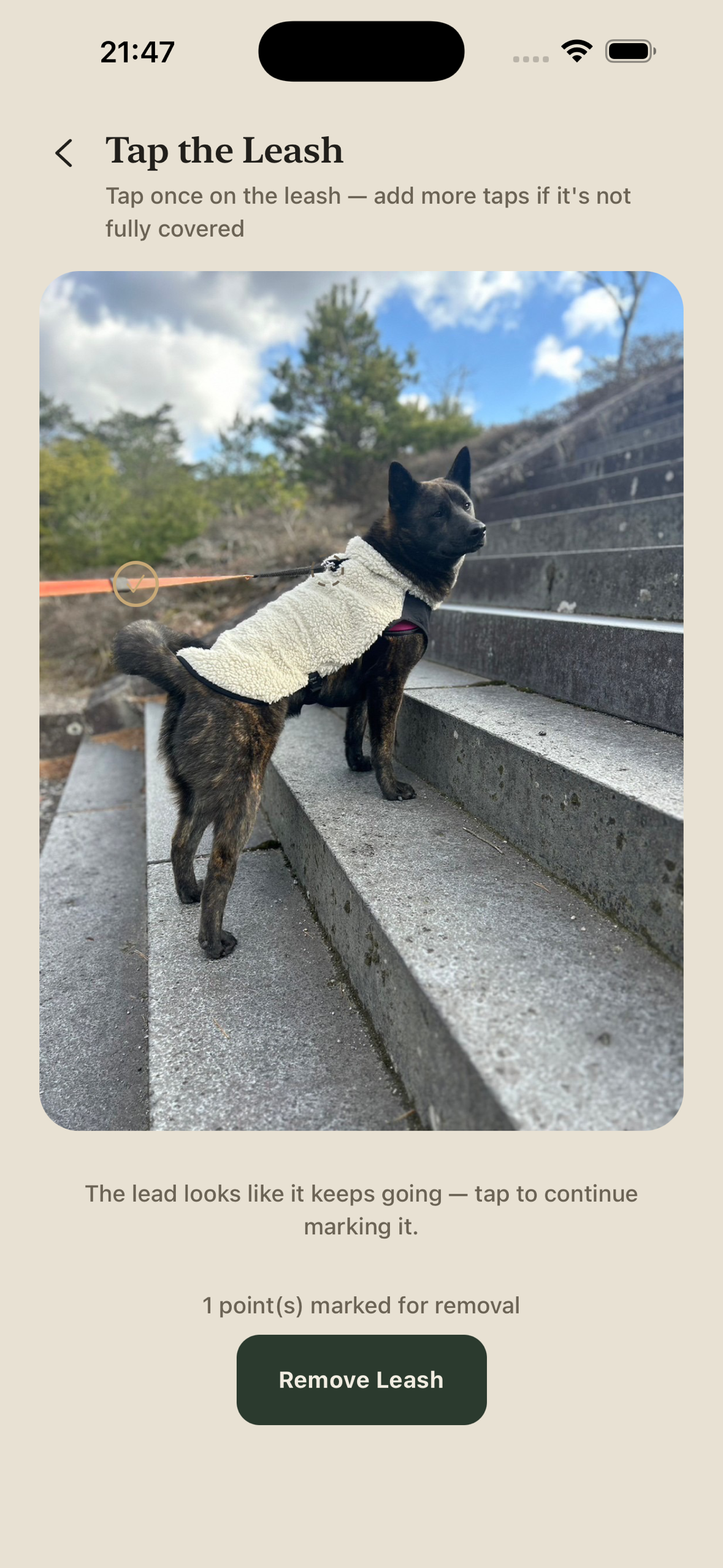
Tap the leash; the app tells you if it seems to continue
-
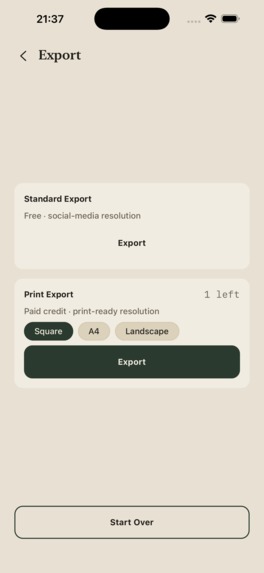
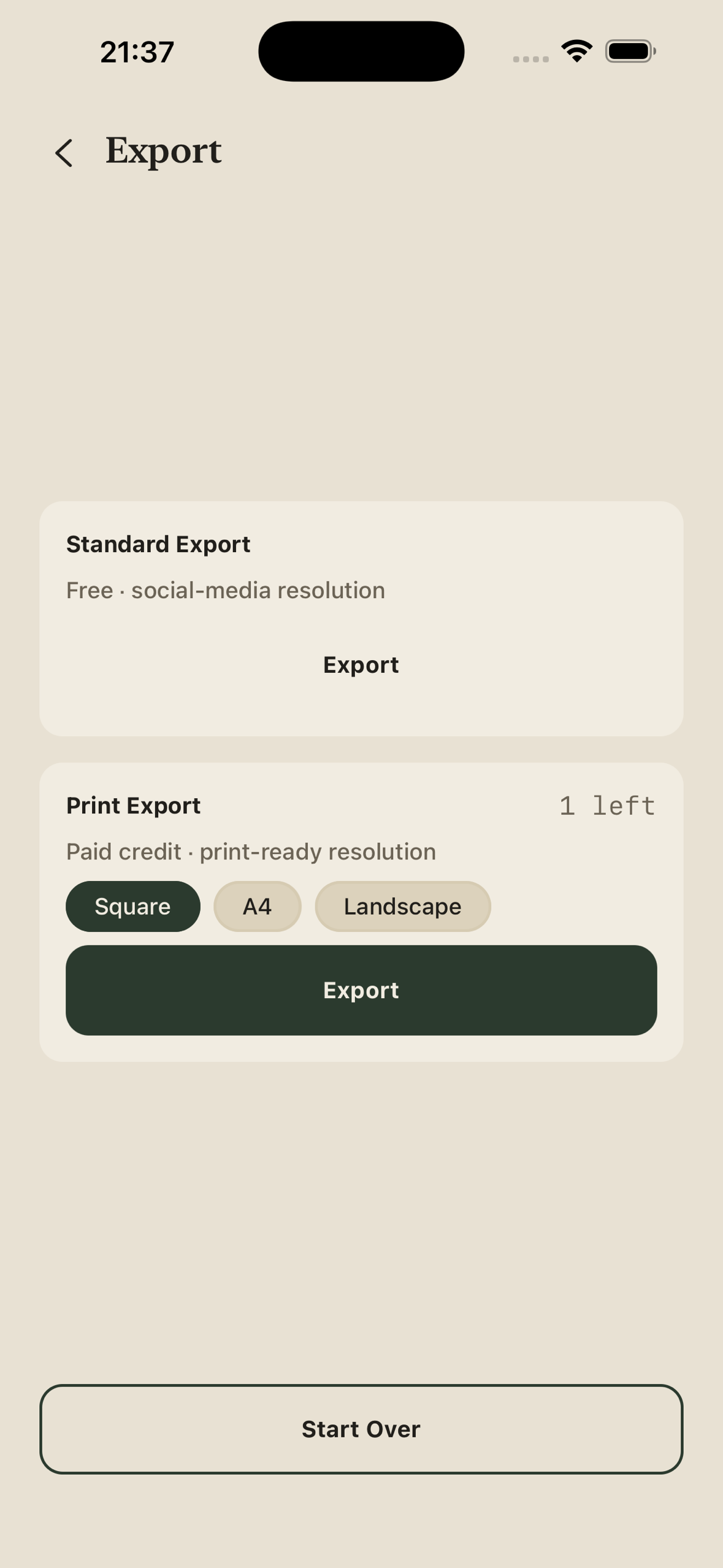
Export: standard is free, a print export uses a credit

Inspiration
The best photos of a dog happen mid-walk — and every one of them has a leash cutting across the frame. We tried the existing fixes. Generic AI erasers tend to overcorrect, smudging collars and clothing or subtly warping the dog. Photoshop/Lightroom cloning works, but takes real skill and time. Apps built for leash removal ask you to trace a thin, curved line with your finger — about the worst input method there is for a thin line against fur. And most of these tools assume you're at a computer, not standing on a sidewalk with your phone. We wanted something you could use before the walk is even over.
What it does
Pick a photo and tap on the leash. LeashOff finds the leash from that tap and removes it; if part of it is missed, you tap again (up to 8 taps), and each tap is independently accepted or rejected with a reason. The dog itself — fur, coat pattern, collar, harness, clothing — is left untouched. Press and hold to compare with the original, then save a standard-resolution copy for sharing, or a full-resolution print export cropped to Square, A4, or Landscape — because the photos people most want leash-free are the ones going into photo books, calendars, and frames.
Photos are sent to our server only to be processed. The server doesn't save them; the result comes straight back to your phone, and nothing is shared unless you save or share it yourself.
New accounts get 5 free credits. Removing the leash from a photo uses one credit, no matter how many taps or re-runs it takes; each print export uses one more. More credits come from consumable packs (3 credits $2.99 / 10 credits $7.99 / 20 credits $14.99) or a Premium subscription ($4.99/month, 10 credits every month).
How we built it
- App: Expo (SDK 57) / React Native / TypeScript. Sign in with Apple via expo-apple-authentication; print-preset cropping with expo-image-manipulator.
- Leash removal: a separate Python/FastAPI service on Google Cloud Run (GPU, scale-to-zero). YOLO segments dogs and people, used as search bounds and as a guard; each tap becomes a point prompt for SAM; the most elongated candidate mask is kept; accepted masks are merged, dilated, and filled with LaMa inpainting.
- Identity and credits: Supabase (Postgres + Edge Functions). The app calls the API with the user's Supabase JWT, and the server charges the credit, so the client can't skip it.
- Purchases: RevenueCat. The client can start a purchase but can never grant itself credits — only a RevenueCat webhook handled by a Supabase Edge Function (service role) can. That one webhook turns credit-pack purchases, new subscriptions and renewals into credits, so we never built App Store receipt validation or server notifications ourselves. When we cut the $0.99 tier before launch, removing it from our RevenueCat offering took it off the purchase screen with no app code change (we also pulled it from sale in App Store Connect).
Challenges we ran into
- The interaction model changed mid-build. Our first UI mocked removal as toggleable rectangles, but the real detection is tap-point based, with per-tap accept/reject reasons ("too large", "grabbed the dog"). We rebuilt the correction screen around taps instead of forcing the API into the box UX.
- Charging at the wrong moment. Our first billing model only charged a credit at print export — but GPU cost starts the moment a removal runs: about $0.28 each time the GPU has to start cold, and well under a cent for each additional photo while it's warm. Free renders were costing real money with no way to recover it. We redesigned billing to charge at removal time. We also cut a planned $0.99/month tier with 5 credits: even after Apple's reduced 15% commission (Small Business Program) it would bring in about $0.84, enough for only three cold starts, so a subscriber using their credits on different days would cost more than they paid. We hid it before launch rather than ship a plan that loses money.
- Shipping paid features is more than code. This was our first App Store release, and most blockers weren't bugs: an unsigned Paid Applications Agreement that kept the store from serving any products, then App Review asking for things like in-app purchases submitted with the build and Terms/Privacy links on the purchase screen.
Accomplishments that we're proud of
- LeashOff was approved and released on the App Store on September 22, 2026, in 175 countries and regions.
- Finding the leash: on our 20-photo test set, all 74 hand-placed taps produced a leash mask, and none grabbed the dog.
- Removing it cleanly: a family member who wasn't involved in development scored every result pass/fail without knowing which method made it. With LaMa inpainting, 18 of 20 photos passed, vs. 9 of 20 with OpenCV's
cv2.inpaint. - The purchase path is verified end-to-end in the App Store Sandbox, including subscription renewals granting credits through the webhook — and in production, we redeemed an offer code from the batch we issued for judges on the live App Store build and confirmed the webhook granted the credits.
What we learned
Tracing is the obvious input method, and it's the wrong one: for a thin line on a small screen, tap-to-confirm beats freehand drawing. On the business side, your pricing should follow where your costs actually happen — for an AI app, that's the moment the model runs, not the moment the user exports. And a purchase flow isn't done when the code works: agreements, product submissions, and in-app legal links are part of shipping monetization, not paperwork after it.
Known limitations
- Our test set is small (20 photos), and 2 of them still failed the pass/fail check.
- One tap is the start, not always the end: in our test set, photos took about 3.7 taps on average.
- We haven't yet run the same photos through Google Photos or other leash-removal apps, so we can't claim a measured win over them.
- LeashOff launched on September 22, 2026, so we don't have user or revenue numbers to share yet.
What's next for LeashOff
- Remember your leash (Premium). Register the leash you actually walk with, and LeashOff finds it on its own — aiming for zero taps, with tapping still there as a fallback. Most owners use the same leash every day, which makes this a natural reason to subscribe, and it targets our biggest usability gap: about 3.7 taps per photo in our test set.
- Move leash removal onto the iPhone. GPU cold starts on Cloud Run are our costliest step (about $0.28 each). Running lighter versions of the models on-device would bring the cost per photo close to zero, remove the wait for a cold start, and mean photos processed on-device never leave the phone. Older devices that can't run the models would keep using the server.
- Rethink pricing around the new cost. With launch data and on-device processing, we'll revisit Premium's price and monthly credits — including whether a cheaper plan like the $0.99 tier we cut can come back, which on the app side is an offering change in RevenueCat rather than a code change.
- Partner with leash makers. Our users walk with a leash daily; we only take it out of the photo afterward. One idea: a partner's leashes would be recognized automatically for every user, aiming for zero taps, which gives shoppers a reason to choose that leash, while the partner's sponsorship covers the processing cost. Premium would still remember any leash you register. We've started reaching out to leash makers; nothing is agreed yet.
- Measure against the alternatives. A larger test set, and a side-by-side comparison with Google Photos and other leash-removal apps.
Built With
- expo.io
- fastapi
- google-cloud-run
- lama
- python
- pytorch
- react-native
- revenuecat
- segment-anything
- sign-in-with-apple
- supabase
- typescript
- yolo
