-
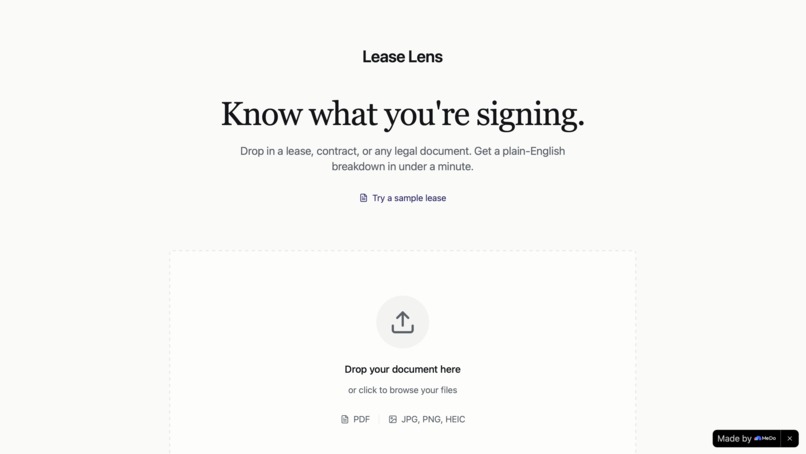
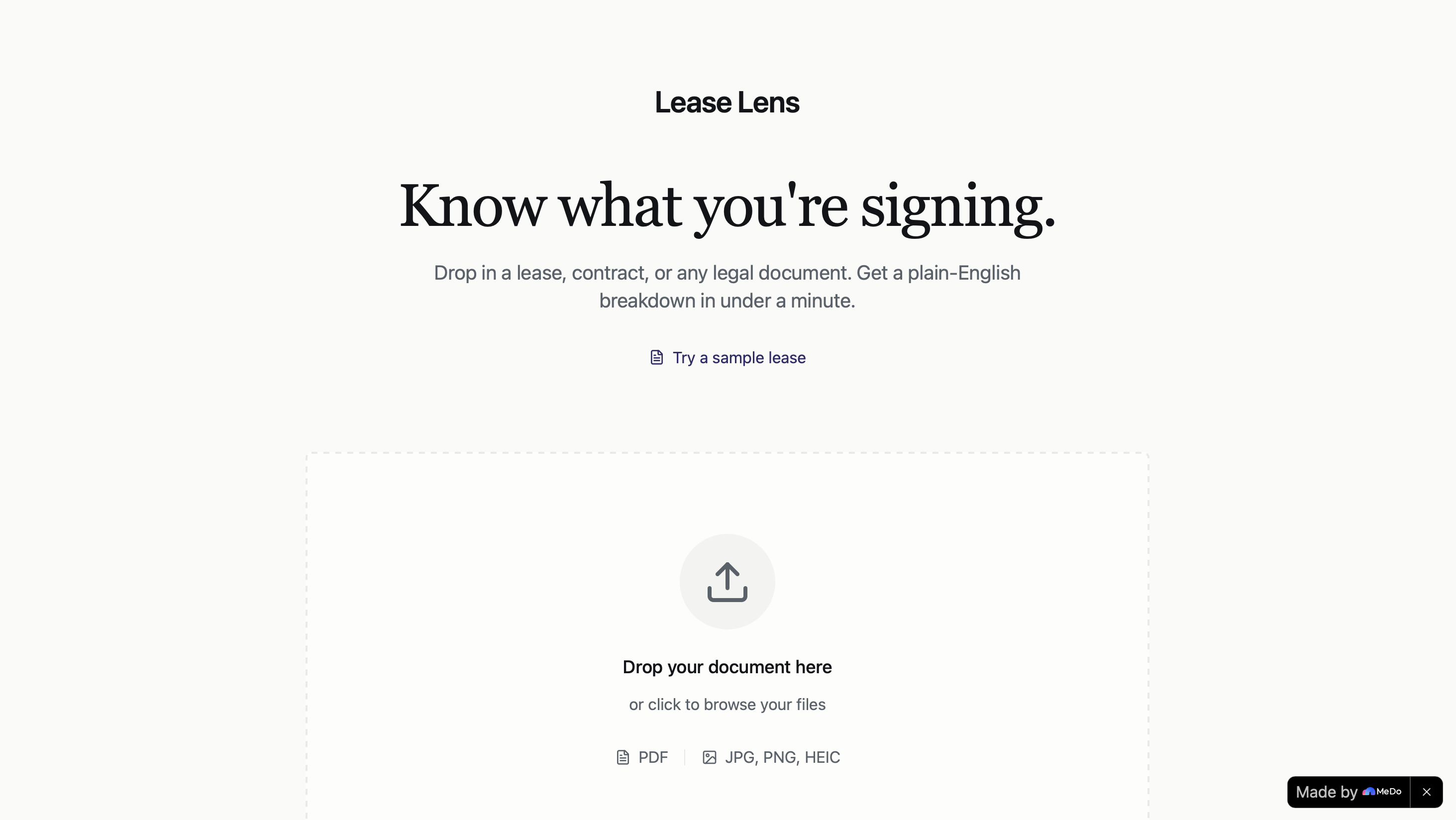
The landing page. Drop a PDF or photo of any legal document, or try a sample lease to see how it works.
-
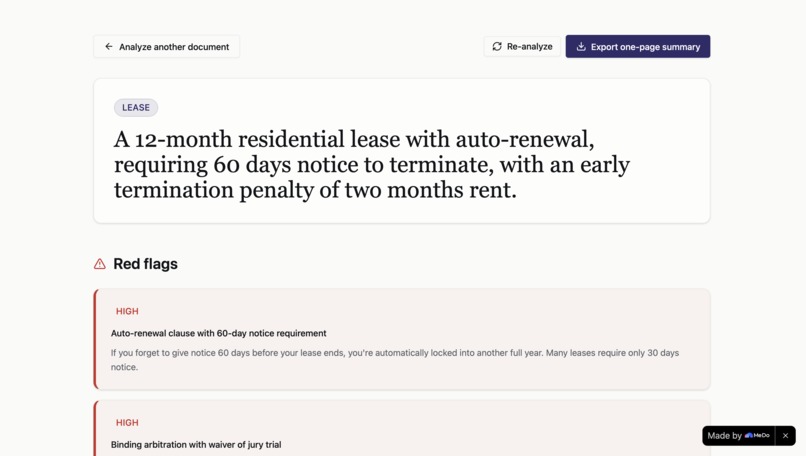
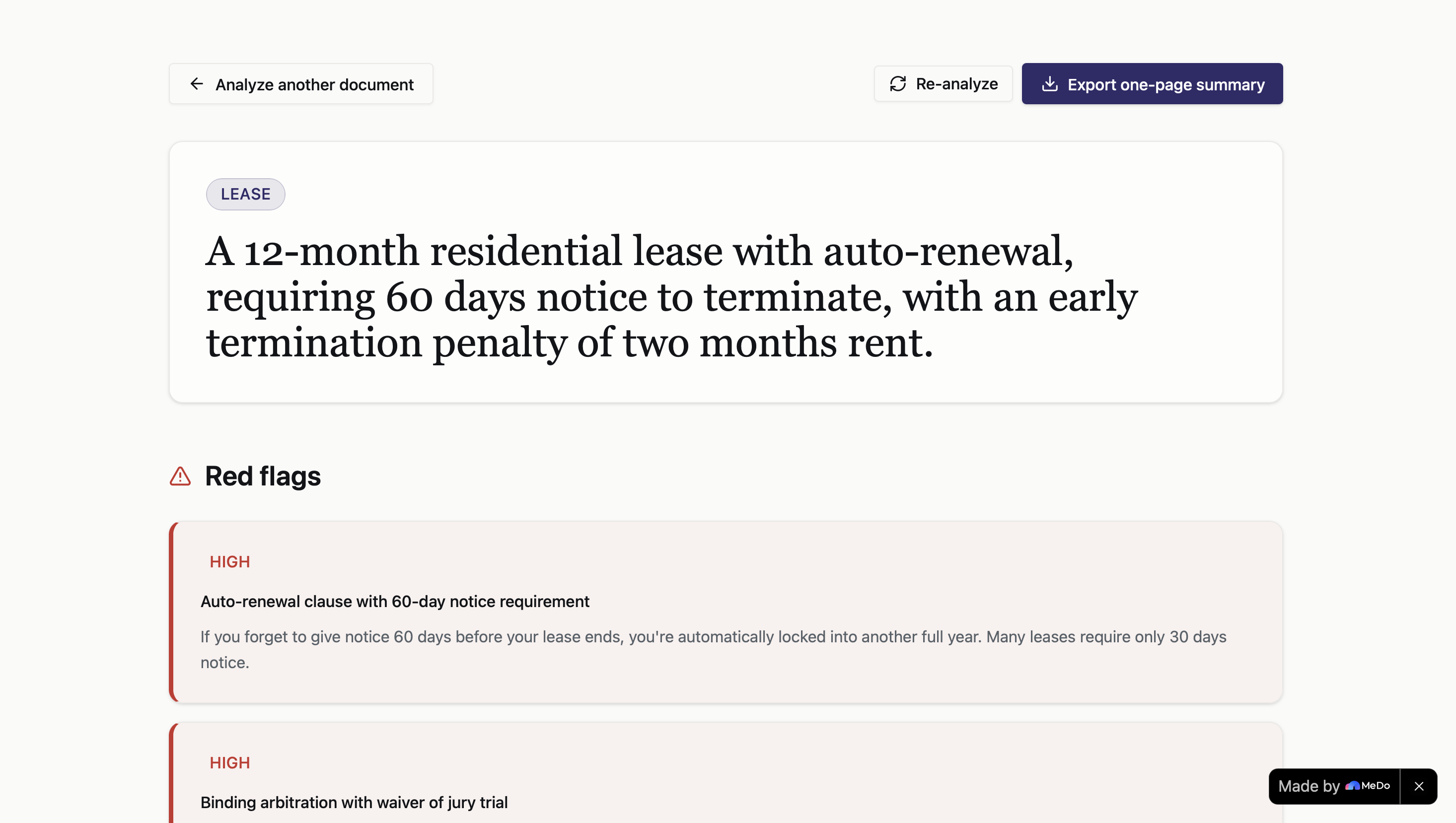
A one line summary of what you are signing, followed by red flags ranked by severity. High severity items come first
-
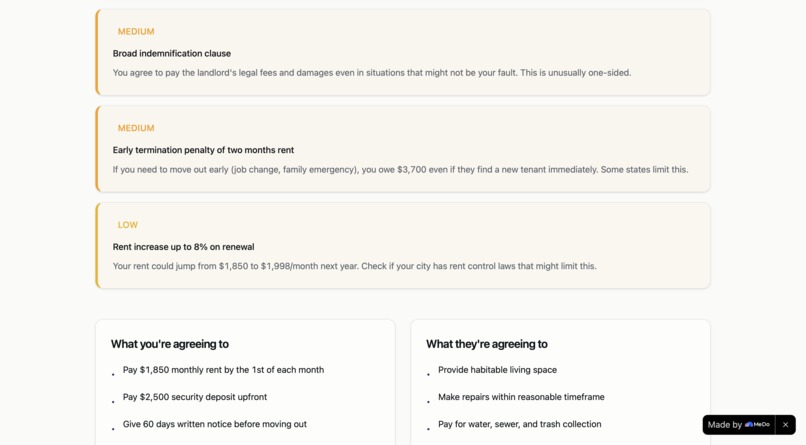
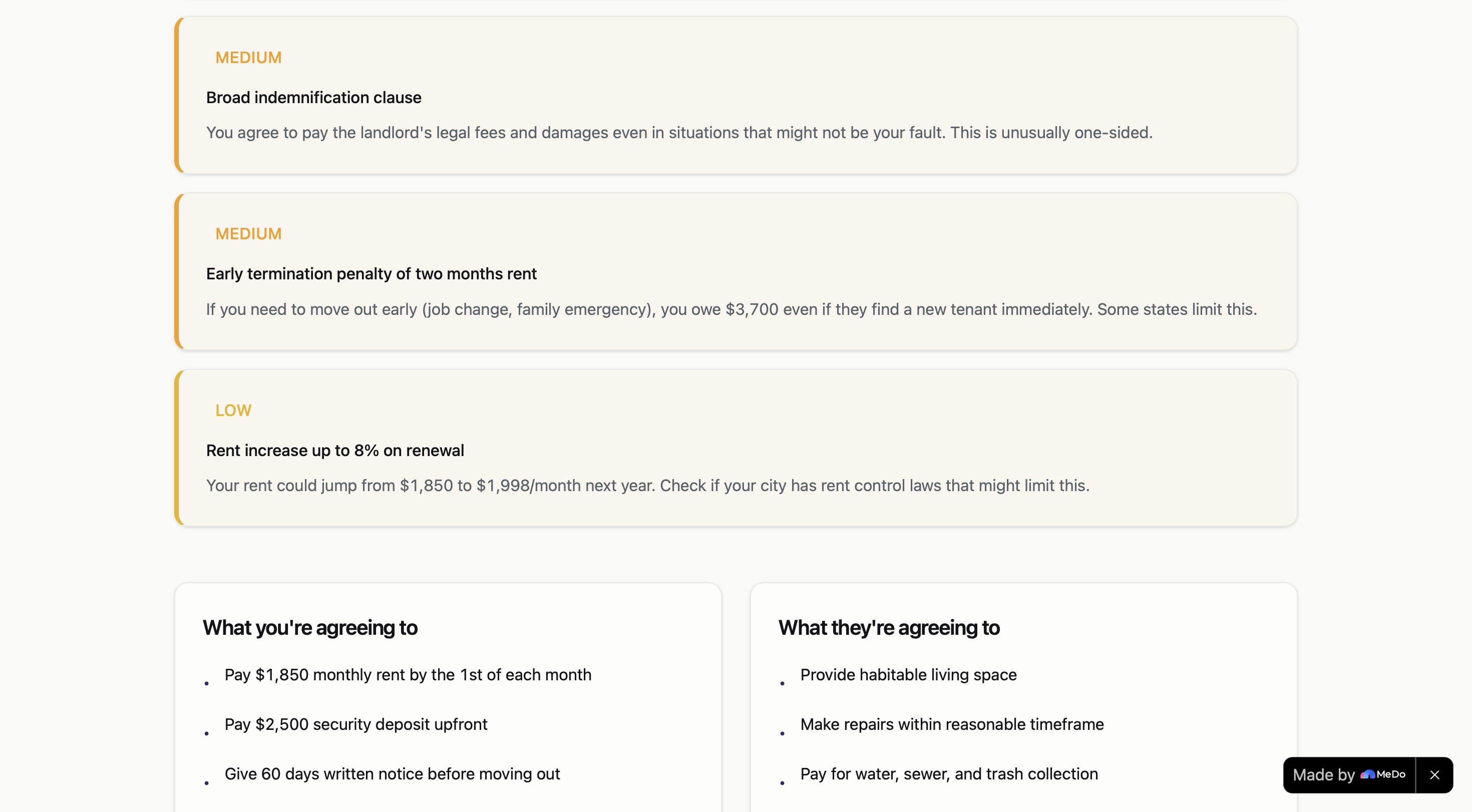
Medium and low flags with plain English context. Below, two columns show what you and the other party each agree to.
-
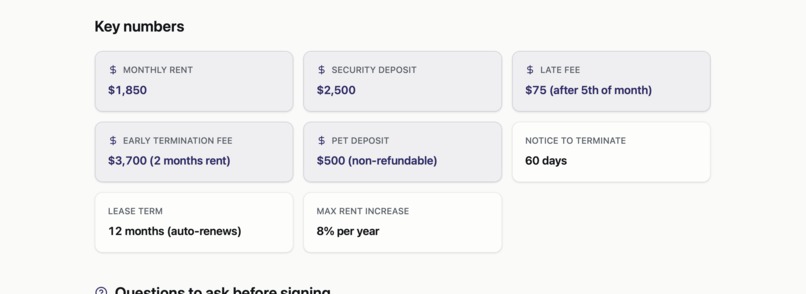
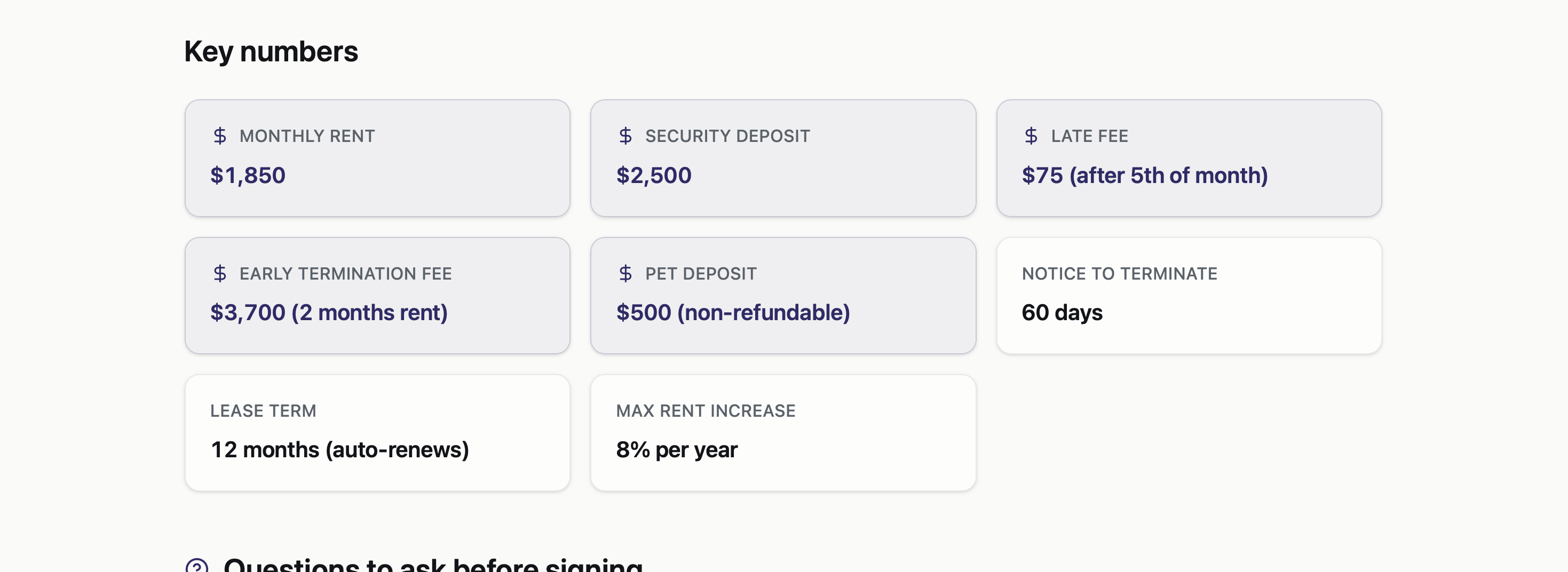
Rent, deposits, fees, and notice periods pulled from the document into one clean grid. No scrolling to find them.
-
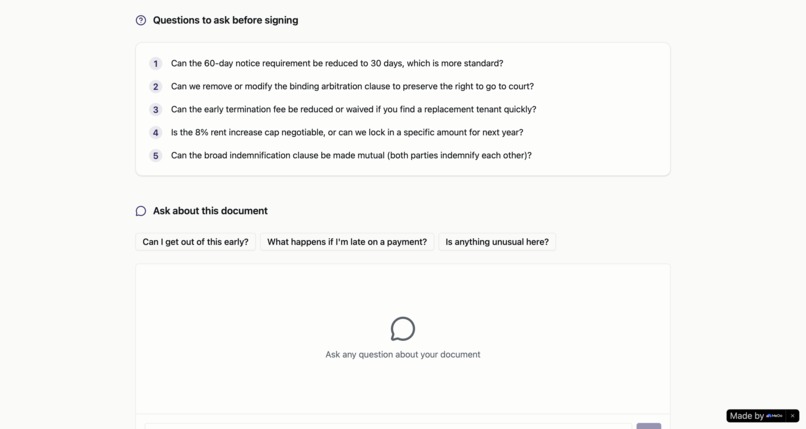
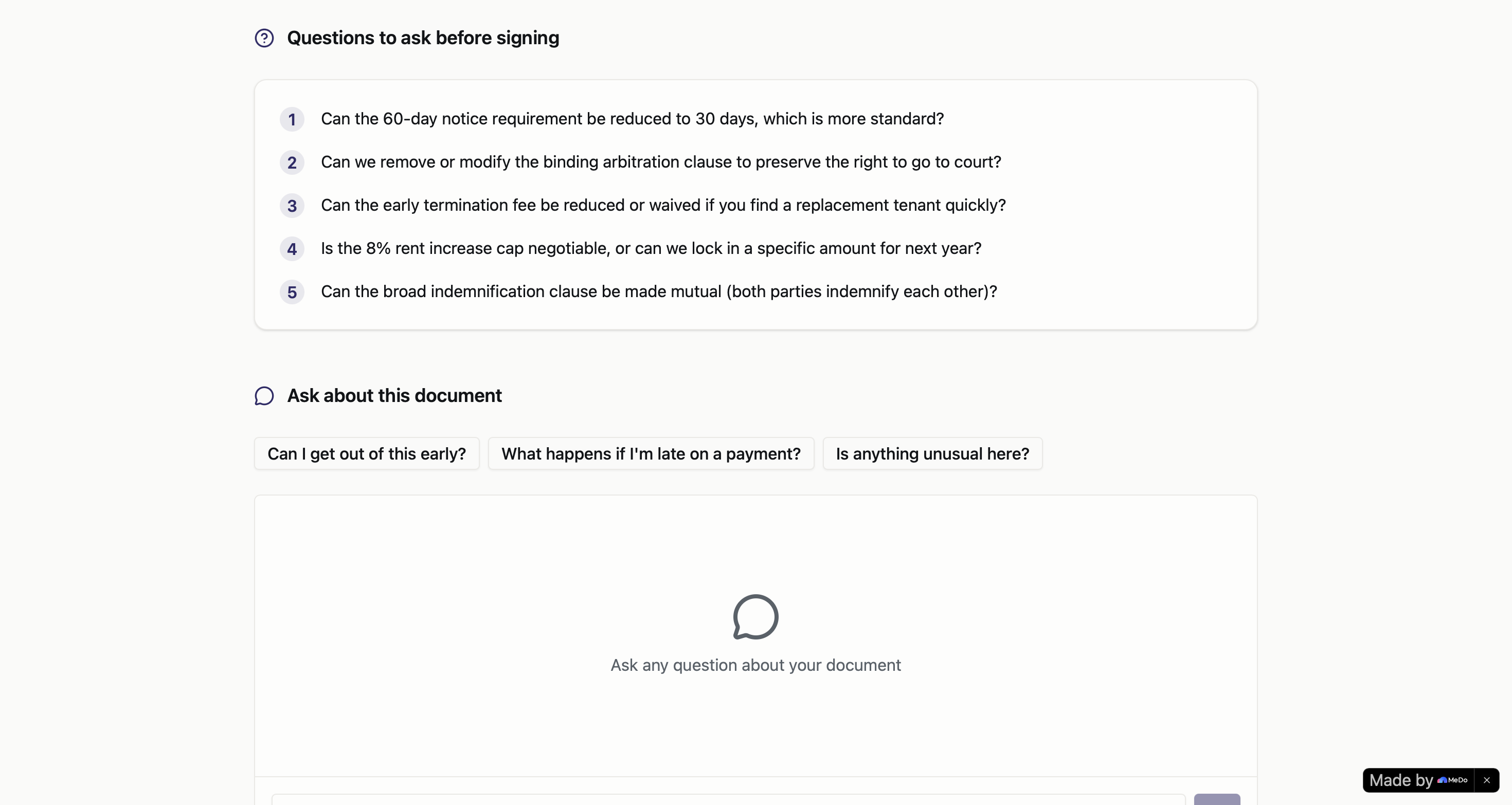
Questions to ask before signing, generated from your document. Open chat below answers anything, grounded in the text.
-
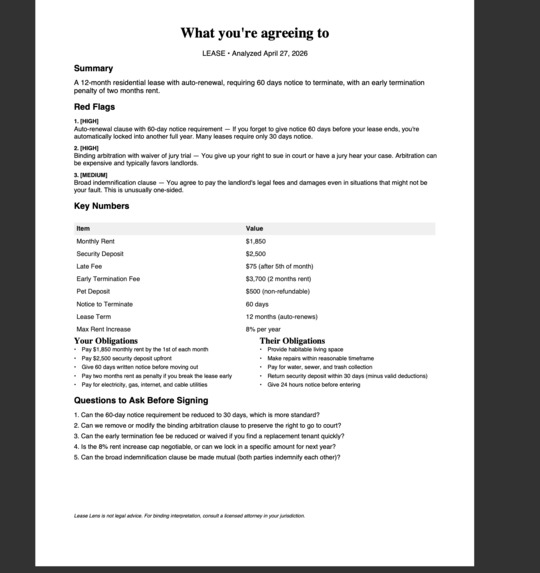
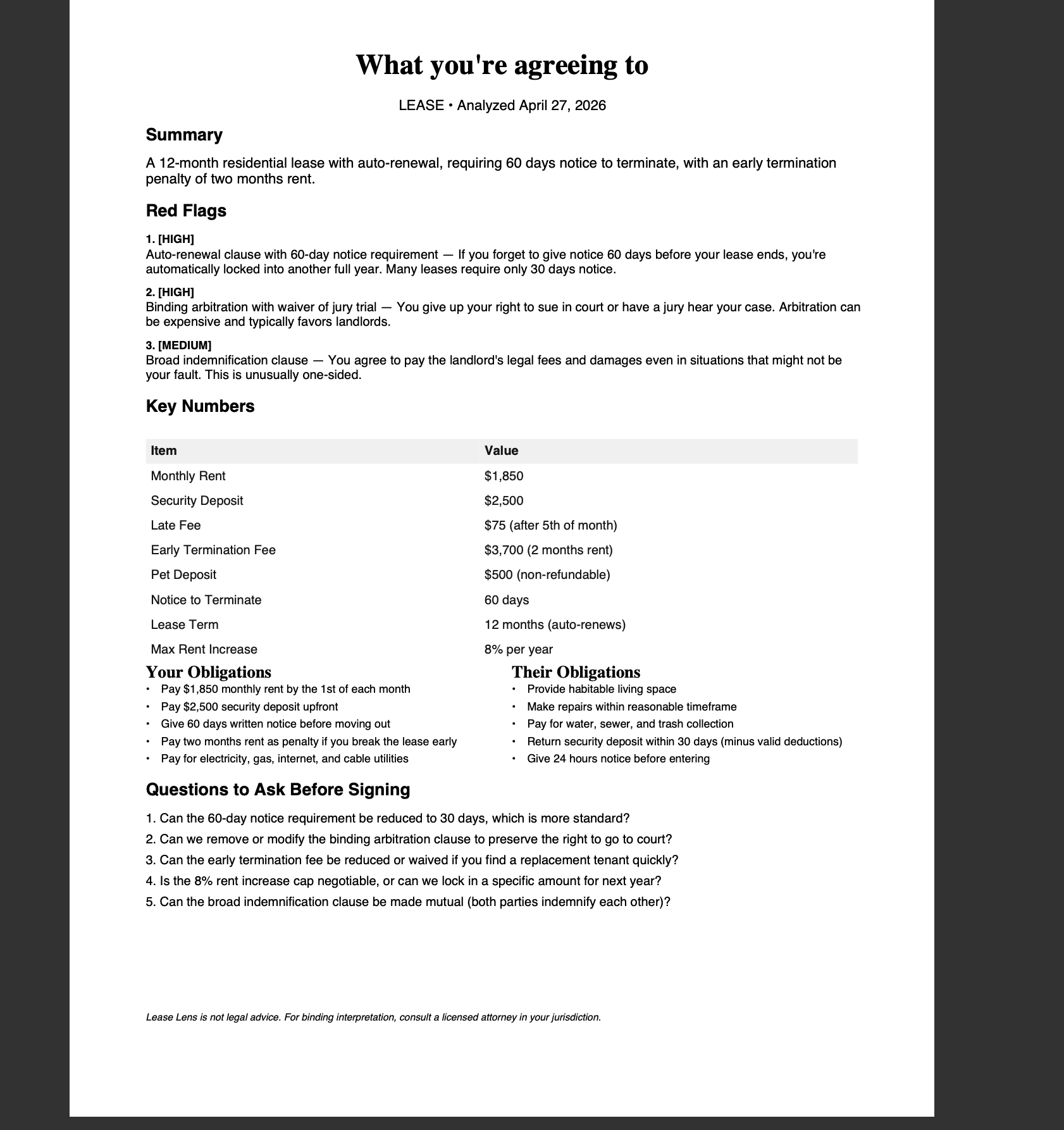
The one page export. Designed to print clean and look credible when you forward it to a partner or a lawyer
Inspiration
I got handed a 14 page lease last month and realized I was about to sign something I had not really read. Not because I did not care, but because legal documents are written in a way that punishes you for trying. Dense paragraphs, defined terms, cross references, clauses buried inside clauses. The honest move would be to hire a lawyer for every contract you sign. Nobody does that. So most people just sign.
That is the gap Lease Lens is built for. Renters, freelancers, anyone clicking accept on a terms of service. The tools that exist today are either expensive legal review or generic AI chatbots that give you a wall of caveats. I wanted something specific. Drop in a document, get a one page breakdown of what you are agreeing to, and be able to ask follow up questions like you are talking to a friend who happens to read contracts for a living.
What it does
Lease Lens takes any legal document, a residential lease, an NDA, a freelance contract, a terms of service, and turns it into something a normal person can act on in under a minute.
The flow is simple. You upload a PDF or a photo of a paper document. The app runs OCR on it, then analyzes it and shows you four things on a single screen. The red flags, ranked by severity, with an explanation of why each one matters. What you are agreeing to do or pay. What the other party is agreeing to. The key numbers, like rent, deposit, notice period, and term length. Below that, a list of questions you should ask before signing.
Then there is a chat at the bottom of the page where you can ask anything about the document. The model has the full text in context, so it can quote the exact clause when it answers. There is also a one page export you can download as a PDF and share with a partner, a roommate, or a lawyer.
How we built it
The whole thing is built on MeDo, using two Baidu plugins as the core engine.
PaddleOCR-VL handles document ingestion. This was the right choice because real users do not always have clean PDFs. Sometimes they have a phone photo of a paper lease, taken at an angle, slightly blurry. PaddleOCR-VL handles that case along with handwriting and tables, and it works across 109 languages, which matters because not every contract is in English.
ERNIE 4.5 handles the analysis layer. After OCR completes, the extracted text gets passed to ERNIE with a structured prompt that asks for the document type, a one line summary, obligations on both sides, ranked red flags with severity, key numbers, and suggested questions to ask. The response comes back as structured JSON and gets rendered into the results screen.
The chat uses ERNIE again, but with a different system prompt. It is told to act like a tenant or contract advocate, never to give legal advice, and to quote the exact clause when answering so the user can verify. The full document text gets passed as context with every message, and the conversation history is maintained within the session so follow up questions work naturally.
The PDF export is generated client side from the same analysis JSON, formatted to look like a financial summary statement rather than a chatbot transcript. Generous whitespace, serif headers, tabular figures for the numbers. The goal was for the export to feel like something you could actually hand to a lawyer.
We built it across roughly eight focused chat turns with MeDo, starting with the landing page, then wiring up OCR, then the analysis layer, then the results screen, then the chat, then the export, then polish. Each turn was tested with a real document before moving on.
Challenges we ran into
The biggest one was getting ERNIE to return clean JSON consistently. Early on it would wrap responses in markdown fences or add a paragraph of explanation before the JSON started, which broke parsing. The fix was a stricter system prompt that explicitly said to return JSON only with no preamble, plus a fallback parser that strips fences if they show up anyway.
The second was handling long documents. A residential lease can run 20 pages, and a terms of service can be longer. We chunk the text and run analysis across chunks, then synthesize the results. The red flags from each chunk get merged and re ranked, the obligations get deduped, and the key numbers come from whichever chunk mentioned them.
The third was a layout bug on the PDF export where severity labels on red flags were rendering on top of the clause text. It looked fine on screen but broke in the export. Took a few passes to get the spacing right across both the web view and the PDF.
The fourth was the design itself. Early versions looked like every other AI app, generic gradient hero, big rounded buttons, friendly illustrations. None of that fits a product about legal documents. We rebuilt the visual language to feel like a fintech tool. Off white background, restrained palette, serif headlines, tabular figures for numbers, semantic color used only to mark severity. The product feels more trustworthy now, which matters when the user is anxious about a contract.
What we learned
A few things, in roughly the order we learned them.
How you structure your conversation with MeDo matters more than how clever any single prompt is. Building one screen per turn, testing with a real document, then moving on, produced way better results than trying to one shot the whole app.
Plugin choice carries real weight. PaddleOCR-VL versus a generic OCR is the difference between a demo that works on clean PDFs only and a product that works on the photo your roommate took with their phone.
The export turned out to matter more than we expected. Users want something they can share. The chat is great in the moment, but the one page PDF is what gets forwarded to a lawyer or a partner.
Restraint in the design was harder than maximalism. Removing things kept making the product feel more credible.
What's next for Lease Lens
A few directions we are excited about.
Side by side comparison. Upload your current lease and a renewal and see what changed. This is a real pain point for anyone who has dealt with a landlord quietly raising fees or shortening notice periods.
Saved documents and history. Right now everything is session based for privacy. An optional account would let people keep a library of contracts they have analyzed and get notified when terms expire or auto renew.
Jurisdiction awareness. A clause that is normal in California might be illegal in New York. With a known location, the analysis can flag jurisdiction specific issues.
Negotiation suggestions. Beyond just flagging red flags, suggest specific edits the user could request, with the language to send back to the other party.
Mobile app. Most people receive contracts on their phone now. A native app with camera capture would make the photograph a paper document flow even smoother.
Built With
- baido-ai-studio
- ernie-4.5
- full-stack-generation
- javascript
- llm
- medo
- node.js
- ocr
- paddleocr-vl
- pdf-generator
- react
- tailwind-css

Log in or sign up for Devpost to join the conversation.