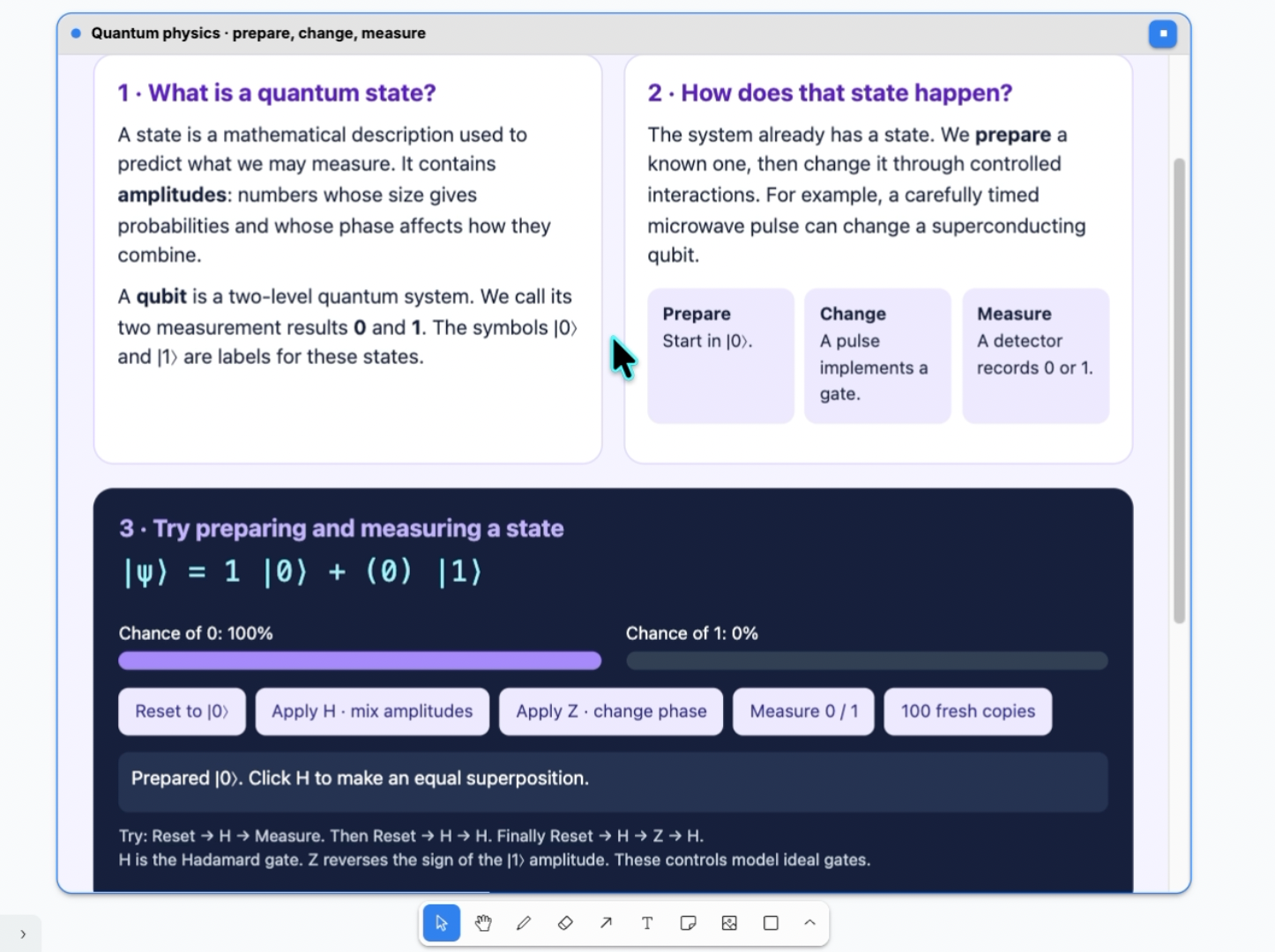
How we built it We built the interface with React, Vite, and tldraw. The application exposes structured WebMCP tools that Codex can use to inspect pages and create, move, resize, align, layer, and draw canvas objects.
Codex inspects the current canvas, preserves populated pages, performs bounded mutations, fits the result into view, and visually checks the finished composition. We packaged the client application and deployed it publicly through ChatGPT Sites.
Challenges we ran into The hardest challenge was translating creative language into exact canvas coordinates, sizes, and layer ordering. Text and shapes can have different measured bounds, so something that looks centered mathematically may still appear misaligned.
We also had to preserve existing pages, manage overlapping objects, verify WebMCP tool schemas, handle tldraw licensing for the deployed domain, and ensure that public client-side configuration did not expose real secrets.
Accomplishments that we're proud of We created a working bridge between natural language and a live visual canvas. Codex can produce complete multi-object scenes, native shape-based layouts, hand-drawn decorations, mermaid js ...
We are especially proud that it can inspect its own result, identify visual problems such as incorrect layering or alignment, and improve the canvas while leaving unrelated work untouched.
What we learned We learned that reliable AI drawing requires more than generating shapes. The agent needs structured tools, clear object identities, page awareness, predictable coordinate systems, and visual verification after every meaningful change.
We also learned that small corrective tools—move, align, resize, reorder, and inspect—are just as important as the initial creation tools.
What's next Our long-term goal is to make canvas a collaborative visual workspace . making a similar ipad canvas app for students.
Built With
- cloudflare
- css
- html
- javascript
- openai-codex
- react
- tldraw
- typescript
- vite


Log in or sign up for Devpost to join the conversation.