Inspiration
The idea of Learnzy came to me when my 3-year-old son started his education journey in Play Group. I observed how kids are introduced to concepts in preschool through simple, guided, and playful methods, and I was inspired to replicate that same learning style digitally.
At that moment, I decided to create an educational app that helps kids learn in a fun, engaging, and interactive way — turning mobile screen time into something truly valuable.
I also noticed that whenever kids use mobile phones, most of their time is spent watching cartoons or playing games. That made me think: what if the time kids spend on a mobile device could also be valuable for their learning? Instead of just passive screen time, I wanted to create an app that makes early education fun, interactive, and meaningful — something kids genuinely enjoy while parents feel confident about.
What it does
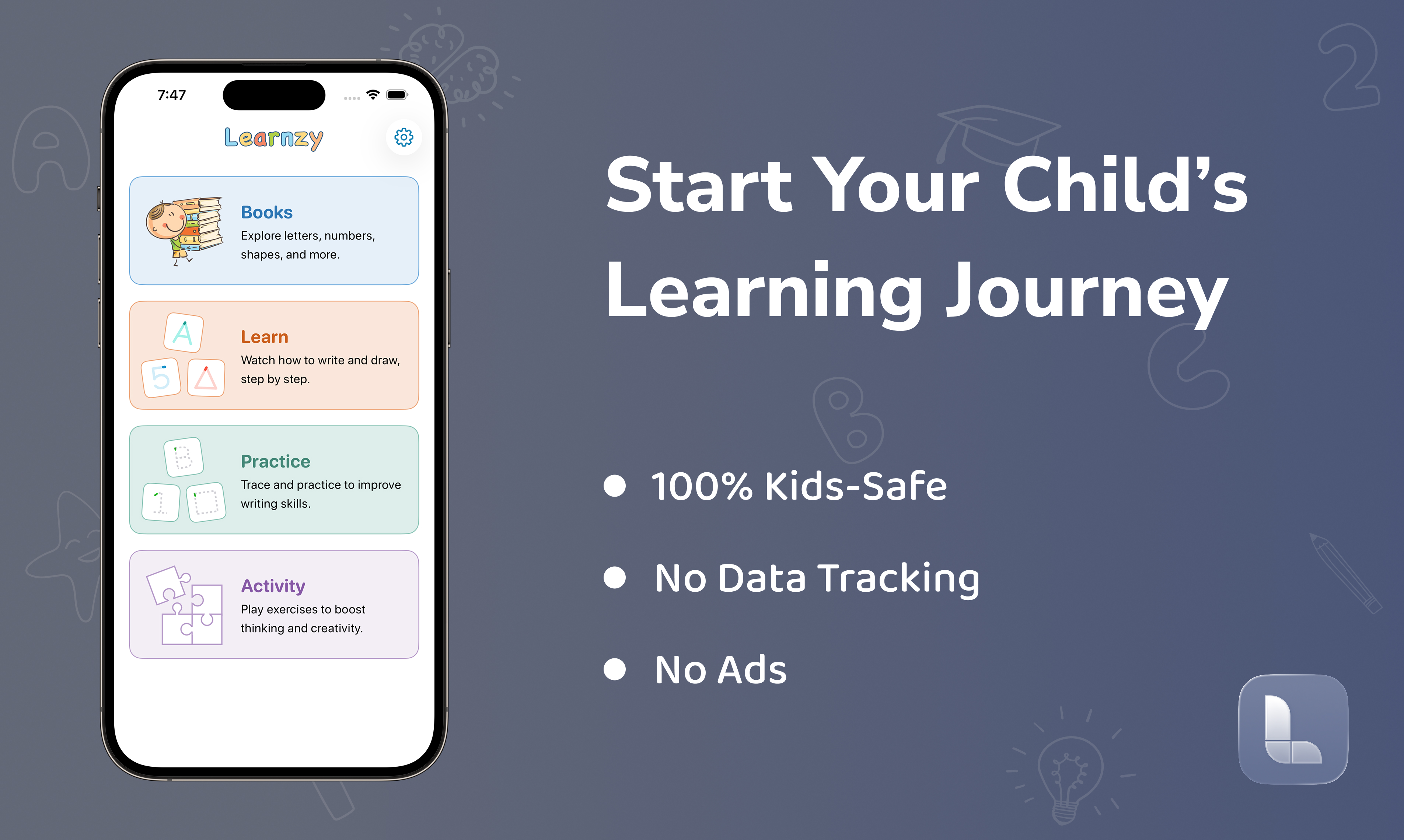
Learnzy is designed to make early education fun, structured, and interactive through four main parts:
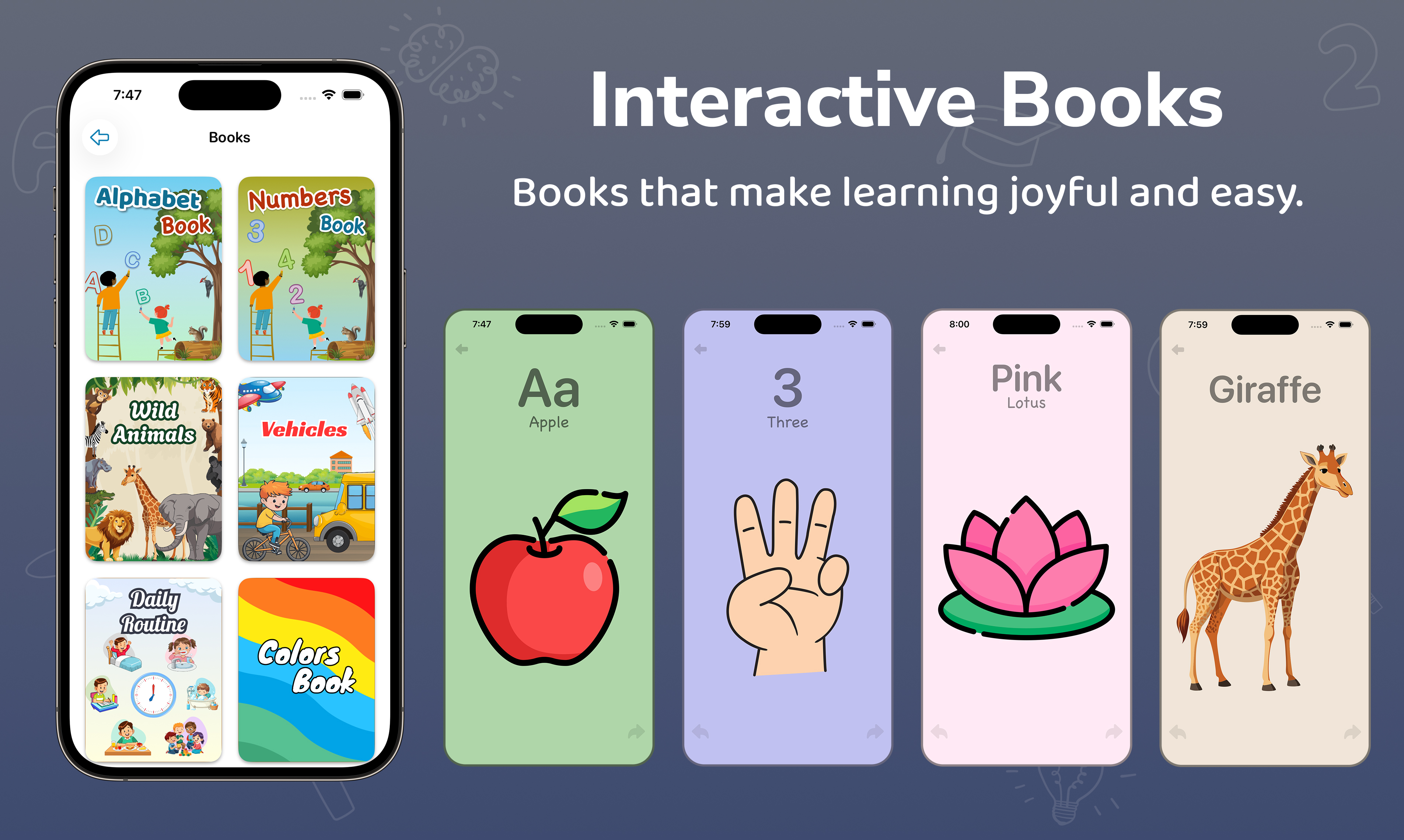
- Books – Helps kids recognize ABCD, numbers, colors, shapes, animals, vehicles, and many more concepts using real-world objects.
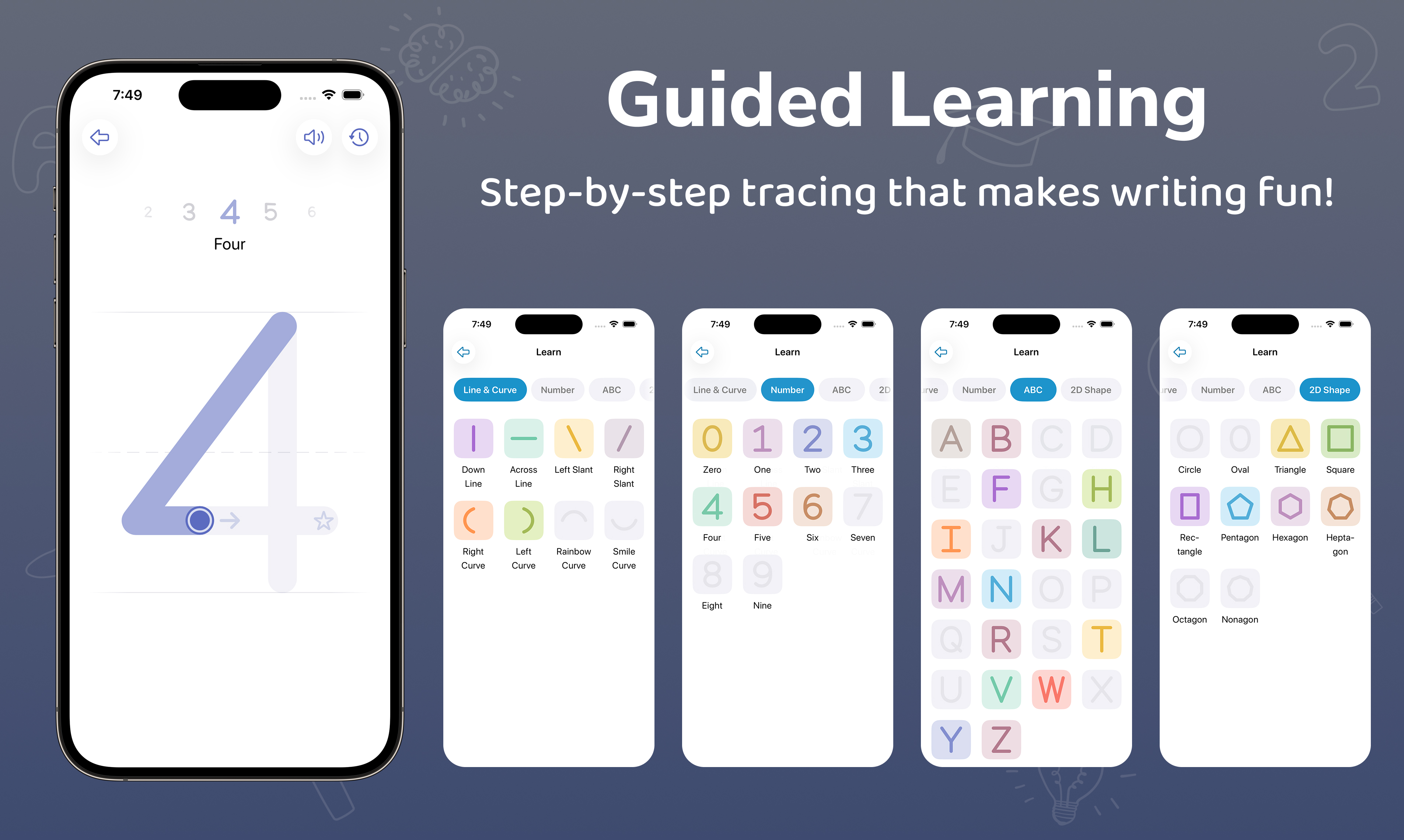
- Learn – After recognizing letters, numbers, and shapes, kids are guided on how to write them. Animated step by step stroke paths show the correct way to form each character.
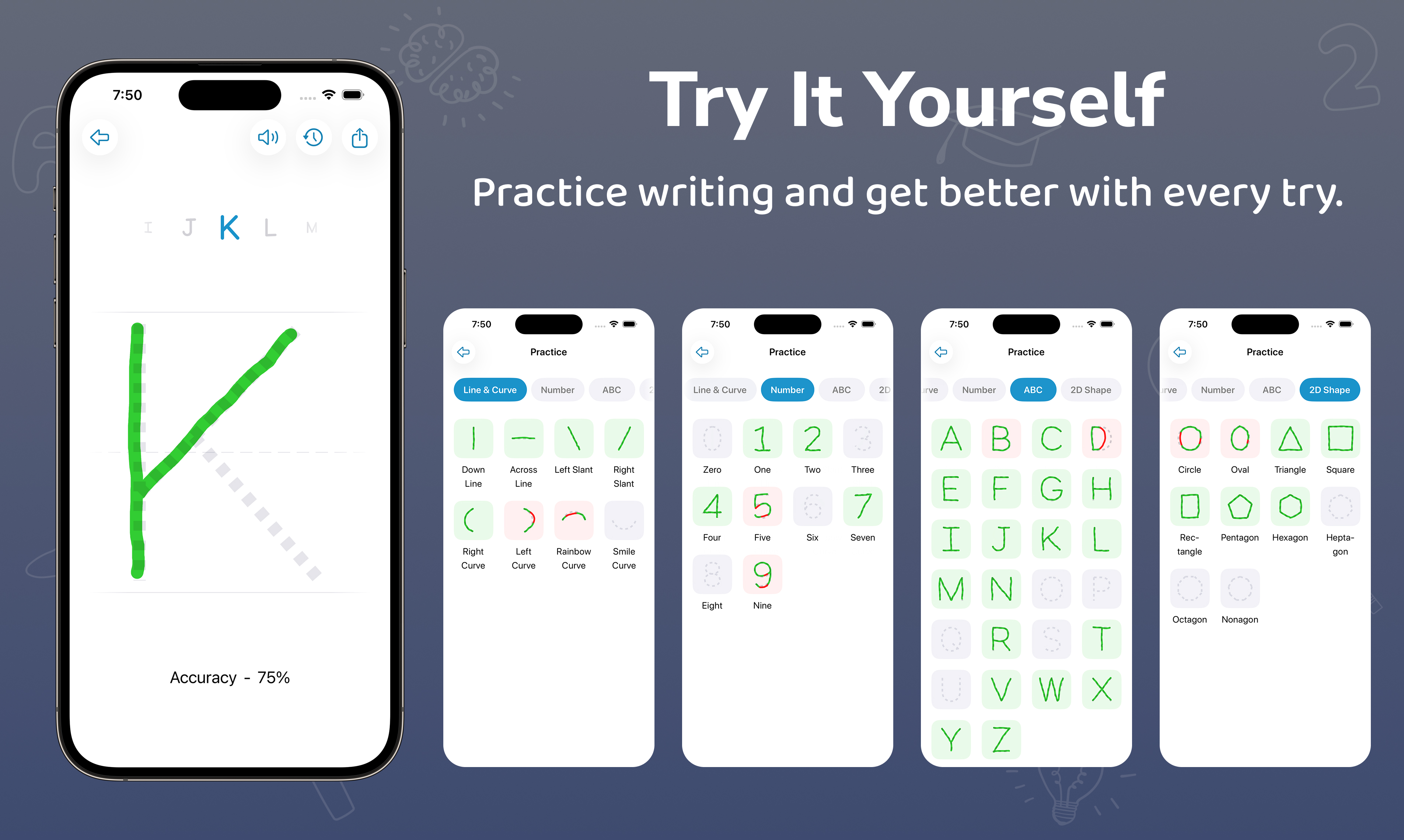
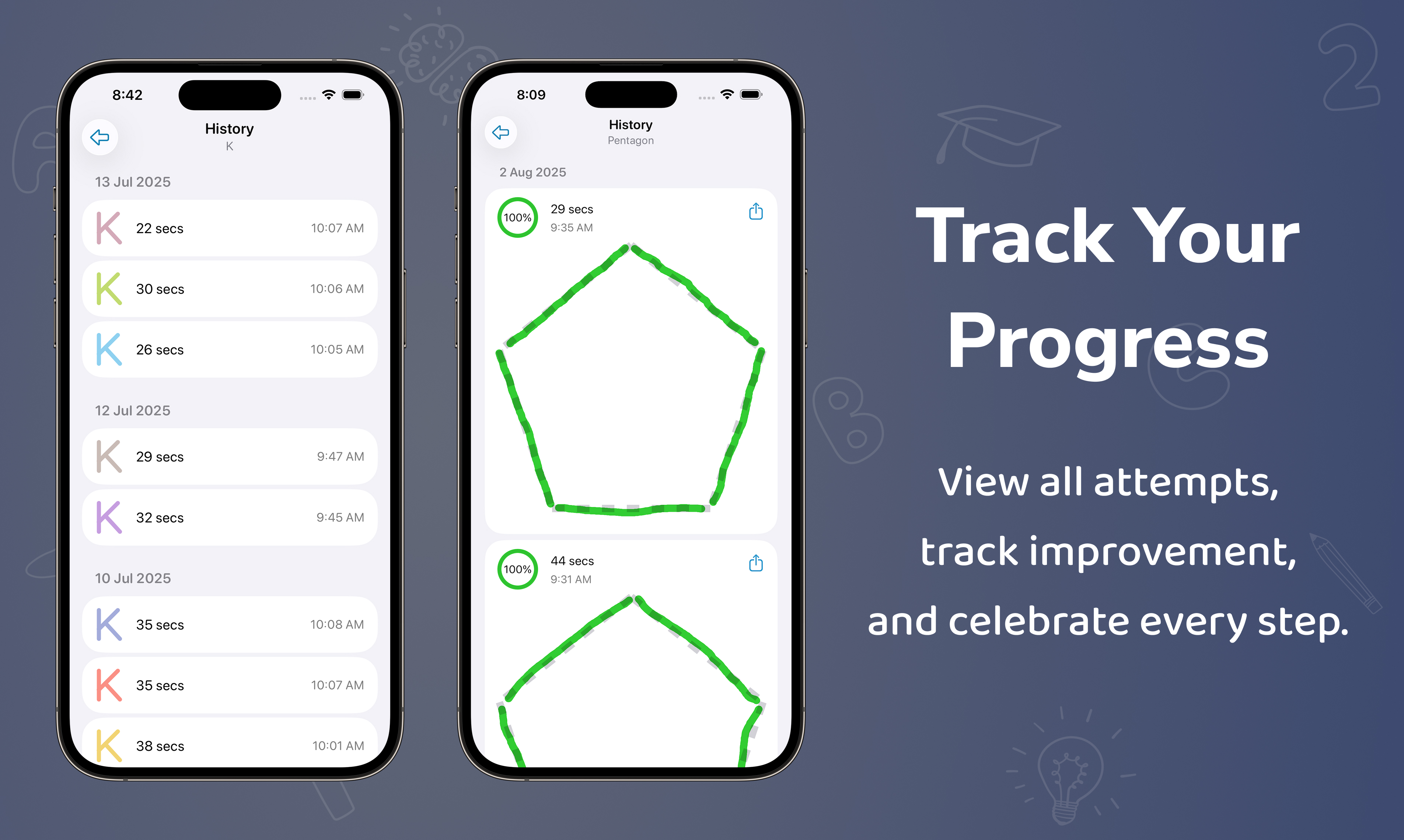
- Practice – Once they’ve learned, it’s time to try on their own. Kids trace letters or shapes over guided strokes:
- Green stroke = ✓ correct placement.
- Red stroke = ✗ off the path, helping kids instantly identify mistakes.
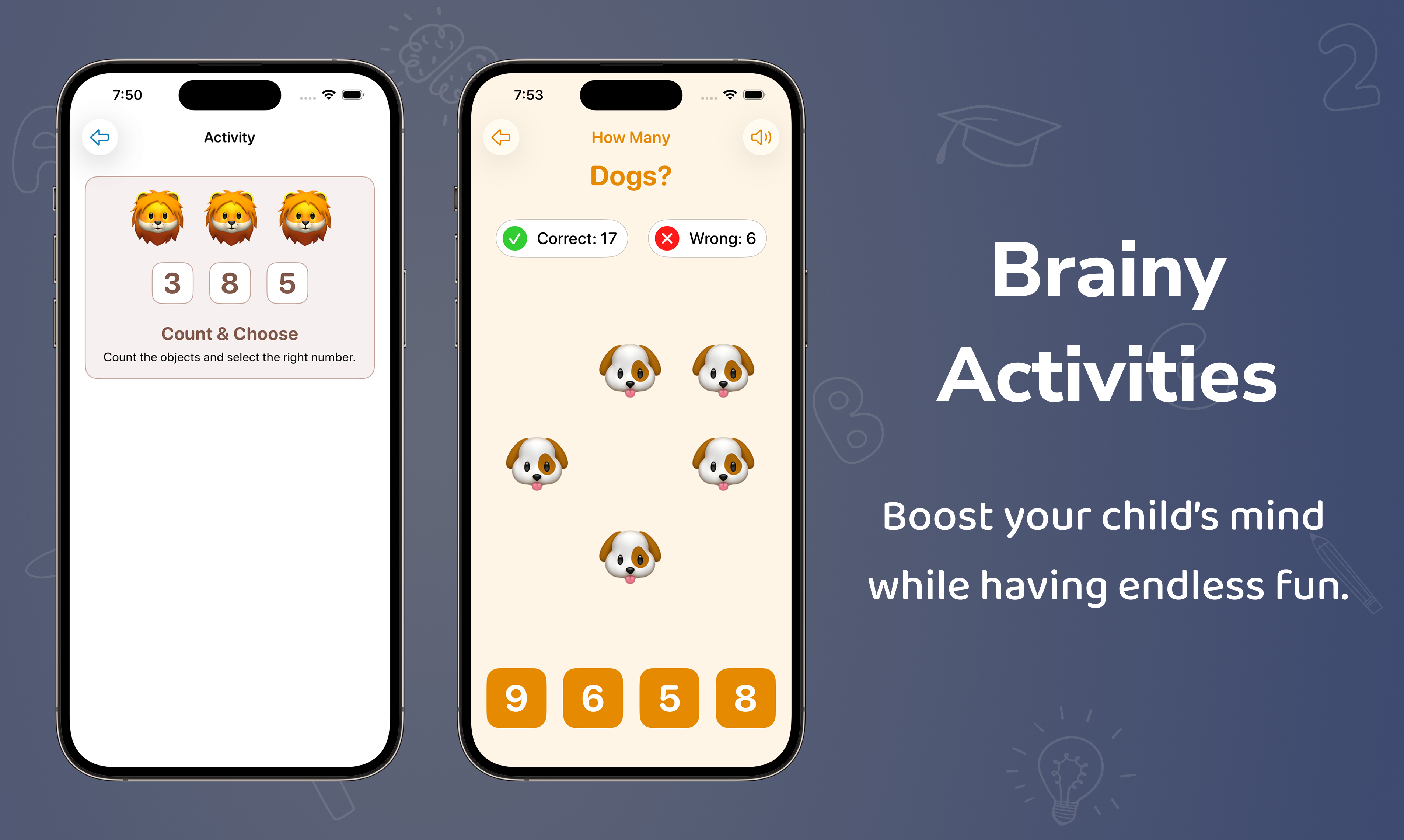
- Activity – Engages children with brain-boosting exercises like count and choose. Currently, one activity is available, with many more planned for future updates.
Together, these modules ensure that kids not only recognize concepts but also practice, apply, and enjoy them.
How we built it
Learnzy was built entirely with SwiftUI using Swift 6, keeping performance, accessibility, and a kid-friendly experience as the top priorities.
- Planning & Execution – I started by breaking the project into phases: Books, Learn, Practice, and Activities. Each module was designed, developed, and tested step by step.
- UI/UX Design – Most of the UI was designed by me using
Figma, focusing on simplicity, vibrant colors, and clear visuals so even toddlers who can’t read can navigate easily. - Local Data & Progress Tracking – Used
SwiftDatato store user progress, practice history, and learning milestones directly on the device. - Audio & Interaction – Integrated AVFoundation for text-to-speech, making the app more interactive and helpful for non-readers.
- Monetization – Implemented RevenueCat to handle subscriptions and in-app purchases seamlessly.
- Scalability in Mind – Designed the app structure in a way that allows adding new books, categories, and activities with minimal effort in future updates.
Throughout the process, the main goal was to ensure the app stays lightweight, visually engaging, and safe for kids, while also giving parents confidence in its value.
Challenges we ran into
- Balancing Simplicity and Engagement – Our main focus was to keep the UI and animations as simple as possible, avoiding excessive motion or videos that could strain kids’ eyes. Designing a minimal yet engaging interface for toddlers was a tough balance.
- Designing for Non-Readers – Since toddlers cannot read at this age, the entire app had to be driven by visuals. Every component — buttons, icons, and flows — needed to visually guide kids on what to do next. Creating such an intuitive, visual-first design was a challenging task.
- Keeping Kids Engaged – A simple UI without heavy animations risks losing kids’ attention. To solve this, we added colorful themes, playful sounds, and interactive components to make each module feel lively and fun.
- Guided Writing Feature – The core challenge was to design the stroke guidance system for letters, numbers, and shapes. We wanted kids not only to trace characters but also to follow the correct path and direction, ensuring they learn proper writing habits from the beginning.
Accomplishments that we're proud of
- Dream fulfilled – The proudest moment for me is seeing my first app published on the App Store along with its own website. It has been my dream for years, and today I can proudly say that my own app is live and available to the world.
- Built something meaningful for kids – We turned a parent’s concern about wasted screen time into an app that transforms mobile use into valuable learning. That alone makes us proud.
- Guided writing system – We successfully created a stroke-by-stroke writing guide with instant green/red feedback — something that looks simple but was technically and creatively very challenging. Seeing kids follow it correctly is one of our proudest moments.
- Balanced simplicity with engagement – We resisted the temptation of flashy animations and instead created a safe, colorful, and interactive UI that parents trust and kids love.
- Positive response from parents – One of the proudest moments is receiving positive feedback from users on how actually kids learning from it.
✨ Above all, we’re proud that Learnzy is not just another kids’ app — it’s a safe, fun, and meaningful companion in a child’s first learning journey.
What we learned
Learnzy is my first fully independent app — I developed it alone and also designed most of the UI. This journey taught me far more than just coding:
- End-to-end project ownership – From initial idea to App Store release, I learned how to plan a project, define features, break down tasks, and execute them step by step.
- Building in public – Sharing progress, gathering feedback, and iterating quickly gave me valuable insight into how users react and what they expect.
- Design thinking – I discovered how crucial design is in guiding users, especially toddlers. I learned to keep interfaces simple, intuitive, and visually clear.
- UI/UX skills – I gained hands-on experience with Figma, designing most of the UI myself and creating supporting marketing resources like icons and visuals.
- Product mindset – Beyond coding, I learned how to think like a product owner — balancing usability, engagement, and technical feasibility.
The biggest takeaway: this project helped me grow from being just a developer into someone who can plan, design, build, and launch a complete product.
What's next for Learnzy - Kids Learning App
Learnzy is not just an app — it’s a complete learning journey that takes kids from Books to Learn, from Practice to Activities. It’s our step towards making early education playful, personalized, and stress-free for children. Our next steps are:
- Personalized Books – Tailor the book experience so each child and parents feels more connected and engaged.
- Expanded Library – Add more books and fun activities to keep learning fresh and exciting.
- Enhanced Learning Categories – Introduce new concepts beyond ABCs and numbers to support broader early education.
- Global Reach – Localize Learnzy into multiple languages, making it accessible to kids worldwide.
- AI-powered learning insights – Explore ways to use AI to provide personalized feedback and adapt the learning journey for each child, making practice more engaging and effective.
✨ Our vision is to make Learnzy a trusted learning companion for every child, everywhere.


Log in or sign up for Devpost to join the conversation.