-
-
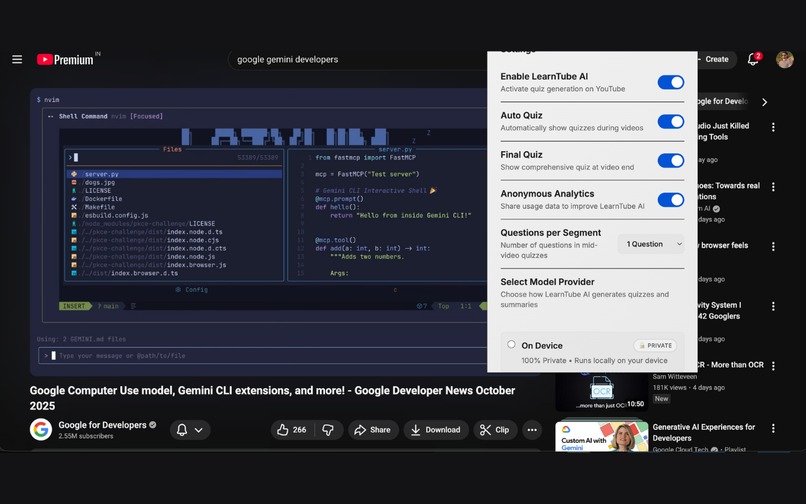
Chrome Extension of LearnTube-AI, uses Gemini Nano in built api to generate quiz for the videos
-
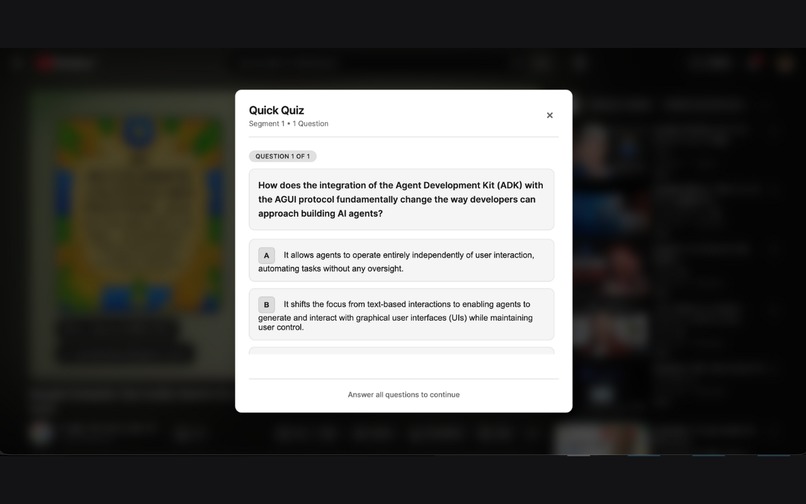
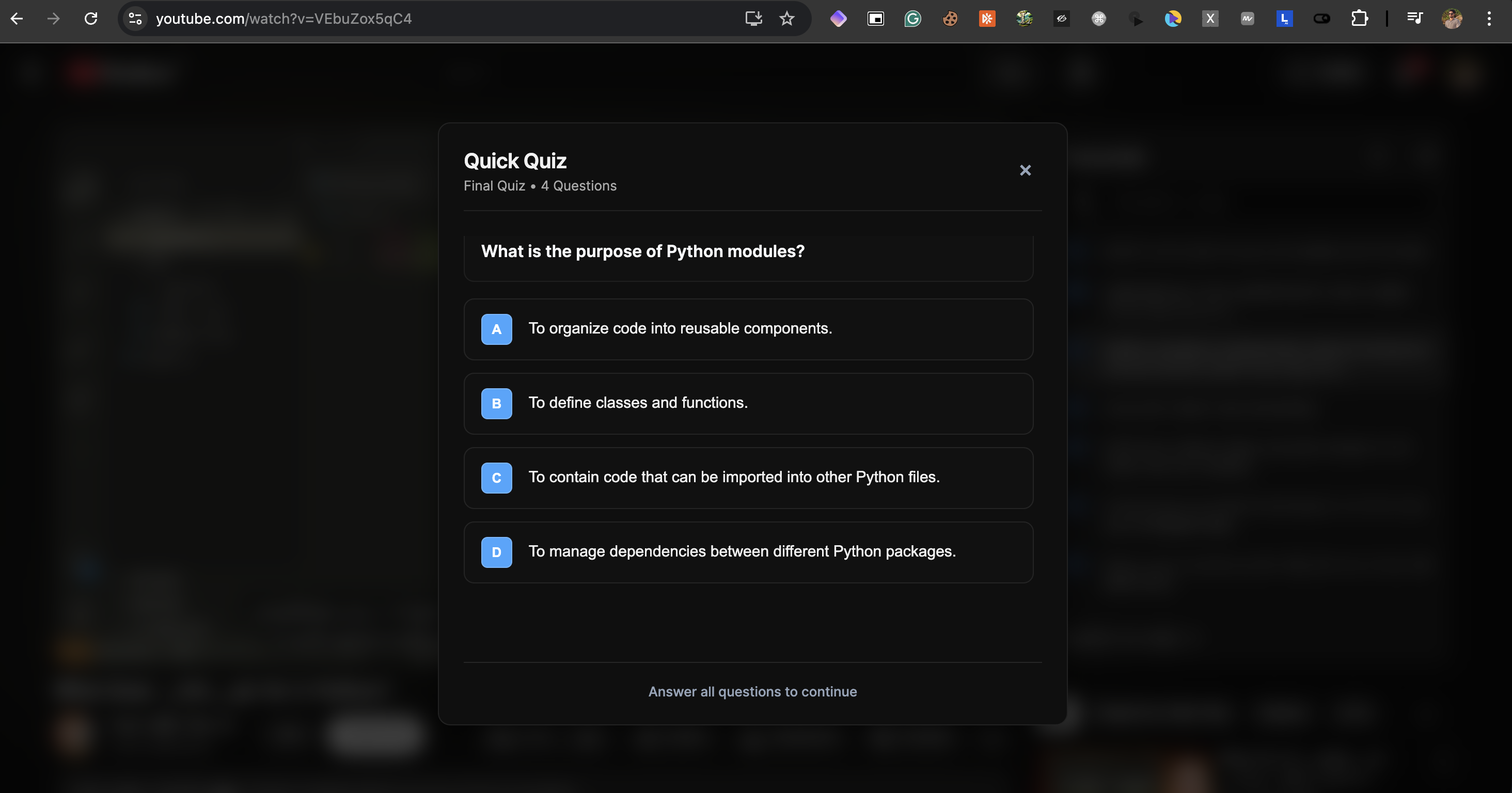
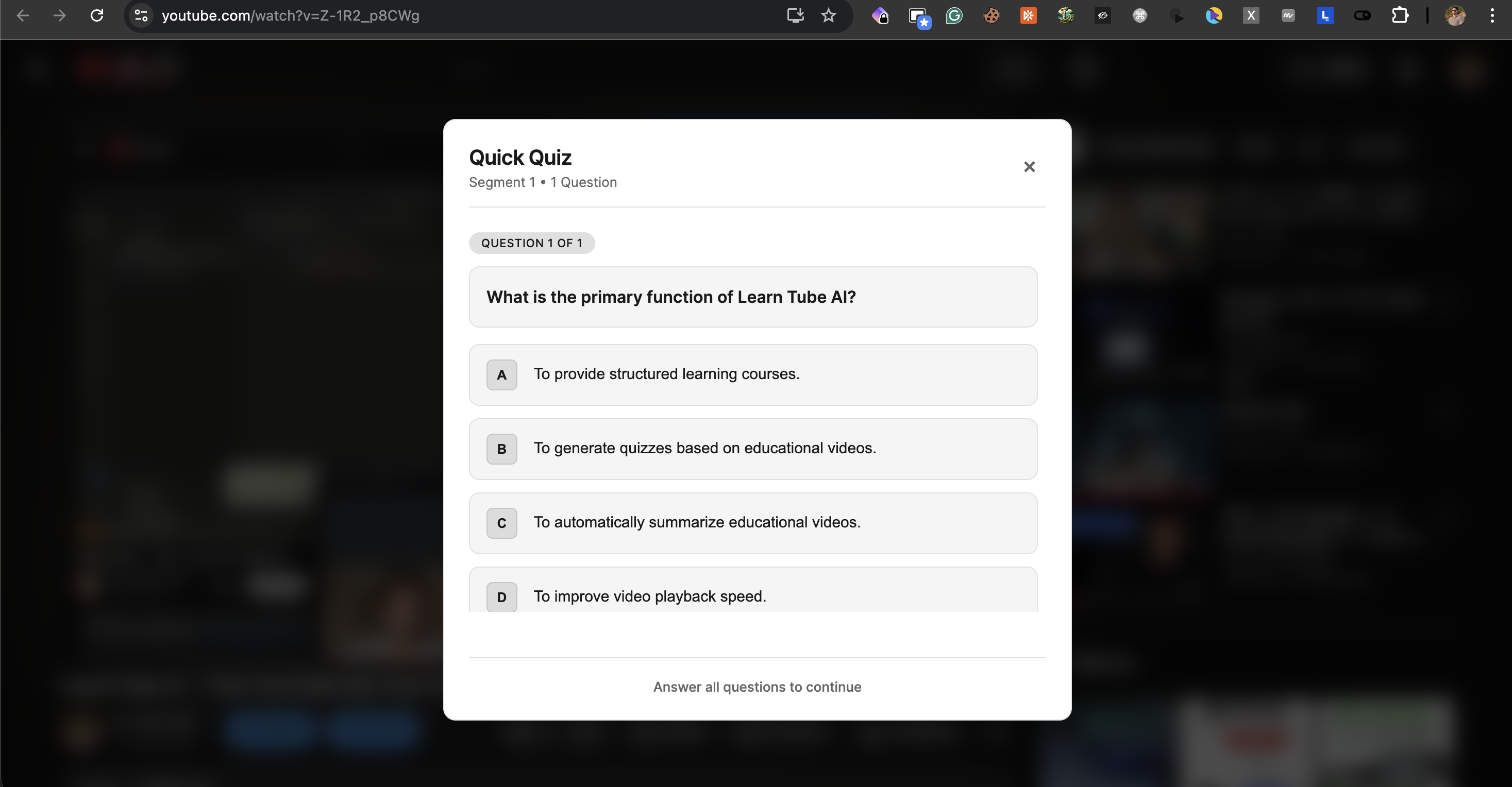
Seemless quiz popups to test knowledge
-
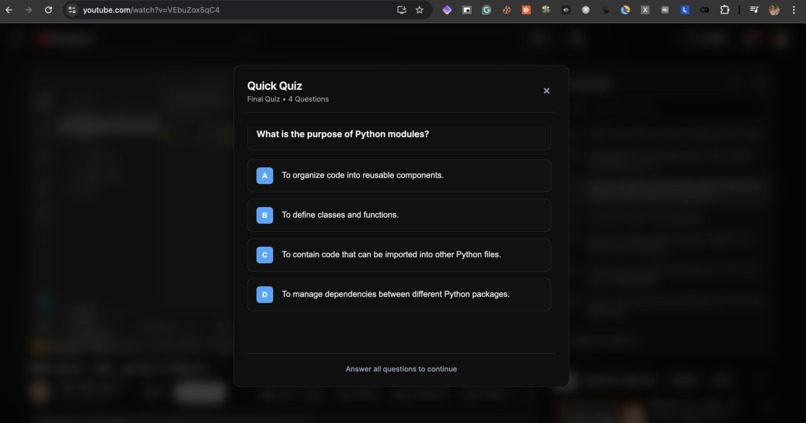
Seemless quiz popups to test knowledge
-
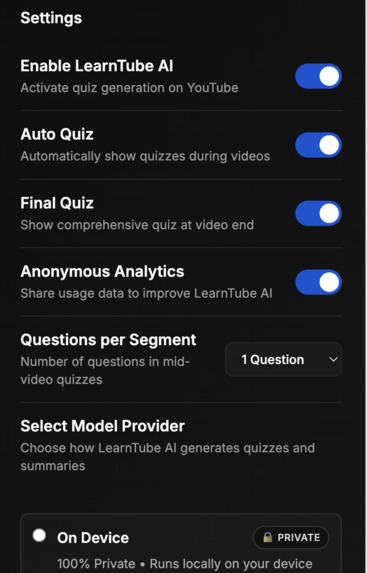
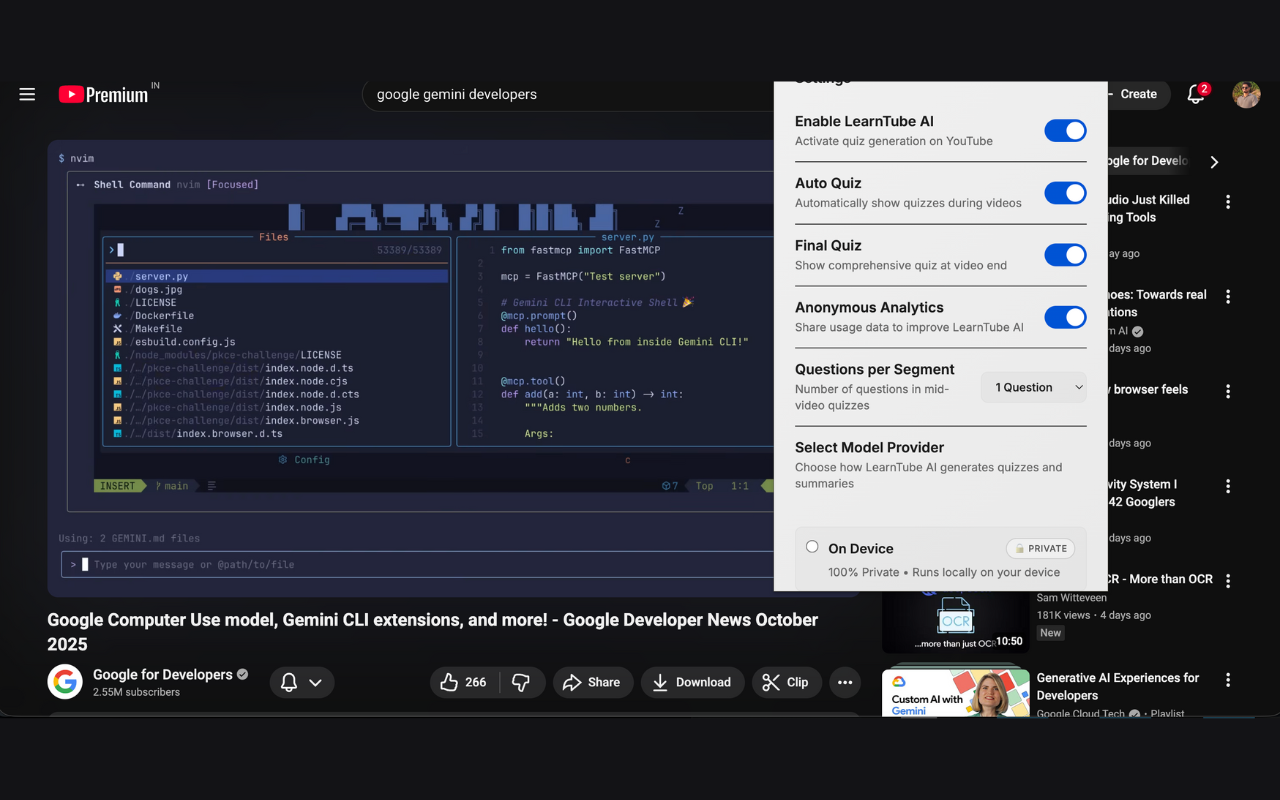
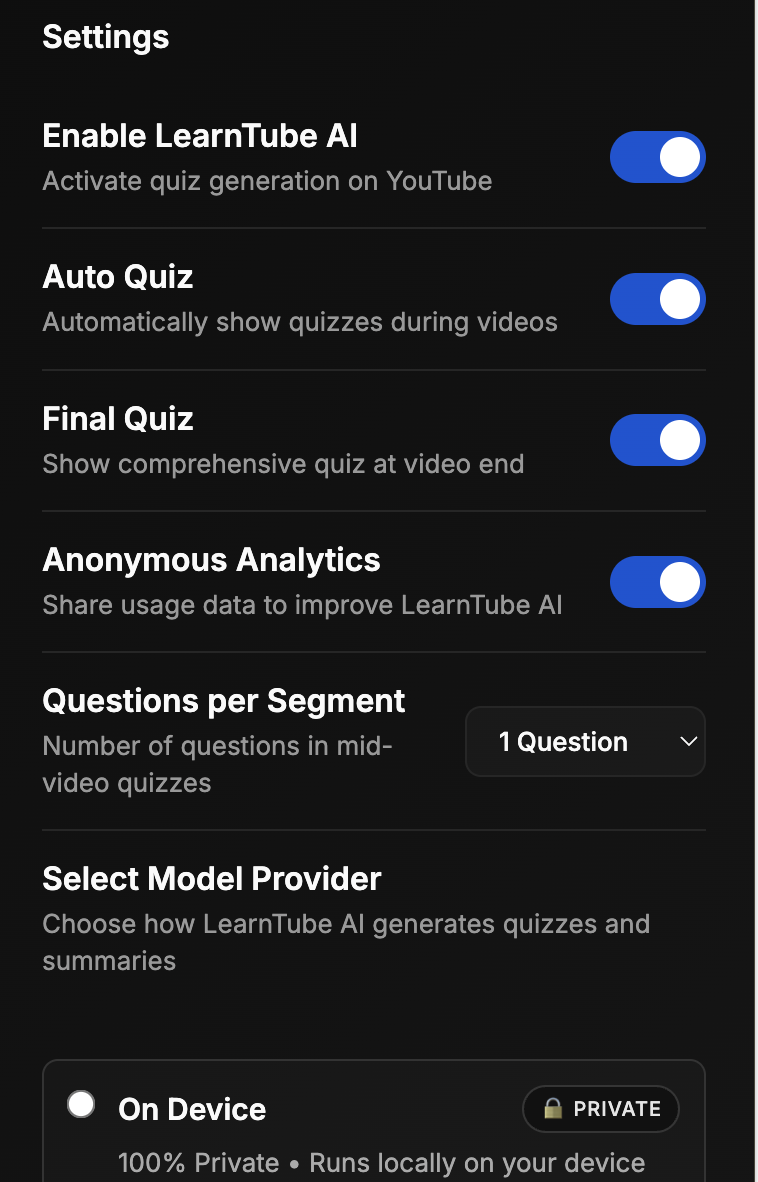
Toggle to enable/disable any thing you want
-
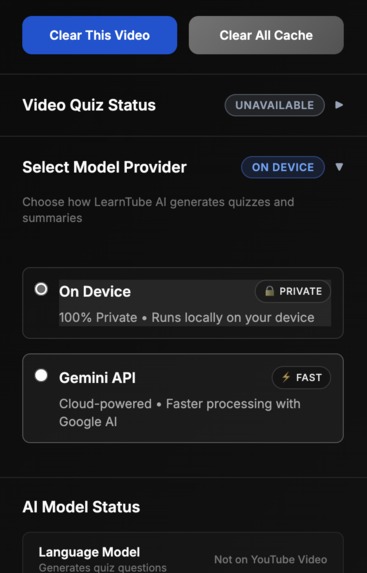
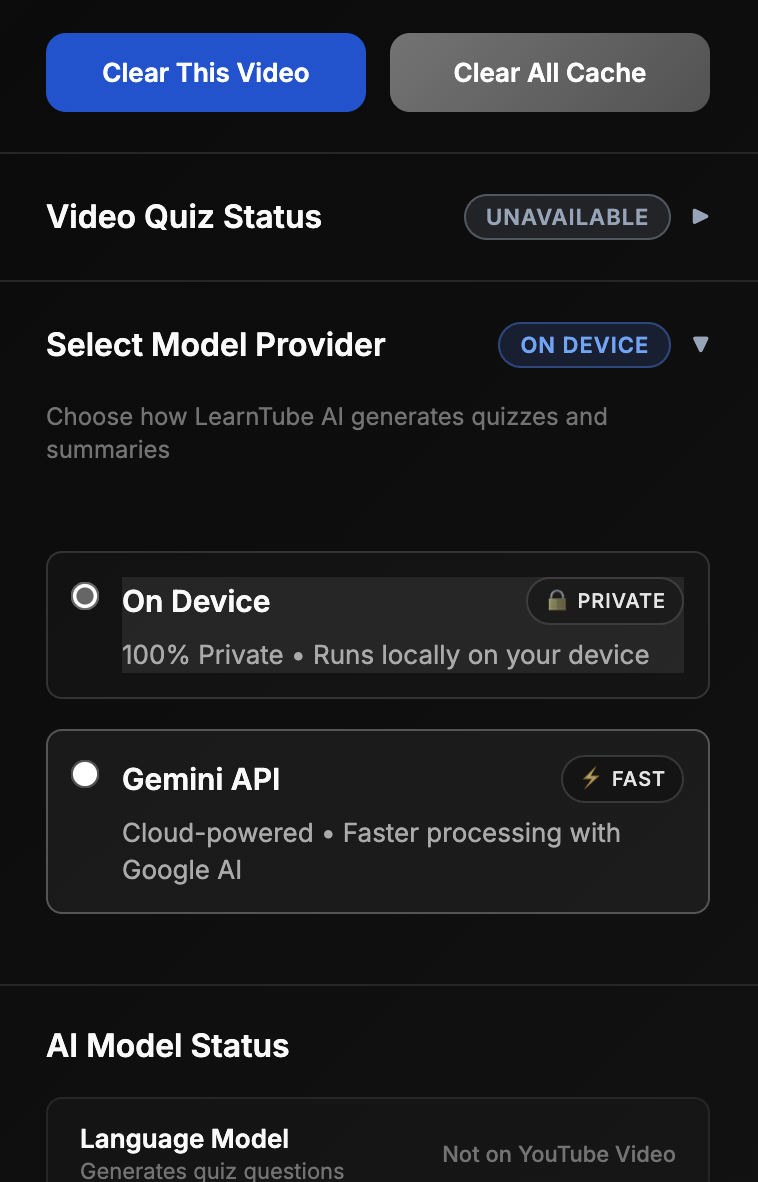
On device / API
-
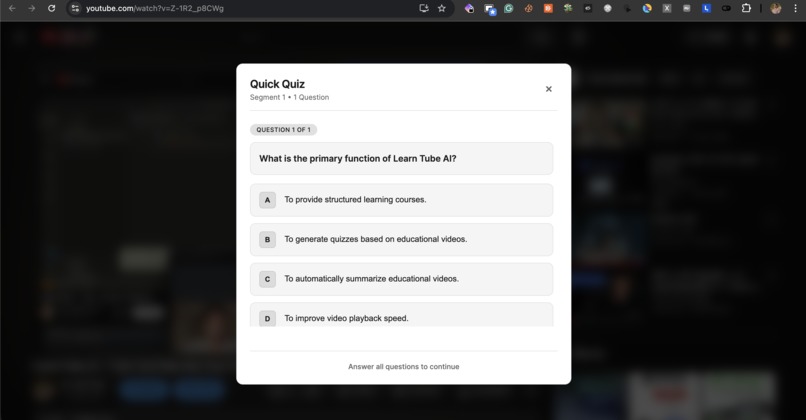
Quick Quiz For You
Inspiration
We’ve all been there: watching a 45-minute educational YouTube video only to realize halfway through that our mind has completely wandered. Passive watching is easy, but retention is hard. Platforms like Coursera show that active learning with quizzes dramatically improves knowledge retention, but that model only works for structured courses.
Recent studies reinforce the importance of interactivity in video-based learning.
Chan et al. (2025) found that embedding low-stakes quizzes within instructional videos significantly boosts learner attention and comprehension by forcing active retrieval. In-lecture quizzes improve online learning for university and community college students
Haerawan et al. (2024) provided empirical evidence supporting the efficacy of in-video quizzes in enhancing student engagement and learning outcomes. Conducted with 200 undergraduate students across various disciplines, the study compared interactive videos (incorporating quizzes, clickable hotspots, and branching scenarios) with traditional video lectures over a 6-week online course. The findings revealed that the interactive video group exhibited a 45% higher interaction rate and 30% longer viewing time compared to the control group. Furthermore, the experimental group demonstrated a 25% improvement in post-test scores, indicating enhanced knowledge retention and understanding. The Effectiveness of Interactive Videos in Increasing Student Engagement in Online Learning
McGill et al. (2015) demonstrated that active learning through video quizzes and interactive annotations improves student engagement and knowledge retention in engineering and technical subjects. Active learning in video lectures
I wondered if we could bring that same accountability to any YouTube video, such as Khan Academy, MIT lectures, or 3Blue1Brown, without requiring creators to manually add quizzes. When Chrome announced built-in AI capabilities, I realized it could finally be done entirely client-side, with no servers, no API keys, and complete privacy. However, on-device AI models require significant system resources (22GB+ storage, 16GB+ RAM, and compatible hardware), so I added a cloud-based API option to ensure the extension works smoothly for all users.
What it does
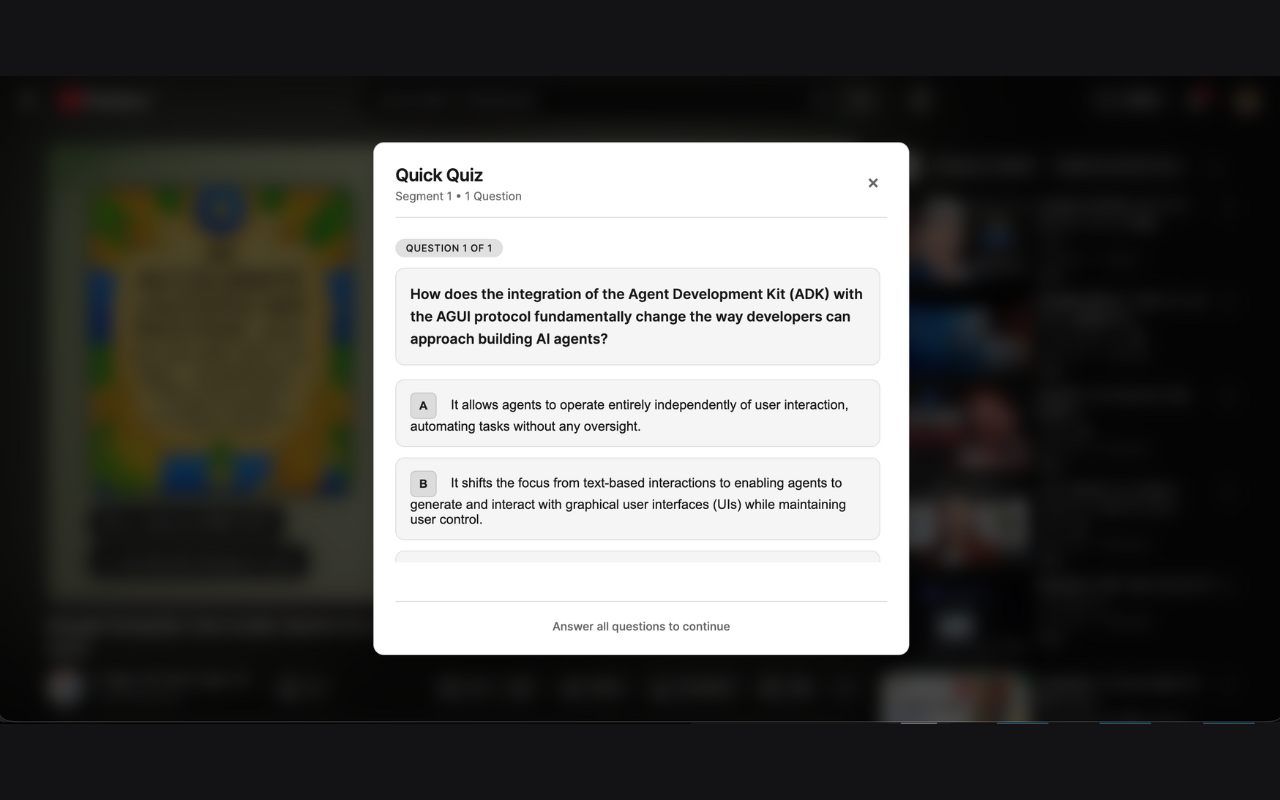
LearnTube AI transforms any YouTube video into an interactive learning experience by automatically generating AI-powered quizzes during playback.
Key features:
- Smart Segmentation: Divides videos into ~3-minute segments at natural topic transitions.
- Mid-Video Quizzes: Pauses the video periodically to quiz you on what you just learned, 1-2 questions per segment.
- Comprehensive Final Quiz: Generates a 3-5 question quiz covering the entire video’s key concepts when you reach 92% of the video.
- Visual Seekbar Indicators: Shows dots on the YouTube progress bar so you know when quizzes are coming.
- Progress Tracking: Keeps statistics on videos watched, quizzes taken, and average scores.
- Smart Caching: Remembers generated quizzes so subsequent views are instant.
All AI processing happens locally using Chrome's built-in Gemini Nano models. No data ever leaves your browser.
How we built it
Tech Stack: Chrome Extension (Manifest V3), Vanilla JavaScript (ES6+), Chrome AI APIs (Gemini Nano), Prompt API for question generation, Summarizer API for key concepts, Chrome Storage API for local persistence.
Architecture:
- Content Script (Core Engine): Runs on YouTube pages, extracts transcripts through DOM manipulation since we are not using any API. It programmatically clicks the transcript button, parses the panel, and segments the content into logical chunks.
- AI Pipeline: Mid-video quizzes are generated from transcript segments using carefully crafted system prompts. Final quizzes are generated after summarizing the entire transcript to extract key points.
- Quiz Overlay System: Custom HTML/CSS overlays appear above the player, fully keyboard navigable and responsive to all video sizes.
- Smart Monitoring: Uses video
timeupdateevents to trigger quizzes at the right moments and manages state to prevent duplicates.
Challenges we ran into
- Quiz Quality: Early versions produced easy or vague questions. I improved quality through prompt engineering, adding constraints on difficulty, specificity, and answer format.
- YouTube’s Dynamic Interface: Infinite scroll and navigation between videos caused duplicate listeners and memory leaks. I implemented cleanup functions for every video change.
- Transcript Extraction: No public API exists, so I reverse-engineered DOM interactions, handling edge cases like manual vs auto-generated captions and various player states.
- Performance at Scale: A 60-minute video meant 20-40 questions. Initial implementations lagged behind the browser. I solved this with caching, lazy generation, and progress indicators.
- Privacy-Preserving Analytics: Measuring learning impact without tracking users was tricky. I built anonymized analytics that log only interaction patterns, no transcripts, no quiz data, no identifiers. Just enough signal to improve learning without sacrificing privacy.
Accomplishments that we're proud of
- Complete Privacy: Runs locally on your device with optional, anonymized analytics. No personal data or content is ever collected, and tracking can be fully opted out of.
- Genuinely Educational: AI-generated quizzes are contextually relevant, appropriately challenging, and include explanations for wrong answers.
- Seamless YouTube Integration: Seekbar indicators, keyboard shortcuts, and responsive overlays make the experience feel native.
- Smart Architecture: Robust caching reduces processing from minutes to zero on subsequent views.
- Real Learning Impact: Early testers reported better retention compared to passive watching. One tester said, "I actually had to pay attention and remember what I learned."
What we learned
- On-Device AI is Ready: Chrome's Gemini Nano models generate coherent, contextually relevant content offline.
- Prompt Engineering Matters: High-quality AI output depends on precise, constrained prompts.
- Browser Extensions Can Be Powerful: Manifest V3 supports sophisticated, fully client-side applications with modern async patterns and storage.
- User Experience Is Key: Timing of quizzes, visual feedback, loading states, and error handling determine whether users adopt a tool.
- Reverse Engineering Is a Valuable Skill: Working with platforms without APIs taught me to inspect DOMs, understand complex interfaces, and build resilient selectors.
What's next for LearnTube-AI
- Adaptive Learning Paths: Track topics users struggle with and recommend related videos or follow-up questions. Implement spaced repetition for long-term retention.
- Custom Question Types: Beyond multiple choice, add fill-in-the-blank, matching, and short-answer questions. Support LaTeX for STEM content.
- Multi-Language Support: Extend to non-English videos using Chrome translation APIs with AI models.
- Export & Integration: Allow exporting quiz questions to Anki, Quizlet, or LMS platforms for classroom or personal use.
Built With
- chrome
- css
- gemini
- html
- javascript
- promptapi
- summarizerapi


Log in or sign up for Devpost to join the conversation.