Project Story
Inspiration
Every student, regardless of their grade or major, knows the exact feeling of losing hours of their life numbing their minds to an endless feed of "brainrot" TikToks and Instagram Reels. We realized that instead of fighting the algorithm, we should hijack it. We were inspired by traditional educational YouTube series (like Sheldon Axler breaking down complex mathematical proofs) but we recognized a harsh reality: that format often struggles to retain the fractured attention span of the modern student. We wanted to bridge the gap by delivering dense, informational content using the exact same fast-paced, highly engaging format that keeps people glued to their feeds. We hope this content introduces people to new concepts as well and encourages them to learn more on their own.
What it does
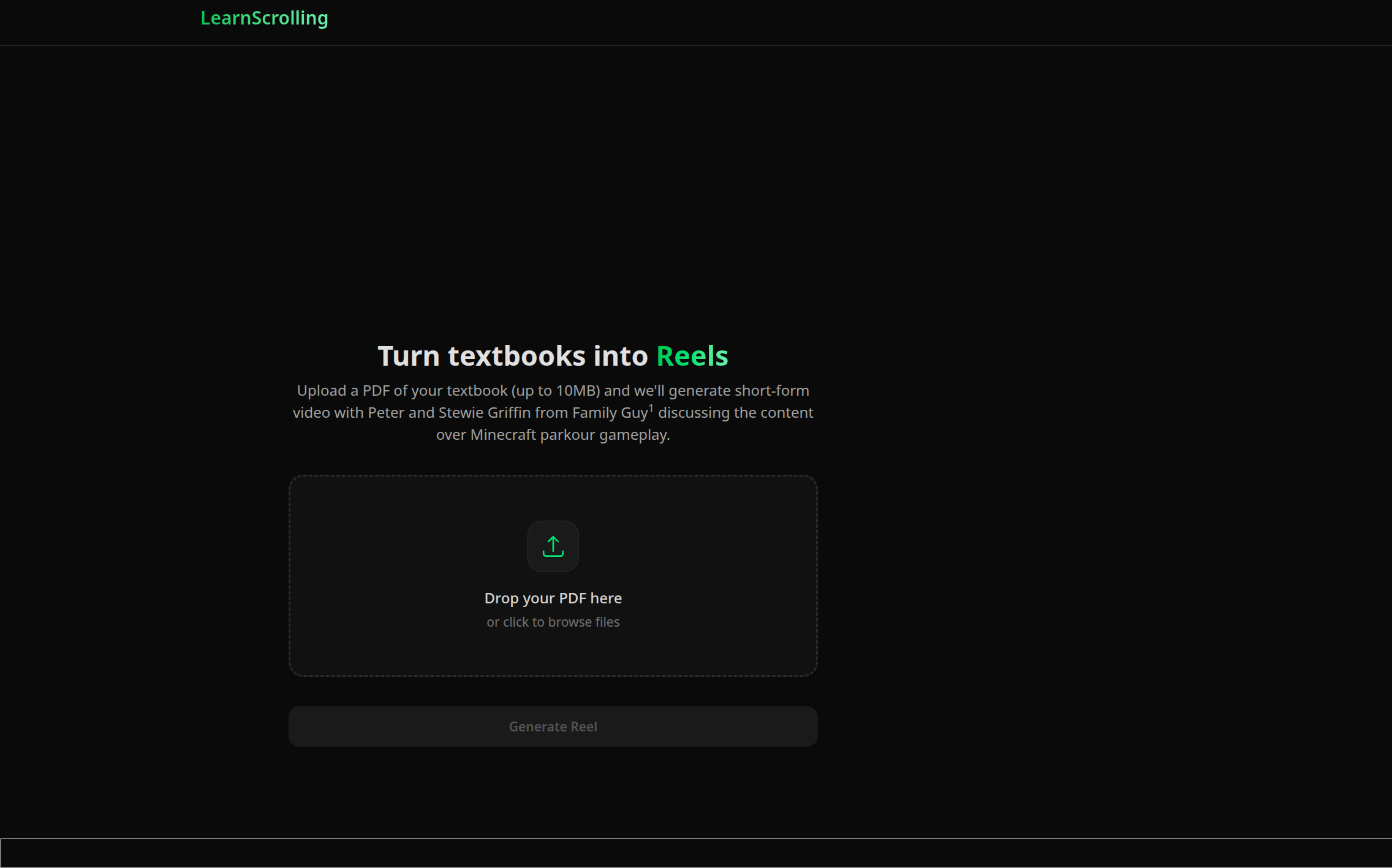
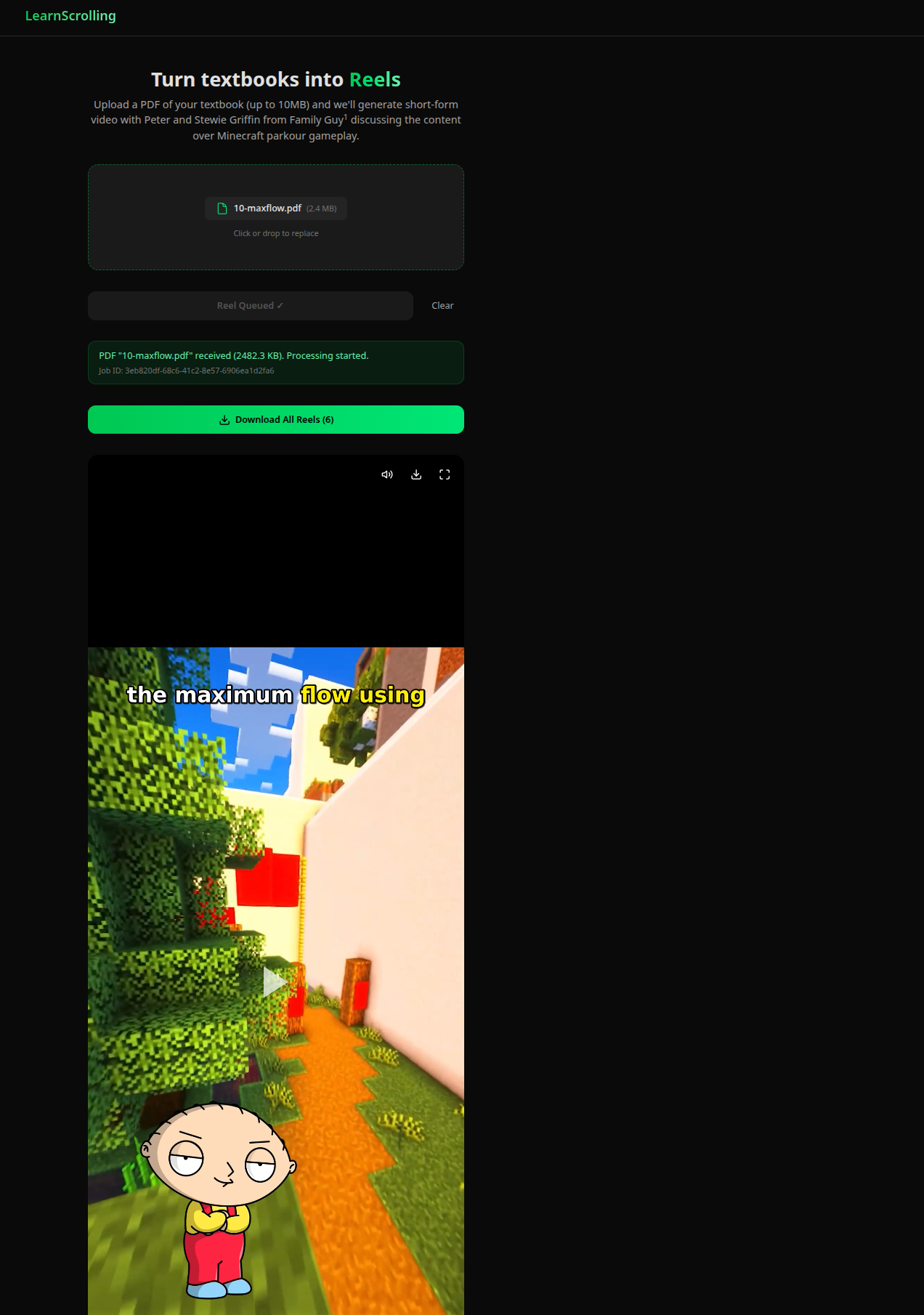
Learnscrolling takes in a chapter from a textbook pdf as input, and delivers a series of fully finished educational brainrot-style videos to the user. Stewie and Peter banter over textbook topics, drawing humorous analogies to break down difficult concepts into an easily digestible way. Subtitles flash across the screen while Minecraft parkour plays in the background, in a homage to the content which dominates the feeds of many young adults on Instagram Reels.
How we built it
We built this project on top of the Cloudflare developers platform with Modal serverless GPU functions. Our frontend is React and Vite hosted with a Cloudflare worker to server static assets. Our backend uses Cloudflare workers. Because the inference and video rendering workloads take a while (which is longer than the Cloudflare Worker time limit), we used Cloudflare Workflows to split our processing pipeline into multiple steps. First, we parse the pdf. This uses unpdf, a Javascript PDF parsing library to extract text from the library. The next Cloudflare Workflow step is where we pass the text to Google Gemini 3 Flash. We force structured output to generate the script as well as a title and a jobId that we use to refer to the workload across steps. After this, we generate audio files and timestamped subtitles. This works by having the step in the Cloudflare Workflow call a Modal GPU serverless function with NVIDIA H100. This function loads the chatterbox TTS model as well as the OpenAI whisper model. It then loads sample voices of Stewie and Peter Griffin via Modal Volumes for the Chatterbox TTS model. After generating the relevant audio with the chatterbox model, the function uses the OpenAI whisper model to generate a file of timestamped subtitles. Both of these files are saved to a Cloudflare R2 bucket (because they would be too large to return to the worker as it would exceed its memory capacity) and the serverless function returns keys in the buckets to the Cloudflare workflow. The workflow then takes all of these files that are stored in R2, and feeds it into another Modal serverless function. This function uses a smaller GPU (T4) as we aren’t doing heavy ML inference. This function turns the subtitles file into an ASS file (subtitles file format). It then uses GPU accelerated FFMPEG (using NVENC) to render the video. It takes a random snippet of Minecraft parkour that is also in our Modal volume, the subtitles file, and the audio file, and interlays them together. It renders the subtitle text as a bitmap and then overlays it over the video when the words are being said. It also shows pictures of Peter and Stewie Griffin when they are talking. The serverless function then returns R2 links to the videos after uploading them into buckets. The frontend takes these links, and then shows these as a scrollable feed in the website. While all of these steps are happening, the workflow updates its state in a Cloudflare KV namespace. This allows the frontend to see information about the reels generation progress as it happens. The scrollable feed in the frontend also has media controls (play, pause, mute) as well as a full screen button as a way to download individual reels.
Challenges we ran into
- UV (the python package manager) has a weird interaction with setuptools where it fails to install it. A library that our TTS model depended on required us to pull a version of it from Github instead of PyPI for everything to "just work" with uv.
- Chatterbox doesn’t output word-level timestamps. We needed to get OpenAI whisper to do this as well
- Weird issues where mounted R2 buckets via Modal Cloud Bucket Mounts dont support some copy operations via torchaudio.save() so we had to use a different shutils command
- Chatterbox can only output 1000 tokens of audio at once. Back when we only used one voice, the videos would cutoff at exactly 34 seconds every time, so we implemented splitting up the script and making .wav files for each chunk. We then combined them into one final artifact. This made implementing multiple speakers much easier since we already had the code to call Chatterbox multiple times and combine the outputs.
- 524 Timeout Fix — Fire-and-Forget + R2 Polling (2026-02-28): Fixed Cloudflare's 120s proxy timeout for long-running Modal jobs (TTS/Compositor, 2-4 min) by switching Modal endpoints to fire-and-forget (.spawn()). The workflow step now instantly fires the request and then polls R2 for the output for up to 6 minutes, leveraging the Worker's unlimited step duration to ensure job completion without 524 errors.
- Cloudflare workflow status API only returns whether the workflow is running or finished or errrored - had to send status to Cloudflare KV, and then poll for it on the frontend ## Accomplishments that we're proud of We are proud that we made a product that helps people share digestible content that they can use to help people learn about things they love. We also are proud of technical accomplishments such as getting the models to run on Modal Cloud as well as parallelizing our operations. Alongside this, we learned a lot about the agentic development pipeline. ## What we learned We learned a lot about how to use serverless GPU hosting platforms, alongside the downsides of choosing different GPUs and amounts of GPUs. We also gained a lot of knowledge about how to use generative TTS and STT pipelines, and use audio processing effects on top of that.
What's next for Learnscrolling
We want to take this idea of packaging information into a more appealing format and scale it up to reach a wider audience. This means distributing our videos onto social media platforms and ultimately creating a global platform for sharing informational content. The videos themselves can be improved with more characters and better trained voice models to appeal to more people. Our hope is that users will develop an interest and passion into the subjects explored in Learnscrolling. Other feature ideas we have include more characters to speak, a way to directly upload videos to social media from the website, training bespoke TTS models on more data than a 2-minute “prompt”, a global feed of reels across all generated user accounts, and saving reels to user accounts for future use.
Built With
- bun
- chatterbox
- ffmpeg
- gemini
- modal
- openai
- python
- react
- typescript
- uv
- vite
- whisper


Log in or sign up for Devpost to join the conversation.