Inspiration
While visiting local tuition centers, we realized many teachers still manage everything—student records, fee collection, class schedules—using paper notebooks. This often led to missed deadlines, payment confusion, and a lack of organized communication. We created LearnMate to digitize this entire workflow and empower small educators with easy-to-use technology.
What it does
LearnMate is a mobile-first platform that helps educators:
Manage Students: Enroll students, maintain attendance, and track academic progress.
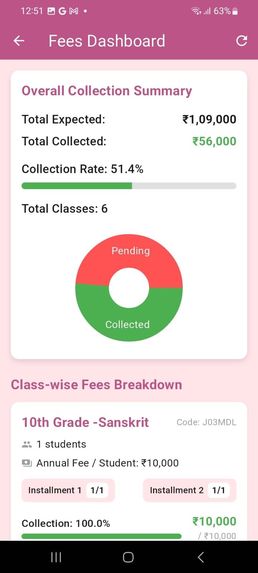
Streamline Payments: Automated fee reminders and secure payment collection with real-time tracking.
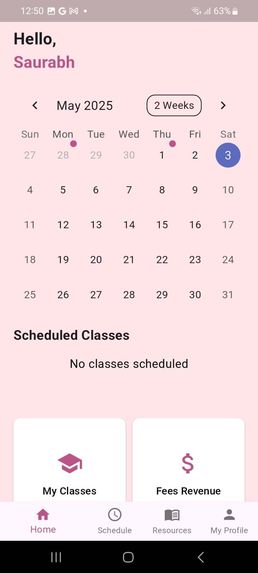
Organize Classes: Simple scheduling and calendar sync to avoid conflicts.
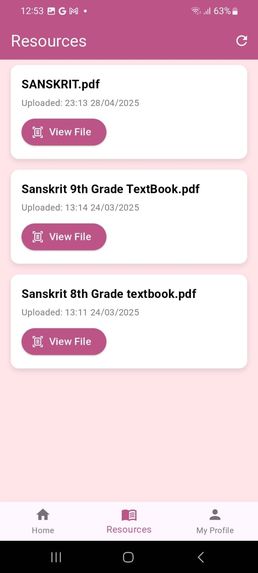
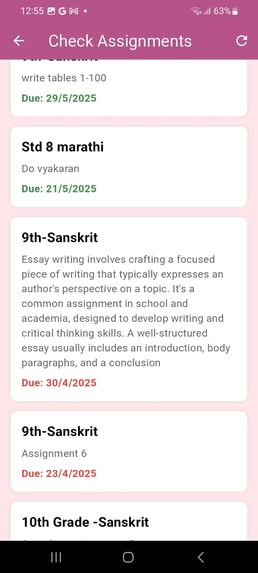
Enhance Communication: Share announcements, assignments, and study materials directly in the app.
AI Assistance: AI-powered academic assistant for student queries and financial analytics for teachers.
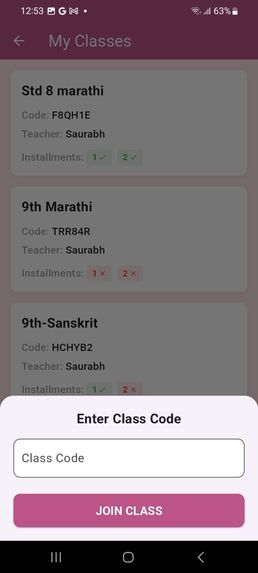
Students can: Join classes with unique codes. Access study material and assignments anytime. View fee status and class schedules in real-time.
How we built it
Frontend: Flutter for cross-platform app development. Backend: Supabase with PostgreSQL for database and authentication. Payments: Razorpay API for secure digital transactions. AI Integration: Gemini-based chatbot for academics and fee predictions. Design: Figma + Material Design for clean, intuitive dashboards.
Challenges we ran into
Understanding the real needs of small tuition centers. First-time integration with Supabase and real-time APIs. Designing a payment workflow that is both secure and simple. Building AI features tailored to academic needs.
Accomplishments that we're proud of
Working prototype tested at BrightMinds Coaching Institute with 35 students. Reduced manual errors in fee collection by 50%. Teachers reported 30% more time for actual teaching rather than admin tasks.
What we learned
Practical experience with Flutter, Supabase, and secure payment integrations. Importance of UX design for non-technical users. Value of continuous feedback loops from real teachers and students.
What's next for LearnMate
Introduce offline mode for fee tracking in areas with poor connectivity. Add multi-language support for better accessibility. Real-time chat and video conferencing features for remote classes. Integration with Google Calendar, Zoom, and other productivity tools. Scale the platform for school-wide adoption.
Built With
- dart
- figma
- flutter
- gemini
- github
- postgresql
- razorpayapi
- sql


Log in or sign up for Devpost to join the conversation.