-
-
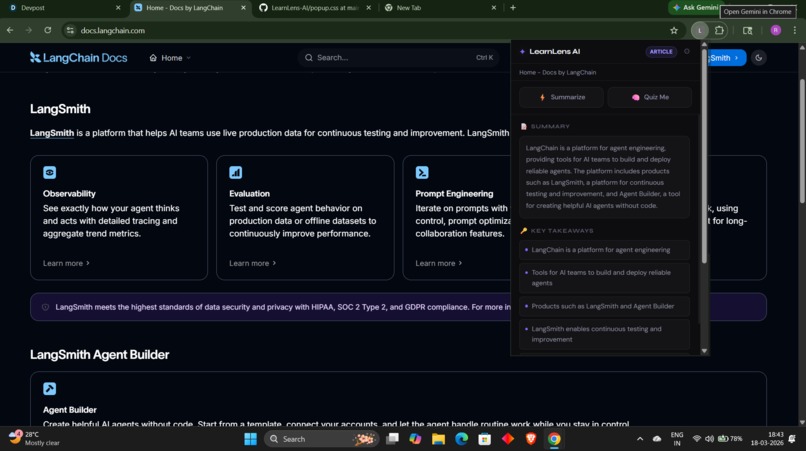
Summarises the article
-
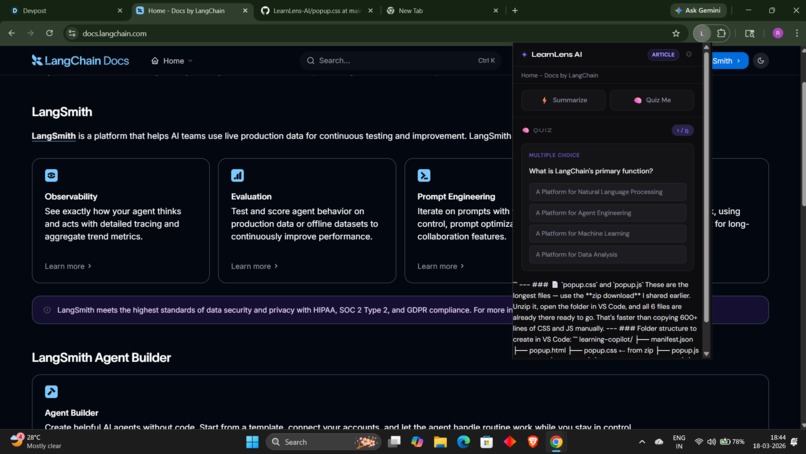
Genrates the quiz for the article
-
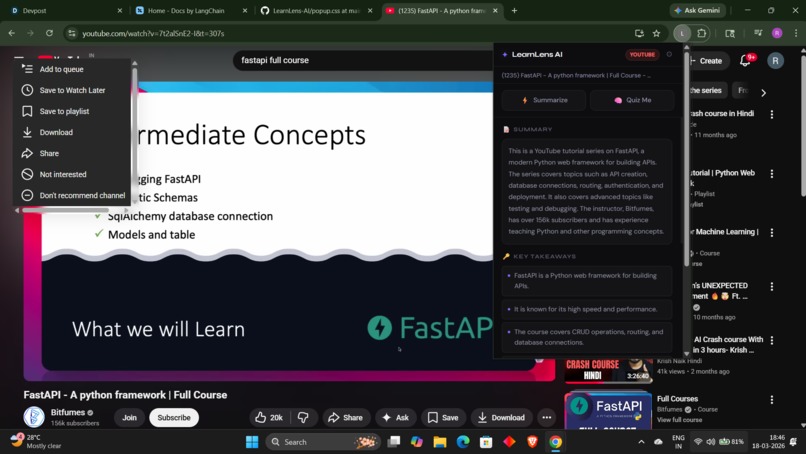
It summarises the lecture
-
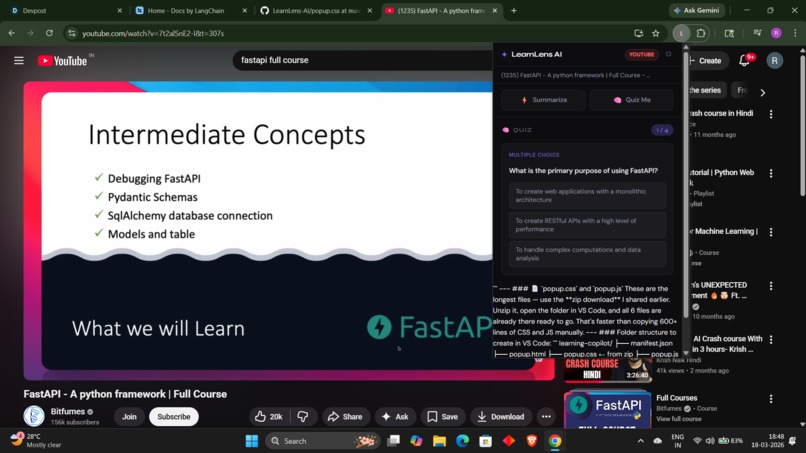
It genrates the quiz
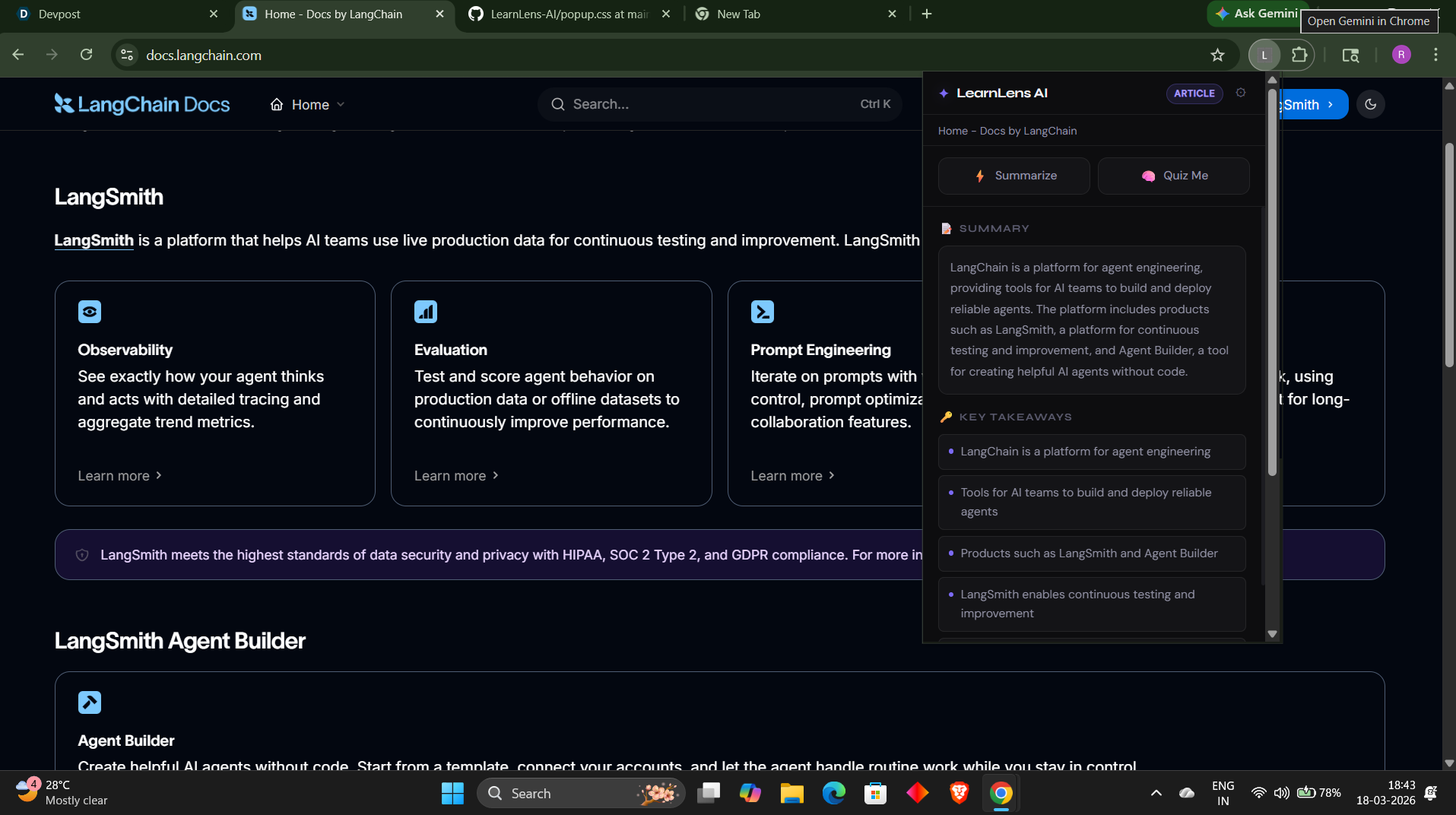
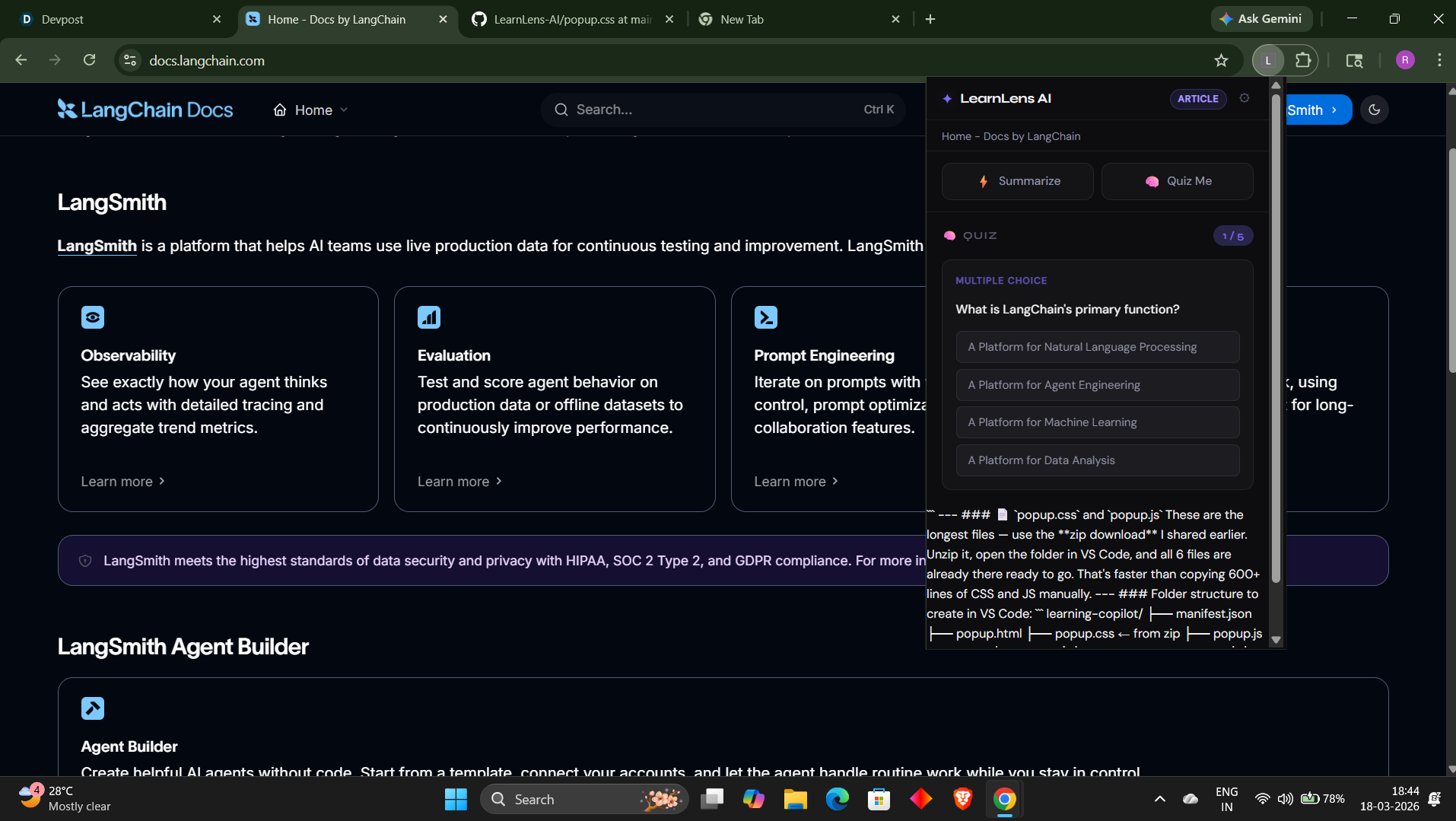
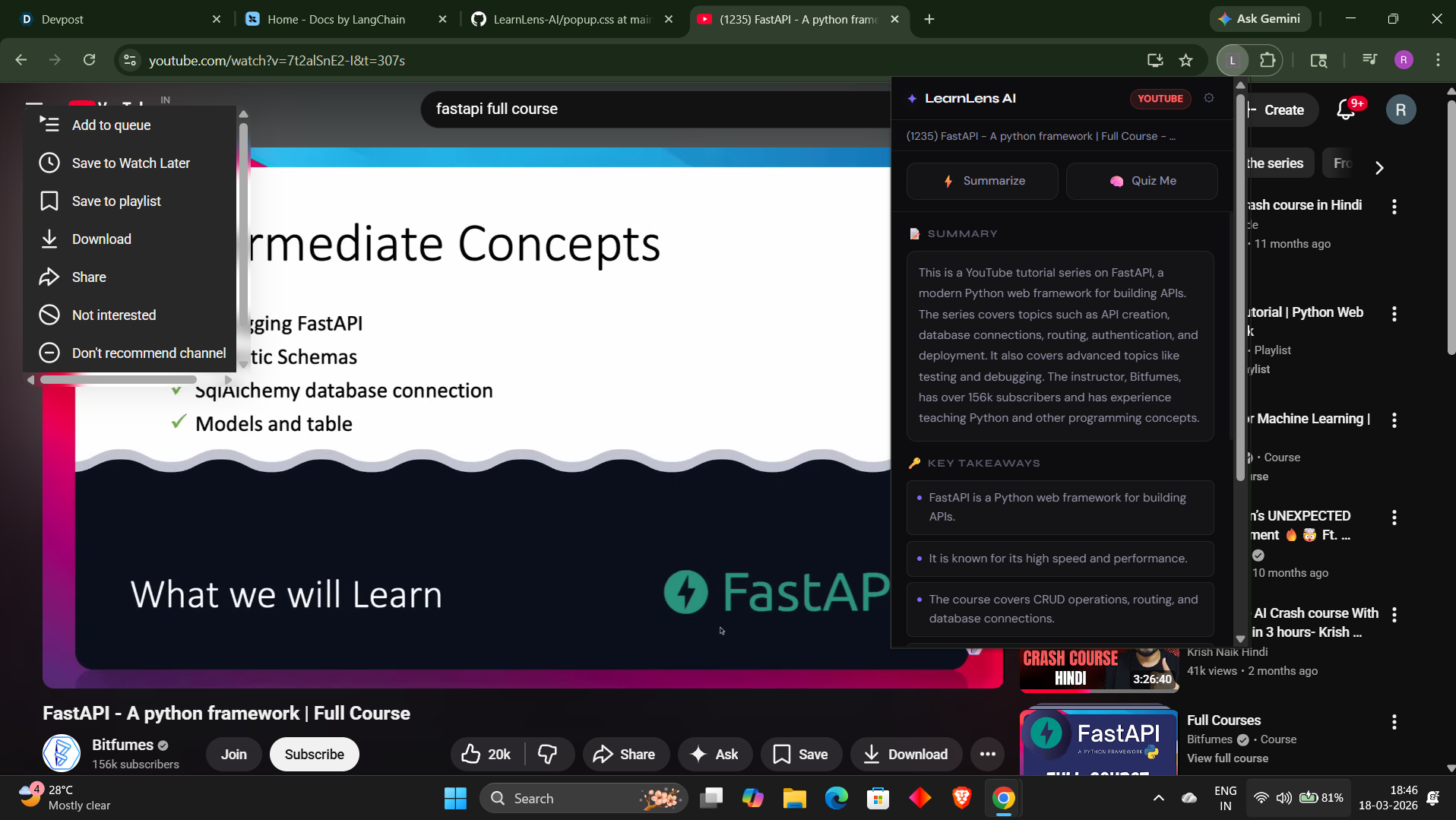
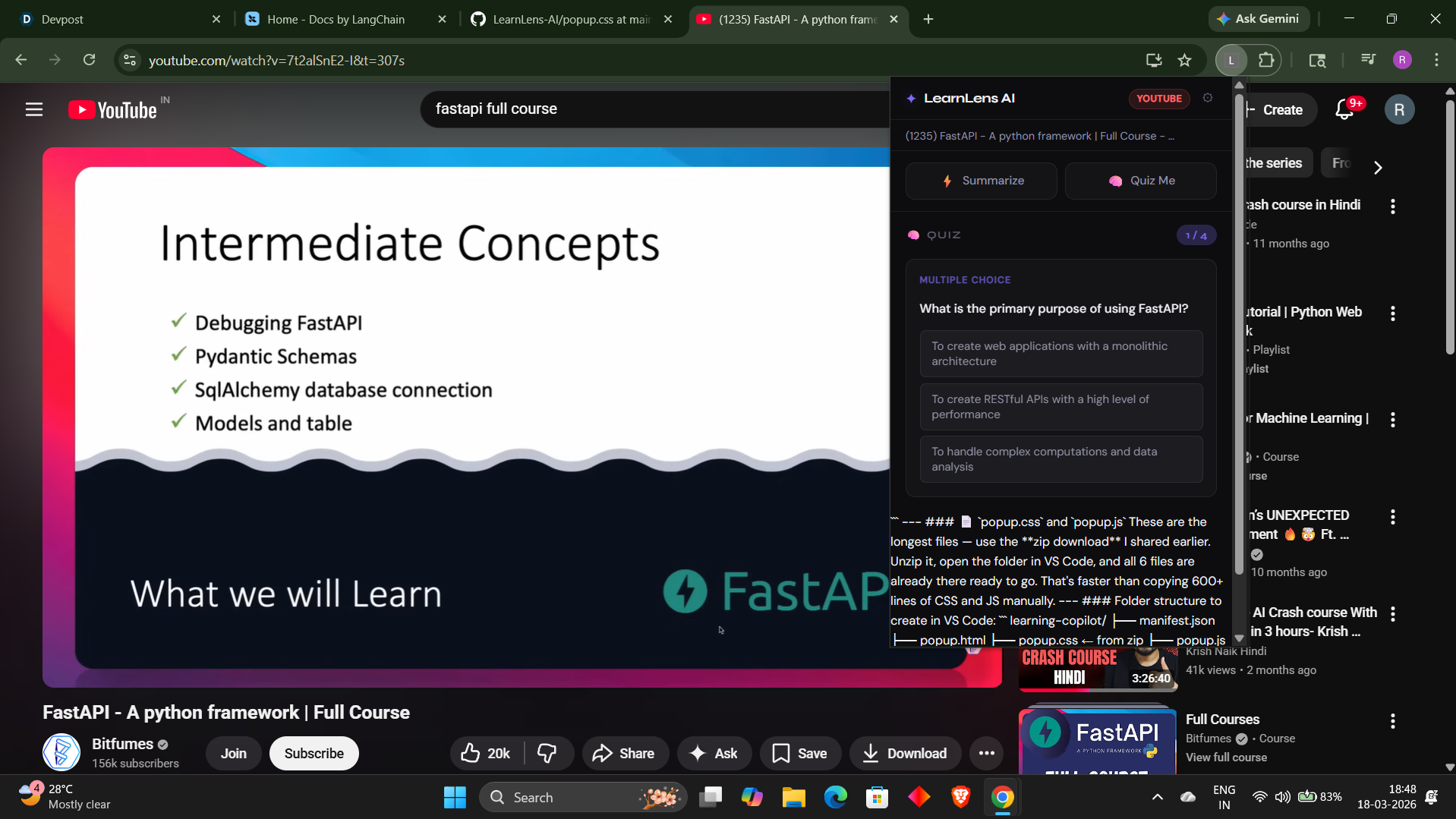
InspirationAs a Computer Science student, I spend hours every day watching YouTube lectures and reading articles — but I kept forgetting what I learned within a few hours. I would watch a 2-hour ML lecture and by the next day remember almost nothing. I realized the problem wasn't the content — it was that I had no way to actively engage with it while consuming it. I wanted a tool that lived right inside my browser and helped me learn, not just watch. That's what inspired Learn Lens AI.
What it does
Learn Lens AI is a browser extension that transforms passive content consumption into active learning. It works on any YouTube video, web article, or PDF opened in the browser. With one click it extracts the content, generates a concise AI-powered summary with key takeaways, and creates 5 personalized quiz questions — a mix of multiple choice and short answer — so the user can immediately test their understanding without leaving the page. It detects the page type automatically, pulls YouTube transcripts directly from the DOM, and works entirely inside the browser with no backend server required.
How we built it
We built Learn Lens AI as a Manifest V3 browser extension compatible with both Chrome and Firefox using vanilla JavaScript with no frameworks. The architecture has three core layers — a content script that runs on every webpage and handles page detection and content extraction, a background service worker that manages all AI API calls securely using the Groq API with the Llama3 model, and a popup UI built with HTML and CSS that renders summaries and interactive quizzes. Chrome's local storage API stores the user's API key safely on their own machine. YouTube transcript extraction works by programmatically interacting with YouTube's transcript panel DOM. The entire extension is client side with zero backend infrastructure and zero hosting costs.
Challenges we ran into
The hardest challenge was Chrome's Manifest V3 service worker lifecycle — service workers go inactive after a few seconds of inactivity which kept breaking the connection between the popup and the background script causing "receiving end does not exist" errors in a loop. We solved this by implementing a retry mechanism and dynamic content script injection so the extension re-injects itself if the connection drops. YouTube transcript extraction was also difficult because YouTube's DOM is complex and changes frequently — we built a multi-fallback system that tries the transcript panel first, then falls back to video description and chapters. We also went through three different AI APIs — Anthropic, Google Gemini, and OpenRouter — before finding Groq which was the only truly free option with no credit card requirement and fast enough for real time summarization.
Accomplishments that we're proud of
We are proud that we built a fully working AI-powered browser extension from scratch in under 3 days with no prior experience building browser extensions. The extension works reliably across YouTube videos, news articles, research papers, and PDFs. The quiz feature with instant feedback, correct/wrong highlighting, and score tracking works smoothly end to end. We are especially proud that the entire thing runs client side with zero backend — no server, no hosting, no maintenance cost — making it instantly available to anyone who loads it.
What we learned
We learned how browser extensions actually work at a deep level — the difference between content scripts, background service workers, and popup scripts and how they communicate through Chrome's messaging API. We learned how to extract structured content from complex web pages and YouTube's DOM. We learned how to integrate third party AI APIs directly from a browser extension and handle different response formats, rate limits, and error cases. We also learned that building something real and useful does not require complex infrastructure — sometimes a folder of HTML, CSS and JavaScript files is all you need.
What's next for LearnLens AI
The next version of Learn Lens AI will include a personal knowledge base that saves all summaries across sessions so users can review everything they have learned in one place. We plan to add spaced repetition — automatically re-quizzing users on topics they got wrong after 24 and 48 hours, similar to Anflasuki. We also want to add support for uploaded PDFs and DOCX files, a highlight-to-explain feature for selected text, and a daily learning streak tracker to keep users motivated. Long term we want to publish it on the Chrome Web Store and build a student community around it targeting engineering and medical students in India who rely heavily on YouTube for exam preparation.

Log in or sign up for Devpost to join the conversation.