-
-
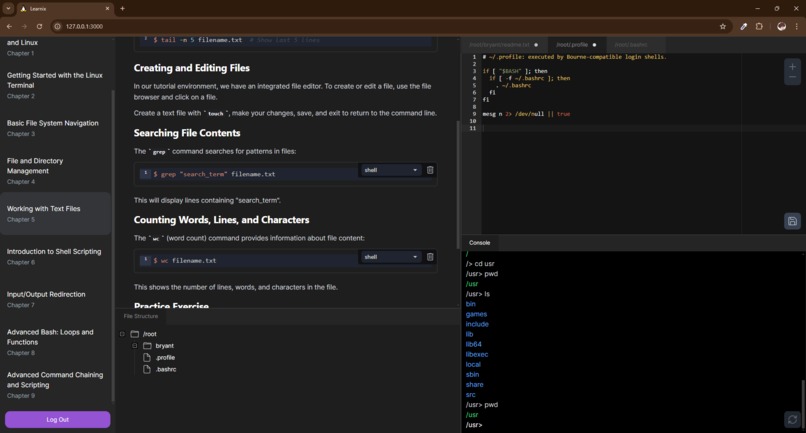
Editing a file
-
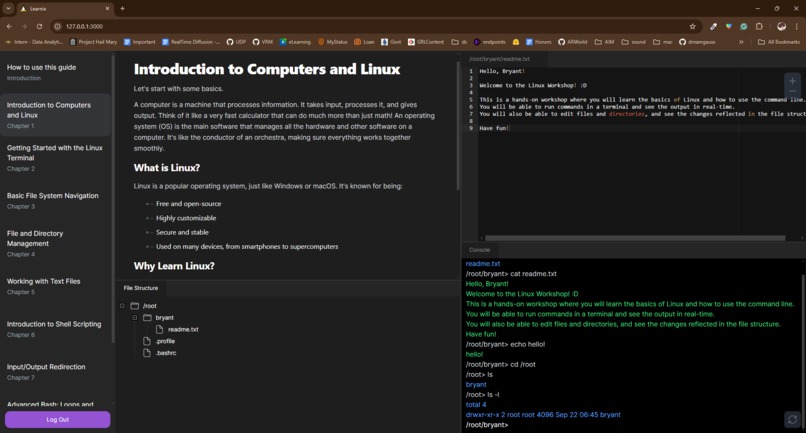
General Layout
-
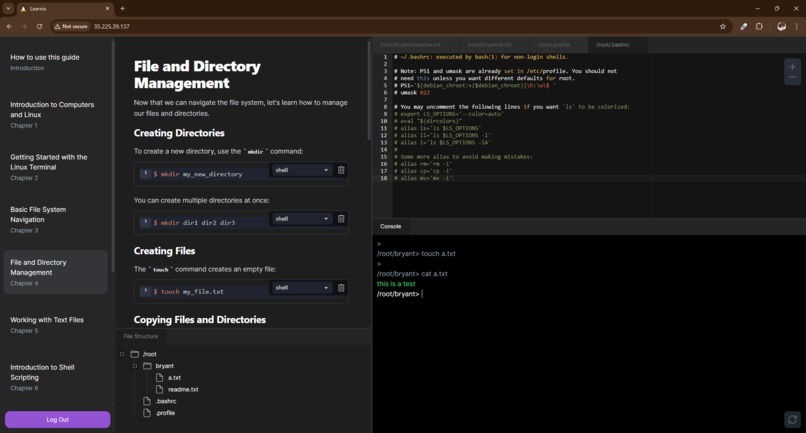
Resized Tabs
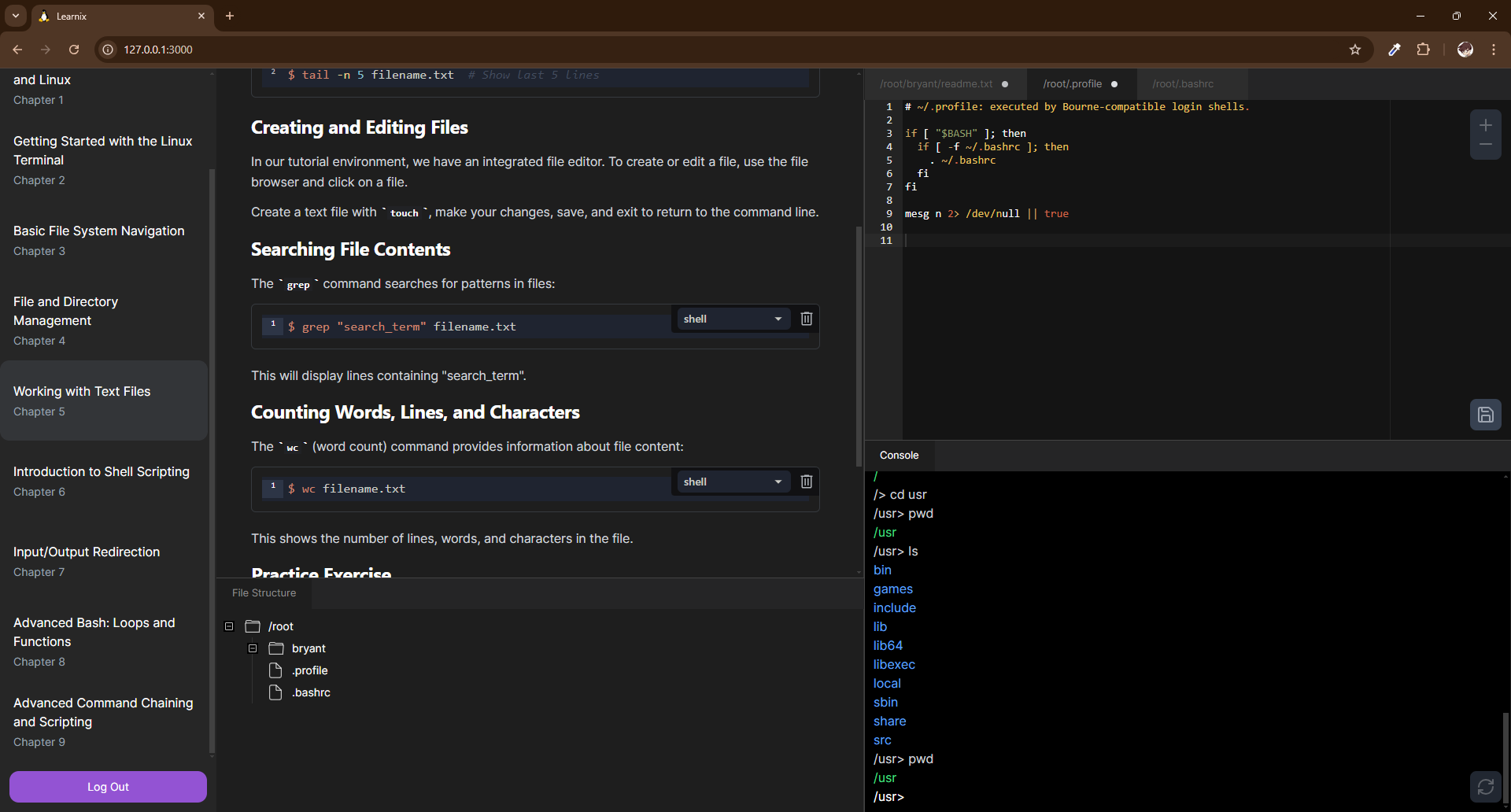
Inspiration
Learning something new can be both demanding and rewarding and, as we all know, learning computer science is no different. From the overwhelming amount of information and methodologies online to gloomy text-only IDEs, it's no surprise that many students—no matter how eager they are—don't know where to start and get discouraged. With our project, Learnix, we hope to make it easier for everyone to break into this exciting field we all know and love.
What it does
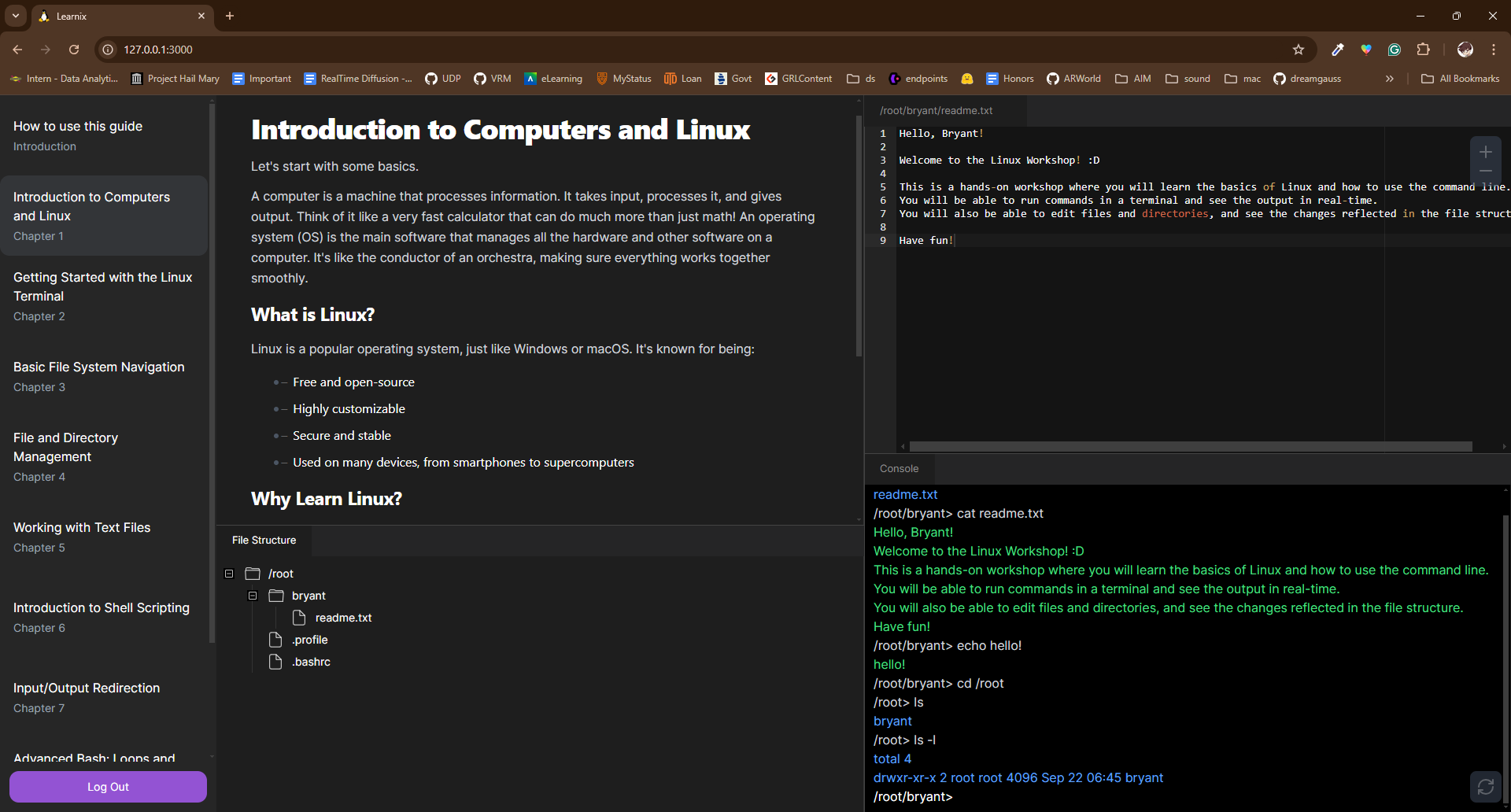
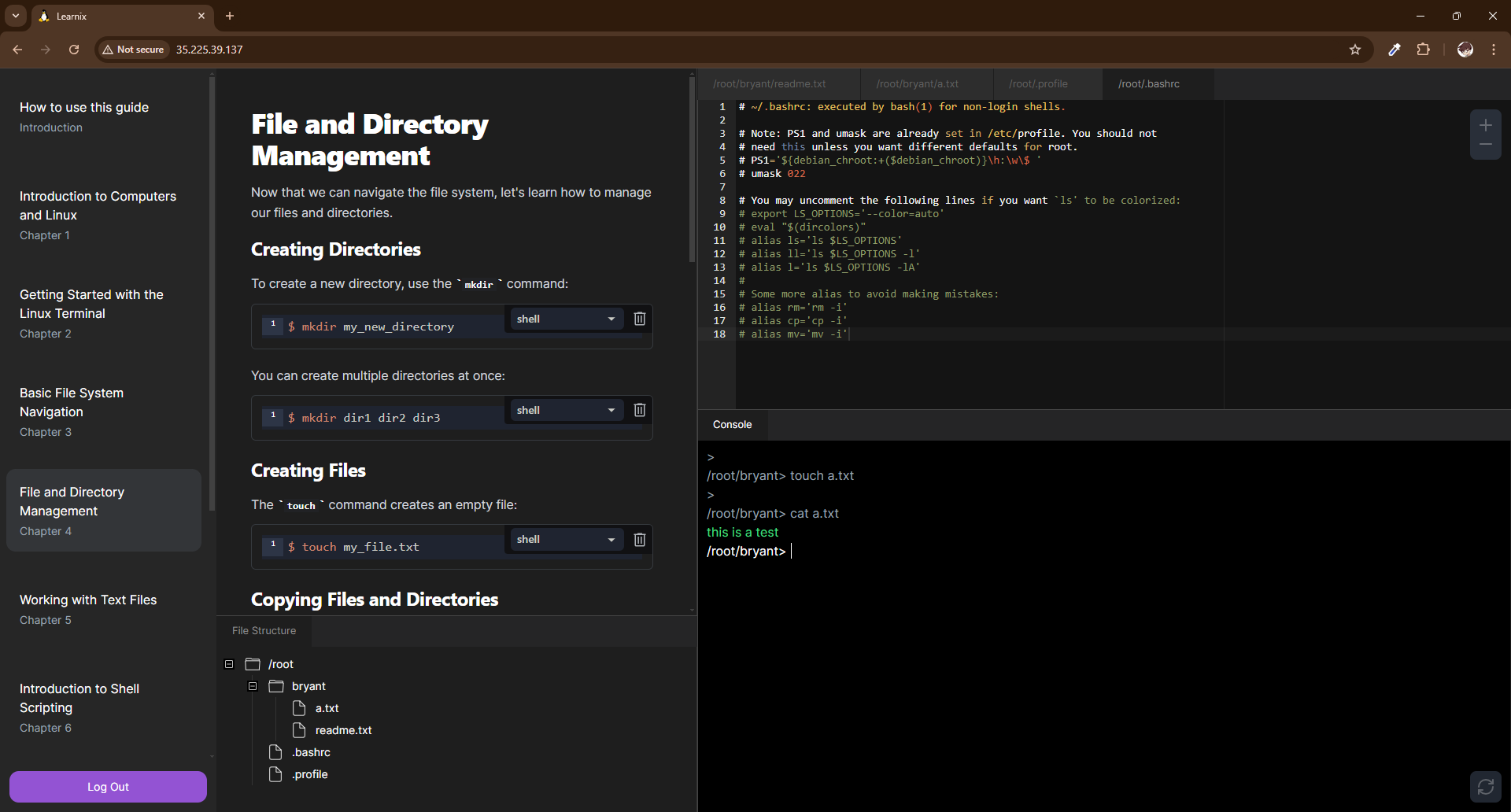
Learnix is an online tool that helps anyone and everyone learn how to code with arguably one of the most complicated parts of computer science: the command line. Our online web app walks students through using a UNIX terminal with visual and interactive lessons which they can follow along in their virtual terminal, visual file system, and custom file text editor.
For example, when a student clicks on a folder icon in the visual file system, it runs the "ls" command to get the folder's contents.
$ ls [folder]
How we built it
In order to host the virtual UNIX instances, our backend uses Docker to allocate computing resources to multiple students. We then use Flask as a server to serve our endpoints and front end. We also use Auth0 to manage user credentials and authenticate and authorize users. Additionally, we use MongoDB to store the information about each user's Docker containers.
Our front end was created using Vite and React with Typescript. With these, we were able to make a fully customizable dashboard in the style of a code editor.
Challenges we ran into
One challenge we ran into was deciding how we were going to communicate between the front end and back end. We knew CORS or Cross-Origin Resource Sharing was going to be an issue with our react website and Flask server but fortunately, we caught it early and ultimately decided to build the react project and have Flask serve it along with the endpoints.
Another issue we ran into was creating the file structure so that it would be both intuitive to beginners and have some connection to the terminal. After much confusion and brainstorming, we ultimately came up with logic that would procedurally gather information about a folder's contents only after the user opens it. This prevents unnecessary data from being sent redundantly and also allows for a way to demonstrate the terminal's role in changing directories and displaying its contents.
Accomplishments that we're proud of
The accomplishment we're most proud of is creating a fully functional remote UNIX instance. To be honest, we were unsure about whether or not we would finish the project in time but all of us really gave it our all and had a blast working together. I'm truly blessed that I was able to join this super-smart and motivated in making a project I will 100% be looking back on probably forever.
What we learned
This project is definitely one of the more comprehensive projects any of use have worked on just by the sheer number of moving parts. We all had to get a little uncomfortable and try something new. For example, Docker was an integral part of our project which only one of us really knew anything about. We also used Google Cloud Services which none of us had worked with on this scale before. I don't think there was a single point in time during this whole hackathon where one of us knew all the answers but it was nothing an MSI monitor (thank you MSI and MLH!), MSPaint, and a little group huddle couldn't handle. In fact, it was because we were all working on different things with our different strengths that we were able to help each other dip our toes into so many new tools this weekend.
What's next for Learnix
While we are very happy with the current state of Learnix, there is still much to be done. We want Learnix to be even more interactive and visual than it already is, exploring new and unique ways to represent these tough concepts. One way we discussed is adding some sort of canvas elements to give students a more interactive way to participate in learning. In terms of infrastructure, we want to continue exploring alternative hosting methods and maybe use MongoDB to store students' files so they can return to where they left off.
Please check out our live demo here!
Built With
- auth0
- docker
- flask
- google-cloud
- mongodb
- react
- unix
- vite


Log in or sign up for Devpost to join the conversation.