-
-
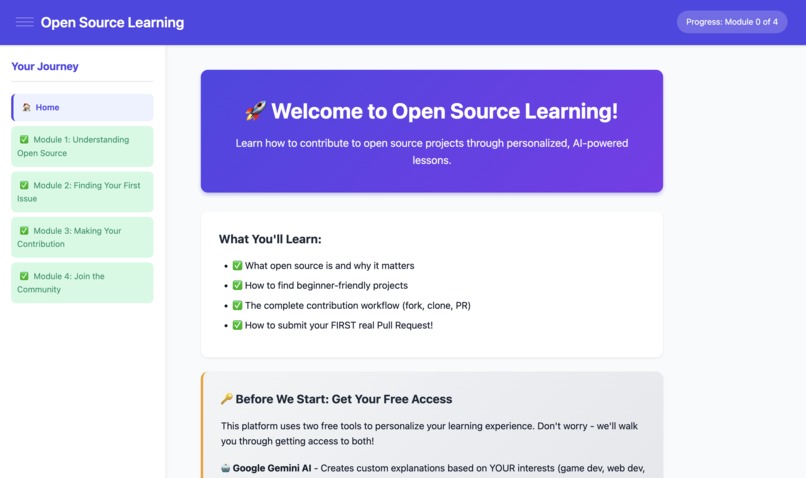
Web App Home Page
-
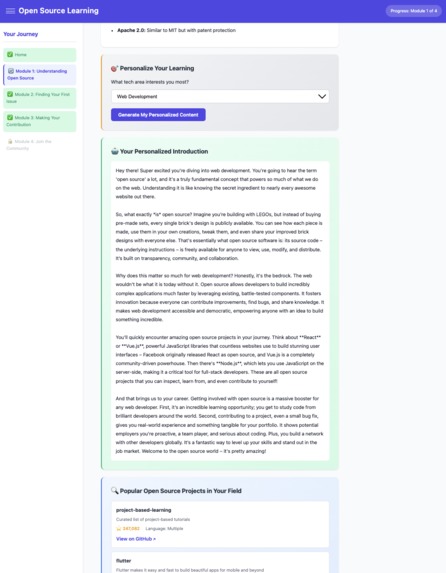
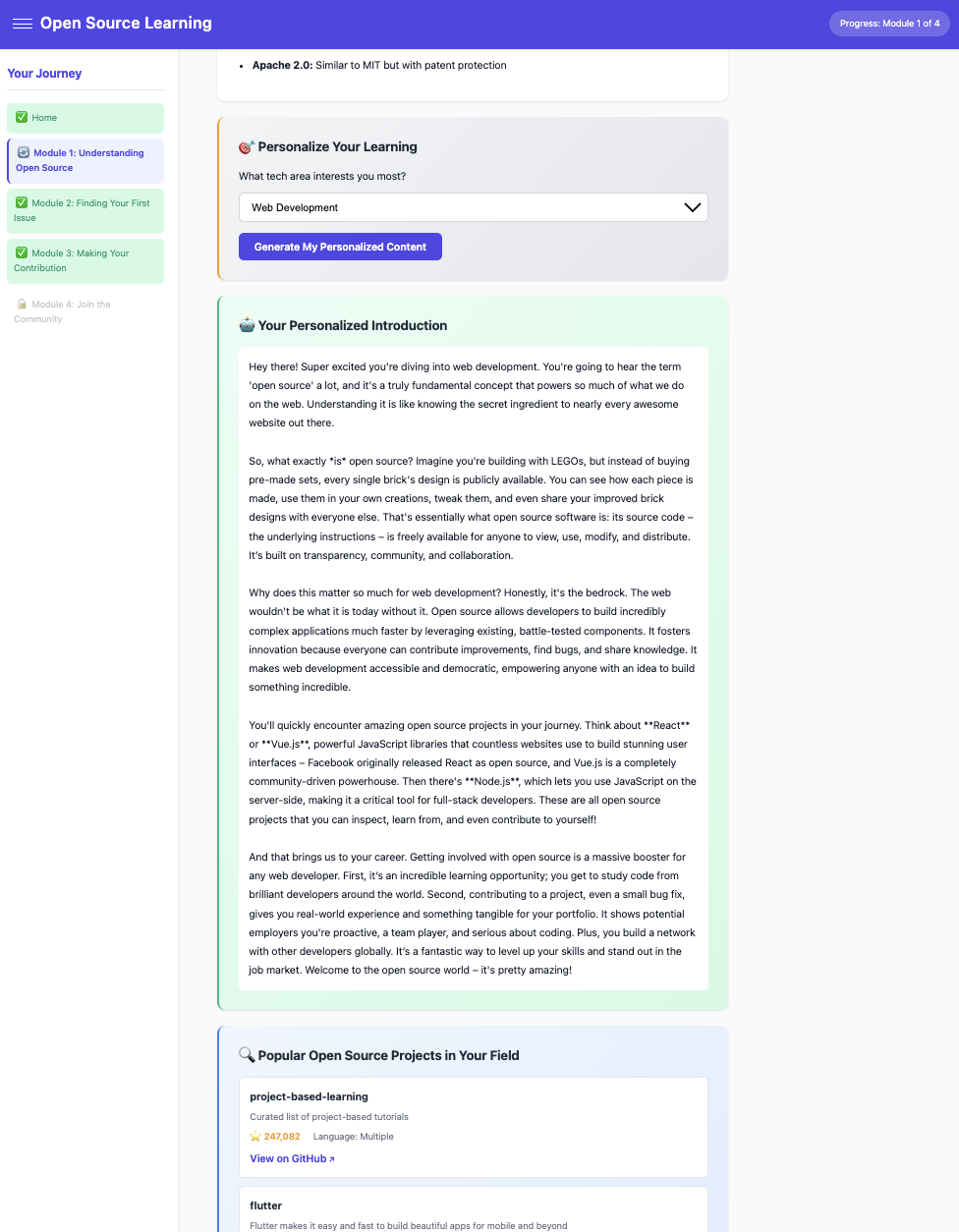
Gemini AI API and GitHub API utilized for creating Personalized Content
-
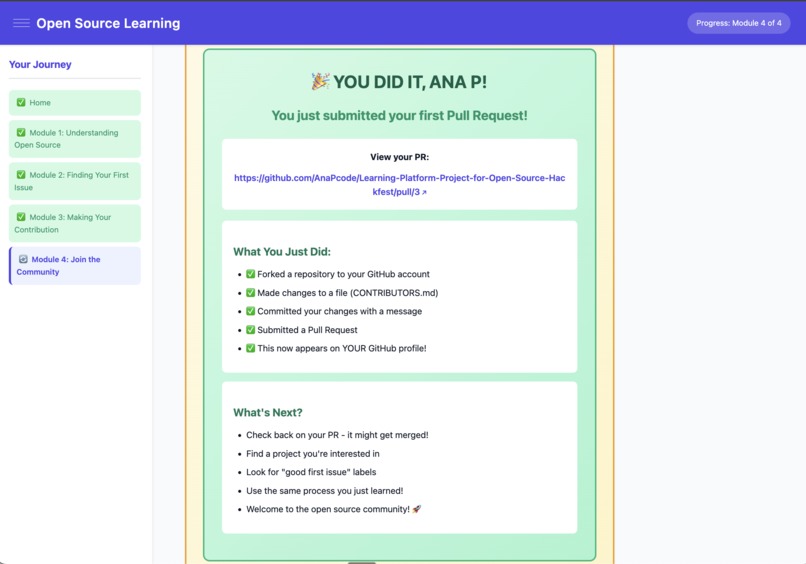
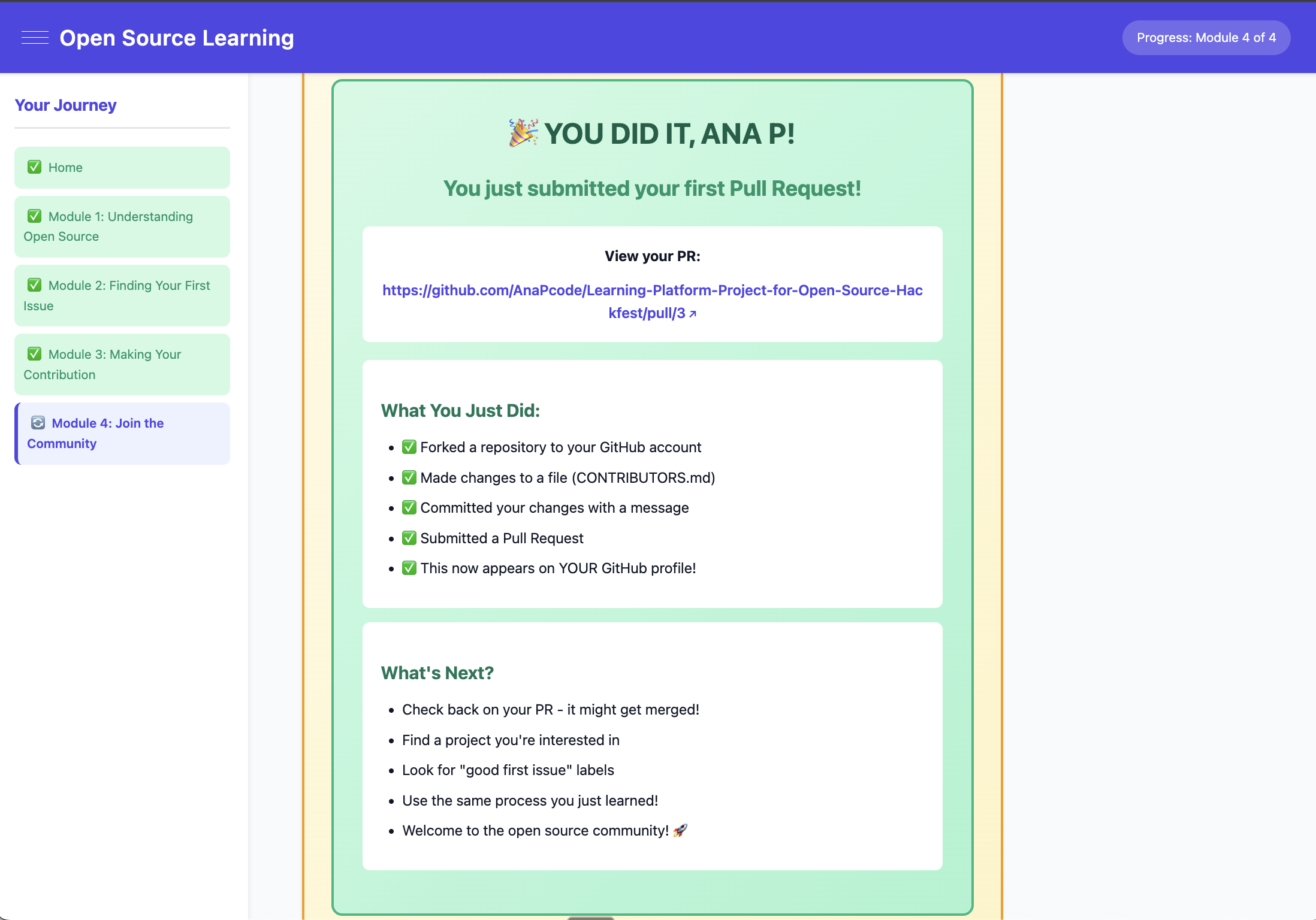
PR Success Image
Inspiration
Open source can be intimidating for beginners. As someone new to open source, I was curious: "Which project should I contribute to? How do I know if an issue is beginner-friendly? What if I mess up?" I wanted to create something that bridges the gap between learning and doing, a platform that uses AI to personalize education and actually guides you through submitting a real Pull Request. Originally envisioned as a mobile app (since more people worldwide have mobile devices, making it more accessible), I pivoted to a web platform due to hackathon time constraints.
What it does
Open Source Learning takes beginners from zero knowledge to submitting their first real Pull Request in 60-90 minutes.
The Journey:
- Module 1: Learn open source basics with AI-personalized examples based on your interests (web dev, data science, etc.)
- Module 2: Discover beginner-friendly projects using live GitHub API data
- Module 3: Step-by-step Git workflow walkthrough
- Module 4: Submit an actual Pull Request to a real repository (the Open Source Learning course repository)
Key Features: AI personalization via Gemini, progress tracking with localStorage, interactive quizzes, progressive module unlocking, live GitHub integration, and automated PR submission.
Users graduate with a real Pull Request on their GitHub profile and, hopefully, the confidence to keep contributing and learning.
How I built it
This was my first time building a website. I learned web development while building this project in one day.
Tech Stack: Vanilla HTML/CSS/JavaScript (no frameworks), Google Gemini API, GitHub REST API, localStorage, GitHub Pages hosting.
Architecture: Completely client-side with zero backend. Key components include:
- Progress Manager (localStorage persistence)
- Content Generator (AI prompt orchestration)
- Discovery Service (GitHub project/issue search)
- PR Automation Engine (6-step automated PR workflow)
- Quiz Validator (answer checking and module unlocking)
I leaned heavily on AI assistance (Claude Code) for code implementation, debugging, architecture decisions, and prompt engineering. I had learned techniques for using AI as a pair programming partner and generating prompts to aid my learning, allowing me to build beyond my current skill level.
Challenges I ran into
Client-Side PR Automation: Building a 6-step orchestration (fork → wait → verify → read → commit → PR) entirely in the browser was the hardest part. Received errors in forking which resulted in needing to add more debugging statements.
Learning Web Development While Building: This was my first website ever. I had to learn HTML, CSS, JavaScript, async/await, API integration, and localStorage all while building a functioning product in one day.
AI Prompt Engineering: Creating prompts for Claude Code to both help build the app as well as help me understand the process.
Design of app related to API: Considering access limits (e.g., GitHub API can only be called 60 times an hour) led to the decision for users to provide their own tokens, which solved possible cap issues but added UX complexity.
Accomplishments that I'm proud of
- Built my first website in one day - from zero web dev experience to a functional, deployed application
- PR automation works - users can click a button and have a real GitHub PR created automatically (though more testing is needed)
- Intuitive UX - clean interface with progressive module unlocking and visual progress tracking
- Integrated two APIs - Gemini AI and GitHub REST API
- It's live - deployed on GitHub Pages
- An intro to open source - combines education with actionable steps toward making real contributions
What I learned
Technical Skills: HTML/CSS/JavaScript fundamentals, API integration, AI prompt engineering, client-side state management, and GitHub Pages deployment.
Setting Up an Open Source Repository: Building a platform to teach open source deepened my understanding of documentation, licensing, contributing, and approving pull requests.
AI-Assisted Development: How to utilize Claude Code effectively. I believe it accelerated my learning as I remained involved in making architectural decisions and understanding the code at a high level (though due to hackathon time constraints, I admit I still have gaps in knowledge, and the project needs thorough testing and code review).
What's next for Learning Platform Project for Open Source Hackfest
This is a demo of the core concept - there's much more to build!
Possible Improvements:
- Comprehensive testing and bug fixes
- Better error handling
- Code review and optimization
- Expanded curriculum (code review, rebasing, advanced Git, becoming a maintainer)
- Gamification (badges, leaderboards, streaks)
- Community features (mentor matching, discussion forums)
- Multi-language support
- Mobile app
- Video tutorials for visual learners
Ultimate Goal: Make it welcoming for anyone—regardless of background or experience—to make their first contribution and join the open source community.

Log in or sign up for Devpost to join the conversation.