-
-

Home page
-
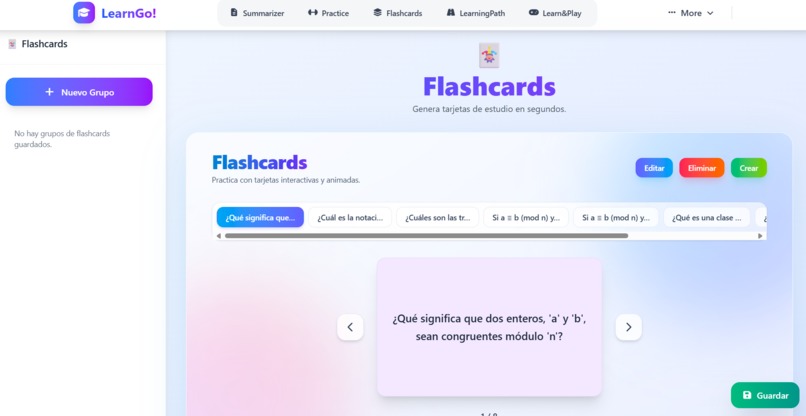
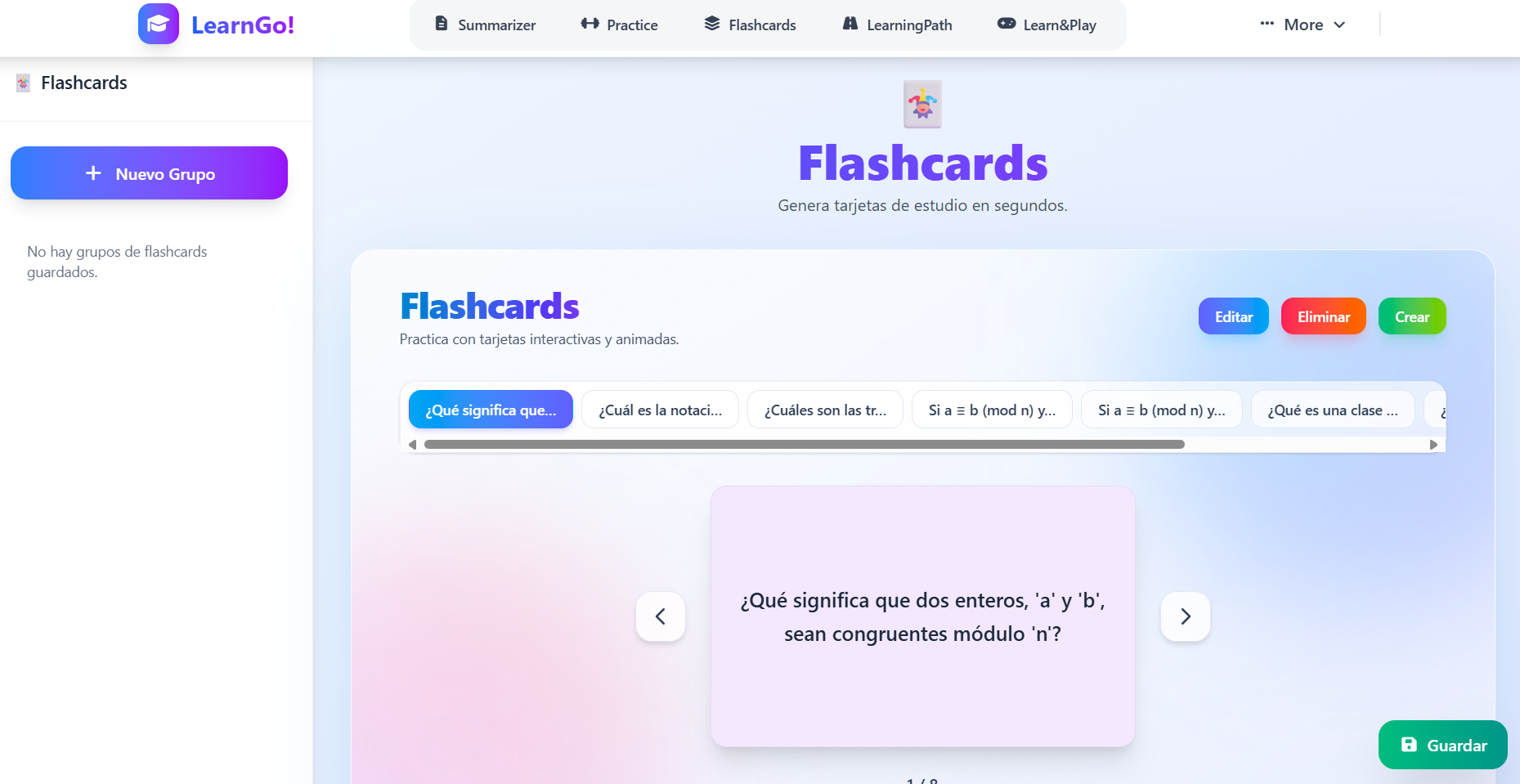
Flashcards Generation
-
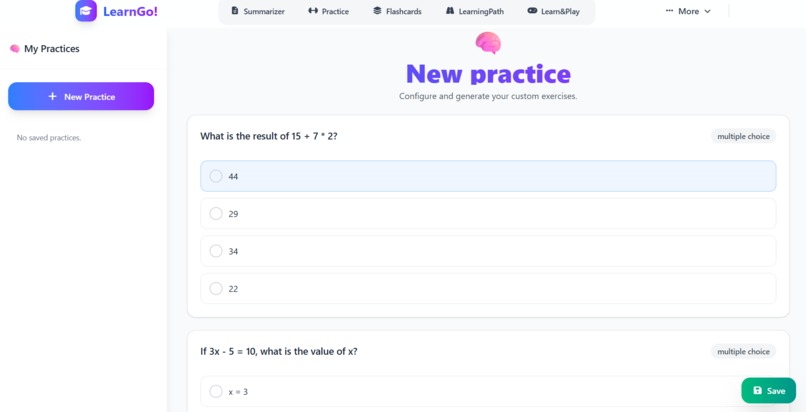
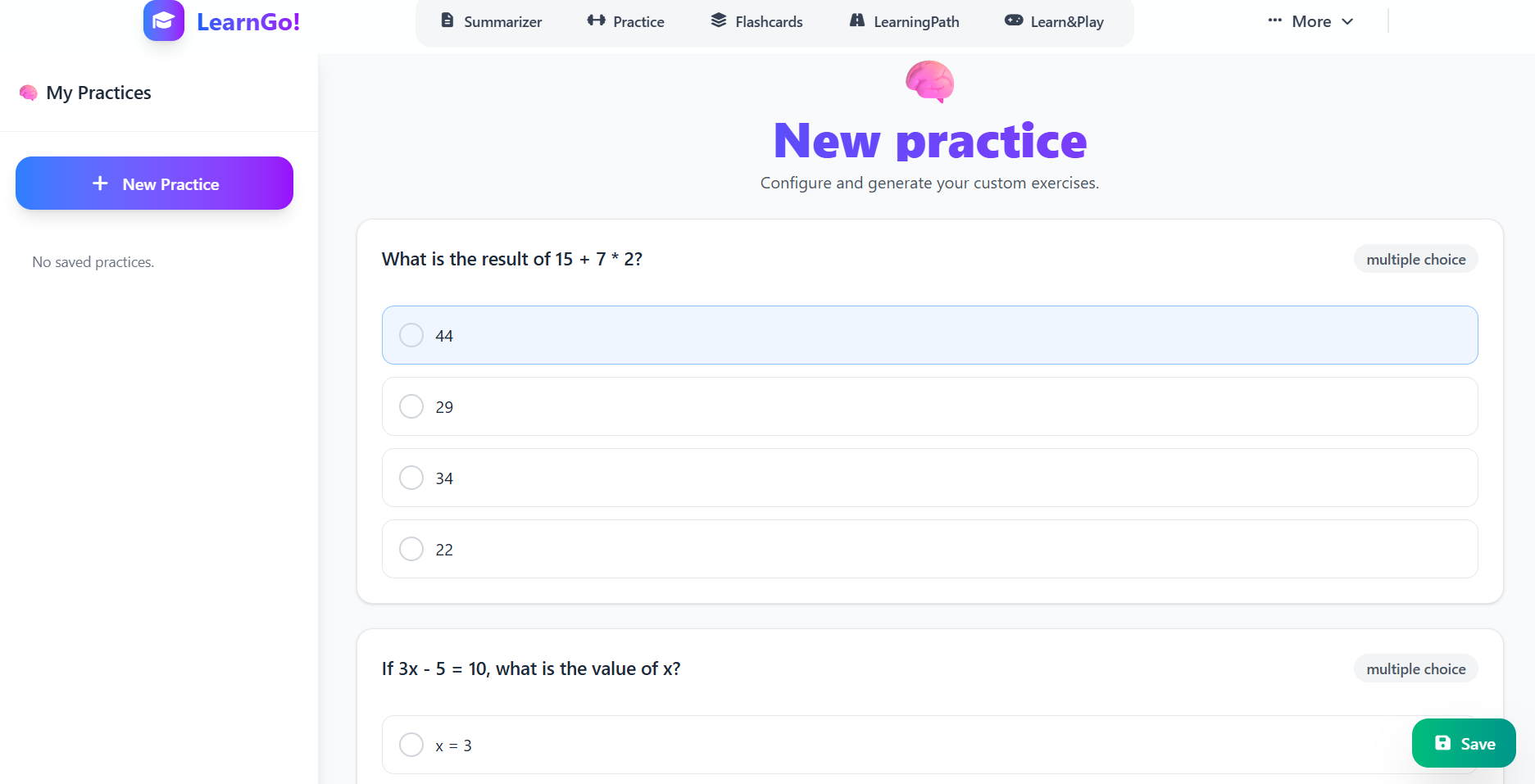
Exercise generator
-
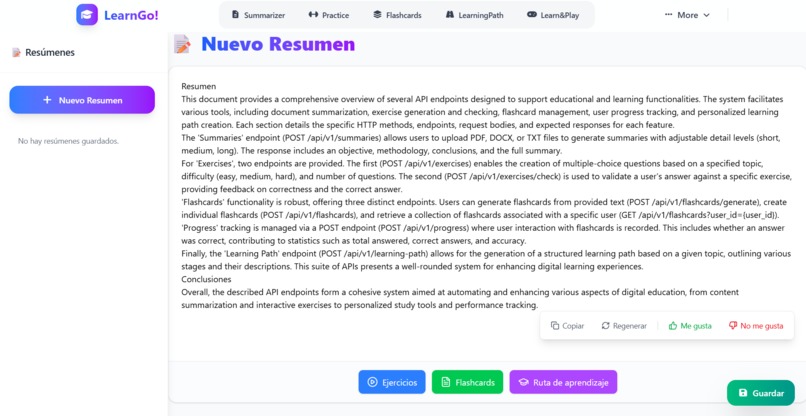
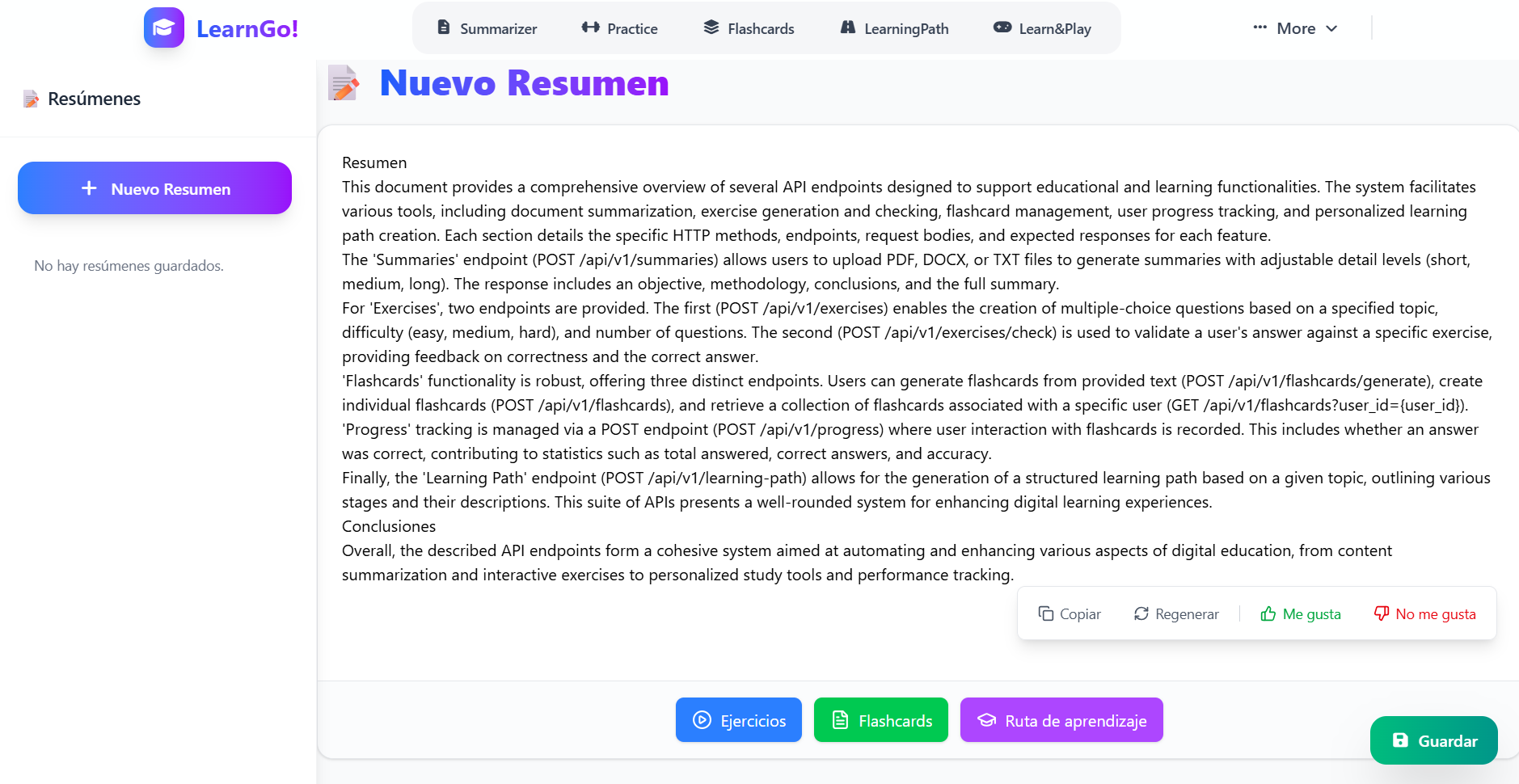
Summarizer
-
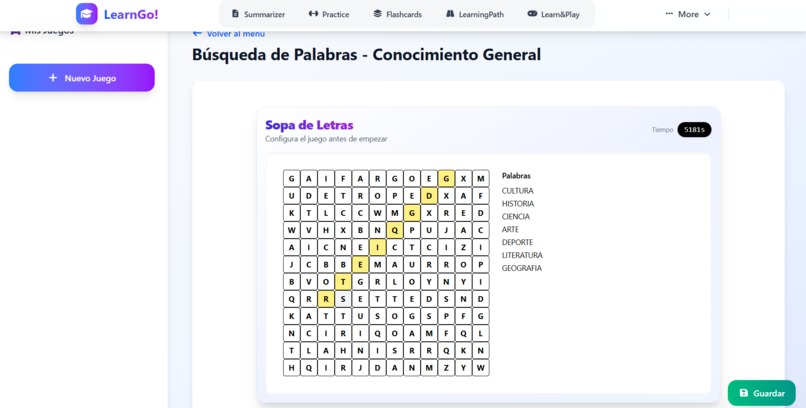
Games
-
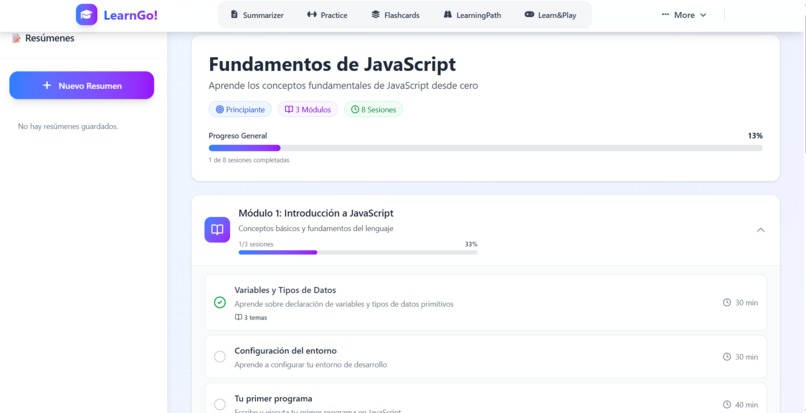
Roadmap (Work in Progres)

📖 About the Project
🎯 Inspiration
In Peru, the digital divide is more than a statistic; it's a barrier locking millions of rural students out of modern education. While connectivity in rural areas has grown, it still only reaches 55% of the population in 2024. Projects to expand the network are years away (2025-2026), but students need to learn today.
We were inspired by a simple, urgent question: Why should a student's education depend on their internet access? We decided to build a solution that bypasses the connectivity problem entirely, delivering a high-quality, intelligent learning experience to anyone with a basic smartphone.
When Google announced the Built-in AI Challenge 2025 and introduced Gemini Nano, I saw an incredible opportunity to solve these problems while respecting user privacy. The idea of running AI models directly in the browser opened up possibilities for creating a truly private, fast, and accessible learning tool.
💡 What It Does
The AI-Powered Learning Assistant is a comprehensive study companion that helps students and educators:
Core Features (Powered by Gemini Nano - Local Processing)
📄 PDF Summarization: Upload any study material and get intelligent summaries highlighting key concepts, main ideas, and important takeaways - all processed locally in your browser.
📝 Exercise Generation: Create five different types of practice exercises:
- Multiple Choice questions with detailed explanations
- True/False statements for quick review
- Fill in the Blanks for active recall
- Short Answer questions for deeper understanding
- Matching exercises to connect related concepts
Each exercise includes difficulty levels, correct answers, explanations, and learning objectives.
- 🎴 Flashcard Creation: Generate smart flashcards from any document with:
- Automatic key term extraction
- Topic and subtopic organization
- Difficulty levels
- Tags for categorization
- Detailed explanations
Additional Features (Powered by Gemini API)
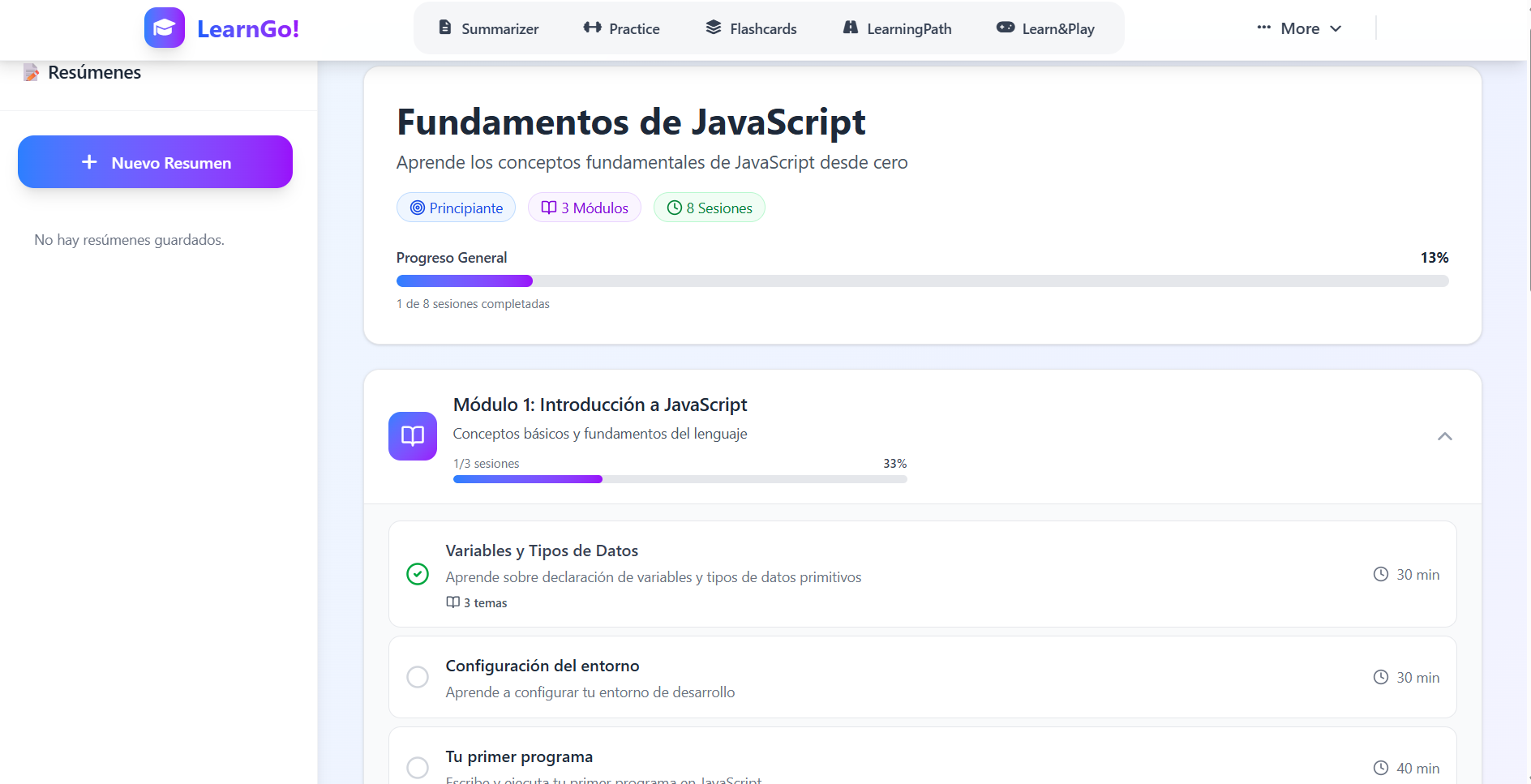
🗺️ Learning Roadmaps: Create personalized learning paths with milestone tracking and prerequisite mapping.
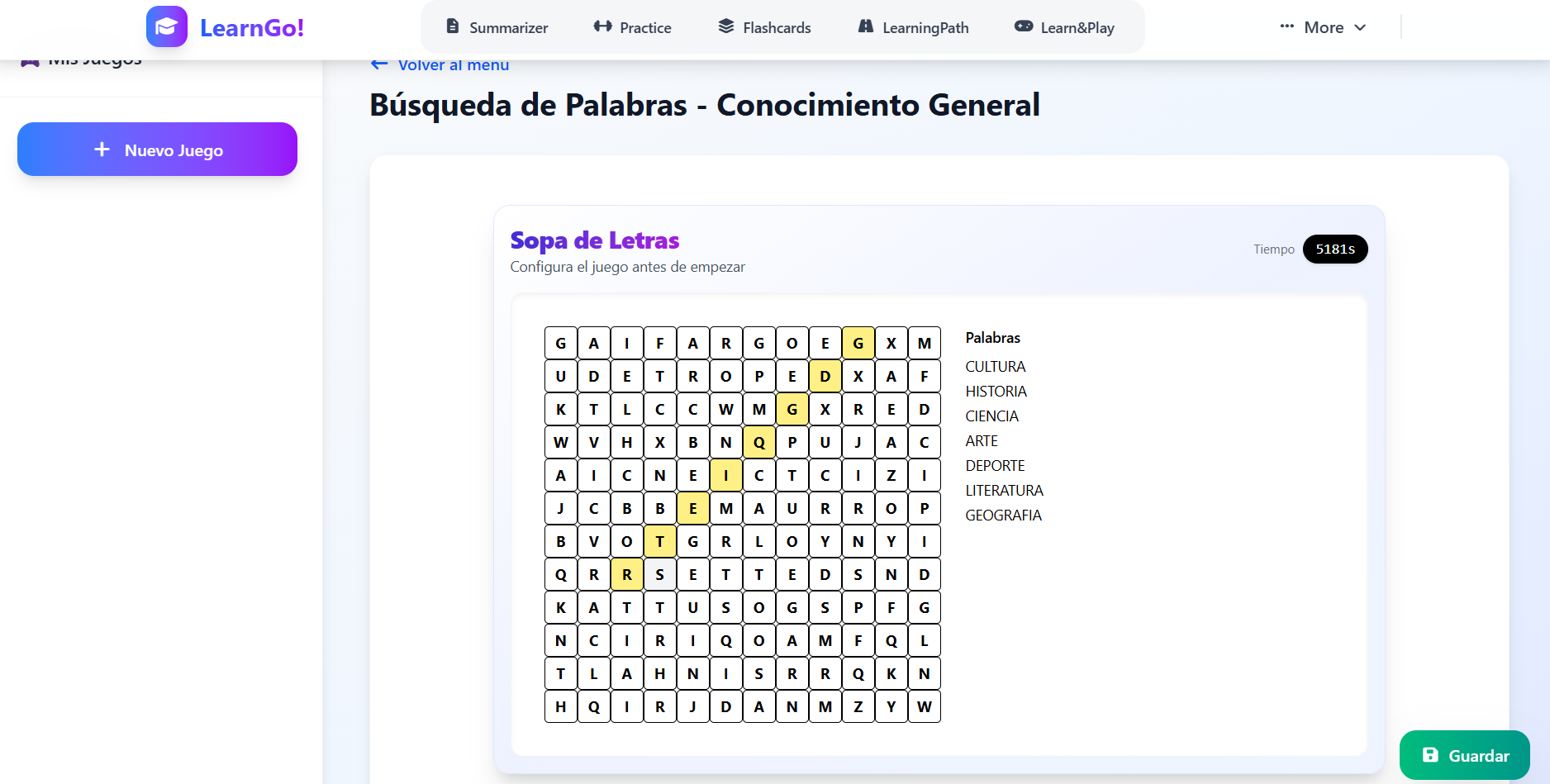
🎮 Educational Games: Generate interactive word searches and crossword puzzles for fun, engaging review sessions.
🛠️ How I Built It
Technology Stack
Frontend:
- Next.js 14 with App Router for a modern, performant web application
- TypeScript for type-safe code and better developer experience
- Tailwind CSS for responsive, beautiful UI design
- Gemini Nano via Chrome's Built-in AI API for local processing
- Gemini API for cloud-based features
Backend:
- FastAPI (Python) for high-performance REST APIs
- LangChain for managing AI prompts and chains
- PyPDF2 & pdfplumber for PDF text extraction
- Google Generative AI SDK for Gemini API integration
Architecture Decisions
Hybrid AI Approach: I designed a hybrid architecture where privacy-sensitive features (summarization, exercises, flashcards) use Gemini Nano for local processing, while less sensitive features (roadmaps, games) leverage the cloud-based Gemini API for more complex operations.
Modular Structure: Following SOLID principles, I created a modular structure with:
- Reusable prompt templates
- Structured JSON responses
- Type-safe interfaces across frontend and backend
- Utility functions for response parsing and validation
Response Parser: Built a robust JSON parser that handles markdown-wrapped responses from AI models, ensuring clean data extraction.
Development Process
Phase 1: Research & Planning
- Studied Gemini Nano's capabilities and limitations
- Designed the architecture to maximize local processing benefits
- Created TypeScript interfaces matching backend structures
Phase 2: Core Implementation
- Set up Next.js frontend with TypeScript
- Built FastAPI backend with LangChain integration
- Implemented Gemini Nano client wrapper
- Created prompt templates for each feature
Phase 3: Feature Development
- PDF processing and text extraction
- Exercise generation with 5 different types
- Flashcard creation with intelligent formatting
- Response parsing and validation utilities
Phase 4: Integration & Testing
- Connected frontend with Gemini Nano
- Tested on Chrome Canary
- Validated JSON response structures
- Refined prompts for better output quality
🚧 Challenges I Faced
1. Gemini Nano Availability & Setup
Challenge: Getting Gemini Nano to work required Chrome Canary, enabling experimental flags, and manually downloading the model.
Solution: Created comprehensive documentation in the README with step-by-step instructions. Added clear browser requirement sections to guide users through the setup process.
2. Response Format Inconsistency
Challenge: AI responses sometimes came wrapped in markdown code blocks (`json ...), making JSON parsing unreliable.
Solution: Built a robust parseJSONResponse utility that:
- Detects and removes markdown formatting
- Handles both wrapped and raw JSON
- Provides clear error messages
- Validates response structure before returning
export function parseJSONResponse<T>(response: string): T {
    // Remove markdown code blocks if present
    const markdownRegex = /^```(?:json)?\s*\n?([\s\S]*?)\n?```$/;
    const match = cleanedResponse.match(markdownRegex);

    if (match) {
        cleanedResponse = match[1].trim();
    }

    return JSON.parse(cleanedResponse) as T;
}
3. Type Safety Across Frontend & Backend
Challenge: Maintaining consistent data structures between TypeScript frontend and Python backend.
Solution: Created matching interfaces/models:
- TypeScript interfaces in
gobal.ts - Pydantic models in backend
- Shared structure definitions
- Comprehensive type checking
4. Prompt Engineering for Multiple Exercise Types
Challenge: Each exercise type requires different JSON structures and instructions.
Solution:
- Created dedicated prompt templates for each type
- Used LangChain's
PromptTemplatefor variable substitution - Included clear structure examples in prompts
- Iteratively refined prompts based on output quality
5. PDF Text Extraction Quality
Challenge: Different PDF formats produced varying quality of extracted text.
Solution: Implemented multiple extraction strategies:
- Primary: PyPDF2 for standard PDFs
- Fallback: pdfplumber for complex layouts
- Text cleaning and normalization
- Error handling for corrupted files
6. Local Processing Limitations
Challenge: Gemini Nano has context window and capability limitations compared to cloud models.
Solution:
- Optimized prompts to be concise but effective
- Chunked large documents for processing
- Set realistic expectations in UI
- Used cloud API for complex features (roadmaps, games)
🎓 What I Learned
Technical Skills
- On-Device AI: Deep understanding of browser-based AI capabilities and limitations
- Hybrid Architecture: Designing systems that balance local and cloud processing
- Prompt Engineering: Crafting effective prompts for consistent, structured outputs
- Type Safety: Building type-safe applications across different languages
- Error Handling: Creating robust parsers and validation systems
Design Principles
- Privacy by Design: Putting user privacy first in architectural decisions
- Progressive Enhancement: Core features work locally, enhanced features use cloud
- User Experience: Making complex AI features simple and intuitive
- Performance: Optimizing for instant responses with local processing
AI & ML Insights
- Model Capabilities: Understanding what's possible with lightweight vs. full models
- Prompt Design: The importance of clear instructions and structure examples
- Output Validation: Never trust AI responses without validation
- Context Management: Working within context window limitations
🌟 What's Next
Planned Features
- 📊 Progress Tracking: Monitor student performance over time
- 🤝 Collaboration: Share study sets with classmates
- 🎯 Adaptive Learning: AI-powered difficulty adjustment based on performance
- 📱 Mobile App: Native mobile experience with offline capabilities
- 🌍 Multi-language Support: Support for more languages in content generation
- 🔊 Audio Summaries: Text-to-speech for accessibility
- 📈 Analytics Dashboard: Insights for educators and students
Technical Improvements
- Implement caching for frequently accessed content
- Add progressive web app (PWA) capabilities
- Optimize bundle size for faster loading
- Add comprehensive unit and integration tests
- Implement real-time collaboration features
🎯 Impact & Vision
This project demonstrates that powerful AI capabilities can run locally, respecting user privacy while providing instant, helpful features. The vision is to make quality educational tools accessible to everyone, regardless of internet connectivity or privacy concerns.
By leveraging Gemini Nano, we're proving that the future of AI isn't just in the cloud - it's right here in your browser, protecting your data while empowering your learning journey.
Acknowledgments
Special thanks to:
- Google Chrome Team for creating the Built-in AI APIs
- Google AI Team for Gemini Nano and Gemini API
- The open-source community for amazing tools and libraries
- Educators and students who provided feedback and inspiration
Built with ❤️ for the Google Built-in AI Challenge 2025
Built With
- fastapi
- geminiapi
- gemininano
- langchain
- next.js
- pdfplumber
- pypdf2
- taildwindcss
- typescript


Log in or sign up for Devpost to join the conversation.