Inspiration
Most tutorials have the same problem: the finished project is already sitting on screen before the video starts. Someone built it once, off-camera, and is now narrating a version of events that already happened. You watch, you follow along, you think you understood it — then you try to build it yourself and realize you never actually watched anything get built. You watched someone perform having already built it.
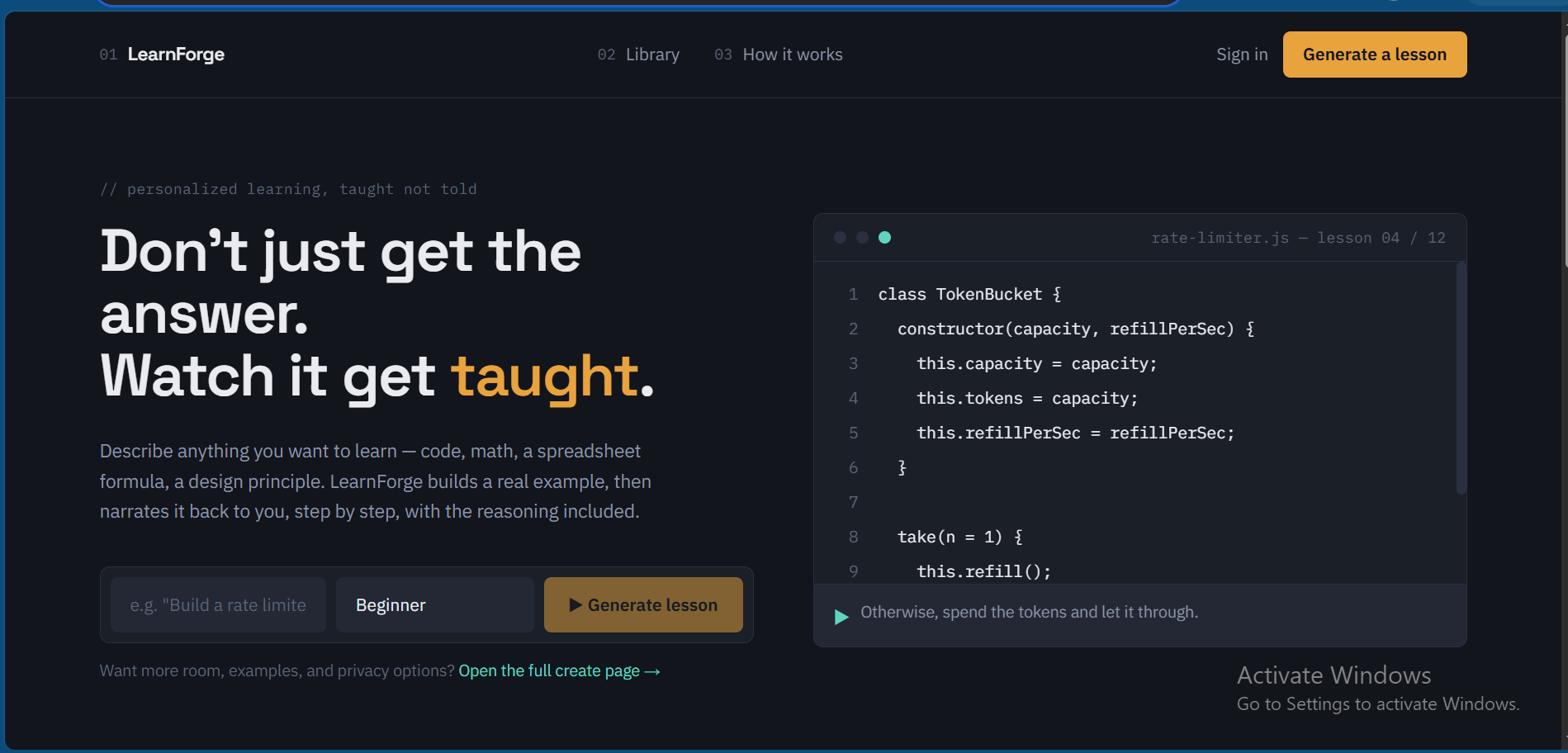
We wanted to remove that gap. Instead of searching for a tutorial that happens to be close enough to what you need, describe what you want to learn and your level, and get a lesson built specifically for that request — narrated as it's made, not narrated after the fact.
What it does
You enter what you want to learn and your skill level. LearnForge AI generates a video: an explanation narrated with AI-generated voice, with content appearing on screen synced to that narration, captioned throughout.
Every generated video is added to a public library, where other people can find it, watch it, like it, comment on it, and bookmark it. A lesson generated once for one person's request stays available for the next person who needs the same thing, instead of disappearing after a single viewing.
How we built it
The frontend and app logic run on Next.js, TypeScript, and Tailwind CSS. Firebase handles authentication, storage, and the library's social features — likes, comments, bookmarks. Google Cloud and the Gemini API drive content generation: Gemini plans and writes the explanation for a given request, and that output is what gets narrated and synced into the final video. The app is deployed on Vercel.
The actual engineering problem wasn't "call an LLM and get text back" — it was getting narration, on-screen content, and captions to line up so the result feels like one continuous lesson instead of three separate pieces stitched together.
Challenges we ran into
Getting the sync right was the hardest part. It's easy to get a model to generate a correct explanation. It's much harder to get the narration, the content appearing on screen, and the captions to actually feel aligned — a video where the voice is even slightly off from what's displayed stops feeling like a lesson and starts feeling like a glitch, and that's the kind of thing that's obvious the moment you watch it back, even if it's not obvious while building it.
We also had to keep generated content actually matched to the skill level someone specified, instead of defaulting to a middle-of-the-road explanation regardless of what was asked for.
Accomplishments that we're proud of
Type in something you want to learn, and minutes later there's a real narrated video of it, captioned, built at your level, that didn't exist until you asked for it. Getting that loop to work end to end, and getting the sync to actually feel right instead of technically-correct-but-off, is what we're most proud of. Everything else about this project is downstream of that one thing working.
What we learned
We learned that generating a correct explanation is the easy part. Making it feel like a lesson instead of a wall of narrated text — pacing it, syncing it, captioning it so it reads naturally — is where almost all the actual work was. We came out of this with a much better sense of how much "feel" matters in generated video, separate from whether the underlying content is accurate.
What's next for LearnForge AI
Letting people take an existing lesson in the library and regenerate it adapted to their own skill level, rather than only browsing what's already there. Practice questions or a small check after each lesson, so watching turns into some form of doing. A record of what someone's already watched, so returning to the library feels like picking up a thread instead of starting over. Support for pausing a video mid-lesson to ask a follow-up question about what's on screen.
Built With
- cloudinary
- gemini
- github
- neon
- nextjs
- postgrelsql
- prisma
- tailwindcss
- typescript
- vercel


Log in or sign up for Devpost to join the conversation.