-
-

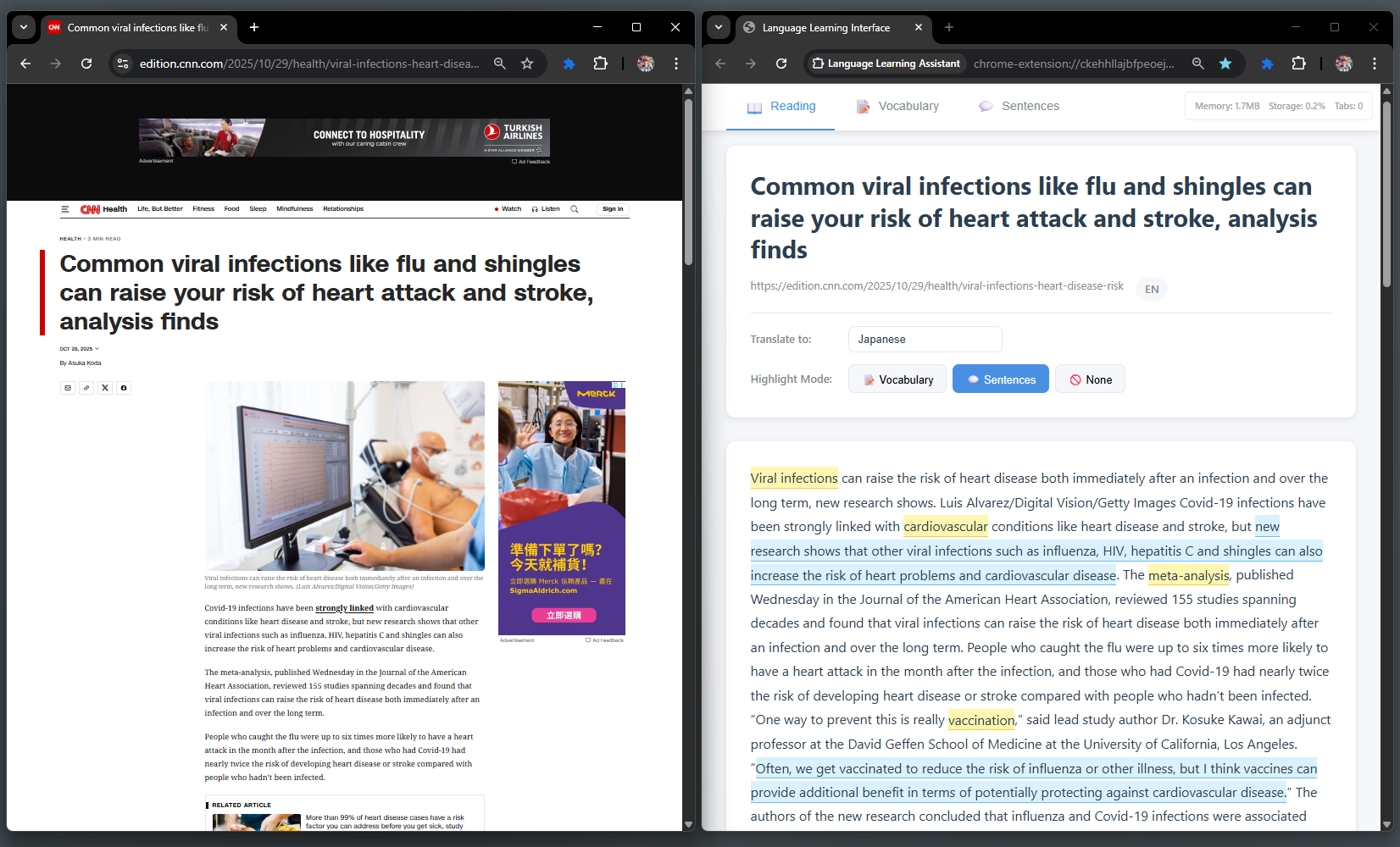
Highlhght the keywors and sentence easily with translation
-
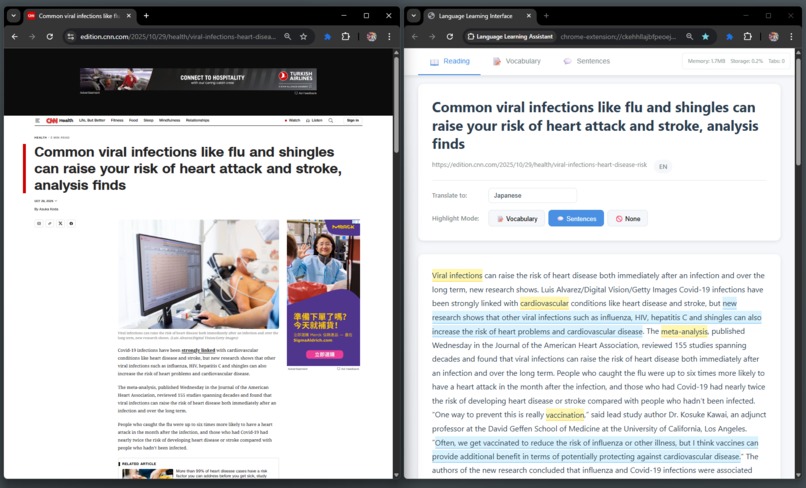
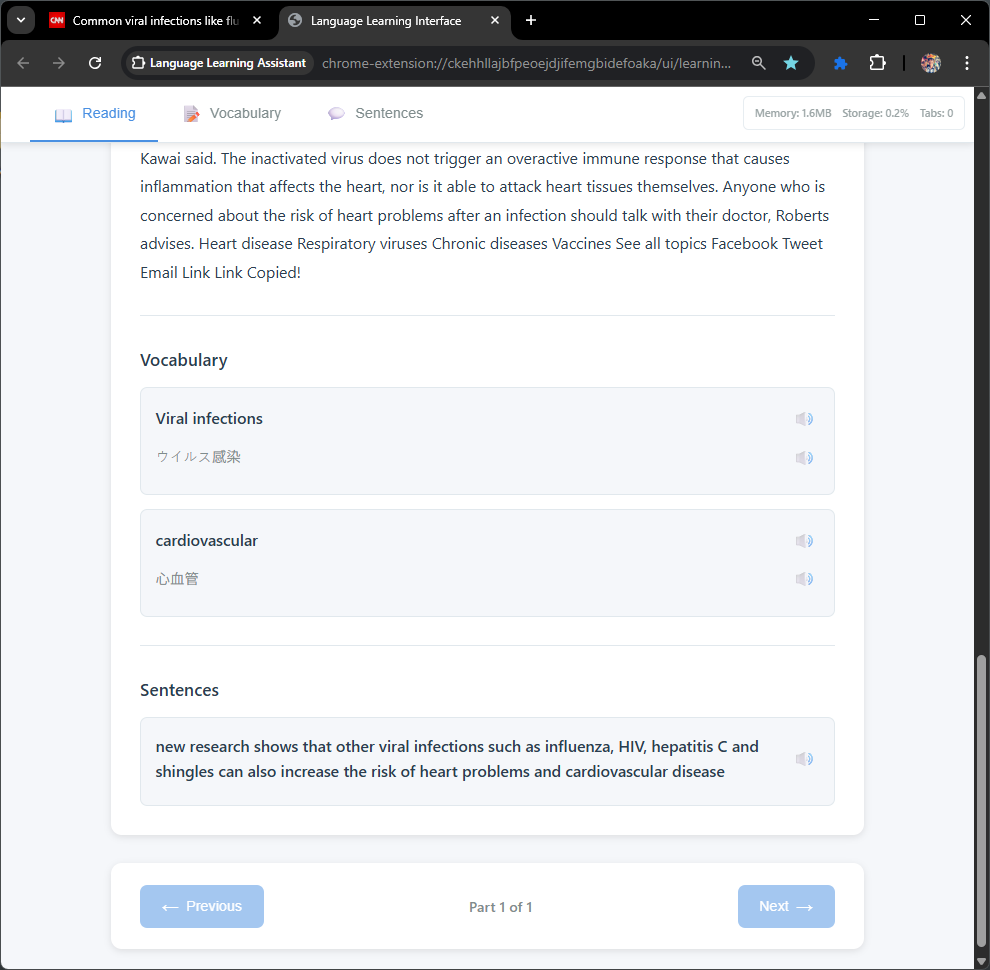
Convert any article into a reading material and highlight vocabulary and sentences.
-
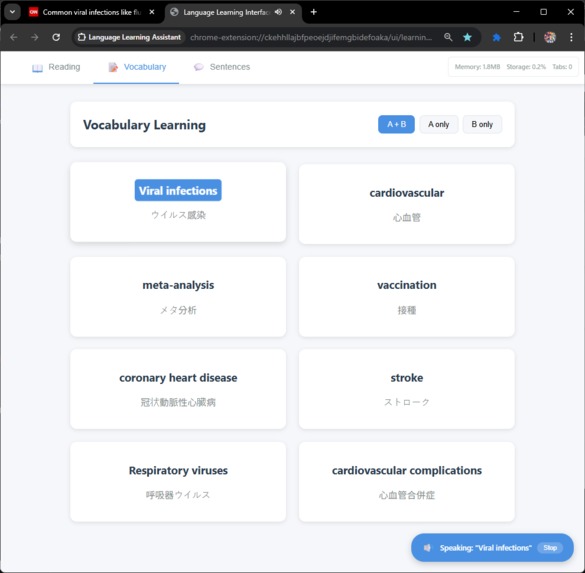
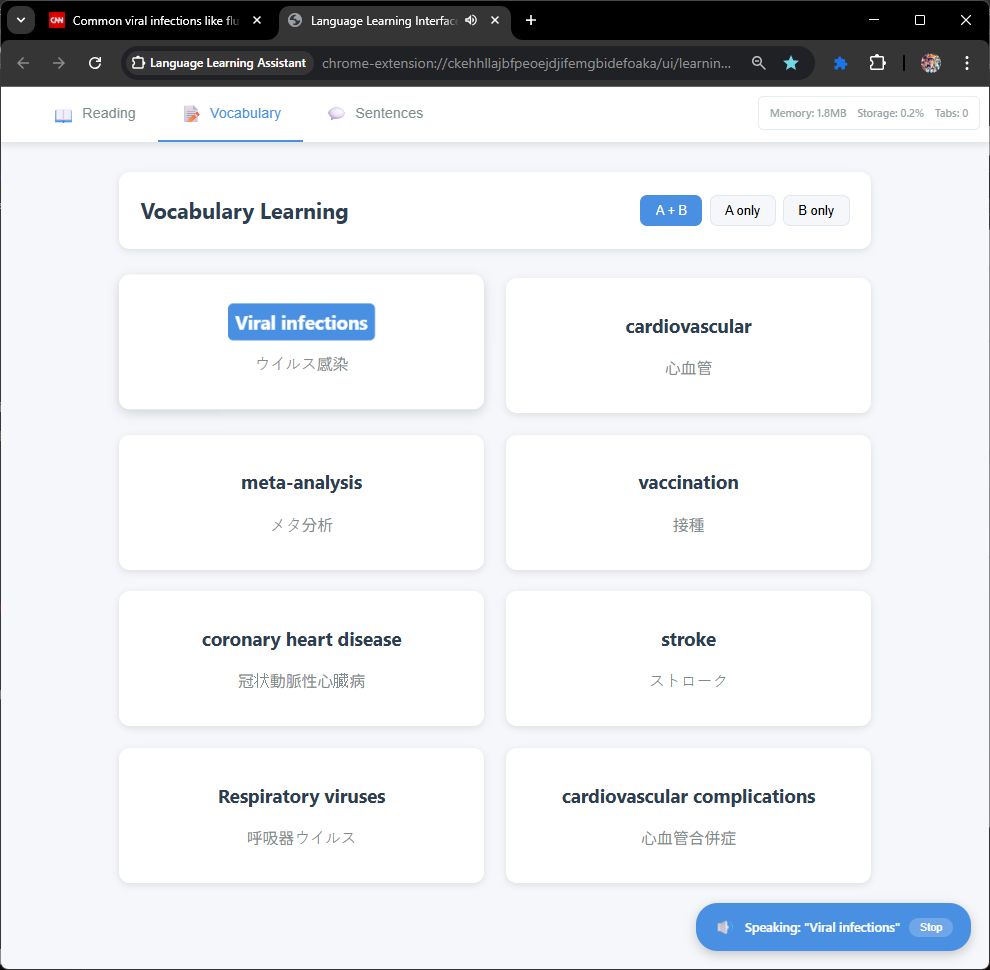
Selected vocabularies and sentences will be display as flash cards
-
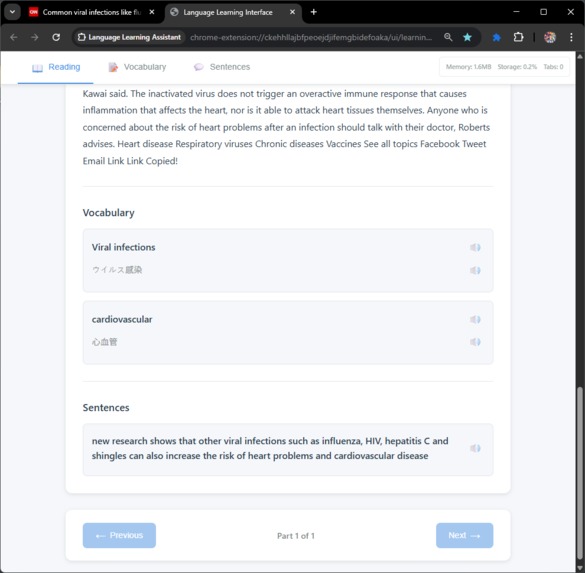
Selected vocabularies and sentences will be display as flash cards
-
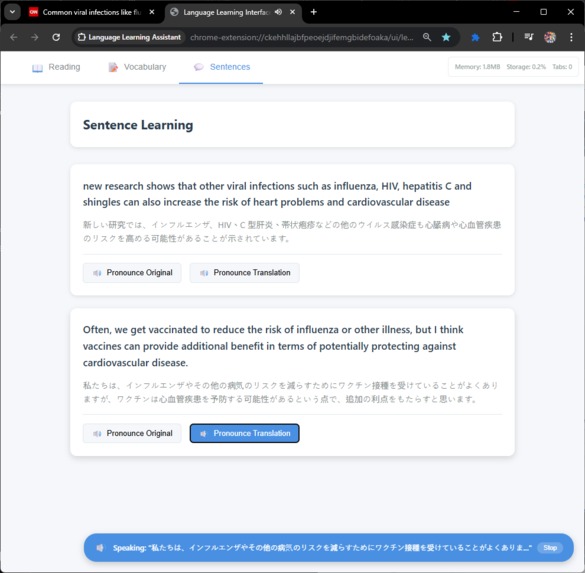
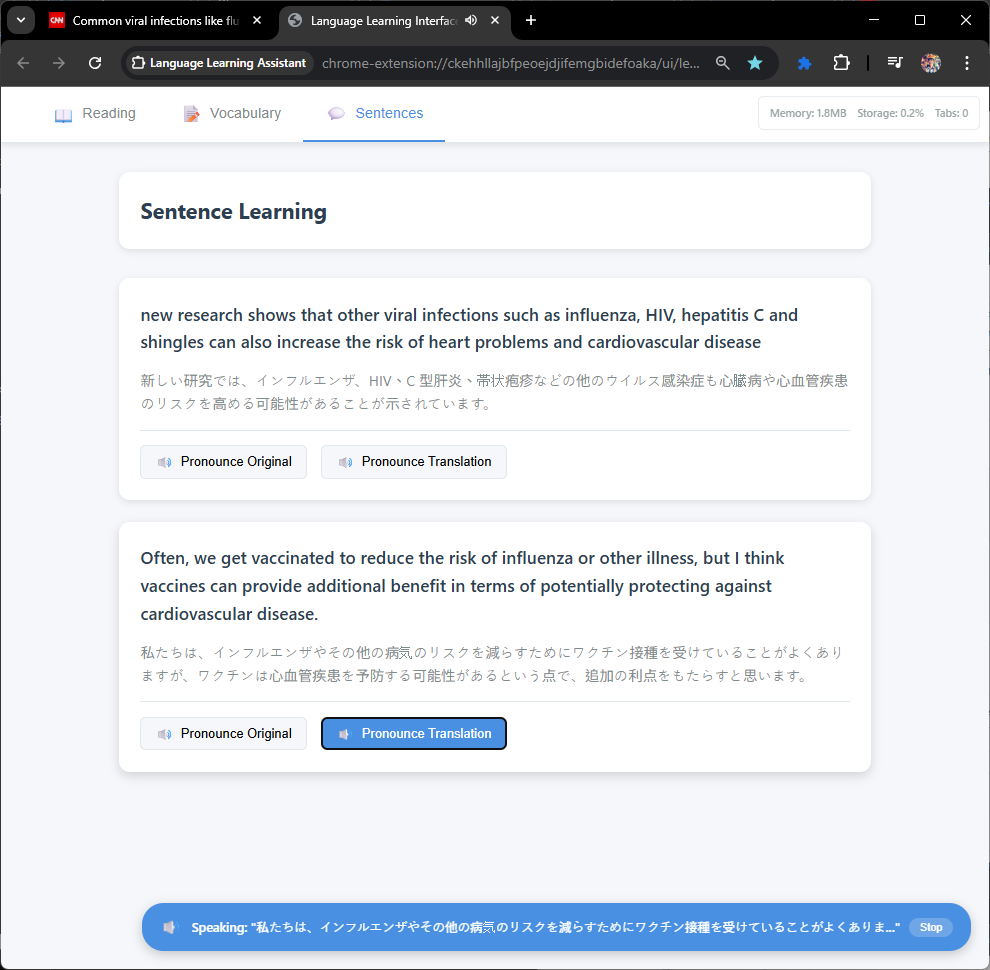
Sentence can be pronounce in both language

Inspiration
Language learners often struggle with the gap between textbook exercises and real-world content. We wanted to bridge that gap by turning the articles people naturally read online into personalized learning materials. The idea came from our own frustration with traditional language learning apps that felt disconnected from authentic content we actually cared about.
What it does
Vocabeey transforms any web article into an interactive language learning experience. Users can click on any article, and the extension extracts the content into a clean reading interface with intelligent vocabulary highlighting. It provides contextual translations, generates interactive flashcards for practice, and offers native pronunciation through text-to-speech. The extension adapts to the learner's skill level and supports both vocabulary-focused and sentence-level learning modes.
How we built it
We built Vocabeey as a Chrome Extension using Manifest V3 with TypeScript. The architecture leverages Chrome's Built-in AI APIs (Summarizer, Translator, Rewriter, Language Detector) for on-device processing, with Gemini API as a fallback. We implemented a service worker for background processing, content scripts for DOM interaction, and offscreen documents for heavy AI tasks. The content extraction pipeline uses Readability.js with fallbacks to Jina Reader API. We used Vitest for testing, pnpm for package management, and implemented strict TypeScript with comprehensive linting through Oxlint and ESLint.
Challenges we ran into
Working with Chrome's Built-in AI APIs was challenging since they're still experimental and documentation is limited. We had to design robust fallback chains to handle API availability issues. Managing memory efficiently while processing large articles required careful optimization of our caching strategy. Coordinating between service workers, content scripts, and offscreen documents while respecting Chrome extension security boundaries added complexity. We also faced challenges in creating a highlighting system that worked reliably across different website layouts and DOM structures.
Accomplishments that we're proud of
We're proud of building a privacy-first solution that works offline and keeps user data local. The dual highlighting system (vocabulary and sentence modes) provides flexibility for different learning styles. Our AI service orchestration with graceful degradation ensures the extension works even when certain APIs are unavailable. The clean, distraction-free reading interface successfully transforms cluttered web pages into focused learning environments. We also implemented a comprehensive testing suite that gives us confidence in the extension's reliability.
What we learned
We learned extensively about Chrome's new Built-in AI APIs and their capabilities and limitations. Working with Manifest V3 taught us about modern extension architecture patterns and security considerations. We gained deep insights into content extraction challenges across diverse websites and the importance of fallback strategies. The project reinforced the value of TypeScript's strict typing for catching errors early and the importance of modular architecture for maintainability. We also learned that building effective language learning tools requires balancing automation with user control.
What's next for Vocabeey
We plan to add article storage and spaced repetition algorithms to optimize vocabulary retention and track learning progress over time. We want to expand language support beyond the current set and add community-contributed vocabulary lists. Future features include difficulty-based article recommendations, integration with popular language learning platforms, and collaborative learning features where users can share annotated articles. We're also exploring mobile support and considering a web app version to reach learners beyond Chrome users.
Built With
- chrome
- chrome-built-in-ai
- css3
- google-gemini-api
- html5
- javascript
- language-detector
- manifest-v3
- prompt
- rewriter
- service-workers
- summarizer
- translator
- typescript


Log in or sign up for Devpost to join the conversation.