-
-
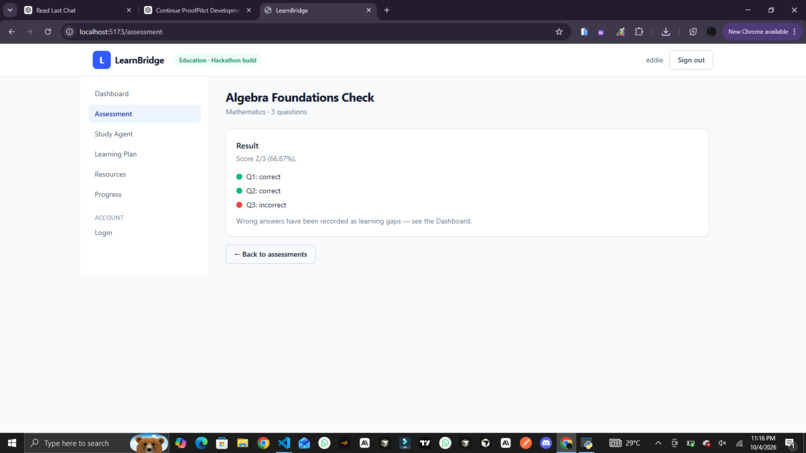
LearnBridge Dashboard — A central learning hub where learners can access assessments, study guidance, learning plans
-
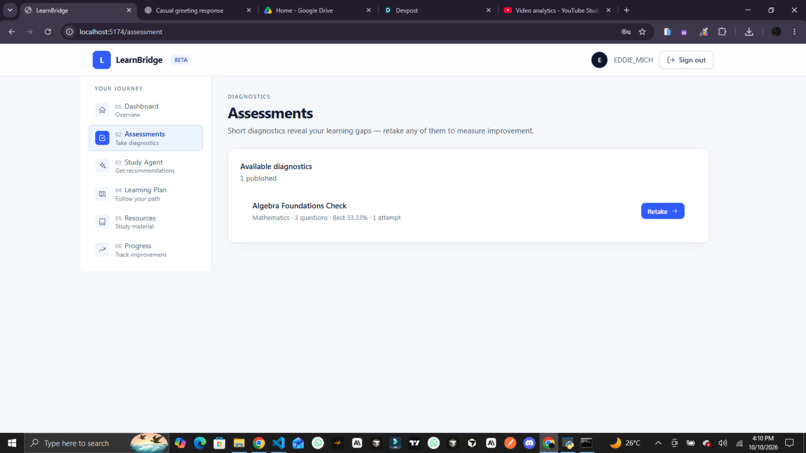
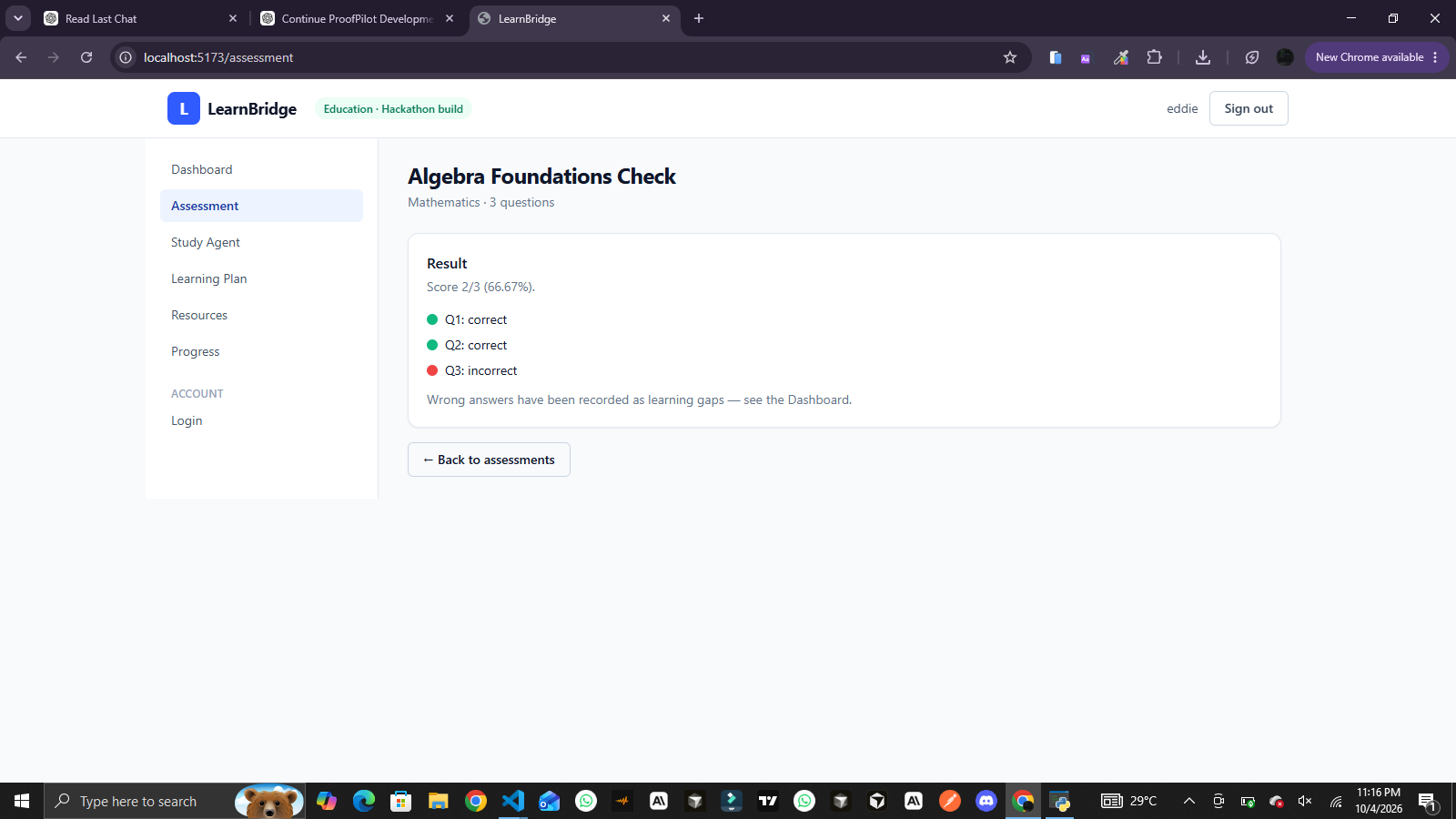
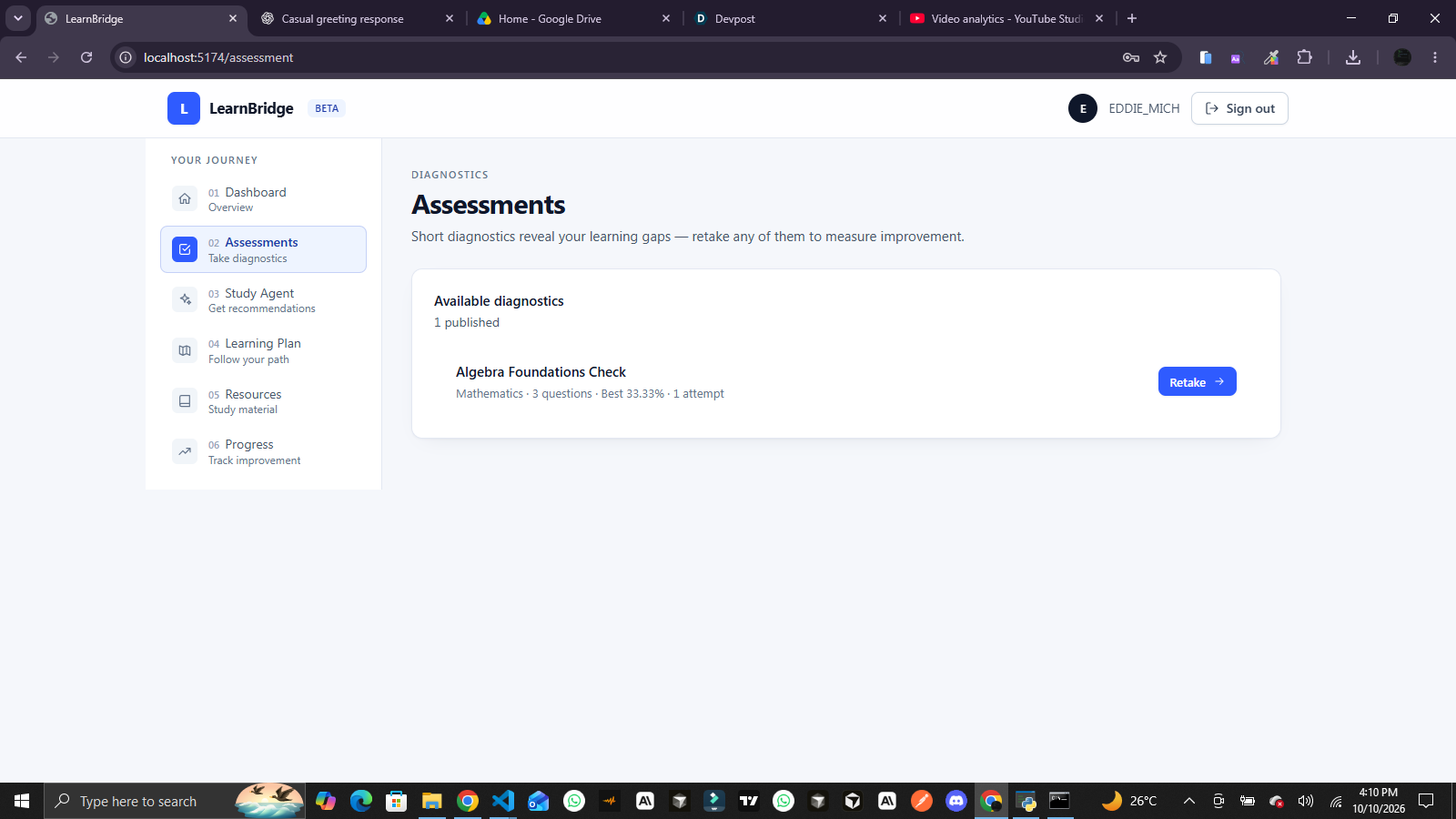
Learning Assessment — Learners answer assessment questions to evaluate their understanding and identify topics that need further attention.
-
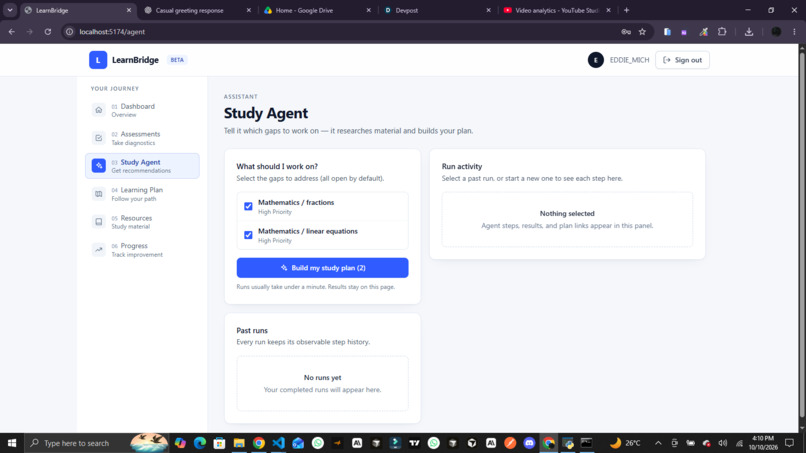
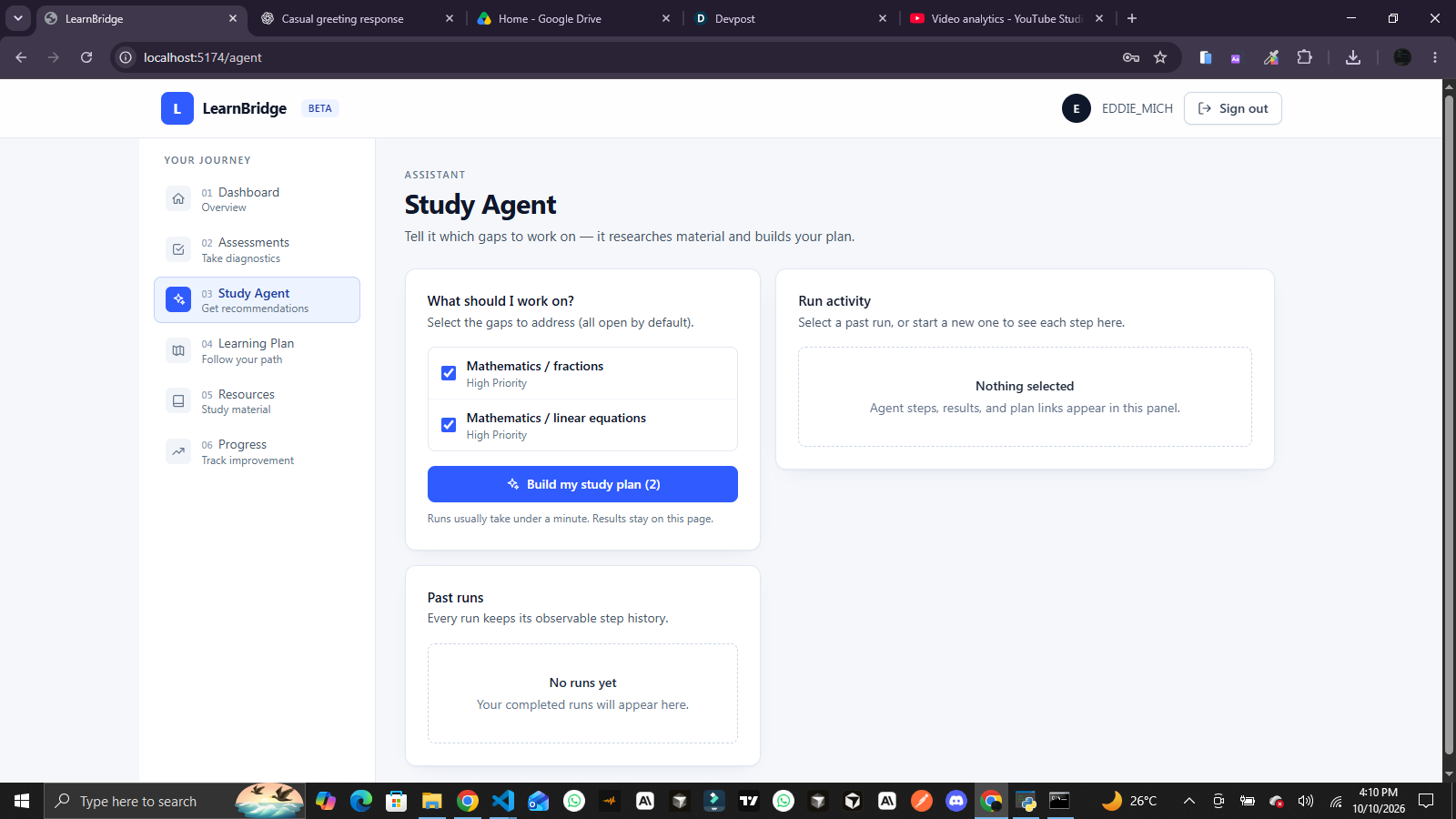
AI Study Agent — LearnBridge uses a guided study workflow to help turn identified learning gaps into more focused learning support.
-
-
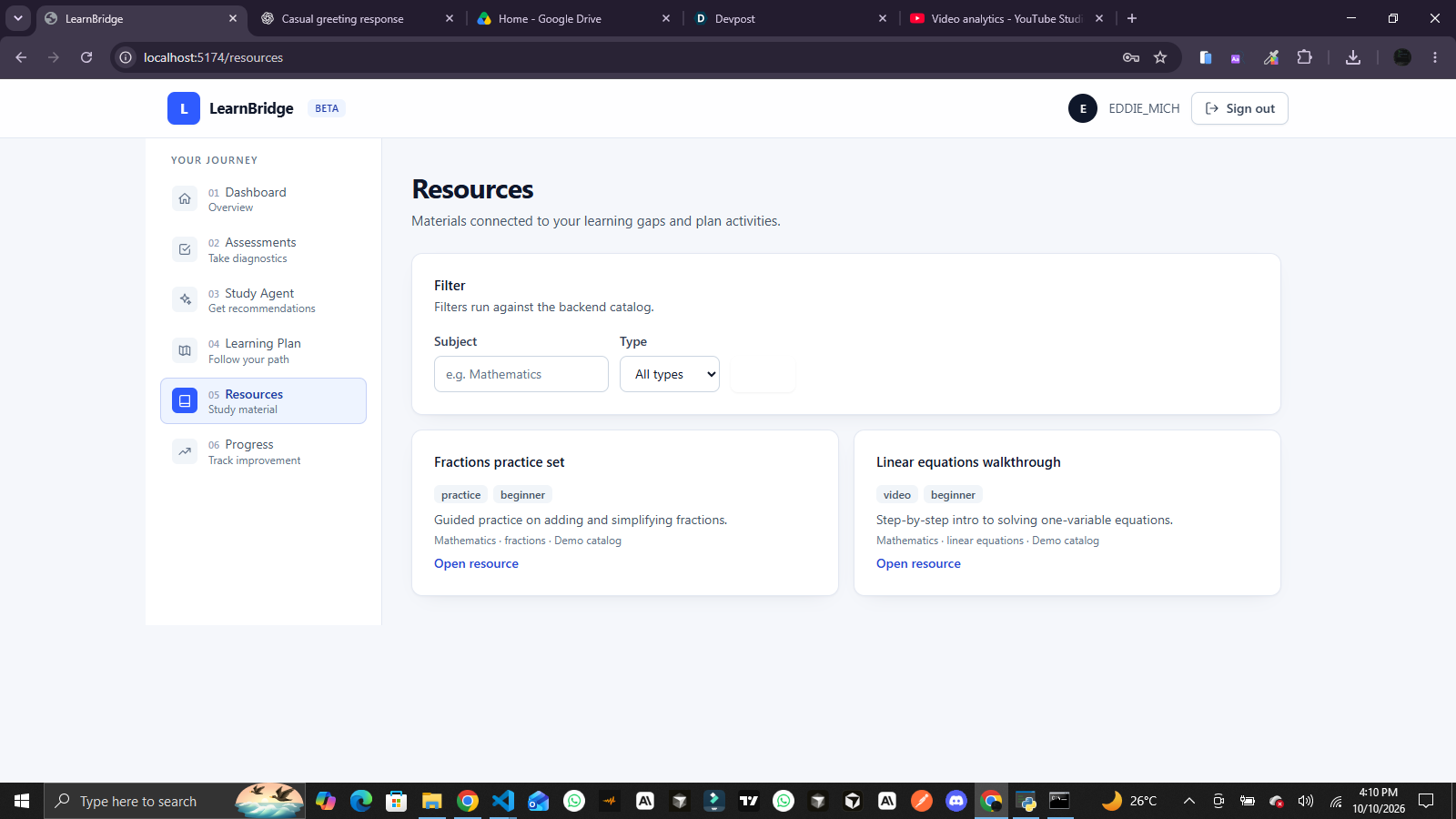
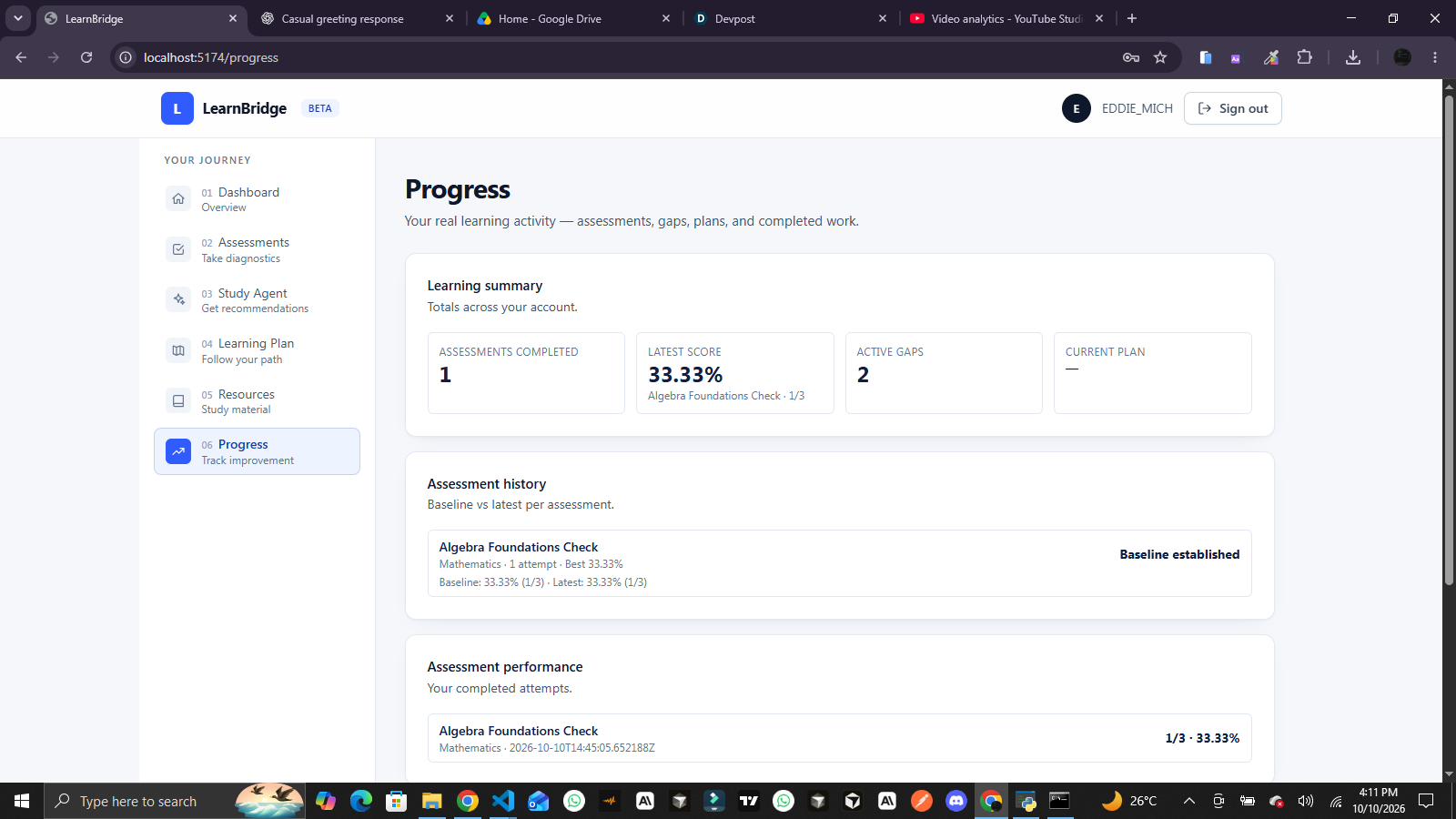
LearnBridge — From Learning Gaps to Guided Growth
Inspiration
Education does not end when a student submits an answer or receives a score. In many learning experiences, the assessment tells students how they performed, but it does not always give them a clear understanding of what they need to improve, why that area matters, or what they should study next.
A student may perform well overall while struggling with a specific concept. Another student may receive a low score without knowing which topic deserves attention first. In both cases, the challenge extends beyond assessment: learners need a meaningful connection between their performance and their next learning steps.
We built LearnBridge around this problem.
Our vision is to make the learning journey more actionable by connecting assessment, learning-gap identification, AI-assisted guidance, and structured study planning in one platform.
Rather than treating an assessment result as the final outcome, LearnBridge treats it as the beginning of a more informed learning process.
The central idea is simple: identifying a learning gap should be the beginning of improvement, not the end of an assessment.
What it does
LearnBridge is an AI-powered learning platform designed to help students move from assessment results to more structured learning guidance.
It connects the assessment experience with a backend learning workflow that identifies areas needing further attention and provides a foundation for AI-assisted study guidance.
1. Assessment and evaluation
Learners can access assessments and submit answers through the application. The backend evaluates submitted answers and maintains the authoritative assessment results.
This creates a structured starting point for understanding a learner's performance rather than relying solely on a score displayed in the browser.
2. Learning-gap identification
After an assessment is completed, the system uses the attempt results to identify areas where a learner may need further support.
For example, a learner who answers questions about fractions incorrectly may need additional practice with that concept. Identifying this area helps provide more focused learning guidance than a general score alone.
3. AI Study Agent
The Study Agent is designed to help transform identified learning needs into practical guidance.
Its structured workflow works with available learning context and can involve examining a learning gap, researching a relevant resource, evaluating that resource, organizing study guidance, and generating a learning report.
The intention is to make AI useful within a defined learning process instead of presenting it as an isolated chatbot.
4. Learning reports
LearnBridge includes learning-report functionality that helps present information from the learning workflow in a more accessible format.
These reports are intended to help learners understand their learning needs and review the guidance generated by the system.
5. Learning plans and progress features
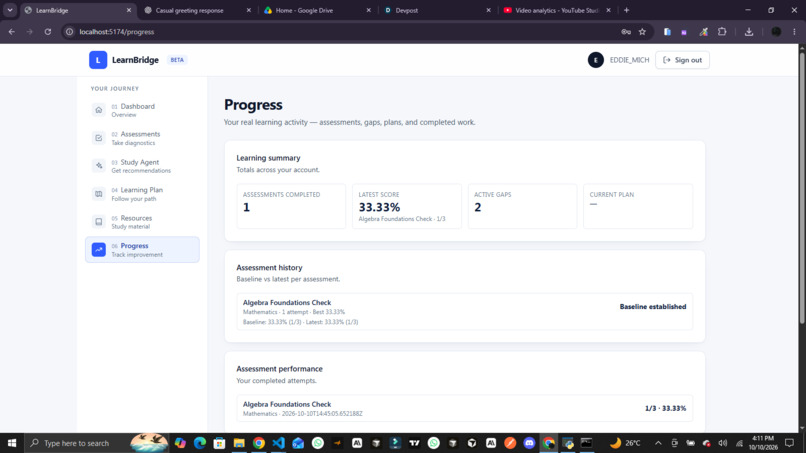
The platform also brings together learning-plan and progress-related features to support a more organized learning experience.
These features provide a foundation for learners to review their study direction and engage with their learning journey beyond a single assessment.
Together, these capabilities aim to connect performance, learning needs, and the next steps in a student's learning process.
How we built it
LearnBridge is built as a full-stack web application with a React and TypeScript frontend, a Python and Django REST Framework backend, and an AI-assisted learning workflow.
The system separates the user interface from backend assessment logic and learning operations. This allows each component to focus on its responsibilities while communicating through APIs.
Frontend architecture
Technologies: React, TypeScript, and Tailwind CSS
The frontend provides the interface through which learners interact with the platform.
React supports a component-based interface, TypeScript adds static type checking, and Tailwind CSS supports consistent styling across the application.
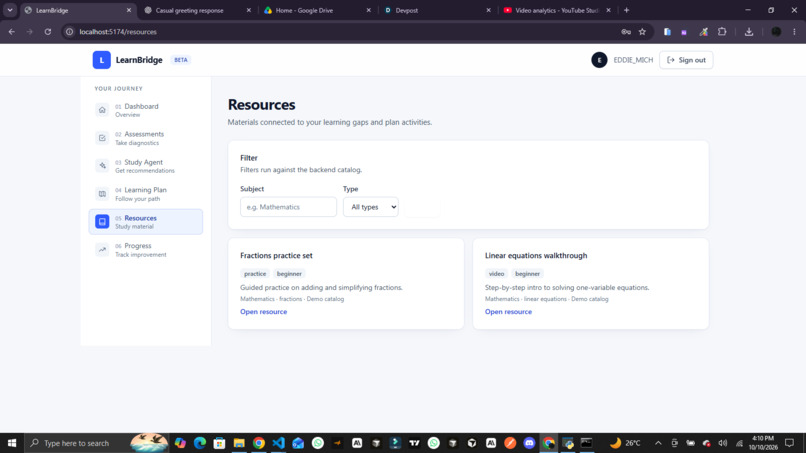
The frontend includes the dashboard, assessment experience, Study Agent interface, learning reports, learning plans, resources, and progress-related views.
Its primary responsibility is to present information, collect learner interactions, communicate with backend endpoints, and display the results returned by the server.
Keeping the interface separate from authoritative assessment logic also helps prevent the browser from becoming the source of truth for assessment results.
Backend architecture
Technologies: Python and Django REST Framework
The backend manages the application's assessment and learning workflows.
Django REST Framework exposes API endpoints through which the frontend communicates with the application. The backend handles assessment attempts, evaluates submitted answers, records results, and supports the identification of learning gaps.
The backend also provides the foundation for learning reports and the associated study-planning workflow.
This separation establishes a clear boundary between presentation and application logic: the frontend manages the user experience, while the backend is responsible for authoritative assessment evaluation and the persistence of relevant learning data.
AI-assisted learning workflow
The Study Agent provides a structured workflow for working with learning context and producing study guidance.
Instead of making the assessment result itself an AI-generated decision, the application separates the grading process from the guidance process. The backend determines assessment correctness, while the agent works with the available learning information to support subsequent recommendations and reporting.
This distinction is important because an educational application needs reliable assessment results even when AI-generated guidance requires further evaluation or improvement.
End-to-End Data Flow: From Assessment to Learning Guidance
One of the central engineering goals of LearnBridge is to connect the learner's assessment experience to meaningful next steps.
The data flow can be understood as a sequence of connected stages.
Stage 1: Learner interaction and assessment initiation
The process begins when a learner opens an assessment through the frontend.
The React application presents the available assessment content and collects the learner's answers through the user interface.
When the learner starts an assessment, the frontend communicates with the Django REST Framework backend through an API request. The backend creates an assessment attempt associated with the learner's profile and tracks its status.
This creates a structured record for the assessment session rather than treating the activity as a temporary interaction in the browser.
Stage 2: Answer submission and server-side grading
As the learner submits answers, the application sends the relevant assessment data to the backend.
The backend evaluates the submitted answers using its grading logic. Correctness is determined on the server, rather than relying on a score calculated exclusively by the frontend.
This is an important engineering decision because the backend remains responsible for the authoritative assessment result.
The resulting attempt contains the information needed to determine the learner's performance and establish the basis for further analysis.
Stage 3: Assessment completion and result consistency
When the learner completes the assessment, the backend processes the completed attempt and evaluates correctness as part of the completion workflow.
The completion process provides a consistent point at which the application can work with the final assessment outcome.
Keeping this responsibility on the server helps the application maintain a clear boundary between user-submitted data and the results derived from the grading process.
Stage 4: Learning-gap derivation
After assessment completion, LearnBridge uses the attempt results to identify learning gaps.
The backend's gap-derivation process examines the completed attempt and creates or reopens relevant learning-gap records.
These records provide structured learning context that can be used by subsequent parts of the application.
For example, if the results indicate difficulty with fractions, that topic can become an area of focus for further learning guidance.
This stage is essential because it converts assessment performance into more specific information about where the learner may need support.
Stage 5: Learning context becomes available to the Study Agent
The identified learning gaps provide context for the AI-assisted learning workflow.
Rather than approaching the learner's needs without context, the Study Agent can work with the learning information available through the application's existing workflow.
This creates a connection between deterministic application data and AI-assisted processing.
The quality of the resulting guidance depends on the available learning context, the relevance of resources, and the quality of the agent's workflow. For that reason, the agent is designed as a component of the broader application rather than a replacement for the backend's assessment logic.
Stage 6: Structured agent execution
The Study Agent follows a defined workflow for working with learning information and generating guidance.
Depending on the available execution path, this workflow can include:
- Examining the learning context.
- Researching a relevant learning resource.
- Evaluating the resource against the learner's needs.
- Organizing study guidance.
- Building or supporting a study plan.
- Generating a learning report.
The workflow makes the agent's purpose more concrete: it is intended to connect a learning need with useful study actions and an understandable report.
Each stage contributes to the overall learning experience by helping transform the identified gap into information the learner can review and act upon.
Stage 7: Learning reports and study planning
The reporting and study-planning parts of the application help present learning information through the user interface.
The report provides a way to review the learning guidance produced by the workflow. The learning-plan experience provides a structure for organizing study activities where the relevant plan data and functionality are available.
This is where the different parts of the system come together: assessment results establish the initial evidence, learning-gap identification provides focus, and the agent-assisted workflow helps organize the next steps.
Stage 8: Returning information to the learner
Finally, the learner accesses the available results through the React frontend.
The application displays assessment information, identified learning needs, generated reports, and the relevant learning-plan or progress views supported by the implementation.
The goal is to give learners a clearer path from understanding their performance to deciding what they can work on next.
The complete flow at a glance
Learner → Frontend → Backend API → Assessment Attempt → Server-Side Grading → Learning-Gap Identification → Study Agent → Learning Guidance and Reports → Learner
This flow represents the central idea behind LearnBridge: connect the reliability of application-controlled assessment logic with a structured AI-assisted learning workflow.
It also provides a foundation for future improvements, including better resource relevance, more detailed progress tracking, and ways to evaluate whether learners benefit from following their study plans.
Challenges we ran into
Connecting separate features into one learning journey
A major challenge was making assessment, learning-gap identification, AI-assisted guidance, reporting, and study planning work as parts of one coherent experience.
Each feature serves a different purpose. The engineering challenge is not simply building individual pages, but ensuring that the information produced by one stage can support the next stage of the learning workflow.
We approached this by organizing the application around the assessment-to-guidance flow and using the backend to manage important learning data.
Maintaining clear responsibility between frontend and backend
Another important consideration was deciding where assessment logic should live.
Calculating a score only in the browser would make the frontend responsible for a result that should be determined by application logic. LearnBridge therefore uses server-side grading so that the backend remains responsible for evaluating submitted answers.
This decision helped clarify the system's responsibilities and provided a stronger foundation for integrating further learning features.
Integrating AI into a structured workflow
AI integration introduces its own challenges. A useful learning agent needs relevant context, a defined purpose, and outputs that make sense within the larger application.
We focused on connecting the Study Agent to the learning workflow rather than treating AI as a disconnected feature.
Resource relevance, recommendation quality, and the evaluation of learning outcomes remain areas where the system can be improved further.
Building a connected user experience
A full-stack application needs more than functioning backend endpoints. Learners also need an understandable way to navigate the platform and interpret the information it presents.
Connecting the dashboard, assessment, Study Agent, reports, and learning-plan experience reinforced the importance of treating usability and backend correctness as parts of the same product.
Accomplishments that we're proud of
We are proud of bringing together the core components of a full-stack, AI-assisted learning application.
Our accomplishments include:
- Building a web frontend with React, TypeScript, and Tailwind CSS.
- Developing a Python backend using Django REST Framework.
- Implementing server-side assessment evaluation.
- Connecting assessment completion with learning-gap identification.
- Developing a structured Study Agent workflow for learning guidance and reporting.
- Integrating assessment, reporting, study-planning, and progress-related experiences within the same application.
- Establishing a clear data flow between learner interactions, backend processing, and AI-assisted guidance.
Beyond the individual features, we are proud of the engineering direction: building an application in which AI-assisted guidance is connected to actual learning context rather than existing as an isolated demonstration.
What we learned
Building LearnBridge reinforced an important lesson about AI-powered software: the value of an AI feature depends heavily on the system around it.
A useful AI workflow needs relevant inputs, reliable application data, clear responsibilities, and outputs that serve a real user need.
We also learned the importance of separating deterministic application logic from AI-generated guidance. Assessment correctness must be handled consistently by the backend, while the AI workflow can help organize learning context into guidance and reports.
Another key lesson was the importance of end-to-end data flow. A feature can work independently and still fail to provide value if its output does not connect to the next stage of the user journey.
Finally, LearnBridge highlighted that the purpose of educational technology is not simply to present more information. It is to help learners understand information and use it to make better decisions about what to study next.
What's next for LearnBridge
LearnBridge is a foundation that can be extended into a more personalized and measurable learning experience.
1. More relevant learning resources
We want to improve how learning resources are discovered and evaluated so that recommendations are more closely aligned with the learner's identified needs.
2. Stronger progress tracking
Future development could provide a more detailed view of progress across multiple assessments and study sessions, helping learners understand how their learning needs change over time.
3. Measuring learning improvement
A key next step is evaluating whether following a study plan leads to better understanding. This could involve follow-up assessments, comparisons across attempts, and clearer indicators of progress.
4. Better personalization
LearnBridge could evolve to use a learner's assessment history, previous learning gaps, and completed study activities to provide more context-aware guidance.
5. Improved resource evaluation and guidance quality
We want to continue improving how the agent evaluates resources, organizes learning recommendations, and presents guidance in a way that learners can understand and use.
6. Continued reliability and usability improvements
Further work could strengthen automated testing, error handling, API validation, and the overall learning experience as the platform grows.
Our vision
LearnBridge aims to make learning more actionable by connecting assessment results to focused learning needs and structured guidance.
The long-term goal is to help students move beyond the question, "What score did I get?" toward more useful questions: "What do I need to understand better?" and "What should I work on next?"
LearnBridge: From Learning Gaps to Guided Growth.
Built With
- ai
- django
- django-rest-framework
- html
- jwt
- python
- react
- rest-api
- tailwind-css
- typescript


Log in or sign up for Devpost to join the conversation.