-
-
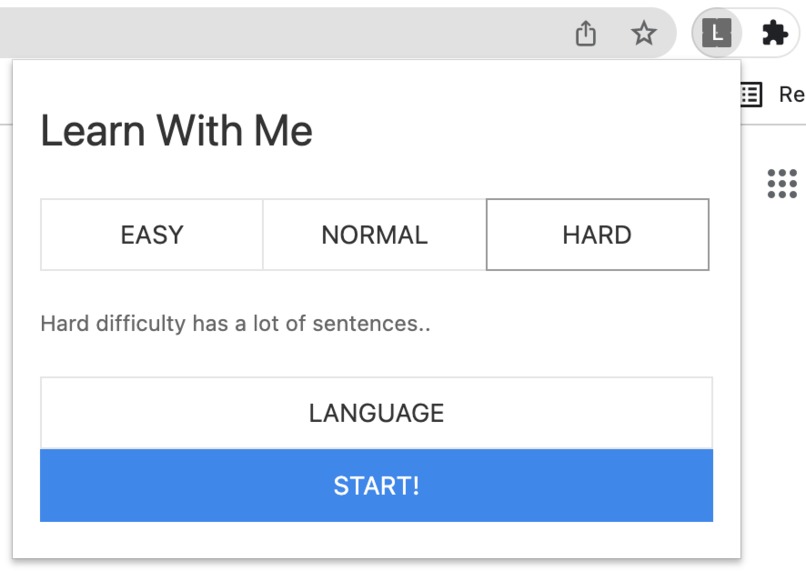
"Learn With Me" chrome extension
-
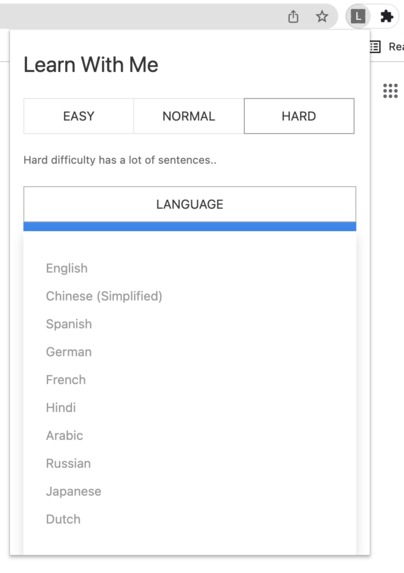
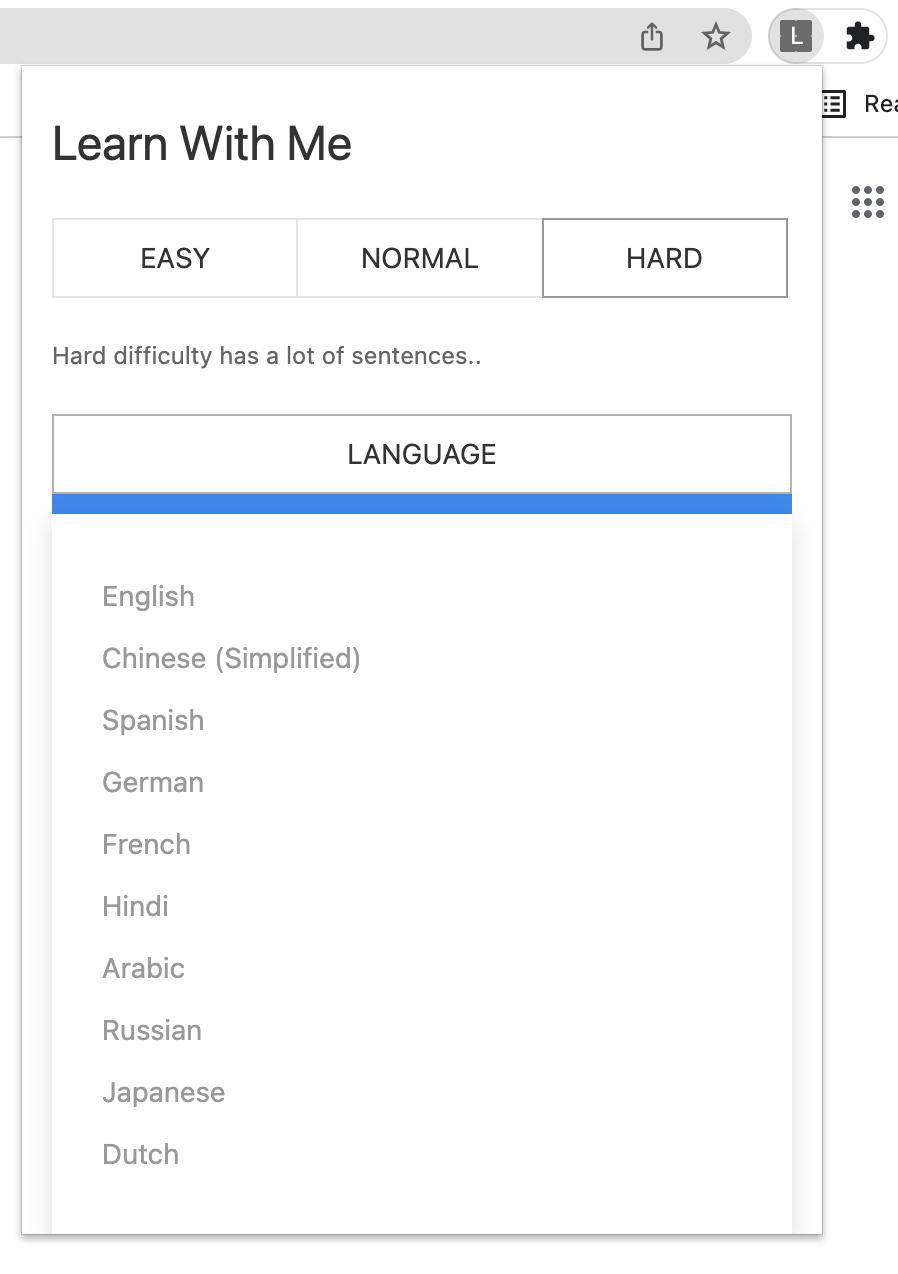
"Learn With Me" language selection
-
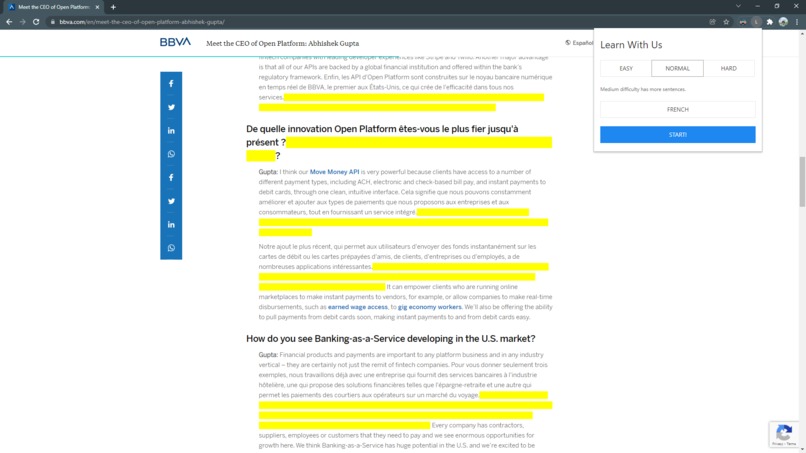
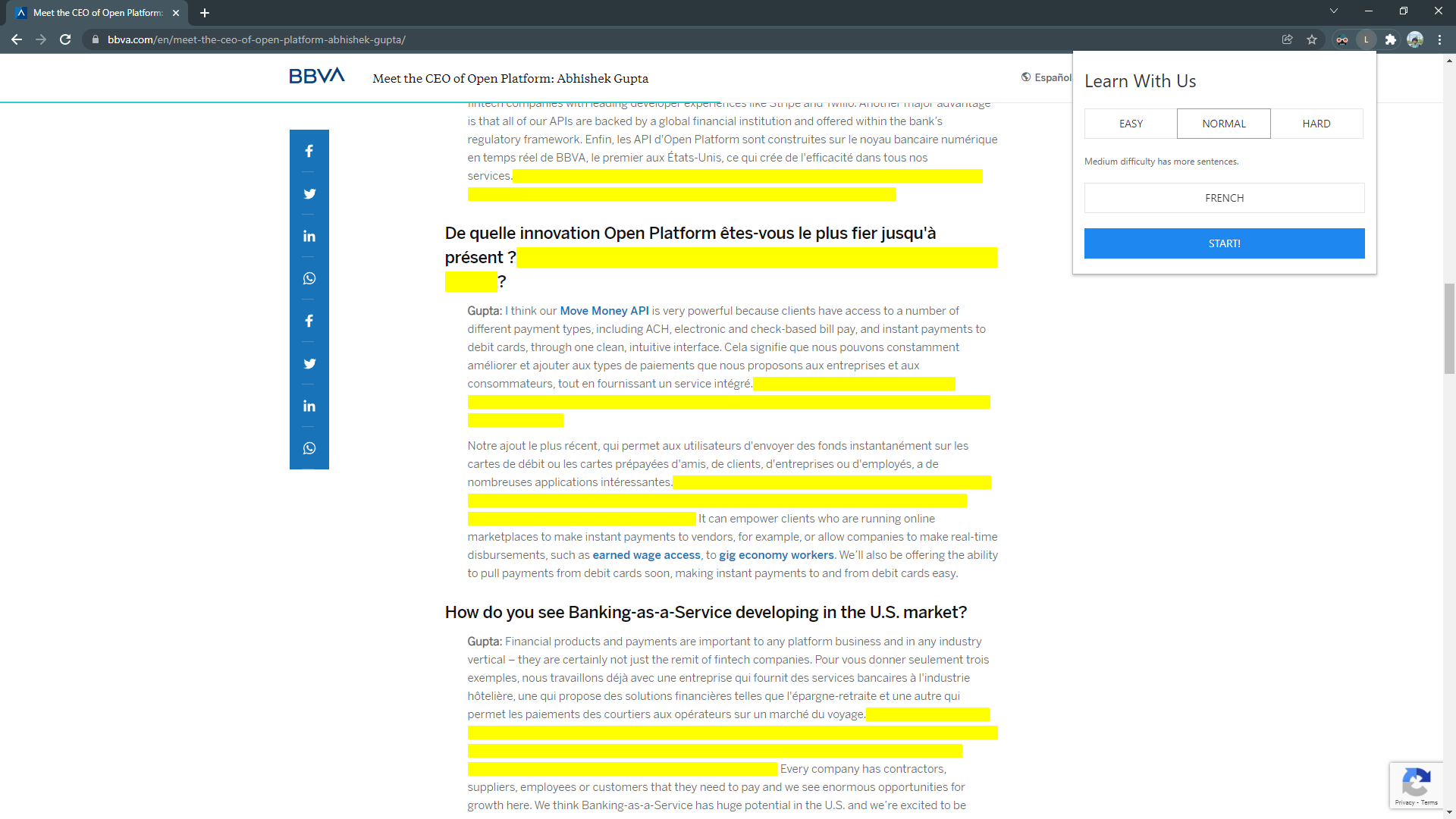
"Learn With Me" populates page by replacing sentences with selected language. Hover over yellow portion to view original text. Have fun!!!
Inspiration
When it comes to learning a language, "practice makes perfect" is a perfect proverb to describe the learning process. One of the hardest part about learning a new language is not having constant exposure to it. For this reason, our team created a Google Chrome extension Learn With Me that will continuously give the user exposure to the language they are trying to learn.
What it does
Learn With Me is a chrome extension that allows the user to practice a new language by turning sentences on the webpage to the targeted language. The extension is simple and user-friendly; it provides three levels of difficulty with 10 different language selections. When users are on a webpage, all they have to do is select the difficulty, the language they want to practice, and then hit start! It is an easy way to learn and practice on the go.
How we built it
First, we used Chrome Extensions with UIKit to create a lightweight accessible interface for users on any website. Once the user starts, the Chrome extension gets all of the visible text on the page and sends a request to our backend server. The backend server, built using Node.JS with Express, gets the request with the webpage data and uses the Google Cloud Natural Language API to get a list of eligible sentences for translating. These sentences are then translated to a target language using the Google Cloud Translate API, paired with the original sentence, and sent back to the extension. Finally, the extension uses these sentence pairs to replace random sentences on the webpage with their translated versions, adding on a spoiler tooltip with the original sentence to check your work.
Challenges we ran into
One of the main challenges our team ran into was trying to read in the whole raw HTML code into the extension backend. We needed the raw HTML code so that we can parse by periods, question marks, and exclamation points. Since the Chrome extension is also a webpage, in order to get the raw HTML code from the targeted webpage we used script injection to inject Javascript functions that returned the raw HTML code. This procedure made it so that the webpage executed our injected Javascript function instead of the extension.
Once the raw HTML code is returned, our team encountered another challenge. There were cases where parsing by periods would mess up the sentence parsing. Using "i.e." for example (no pun intended) would make it so that "i." and "e." were considered to be sentences. In order to fix this problem, our team employed Google Cloud's Natural Language API that used pre-trained machine learning model to separate by sentences. The sentences would then be fed into another Google Cloud API service, Translation, which would return the sentences in the targeted language.
Accomplishments that we're proud of
- Created a user interactive and friendly Chrome extension
- Used Google Cloud products (Natural Language API and Translation API)
- Connecting the back-end functionality to the front-end interface
- Our slogan: Don't just learn alone use Learn With Me and learn on the go!
- Participating in this Hackathon and finishing a project :)
What we learned
We learned how to incorporate Google Cloud products into our project and streamline the get requests between APIs. We also learned how to extract raw HTML code from webpages by utilizing script injection to make the webpage think that it is running a Javascript function. Finally, we learned how to build a chrome extension from scratch to maximize ease of use.
What's next for Learn With Me
The next phase of Learn With Me will include more languages. Moreover, a speech comparison feature will be added to the chrome extension so that the user can both practice by reading and speaking. Learn With Me is constantly improving so feel free to drop any ideas that could improve the extension or ask any questions to Edison#4410. Remember, don't just learn alone use Learn With Me and learn on the go!
Built With
- cloud-natural-language-api
- cloud-translation-api
- css3
- google-cloud
- html5
- javascript
- node.js
- uikit


Log in or sign up for Devpost to join the conversation.