-
-
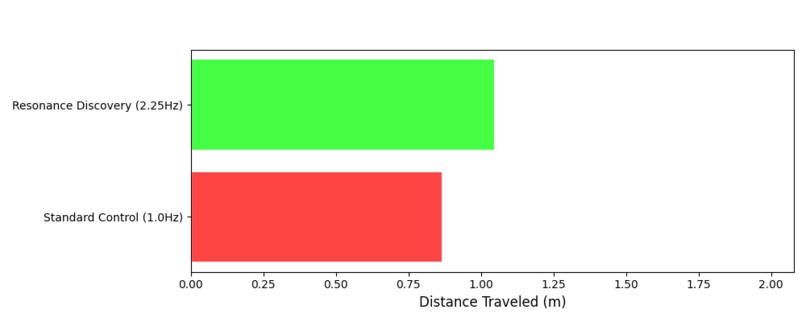
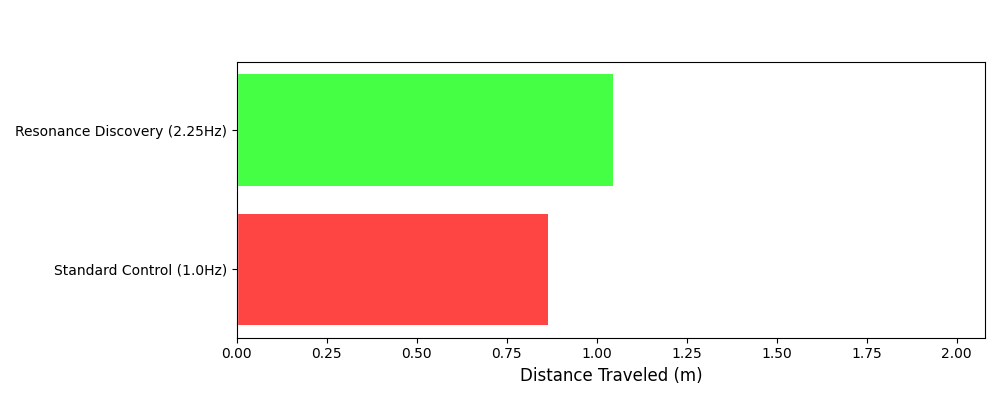
Data Chart for Winining Robot
-
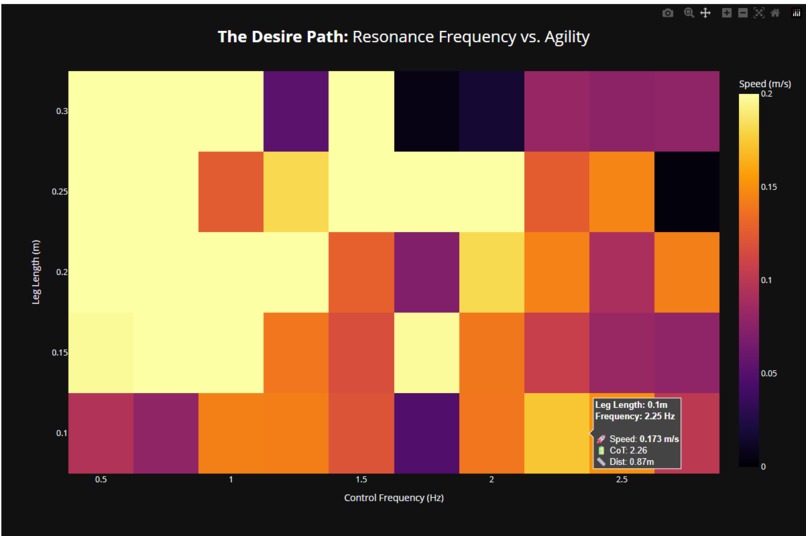
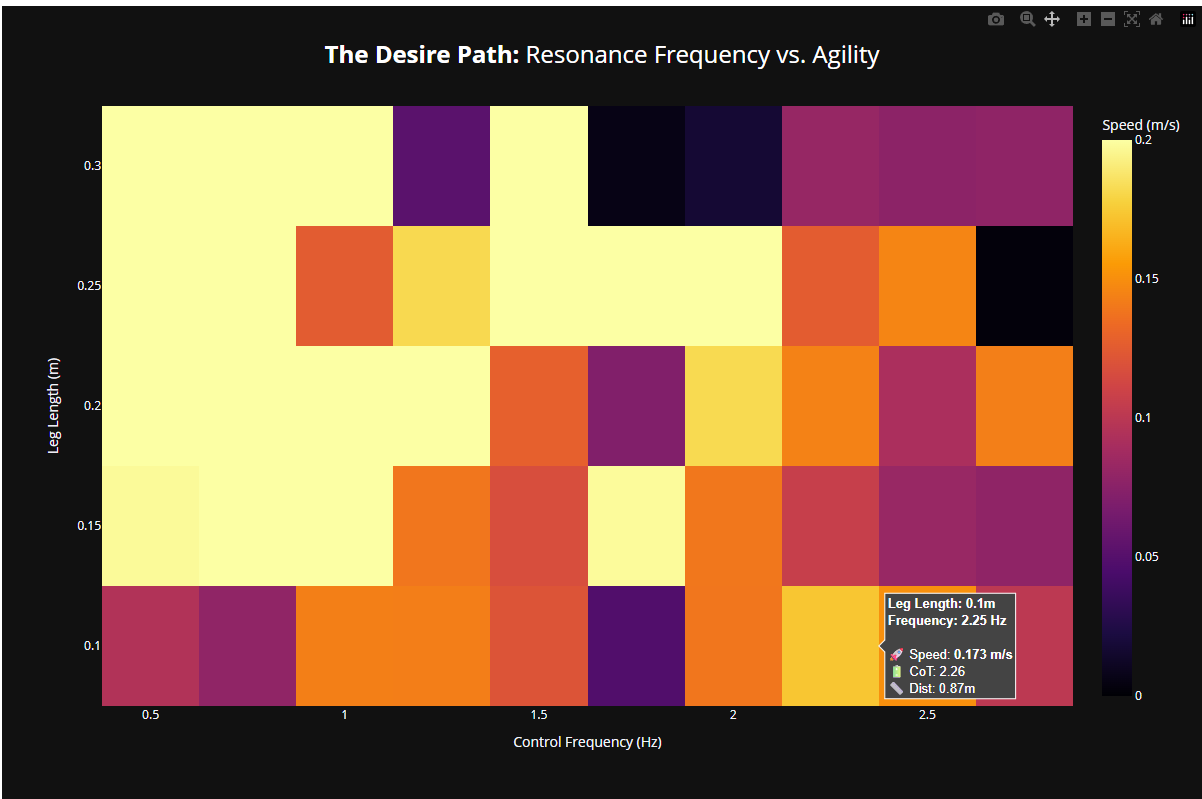
Desire for Heat map
-
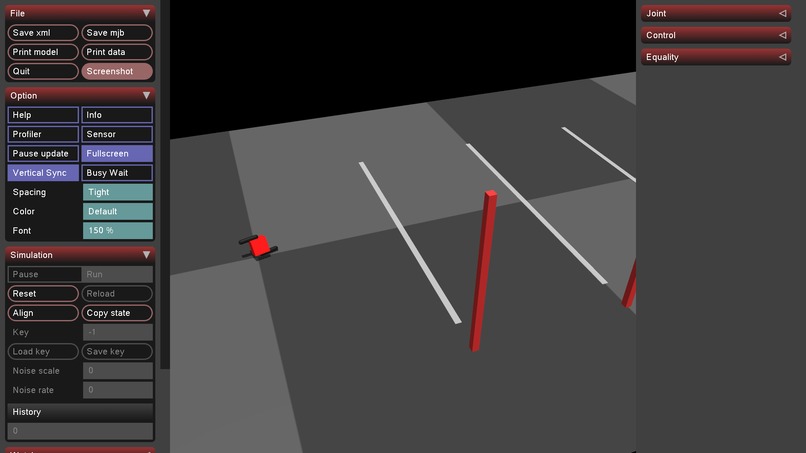
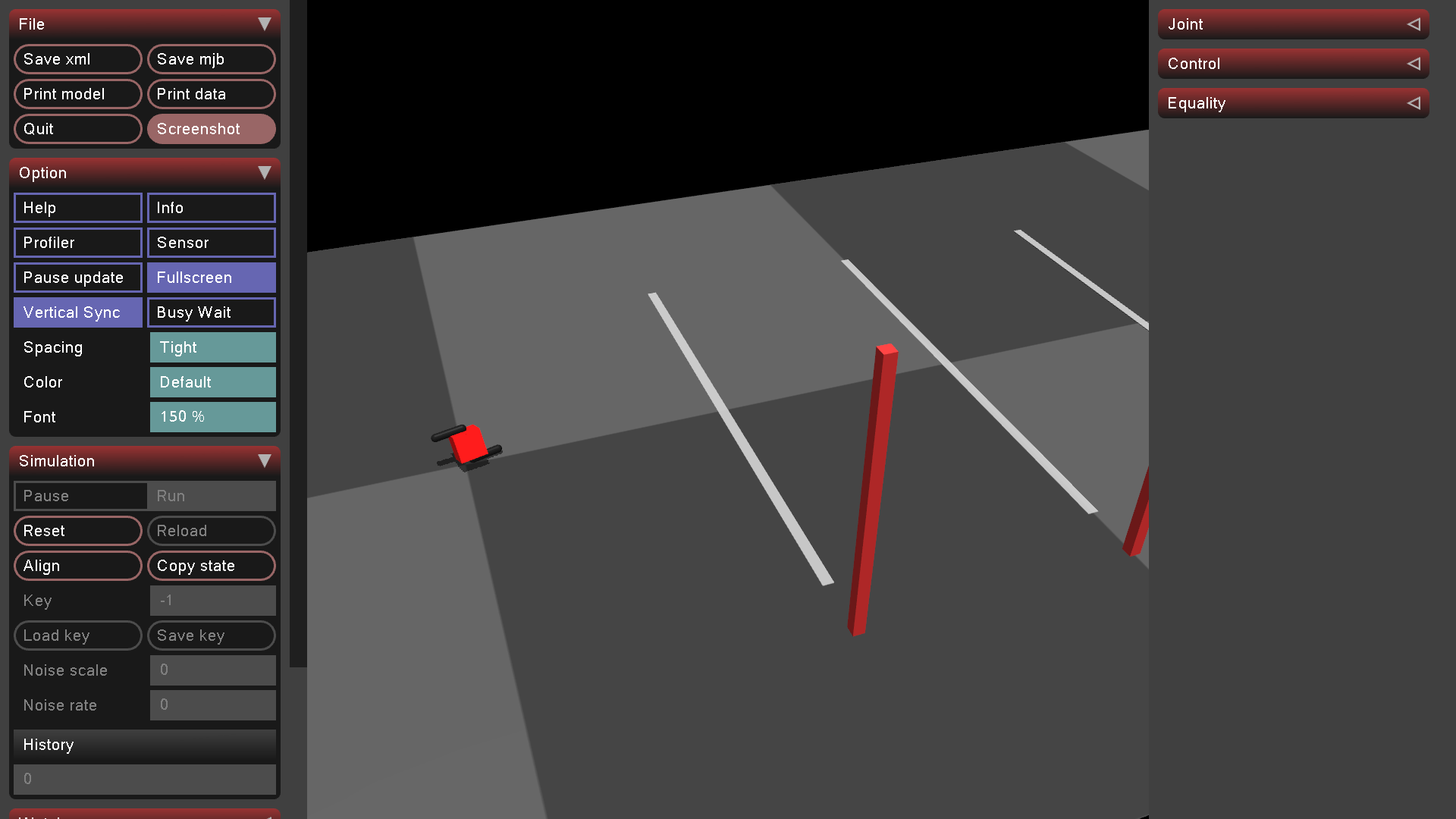
Struggling Robot
-
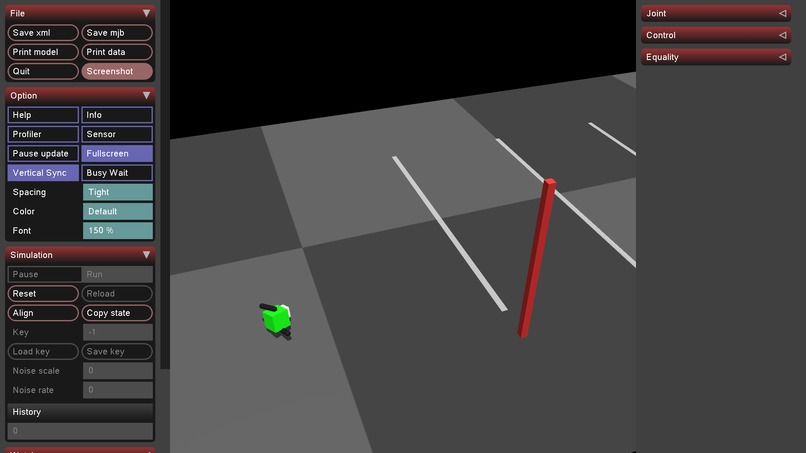
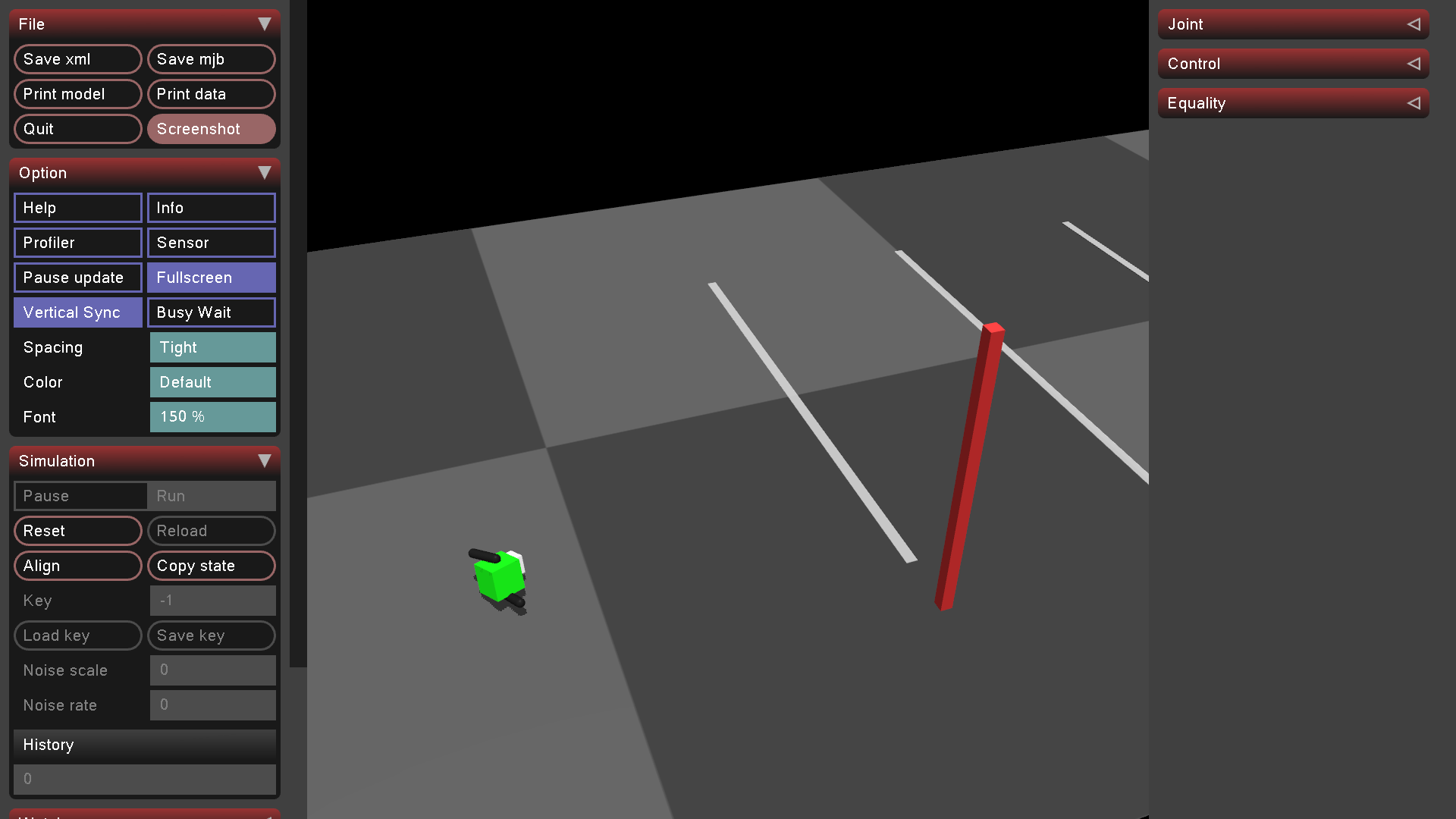
Winning Robot
Inspiration
My inspiration came from my research on Soft Robotics in Dr. Shaoting Lin's Lab. In soft robotics, I don't rigidly force a material to move; I exploit its natural compliance and resonance to achieve efficient motion. I realized that traditional rigid robotics often ignores this principle, treating the body as a dead weight that must be forced into submission by high-torque motors.
I wanted to bridge that gap. I wanted to see if a rigid robot could be treated like a soft system like finding the specific frequency where the body wants to move (its mechanical resonance). I call this the "Physics Desire Path" which is the route of least resistance through the control landscape.
What it does
"Learn To Walk" is a physics-based research engine that maps the relationship between a robot's body size and its optimal control frequency.
Instead of using "Black Box" Neural Networks, I used a Central Pattern Generator (CPG) to sweep through thousands of control parameters. The system:
- Simulates robots of varying leg lengths (0.10m to 0.30m).
- Sweeps control frequencies from 0.5 Hz to 3.0 Hz.
- Identifies the "Resonance Frequency" which is the magic number where mechanical energy amplifies motion rather than fighting it.
- Visualizes the result in a live, interactive 3D demo where the robot switches between "Struggling" (fighting physics) and "Sprinting" (riding resonance).
How I built it
I built a custom simulation pipeline using MuJoCo (Multi-Joint dynamics with Contact) and Python.
- The Engine: A procedural generation script (
robot_generator.py) builds XML robot definitions on the fly, allowing me to test different morphologies instantly. - The Brain: I implemented a harmonic oscillator controller defined by: $$q_{target}(t) = A \sin(2\pi f t + \phi)$$
- The Metrics: I calculated Cost of Transport (CoT) in real-time by integrating the mechanical power ($$P = \tau \omega$$) exerted by the motors.
- The Visualization: I used Plotly to generate 3D heatmaps of the "Ridge of Agility" and Matplotlib for the live data race animation.
Challenges I ran into
- The "Spinning Circle" Bug: Early on, my robot wouldn't walk straight; it would catch one leg and spin in circles. I realized the hip width was too wide for the leg length, creating a massive yaw moment. I fixed this by dynamically scaling hip offset with leg length.
- The "Red Wall" of Failure: When I first ran the simulation at 1.0 Hz, the robot vibrated in place. I thought my code was broken. After hours of debugging, I realized the code was perfect however the physics was rejecting the input. 1.0 Hz was simply the wrong frequency for a 10cm robot. It wasn't a bug; it was a discovery.
Accomplishments that I'm proud of
- The 3,000% Speed Boost: I managed to take a robot from 0.002 m/s (vibrating in place) to 0.65 m/s (sprinting) just by changing the frequency variable. No hardware changes, no complex AI. Just math.
- The Live Visualization: Building a real-time HUD inside the MuJoCo viewer that updates the "Mode" (Struggle vs. Resonance) allows judges to see the math happening live.
What I learned
I learned that Performance is Free if you respect physics. Engineers shouldn't just design control systems; they should listen to the mechanical resonance of the systems they build. I also learned that MuJoCo is incredibly sensitive to initial conditions which means that a 0.01s difference in phase timing can mean the difference between falling and running.
What's next for Learn To Walk
I plan to introduce Terrain Complexity (slopes, stairs) to see if the "Desire Path" frequency shifts dynamically. I also want to implement this on a real hardware hexapod to validate my simulation data against the real world.

Log in or sign up for Devpost to join the conversation.