-
-
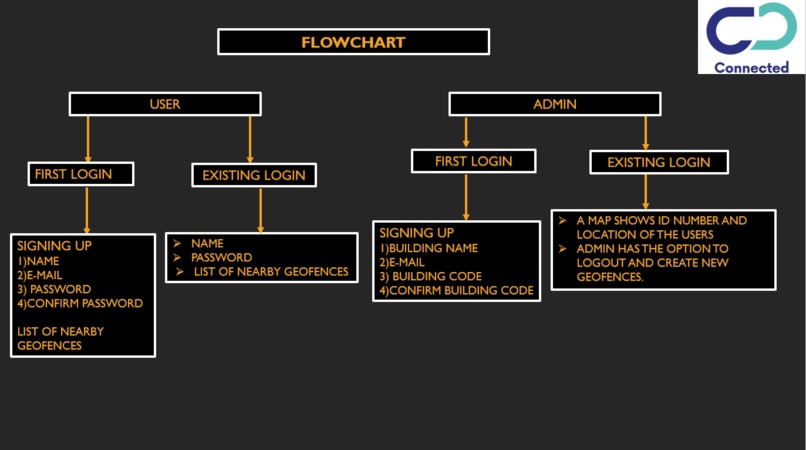
Flowchart to show the basic idea of the app
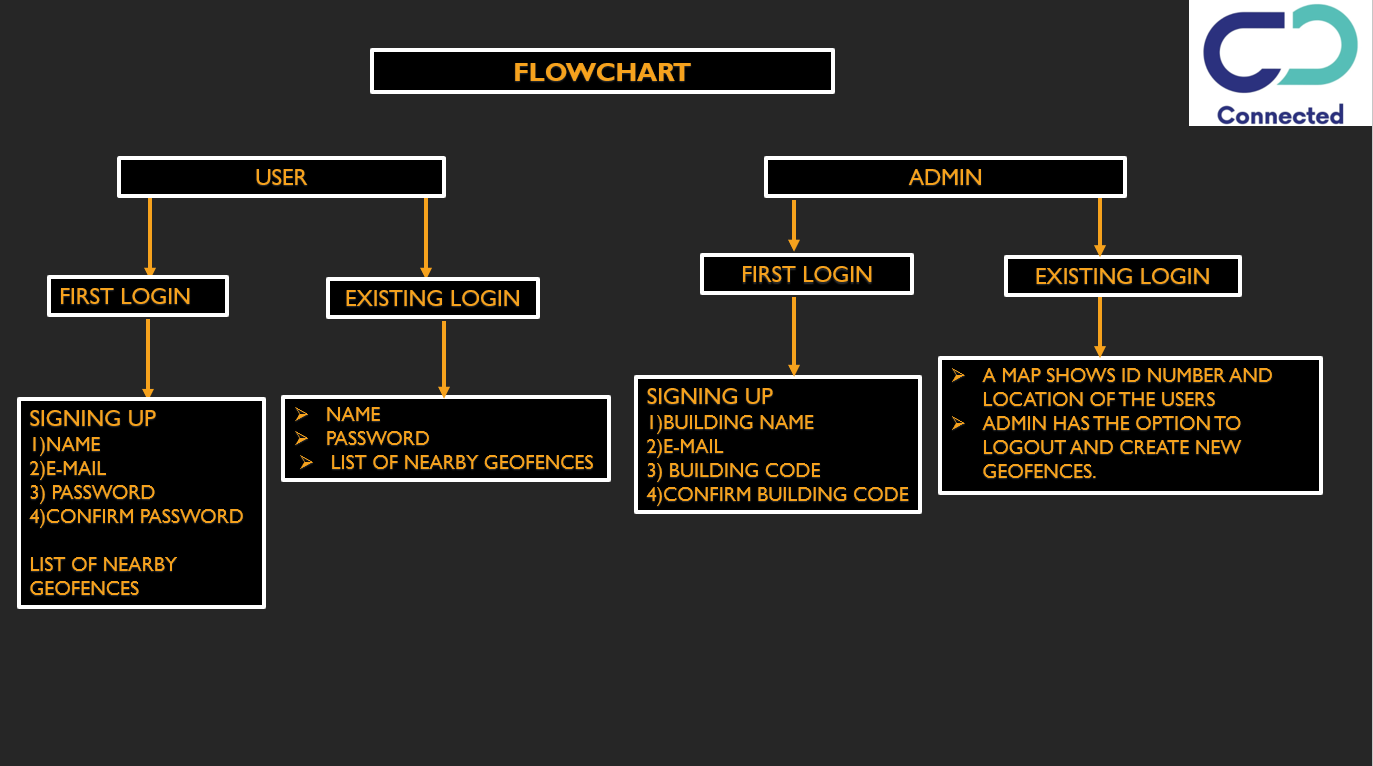
The code works on a simple logic. The admin after signing up, creates a virtual fence after inputting latitude and longitude values. Once this is done, a geofence is created. After that the Admin is given the option to readjust the dimensions of the geofence. The users, install the app which is a prerequisite for the geofence, and then proceed to signing up. Once this is done, they select the geofence which is relevant for their organization. Before entering the organisation is given an option to either scan the QR code or enter a 6 digit pin of the organisation. The algorithm starts tracking the user's device for GPS and bluetooth signals and keeps pinging the results in fixed intervals. If the user is leaving the geofence and he/she hasn't opted out of the geofence by clicking on the exit geofence button; The user will receive a notification from the app asking the user to return to the geofence. Similar notification prompts will be displayed if the user tries to toggle off the GPS or bluetooth buttons. If the user has opted out of the geofence, the user details will be purged and the user will see a list of the total shifts worked Once the user leaves the geofence without opting out of it, the admin receives logs in the application. Likewise, a notification is sent to the user as well, stating that he/she has left the geofence and also receives a prompt to either exit the geofence or return to it.

Log in or sign up for Devpost to join the conversation.