-
-
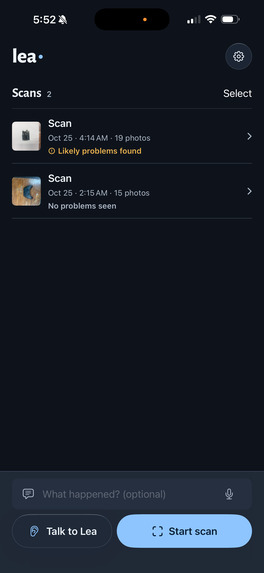
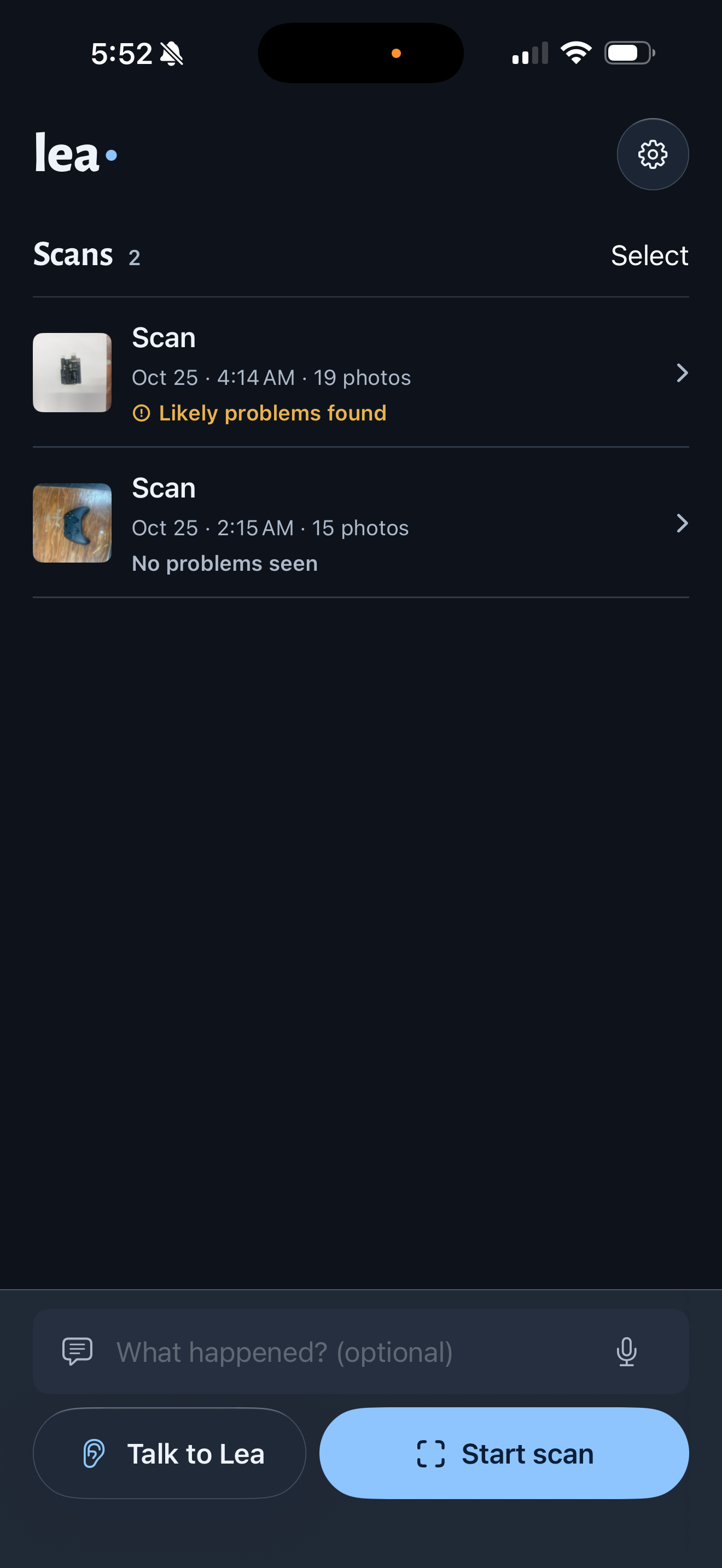
Menu showing scans
-
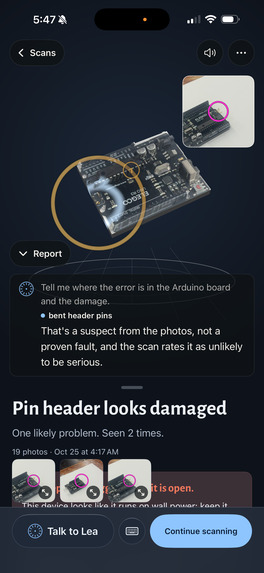
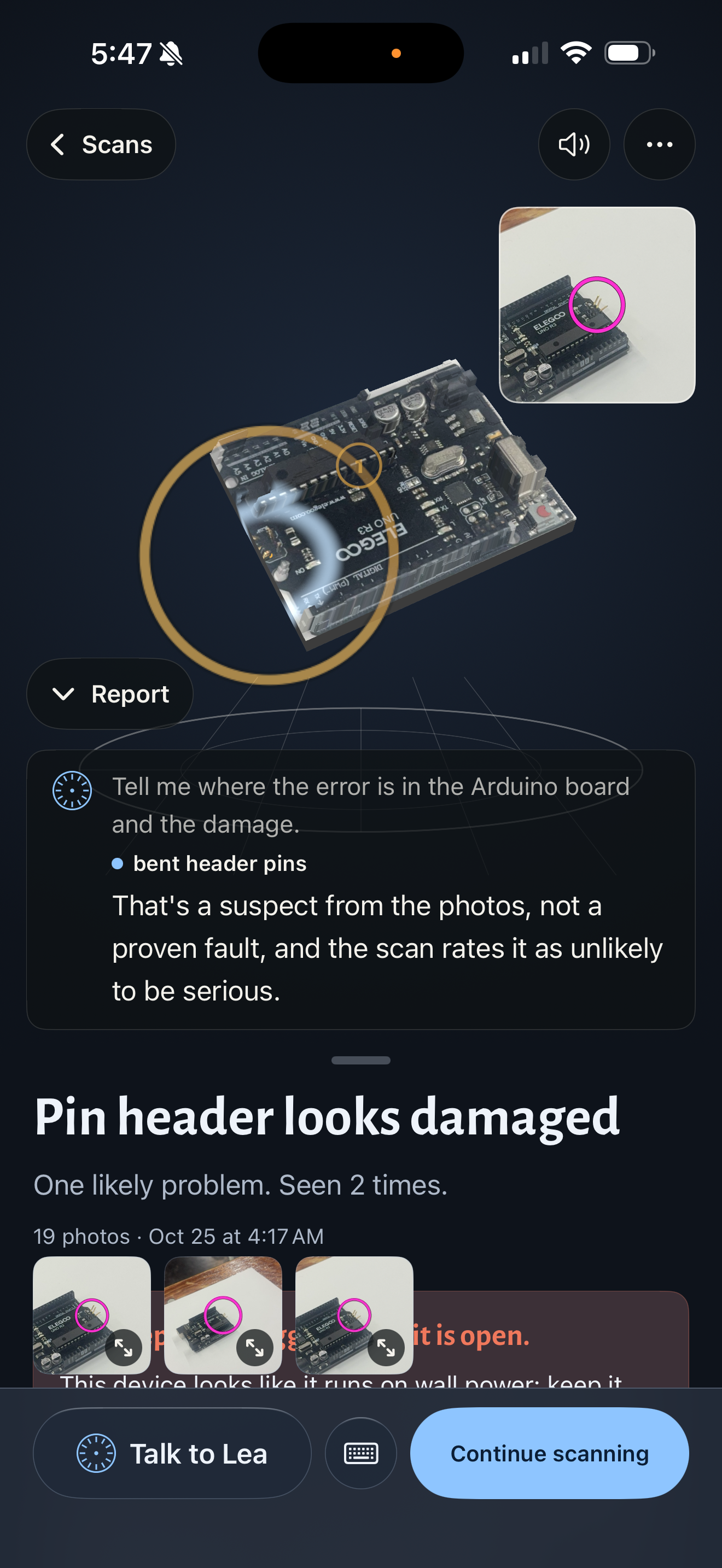
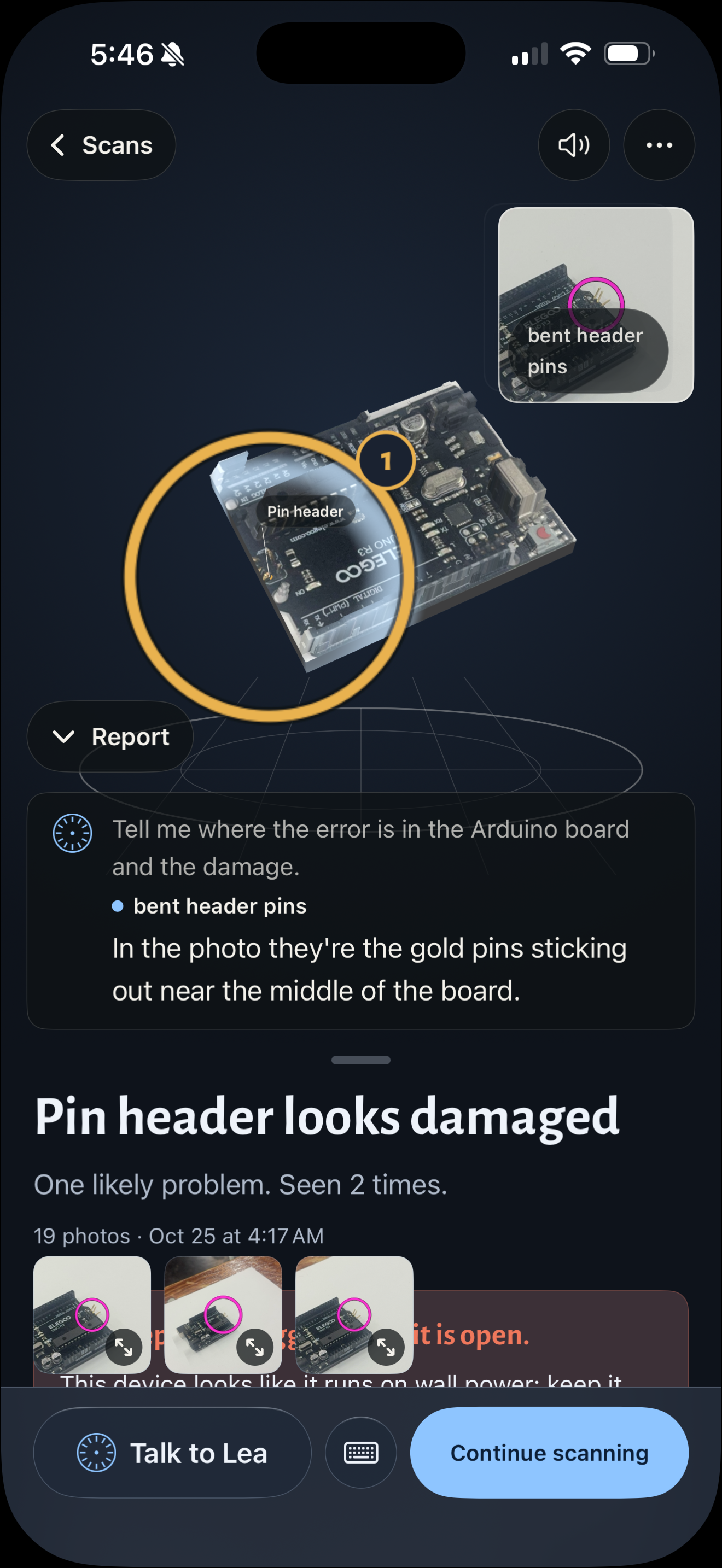
Pinpointing faults of Arduino using LEA
-
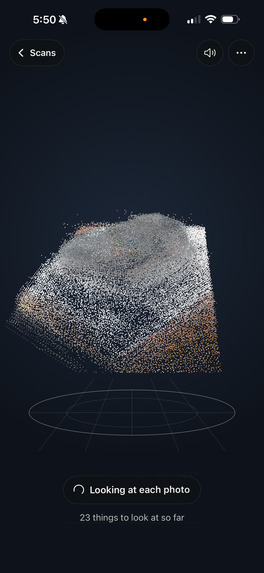
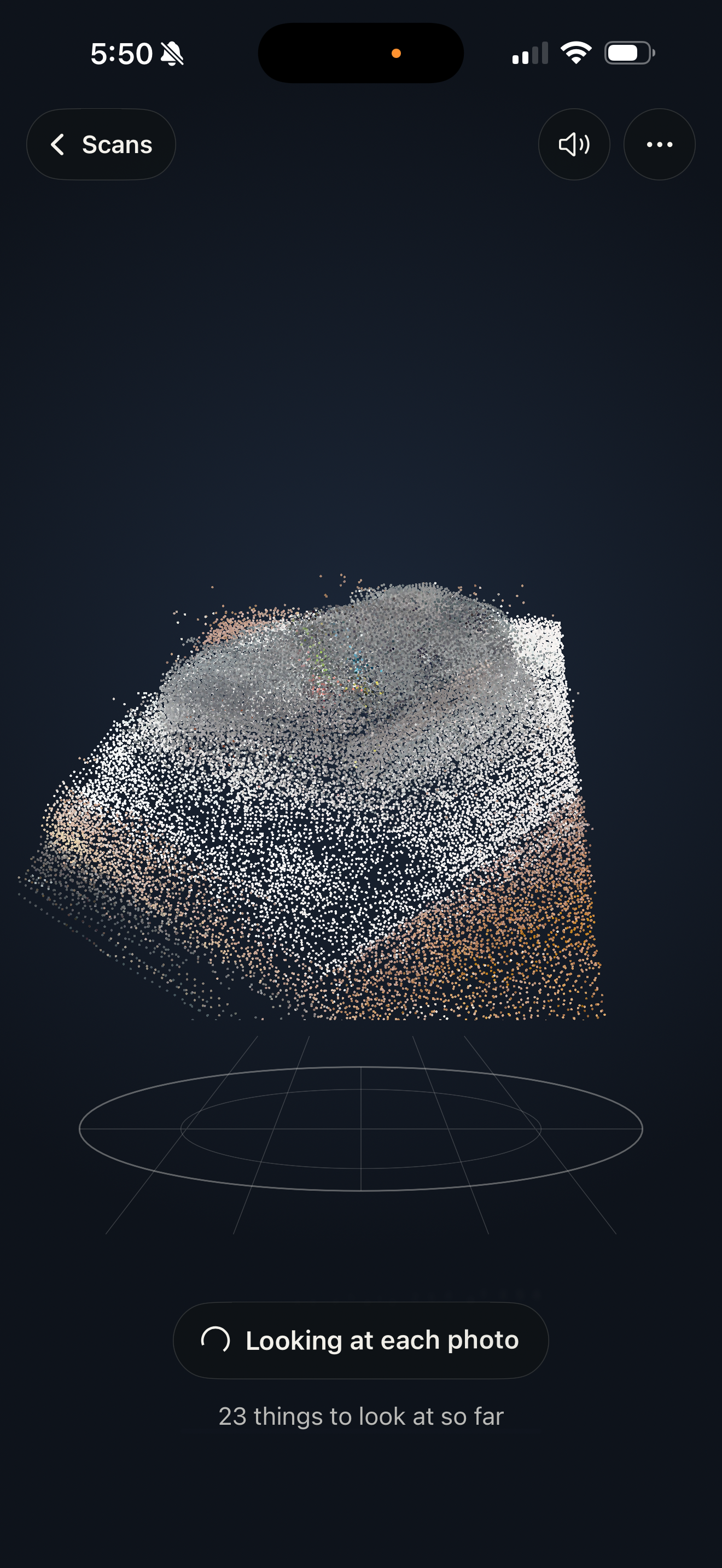
Processing Scan of Xbox Controller
-
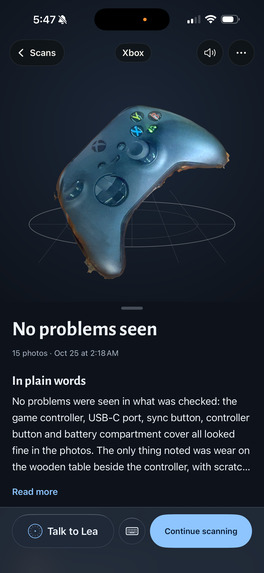
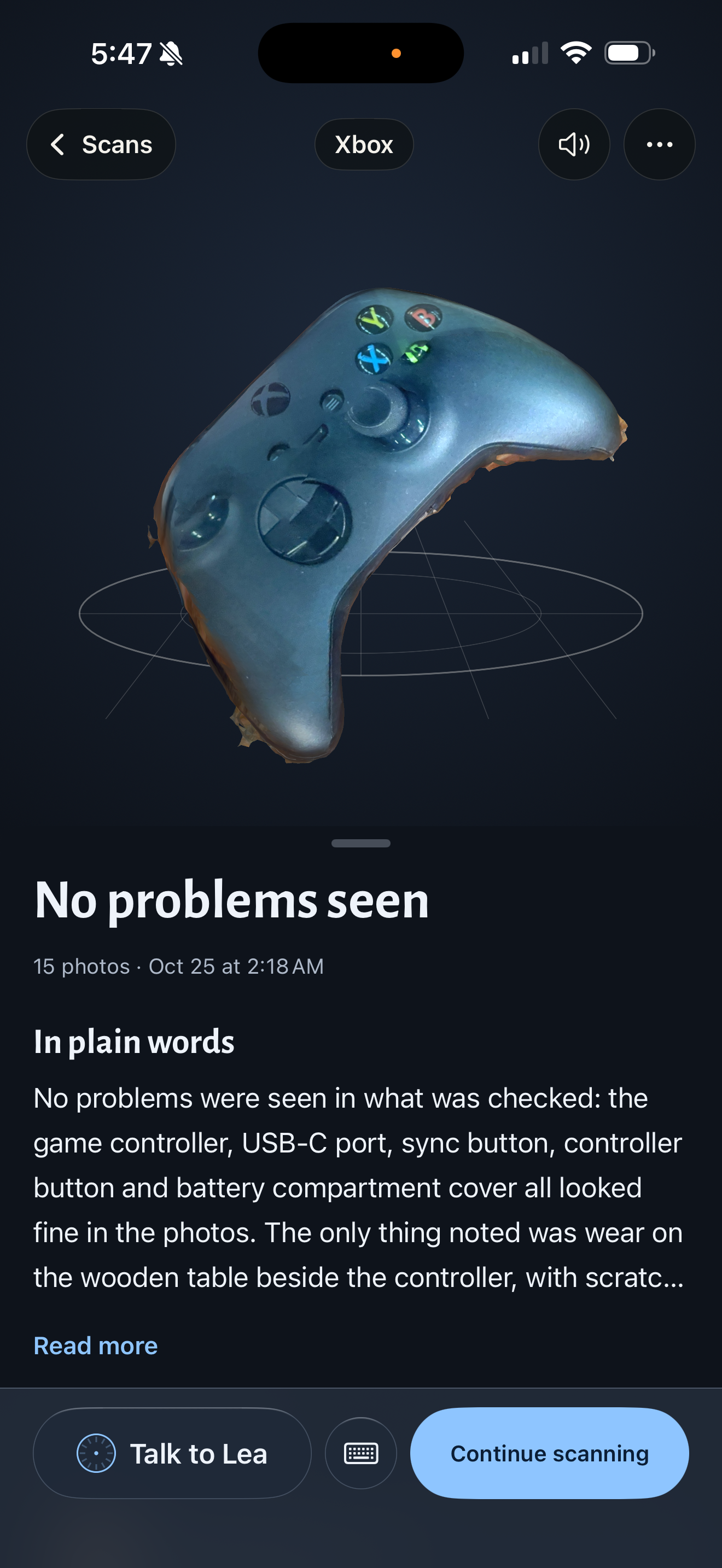
Analysis of Xbox Controller
-
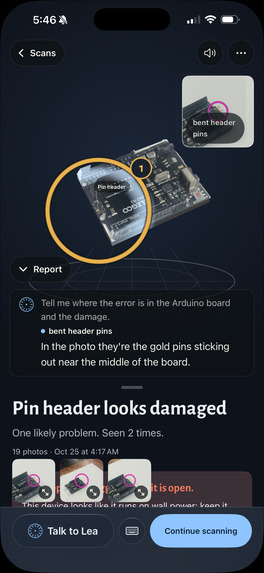
Arduino Model Scan
-
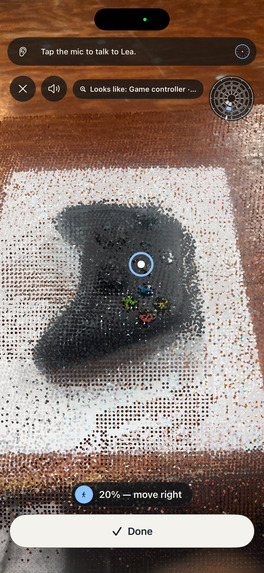
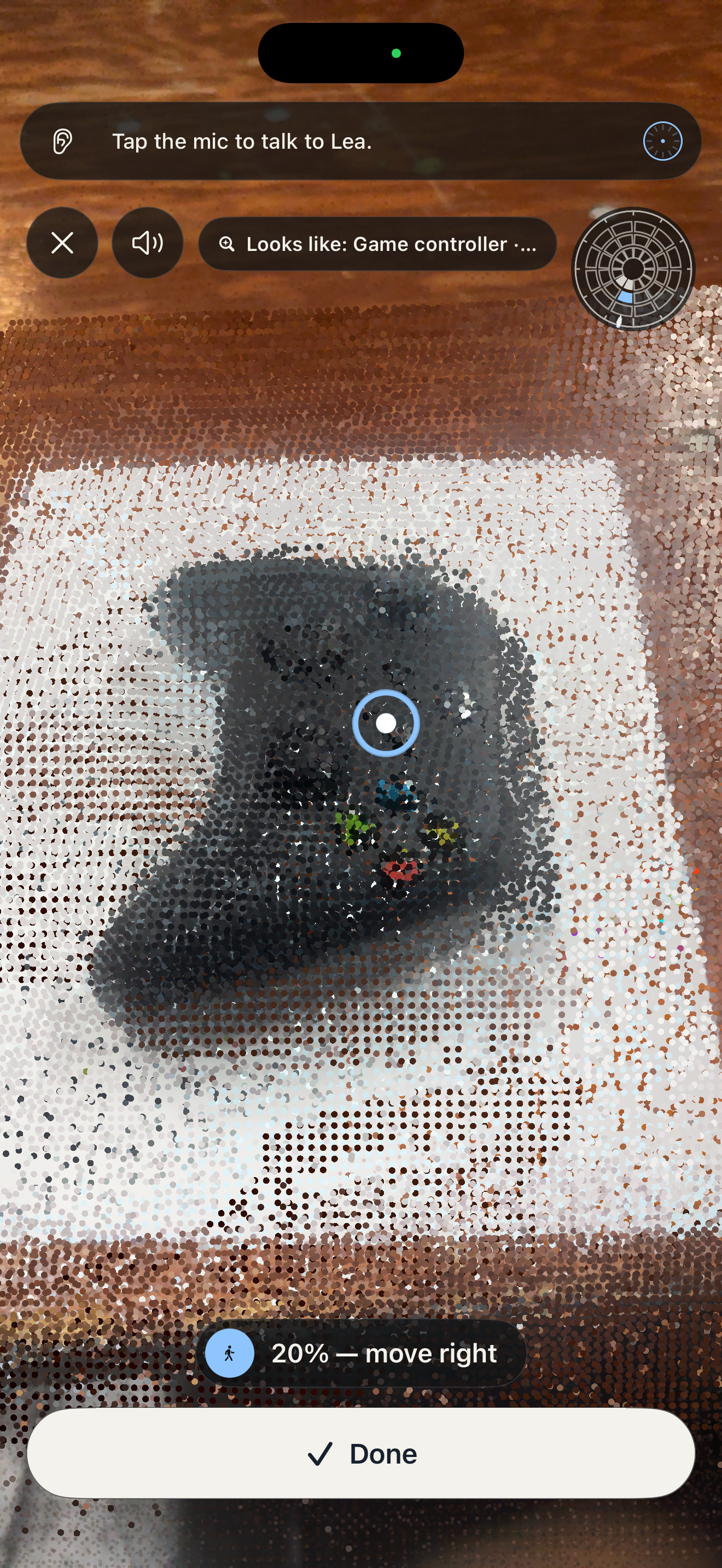
Scanning Xbox Controller
Inspiration
A hardware question usually starts with an object already in your hands. A connector looks bent. A board doesn't behave as expected. A component doesn't match the diagram.
Finding an explanation is only half the problem. Translating it back to the physical object is just as hard: "Which pin? Which connector? Where exactly should I look?" Datasheets and repair guides show someone else's device, photographed from someone else's angle, not the board on your bench.
We built Lea, a LiDAR Enabled Assistant, to connect hardware questions to visible evidence on your object. You scan it with your phone, ask a question out loud, and Lea shows you the answer on a 3D model of the thing in front of you.
What it does
Lea turns an iPhone scan and close-up photos into an interactive hardware inspection. Scan, see, ask:
- Scan. Walk around the object with an iPhone. LiDAR depth, keyframes and full-resolution close-ups are captured as you go. Flip the object over and scan the underside too.
- See. Seconds later you get a 3D model built from your own scan, plus an inspection report: what looks wrong, how confident Lea is, and safety issues first. Thin objects like circuit boards are below what LiDAR can resolve, so Lea builds them from the photos and measures raised parts (headers, jacks, capacitors) with multi-view stereo.
- Ask Lea. Tap and ask: "Where's A2?", "Is the main chip soldered in?", "What do these buttons do?" Lea answers out loud while the 3D model turns to the part, the part lights up with a circle and label, and the real close-up photo of that spot fades in.
In our demo we scanned an Arduino UNO R3 with bent pins and asked Lea where the problem was. Lea identified the board by reading its silkscreen, explained where the bent pins were, circled the spot on the 3D model and showed the annotated photo as evidence.
The scan gives spatial context. The close-up photo provides the evidence that tiny features in reconstructed geometry can't preserve.
Voice is central because hardware inspection occupies your hands. You hold the board, ask a question, and hear the explanation while the screen points to the right place.
Lea reports potential visual issues, not confirmed electrical failures. A bent pin is visible; whether the circuit works may still need a functional test or a multimeter reading. Lea never calls a part fine if no photo shows it.
How we built it
iPhone app (Swift, SwiftUI, ARKit, Metal, SceneKit). A native app captures LiDAR depth, poses and full-resolution stills, with live coverage overlays drawn in Metal. The report is built around a SceneKit 3D stage. When Lea answers, the stage grows to fill the screen, the camera springs to the part, a ring is laid on the model's surface, and the matching photo card moves to whichever corner keeps the part in view.
Python backend (FastAPI on a Runpod GPU pod). The gateway is the only server the phone talks to; the phone holds no API keys. A pipeline worker:
- registers flipped and continued scans;
- builds the 3D model: a textured mesh, or, for thin objects, a photo-textured board with stereo-measured relief;
- inspects close-ups with an OWLv2 detector and Claude vision;
- ray-casts each finding onto the model.
For a flipped circuit board, the server finds the right orientation from the board's outline, through-holes and connector edges, and builds a two-sided model showing the real solder side.
Claude (Anthropic) is Lea's brain.
- Questions: Claude Haiku answers spoken questions, with the scan's findings, a parts index and the most relevant photos and model renders in context.
- Parts index: Claude Sonnet builds a per-scan parts index from the photos, reading printed labels such as pin headers. On our Arduino scans it read 22 header pins and placed each on the correct socket.
- 3D moves: Claude's answers carry markers (
show,view,zoom,point) that the app turns into camera moves and rings. - Web search: once the object is identified, Claude can use web search for general questions.
- Honesty rules: the prompt guards against the failure cases that matter: misidentifying a component, treating a background object as part of the board, and calling an unseen area "fine". A detection outside the object is dropped before it can become a finding.
Cartesia is Lea's voice.
- Speaking: Cartesia Sonic (
sonic-3.6) streams Lea's answer sentence by sentence. - Listening: Cartesia Ink (
ink-whisper) transcribes your question. - Sync: each camera move is tied to the sentence it belongs to and starts when that sentence starts playing, timed from the audio player's clock. The circle appears as Lea says the part's name.
- Interrupting: tap the talk button while Lea is speaking to stop her and ask the next question.
Bright Data gives Lea a head start on where to look. As soon as Lea identifies the object with confidence (brand and model, for example "ELEGOO UNO R3"), the backend sends one search through Bright Data's SERP API for that product's teardowns, service manuals and datasheets, and asks for the results as parsed JSON.
- One call per product: Claude reads only the result titles and descriptions and turns them into at most three short "where to look first" hints, such as the parts that commonly fail on that model.
- Hints steer inspection: the hints are passed into the close-up inspection, so the vision model knows what's worth checking on that specific product. The hints and their source links are kept with the scan.
- Built to be safe and cheap: it searches only when the identification is confident, because a search on a guess would give hints about another product. Results are cached for a day per product, so a second scan of the same model costs nothing. Every search goes through our spend guard, and a slow or failed search never blocks the report.
- Public data only: no page text or images are fetched or stored, only titles, descriptions and links.
Cursor. We used Cursor's agent throughout the build to commit, merge and open pull requests across the repo. Every commit in the project is co-authored by Cursor.
SpacetimeDB powers the live big-screen view. While someone scans, everyone in the room can watch it happen.
- A bridge mirrors the backend: a small bridge process reads the gateway's live event stream and calls reducers in our SpacetimeDB module (TypeScript), hosted on SpacetimeDB Maincloud.
- Public tables, live updates: the module keeps tables for scans, object identity, scan progress, photos, findings, reports and 3D models. A web viewer subscribes to them and updates the moment a row changes: the identified object, progress, each close-up as it arrives, findings as they're found, the report, and the 3D model.
- Resilient: the backend stays the source of truth. If SpacetimeDB is unreachable, writes wait and coalesce (the newest state of each row wins), and the phone and backend are unaffected. If the gateway restarts, the event streams reconnect on their own.
- In use: our database holds the 21 scans, 231 photos, 18 reports and 19 3D models we captured while building and testing Lea.
Challenges we ran into
Keeping the explanation and its location consistent. Recognising a component in a photo doesn't give you its position on a 3D model. We map each pixel through the photo's camera pose onto the model. We refine the spot with a zoomed-in second pass on the full-resolution crop, check it against a second photo, and size the ring to how certain the position is.
Thin objects. A 1.6 mm circuit board is thinner than LiDAR's noise. We rectify the photos onto the measured table plane, extrude the board's measured outline, and recover part heights by plane-sweep stereo across several photos. A quality gate keeps only heights the photos agree on.
Flipped objects. A flipped board shares almost no geometry with its top. We register it from what both faces share: the outline, through-holes and connectors that overhang the edge.
Voice and visuals in step. Listening, thinking, speaking and moving the camera all have to line up so you can follow the explanation. That's why moves are tied to the audio clock, not to when text arrives.
Background clutter. Tables, cups and cables show up in close-ups. Isolating the object, and dropping detections outside it, keeps the report focused.
Accomplishments that we're proud of
We brought capture, 3D reconstruction, inspection, conversation and visual evidence together into one working experience on an iPhone.
Our favourite moment was the Arduino demo: scanning a thin board, asking about its bent pins, and watching Lea's answer arrive with the model turning to the spot, a ring settling on it, and the real photo fading in. It made the idea concrete: you can connect the assistant's words to a specific place on your hardware.
We're also proud that a flipped circuit board comes back as a two-sided 3D model, and that Lea keeps observation and diagnosis separate. She explains what the evidence supports and what still needs checking.
What we learned
Geometry, photos and conversation solve different parts of the problem. Geometry helps you navigate the object. Photos preserve fine detail. Questions reveal what you're actually trying to understand.
A useful voice experience depends on the rest of the interface. A spoken answer is hard to follow if the screen highlights the wrong part or moves at the wrong moment.
Keeping the demo narrow helped: one visible defect, one clear question and one understandable answer gave us a concrete way to judge whether the experience worked.
What's next for Lea (LiDAR Enabled Assistant)
- Inspection to repair: identify a known defect, explain the evidence, guide the right check, and confirm the outcome.
- Testing with real teams: put Lea in front of student hardware teams with boards in known conditions, and measure whether they find and understand issues faster.
- Pointing while scanning: point at parts during the scan, not only in the report.
- Measurement and repair planning: connect inspection with readings from a multimeter, then with repair and replacement planning.


Log in or sign up for Devpost to join the conversation.