

Le Chef Magique - Dining Entertainment in Mixed Reality
Inspiration
I love cooking for my friends and family, but I noticed the home dining experience can feel dull compared to going out. While working in the kitchen, I thought: What if I could bring a mini chef home to entertain my guests? This inspired me to create an entertainment show that transforms our dinner table into a miniature stage. Tiny chefs perform whimsical culinary shows right on your plate. This makes every home-cooked meal feel like a special occasion.
How I Built It
Immersive Web SDK (IWSDK)
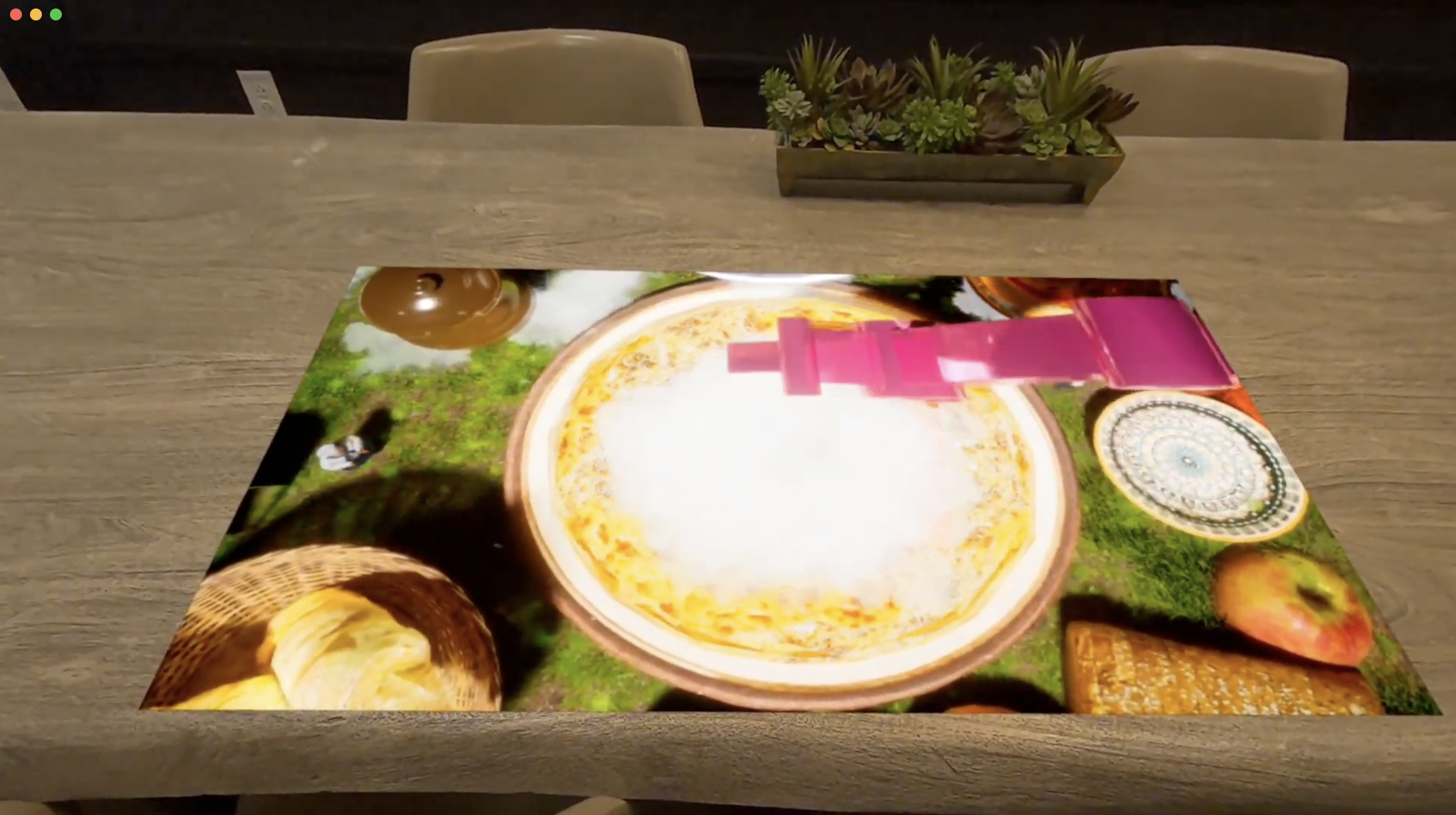
My dining entertainment experience leverages Meta's Immersive Web SDK with Passthrough Camera Access and WebXR Scene Understanding:
Passthrough Camera Access:
SessionMode.ImmersiveARenables Quest's passthrough cameras- Real-world environment visible through the headset
- Physical dining table merged seamlessly with virtual content
WebXR Scene Understanding (Table Detection):
planeDetection: trueenables continuous environmental scanning- Quest's camera system analyzes the physical space to detect flat surfaces
SceneUnderstandingSystemfrom IWSDK wraps WebXR plane detectionXRPlanecomponents represent detected horizontal surfaces in real-time- Smart placement ensuring the show appears right where your plate is
Spatial Stage Placement:
// Calculate optimal viewing position: 20cm toward diner from table center
const directionToUser = userPos - tablePos;
const stagePosition = tablePos + (directionToUser * 0.20);

// Align stage parallel to table while facing the diner
const tableYaw = extractYaw(tableQuaternion);
const rotateToUser = new Quaternion().setFromAxisAngle(Y_AXIS, angleToUser);
const layFlat = new Quaternion().setFromAxisAngle(X_AXIS, -π/2);
Stable World Anchoring:
XRAnchorcomponents lock the show to the detected table- Content remains stable as the user moves around

Interactive Dashboard:
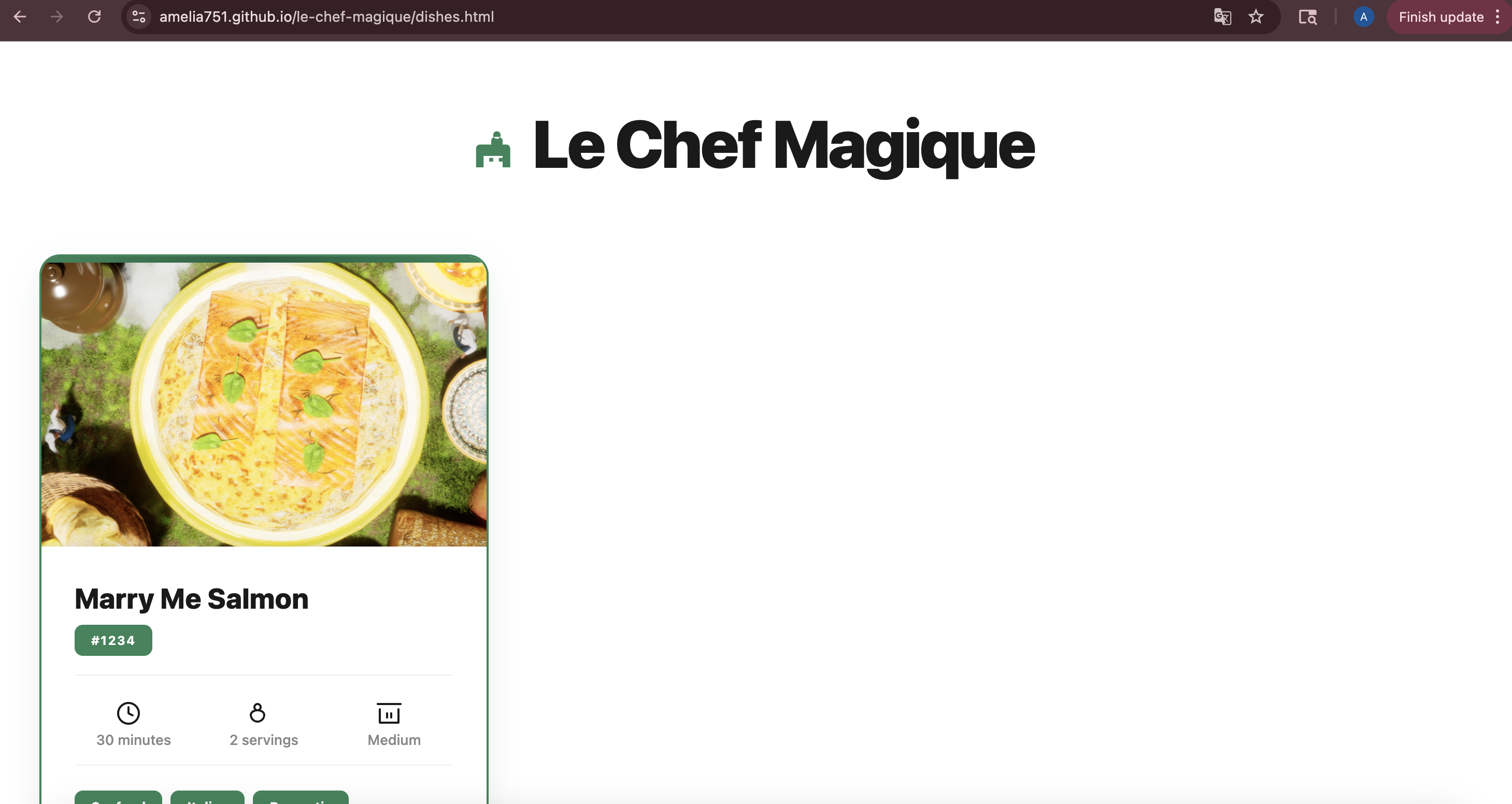
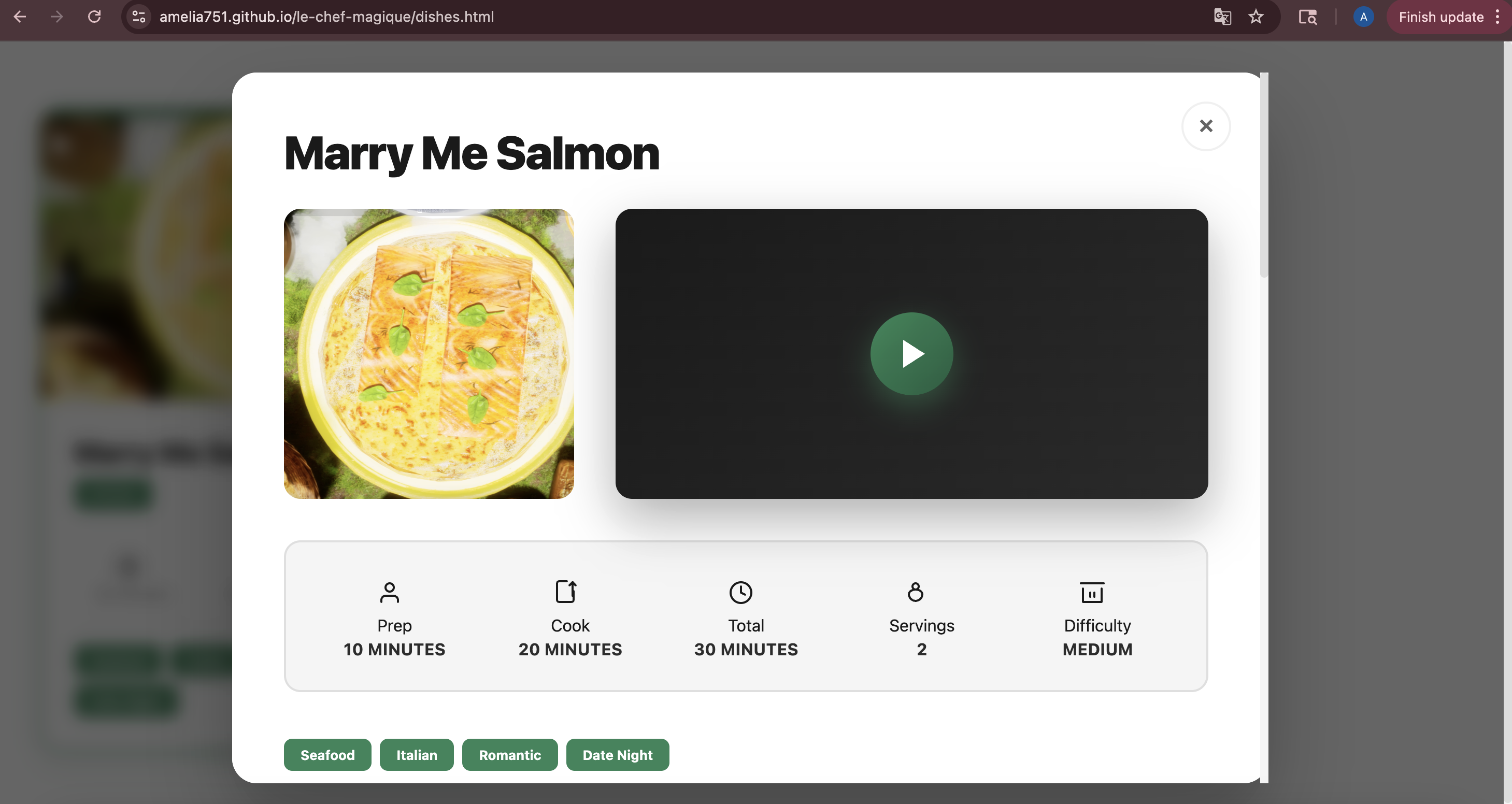
- UIKit spatial UI with code-based show selection
- Dynamic video loading from Google Cloud Storage
- Smooth transitions between shows for uninterrupted dining entertainment

Dining Show Production Pipeline
Watch the full experience: Le Chef Magique AR Experience
Pre-Production (Maya):
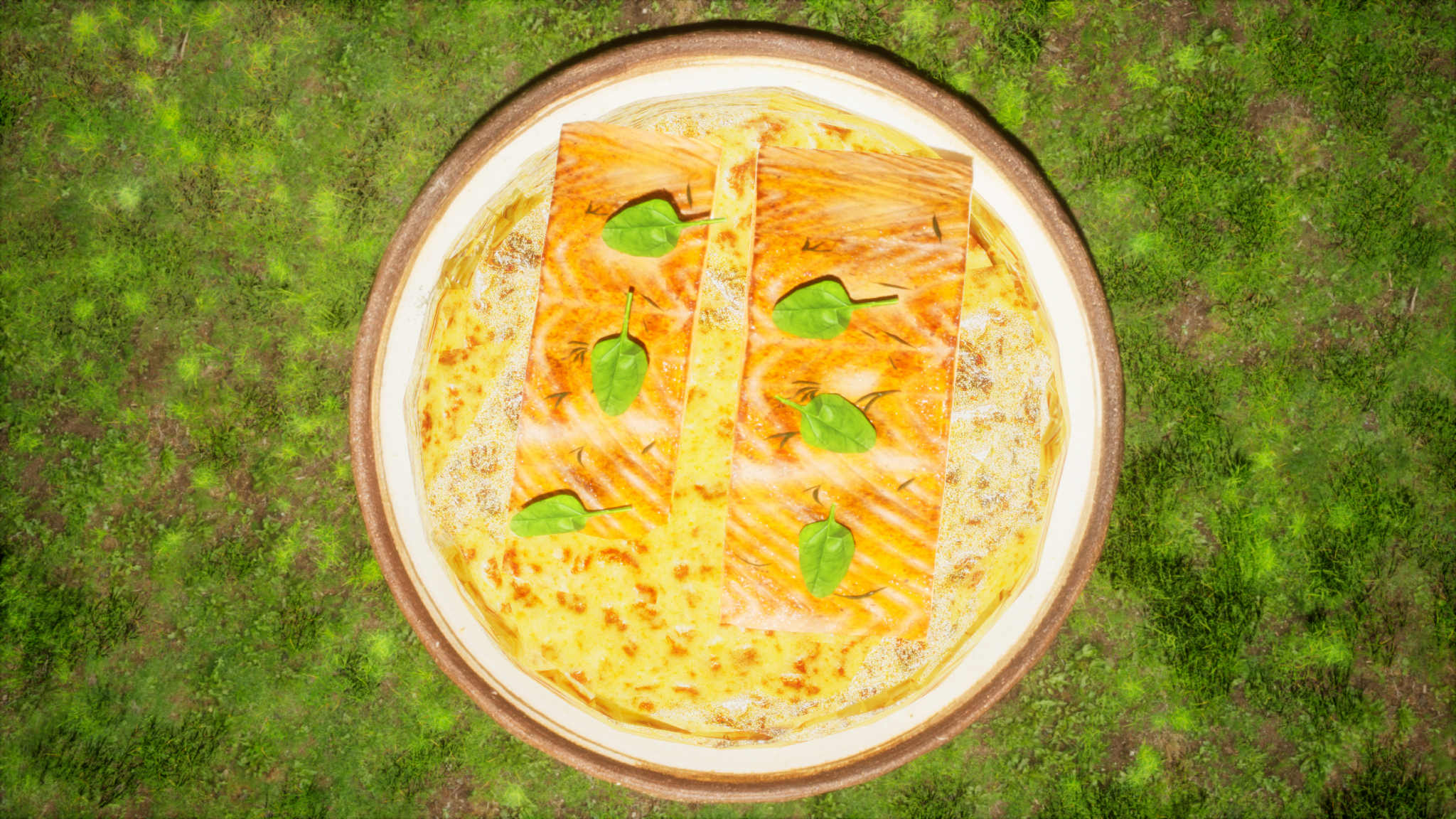
- Designed "Marry Me Salmon – Tiny Chefs Outdoor Picnic" entertainment show
- Chef character with full performance rig

- Mini crane and airplane props for theatrical ingredient delivery

- Photorealistic food modeling with subsurface scattering for visual appeal

Theatrical Performance Sequence:
- Opening: Glitter burst reveals ingredients magically appearing on empty plate
- Act 1: Tiny chef signals → miniature crane dramatically places pot lid
- Transformation: Steam effects as ingredients swirl into creamy sauce
- Act 2: Crane carefully places perfectly cooked salmon filet center stage
- Grand Finale: Mini airplane flies overhead, dropping final garnish and basil
- Reveal: Light bloom showcases the finished dish as the chef takes a bow
Rendering (Unreal Engine 5):
- Exported via Datasmith plugin from Maya
- Add materials to the food ingredients


- Lumen GI + Ray Tracing for cinematic lighting quality

- Sequencer orchestrates dramatic camera movements
- Niagara VFX adds magical glitter and steam effects


- 4K PNG sequence for crystal-clear tabletop viewing

Post-Production (Adobe Premiere):
- Color grading: warm, inviting dining atmosphere
- Sound design: Whimsical "Happy Day in Paris" score, playful whoosh effects, mechanical robot crane sounds
- Final 4K video perfectly scaled for intimate table-top viewing
What I Learned
While I've been aware of the Meta ecosystem, I only knew TypeScript and never felt like I have the capacity to build for it. This competition was my introduction to IWSDK, and this is my first VR project. Learning spatial computing, WebXR APIs, and Meta's framework while building was both challenging and exciting.
Challenges I Faced
Creating the Video Content: Initially, I planned to generate the tiny chef show using AI video tools. However, the results looked horrible. This forced me to learn professional 3D animation from scratch. I easily spent over 40 hours creating just a 1-minute video, learning Autodesk Maya for modeling and rigging, Unreal Engine 5 for animation and rendering, and Adobe Premiere for post-production. While incredibly time-consuming, building it by hand gave me complete creative control and resulted in a much more polished, theatrical performance.
Rendering Video on the Table: Getting the video to appear correctly on the detected table required countless iterations:
- First iteration: video appeared vertical instead of flat
- Second iteration: video stretched and distorted across the entire table plane
- Third iteration: video orientation was random, requiring users to walk around the table
- Fourth iteration: video appeared upside down
- Final solution required switching from Euler angles to quaternion composition for stable rotation, implementing smart positioning with fixed offset toward the user, aligning video edges parallel to table edges, and ensuring the bottom edge always faces the diner. I reiterated this system multiple times before achieving the perfect placement.
Plans for Future Improvements
This was my first time developing in IWSDK and creating a production-ready AR dining show, so I focused on getting the core experience polished rather than adding many features. With the foundation now solid, my future plans include:
- Expanded Show Library: By creating entertaining shows for different dishes (Appetizers, Mains, Desserts)
- Multi-Course Experiences: Seamlessly transition between shows for full dinner entertainment
- Social Dining: Synchronized shows for multiple headsets at the same table
Built With
- adobe-premiere
- iwsdk
- maya
- passthrough-api
- scene-understanding
- typescript
- unreal-engine
- webxr


Log in or sign up for Devpost to join the conversation.