-
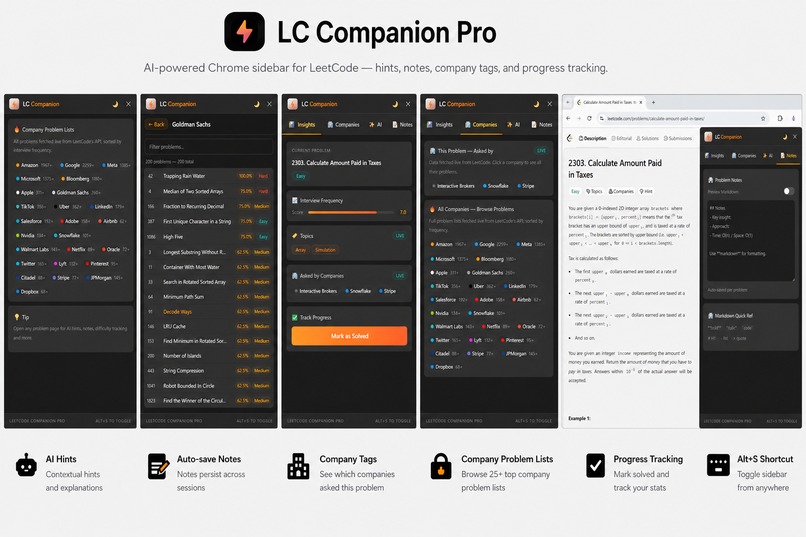
AI-powered LeetCode sidebar with hints, notes, company tags & progress tracking.
Inspiration
Preparing for coding interviews on LeetCode often feels distracting — switching tabs for hints, notes, company tags, and tracking progress breaks focus. I wanted a single lightweight tool that keeps everything inside the problem page itself. That idea inspired LC Companion Pro: an AI-powered sidebar that makes solving problems faster, cleaner, and more organized without relying on LeetCode Premium.
What it does
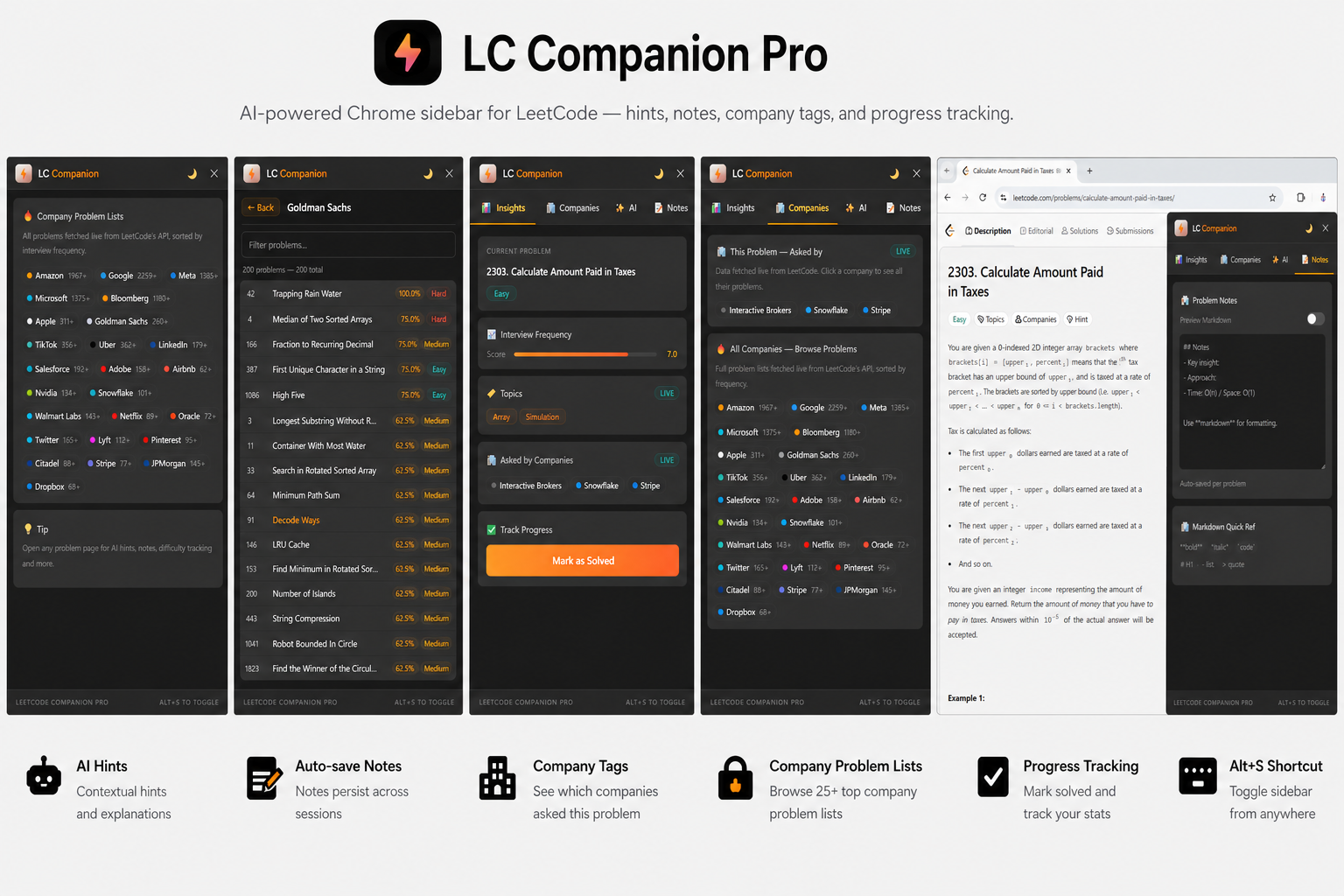
LC Companion Pro injects a smart sidebar directly into LeetCode problem pages. It provides AI-powered hints, auto-save notes, company tags, curated company-wise problem lists, and progress tracking. Users can instantly toggle the sidebar with Alt + S, switch between dark/light themes, and continue using it seamlessly across LeetCode’s SPA navigation.
How we built it
The project was built using Chrome Manifest V3, Vanilla JavaScript, HTML, and CSS.
content.jsinjects the sidebar UI into LeetCode pages.background.jsacts as the service worker handling storage, messaging, and AI logic.popup.jsdisplays progress statistics independently.chrome.storage.localstores notes and solved problems persistently.MutationObserverdetects page navigation changes and reinjects the sidebar automatically.
The architecture relies heavily on Chrome’s message-passing API to maintain isolated communication between contexts securely.
Challenges we ran into
One of the biggest challenges was handling LeetCode’s Single Page Application (SPA) navigation because page reloads do not occur normally. Another challenge was managing communication between isolated Chrome extension contexts without direct access to page globals. Ensuring smooth reinjection, maintaining performance, and designing a clean UI without frameworks were also challenging parts of development.
Accomplishments that we're proud of
- Built a fully functional AI-powered Chrome extension using only Vanilla JavaScript.
- Added company-wise problem lists without requiring LeetCode Premium.
- Implemented seamless SPA-aware sidebar reinjection.
- Created a lightweight and clean UI with keyboard shortcuts and theme support.
- Designed a scalable architecture using Chrome MV3 service workers and messaging APIs.
What we learned
This project helped us deeply understand:
- Chrome Extension development with Manifest V3
- Message passing between isolated contexts
- Dynamic DOM injection and MutationObservers
- Persistent storage using
chrome.storage.local - Building scalable browser tools without frontend frameworks
We also learned how important UX and performance optimization are for productivity tools.
What's next for LC Companion Pro
Future plans for LC Companion Pro include:
- Smarter AI explanations with step-by-step approaches
- Personalized revision and streak tracking
- Syncing notes across devices
- More company datasets and filtering options
- Support for additional coding platforms beyond LeetCode
- Advanced analytics dashboard for interview preparation progress
Built With
- chrome
- chrome.storage.local
- css
- javascript
- mv3
- vanilla

Log in or sign up for Devpost to join the conversation.