-
-
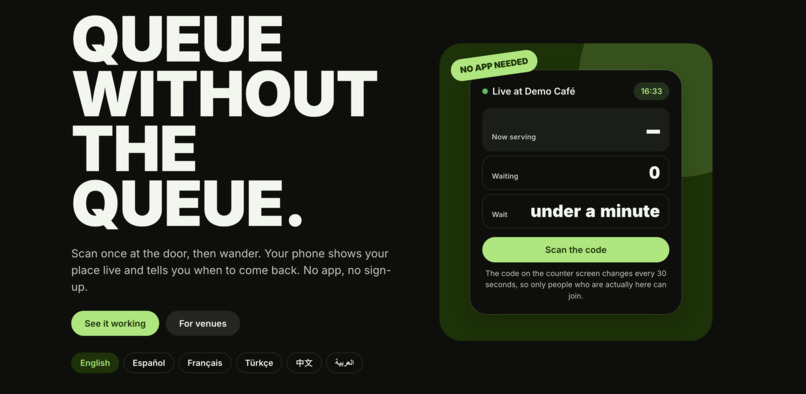
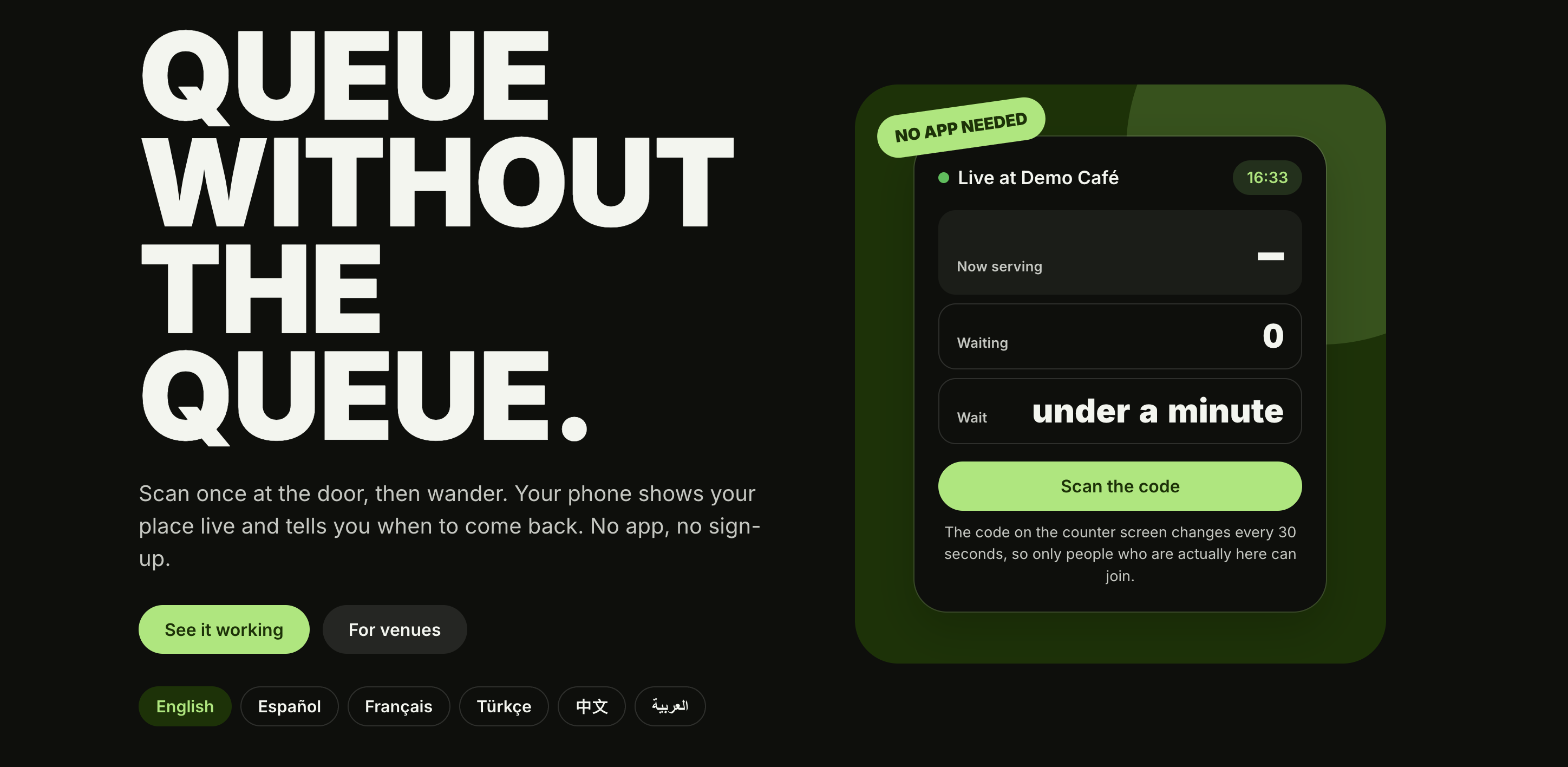
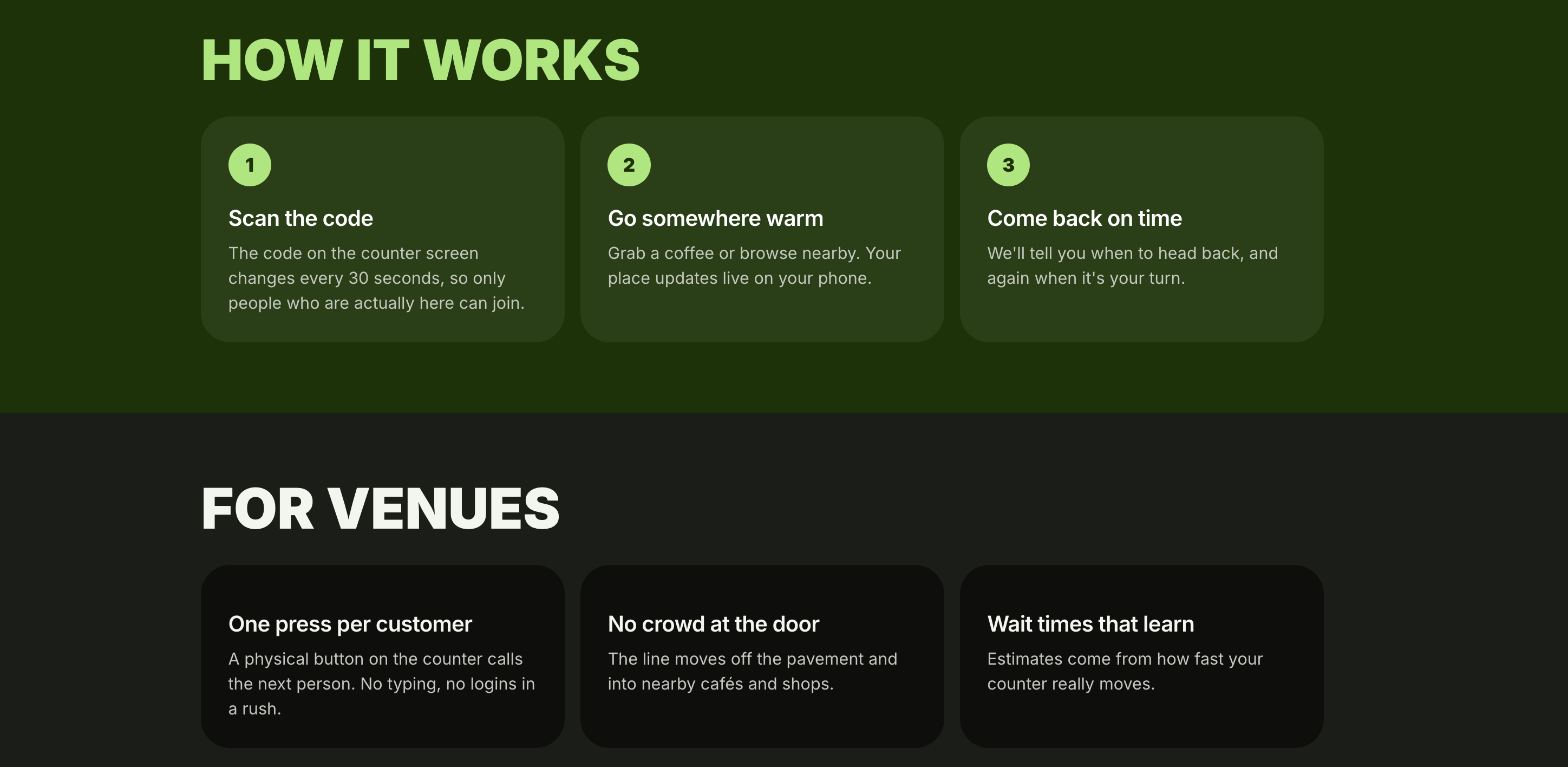
Discover lazyQ
-
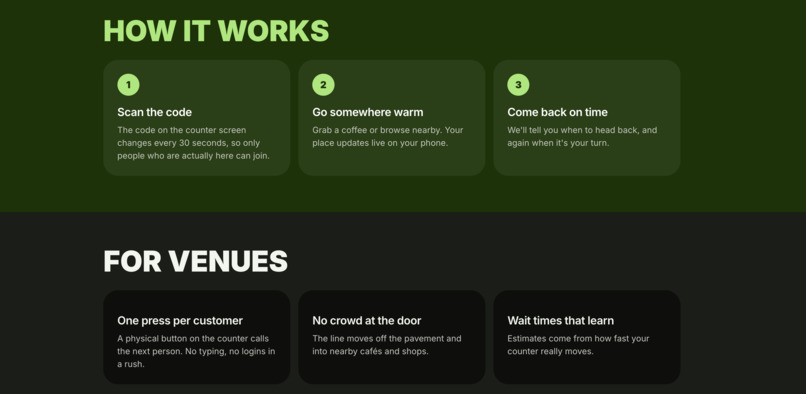
Discover lazyQ
-
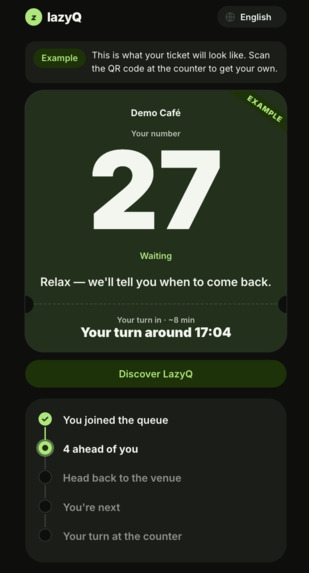
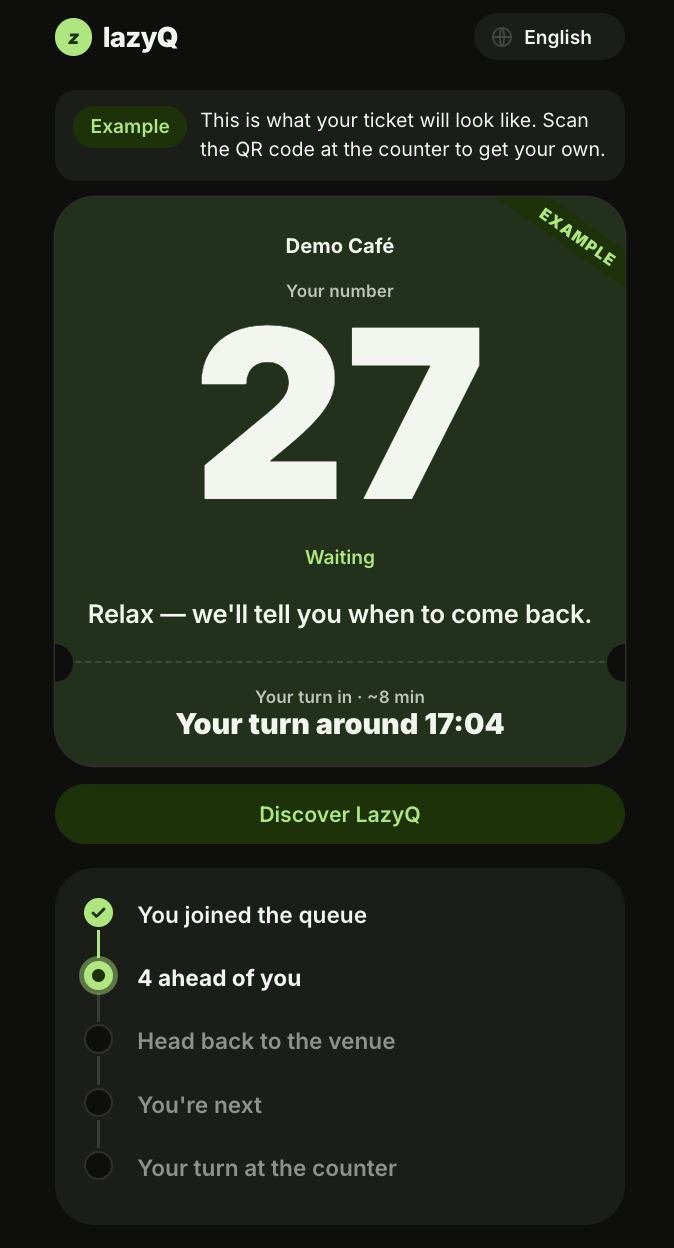
Generated Customer ticket
-
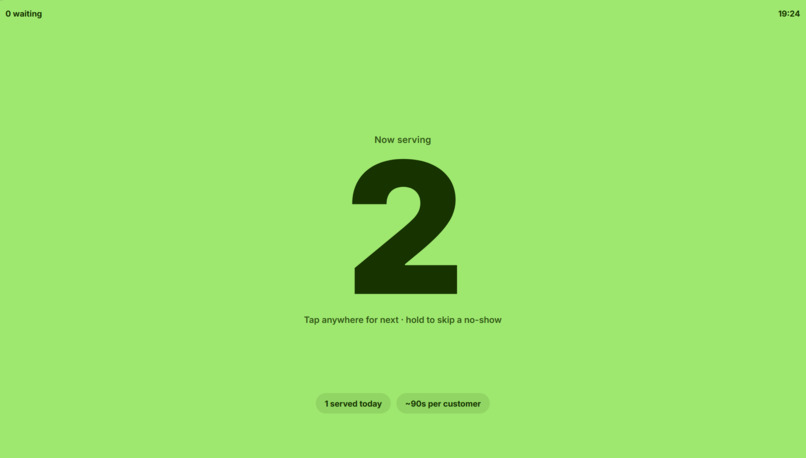
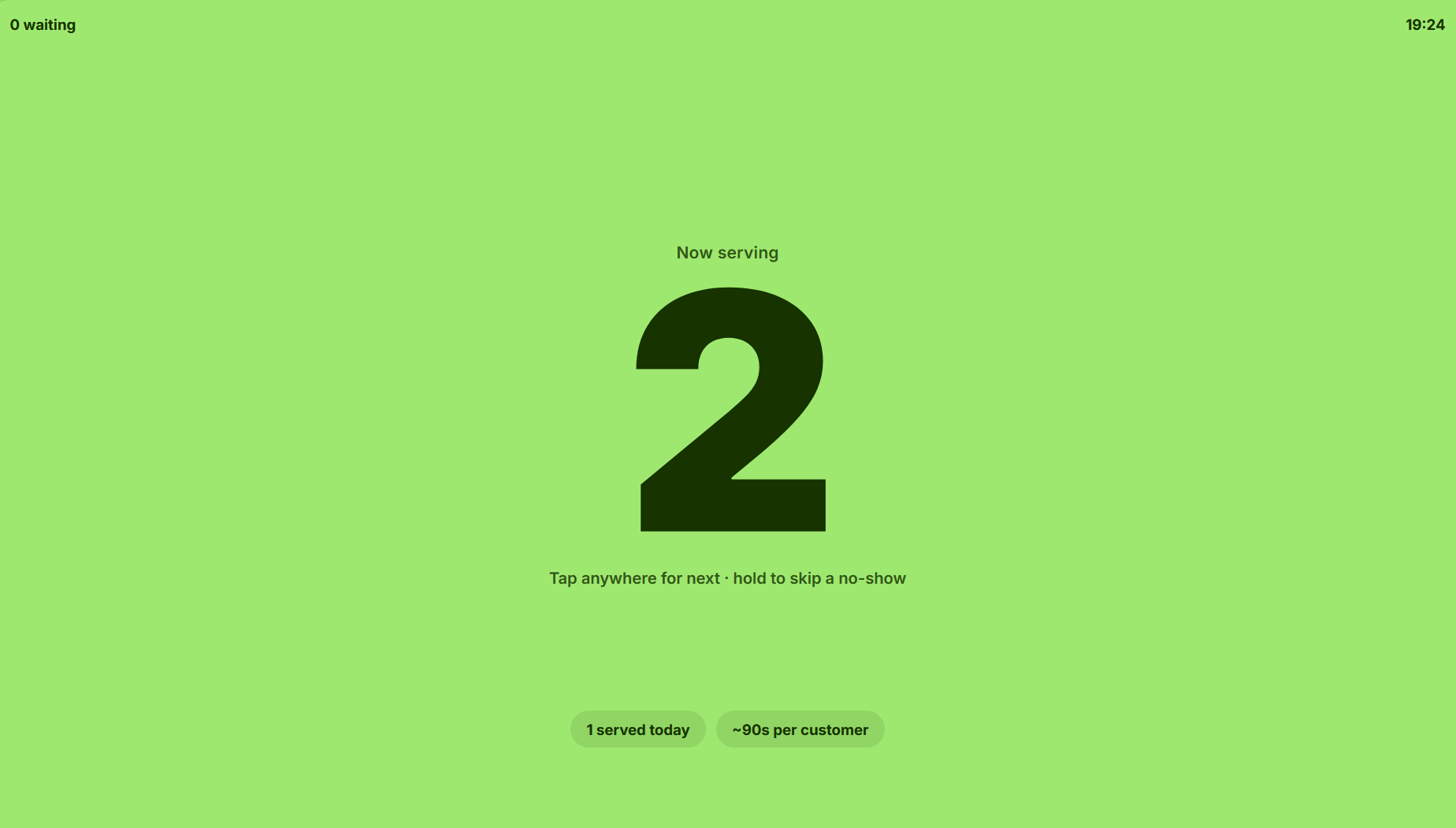
Staff Dashboard
Inspiration
While exploring London, we noticed how many people spent hours waiting outside popular restaurants, stores, and tourist attractions. Instead of enjoying their day, they were stuck standing in long queues. We thought, why should being in a queue mean wasting your time? That's how LazyQ was born: a smarter, simpler way to wait without actually standing in line.
What it does
LazyQ is a frictionless web app that tracks your live position in the queue and shows exactly how many people are ahead of you. Simply scan the on-site QR code and relax wherever you like instead of standing in line, with zero downloads and no sign-up required.
How we built it
We built LazyQ using HTML, CSS, and JavaScript for the frontend, with Python 3 powering the backend. We implemented rotating QR codes to let customers join queues instantly and used Server-Sent Events (SSE) to update queue positions in real time. We used JSON to store queue data, GitHub for team collaboration, and Render to deploy our application online with our custom domain, lazyq.vodka.
Challenges we ran into
One of the biggest challenges we faced was trying to secure the staff dashboard. I wanted to make sure that only authorized staff could manage the queue, but figuring out how to hide the authentication key and keep it secure was more complicated than I expected. I tried adding password protection, but it ended up causing issues with the dashboard and QR code functionality. After lots of troubleshooting, we decided to remove the new authentication system and return to our original working prototype. It was frustrating but taught us an important lesson that sometimes keeping things simple is better than adding features that aren't fully ready. Another challenge was adapting our original idea. We initially wanted to integrate Arduino for our project as a physical button for the staff to click to call for the next person, but unfortunately hardware wasn't allowed, so we had to adapt quickly and change plans.
Accomplishments that we're proud of
We're proud that we turned a problem we see every day into a working web application in such a short time. We successfully connected our frontend and Python backend, implemented live queue updates and rotating QR codes, and deployed LazyQ online with our own domain. Most importantly, we're proud of our teamwork, communication, and ability to adapt quickly when things didn't go as planned. We created a simple, accessible solution that has the potential to make life easier for both customers and businesses.
What we learned
Throughout our project, we learned how to tackle a real-world problem in a minimalist, user-focused way. We realised the significance of not over-complicating our solution and adapting quickly in the face of issues. We learned the technical implications of turning an idea into a scalable product and the implementation of new tools.
What's next for lazyQ
We plan to integrate the Google Maps API to track real-time wait times for nearby venues and restaurants, and the Gemini API to create a chatbot that answers customer inquiries. We also want to strengthen security by improving staff authentication.
AI Usage & Transparency
We used Claude Pro to help write and improve our frontend code (HTML, CSS, and JavaScript) and ChatGPT Plus to help us with backend development and fixing bugs. Our team was responsible for finding the problem, creating the LazyQ concept and coming up with a name, designing the UI, making technical decisions, integrating the application, and testing the prototype. We carefully reviewed, modified, and adapted AI generated code and suggestions to fit our project's needs. AI helped us develop faster, but the creativity, decisions, and final product were driven by our team.


Log in or sign up for Devpost to join the conversation.