-
-
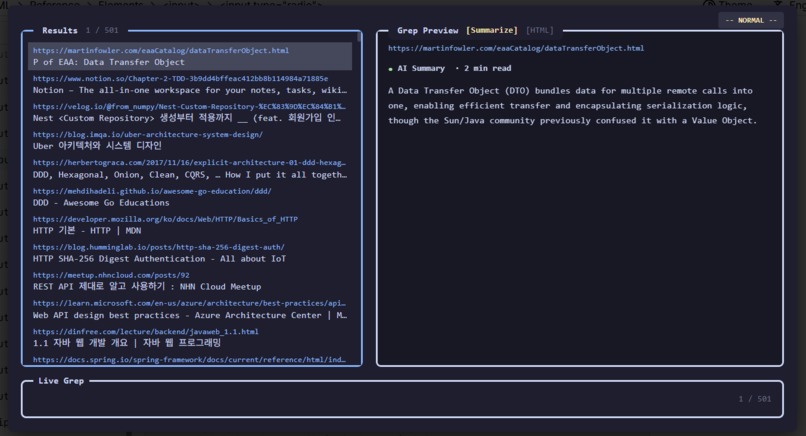
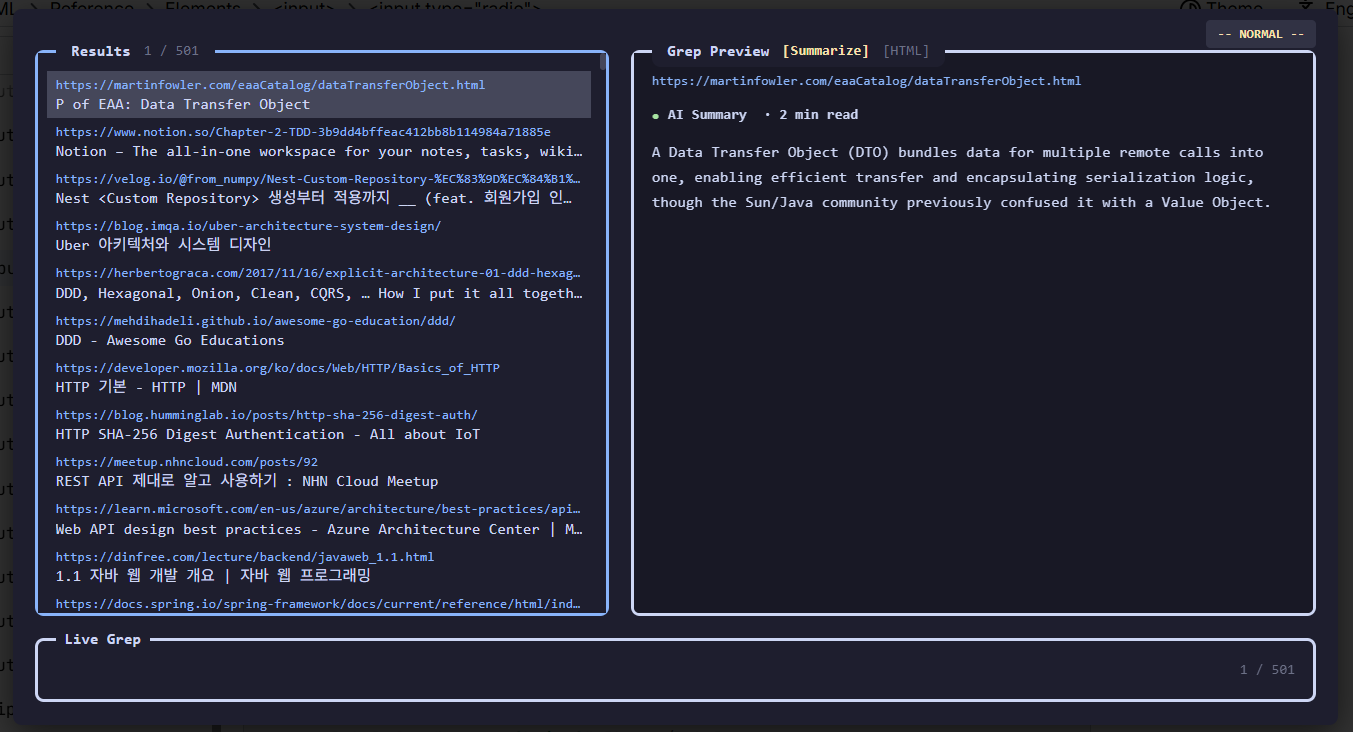
Live Grep using AI Summarization
-
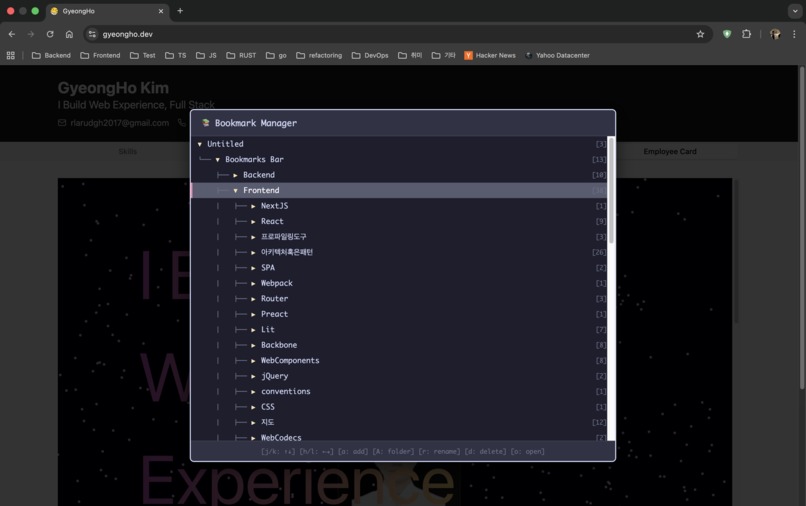
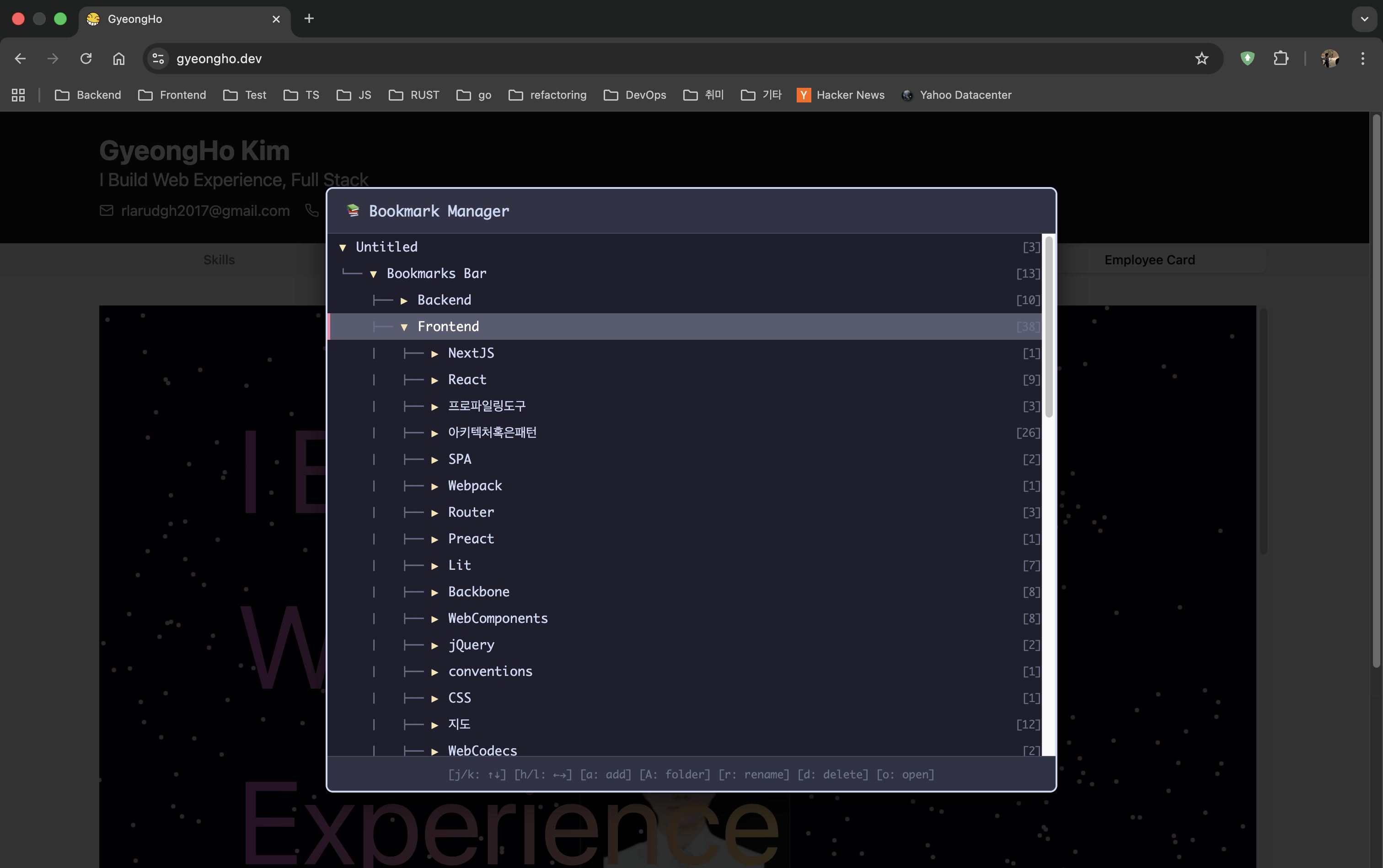
Managing Bookmarks
About LazyBookmark
Inspiration
As developers, we spend our days in terminals and code editors where keyboard shortcuts and vim-like navigation feel like second nature. Tools like LazyVim and nvim-telescope let us navigate code at the speed of thought - searching, previewing, and jumping between files without ever touching a mouse. But when it comes to managing hundreds of bookmarks? We're forced back into clicking through folders and scrolling endless lists. Why can't bookmark management feel as efficient as our development workflow?
Then Chrome's Built-in AI arrived, opening new possibilities. For the first time, we could add genuine intelligence to bookmarks - understanding content, generating summaries, enabling semantic search - all without sending data to external servers. This was the missing piece: combine developer-friendly keyboard-first UX with privacy-respecting on-device AI to create something fundamentally better than traditional bookmark managers.
What it does
LazyBookmark showcases Chrome's Built-in AI capabilities by transforming static bookmarks into an intelligent, searchable knowledge base:
Core AI Features:
- Intelligent Summaries: Uses Chrome's Gemini Nano Summarization API to generate concise previews of bookmarked pages entirely on-device
- Context-Aware Previews: AI analyzes page content and extracts key information, helping you quickly decide if a bookmark is what you need
- Privacy-First Intelligence: All AI processing happens locally using Chrome's built-in models - zero data leaves your browser
Enhanced by Keyboard-First Interface:
- Leader Palette System: Press
Ctrl+Shift+Lfor instant access to AI-enhanced bookmark operations - Live Grep Search: Regex-powered search combined with AI summaries for powerful discovery
- Vim-style Navigation: Navigate with
j/k,h/lkeys while AI loads summaries in the background - Quick Actions: Add (
a), manage (b), or search (g) bookmarks with AI assistance
The result is a bookmark manager that doesn't just store links - it understands them.
How we built it
Core Technology - Chrome Built-in AI: The foundation of LazyBookmark is Chrome's Summarization API with Gemini Nano:
- Direct integration with
ai.summarizerAPI for on-device text summarization - Capability detection and graceful degradation when AI is unavailable
- Model download management with user-friendly prompts
- Efficient batching and caching of AI-generated summaries
Extension Architecture:
- Chrome Extension Manifest V3 for modern, secure architecture
- Service Worker handles AI model lifecycle and bookmark operations
- Content Script injects UI and manages real-time AI summary display
- Vanilla JavaScript for minimal overhead and maximum performance
- CSS for LazySth-inspired dark theme UI
AI Integration Strategy:
- Smart Model Loading: Detect if Gemini Nano is available, prompt user to download if needed
- Async Summary Generation: Fetch page content and generate summaries without blocking UI
- Error Handling: Graceful fallback to HTML preview when AI is unavailable or fails
- Performance Optimization: Cache summaries to avoid redundant AI calls
- User Control: Clear visual feedback on AI status and download progress
Key Implementation Details:
- Built custom fuzzy search that works alongside AI-generated metadata
- Designed modal overlay system that integrates AI previews seamlessly
- Implemented intelligent content extraction for optimal summarization input
- Created keyboard event handler that doesn't interfere with AI processing
Challenges we ran into
1. Pioneering Chrome Built-in AI Integration As one of the earliest adopters of Chrome's Summarization API, we faced significant challenges:
- Limited documentation and examples for the bleeding-edge API
- Understanding the model download flow and capability checking
- Handling edge cases: offline mode, model download failures, quota limits
- Designing UX around flag requirements (
chrome://flags/#summarization-api-for-gemini-nano) - Balancing AI responsiveness with quality - shorter summaries load faster but provide less context
2. AI Performance and User Experience Making AI feel instant while running on-device required careful optimization:
- Implementing intelligent caching to avoid redundant summarization
- Deciding when to show loading states vs. fallback content
- Handling AI failures gracefully without breaking user flow
- Managing memory usage when processing multiple bookmarks simultaneously
3. Content Extraction for Summarization Getting the right content to summarize was non-trivial:
- Fetching and parsing HTML from arbitrary URLs
- Extracting meaningful text while filtering ads and boilerplate
- Handling different content types (articles, documentation, social media)
- Respecting CORS and CSP limitations
4. Keyboard Shortcut Conflicts
Ctrl+Shift+L might conflict with other extensions. We solved this with a flexible leader palette approach that remains intuitive even with remapped shortcuts.
5. Cross-platform Compatibility
Supporting both Ctrl (Windows/Linux) and Cmd (Mac) while maintaining consistent keyboard navigation required careful platform detection.
Accomplishments that we're proud of
Successfully shipped one of the first Chrome extensions using Gemini Nano - We're pioneers in integrating Chrome's Built-in AI into a production-ready extension available on the Chrome Web Store
Demonstrated real-world value of on-device AI - Proved that local AI can deliver practical, user-facing features without cloud dependencies or privacy compromises
Achieved true privacy-first AI - Zero data collection, no external API calls, all intelligence runs entirely on-device using Chrome's built-in models
Built robust AI error handling - Created a seamless experience that gracefully handles model downloads, capability checks, and failures without breaking user workflow
Optimized AI performance - Implemented caching and batching strategies that make on-device summarization feel instant
Created intuitive AI UX - Designed clear visual feedback for AI operations that doesn't overwhelm users with technical complexity
Combined AI with developer-friendly interface - Proved that AI features can enhance rather than complicate keyboard-first workflows
What we learned
Chrome Built-in AI Insights:
- On-device AI is ready for production use cases, not just demos or experiments
- The Summarization API provides impressive quality while maintaining user privacy
- Model download UX is critical - users need clear feedback and control
- Capability detection must be comprehensive - Chrome version, flags, download status, and quotas all matter
- Caching is essential for good UX - AI calls are fast but not instant
- Graceful degradation is key - the app must work even when AI is unavailable
AI-First Product Design:
- AI features should enhance existing workflows, not replace them
- Users appreciate transparency about when AI is being used
- On-device AI removes the friction of cloud API setup and costs
- Privacy-first AI resonates strongly with technical users and could drive mainstream adoption
- Progressive disclosure works well - show AI capabilities to interested users without forcing them
Technical Learnings:
- Chrome's Built-in AI APIs are production-ready but require thoughtful error handling
- Async AI processing integrates well with modern JavaScript patterns
- Event-driven architecture enables responsive UIs even during AI operations
- Content extraction quality directly impacts summarization quality
Product Insights:
- Developer tools can be both powerful and accessible with thoughtful design
- The gap between AI-powered and traditional apps is now bridgeable without cloud infrastructure
- Privacy concerns are real - on-device AI provides a compelling solution
What's next for LazyBookmark
Our roadmap focuses on pushing the boundaries of what's possible with Chrome's Built-in AI:
Expanding Chrome Built-in AI Usage:
- Semantic Search with Embeddings: Move beyond keyword matching to meaning-based search using Chrome's upcoming embedding models
- AI-Powered Categorization: Automatically organize bookmarks into intelligent categories using on-device language models
- Content Understanding: Use AI to extract key entities, topics, and relationships from bookmarked pages
- Smart Recommendations: Suggest related bookmarks based on AI understanding of content similarity
- Multi-language Support: Leverage AI for summaries and search in user's preferred language
Advanced AI Features:
- Visual Understanding: When Chrome adds vision capabilities, analyze screenshots for visual bookmarking
- Conversational Search: "Find that article about Rust async" using natural language processing
- Knowledge Graph: Build an AI-generated map of how your bookmarks connect and relate
- Citation Assistant: Generate properly-cited drafts using bookmarked research with AI verification
Privacy-Preserving Intelligence:
- Hybrid AI Architecture: Optional encrypted cloud sync that enhances local AI without compromising privacy
- Differential Privacy: Aggregate usage patterns to improve AI while maintaining individual privacy
- Federated Learning: Contribute to model improvements without sharing raw data
Community & Ecosystem:
- Open-source the core AI integration patterns for other developers
- Build plugin system for custom AI models and prompts
- Integration with knowledge management tools (Obsidian, Notion) via AI-powered sync
Chrome's Built-in AI is just getting started, and LazyBookmark will evolve with it to demonstrate the full potential of privacy-first, on-device intelligence.
Experience the future of privacy-first AI with LazyBookmark - intelligence that runs entirely on your device!
Built With
- react
- typescript
- vitest
- wxt
- xstate

Log in or sign up for Devpost to join the conversation.