-
-
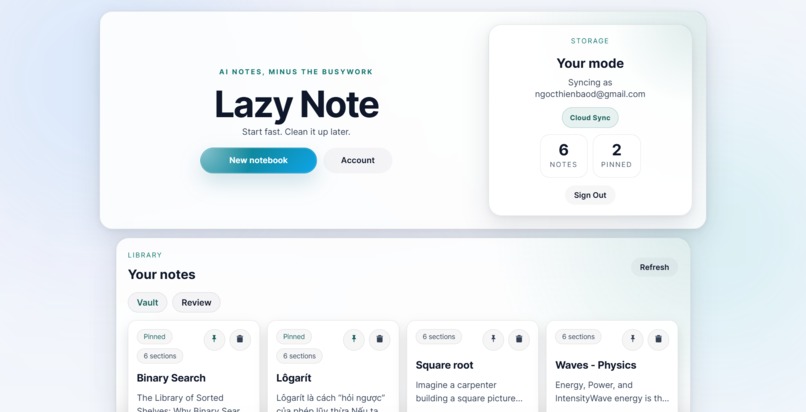
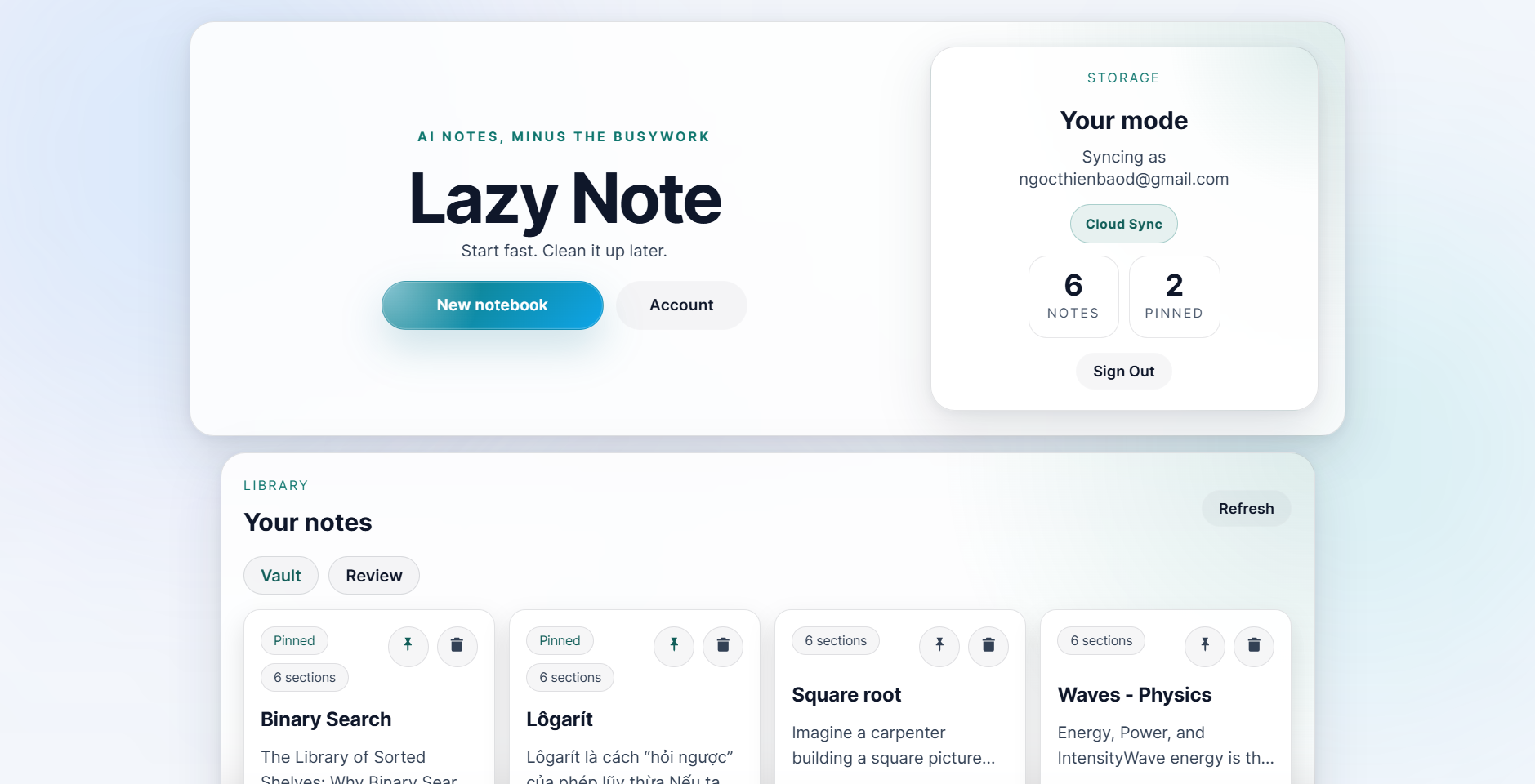
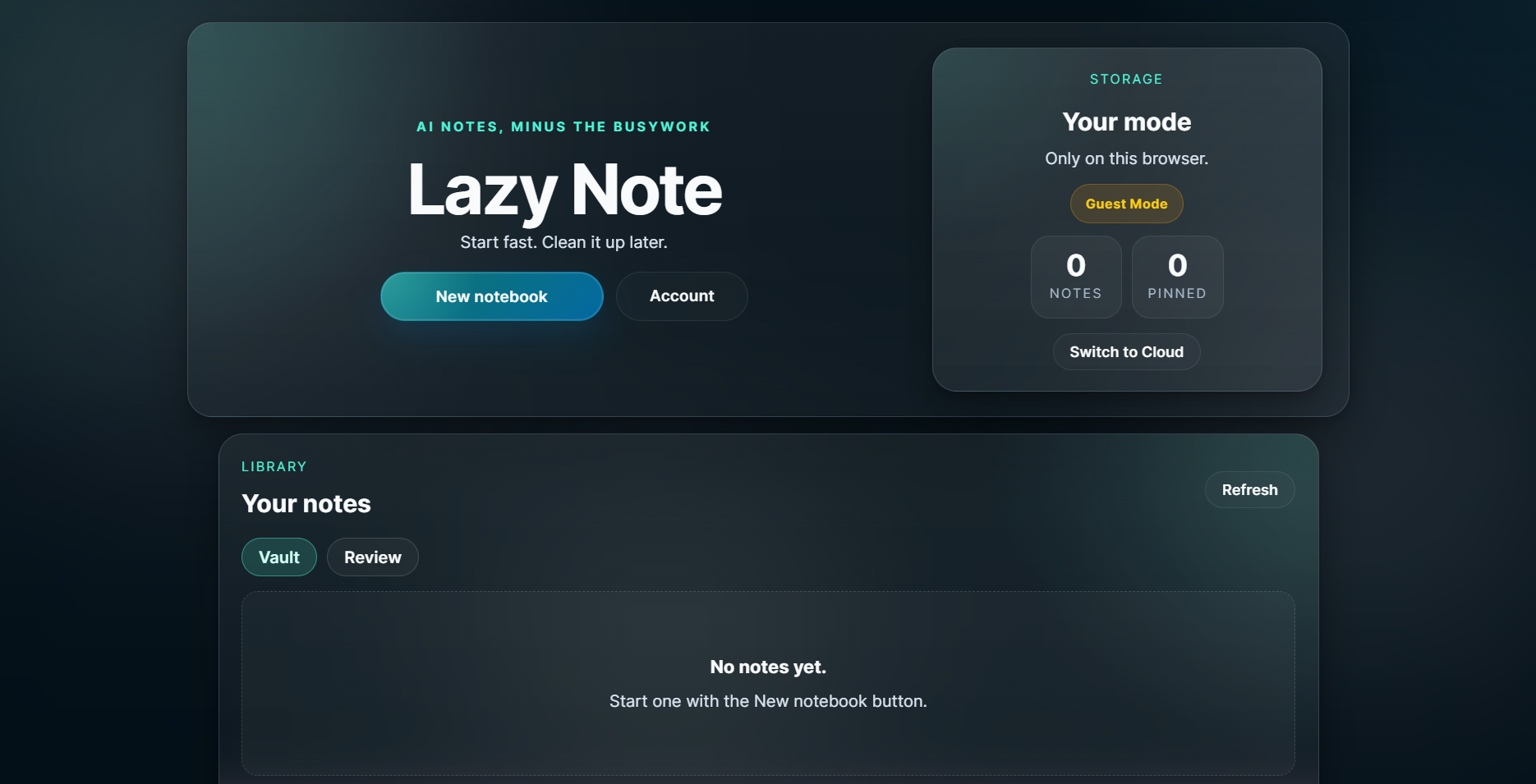
Landing page.
-
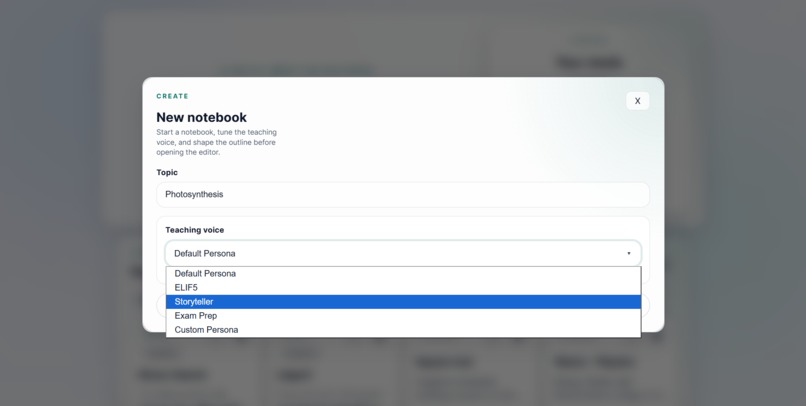
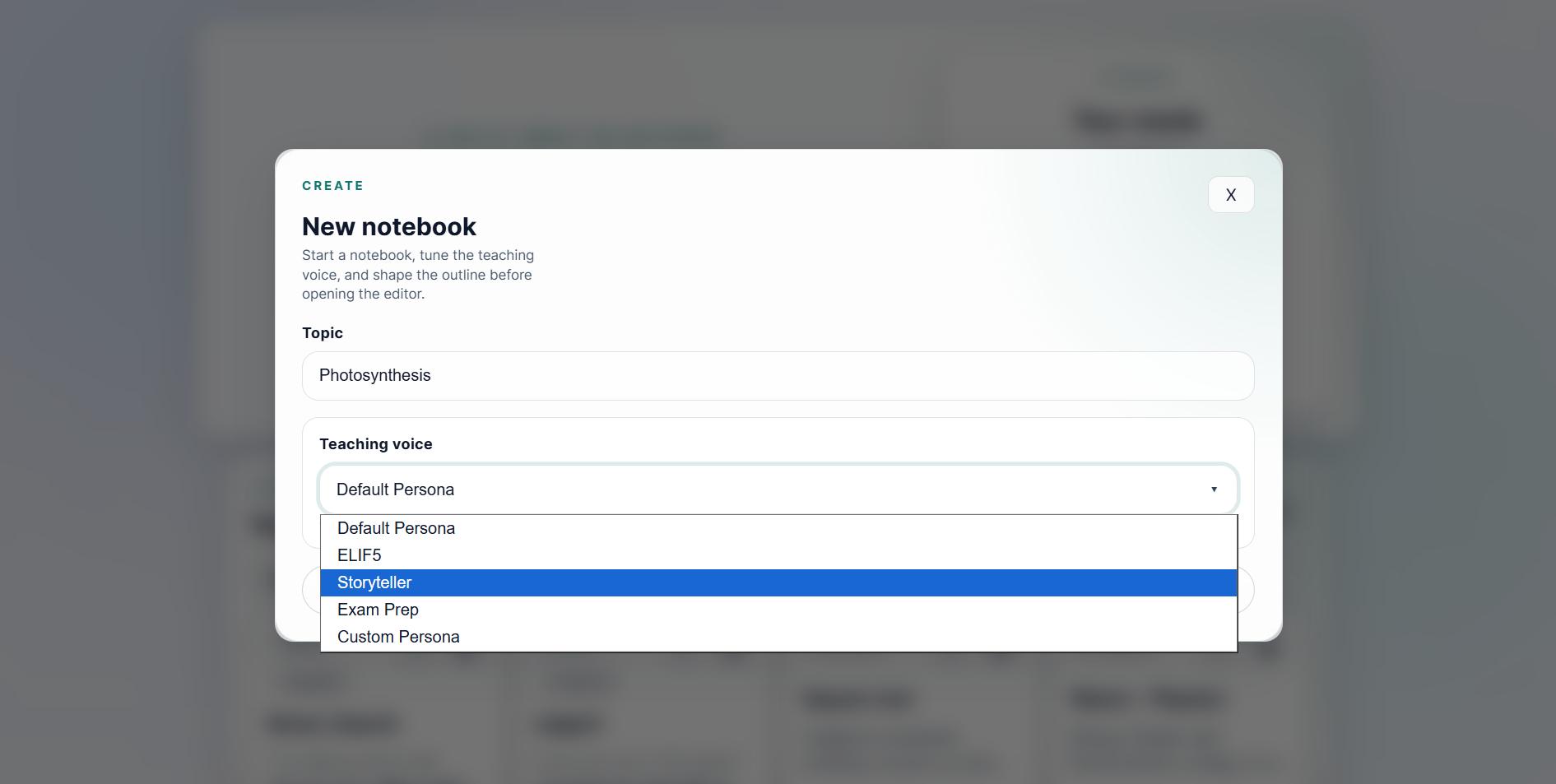
Note creation with custom AI's writing tone/persona (customizable later on).
-
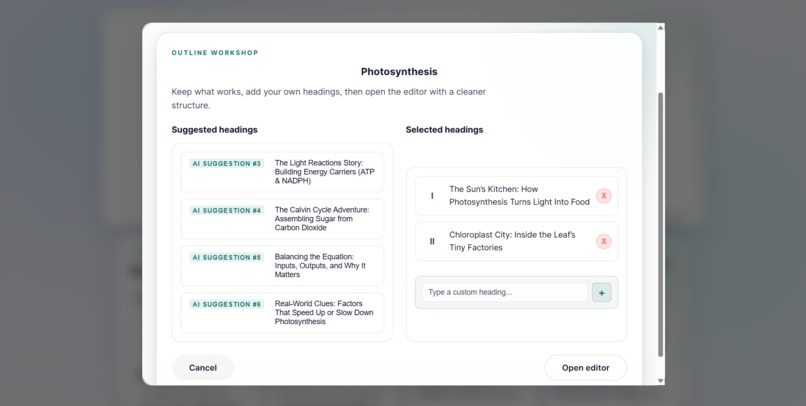
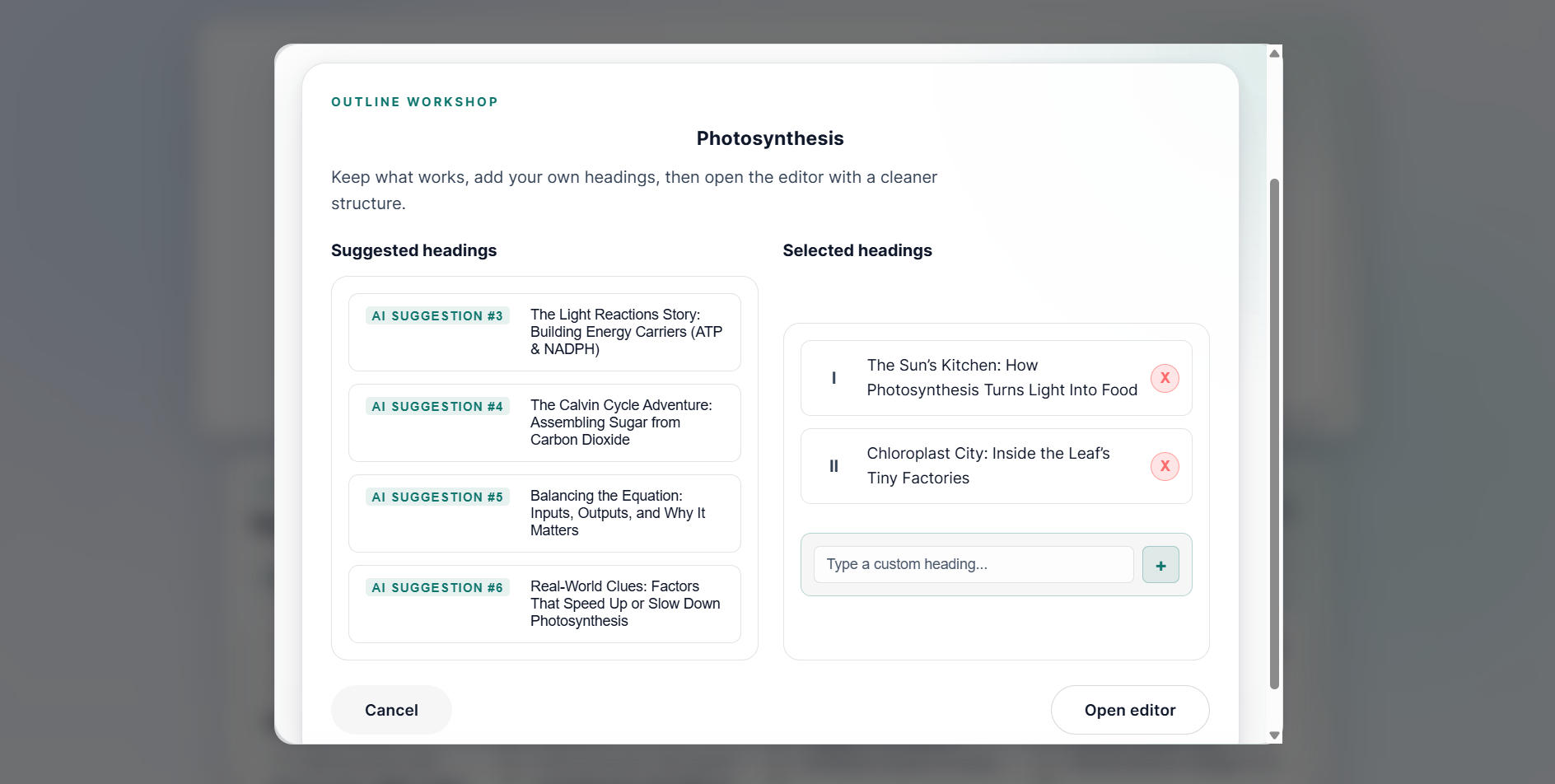
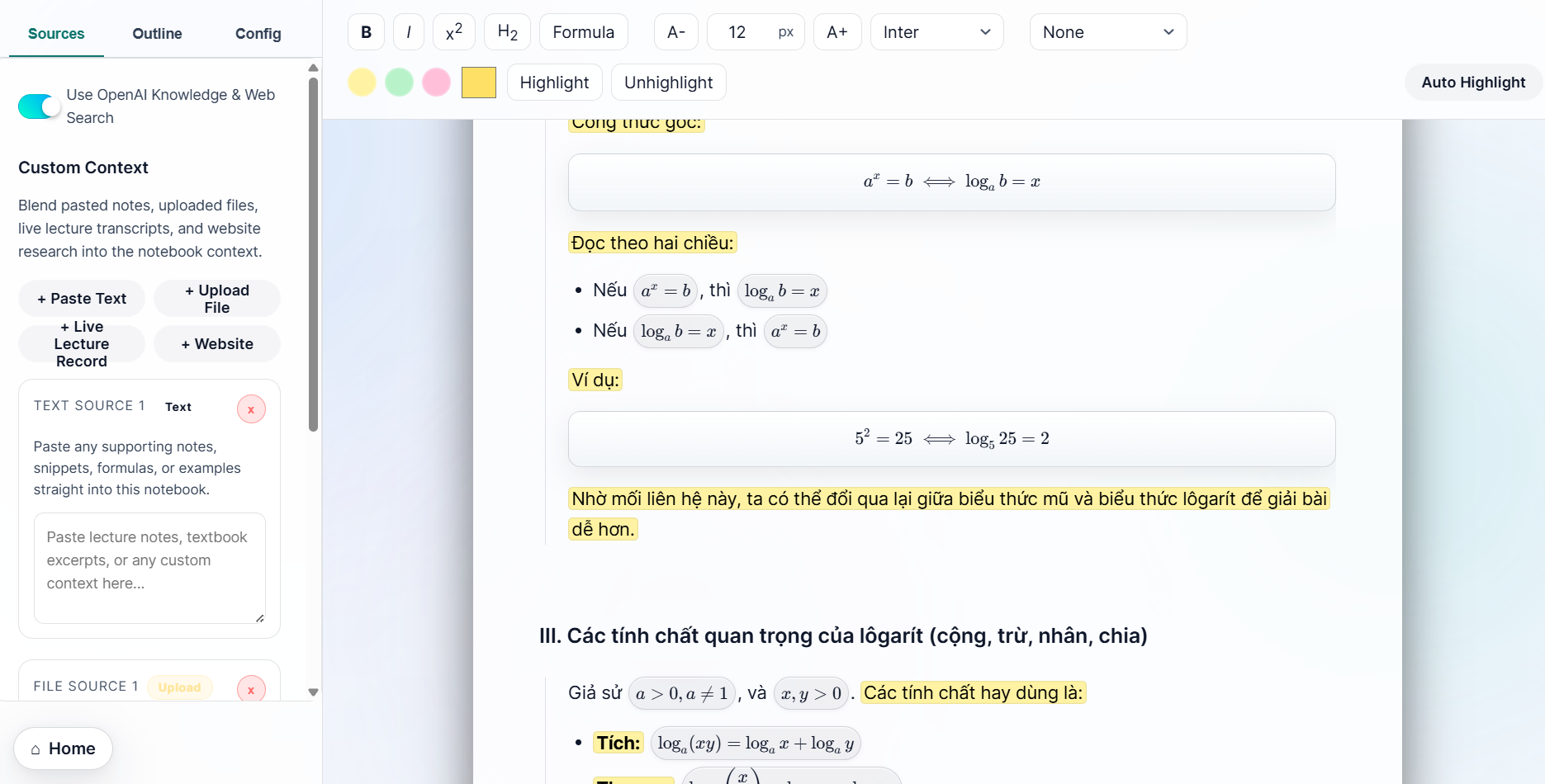
AI-suggested headings or do your own! Drag & Drop them to reorganize to your liking! (customizable later on)
-
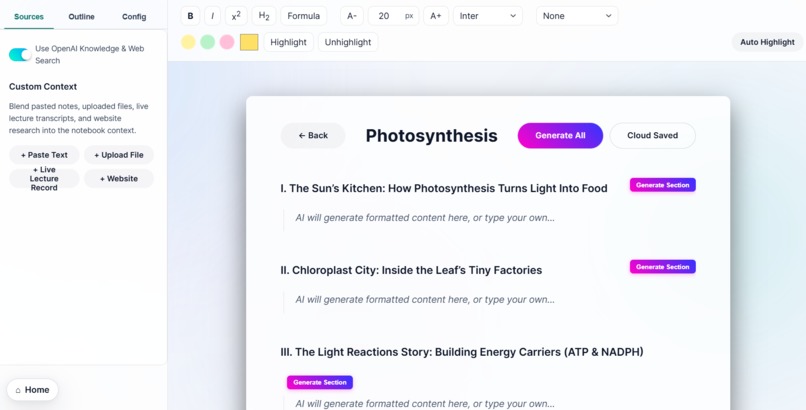
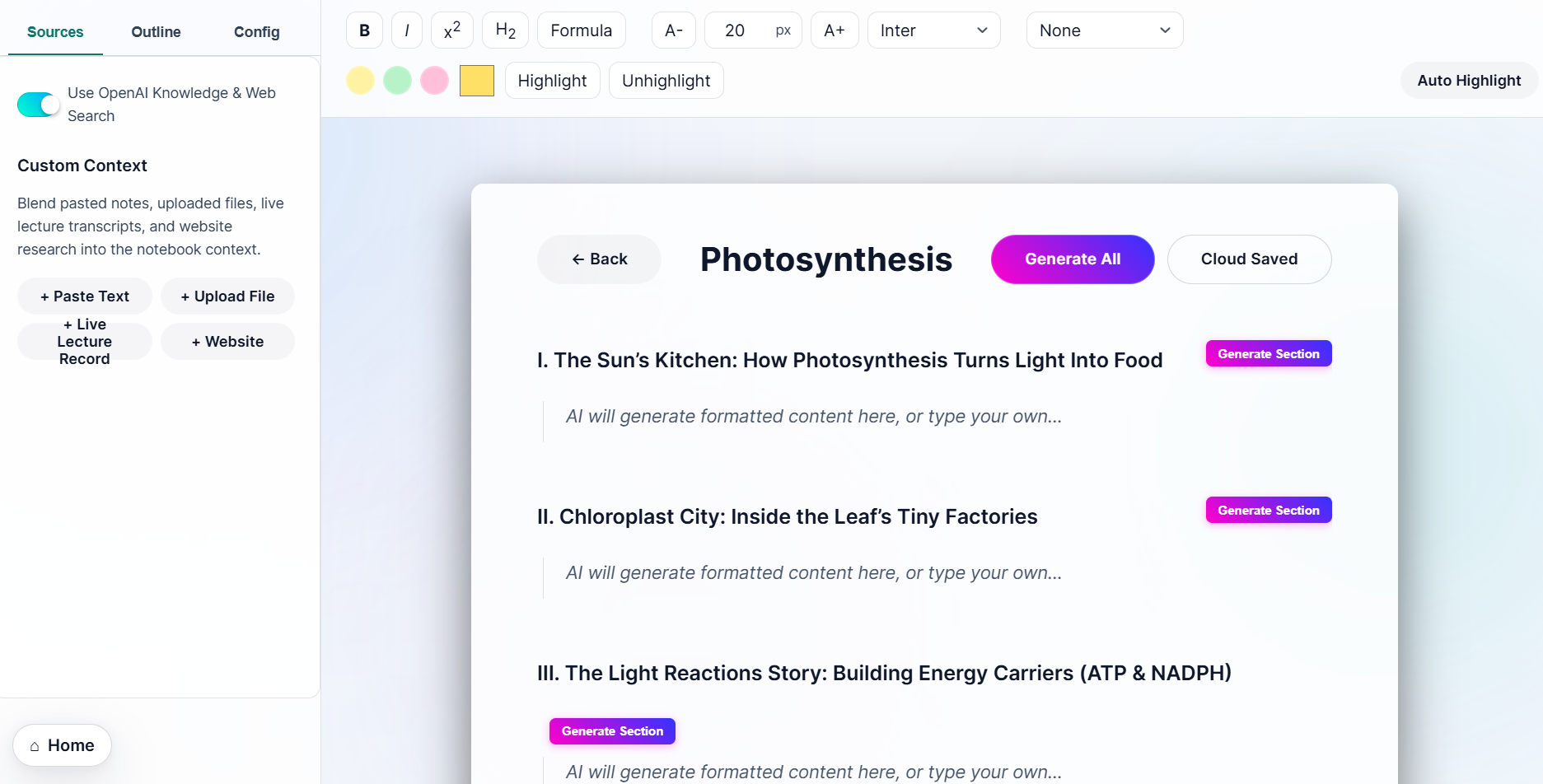
New freshly made note.
-
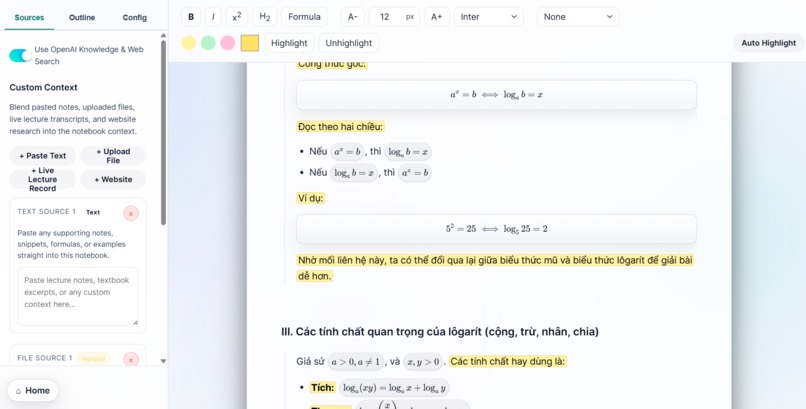
AI Auto-highlight important stuff for you with just one click! Our note editor also support most AI's LaTeX and Markdowns!
-
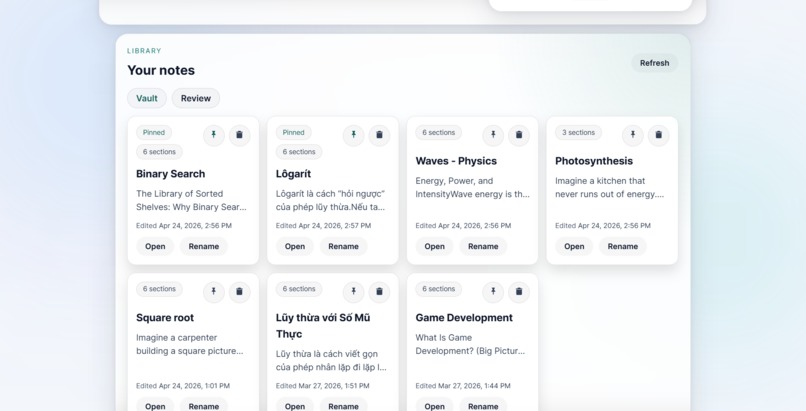
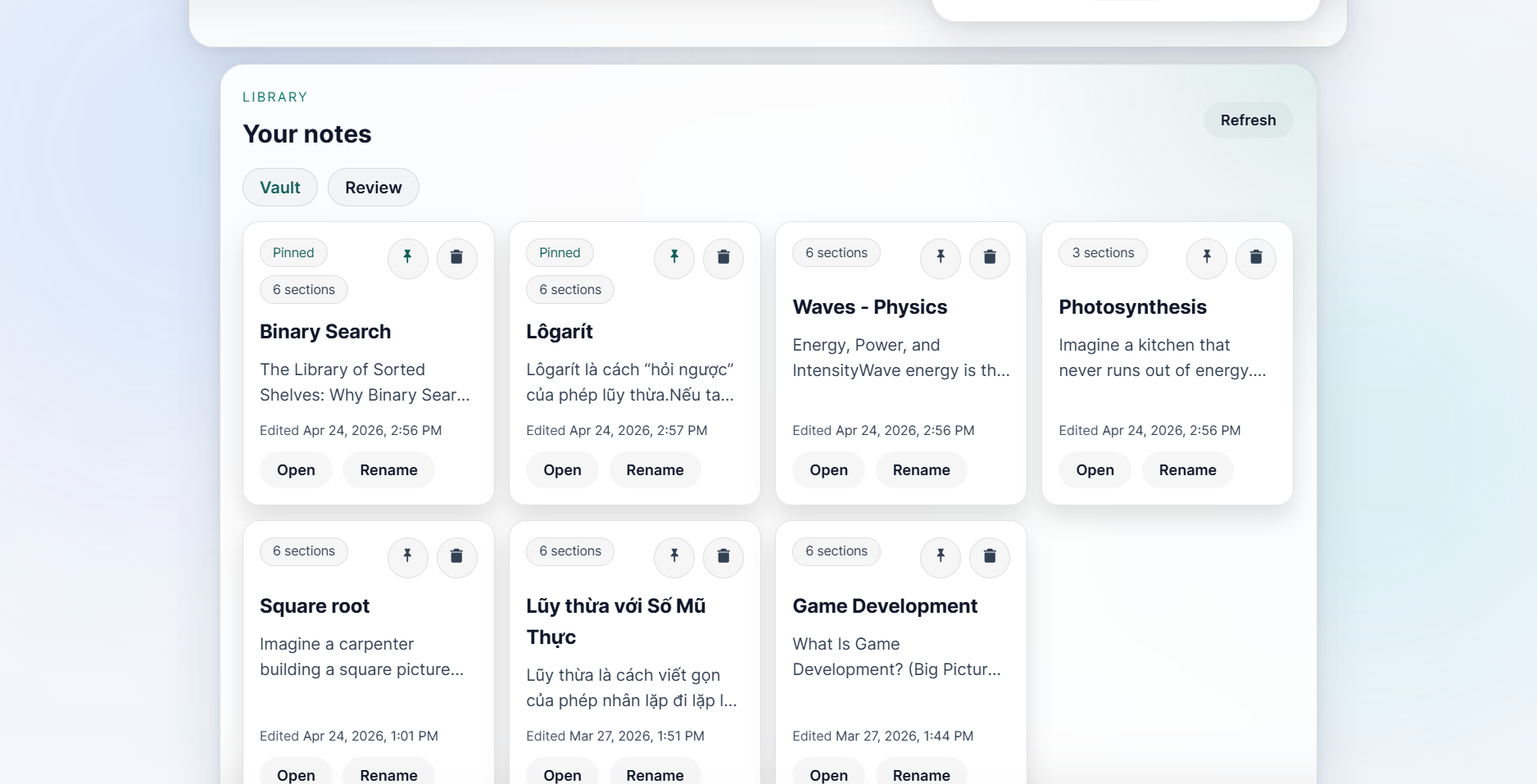
Store your notes in your own private vault! (Cloud-sync available for logged-in users)
-
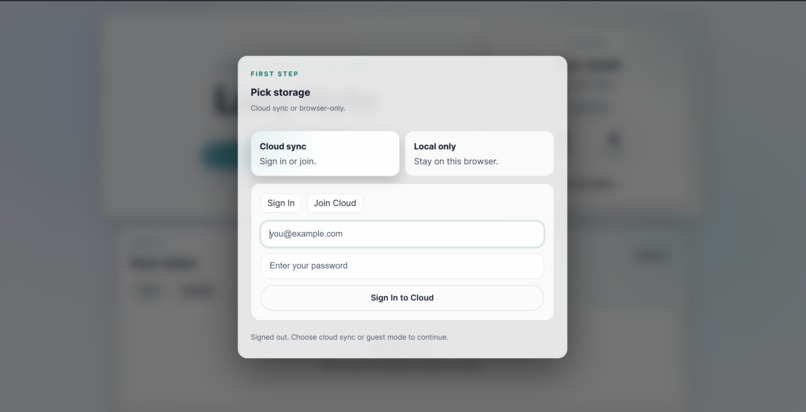
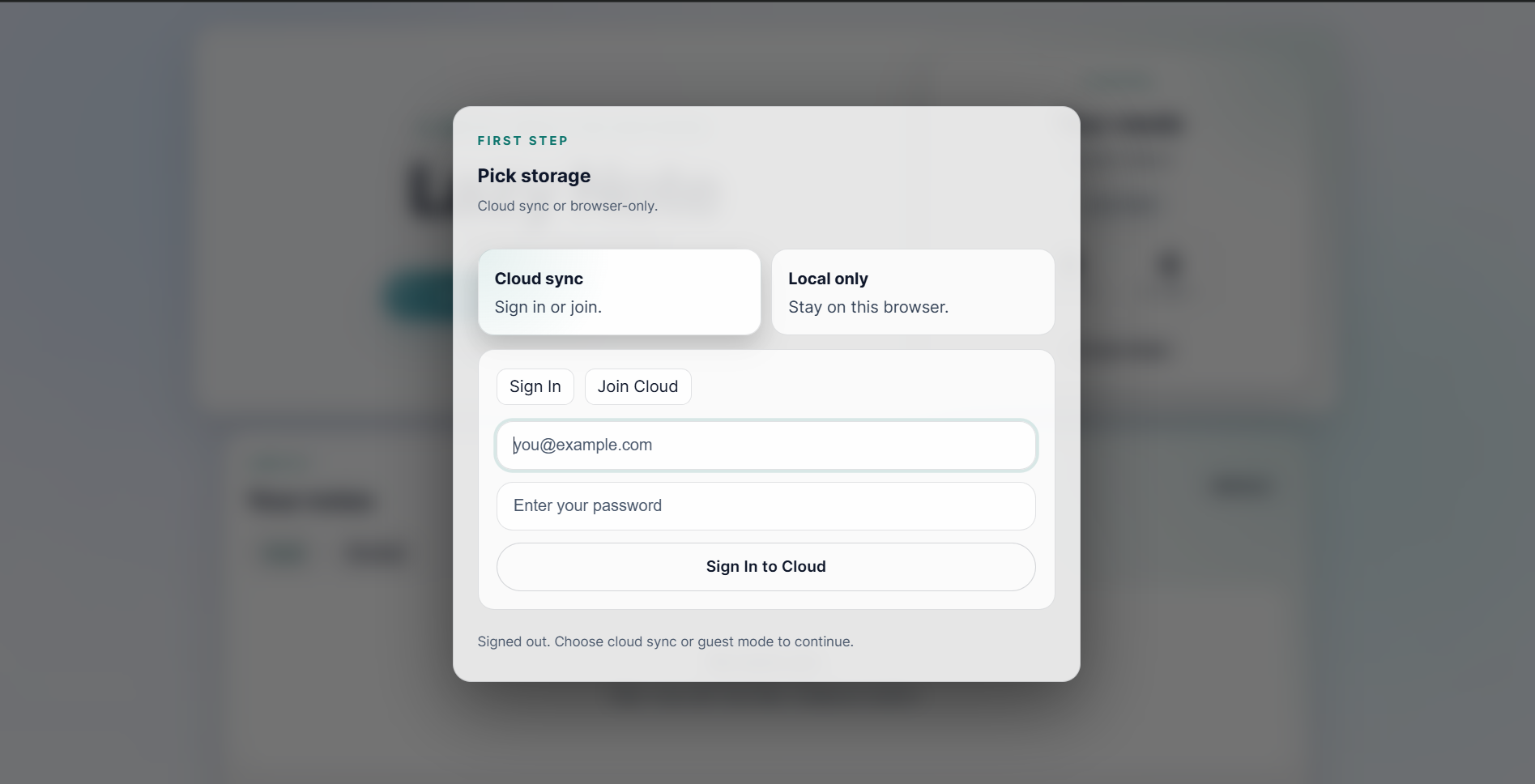
Log-in to sync your notes to our cloud server, or stay anonymous and only save your notes in your browser's localStorage.
-
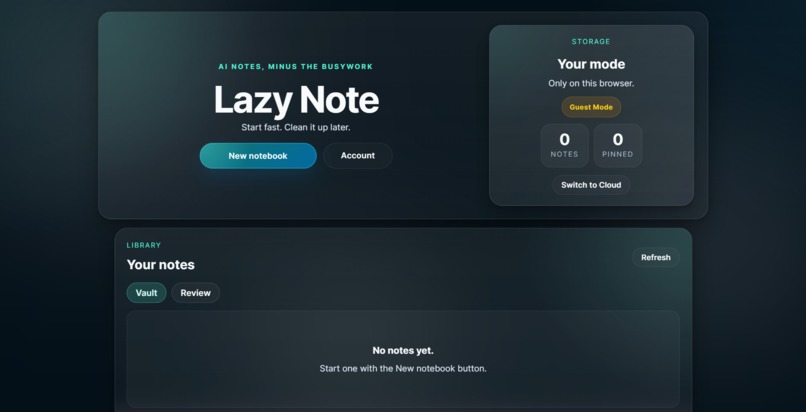
Dark mode theme (can toggle in Account Center)
Inspiration
As students, we run into the same problem every day: should we focus on listening and understanding in class, or rush to write everything down before we forget it? Most of the time, we end up spending more energy organizing notes than actually learning from them.
We realized that building a simple outline is fast, but turning that outline into detailed, useful study notes takes a lot of time. Lazy Note was built to solve that problem: students stay in control of the structure, while AI helps fill in the rest.
What it does
Lazy Note is an AI-powered study workspace that helps students turn rough ideas into polished notes and review materials faster.
Instead of relying on generic AI responses with little context, Lazy Note grounds its output in the user’s actual notebook and supporting materials. A student can start with a topic, build or rearrange an outline, and then generate notes section by section or all at once.
Key features
- Context-aware note generation: Lazy Note reads the notebook itself, plus pasted notes, uploaded files, website research, and live lecture input to generate more relevant content.
- Flexible outline workflow: Users can drag and drop headings, add custom sections, and shape the structure before opening the full editor.
- Personalized teaching styles: Users can choose different study personas, such as Explain Like I’m 5, Storyteller, or Exam Prep, so the notes match their learning style.
- Highlight to Explain: Users can highlight any part of their notes and ask the AI for a simpler explanation in context.
- Highlight to Draw: Users can highlight a concept and generate an AI-created visual to make difficult ideas easier to understand.
- Review tools: Lazy Note can turn notes into flashcards, podcast-style summaries, and fun facts for revision.
- Rich note editing: The editor supports structured formatting, Markdown-style content, and math-friendly note taking for technical subjects.
- Flexible storage: Users can work in guest mode locally or use cloud sync for saved notebooks.
How we built it
We built the frontend with HTML, CSS, and JavaScript, which let us move quickly while still creating a polished and responsive interface.
For AI features, we used OpenAI to power core note generation, explanations, embeddings, and image generation. We also built a custom context system so the model can generate content based on the current notebook and the user’s additional sources instead of responding in isolation.
To expand the workflow beyond text generation, we also integrated:
- Exa for web search context,
- JigsawStack for website content scraping,
- ElevenLabs for podcast-style audio generation.
On the backend, we added a Node.js server to handle newer server-side flows such as API proxying, auth/session logic, and the drawing pipeline more securely.
Challenges we ran into
One of the biggest challenges was keeping the editor experience smooth while supporting long, structured notes. We had to make sure the layout stayed stable as users added sections, generated content, and rearranged their outline.
Another challenge was synchronization. When users drag and drop headings or generate content section by section, the app still has to keep the notebook structure, saved data, and AI context aligned.
We also had to connect multiple features into one coherent flow. Notes, explanations, visuals, review tools, storage modes, and external API integrations all needed to work together without making the product feel cluttered or confusing.
Accomplishments that we're proud of
We’re most proud of how connected the experience feels. Lazy Note is not just a text generator. It helps students move through a full learning loop:
- create an outline,
- generate notes,
- clarify difficult concepts,
- turn notes into review materials,
- and study in the format that works best for them.
We’re also proud that the project supports multiple learning styles. The same notebook can become written notes, flashcards, audio summaries, and visuals, which makes Lazy Note feel more like a complete study companion than a simple note app.
What we learned
This project taught us a lot about managing state and complex DOM interactions without relying on a frontend framework. We also learned how important it is to separate frontend UX from backend AI and API logic as soon as a project starts growing.
On the AI side, we learned how much better the output becomes when generation is grounded in real context instead of just a one-off prompt. We also gained experience combining text, audio, visuals, and review workflows into one product.
What's next for Lazy Note
Lazy Note started as a hackathon project, but we already see a lot of room to grow. Next, we want to:
- move more sensitive AI flows fully behind the backend,
- improve the Explain and Draw experiences,
- expand the review system with quizzes and smarter study modes,
- add progress tracking and more personalization,
- and make cloud sync and collaboration stronger.
Our long-term goal is to make Lazy Note an all-in-one study workspace where students can write less, understand more, and review smarter.
Built With
- agora
- codex
- css
- elevenlabs
- exa
- github
- html
- javascript
- jigsawstack
- openai
- redis
- upstash


Log in or sign up for Devpost to join the conversation.