-
-
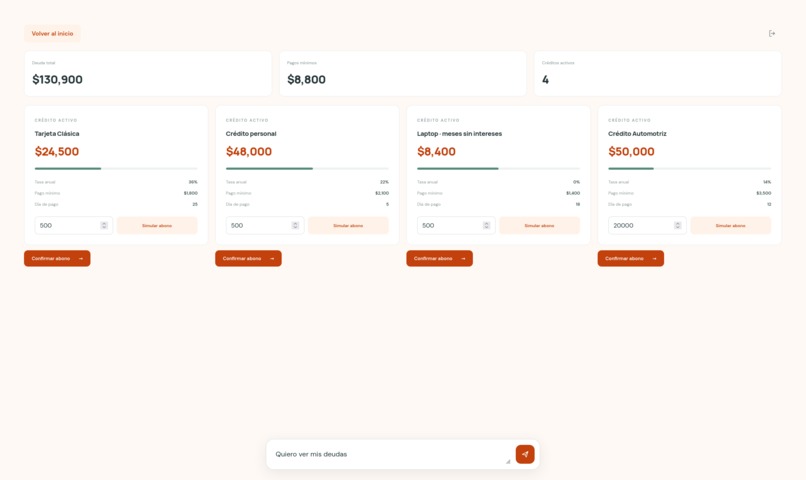
Ejemplo 3
-
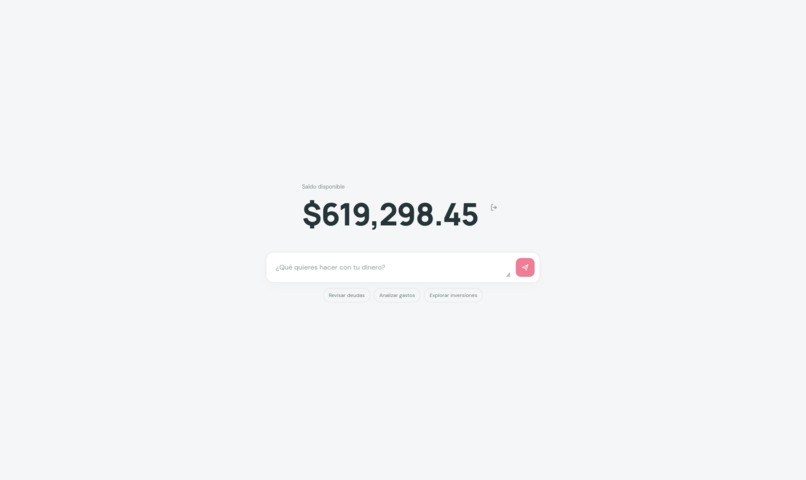
Pantalla INicial
-
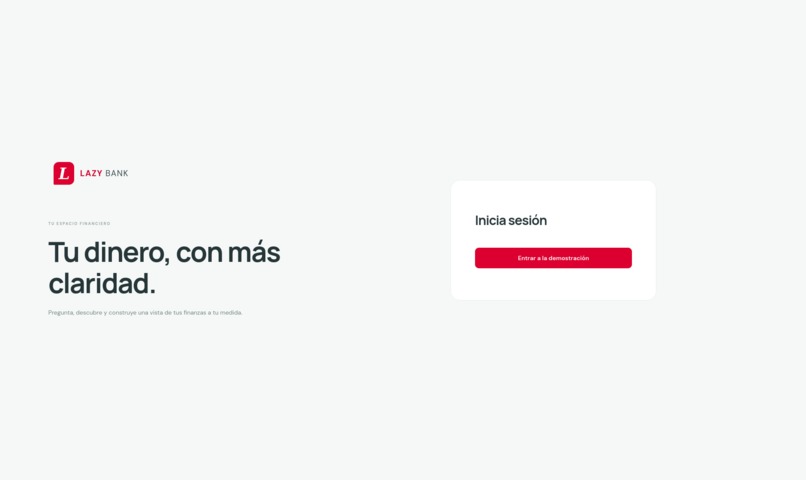
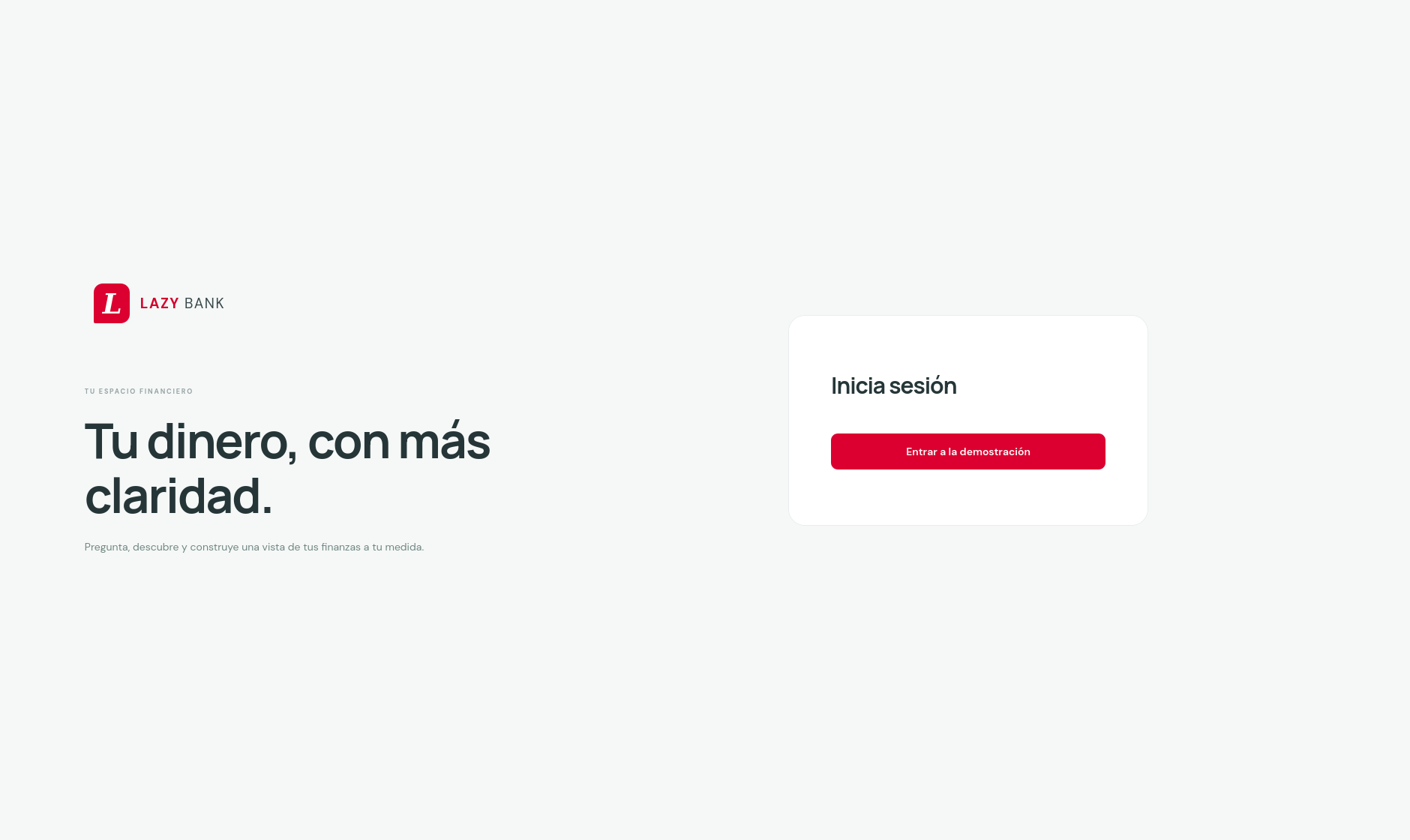
Inicio de Sesion
-
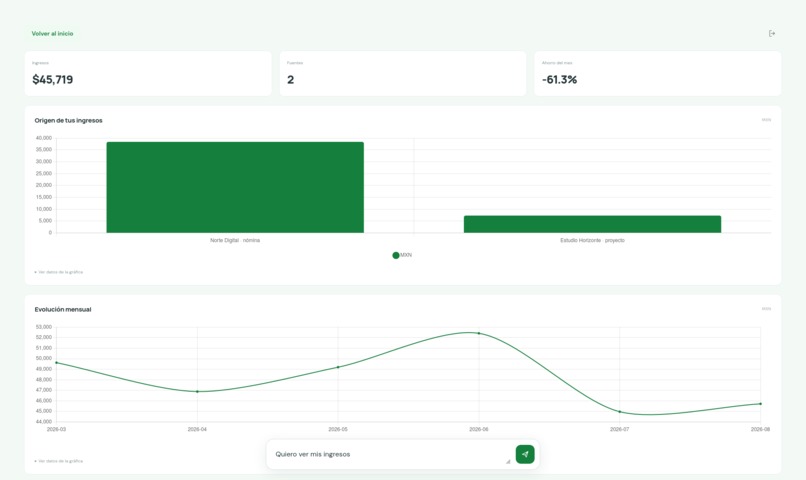
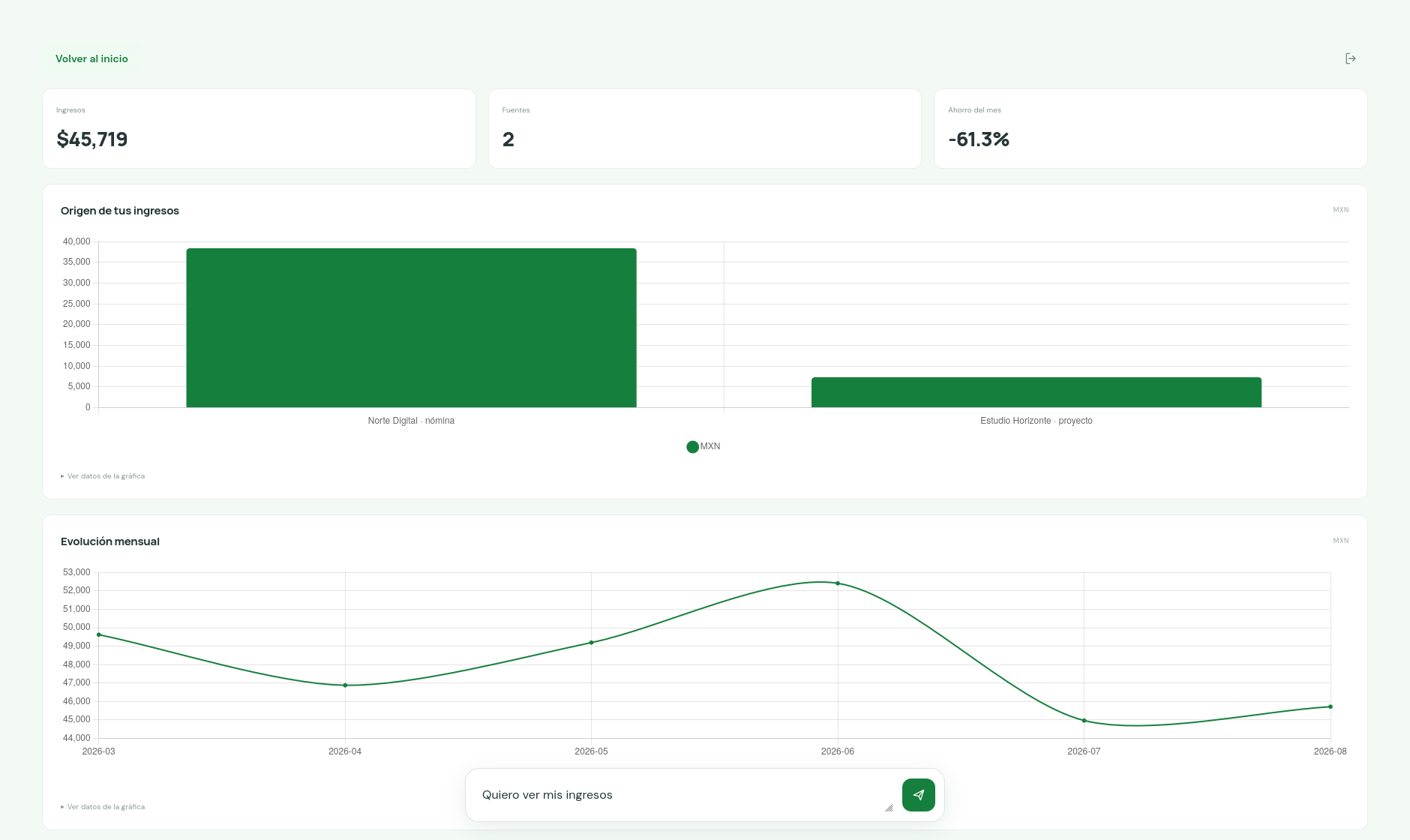
Ejemplo 2
-
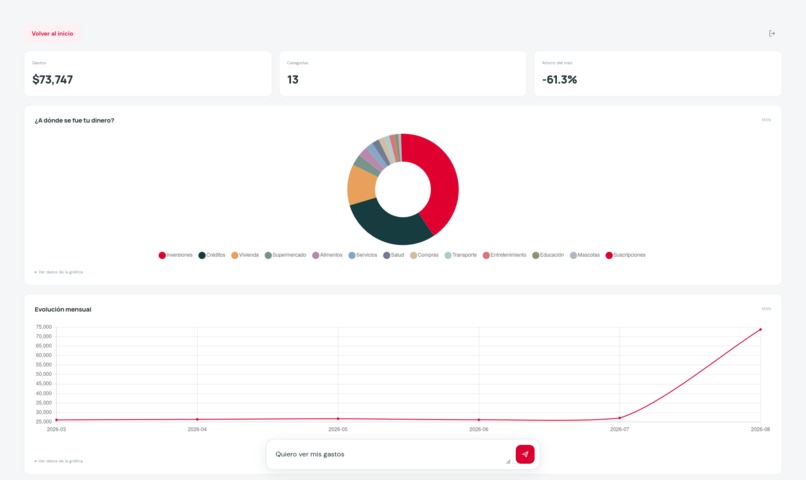
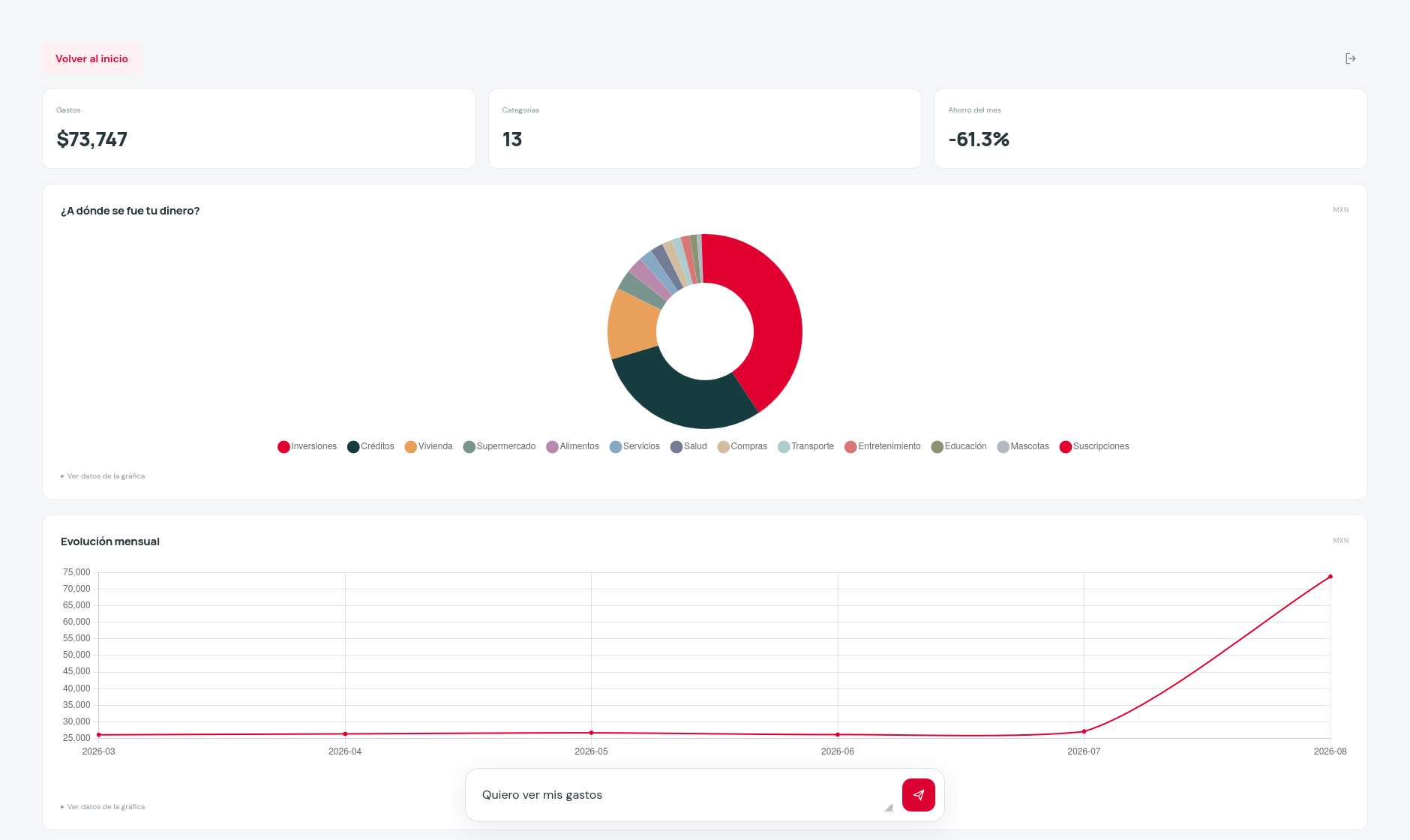
Ejemplo 1
-
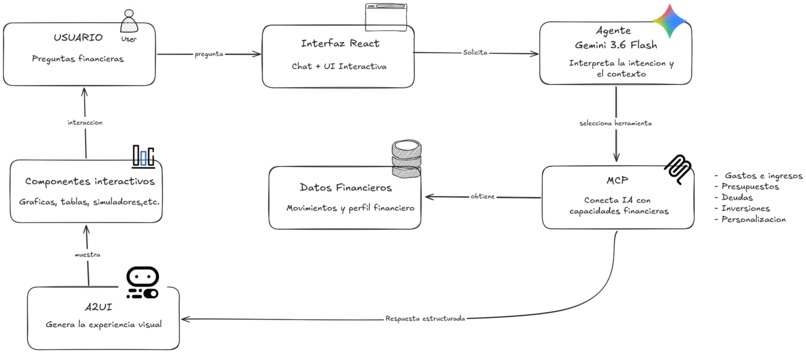
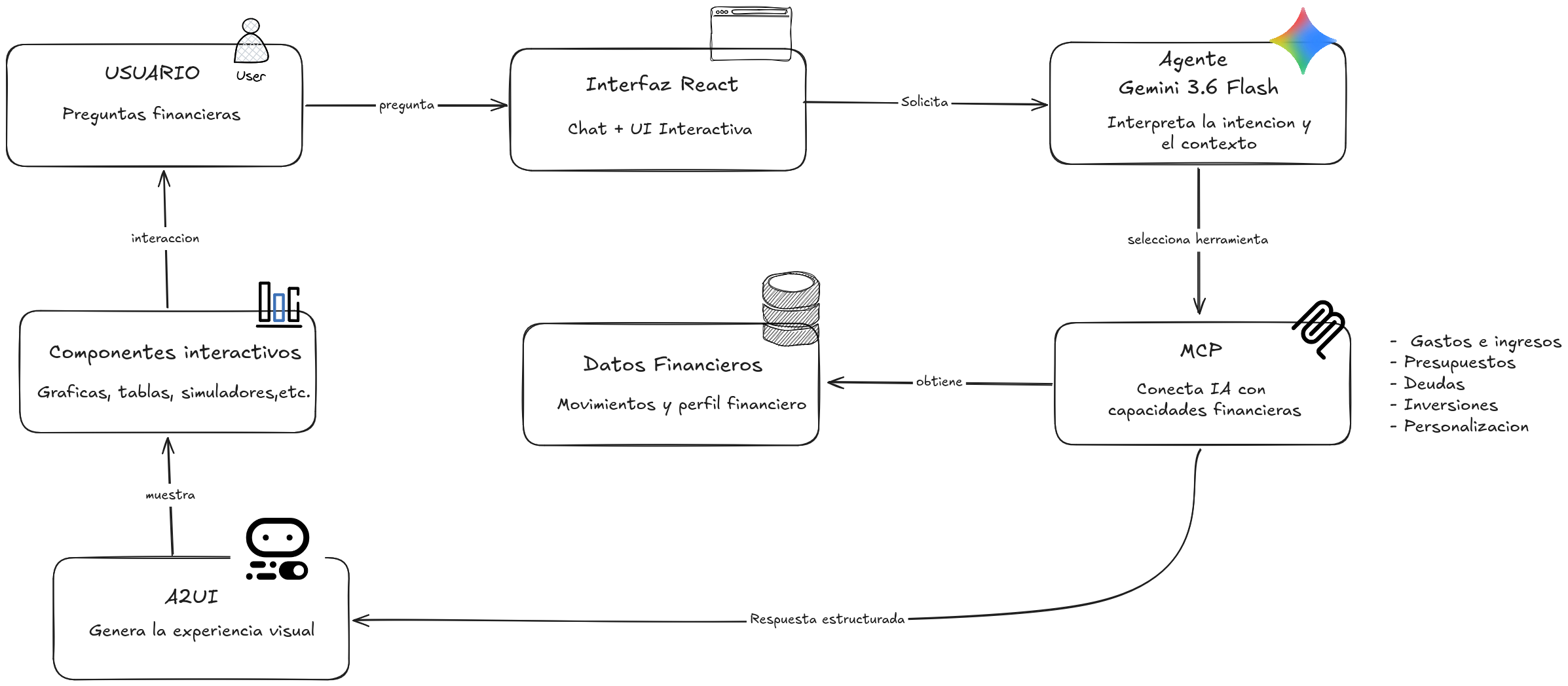
Diagrama de Arquitectura
Lazy Bank
Menos buscar. Más entender.
About the Project
Inspiration
Managing personal finances often means navigating complicated menus, static dashboards and multiple screens. We wanted to create a more natural experience: users should be able to ask a financial question in their own words and immediately receive the information they need.
This idea inspired Lazy Bank, an AI-powered financial assistant designed around a simple principle:
Less searching. More understanding.
Instead of forcing users to search through categories and dashboards, Lazy Bank allows them to ask questions such as:
- "En que comercios gaste mas este mes?"
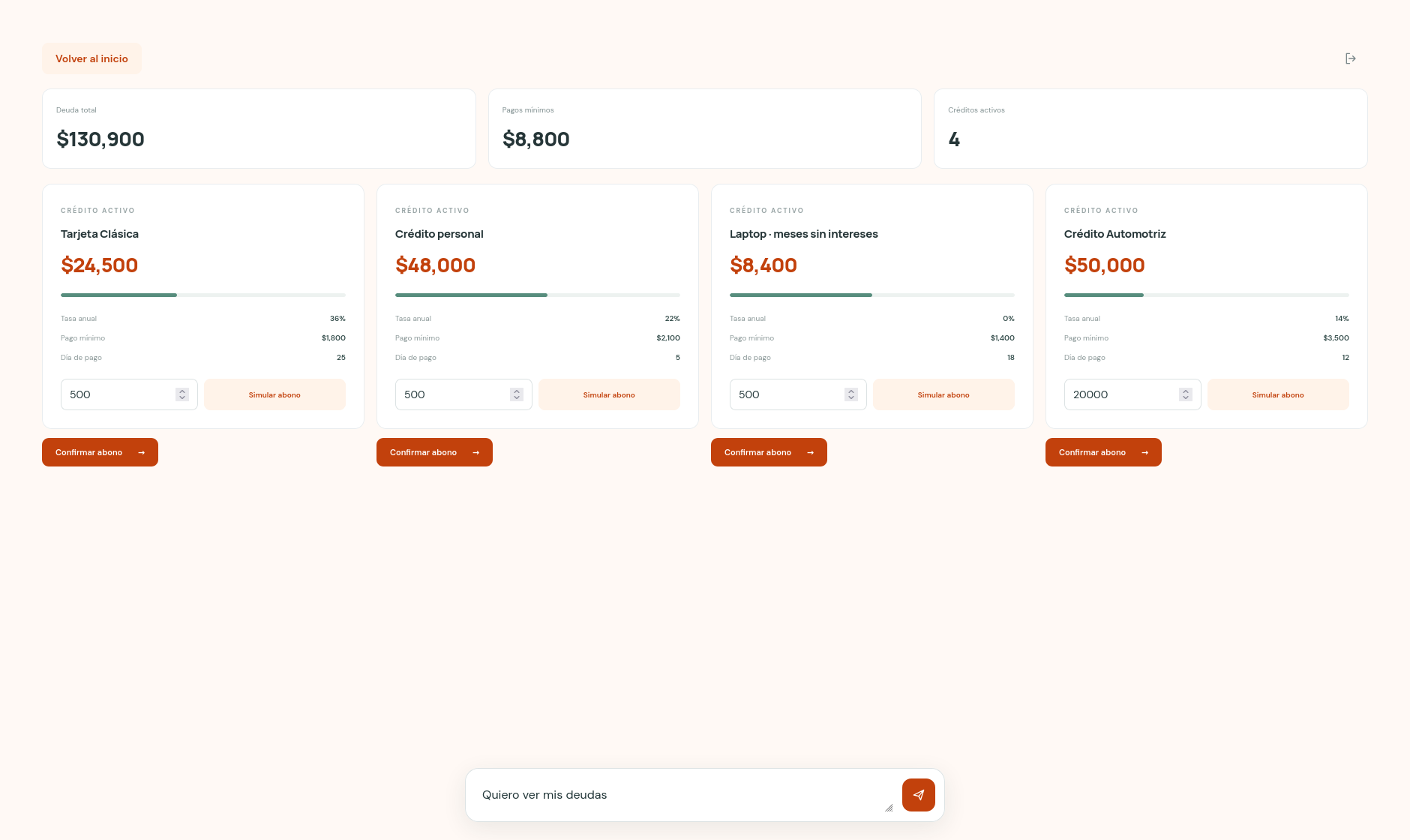
- "Muestrame mis deudas."
- "Quiero invertir $10,000."
- "Que pasaria si aporto $2,000 al mes?"
What We Built
Lazy Bank transforms natural-language financial questions into dynamic and interactive financial experiences.
Depending on the user's request, the application can generate:
- Financial metrics.
- Expense charts.
- Transaction tables.
- Debt cards.
- Budget summaries.
- Investment plans.
- Interactive investment simulators.
- Voice responses.
- Controlled demo actions.
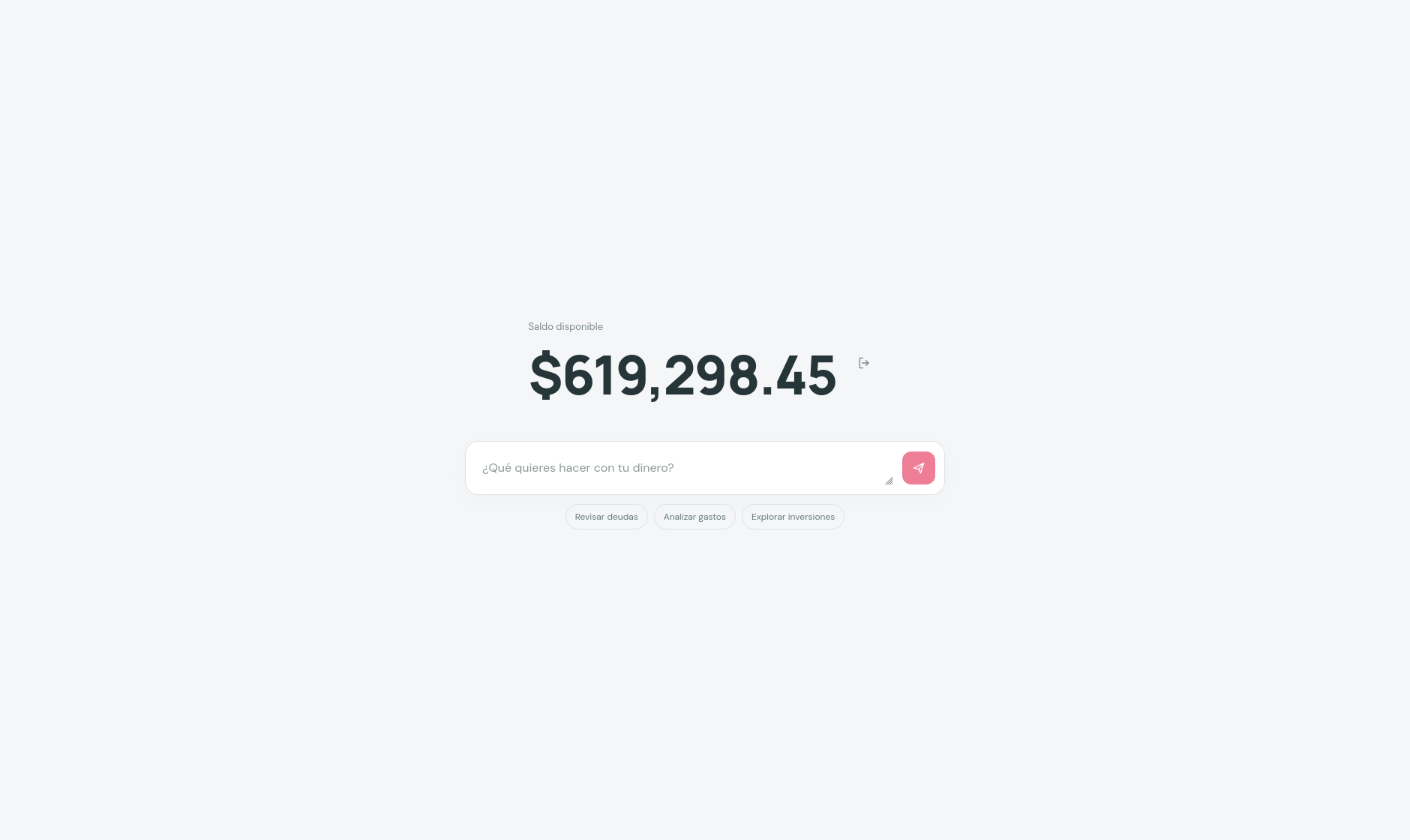
The application begins with a minimal Zero State that displays the available balance and a single financial composer. When the user submits a question, the system creates the appropriate financial surface dynamically.
All financial data is synthetic. The application does not access real bank accounts or move real money.
Technologies Used
- Gemini: Interprets natural-language financial questions.
- MCP: Connects the AI orchestrator with specialized financial tools.
- A2UI: Generates dynamic interfaces from structured responses.
- React and Vite: Web application.
- React Native and Expo: Mobile application.
- Node.js: API gateway.
- FastAPI and Python: AI orchestration and financial logic.
- SQLite: In-memory financial query layer.
- Auth0: Authentication and JWT validation.
- Vultr and Nginx: Public deployment with HTTPS.
How We Built It
The system is divided into several services.
Web / Mobile
      ↓
Node.js API Gateway
      ↓
FastAPI Orchestrator
      ↓
Gemini or Local Planner
      ↓
MCP Client
      ↓
MCP Server
      ↓
SQLite + Synthetic Dataset
      ↓
A2UI Response
      ↓
Dynamic Financial Interface
The frontend uses a simple state machine:
zero → loading → surface
zero: the initial screen with the balance and composer.loading: the system is processing the request.surface: the financial surface generated for the user's question.
When a user asks a question, the Node.js gateway forwards it to FastAPI. The planner interprets the request using Gemini when available. If Gemini is unavailable or reaches its quota, the system uses a local fallback planner for common financial requests.
The orchestrator selects a specific MCP tool instead of allowing the model to directly manipulate financial data.
Examples of MCP tools include:
get_account_overview
get_spending_breakdown
get_debts
project_investment
confirm_debt_payment
customize_financial_view
report_query_issue
The result is transformed into A2UI messages. These messages contain the data model and the components needed to render the interface, such as charts, tables, metrics and action buttons.
Data Layer
The application loads a synthetic financial dataset containing transactions, income, expenses, debts, budgets and subscriptions.
The data flow is:
transactions.csv
        ↓
FinancialRepository
        ↓
SQLite in memory
        ↓
MCP financial tools
SQLite allows the application to perform realistic queries and aggregations without connecting to real banking systems.
The project also includes a controlled payment demonstration. The user can simulate a debt payment and explicitly confirm it. The system validates the amount, updates the synthetic debt and balance, records the operation and prevents duplicate results if the request is retried.
Synthetic dataset.
No real money is moved.
Authentication and Voice
Auth0 is used to authenticate web and mobile users. The API gateway validates JWT tokens using the issuer, audience, expiration, RS256 signature and JWKS configuration.
ElevenLabs is integrated through the API gateway to generate voice responses. The user can listen to a financial explanation after receiving it. Private credentials remain on the server and are never exposed to the frontend.
What We Learned
We learned that building an AI financial assistant is not just about connecting a language model to a chat interface. The most important part is designing clear boundaries between:
- Natural-language interpretation.
- Tool selection.
- Data access.
- Interface generation.
- User confirmation.
- State reconciliation.
MCP helped us turn financial capabilities into explicit and controlled tools. This makes the system easier to validate and extend.
A2UI helped us move away from a static dashboard. Instead of displaying every possible option at once, the application creates the interface that matches the user's current intention.
We also learned the importance of fallback behavior. External AI services can reach their quota or become temporarily unavailable, so the application includes a local planner that keeps the main financial experience functional.
Challenges
One of the main challenges was creating a dynamic interface that remained reliable and predictable. The system needs to transform different financial questions into different visual surfaces while validating the structure of every response.
We addressed this with:
- Structured Pydantic schemas.
- Shared TypeScript contracts.
- A2UI message validation.
- A controlled component catalog.
- Error boundaries for invalid surfaces.
- Request identifiers to prevent stale responses.
- Loading and recovery states.
Another challenge was implementing actions safely. A debt payment must not happen accidentally. The application therefore separates:
Consulting
      ↓
Simulating
      ↓
Explicit confirmation
Only after confirmation does the demo execute the MCP action. The system validates the debt, validates the amount, updates the synthetic data and protects against duplicate requests.
We also had to support both web and mobile while maintaining consistent financial behavior. The web uses React and the mobile application uses React Native with Expo, but both consume the same Node.js gateway and FastAPI services.
Finally, deploying the complete system required coordinating:
React
Node.js
FastAPI
Gemini
MCP
A2UI
Auth0
ElevenLabs
Expo
Nginx
Vultr
HTTPS
Result
Lazy Bank turns a financial question into a visual, personalized and actionable experience.
Ask a question
      ↓
Understand the intent
      ↓
Select a financial tool
      ↓
Query the financial data
      ↓
Generate the right interface
      ↓
Make an informed decision
The result is a financial assistant that adapts to the user instead of forcing the user to navigate complex banking interfaces.
Lazy Bank: less searching, more understanding.
Built With
- a2ui
- artificial-intelligence
- auth0
- data-visualization
- expo.io
- fastapi
- financial-technology
- fintech
- gemini
- generative-ai
- mcp
- mobile-app
- natural-language-processing
- node.js
- personal-finance
- python
- react
- react-native
- sqlite
- vultr
- web-app

Log in or sign up for Devpost to join the conversation.