-
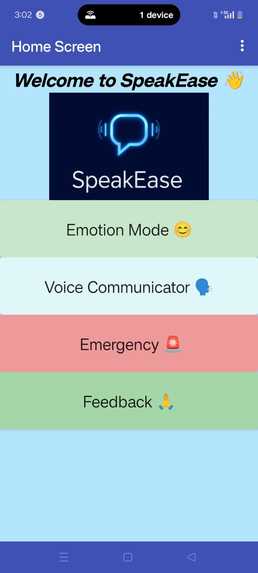
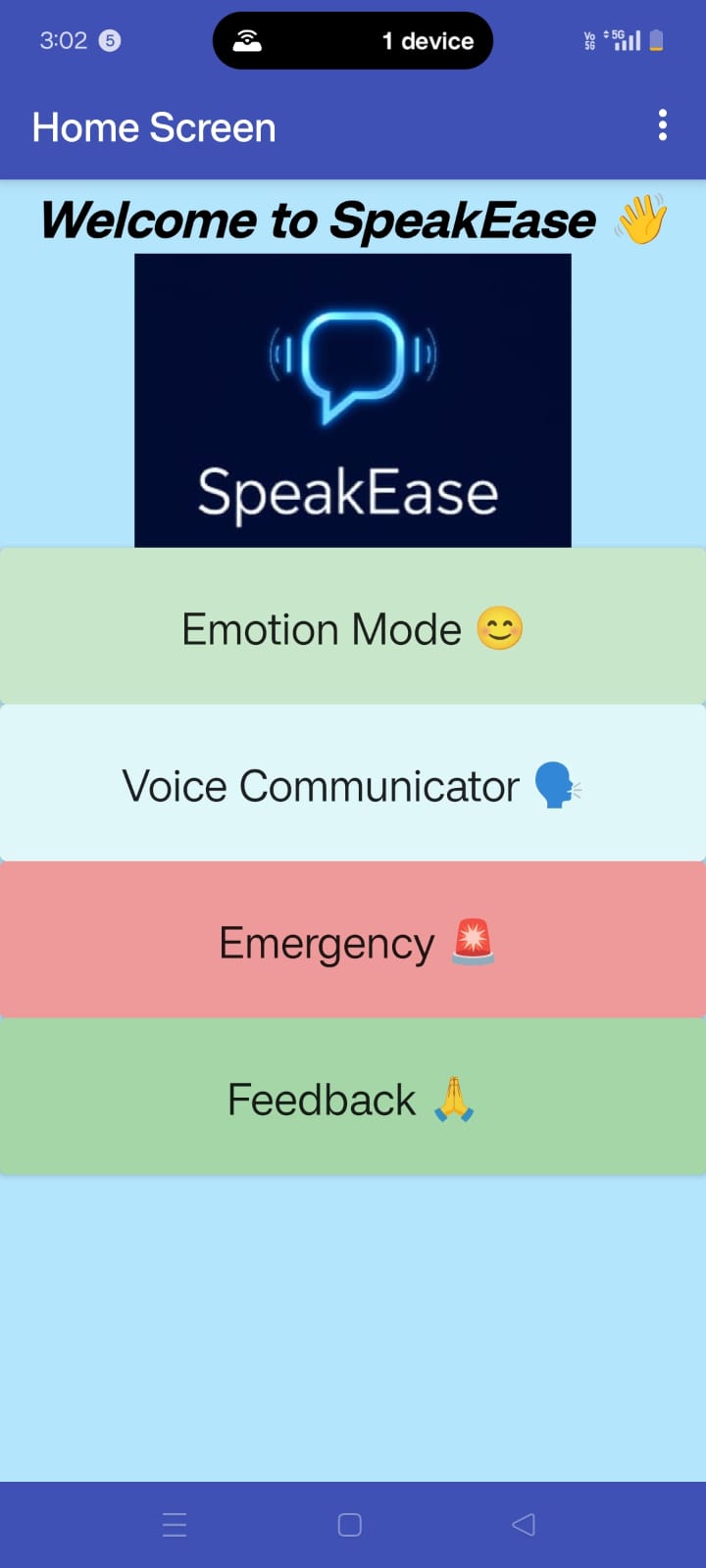
Home_Screen
-
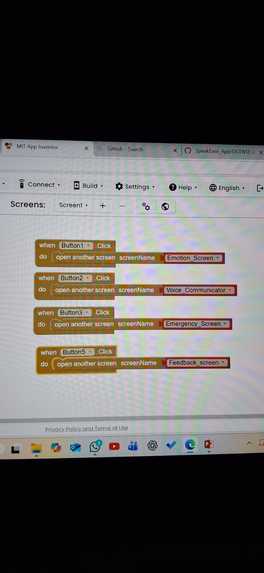
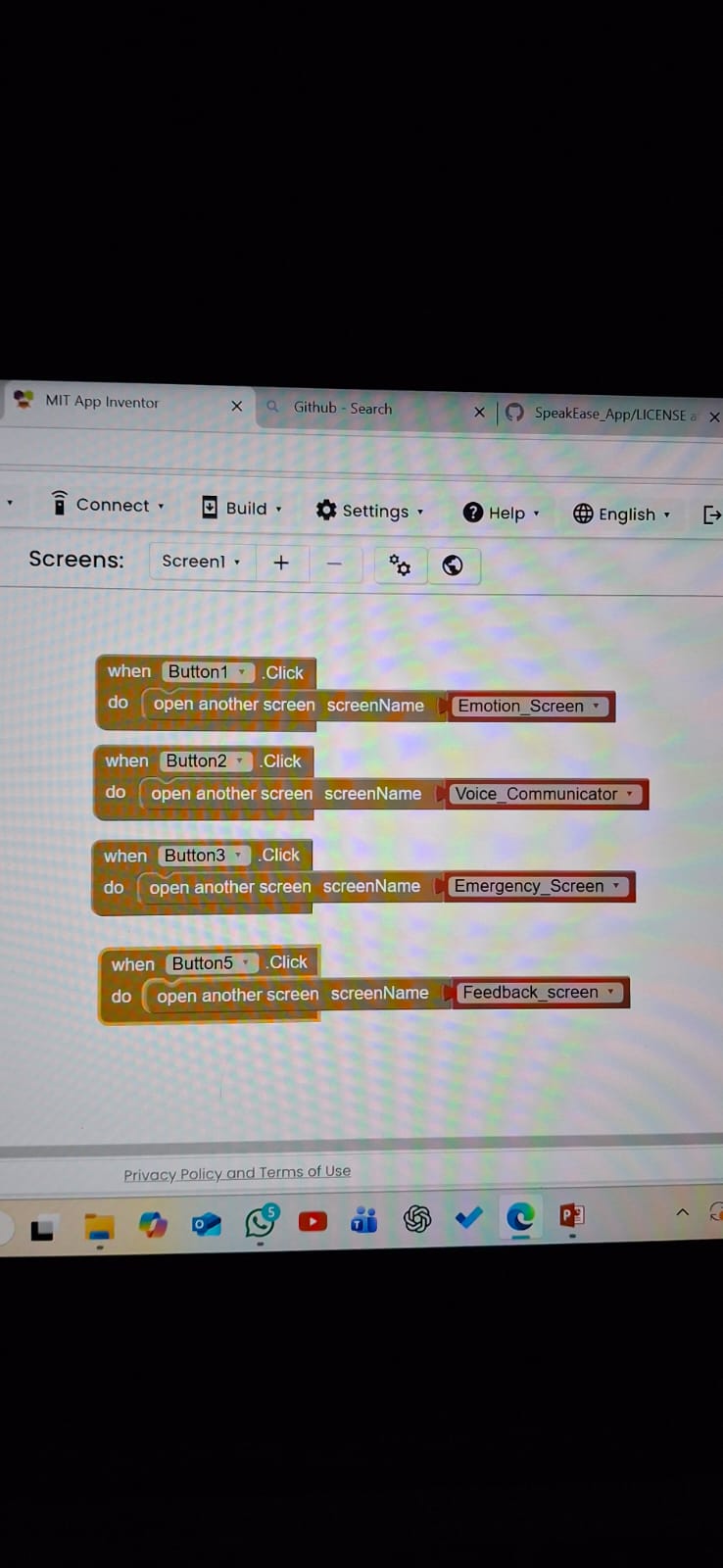
Home Screen Block Logic
-
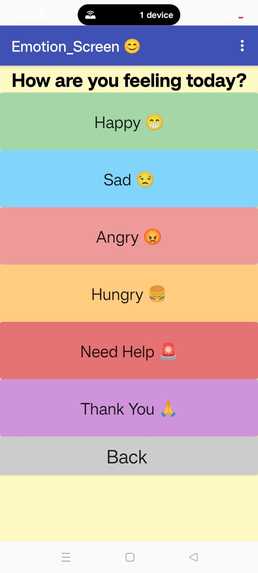
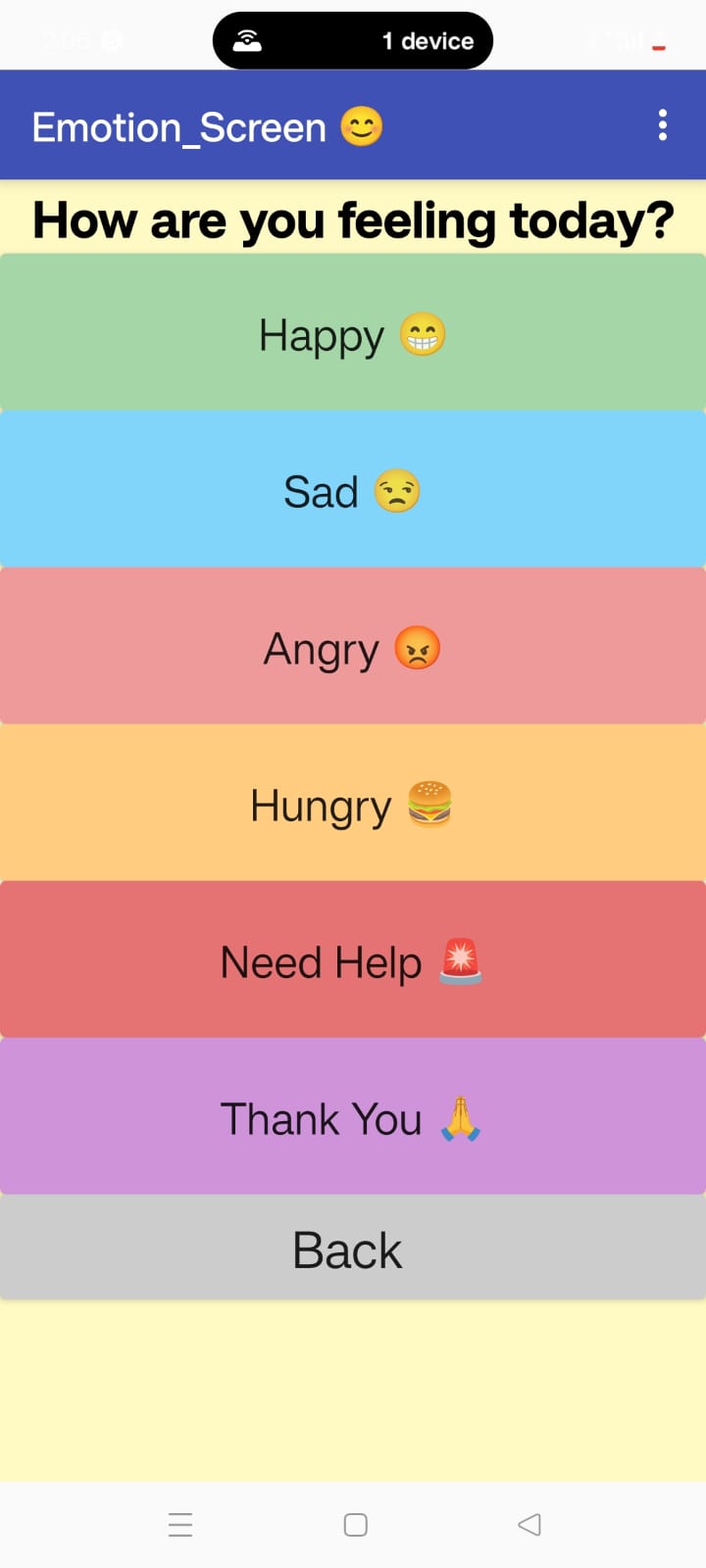
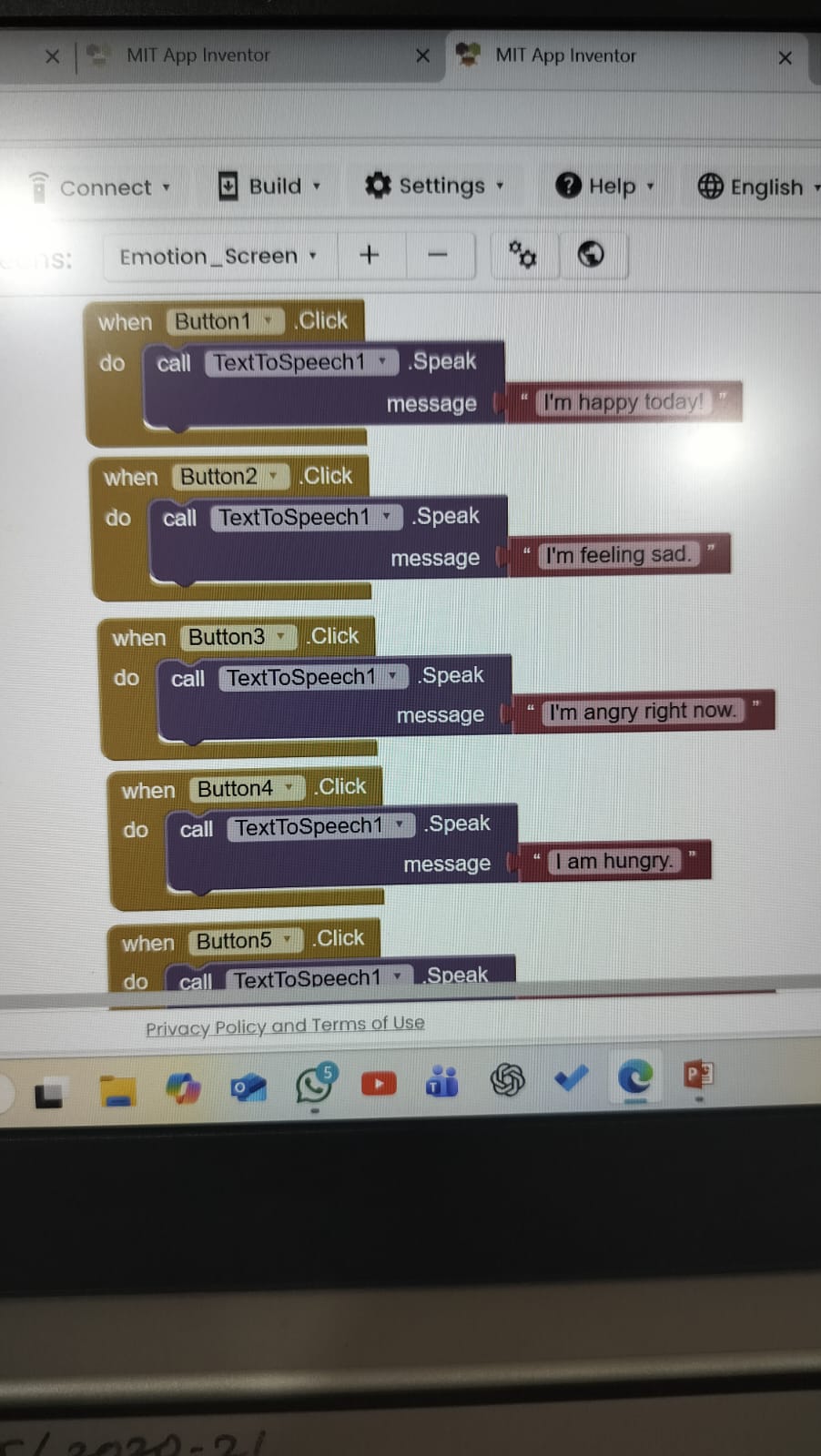
Emotion_Screen
-
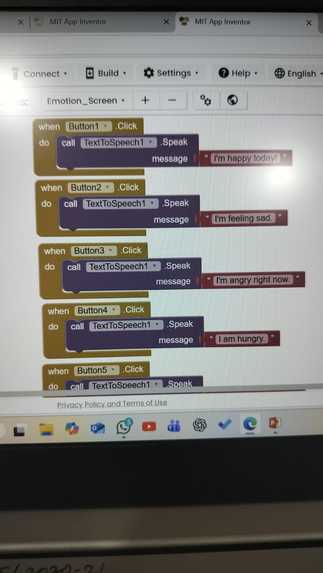
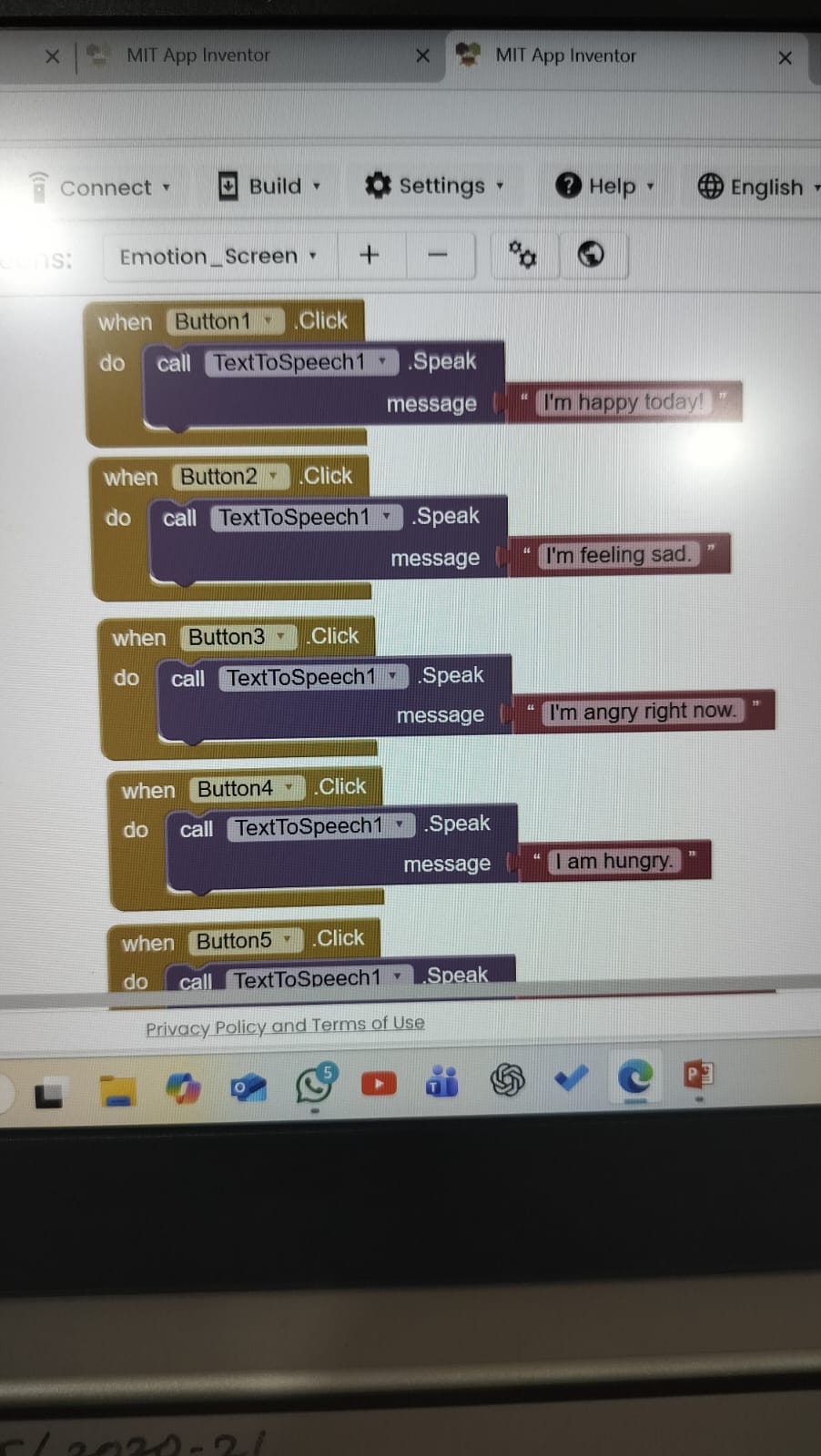
Emotion Screen Block Logic
-
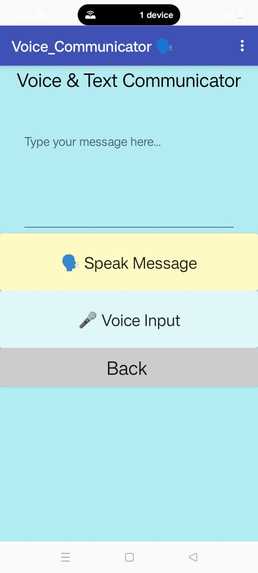
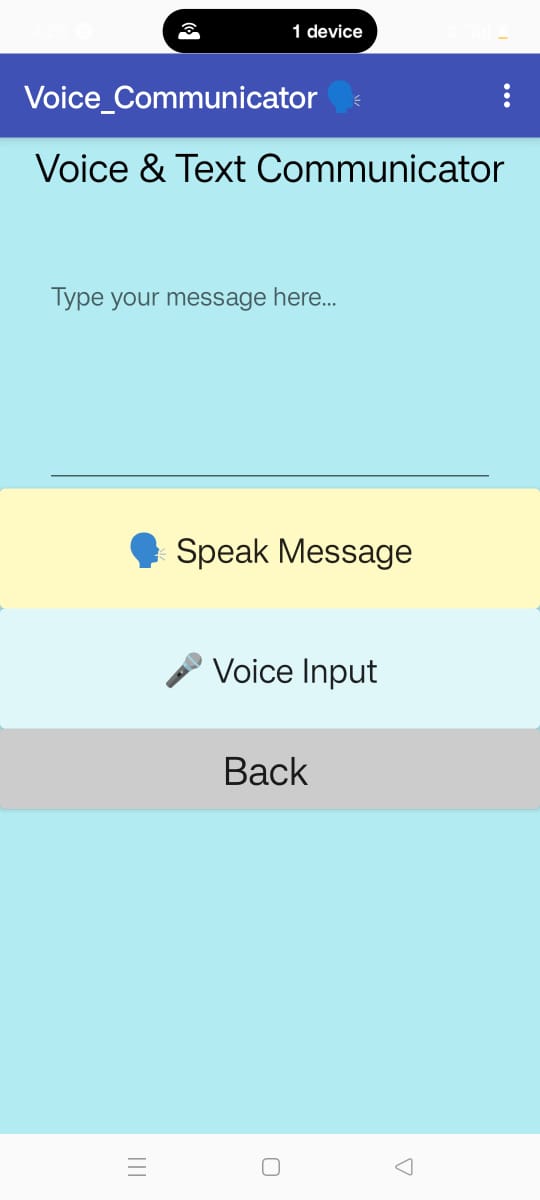
Voice_Communicator_Screen
-
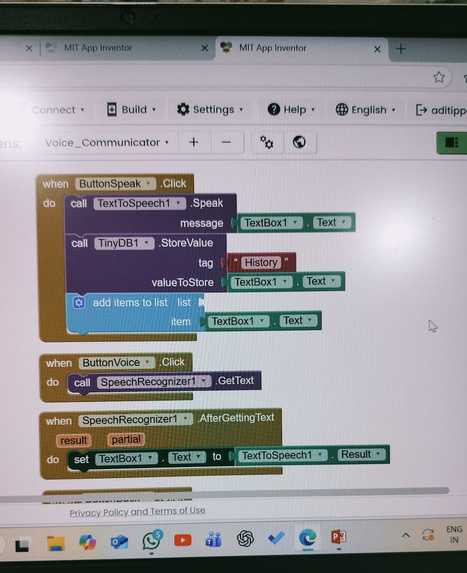
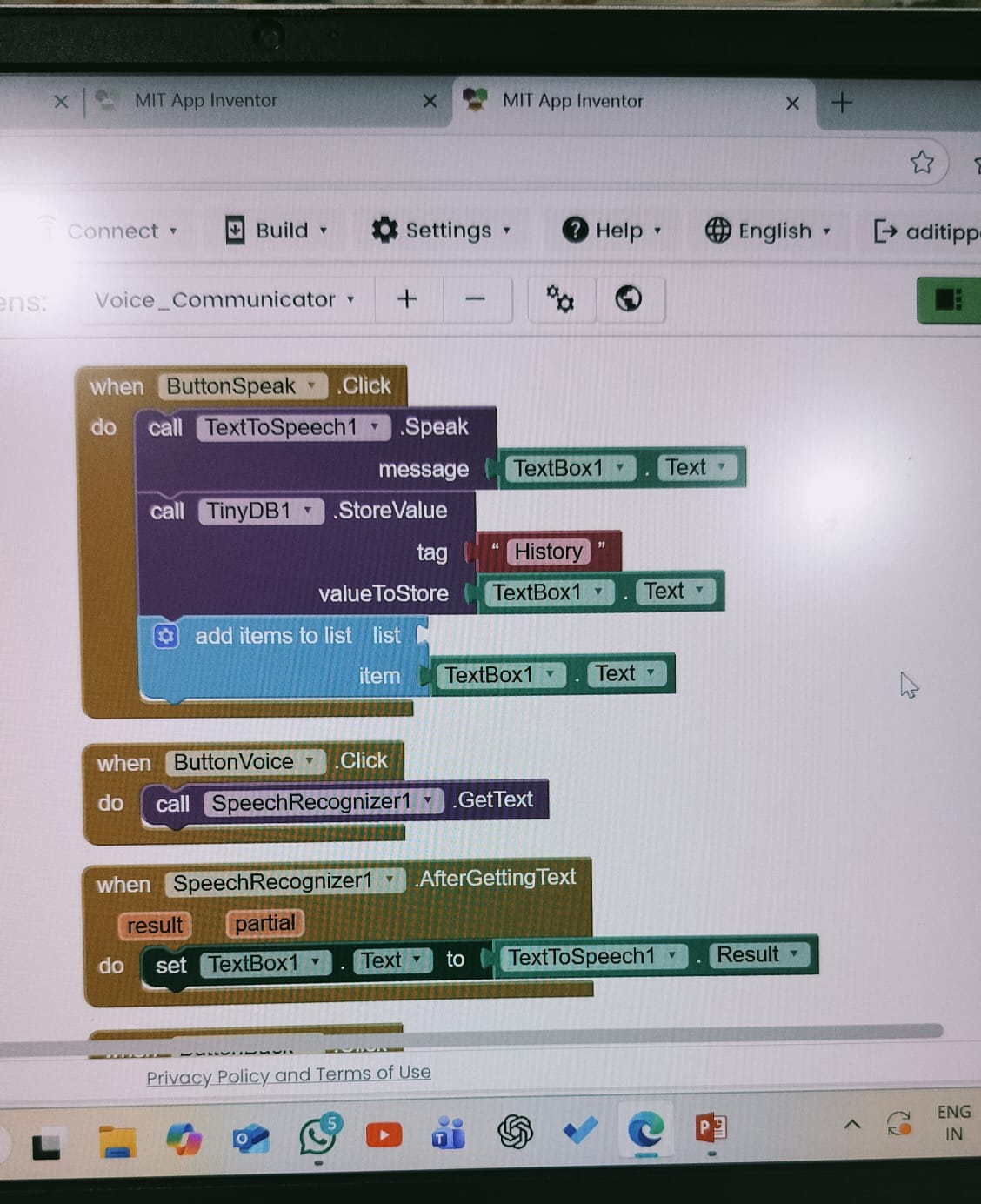
Voice Screen Block Logic
-
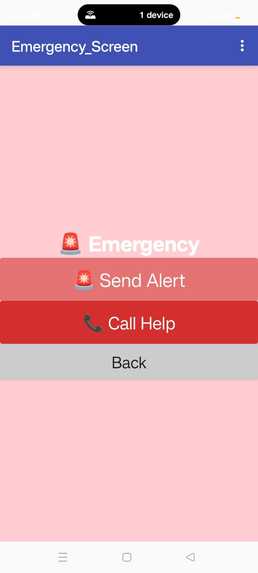
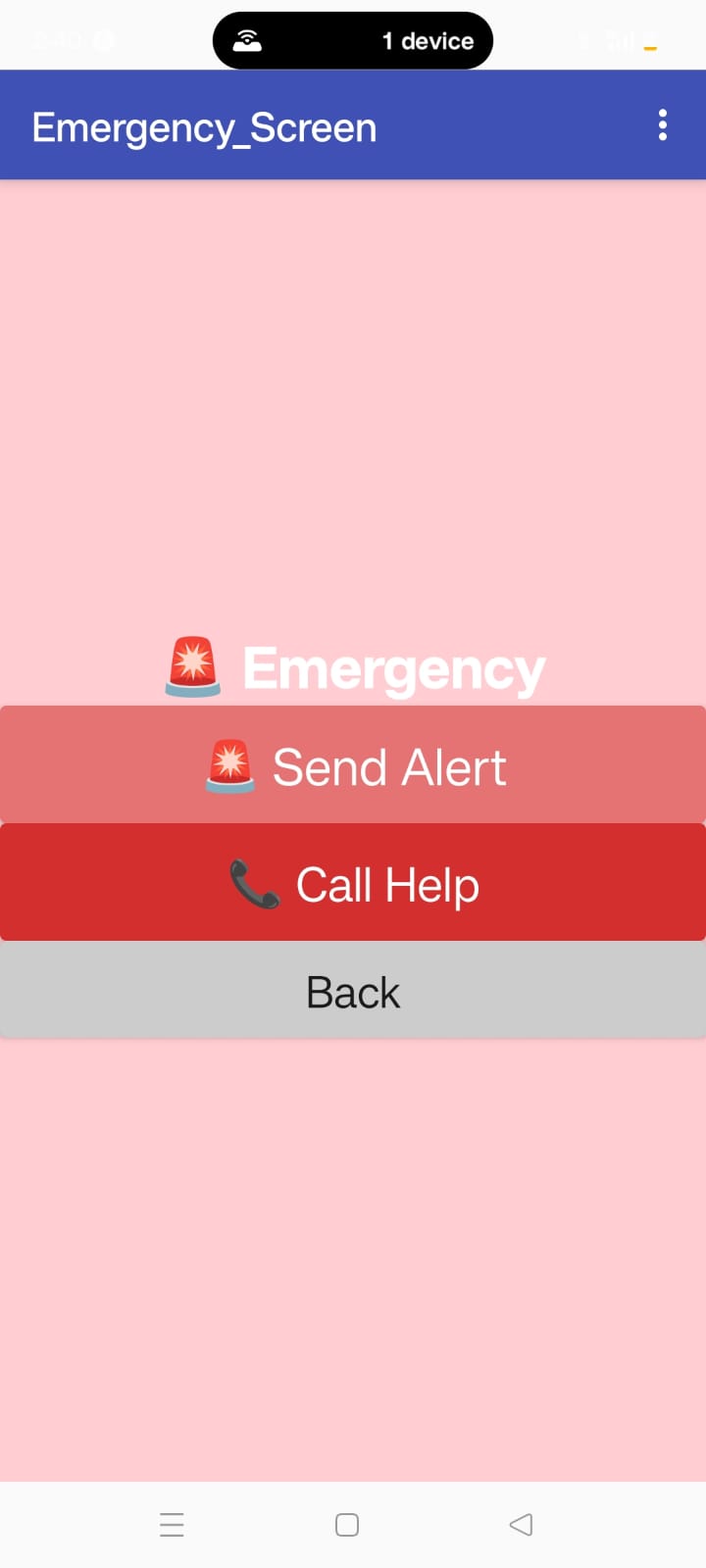
Emergency_Screen
-
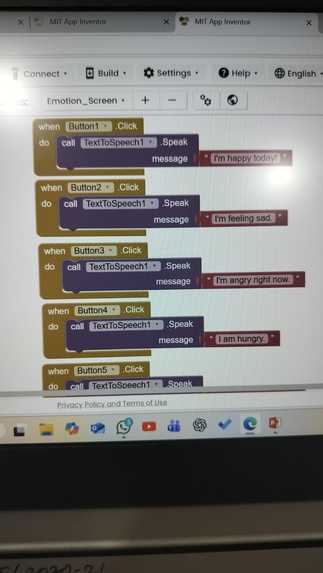
Emergency Screen Block Logic
-
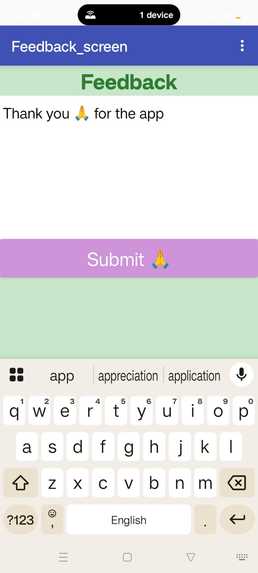
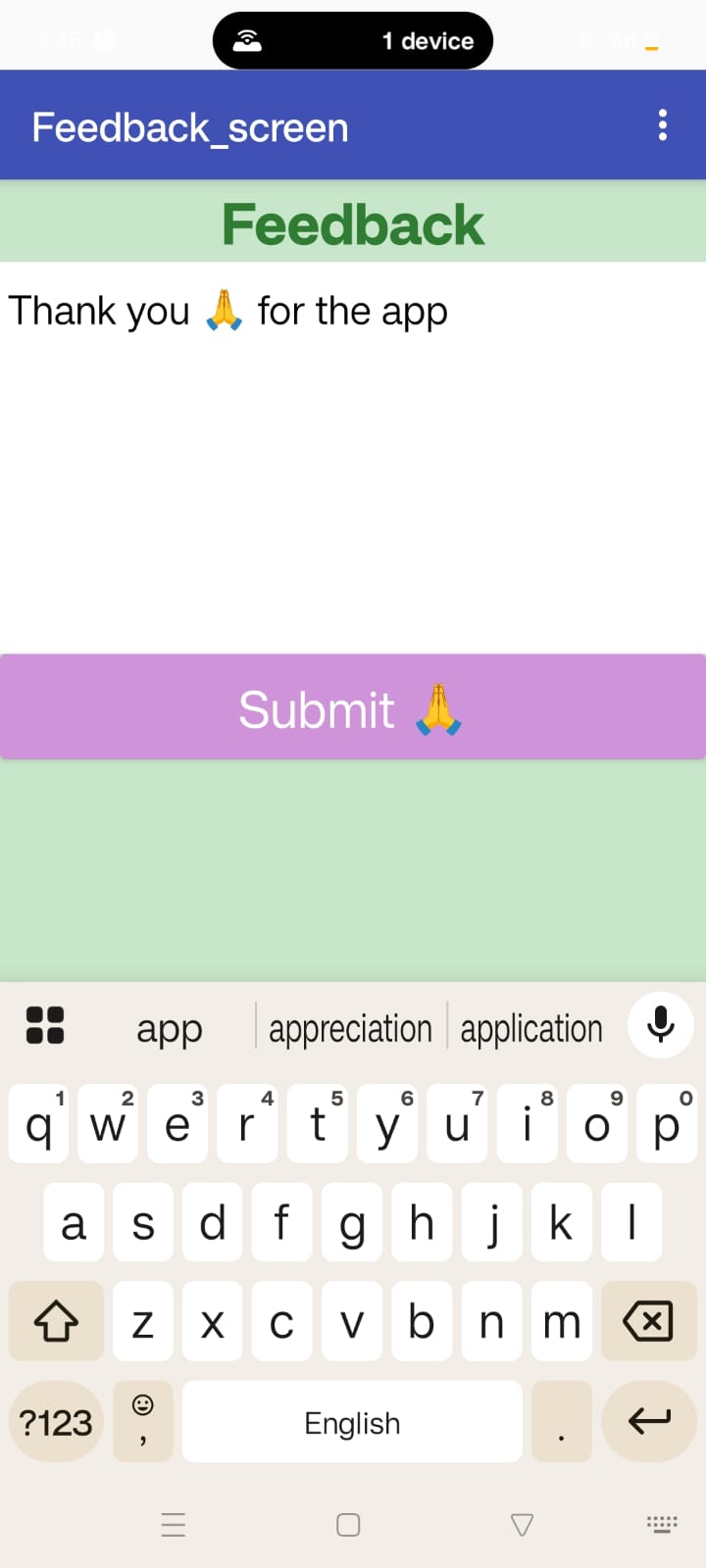
Feedback_screen
-
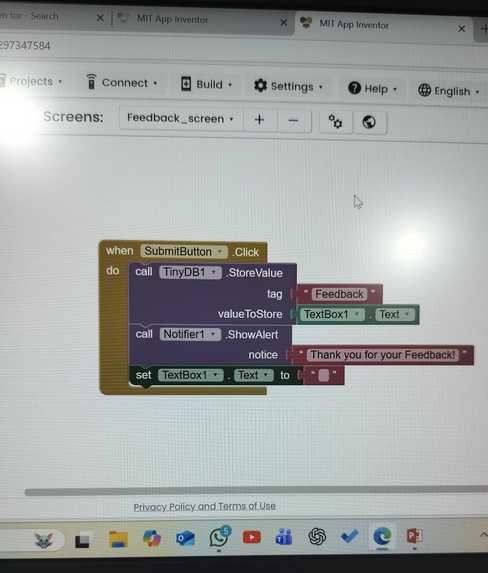
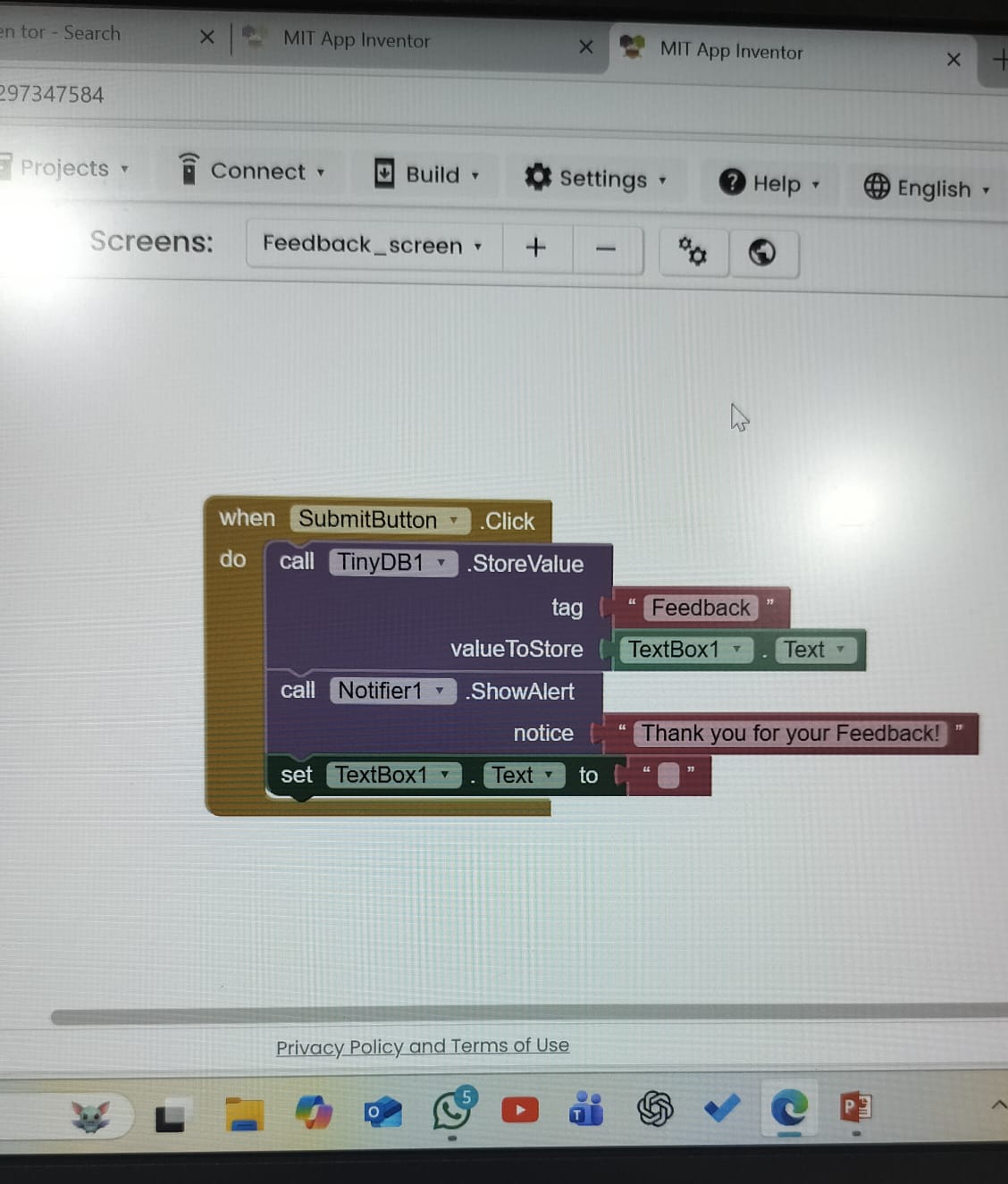
Feedback Screen Block Logic
Inspiration
The inspiration behind creating SpeakEase came from observing how people with speech or physical disabilities struggle to express even their simplest needs in daily life. Communication is something most of us take for granted, yet for them, every word can be a challenge. I wanted to create an app that gives them a voice — literally — helping them express emotions, ask for help, and connect with others easily. Using MIT App Inventor, I wanted to build something simple, beautiful, and meaningful — an app that empowers people, restores confidence, and makes communication effortless for those who need it most.
What it does
SpeakEase is an assistive communication app designed to help people with speech or physical disabilities express their thoughts, emotions, and needs easily. The app converts text or button selections into speech using Text-to-Speech technology — allowing users to communicate common phrases like “I’m hungry”, “I need help”, or “Thank you” with just one tap. It also includes: 🎙 Voice Mode – Converts typed or selected text into spoken words. 😊 Emotion Buttons – Quick buttons for common feelings like Happy, Sad, Angry, Hungry, etc. 🚨 Emergency Screen – Sends instant alerts or speaks out “I need help!” for quick assistance. 🙏 Feedback Section – Lets users or caregivers give suggestions for improvement.
SpeakEase makes communication fast, accessible, and emotionally expressive — helping users connect with others confidently and independently.
How I built it
🧩 Platform Used: Built completely on MIT App Inventor, a visual drag-and-drop tool ideal for assistive technology apps. 🎨 UI Design: Created a clean, colorful, and accessible interface with large buttons, emojis, and readable fonts for easy interaction. 🗣 Text-to-Speech (TTS): Integrated TextToSpeech component to convert emotions or typed text into natural voice output. 😊 Emotion Screen: Designed pre-set emotion buttons (Happy, Sad, Angry, Hungry, Need Help, Thank You) that instantly speak the selected emotion. 🚨 Emergency Screen: Added an alert button that triggers a spoken “I need help!” message and can optionally call or text a helper. 🙏 Feedback Screen: Used TinyDB to store user feedback and opinions for continuous app improvement. 🧱 App Logic: Connected all screens with navigation blocks, screen transition animations, and notifier alerts for smooth UX. 📱 Testing & Optimization: Tested on Android devices to ensure voice clarity, responsiveness, and user-friendliness.
Challenges I ran into
🗣 Tuning Text-to-Speech Voice: Balancing clarity, pitch, and speed to make the voice sound natural and easy to understand. 🔗 Screen Navigation: Managing smooth transitions between multiple screens (Home, Emotions, Emergency, Feedback) without confusion. 🧠 Designing for Accessibility: Creating an interface simple enough for users with speech or motor difficulties while keeping it visually appealing and modern. 💡 User Experience: Designing color schemes, emojis, and button spacing that feel intuitive, friendly, and emotionally expressive.
Accomplishments that I am proud of
💬 Giving Voice to the Voiceless ⚡ Fully Developed in MIT App Inventor 🎨 Accessible Yet Aesthetic UI 🔊 Functional Text-to-Speech Integration 🧠 Innovative Concept 📱 Multi-Screen Navigation: Successfully connected Home, Emotion, Emergency, and Feedback screens seamlessly within one app. 🌍 Positive Social Impact: Proud that SpeakEase could genuinely help users live with more independence, dignity, and confidence.
What we learned
💡 Empathy in Design: Learned how important it is to think from the user’s perspective — especially for people with disabilities. 🧠 UI/UX Simplicity 🧩 Problem-Solving Through Blocks 🚀 Impact over Complexity: Realized that even a simple app — if meaningful — can have a powerful impact on real people’s lives.
What's next for SpeakEase- Speak Freely, Live Confidently.
🤖 AI Voice Customization: Add support for personalized AI voices that sound more human and can match the user’s tone or mood. 🧠 Emotion Detection: Integrate facial or sentiment recognition so the app automatically detects emotions and speaks accordingly. 🌐 Multilingual Support: Expand to include regional and international languages for global accessibility. 📡 Offline Functionality: Enable offline mode so users can communicate even without an internet connection. 🩺 Healthcare Integration: Connect with doctors or caretakers via alerts in emergency mode for faster response and medical assistance. 💾 Cloud Data Backup: Save user preferences, voice settings, and feedback securely for a smoother experience across devices. 🎨 UI Animation & Modern Design: Add gentle animations, icons, and improved layout spacing to make the interface more polished and professional. 🧍 Wearable Device Support: Future versions could sync with smartwatches or assistive wearables for quicker access to voice commands. 🪄 Custom Message Creator: Allow users to type and save their own frequent phrases or messages for faster communication. SpeakEase will grow from a communication app into a complete assistive ecosystem — empowering differently-abled individuals to express, connect, and live freely.
Built With
- android-os
- emojis
- mit-app-inventor
- notifier-component
- tinydb
- tts
- visual-block-programming

Log in or sign up for Devpost to join the conversation.