Inspiration
Launchpad started with a problem I faced myself: finding an AI model I wanted to use was easy, but getting it running was a different story. Choosing a GPU, figuring out memory requirements, configuring the server, and debugging startup errors could become a project of its own before I even started building what I actually cared about.
After seeing other people struggle with the same process, we realized this was a shared barrier. We wanted to make deploying an open model more approachable, especially for students, hackathon teams, and developers without extensive infrastructure experience.
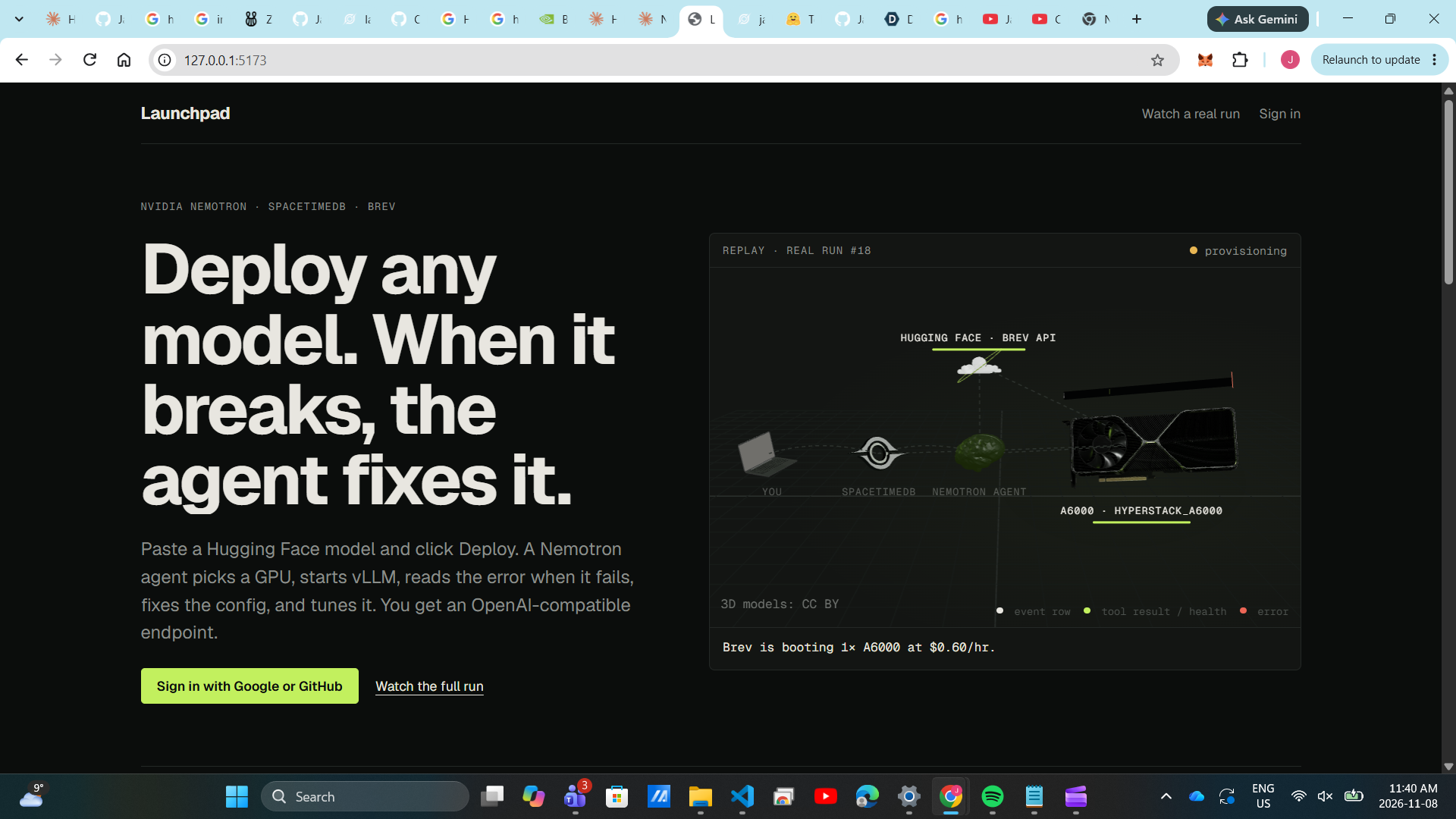
That led us to Launchpad: a tool that helps take a model from “I want to try this” to a working API, with an AI agent that can respond when deployment goes wrong.
What it does
Launchpad turns deploying a supported Hugging Face model into a guided workflow.
- Find your model. Search Hugging Face and choose Cheapest, Balanced, or Fastest.
- Review the plan. Launchpad inspects the model, estimates GPU memory requirements, and selects hardware based on your preference. Higher-priced plans require approval.
- Launch and repair. An NVIDIA Nemotron agent coordinates provisioning through NVIDIA Brev and starts the model using vLLM. If startup fails, it reads the logs, adjusts the configuration, and retries within enforced limits.
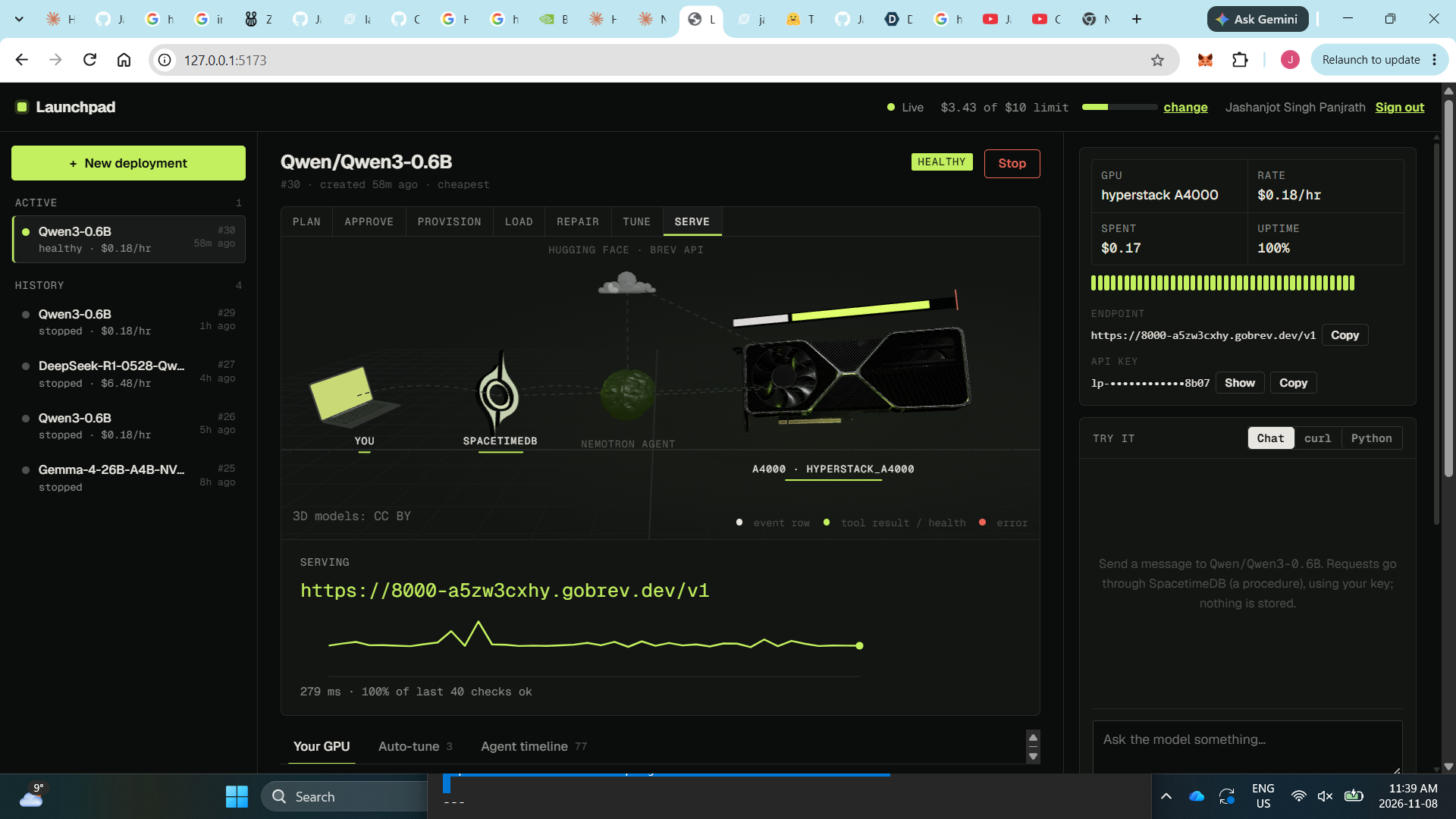
- Test and build. Receive an OpenAI-compatible API endpoint and a private API key, then try the model directly in the built-in chat.
The key feature is automatic startup repair. For example, when a GPU cannot accommodate the requested KV cache—the memory used to retain attention information for tokens—the agent can reduce the model’s context length and retry.
The dashboard includes a live 3D deployment view and an event timeline, showing progress through planning, provisioning, repair, tuning, and serving. Users can inspect logs and GPU statistics, and access development tools such as JupyterLab and SSH where supported.
Optional auto-tuning benchmarks alternative server settings and keeps a configuration only when it meets the performance criteria. Spending limits and automatic idle shutdowns help users stay in control of their GPU usage.
A deployment should not end at an error message. Launchpad can use that error to decide what to try next.
How we built it
We built Launchpad with TypeScript across three main components: the web interface, the agent worker, and the SpacetimeDB backend.
| Layer | Technologies | Role |
|---|---|---|
| Web interface | React, Vite | Model search, deployment controls, chat, and GPU access |
| Live visualization | Three.js, React Three Fiber | A 3D view driven by actual deployment events |
| Agent worker | Node.js, TypeScript, NVIDIA Nemotron | Multi-step planning, tool calls, diagnosis, and repair |
| Model discovery | Hugging Face API | Model metadata and deployment requirements |
| GPU infrastructure | NVIDIA Brev | GPU discovery, provisioning, and instance management |
| Model serving | vLLM, Docker | Model execution and OpenAI-compatible endpoints |
| Application backend | SpacetimeDB | Deployment state, jobs, approvals, budgets, and live events |
| Authentication | SpacetimeAuth | Google and GitHub sign-in with private per-user views |
The frontend makes the deployment process visible. Its 3D animations respond to real events, helping users see which parts of the system are active and when something needs attention.
The worker uses NVIDIA Nemotron in a multi-step tool-calling loop. It retrieves model metadata, estimates memory requirements, searches available GPUs, and manages a vLLM server running in a Docker container.
SpacetimeDB coordinates the application, including job claiming, approval gates, scheduled health checks, and idle shutdowns. Private tables and per-user views separate users’ deployment data.
We also separated the agent’s reasoning from the rules that must be enforced reliably. The agent diagnoses and proposes; application code enforces limits. GPU selection, spending limits, allowed actions, and retry limits remain controlled by code.
Challenges we ran into
Getting the memory math right
Model weights are only part of the picture. Context length, KV cache, and runtime overhead also affect how much GPU memory a deployment needs. We refined our estimates using real deployment results and used vLLM’s startup errors to guide configuration repairs.
Detecting failures behind a healthy status
During a DeepSeek deployment, the health endpoint reported success, but chat responses contained garbled tokens. We traced this to a tokenizer issue and added a tokenizer round-trip check and repair path. That repair path has been tested in simulation, with real-GPU validation still remaining.
Handling unpredictable provisioning
A cloud provider remained stuck in the building stage, exposing a bug in stopping a deployment while its instance was still being created. Handling that case made cleanup and cancellation an important part of the implementation.
Making automation understandable
With multiple services working behind the scenes, users needed a clear view of what was happening, why a configuration changed, and what they were paying for. The live timeline and deployment visualization became central to that experience.
Accomplishments that we're proud of
We are proud of taking Launchpad beyond a simulated deployment flow and getting models running on real GPUs.
Our strongest result was automatic recovery from real startup failures. In separate Phi-3.5-mini and Qwen2.5-32B deployments, the agent read vLLM’s memory errors, adjusted the context length, and brought the models online without manual configuration changes.
We also connected the full workflow: model discovery, GPU planning, provisioning, deployment, testing, monitoring, and shutdown. Users can move from selecting a model to interacting with its endpoint within the same interface.
Another accomplishment was making the process visible. The 3D dashboard reflects actual deployment events, including failures and repairs, so users can follow the agent’s work.
We are equally proud of the controls around the automation: private user data, approval gates, budget enforcement, secret redaction, and automatic cleanup.
What we learned
Deployment is more than loading weights. Context length, memory overhead, tokenizer behavior, and provider reliability can all determine whether a deployment is usable.
Useful agents need clear boundaries. Giving an agent tools is only the beginning. Reliable behavior depends on validated inputs, limited retries, explicit state transitions, and rules enforced in code.
Real hardware reveals different problems. Testing exposed memory constraints, provisioning delays, and a tokenizer failure that a basic health check missed.
Visibility builds trust. Simplifying infrastructure does not mean hiding everything. Showing users the plan, the cost, and the reason behind a repair makes automation easier to understand and trust.
What's next for Launchpad
- Expand real-world validation: test tokenizer repair end to end on a real GPU and verify multi-GPU deployments.
- Add provider fallback: recover more gracefully when a cloud provider gets stuck provisioning an instance.
- Support more deployment formats: extend beyond the current supported Hugging Face models to custom Docker images and NVIDIA NIM.
- Launch a publicly hosted interface: make Launchpad easier for other developers to access and try.
Our goal is to make running an open model a practical starting point for building—not a separate infrastructure project users have to solve first.
