Inspiration

The rise of AI-powered website and application builders has made software development accessible to everyone. Today, even beginners can build applications without extensive coding knowledge. However, creating an application is only half the journey; ensuring that it is secure, reliable, optimized, and ready for production is an entirely different challenge.

We realized that many beginners can build applications using AI but struggle to identify bugs, security misconfigurations, performance issues, and launch-readiness requirements.

This inspired us to create LaunchGuard AI — an intelligent platform that bridges the gap between building an application and successfully launching it.

What it does

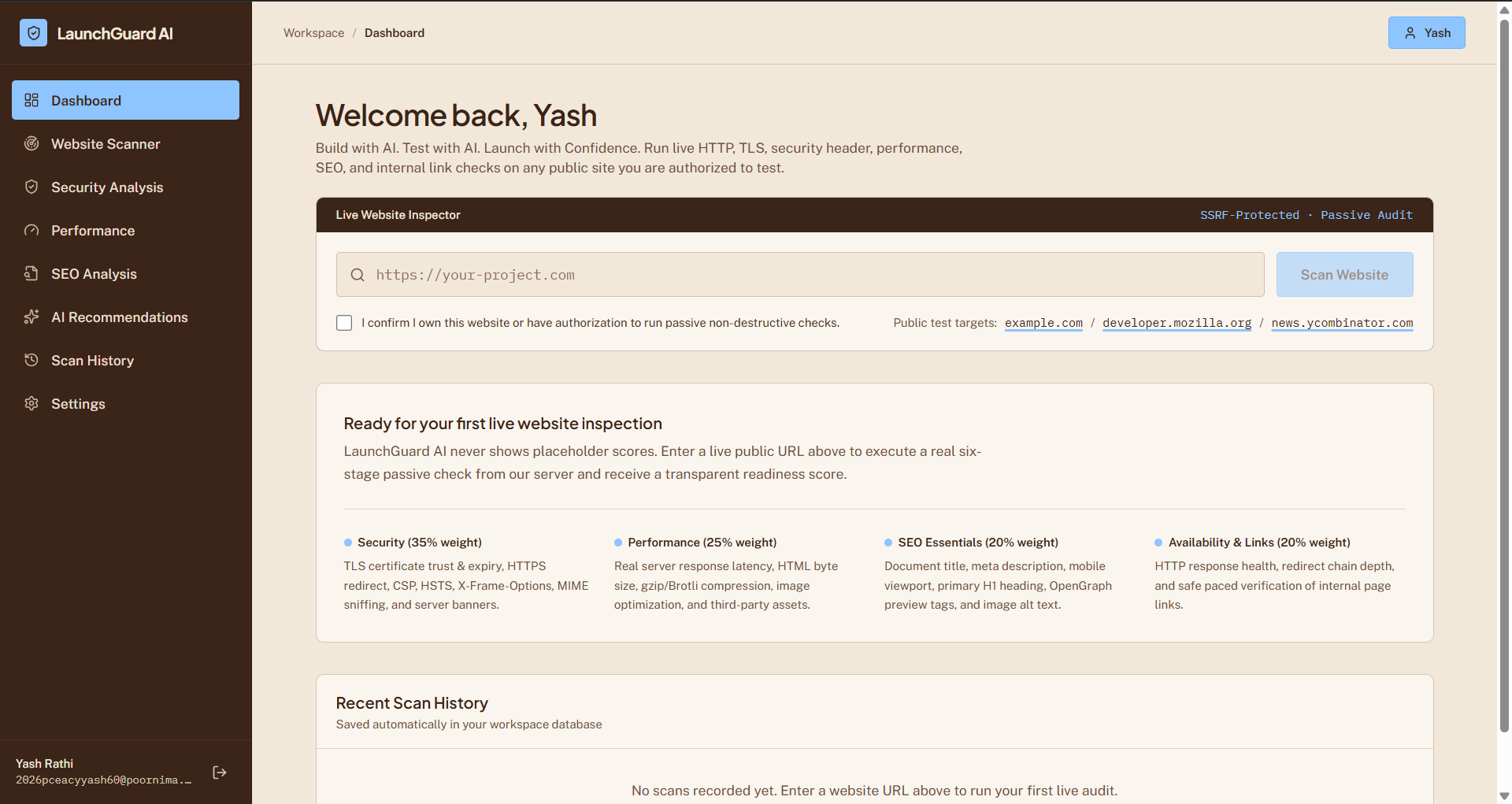
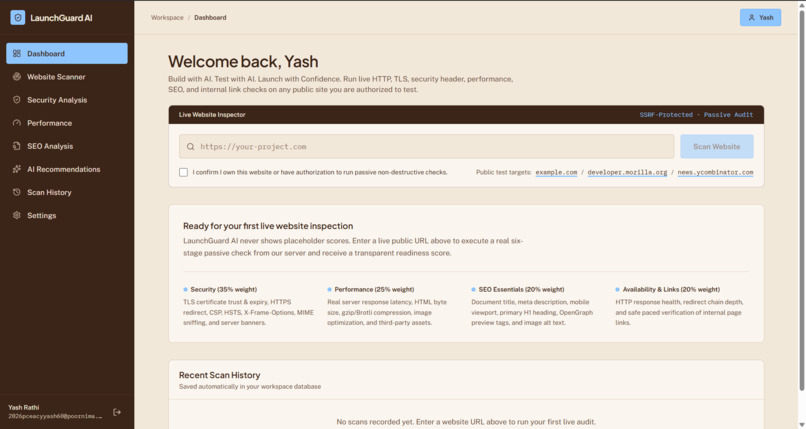
LaunchGuard AI is an AI-powered website analysis, security assessment, and launch-readiness platform designed especially for beginners, students, developers, and startups.

Users simply enter their website URL, and LaunchGuard AI performs automated checks to evaluate its condition.

Key Features:

  1. Automated Website Scanner: Checks website availability, HTTP status, response time, HTTPS, and basic website information.
  2. Security Configuration Checker: Identifies missing security headers, SSL-related issues, and potential configuration weaknesses.
  3. Performance Analyzer: Evaluates response time, page size, images, and basic optimization opportunities.
  4. SEO Analyzer: Checks website titles, meta descriptions, and other basic SEO elements.
  5. Broken Link Detection: Identifies inaccessible links and HTTP errors.
  6. AI Website Analyst: Explains detected issues in simple language and provides actionable recommendations.
  7. Launch Readiness Score: Generates an indicative score based on security, performance, SEO, and availability checks.
  8. Beginner-Friendly Fix Guide: Provides step-by-step instructions to help users understand and resolve detected issues.
  9. PDF Audit Report: Generates downloadable reports containing scan results and recommendations.

Our goal is to make website testing and launch preparation accessible to people regardless of their technical experience.

How we built it

We developed LaunchGuard AI using a modern web development architecture combining frontend technologies, backend processing, website analysis tools, and AI-powered intelligence.

Technology Stack:

  • Frontend: React and TypeScript.
  • Backend: Server-side application logic for website scanning.
  • AI Integration: AI-powered analysis for interpreting scan results and generating recommendations.
  • Website Analysis: HTTP requests and HTML parsing.
  • Security Analysis: HTTPS, SSL, and HTTP security-header checks.
  • Performance Analysis: Response-time and page-resource analysis.
  • Report Generation: PDF-based audit reporting.

The platform follows a workflow in which users submit a website URL, automated analyzers collect website information, and the AI engine interprets the results to generate understandable recommendations.

Challenges we ran into

One of our biggest challenges was converting complex technical website analysis into information that beginners could easily understand.

Other challenges included:

  • Integrating multiple website analysis checks into one platform.
  • Ensuring that scan results were based on actual website data.
  • Making AI-generated recommendations relevant and accurate.
  • Designing a reliable launch-readiness scoring mechanism.
Share this project:

Updates

posted an update —

Future Enhancements for LaunchGuard AI The following features are planned for future versions of LaunchGuard AI to make it a more powerful AI-driven website testing, security, and deployment platform.

  1. Advanced AI & Code Analysis
  2. AI-Powered Source Code Scanner – Analyze website source code through GitHub integration or file uploads.
  3. Automated Bug Detection – Identify coding errors, broken components, and potential issues.
  4. AI Code Fix Generator – Suggest or generate code fixes for detected problems.
  5. Code Quality Analyzer – Evaluate code quality, maintainability, and best practices.
  6. AI Debugging Assistant – Help developers understand and resolve errors with step-by-step guidance.
  7. Advanced Cybersecurity Features
  8. Advanced Vulnerability Scanner – Detect common web application vulnerabilities based on OWASP security guidelines.
  9. API Security Testing – Identify security weaknesses in APIs and exposed endpoints.
  10. Database Security Scanner – Check database configurations and potential security risks.
  11. Malware Detection – Identify suspicious code patterns and potentially malicious uploaded files.
  12. Automated Security Fixes – Recommend and apply security improvements with user approval.
  13. Dependency Vulnerability Scanner – Detect outdated libraries and packages with known security vulnerabilities.
  14. Performance & Traffic Testing
  15. Advanced Load Testing – Simulate multiple users accessing a website simultaneously.
  16. Stress Testing – Evaluate website stability under heavy traffic in authorized test environments.
  17. Traffic Capacity Prediction – Estimate how much traffic a website can handle.
  18. AI Performance Optimization – Recommend improvements to reduce loading times and resource usage.
  19. Real-Time Performance Monitoring – Continuously track website speed and performance.
  20. Smart Deployment & Launch Assistance
  21. AI Deployment Assistant – Guide beginners through the complete website deployment process.
  22. One-Click Deployment – Deploy websites to supported cloud platforms directly.
  23. Domain Configuration Assistant – Help configure custom domains and DNS settings.
  24. Cloud Infrastructure Recommendations – Suggest suitable hosting and infrastructure based on project requirements.
  25. Environment Configuration Checker – Identify missing environment variables and deployment configuration issues.
  26. Continuous Monitoring & Maintenance
  27. 24/7 Website Monitoring – Continuously monitor website availability.
  28. Real-Time Security Alerts – Notify users about detected security threats and configuration changes.
  29. Automated Regression Testing – Check whether new updates break previously working features.
  30. Website Backup & Recovery – Support website backups and recovery options.
  31. Scan History & Comparison – Track previous scans and compare improvements over time.
  32. Advanced AI Capabilities
  33. AI Development Copilot – Provide assistance throughout the website development and launch process.
  34. Multi-Platform Integration – Integrate with popular AI website builders and development platforms.
  35. Automated Test Case Generation – Generate test cases to evaluate website functionality.
  36. AI-Powered Launch Roadmap – Create a personalized checklist to guide users from development to production.