-
-
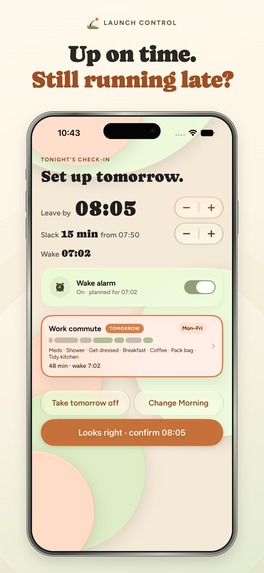
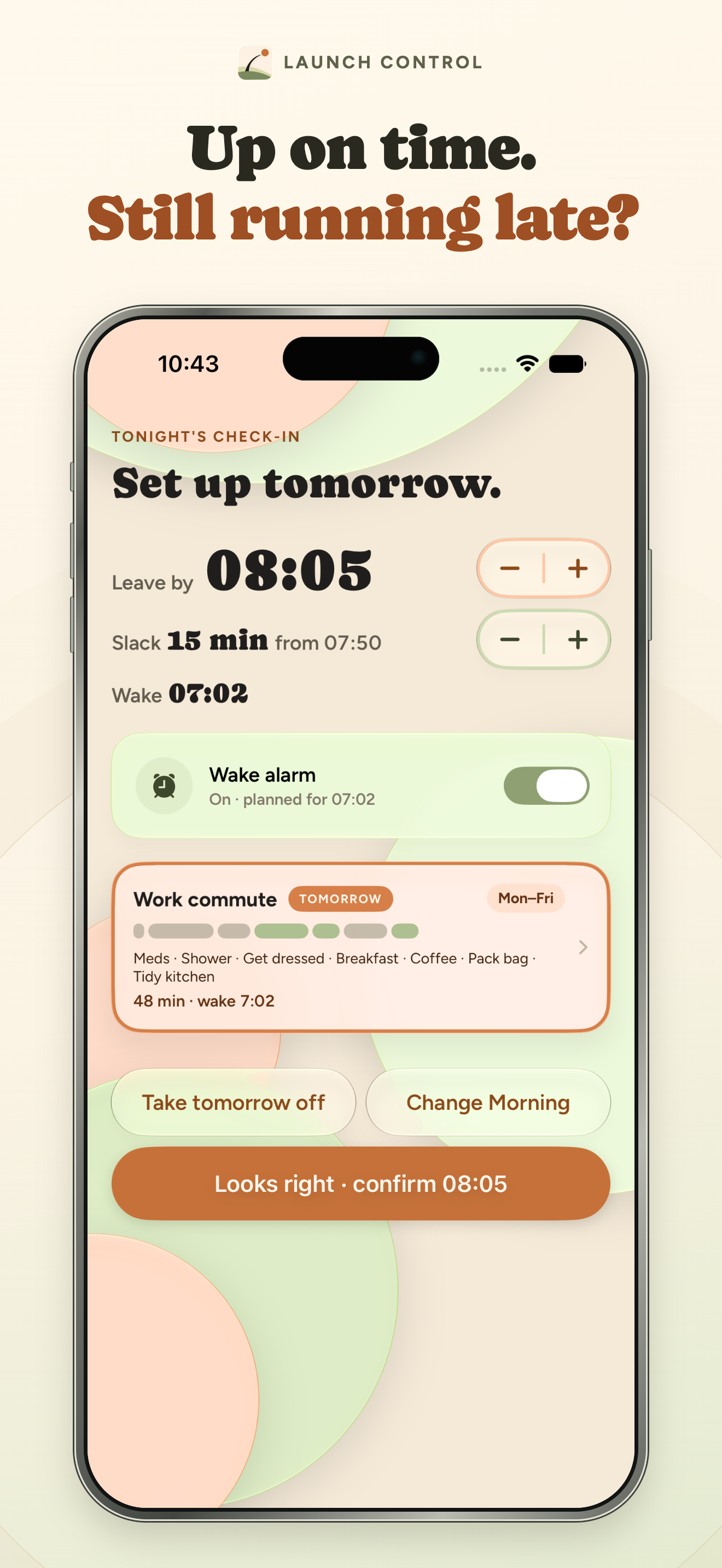
Set your leave time and step estimates; Launch Control calculates a wake time with a cushion.
-
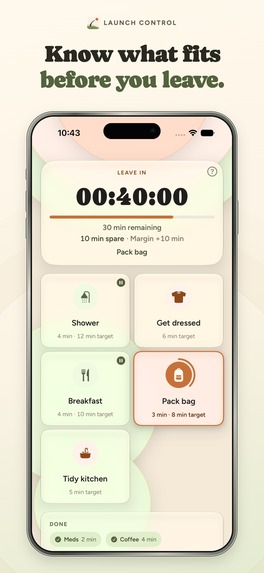
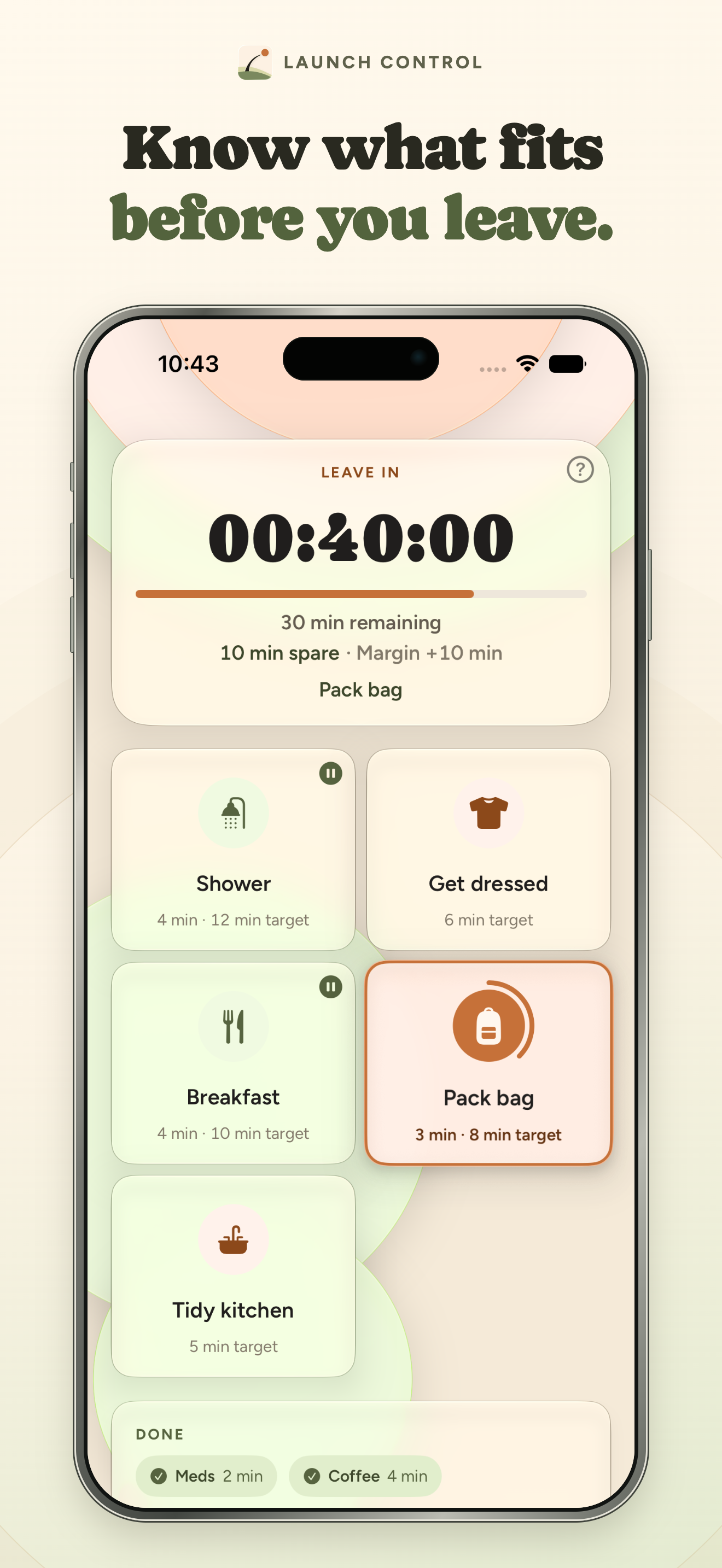
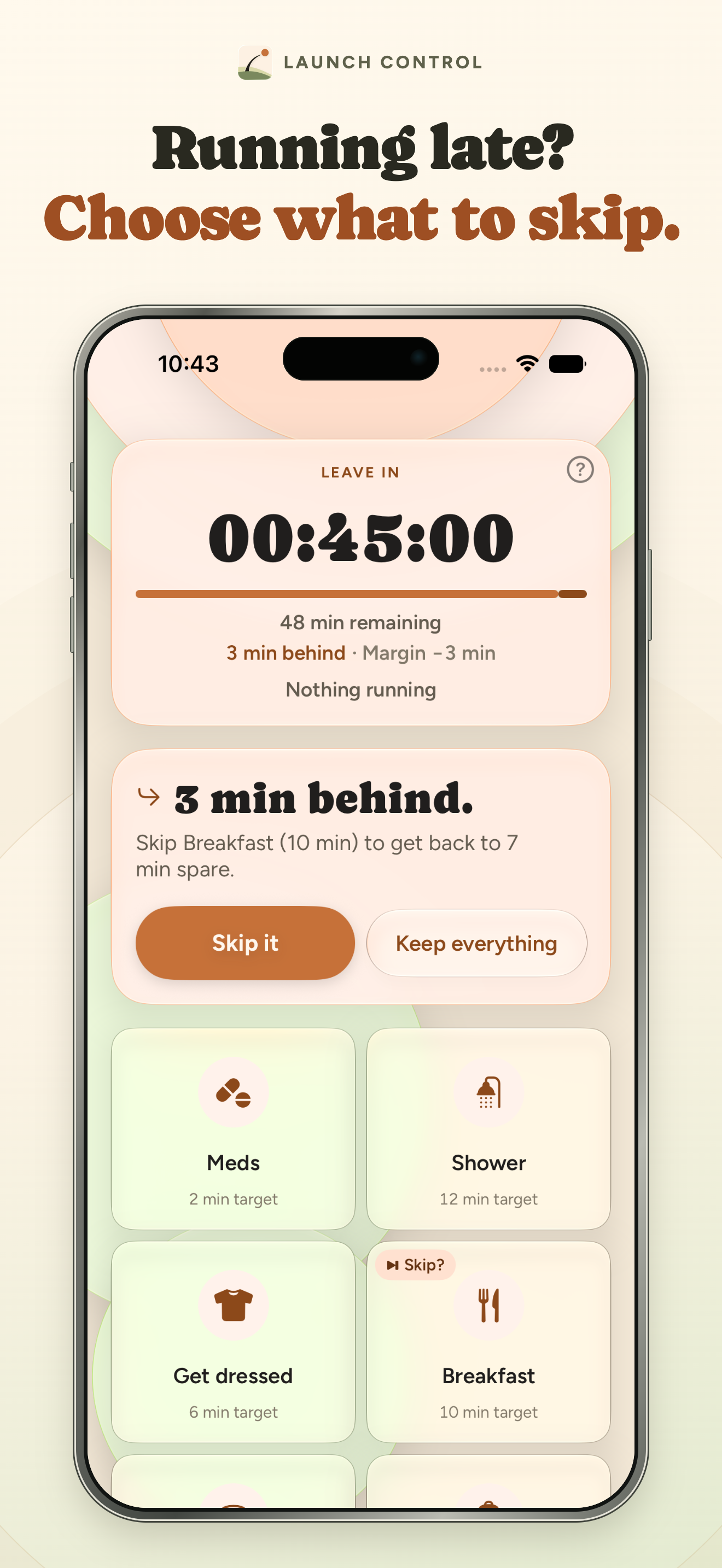
The Morning Board shows time until leaving, remaining steps, and the plan's spare time.
-
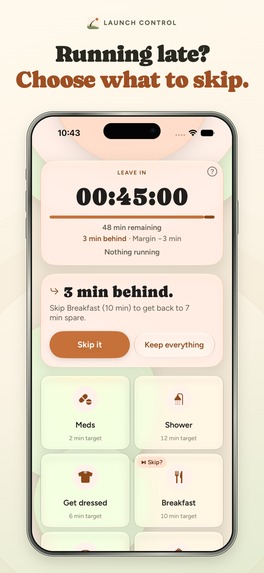
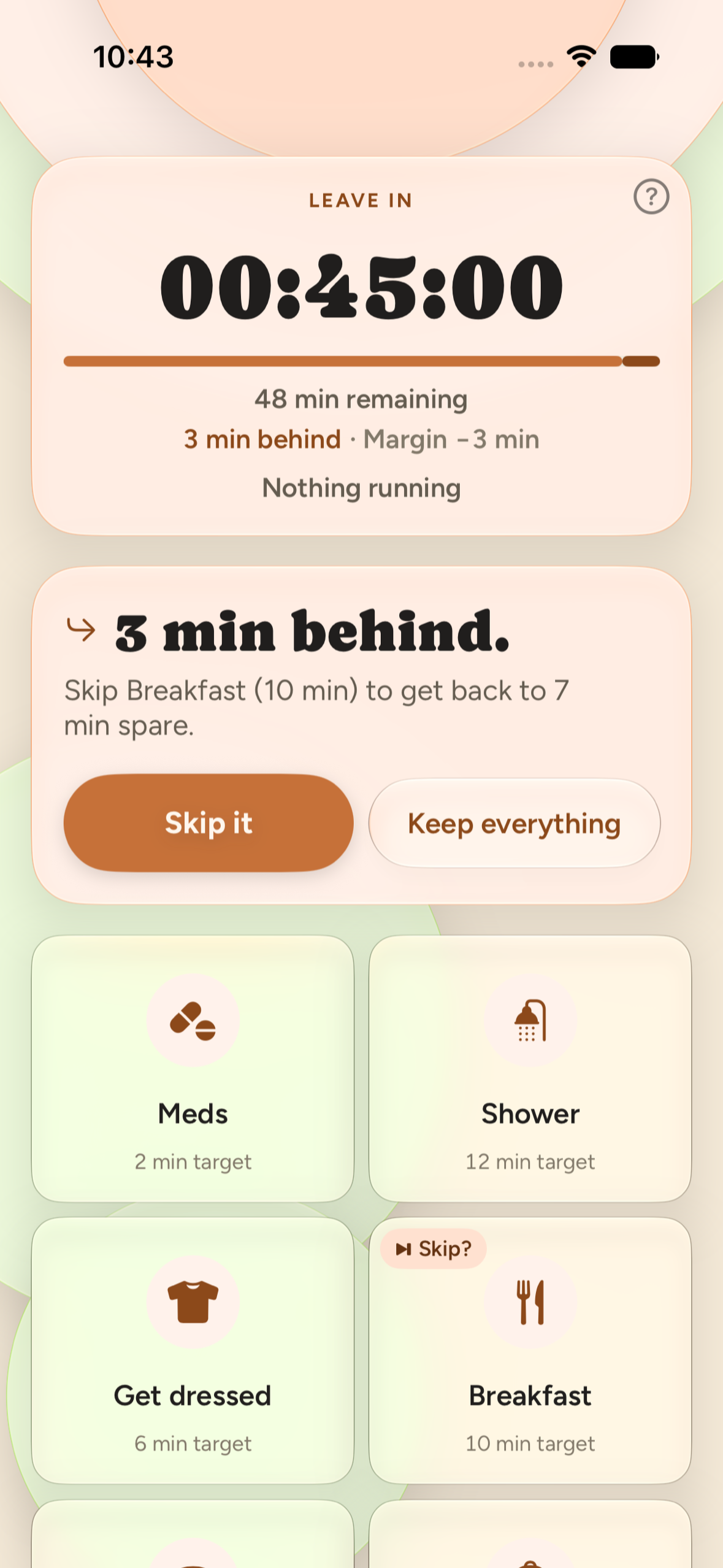
When behind, see a suggested droppable step and choose whether to skip it.
-
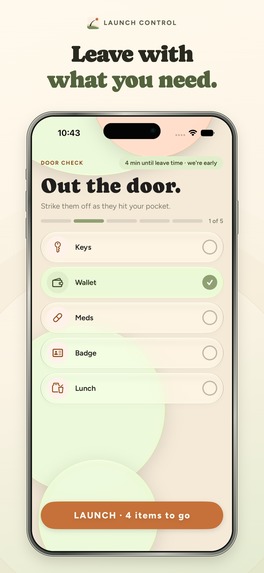
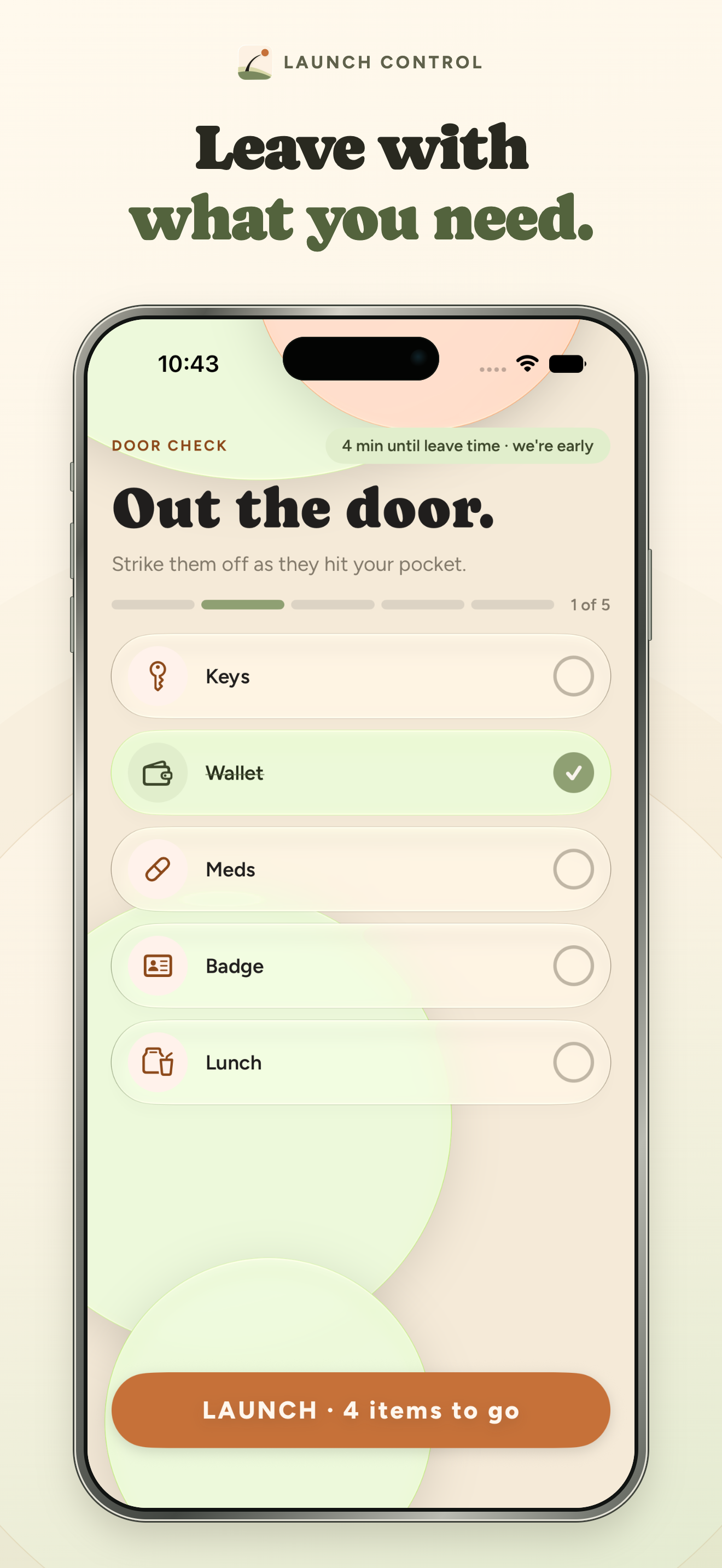
Door Check: strike off your Launch Kit at the door, then tap Launch to record when you left.
-
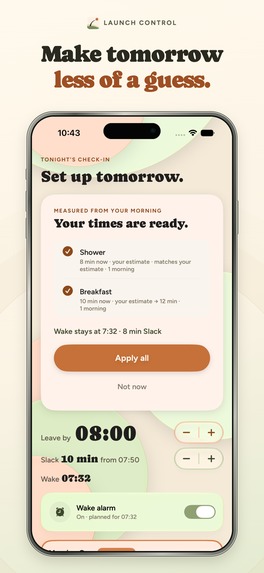
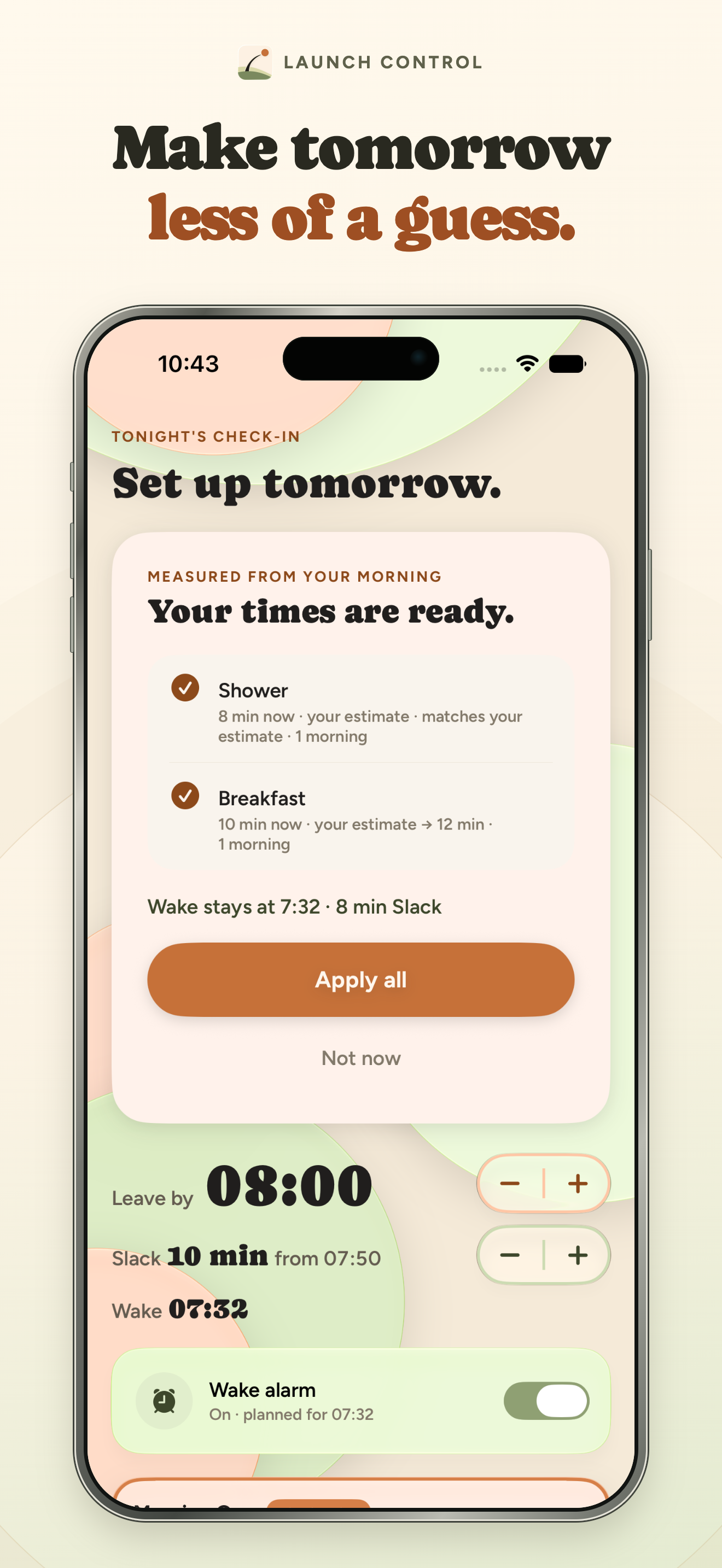
After a real morning, the Check-in proposes step times from what you measured. Apply them or choose Not now.
-
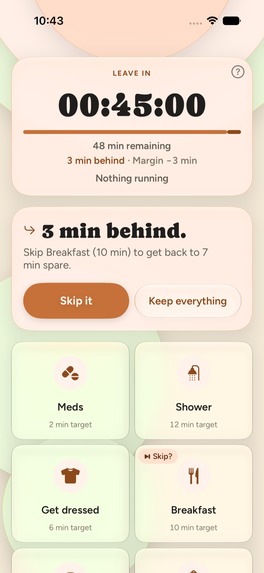
Morning Board, unframed: 3 min behind, it suggests skipping Breakfast to get back to 7 min spare. Skip it or keep everything.
-

Official Launch Control app icon, 1024 × 1024.

Launch Control is an iPhone alarm and morning planner (iOS 26 or later) for people who know when they have to leave but underestimate what comes before it. It plans the morning backward from your leave time and shows, live, whether the rest still fits. Your first three mornings are free.
Inspiration
A morning alarm can wake you, but it does not tell you whether everything between waking and leaving still fits. Launch Control grew from that gap: start with the time you need to leave, plan backward, then make the remaining time easy to see and act on.
What it does
You set a leave time, give each Morning Step a duration, and add a cushion. Launch Control works backward to a wake time and sets the alarm. In the evening, a short Check-in shows tomorrow's plan: confirm it, move the leave time, or take the day off. You can keep different Mornings for different days, like a work commute or a gym start.
The alarm opens the Morning Board with the plan ready: a live countdown to your leave time, the steps that remain, and whether you have time to spare or are running behind. Nine more minutes is one tap, and it comes out of your spare time. The same countdown stays on the Lock Screen and in the Dynamic Island. You choose when to start each step: tap to start, hold to finish, swipe to skip. If time gets tight, the app suggests a step you marked as droppable and shows what skipping it gives back; you decide. At the end, Door Check lets you strike off your Launch Kit (keys, wallet, badge) before you tap Launch to record when you left.
Afterwards, a Mission Report compares planned and actual time for each step. From recorded mornings, the app proposes updated step durations, which you accept or dismiss at the next Check-in.
Free and paid
Your first three mornings are free. There is no trial to cancel, and no subscription starts automatically. After that, a membership (monthly, yearly, or a one-time lifetime purchase) is needed only to arm a new wake alarm. Your Mornings, Launch Kits and history stay readable and editable without it, and a morning that is already armed always finishes.
How I built it
Launch Control is a native iPhone app built with Swift and SwiftUI. AlarmKit schedules the wake alarm; an App Intent hands off to the morning flow; ActivityKit presents the live countdown. A dated plan and an append-only record of step actions drive the Board and its time projection, so pausing, switching, skipping, and reopening steps stay consistent across app launches. The app stores morning data locally with GRDB and SQLiteData. RevenueCat handles purchases and restores (StoreKit 2), the membership entitlement (with Trusted Entitlements), the prices and packages on the paywall (from the current offering), and Customer Center for managing a membership. Apple Ads attribution is switched on too. The three free mornings are counted on the device, in the Keychain, so reinstalling doesn't reset them. Access is checked in one place only: just before the app schedules a new wake alarm, never during a morning.
Challenges and lessons
The hardest design problem was keeping the plan honest when a real morning changes. A fixed sequence would break as soon as someone starts a different step, runs late, or changes their mind about a skip. I used one recorded stream of actions and derived the Board and remaining-time projection from it. That made recovery and undo part of the normal flow rather than special cases. I also learned to keep the advice modest: the app shows the time trade-off and asks the user to choose; it never silently changes their morning or claims they will leave on time.
I also changed the business model after launch. The first version asked for a payment method, through a seven-day free trial, before the alarm had ever rung. Nobody started that trial. With so few downloads that proves little, but it meant nobody got to see the app do its job. Version 1.0.2 replaced the trial with three free mornings, so people see a real morning before they decide to pay.
Built With
- activitykit
- alarmkit
- appintents
- grdb
- posthog
- revenuecat
- sqlitedata
- storekit
- swift
- swiftui
- widgetkit

Log in or sign up for Devpost to join the conversation.