-
-
Logo
-
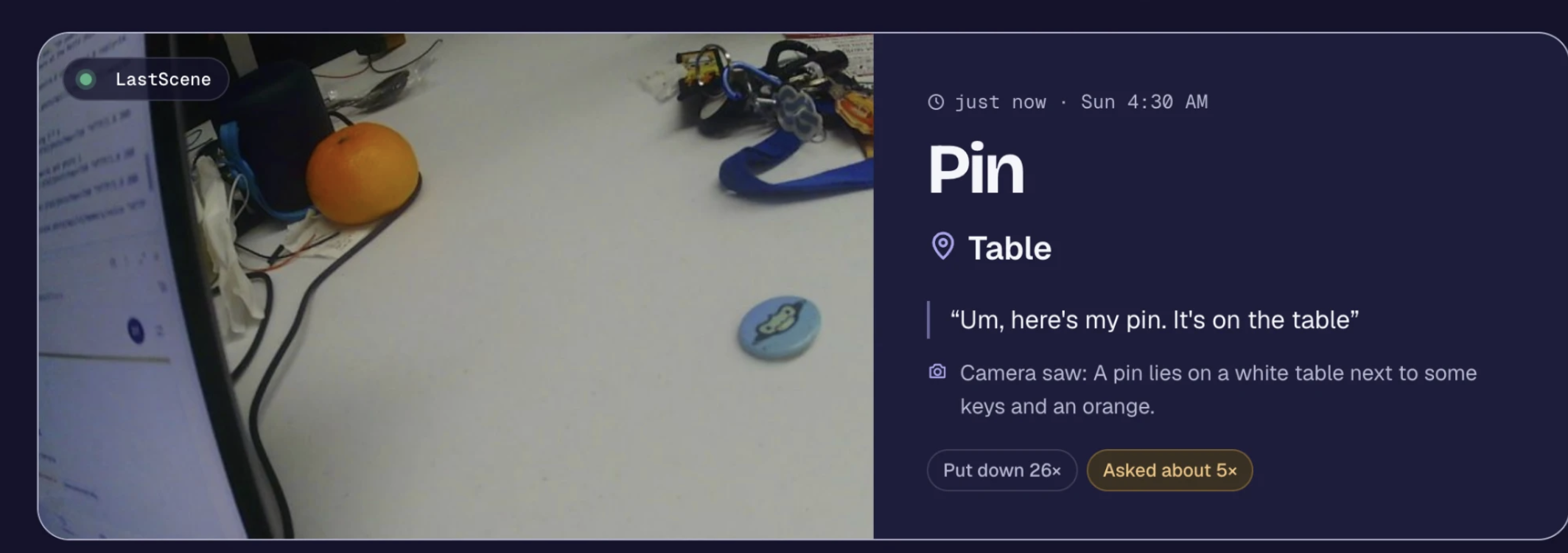
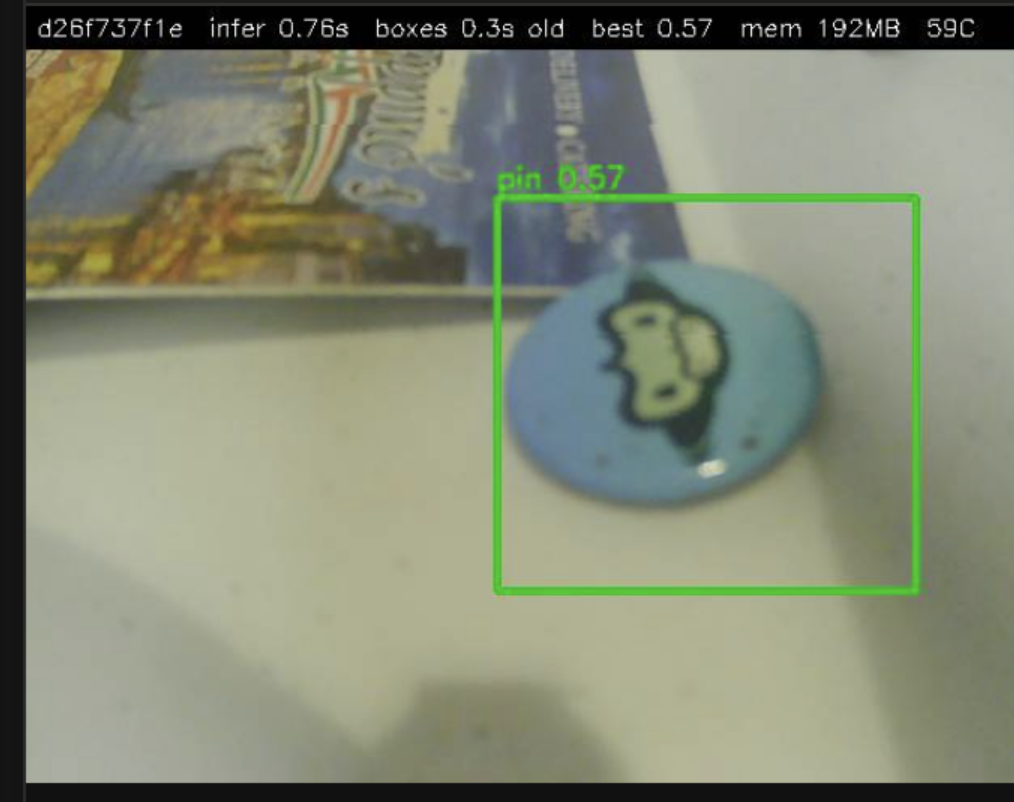
Large View of Item Classification
-
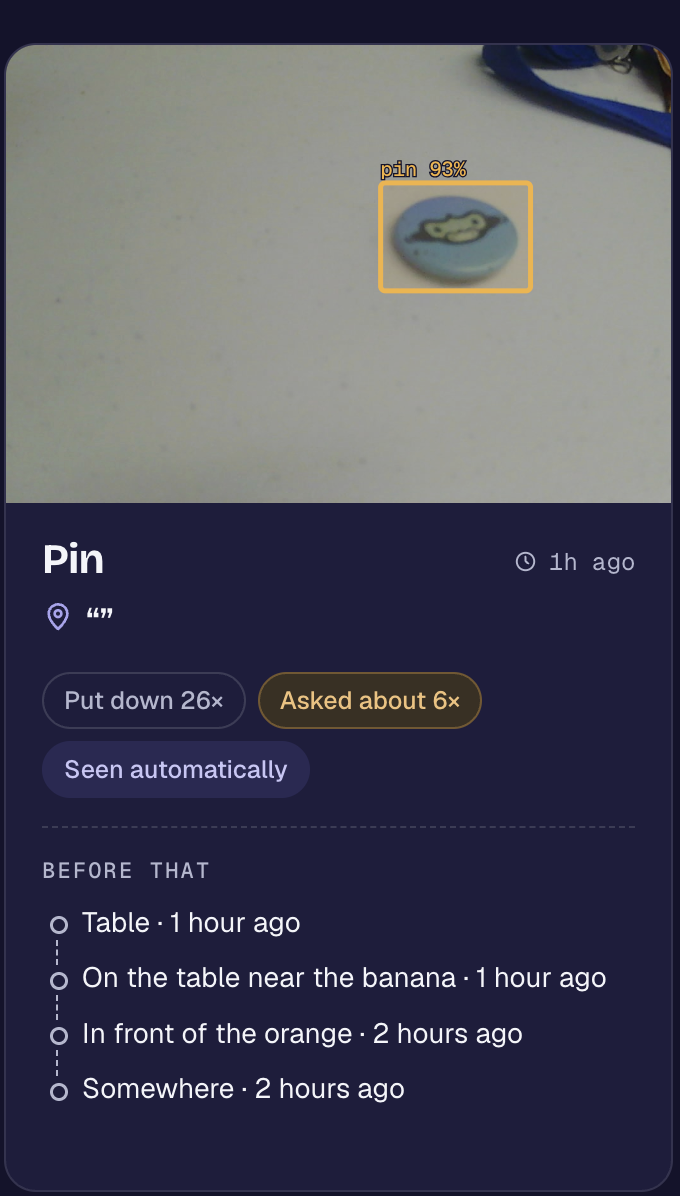
Card View of Item Classification
-
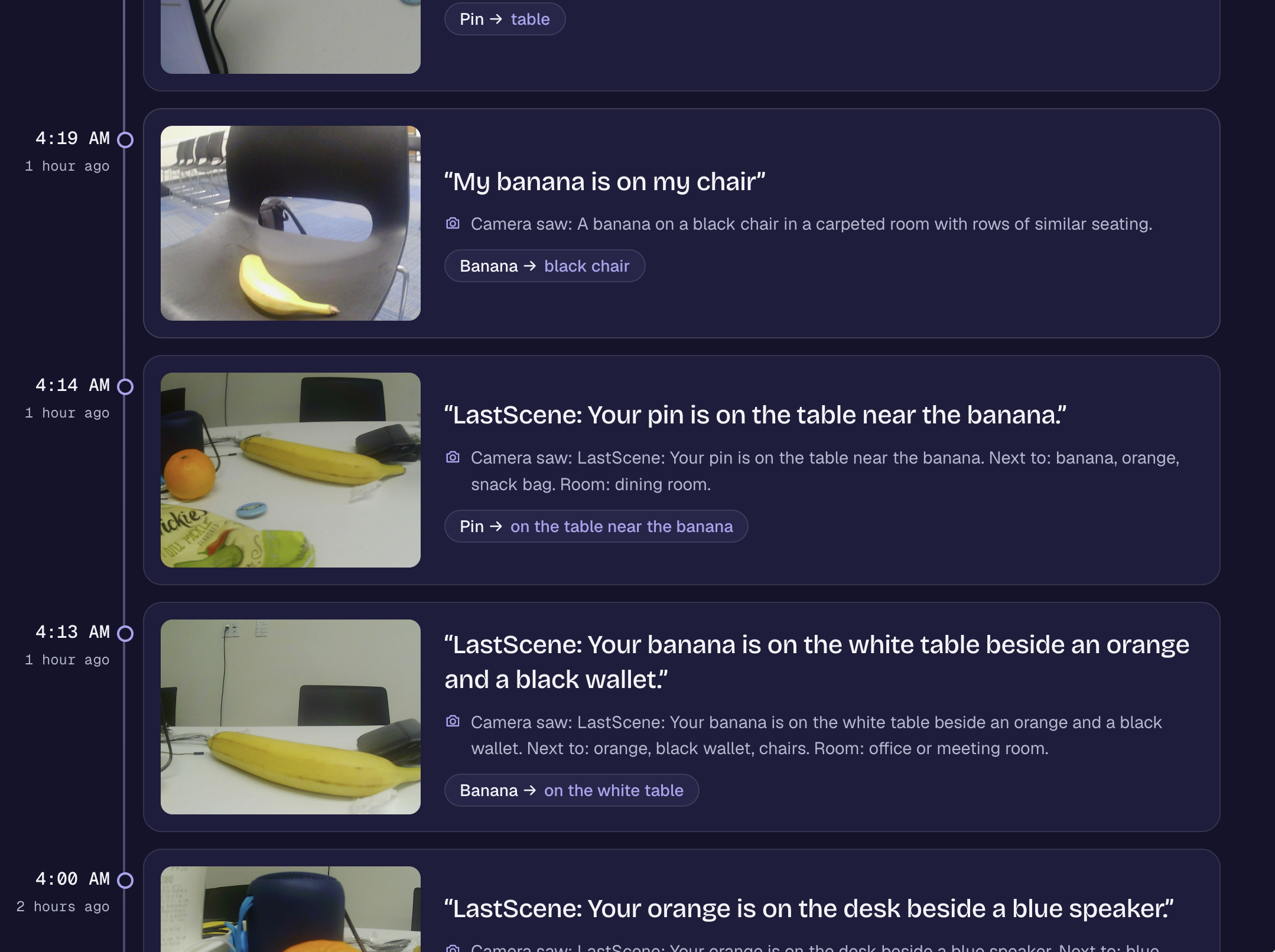
Timeline View
-
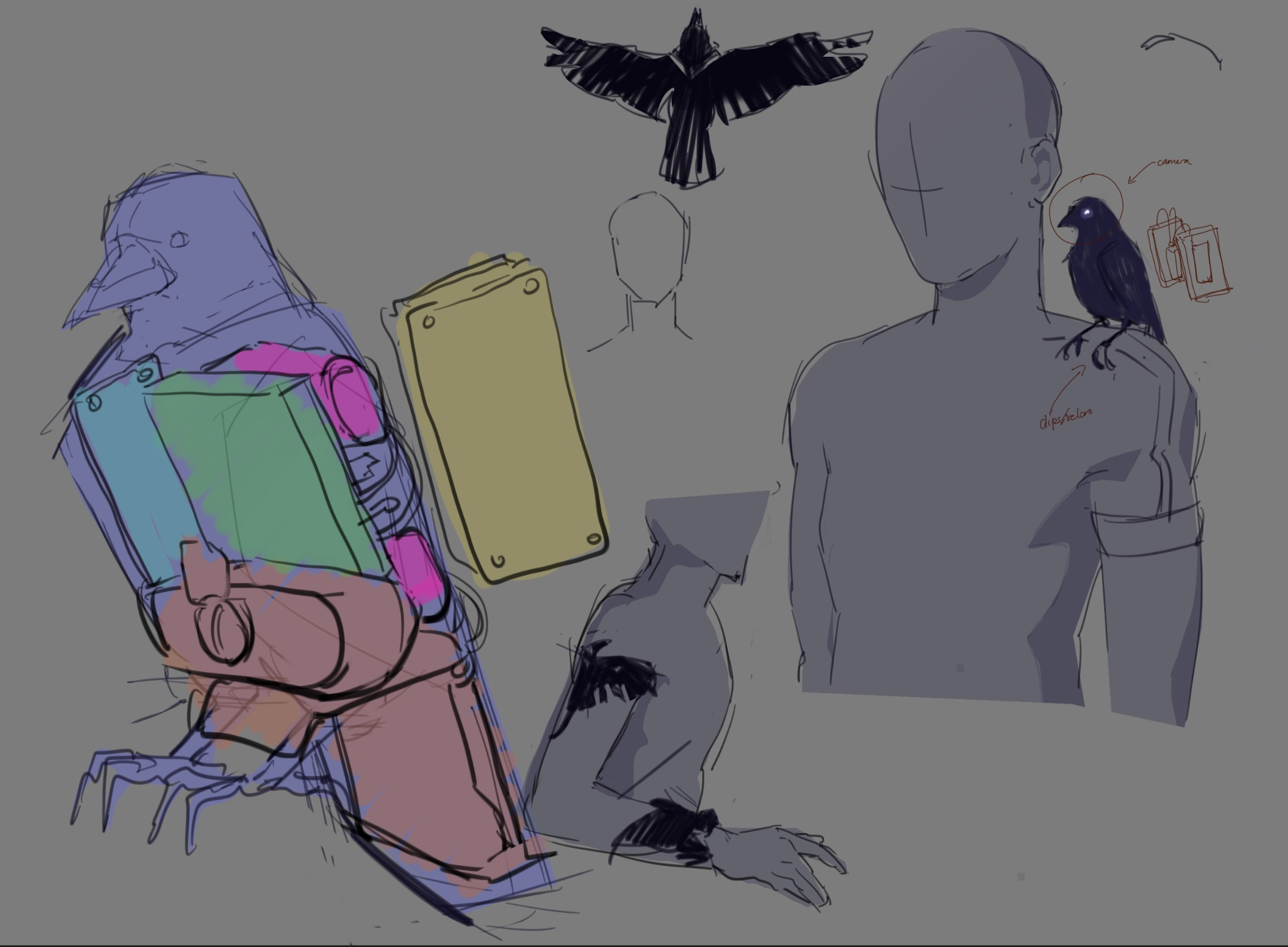
Accessory Schematic/Blueprint
-
Early OpenCV
-
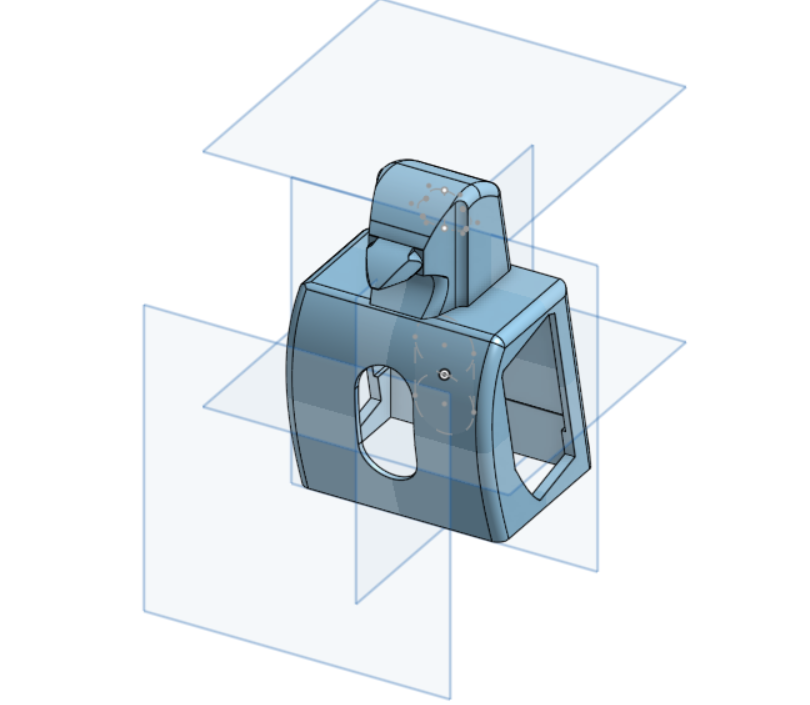
Bird Cad
-
Bird Cad2
-
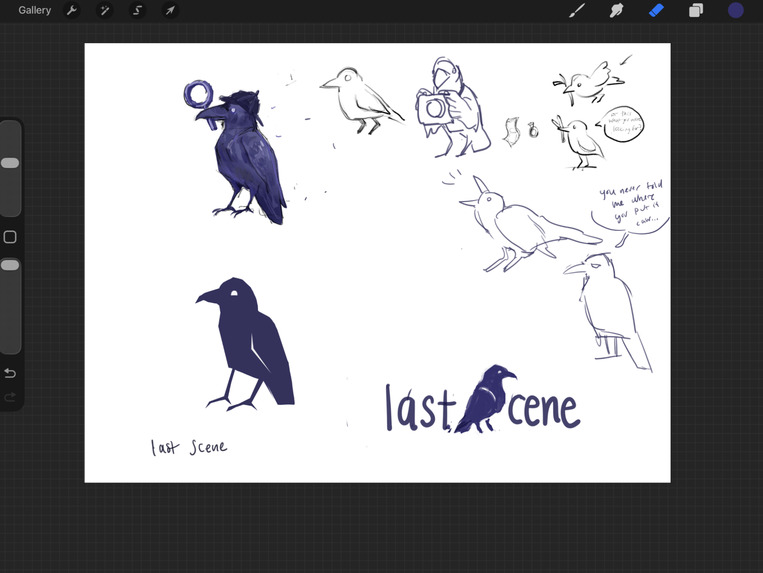
Logo Creations
Inspiration
People lose things. I always lose the same things, like "where's my wallet," "where are my keys," and most of all, "honey, where is my supersuit?" Jokes aside, losing things is a very common, annoying fact of life. The typical solutions are either too much work or too much money. We wanted something cheap, private, personalizable, and autonomous.
What it does
LastScene is a multilingual, multimodal wearable accompaniment built on 2 Raspberry Pi Zero 2 W hooked up to a microphone, camera, and speaker. By using the key phrase "LastScene," it wakes up the wearable and allows you to
- Log: Manually mark the location of an item to ensure it stays in your Memories. The wearable will transcribe your context about the item and location. It's also able to drop false wakes by looking for a specific command through regex or querying an agent to translate.
- Ask: Have an AI agent query our database to see where your items were LastScene (wink, wink). The wearable will answer out loud, removing the need to press anything or even pull out your phone since you might've lost that too!
- Spot: Poll the camera for your favorite items that you don't want to lose to automatically mark any sightings of them. If the wearable made a mistake, correct it in the app to improve future attempts. Your usage empowers your model with continuous personalization.
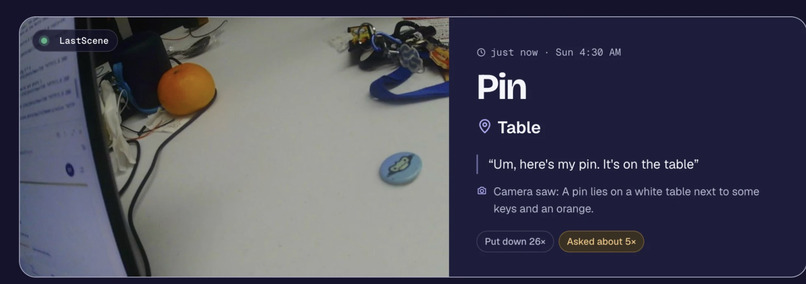
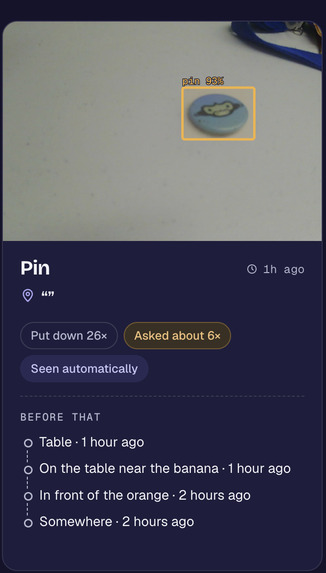
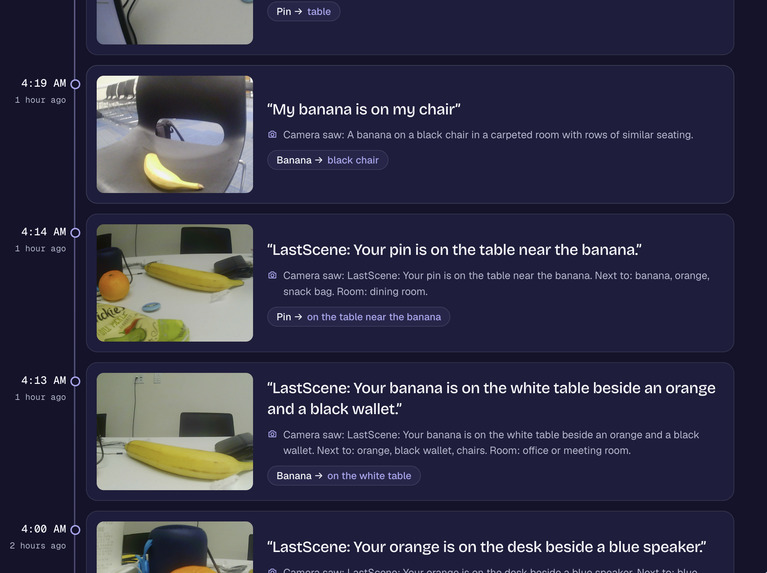
- Analyze: Look through a dashboard to see the pictures of your items, where they were, how strong the embedded AI model was able to classify it, a timeline of you and your items throughout the day, and track important belongings with your whole household.
How we built it
Wearable: Two Raspberry Pi Zero 2 Ws. One is the controller tasked with item/image classification and the other handles the mic, speaker, buttons, LEDs, openWakeWord with a custom “LastScene” model, and Moonshine speech-to-text on the device. We also used ElevenLabs as fallback to not only ensure your text is accurate, but provide multilingual support! Audio goes out to a custom soldered speaker (some parts weren't even working!).
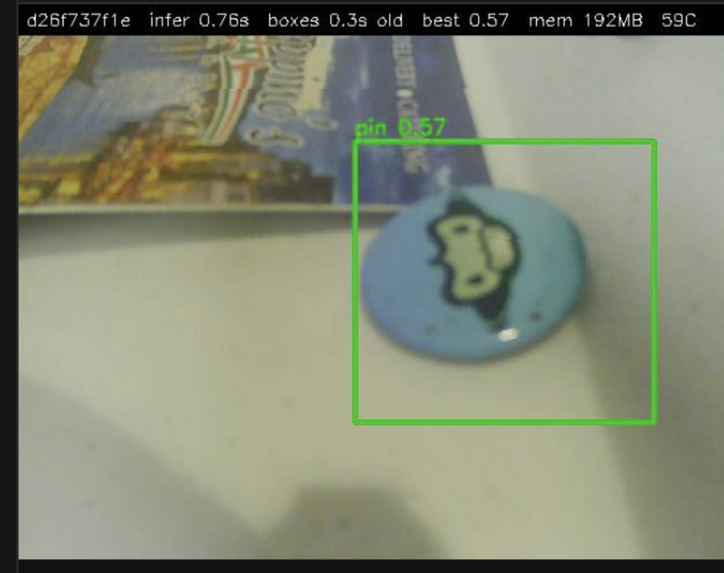
Computer Vision: YOLO-World’s text encoder alone is ~350 MB, too big for the Pi, so we baked its vocabulary in on the laptop, then quantized the detector from 32-bit floats to 8-bit integers (INT8) and exported it at 320 px, small enough to fit in about 10 MB. Next, we fine-tuned YOLO11 on photos from the Teach page, training on Vultr GPUs with strict spending guards (to protect my wallet!). The cloud compute would be the best scalable option to sustain users with large amounts of images to train models on. We used OpenCV for processing camera frames and built a passive detection pipeline to recognize objects and create memories from confirmed sightings.
Backend: FastAPI on Vercel at lastscene.photo. Data lives in TigerData with photos stored next to their transcripts and any extra context. Auth0 handles devices and users. Search combines vector stored context and regex keyword matching to optimize and ultimately reduce the total amount of wasted AI token usage. Wi-Fi positioning with Google Maps names places to map out important areas. A read-only MCP server lets AI clients query our database.
AI: Gemini runs every stage by default (embeddings, answers, item extraction, vision, Live). Because the free-tier is very limiting in what you can do, we added fallbacks to other API services to ensure service stays running. ElevenLabs handles voice and Scribe speech-to-text. Any stage can be switched to another provider with a setting. Every device would come with their own local, quantized machine learning model to train their items on. The training gets handled by Vultr cloud containers to offload compute from the users' devices.
Dashboard: React + TypeScript + Vite, with deck.gl maps, including a 3D public map and a floor-by-floor view of the Reitz Union.
Challenges we ran into
Networking: Saturday morning started with the Pis "disappearing," because the networks kept dropping and we didn't stay aware of what our Pis were configured to. We solved it by integrating with Tailscale, a mesh VPN that allowed our devices to tunnel to eachother.
Data Blindness: A bunch of similar photos (same angle, distance, background, lighting) made our model look better than it was. They say nothing about how it will do in a different room. My orange kept getting classified as a banana!
User-Led Personalization: We had to nudge users toward varied photos instead of ten copies of the same shot. Users still had to draw bounding boxes by hand. While AI-suggested labels were the plan, API costs during testing held us back.
512 MB of RAM is so, so small: Running speech recognition, object detection, sensor data, and OS on one Pi Zero 2 W left as little as 16 MB free and slowed both down by 2–2.5x. After trying optimizations, we split the work across two Pis.
Torn camera frames: Reading the USB camera under load corrupted 19 of 25 frames. Changing how we handled the camera buffer brought that to 0 of 25. The camera started looking terrible on demos.
More sensitive isn't always better: After retraining, the model caught a pin the old version had missed, and then decided an exit sign was the pin. We wanted it to find more real objects without making up sightings. In the last hours, we were still tuning "LastScene" so it would hear us without waking up during every conversation. It ended up taking a long time to train even on cloud compute and still was not performing better.
Accomplishments that we're proud of
We're honestly proud that we managed to bring together hardware, machine learning, voice interaction, and a full web dashboard into one project, especially since for two of us, it's our first time working on a hardware project.
Getting an object detector running on a $15 Raspberry Pi Zero 2 W was something we weren't even sure would be practical when we started. We wanted to be able to sprinkle the buzz word Quantization into our project and thankfully we got to learn a thing or two about it. We got inference down to under a second per frame in our benchmarks, despite how limited the hardware is.
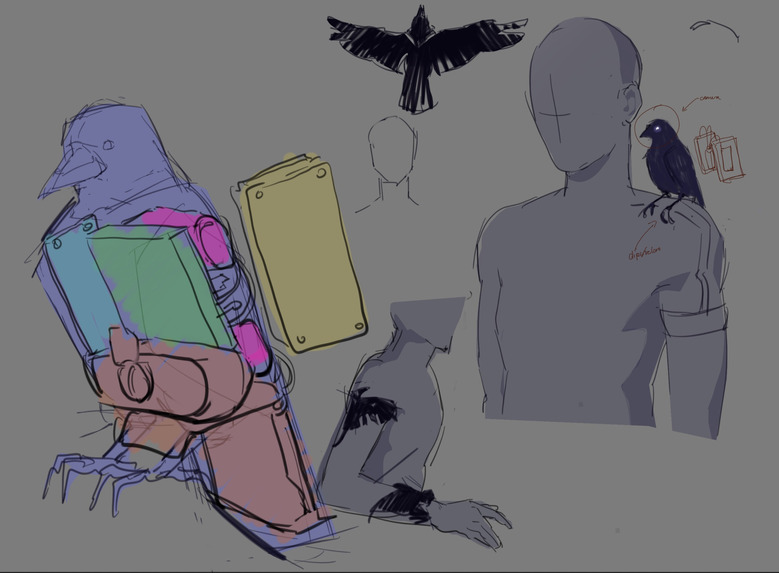
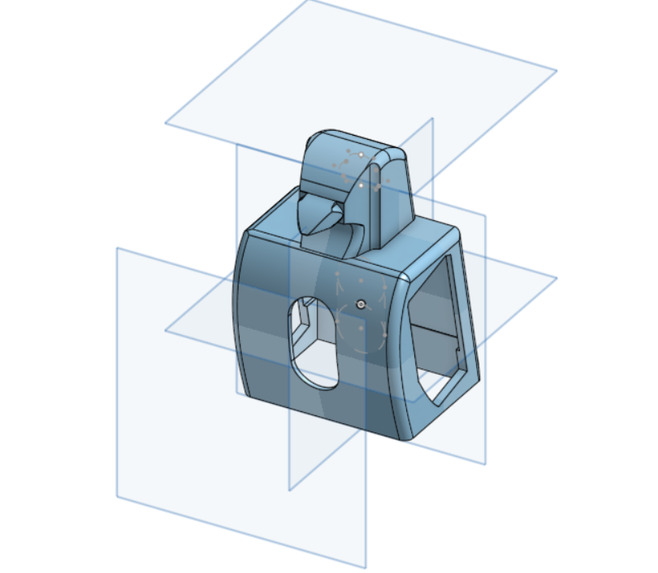
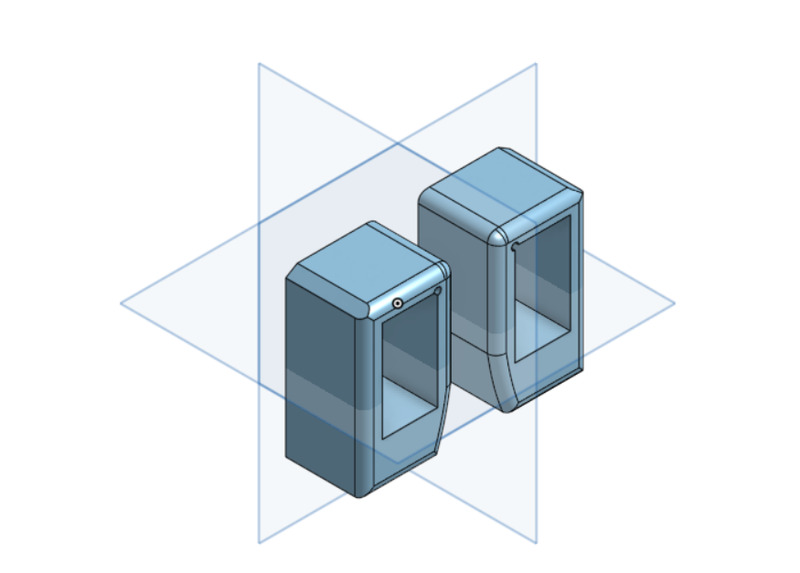
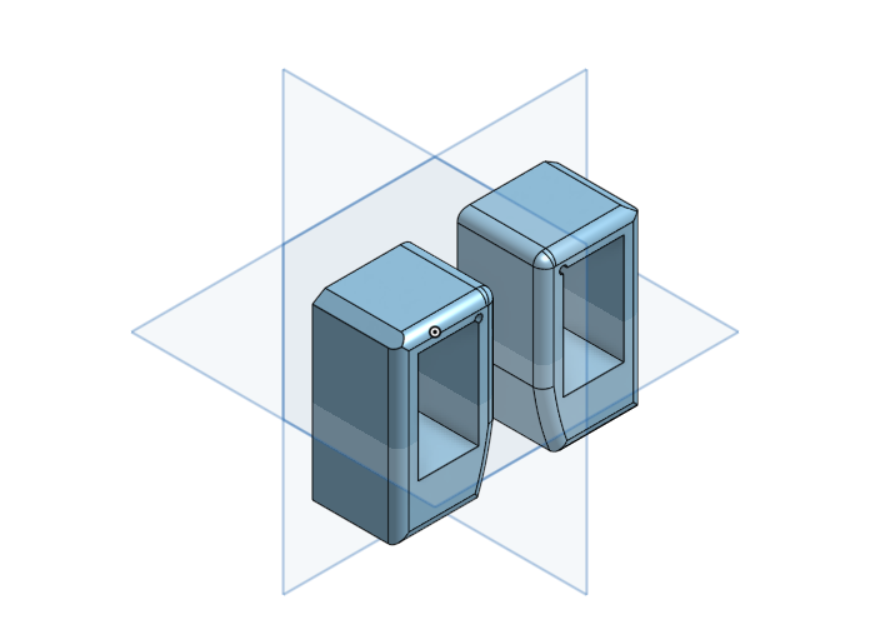
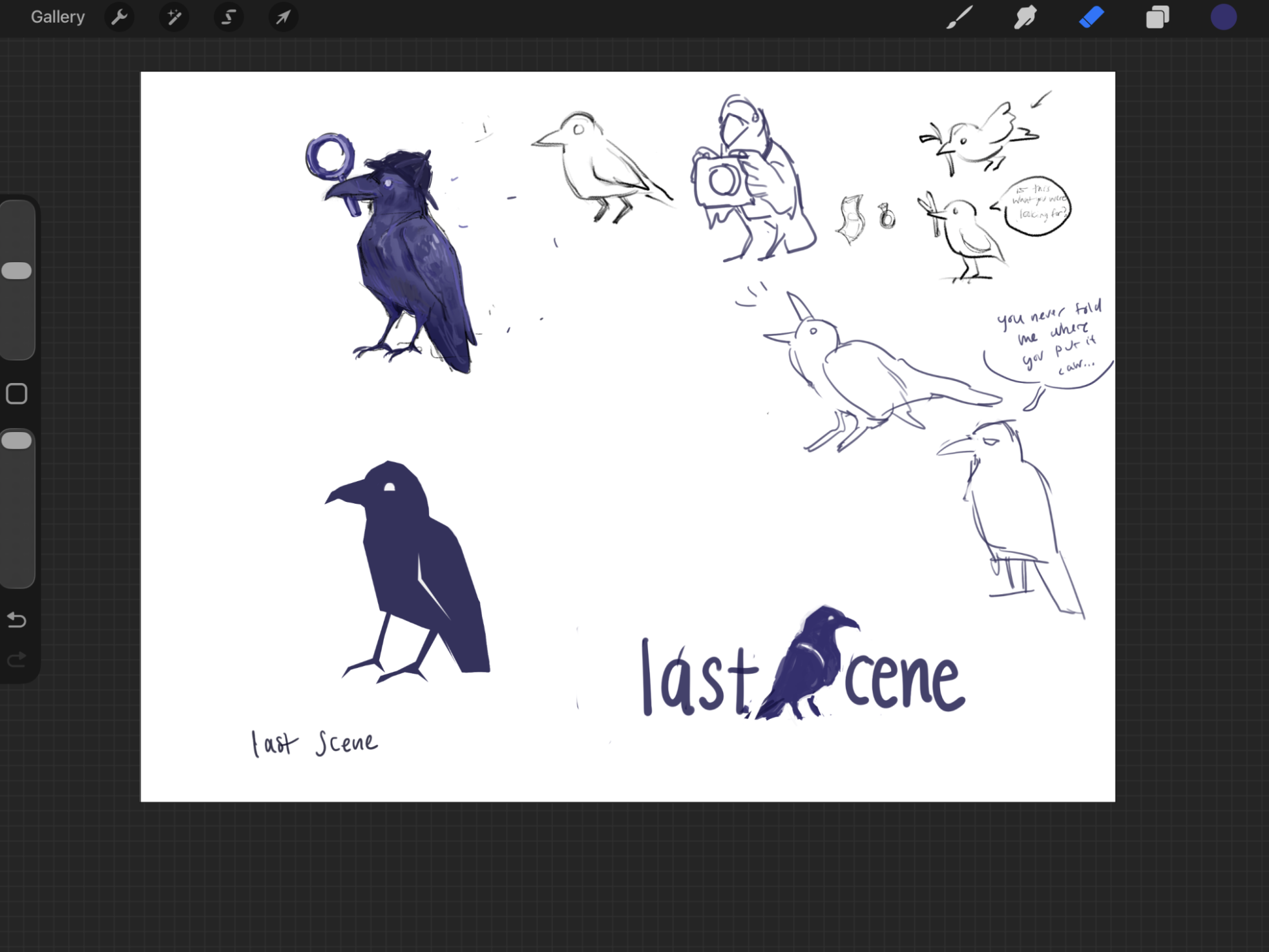
One of our team members was very proud of designing the bird for the app and the shell of the hardware and navigating through secure shelling onto the Pis. We unfortunately didn't get to print it, but we built a minecraft chicken prototype (with a box of scraps!). Building the personalized photo labeling experience, the memory pipeline, and a voice interface for finding belongings was a tough challenge that we're glad we got.
We actually spent a lot of time actually measuring performance instead of just assuming something worked. For example, switching ONNX Runtime from three threads to four reduced median inference latency by around 15–16% in our fixed frame Pi benchmark, without changing the raw predictions on those images. Our data science focused team member spent most of their time optimizing and quantizing to sustain our limited hardware compute.
And honestly, we're proud of how much we learned from the things that didn't work and our mistakes. Figuring out why those mistakes happen is what helped us improve the project.
What we learned
One of our biggest takeaways was that training a model isn't the same thing as making it reliable.
You can get really good results on the photos you've already collected and still have a model that struggles the second you change the lighting, angle, distance, or background. We learned that having more photos isn't necessarily better if they're all nearly identical. (overfitting) Having different, representative examples matters a lot more (generalization).
We also learned that a model has to recognize when an object isn't there. Adding negative examples and confusing backgrounds was just as important as adding more pictures of the actual object. Building a memory assistant is also a different problem from building a regular object detector. A false positive doesn't just mean drawing a box around the wrong thing. It can actually create a false memory and send someone looking for their belongings in the wrong place.
That's why we started thinking more about confirmed sightings, scene matching, and keeping photo evidence so users can see what the camera actually recorded.
We also got a much better understanding of what it takes to put machine learning on real hardware. Something that runs perfectly fine on a laptop can be a completely different challenge when you've only got a Pi Zero 2 W to work with.
And working as a team under such a short deadline taught us a lot about communication. Miscommunication is bound to happen, and at one point, two people were working on almost the same feature without realizing it. We learned pretty quickly how important it is to coordinate what everyone's working on, especially when the codebase is changing and updating constantly on GitHub.
One thing that really opened our eyes was just how much engineering goes into the hardware behind something that seems so simple. We initially thought getting the machine learning working would be our biggest challenge, but we ended up spending just as much time dealing with memory limits, camera issues, audio, processing speed, and getting everything to work together on a tiny device. Even something as simple as taking a picture while another model is running turned out to be a problem. It gave us a much greater appreciation for the engineering that goes into everyday technology, especially wearables where all of that has to fit into something small, lightweight, and comfortable.
What's next for LastScene
The biggest next step is making personalized recognition more reliable in real world conditions. We want to test our models on completely new wearable camera footage with different distances, lighting, movement, and confusing background objects, rather than relying on familiar training scenes. We also want to make teaching LastScene new items much easier. Ideally, users would just take a few varied photos of their belongings, have AI help label them automatically, and let the system fine tune a personalized model with minimal effort.
On the hardware side, we want to move toward a smaller, battery powered wearable that’s more comfortable to use throughout the day. After everything we learned about the challenges of building our own wearable, we’re especially interested in the possibility of integrating LastScene with smart glasses like Meta’s. We think smart glasses could be a perfect fit for something like LastScene. They already combine a camera, microphone, and speakers into something people can comfortably wear throughout their day. They’re also positioned closer to what you naturally see, which makes a lot of sense for a system that’s supposed to remember where you leave things. Instead of having to remember to point a separate camera at something or carry another device, LastScene could potentially work in the background as you go about your day. Of course, making that work would depend on the hardware and software access available to developers.
We’d also love to explore an augmented reality companion app, or eventually AR glasses that could visually guide you back to where something was last seen. Imagine asking where your keys are and seeing a visual cue directing you toward the desk or room where you last left them. We’d still have to figure out reliable indoor positioning, but we think that could make finding things much more intuitive. We’d also like to improve wake phrase recognition in noisy environments and continue testing how the vision, memory, and voice systems work together.
Eventually, it’d be nice to test LastScene with actual users, especially caregivers and people dealing with memory difficulties, to understand what would really make their everyday lives easier. We could receive feedback on how we could improve as well. In the end, we want LastScene to feel like something you don’t really have to think about. You just go about your day, and when you lose something, it remembers where you last left it.
Built With
- auth0
- deck.gl
- elevenlabs
- fastapi
- gemini
- moonshine
- onnx
- opencv
- openwakeword
- pgvector
- postgresql
- python
- raspberry-pi
- react
- tailscale
- tigerdata
- typescript
- vercel
- vite
- vultr
- yolo


Log in or sign up for Devpost to join the conversation.