-
-
Motion Tracking Contraption
-
AR
Inspiration
We wanted to play laser tag, but without the hassle of setting up a whole laser tag environment or paying for expensive games. In pursuing this idea, we realized we could essentially make real life versions of our favorite first person shooter games! The usage of AR allows for game-like power ups, such as seeing teammates through walls for better map/team strategy, etc. Aside from entertainment, features like that could be used in real life military combat training, or any team operations training in which members are in close but physically walled-apart spaces.
What it does
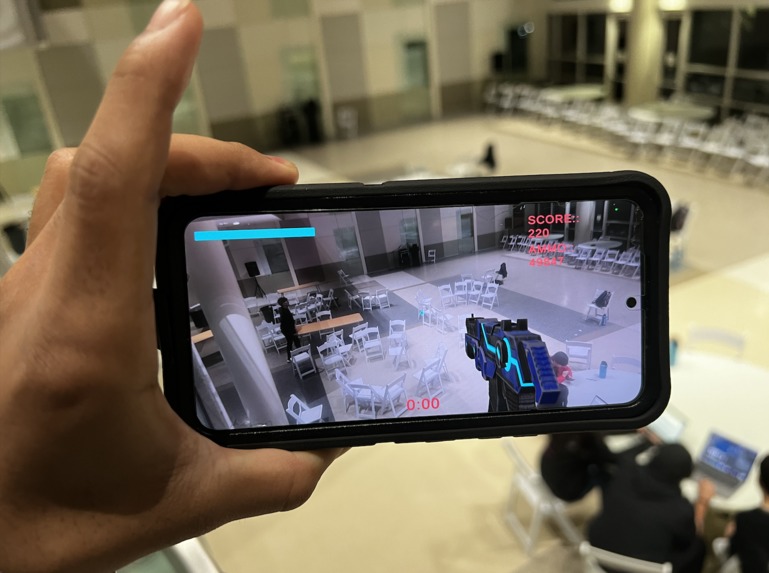
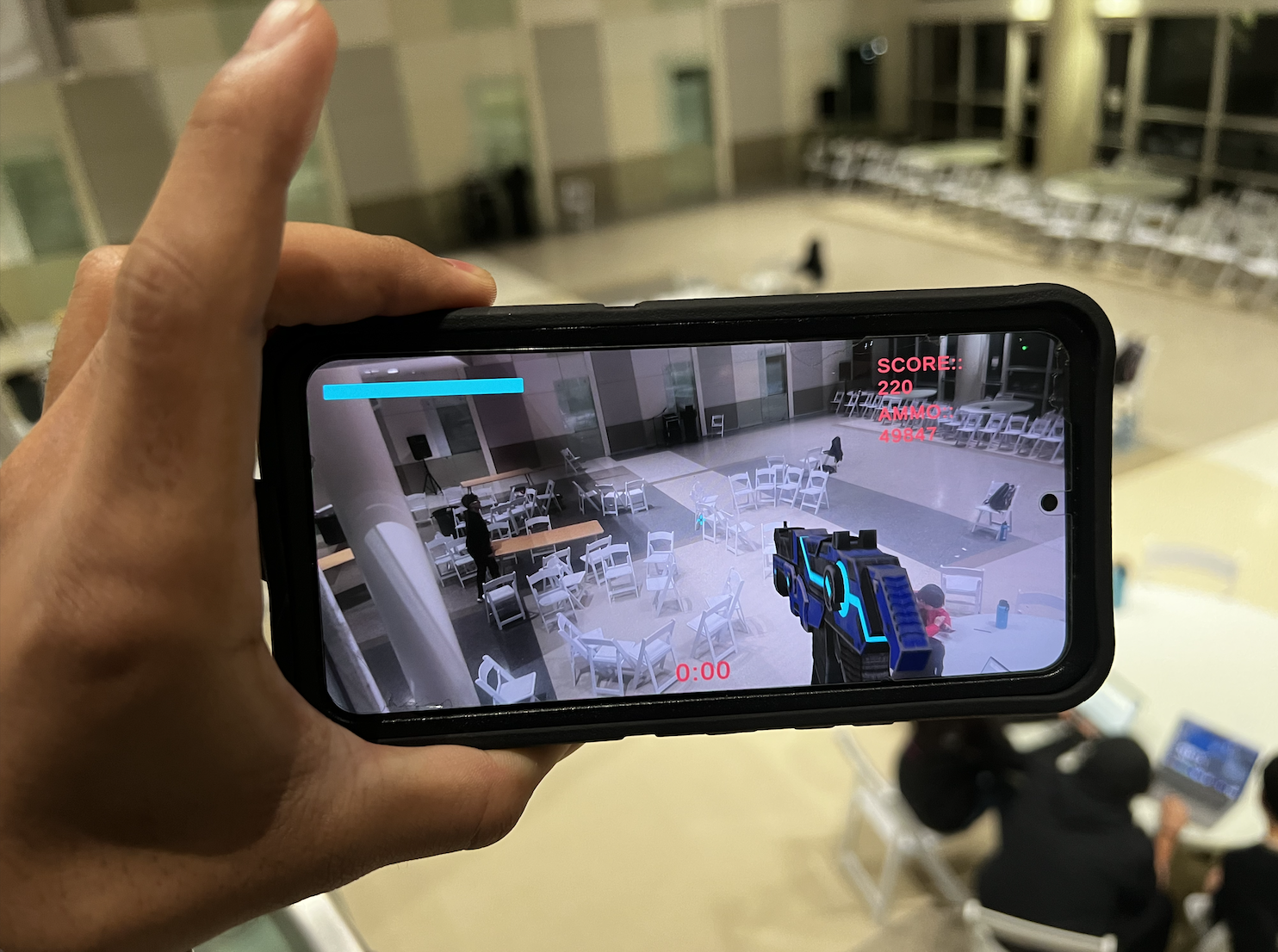
We allow up to 6 players to play laser tag. Our current set up is in a 10x10 ft part of Klaus atrium, but our system of just one overhead webcam and optional headsets allow for this AR laser tag game kit to be easily set up in any anywhere by anyone! (This greatly reduces the cost to play laser tag in paid-for arenas, without sacrificing any quality or immersion). There are two bases for the two teams where players can recharge their health and ammo. Players wear Aruco tags on their heads and can shoot using red cups that they point towards their enemies. To reload their gun, they bring their cup towards their body. Players can wear AR headsets that let them view their environment along with their score, health, ammo, accuracy, and other stats. This allows for an immersive mixed reality experience and frees a player's hands up for aiming their gun. The AR experience has AR created playing-field boundaries and obstacles for players to hide behind and strategize their map movement, much like a first person shooter video game. There is also gun recoil, red screen-border overlays when you take damage, sound effects for shooting, and more! Players without the headset can view all their stats on a website through their phone. The website collects all stats to be presented as a summary of the battle after each game.
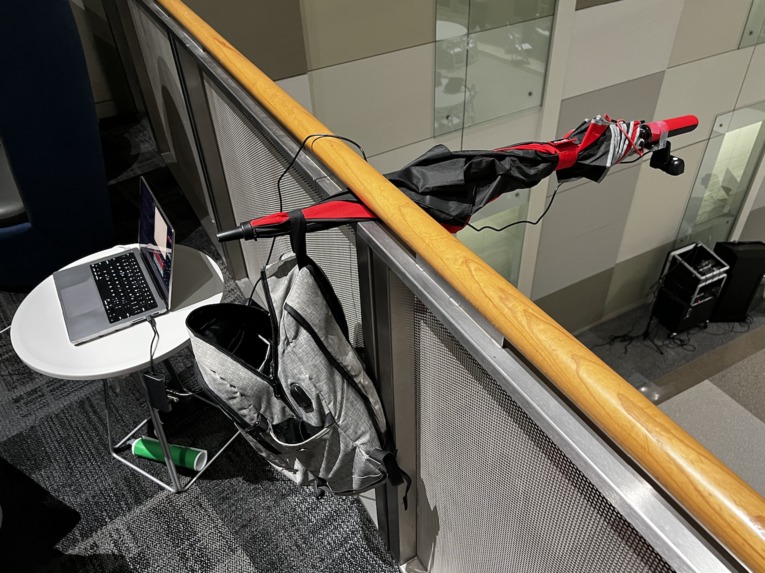
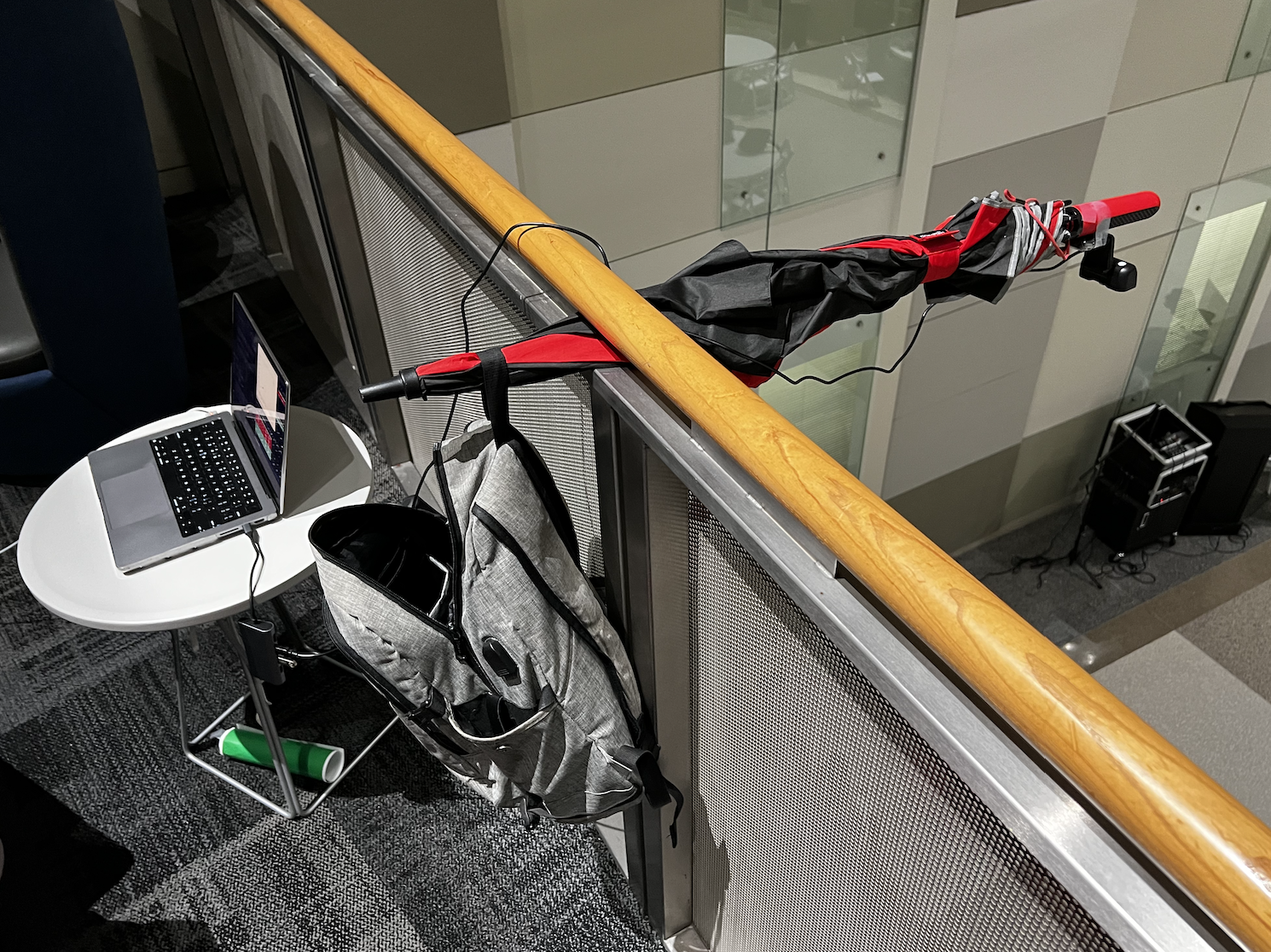
We use a webcam mounted on the top of klaus atrium looking down towards the field to track each person and their shots.
How we built it
We used Python and OpenCV for motion tracking. We detect Aruco tags and red items with thresholding. Each player wears a unique Aruco tag to identify them. We then associate red items with Aruco tags and determine the direction each player is shooting. We have collisions implemented for players and bases (which you cannot shoot from). The vision tracking python script keeps track of all players and game mechanics.
The vision tracking software sends player states to the main server hosted on the PythonAnywhere. We have a Flash backend for this server. This hosts the public website for players to see their current stats. This backend also hosts the API that Unity queries to get player stats to display in the AR environment for AR players.
The Unity AR environment overlays walls and your current player stats on top of the real world using the camera. It also queries the Flask server to determine when to start certain effects, like a red flash when you are shot and gun recoil when you shoot.
Challenges we ran into
Lightning conditions changed throughout the day making tuning motion tracking difficult. Picking up Aruco tags at various angles was difficult and required much experimentation to make work. Additionally, color thresholding could be influenced by things of similar colors. We had to add advanced filtering to remove such noise. We were surprised by how well it was able to work in the end.
Learning and getting comfortable with using Unity AR was major challenge that got progressively more manageable as our skills improved. GETing and POSTing requests to and from Flask and Unity was difficult. Afterward, processing the data into a usable form and incorporating it into the AR display was a fun challenge to solve. Towards the end, we had lots of trouble building the Unity program to the phone. Everytime the camera moved our graphics would breakdown. This forced us to get creative and film our video using the graphics on our computers, and develop a smaller version of the application for our demo.
Accomplishments that we're proud of
We are very proud of having created an interface that transmits the vision data from the camera to the server to Unity. We are very proud of the leaderboard and UI design, most notably the small details that bring it to life like the recoil of the gun and interactive wall.
Getting the vision to work properly and accurately, especially give our makeshift setup, was very cool too see.
What we learned
Being full of beginner Unity users, our team became very comfortable with Unity’s UI features, C#, and MobileAR development. We learned how to use package managers, utilize API’s to pull data from websites, and motion tracking with OpenCV and Python. Behind all this we learned how to properly delegate tasks based on team members’ experience levels and interests. Part of this was learning how to help each other complete their tasks while completing our own in a timely manner. In doing this we were able to effectively complete tasks, and add more features than we could have initially hoped too in only 36 hours.
What's next for LasAR Tag
From a software side, we hope to incorporate different power ups, like a real lasertag game. For example, we could add a shield power up where you can’t be shot for 30 seconds, an unlimited ammo power up and x-ray vision (seeing your teammates through the walls). We could also add new maps with different obstacles and layouts. The possibilities are endless and exciting! Physically we would like to make a wearable aruco tag hat that the camera can register easily along with an identifiable toy gun.


Log in or sign up for Devpost to join the conversation.