-
-
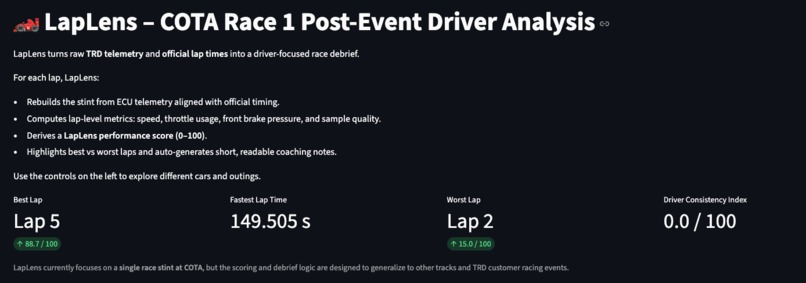
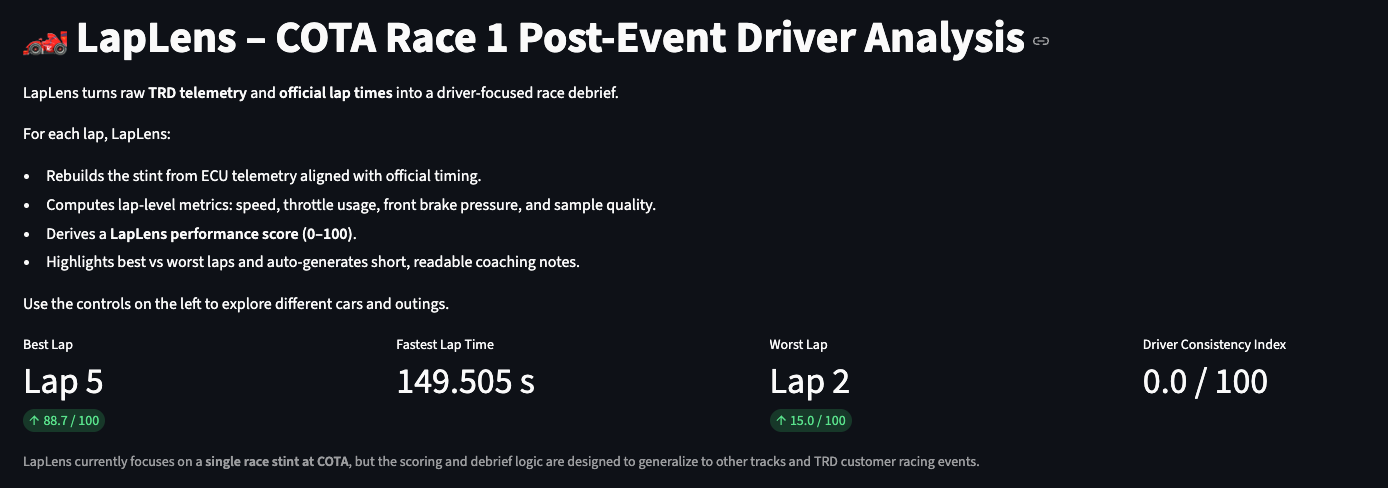
LapLens home view – stint summary for a GR86 at COTA: best/worst laps, fastest time, and Driver Consistency Index at a glance.
-
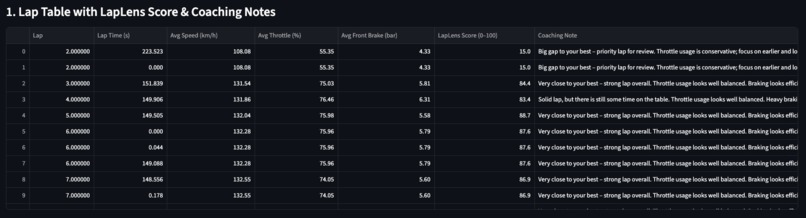
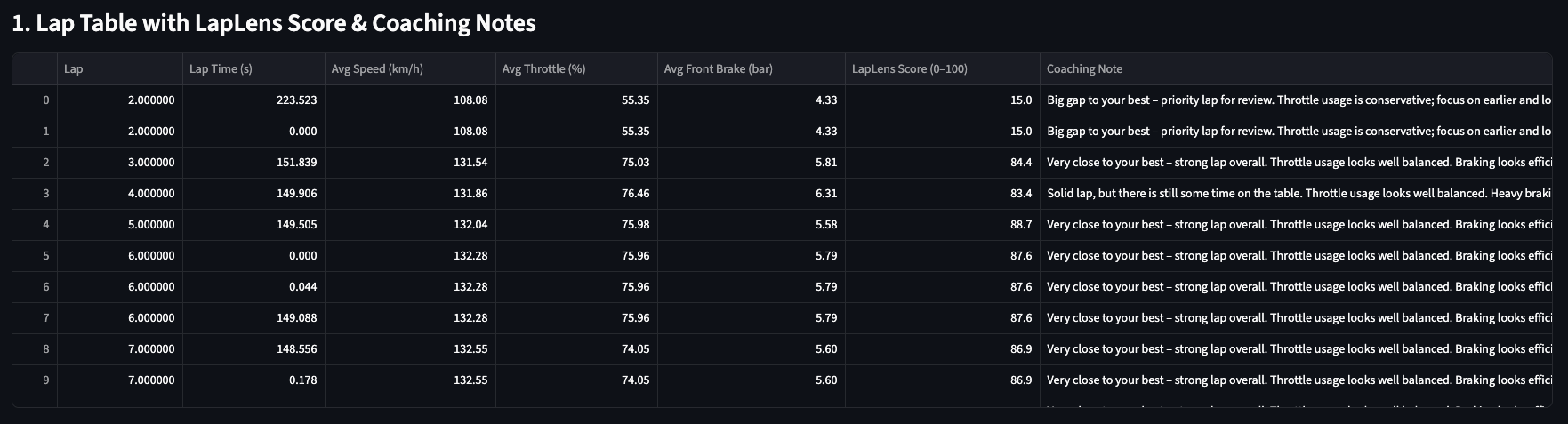
Lap-by-lap table combining TRD lap times, speed, throttle, brake metrics, and auto-generated coaching notes for each lap.
-
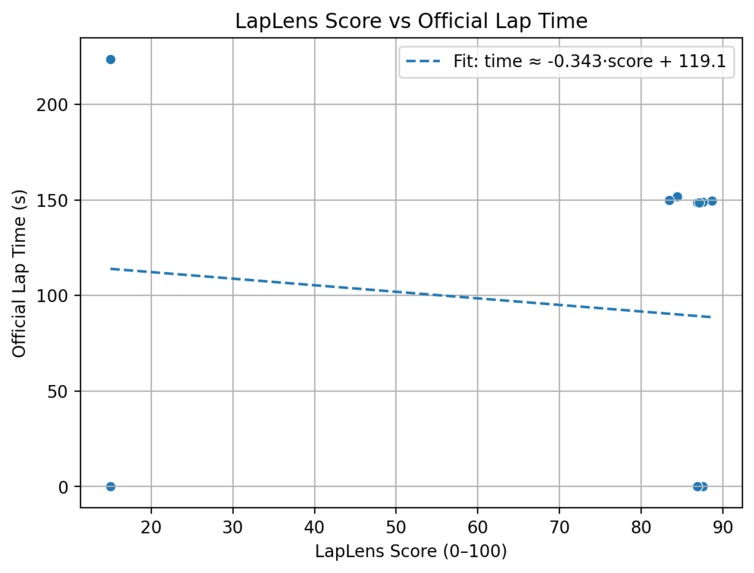
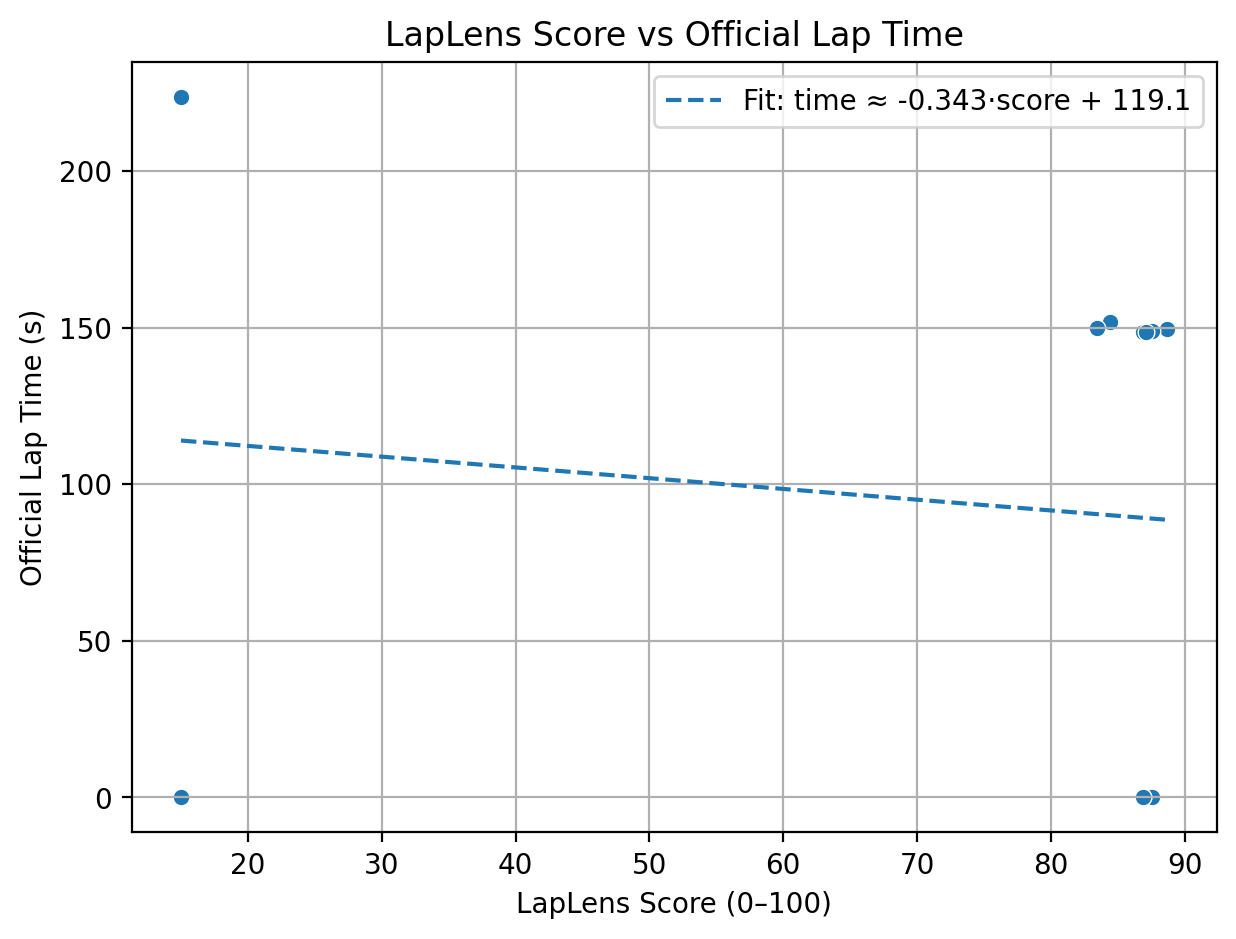
Scatter plot showing how higher LapLens scores generally link to quicker official lap times, with a simple linear-fit overlay.
Inspiration
After a race, drivers and engineers only get a short window to answer hard questions:
Where did we leave time on the table? Which laps should we actually review?
The TRD datasets are incredibly rich, but they live in multiple CSVs and raw telemetry channels. I wanted a way to compress that complexity into something a driver can understand in minutes: one screen, one score, and concrete coaching notes.
What it does
LapLens turns TRD GR86 telemetry + lap-time data into a driver-focused post-event debrief:
- Rebuilds each lap from telemetry, lap start/end, and official lap times.
- Computes lap-level metrics: average speed, throttle usage, brake pressure, and sample quality.
- Derives a LapLens score (0–100) to rank laps by quality.
- Generates short, per-lap coaching notes that describe whether a lap is conservative, messy, or a strong benchmark.
- Visualizes performance trends and how LapLens score relates to official lap time.
How we built it
- Started in a Jupyter notebook to explore the COTA Race 1 GR86 data and validate assumptions.
- Wrote a preprocessing pipeline in Python (
src/preprocess.py) to:- Load TRD telemetry, lap start/end, and lap time files.
- Align ECU timestamps with lap windows.
- Assign telemetry rows to laps and build lap aggregates.
- Designed a simple LapLens scoring formula from normalized speed, throttle, braking, and lap time.
- Wrapped everything in a Streamlit web app so judges and engineers can interactively:
- Select a car and outing.
- See KPIs, per-lap table, trends, and coaching notes in one place.
Challenges we ran into
- Time alignment: The ECU clock and lap-timing timestamps did not perfectly match. I had to build an alignment step that computes an offset and then re-assigns telemetry to laps.
- Noisy laps: Some laps had unrealistic lap numbers or very few samples. I added quality filters (e.g., minimum sample count) so LapLens only scores meaningful laps.
- Balancing simplicity vs detail: It was tempting to add many features, but I focused on a small set of metrics (speed, throttle, brake, lap time) that map clearly to how drivers talk about pace and consistency.
- Stability: Working with large CSVs in a notebook and in Codespaces meant being careful with memory and avoiding overly heavy computations.
Accomplishments that we're proud of
- Built an end-to-end pipeline: from raw TRD CSVs to a working, testable web app.
- Created a LapLens score that correlates with lap time but still reflects driving style, not just raw pace.
- Turned low-level telemetry (G-forces, throttle percentages, brake bar) into natural-language coaching notes that a driver can actually act on.
- Delivered a UI where an engineer can understand a stint in seconds: best lap, worst lap, consistency, and which laps to review first.
What we learned
- How to reconstruct laps robustly from telemetry, lap start/end, and timing data when clocks don’t perfectly align.
- How to design metrics that are interpretable, not just mathematically clever – the 0–100 LapLens score and the Driver Consistency Index both need to “feel right” to a human.
- The importance of focusing on driver language (“push lap”, “conservative”, “over-driving”) rather than only technical terms.
- How to turn a notebook exploration into a clean, cached Streamlit app that judges can run easily.
What's next for LapLens
- Extend beyond a single GR86 stint to compare multiple cars and races (e.g., COTA vs Sebring vs VIR).
- Add corner-level and sector-level overlays once track maps and distance channels are integrated.
- Allow exporting debrief reports for drivers (PDF/HTML) and integrating LapLens scores into team tools or simulators.
- Experiment with more advanced models to suggest “ideal” target laps or predict how much time is available with cleaner driving.

Log in or sign up for Devpost to join the conversation.