-
-
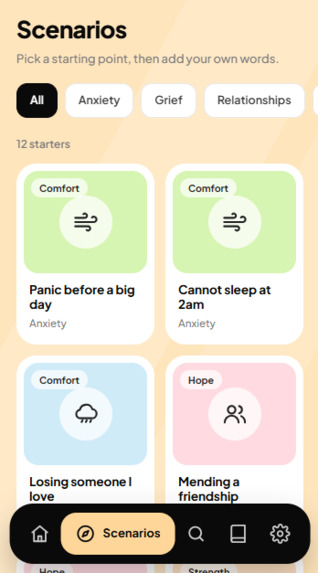
Scenarios
-
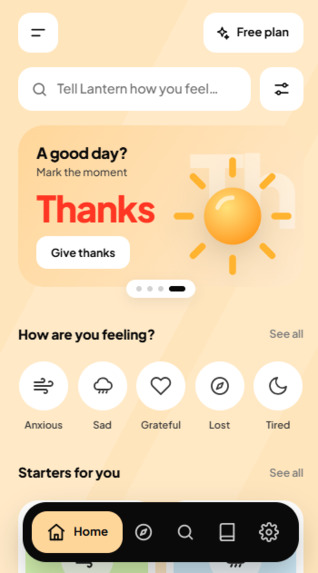
Dashboard
-
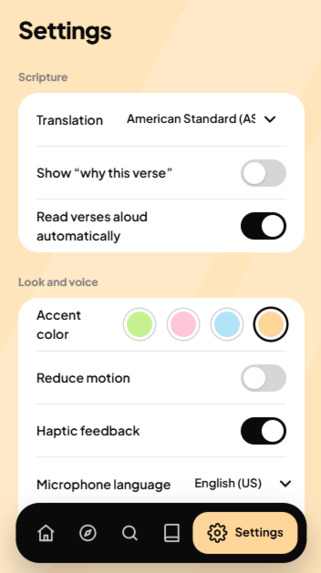
Settings
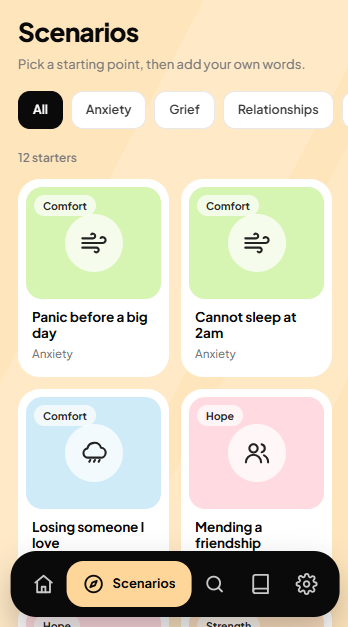
Inspiration
When you’re anxious, grieving or burned out, you rarely have the words, or the energy, to search for the right verse. Searching a Bible app means knowing a keyword, a book, or a chapter number, and scrolling through verse lists doesn’t help a heavy mind at 2am. We wanted something that works the way people actually talk: “I can’t stop worrying about tomorrow and I feel alone in it.” We also wanted it to be careful with that vulnerability, so that a tool people turn to in tender moments never leaves them alone with a crisis.
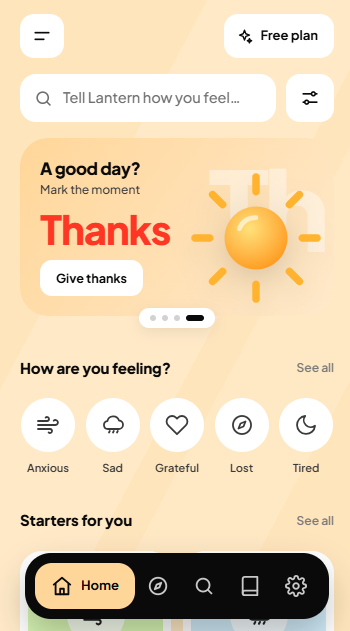
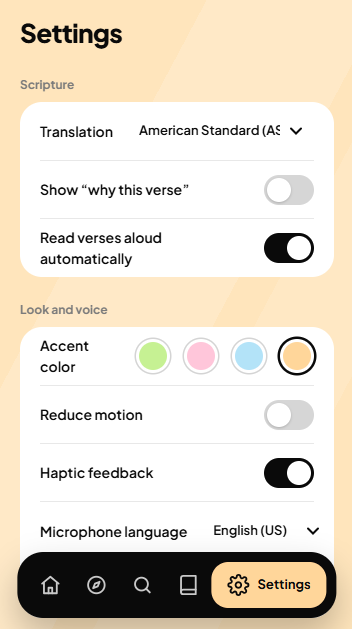
What it does Understands plain language. Describe your situation by typing or using the mic, and Lantern returns four verses matched to what you wrote. Explains the match. Each verse comes with a “why this verse” note, plus Save, Copy and Listen (read-aloud) actions. Starts you off. Mood shortcuts (Anxious, Sad, Grateful, Lost, Tired) and 12 scenario starters, from “Cannot sleep at 2am” to “Doubting my faith”, help when you don’t know where to begin. Keeps a private journal. Saved verses live on your device only, with export and one-tap erase. Puts safety first. If your words suggest self-harm or harm to others, support resources (988, Crisis Text Line, findahelpline.com) appear instantly, before any verses. Fits you. It offers four Bible translations (WEB, KJV, ASV, BBE), a content-boundary setting, accent colors, reduced motion, haptics and adjustable speech speed.
How we built it Front end: vanilla JavaScript and Tailwind, split into small modules (search, results, journal, safety, onboarding and so on), with no framework or build step. Matching: a prompt to an LLM through OpenRouter returns structured JSON (book, chapter, verse range, reason, and a flag for needing professional help). Scripture text: fetched live from bible-api.com in public-domain translations, so the app never invents verse wording. Voice: the browser’s Web Speech API handles both speaking your situation and reading verses aloud. Safety: a local keyword classifier runs independently of the AI, so the care card shows even if the network or the model fails. Design: a lime, soft-gray and black-pill mobile design with inline SVG illustrations and a swipeable onboarding flow. On desktop it shows inside a phone frame for demos. Privacy: state lives in localStorage, with no accounts and no server database. Challenges we ran into Safety around a small model. A free-tier model can be inconsistent, so we couldn’t rely on it to detect crises. We made the local check the first line of defense and let the AI’s own flag add to it. Verse accuracy. The model picks references but never writes verse text. Real text always comes from a scripture API, so a hallucinated quote can’t reach the user. A tender-moment UX. Failures shouldn’t feel cold, so errors explain what happened, say a free search wasn’t used up, and offer a retry. Loading uses placeholders instead of spinners. Cramped mobile input. Fitting a multi-line, voice-enabled search field into a 390px screen took several layout passes. Building without a framework. Keeping navigation, sheets, back-button history and focus handling consistent across screens by hand took real care. Accomplishments that we’re proud of A complete, polished app with onboarding, search, results, journal, settings and plans, not just a single demo screen. Safety that works even when the AI doesn’t. Accessibility basics throughout: keyboard and screen-reader support, visible focus, large tap targets and reduced motion. A private-by-default design: your journal never leaves your device. A UI rebuilt to a reference design and tested with automated click-through checks. What we learned Emotional apps are judged on the worst moment, not the average one. Designing for the person who is struggling shaped every decision. Using AI for what it’s good at (understanding feelings, choosing passages) and real data for what must be exact (verse text) is a more trustworthy pattern than letting the model write everything. Small details, like undo instead of confirm-everything, a fast care card, and honest error copy, change how an app feels more than extra features do. What’s next for Lantern: Get Guided Move the AI behind a small backend so the API key is never exposed in the browser. Offline scripture packs and caching so verses load without a connection. Guided plans: multi-day journeys such as “7 days through anxiety”, with a daily verse and reflection prompt. More languages and translations, plus voice in more languages. Optional trusted-contact sharing, so someone can send a verse or an “I need to talk” nudge to a person they trust. Partnerships with clergy, chaplains and care teams to review safety copy and add escalation paths. Real subscriptions. The Plus and Shepherd plans are simulated today.
Built With
- javascript
- tailwind

Log in or sign up for Devpost to join the conversation.