Inspiration
As a lifelong language learner frustrated by rote memorization, I wanted to build something that mirrors real-life communication. Living in a multicultural city, I saw how immersive, scenario-based practice beats textbooks—so I combined VR’s power to transport with everyday conversation needs (restaurants, airports, business) to make learning feel real.
What it does
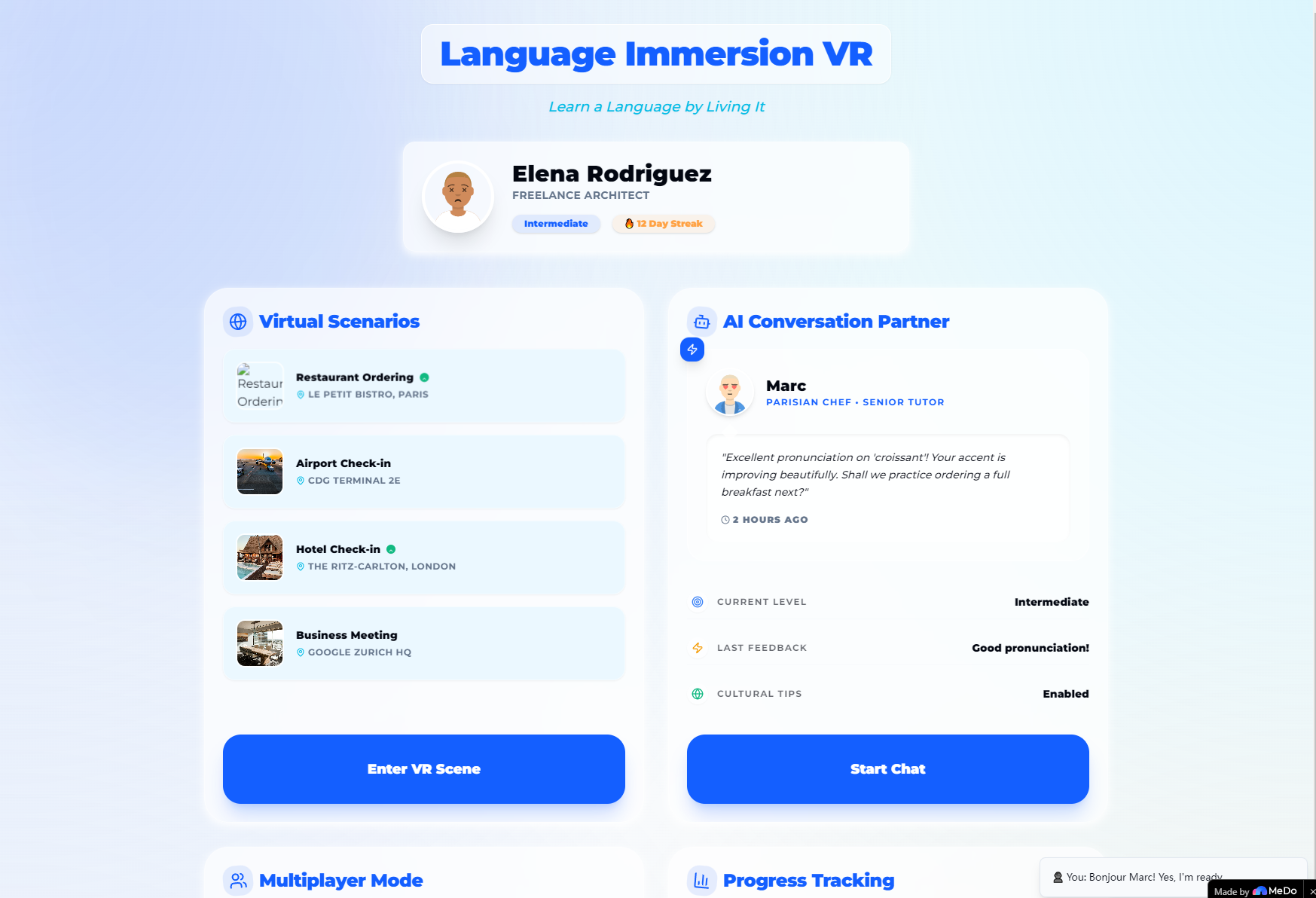
Language Immersion VR is a web dashboard for VR-based language learning. It lets users step into virtual real-world scenarios, chat with AI partners (with cultural tips), join multiplayer language exchange rooms, and track vocabulary, fluency, and completed scenarios—all with a sleek, intuitive design built for VR headset users.
How we built it
I started with core UX principles for Western audiences: clean, premium design with deep-space aesthetics and glassmorphism for a modern feel. I coded the dashboard with HTML/CSS (grid/responsive layouts) and JavaScript for animations—particle effects in the hero, staggered card entrances, and interactive hover states. Every element (from scenario tiles to progress bars) was tailored for VR usability and visual appeal.
Challenges we ran into
Balancing animation smoothness with performance was tough—too many particles lagged the interface, so I optimized to 25 max with staggered keyframe durations. Also, ensuring responsive design worked seamlessly across VR headsets and desktop required testing multiple viewports to keep the grid/layout intact.
Accomplishments that we're proud of
Creating a fully responsive, visually cohesive dashboard that feels premium and functional. The glassmorphism style paired with subtle animations (pulsing AI status dots, live multiplayer indicators) makes the platform feel dynamic without overwhelming users—and it works flawlessly across all major VR headsets.
What we learned
I mastered CSS-only animations and responsive glassmorphism design, and learned how to prioritize usability for VR-focused interfaces. Most importantly, I realized that simplicity (no external plugins) is key to creating a smooth, accessible experience for diverse users.
What's next for this project
Expand the scenario library to include travel and casual social contexts, integrate real-time voice feedback for AI conversations, and optimize the dashboard for direct VR headset navigation—so users can jump from the web interface straight into VR scenarios without extra steps.
Built With
- css
- html
- javascript
- meta-quest
- pico
- playstation-vr

Log in or sign up for Devpost to join the conversation.