-
-
poster
-
logo
-
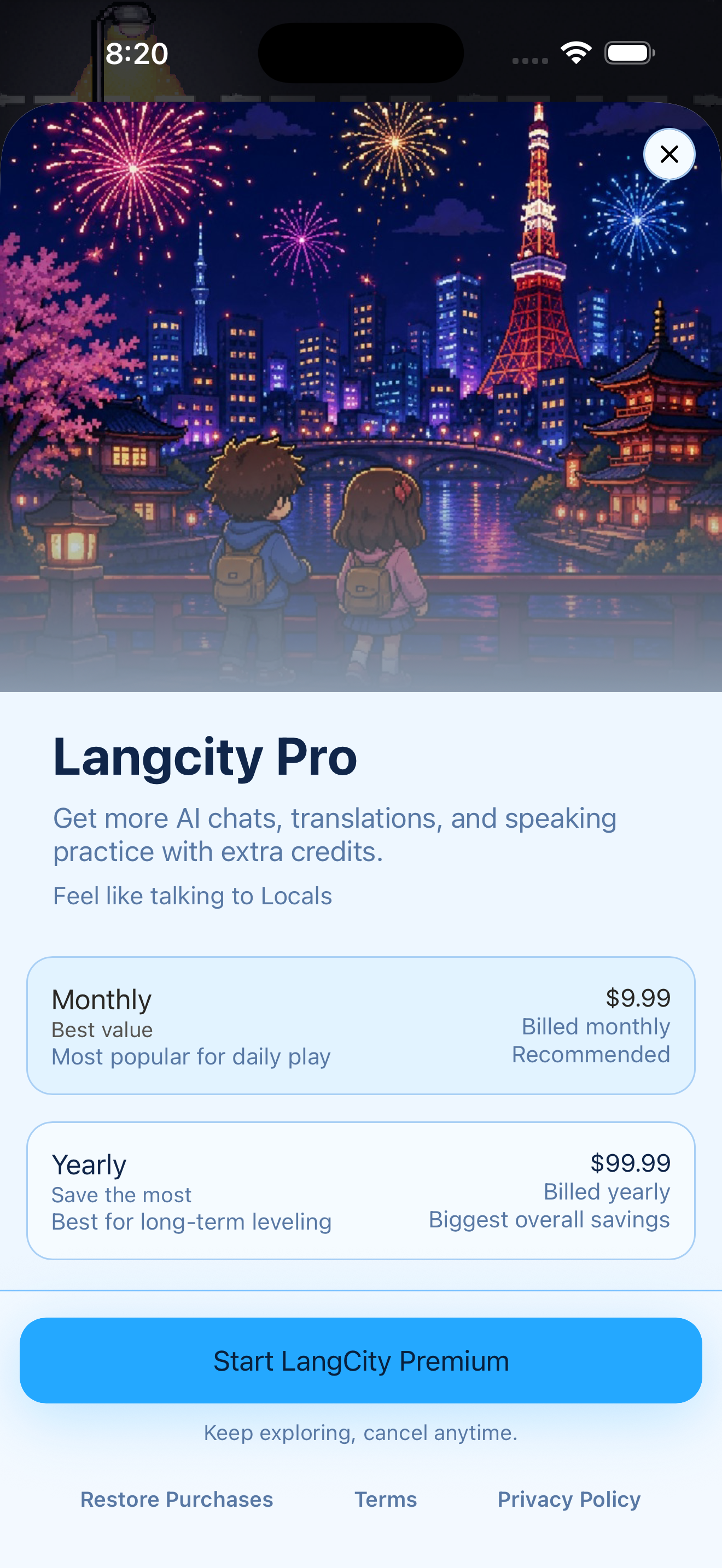
Revenuecat Paywall
-
-
-
-
-
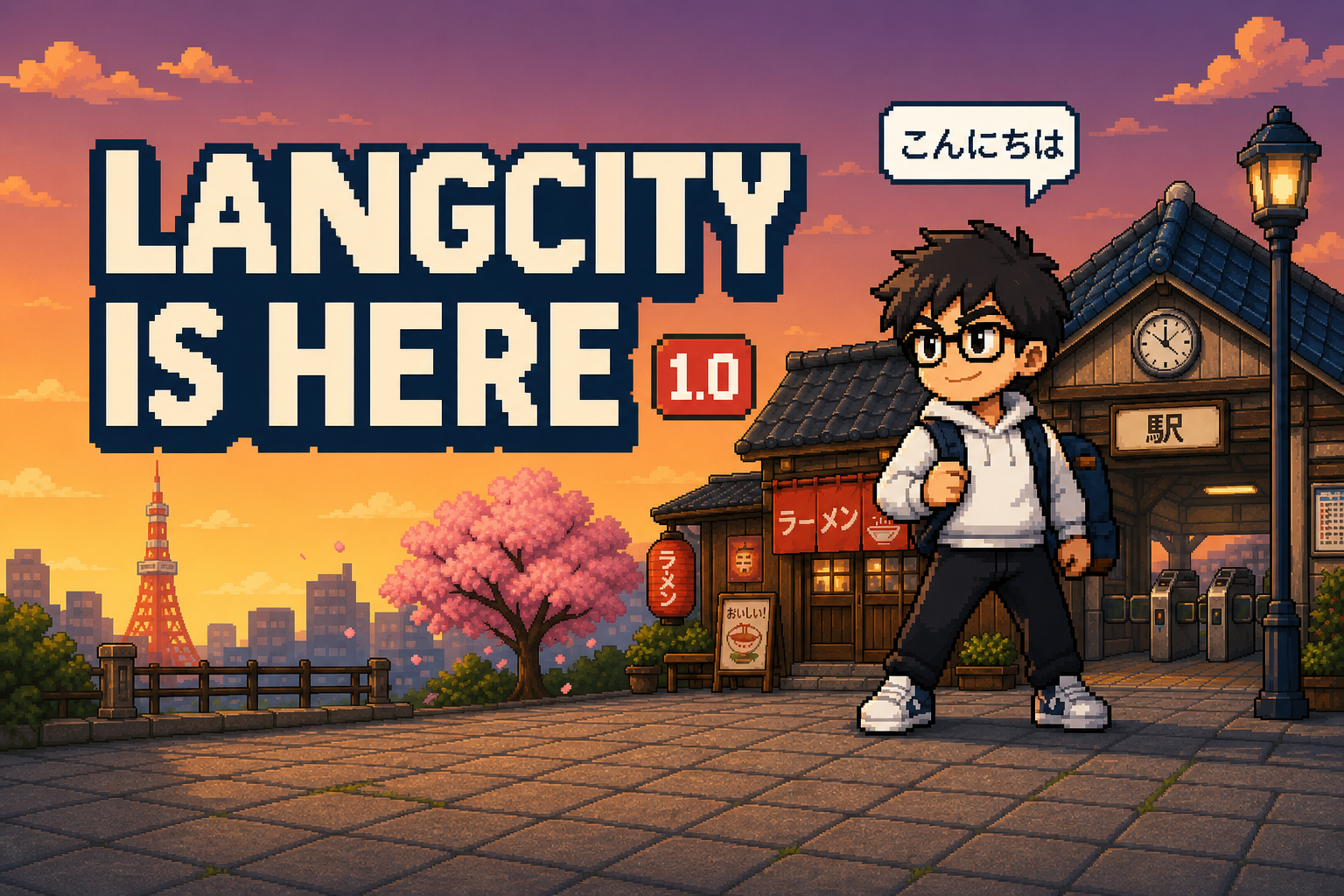

You've been studying Japanese for six months. You land in Tokyo, walk into a ramen shop, and freeze.
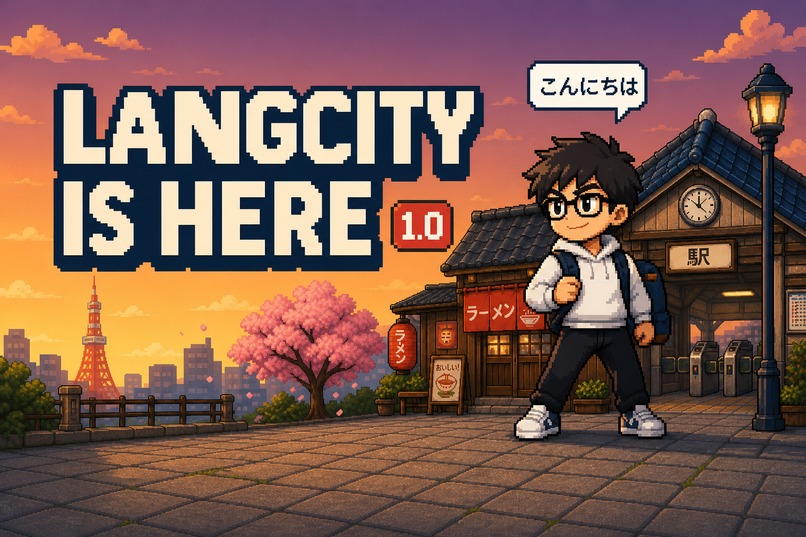
LangCity is my answer to that. It's a pixel-art RPG where you walk around a Japanese city, and the only way to finish a quest is to actually say the thing — order the food, ask for directions, talk your way out of it. Speak Japanese, level up, unlock the city.
Tokyo is just the first stop. LangCity is built to become a world of cities: Paris for French, Seoul for Korean, and more after that.
Inspiration
I kept noticing the same gap. People grind vocabulary apps for months, hold a 300-day streak, and still go silent the moment a real person asks them something.
The problem isn't effort. It's that most apps teach words in a vacuum, far away from the moment you'd actually need them. You learn "excuse me" as a flashcard, not as the thing you say when you're lost at Shinjuku Station and your train leaves in four minutes.
So I built the moment instead of the flashcard. In LangCity, Japanese isn't a lesson sitting on top of a game. It is the game. It's how you finish quests, make friends in the city, earn progress, and open up the map.
What it does
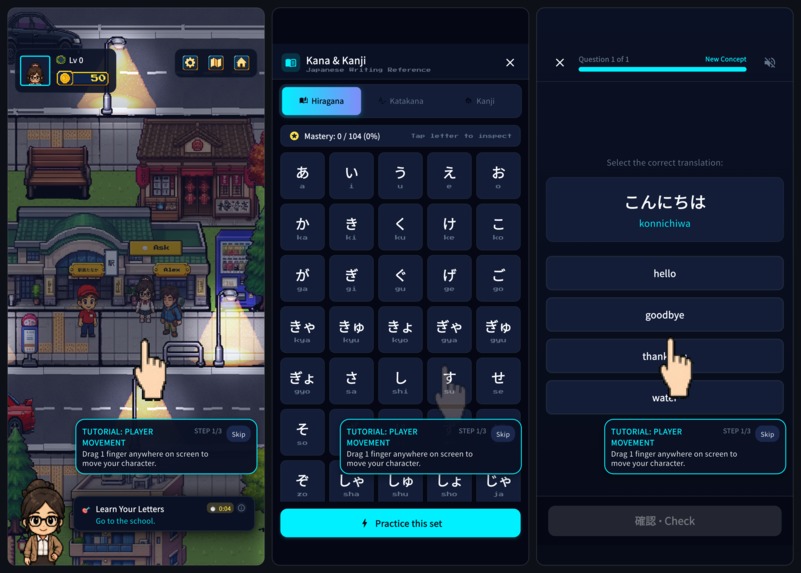
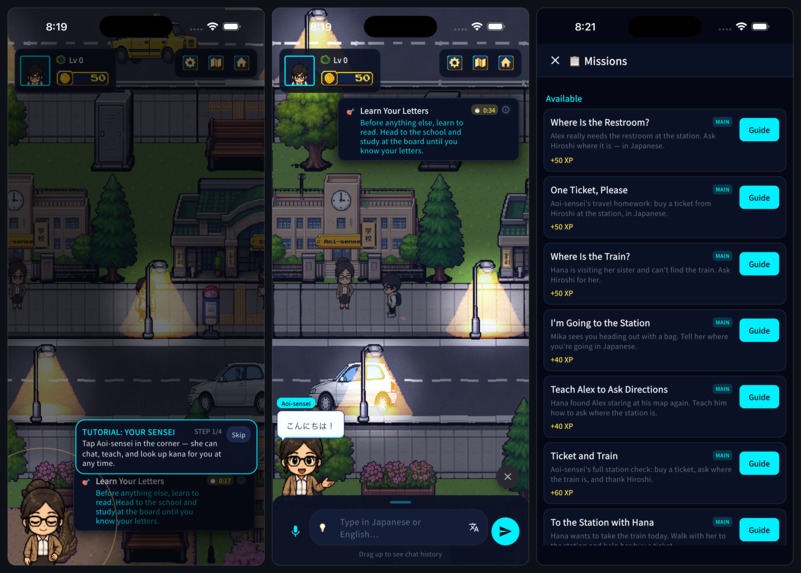
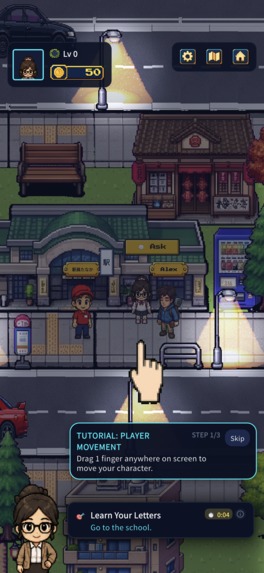
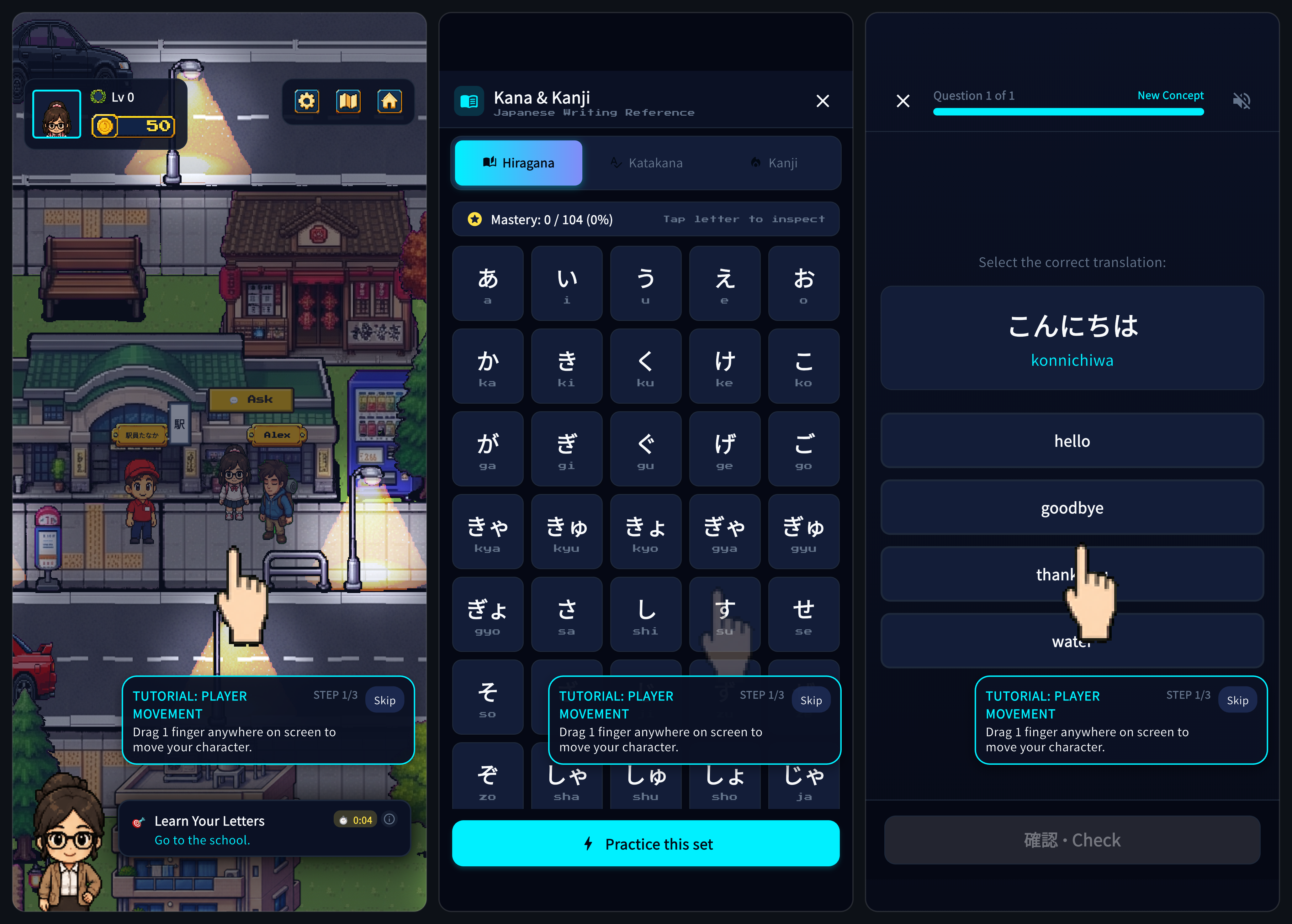
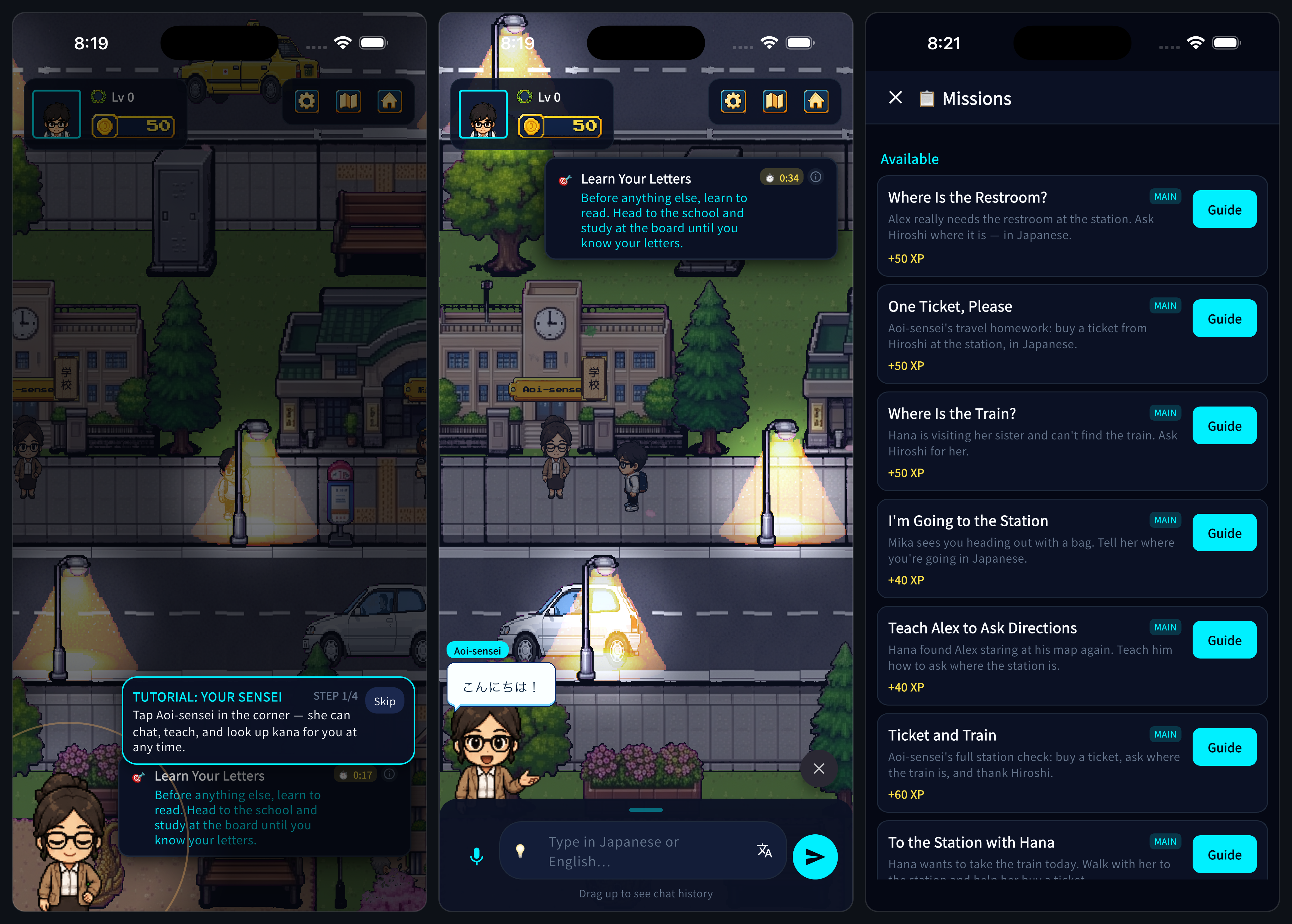
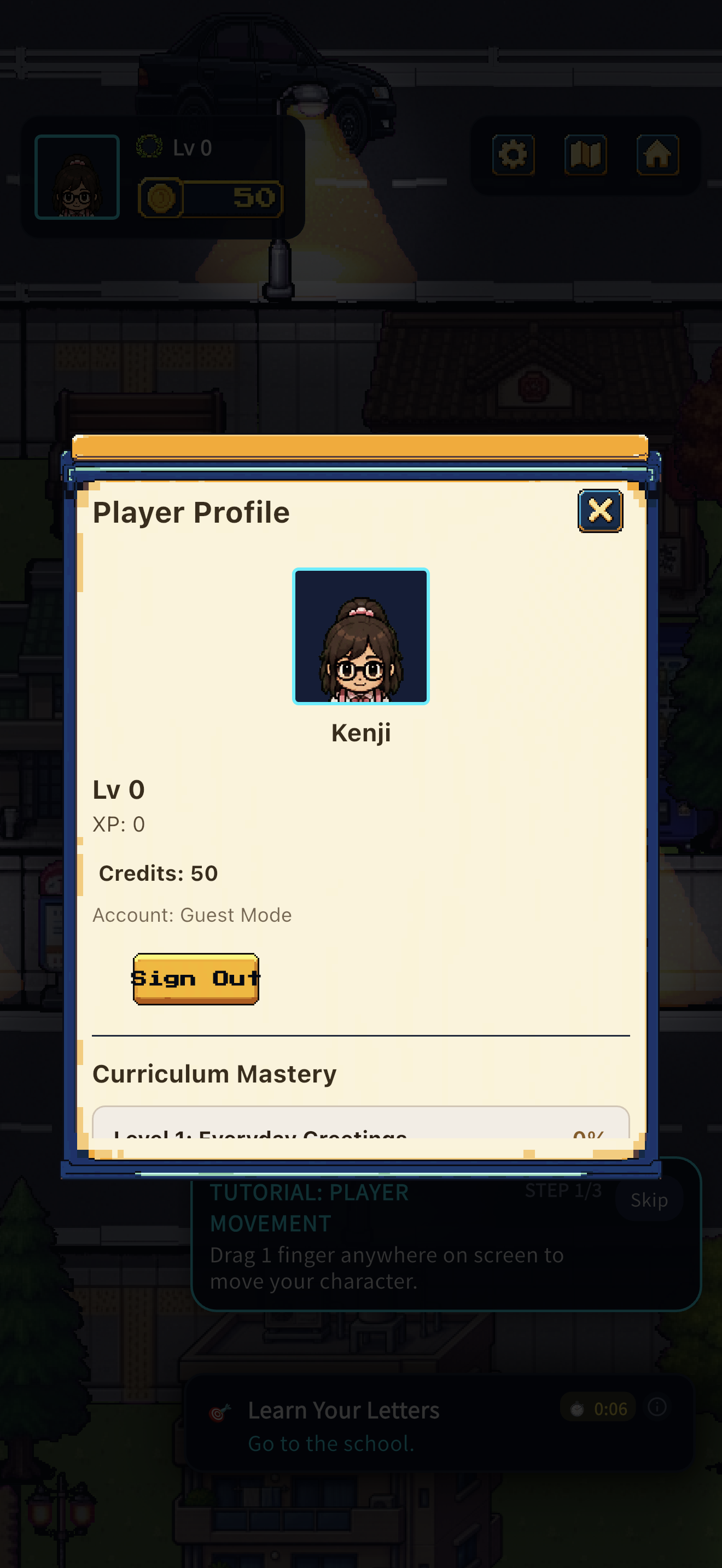
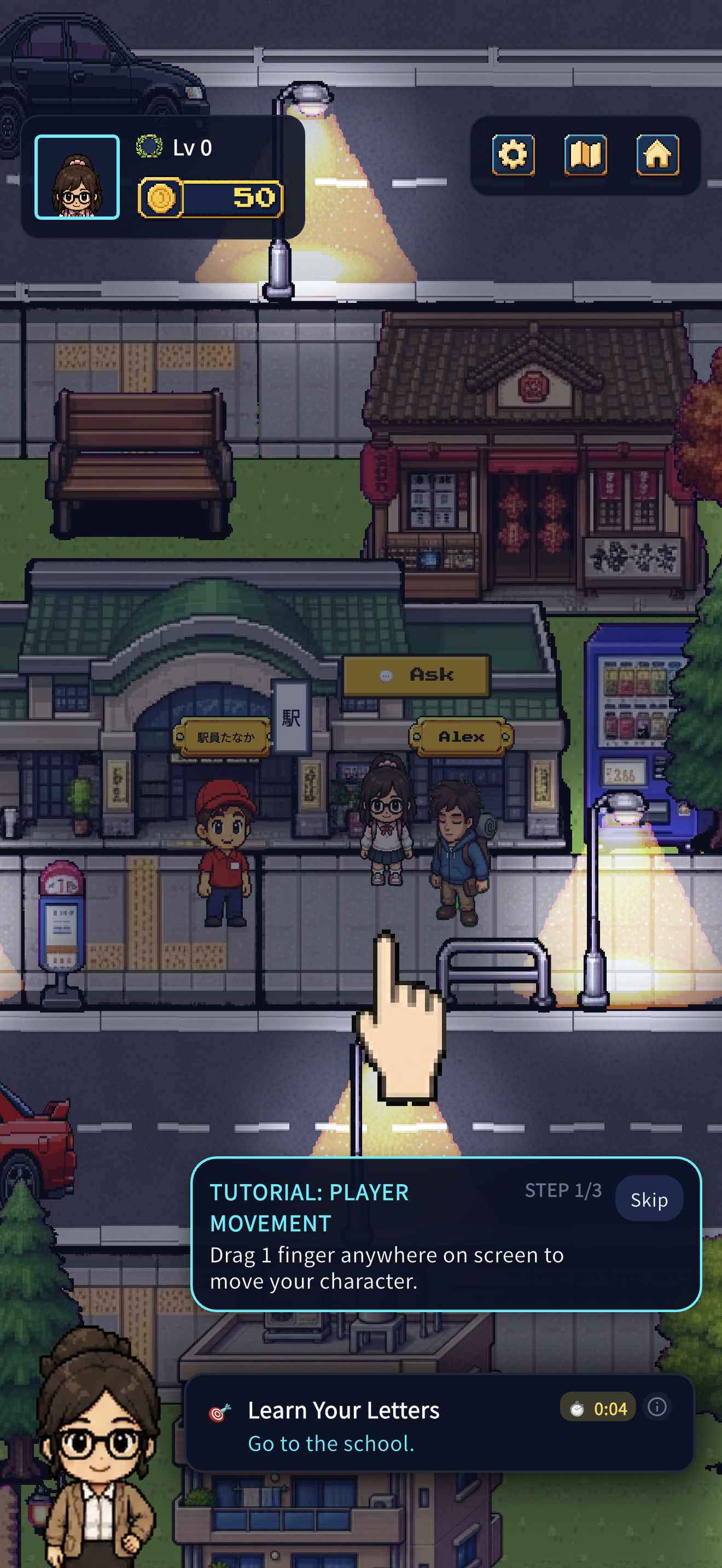
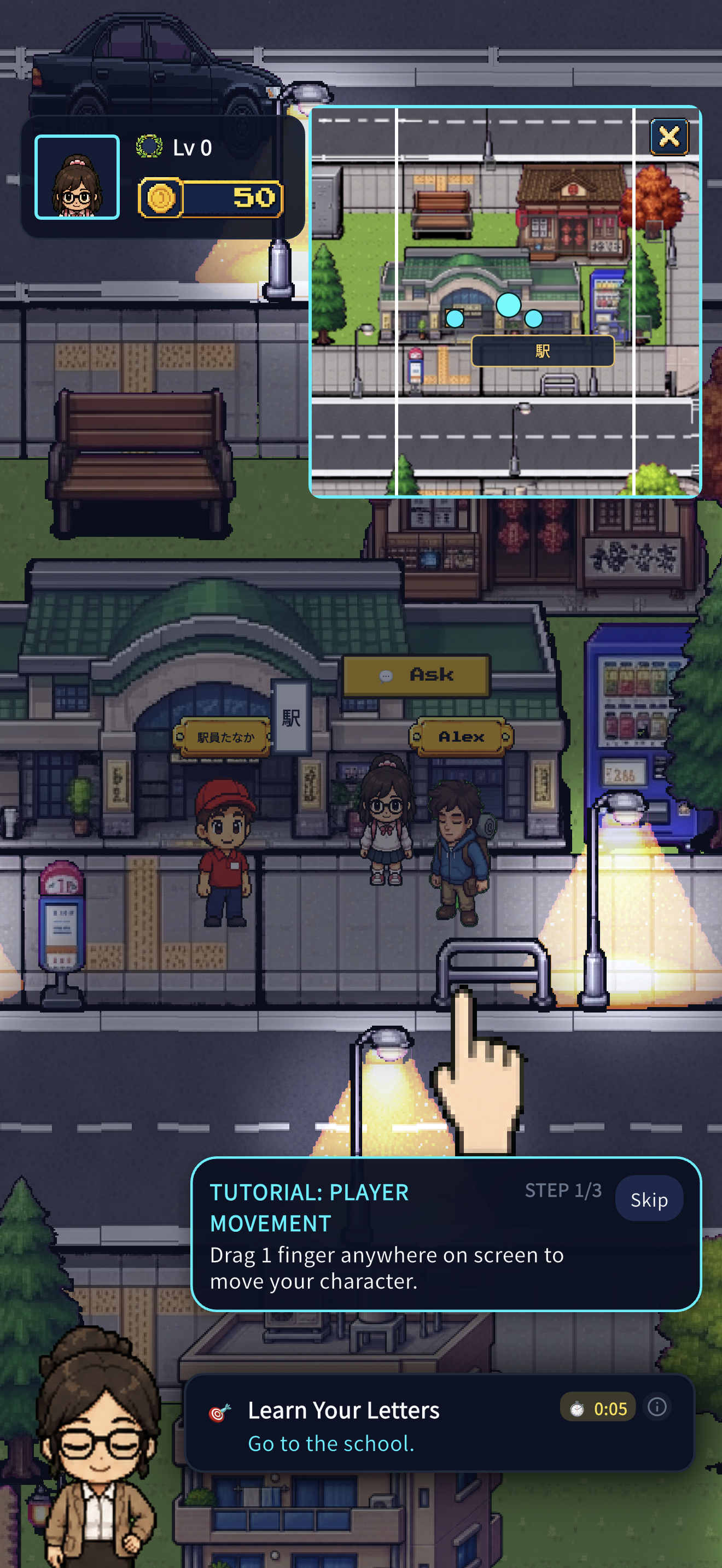
LangCity is a top-down, pixel-art Japanese-learning RPG. You pick a character and wander a Tokyo-inspired town — the convenience store, the train station, the ramen shop, a café, a classroom, a gym, an office — meeting characters who each have their own personality, job, and way of talking to you.
The loop is simple:
- Explore the city and meet someone.
- Take a mission from real life — order lunch, ask for directions, buy something you need.
- Go find the right person or place.
- Say it in Japanese.
- Get feedback, earn XP, unlock more of the city.
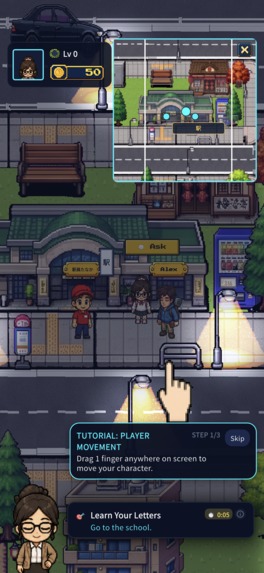
There's a mission tracker and markers on screen, so you're never wandering around wondering what you're supposed to do. And the characters respond with AI, which matters more than it sounds: you finish a mission by getting your meaning across, not by typing one exact memorized sentence. Say it a different way and it still works. Say it badly and someone will help you fix it.
You're not thrown in cold, either. The game starts by teaching you hiragana and katakana in your first session. There's a study buddy who appears when you're stuck, on-screen suggestions when you have no idea what to say, and an alphabet reference you can pull up mid-conversation. Daily quests and streaks give you a reason to come back. Short mini-games keep vocabulary practice from feeling like homework. And if you want to hear real Japanese and say it out loud, you can turn on voice mode and actually speak.
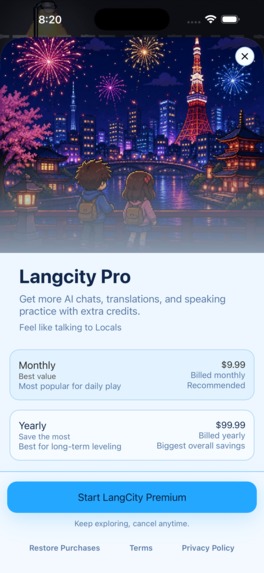
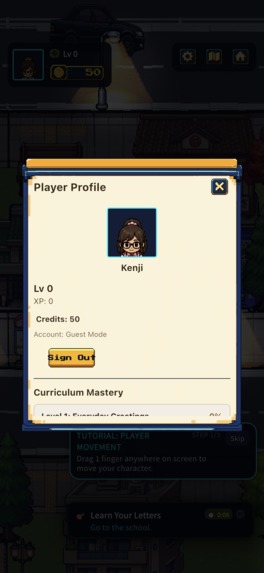
Everything else is there to keep you moving: furigana and rōmaji reading aids, instant translation, saved progress, Google and Apple sign-in, cloud backup, and an optional LangCity Guild subscription for players who want more AI conversation. No account needed to start — open it, pick a character, and go.
How I built it
I built LangCity solo, in Flutter, so one codebase runs on Android, iOS, web, macOS, and Windows. The game itself runs on Flame and Bonfire — open-source engines that handle movement, collisions, and camera work, the same kind of toolkit behind a classic 2D RPG. Every street and interior is a hand-authored tile map, with custom loading code I wrote for backgrounds, doors, and where each character stands.
Architecturally I kept things boring on purpose. Small, focused pieces of code that each do one job — sign-in, AI conversation, missions and XP, sound, saving — instead of one giant system where everything touches everything. Boring paid off: I could add features fast without breaking what already worked, and a brand-new player can be walking around the city seconds after opening the app.
For the hard parts, I used specialists instead of reinventing them. Supabase handles sign-in and cloud saves. RevenueCat handles subscriptions and purchases. ElevenLabs gives the characters actual voices. AI conversations run on OpenAI, Gemini, or DeepSeek — I deliberately built it so LangCity isn't married to one AI company. Underneath all of it, a small memory model quietly tracks what you've learned and what you're starting to forget, so the game knows what to put in front of you next.
The full Japanese content pack — maps, audio, characters, a complete JLPT-level curriculum — is big. Too big to force on everyone at install. So the app ships a small starter version that's playable immediately and pulls in the rest only when you want it. Ads are rewarded and optional, never shoved in front of a conversation. Firebase Crashlytics tells me when something breaks in the wild, OneSignal handles notifications, and every code change gets tested and built automatically before it ships.
Challenges I ran into
- Making learning feel like a game instead of homework wearing a costume. Just letting people chat with an AI wasn't it. I had to build real missions — a place to go, a person to find, a goal, and a clear moment where you win — so every conversation was actually part of the game.
- Letting the AI be flexible without letting players get stuck. There are a dozen right ways to say almost anything in Japanese. The AI had to judge whether you got your meaning across, not whether you matched a script — while never leaving a player permanently blocked on a mission they technically completed.
- Building something you can start playing in seconds. No forced signup, no setup wall, no fifteen-screen onboarding. That meant sign-in, cloud saves, and subscriptions all had to be genuinely optional, and the free experience had to be a real game, not a locked demo.
- Getting a huge city and a tiny ramen shop to feel equally good to walk around in. The camera logic that works for a sprawling outdoor town falls apart in a single small room. It took a rewrite to make both feel natural instead of jittery or stuck.
- Making Japanese readable in a retro pixel-art style. Kana, kanji, pronunciation hints above characters, and English all want completely different spacing. I ended up writing custom text rendering so it all stays legible without ruining the pixel look.
- Shipping a big world without a punishing download. I built a system that only fetches the full content pack when a player wants it, verifies it arrived intact, and lets everyone else start playing immediately on a lighter starter version.
- Drawing an entire city by myself. A believable Tokyo needs dozens of characters, each with walk animations in four directions, plus streets, interiors, signage, and props. Hand-drawing all of that solo would have eaten the whole project. So instead of doing the art, I built the artist: a set of specialized AI agent skills, each one an expert at a single job — turning generated images into game-ready spritesheets, extracting tilesets, building interior maps, generating UI kits. I stopped producing assets one at a time and started producing the pipeline that produces them.
- Releasing to five platforms without a release team. LangCity ships on iOS, Android, web, macOS, and Windows. When something breaks in production, "I'll cut a build tomorrow" isn't good enough. I built a full CI/CD pipeline on Fastlane and GitHub Actions that takes a fix from commit to signed, uploaded builds on every store — so a critical fix can go out the same hour I write it, not the same week.
- Testing a game this big as one person. Missions branch, conversations are open-ended, and the UI is dense — there's no way to manually click through all of it before every release. So I leaned hard on automation: over 1,400 automated tests across 231 test files, including golden-image tests that catch a single pixel shifting in the UI, plus AI agents that review the suite itself and flag gaps in coverage. Every release runs the whole thing before it ships.
- Staying stable while shipping constantly. I release often, and some bugs only exist in the real store build — an Android crash that never once appeared during development showed up the moment I added proper crash reporting. Watching, catching, and fixing those is just part of running a live game.
Accomplishments that I'm proud of
- I built a real, explorable RPG where speaking Japanese is the gameplay — not a flashcard app in a pixel-art costume.
- The whole mission experience is complete end to end: a character offers you a quest, you accept it, the game guides you there, you have a real conversation, and you get rewarded for it.
- You can open LangCity and be playing in seconds, with no account and nothing to buy — then it gets richer as you sign in, talk to characters, and subscribe.
- Everything looks like it belongs to one world. The city, the characters, the dialogue boxes, the menus, even the subscription screen — all the same hand-crafted pixel art.
- LangCity isn't locked to one AI provider. It can run on several, which protects the game from any single company's pricing or outages.
- The business model matches the actual cost: exploring and playing are free, and you only pay for the AI-heavy features that genuinely cost money to run.
- Adding new missions and lessons doesn't mean rebuilding the game. The content is data, so the world can keep growing.
- The "keep coming back" loop is built into the RPG rather than bolted next to it — spaced review of what you've learned, daily quests, streaks, and a study buddy who lives in the world with you.
- Characters can speak Japanese out loud and listen to you speak back, so this isn't only a reading-and-typing game.
- The mini-games are their own reusable toolkit, so I can keep adding new ones quickly without putting the rest of the game at risk.
What I learned
- Context is what makes language stick. People remember a phrase far better when a character is standing there waiting to hear it and using it changes what happens next.
- AI is better with guardrails than without. Give it a clear character, a clear goal, and a fallback, and it becomes genuinely useful. Leave it open-ended and it becomes a chatbot people stop trusting.
- Removing the signup wall changed everything. Letting anyone start playing instantly made demos better, development faster, onboarding painless, and the free tier something I'm not embarrassed by.
- Feedback has to be instant without breaking the spell. Hints, translations, and corrections work best when they feel like part of the world instead of a popup interrupting it.
- Monetization should support the learning, not fight it. I can give away a genuinely generous game and still charge fairly for the parts that cost me real money.
What's next for LangCity
- More cities, more languages. Paris for French, Seoul for Korean, and onward. The city-and-language format was designed from day one to repeat, so LangCity becomes a world you learn in, not a single-language app.
- Launch early, watch how real players actually behave, and obsess over the path to a player's very first successful Japanese conversation.
- Make speaking practice faster and more responsive, and bring voice into more of the game than just dialogue.
- Let the game remember what you've learned across the entire world — not just the alphabet — and use that to decide what you see next.
- Add more neighborhoods, longer stories, real relationships with characters, and focused packs like Travel Japanese, Workplace Japanese, and Anime Japanese.
- Let characters teach on the fly — generating explanations, listening exercises, and corrections that fit the conversation you're actually having.
- Make notifications genuinely useful: nudge you about the specific words you're about to forget, instead of guilt-tripping you about a streak.
- Build a way to discover and try LangCity on the web and carry that progress straight into the app.
- Keep experimenting with pricing to find the line between a generous free game and a sustainable one.
- Add privacy-respecting analytics so I can measure real learning, not just downloads.
Built with
Dart · Flutter · Flame · Bonfire · Material 3 · Tiled · Flame Audio · Supabase · PostgreSQL · Google Sign-In · Sign in with Apple · RevenueCat · OpenAI / Gemini / DeepSeek · Genkit · GenUI · ElevenLabs · Firebase Crashlytics · OneSignal · Google AdMob · GitHub Actions · Android · iOS · Web · macOS · Windows
Try it out
- Play in your browser: langcity.alphberlin.com/play
- iOS — App Store: LangCity on the App Store
- Android — Google Play: LangCity on Google Play
- macOS / Windows / Android APK: langcity.alphberlin.com/download
No signup, no setup, nothing to configure. Open it, pick a character, and go get lunch in Tokyo.


Log in or sign up for Devpost to join the conversation.