-
-
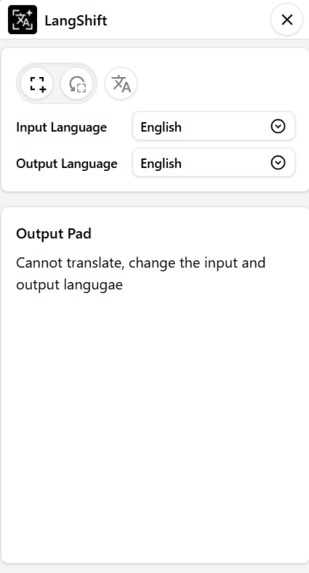
extension side panel
Inspiration
I read comics and manga online and have come across some that are not in the language I can understand. So I wanted to be able to translate those text. I liked how in phones you could use google lens to extract the text from an image and use it various ways. I wanted a similar thing to be able to select a portion of the website and translate the text in it. I also found out that it can be used to translate those books that don't let you select the text, translate social media comments that don't have a translate button, and in communities like gaming communities where a lot of people speak different languages and share images with text in different languages.
What it does
The extension lets you select an area on the webpage and translate the text in it.
How I built it
I started off with the idea prototyped it with AI ( minimal use like how to make a selection like effect or how to take a screenshot of a tab, or is there a way to extract text from image - came to know about a library called tesseract.js ) and started adjusting code. Then I moved on and wrote everything with certain portions from the prototype that worked.
Challenges we ran into
This was my first time making a chrome extension and it was pretty challenging. I did not know how any of the API's worked and had to follow the chrome extension docs, mdn docs, and functional examples pretty often. The biggest challenge was when the external script like tessertactjs would not work on the index file of the extension and due to content security policy restriction. Hopefully I found out that it could be run through a sandbox script in an iframe which can be set to have a lesser content security policy restriction.
Accomplishments that I am proud of
Having less experience in making projects this project itself working is an accomplishment that I am proud of. I am also proud of the fact that I did not have a base project that I could look into to get a reference and had to think everything on my own.
What I learned
I learned a lot about the browser extension APIs I also learned a lot about rollupOptions of vite config to build extensions
What's next for LangShift
I admit that LangShift is still not at production ready stage and needs a lot of refactoring and simplification of the core functionality I want to use an optical character recognition library that could let me input the direction of the text cause tesseractjs fails if text is up to down like Japanese or Mandarin I also would like to add a stepper that would let me input a time interval so that the translation can be looped ( continuous translation - can be useful for reading book ) A status pill to indicating the current status could also improve the UX After this I would like to see if the other built-in AI API's can be incorporated somehow.
Built With
- css3
- html5
- javascript
- tailwindcss
- tesseractjs
- vite

Log in or sign up for Devpost to join the conversation.