-
-
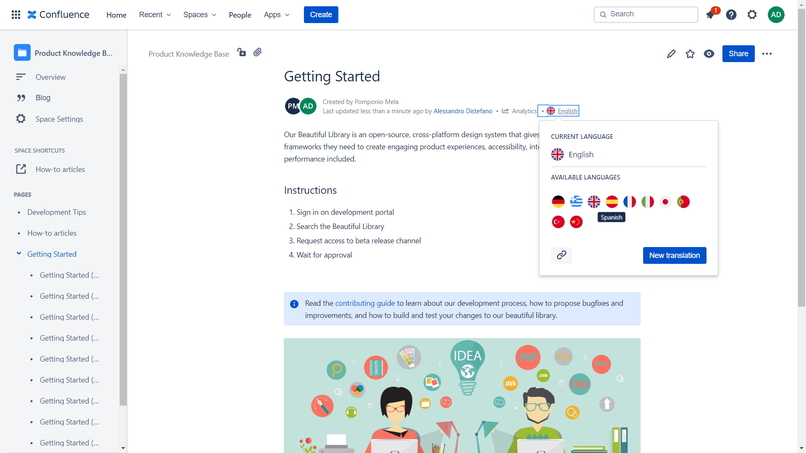
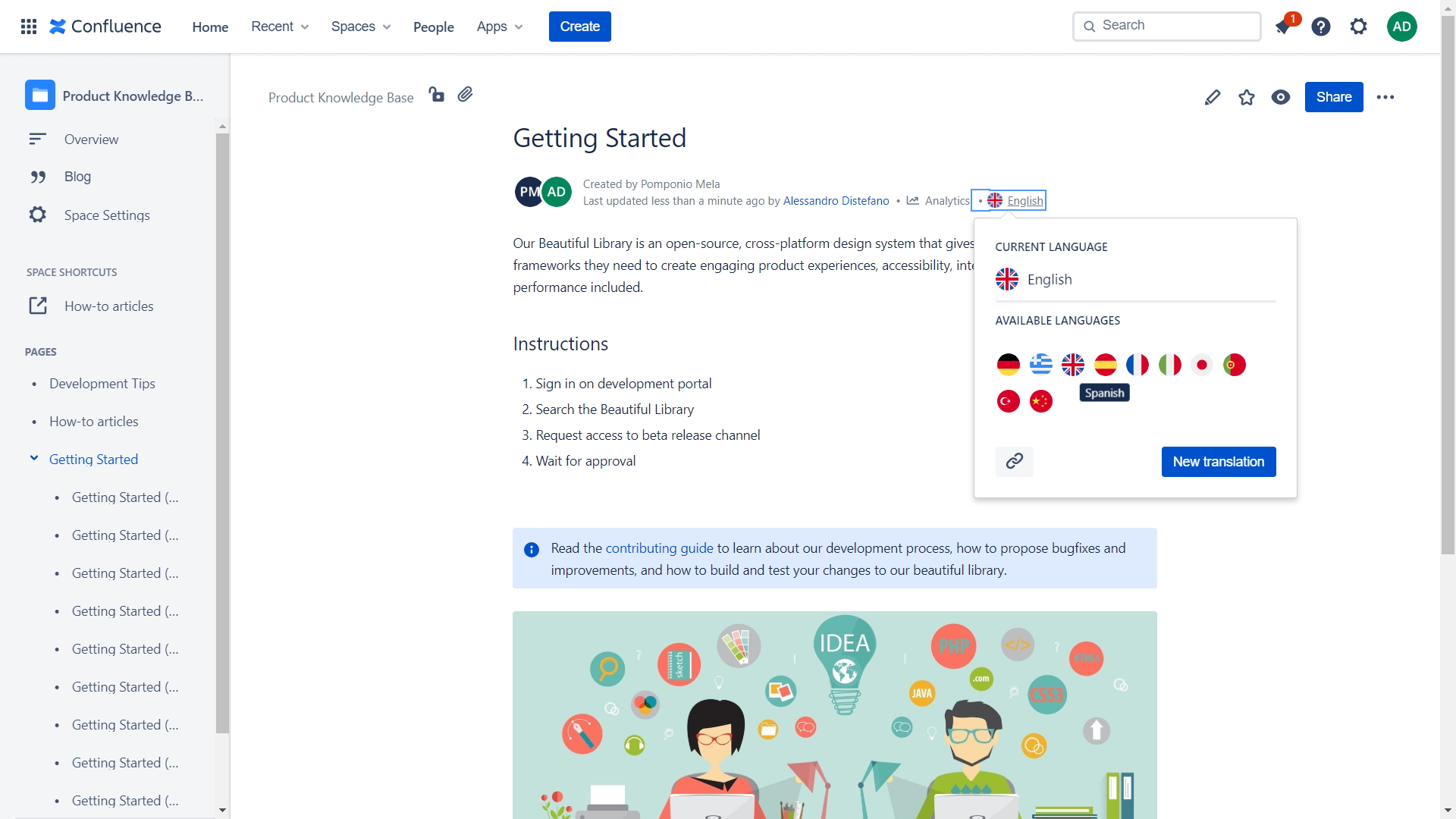
Users can change language with a simple switcher popup
-
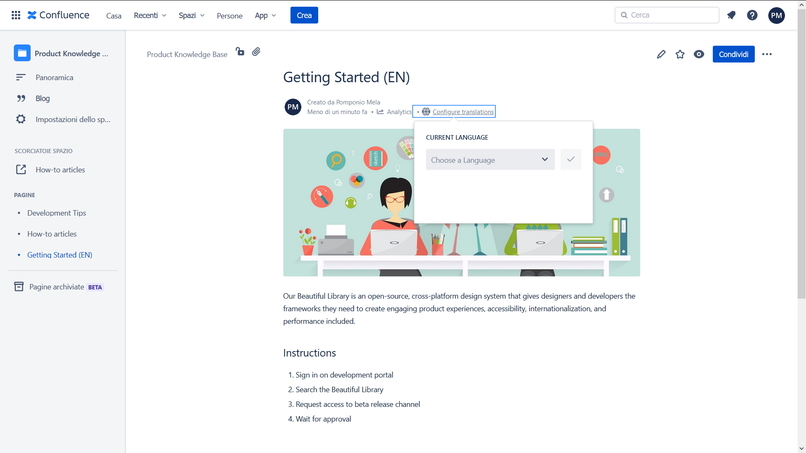
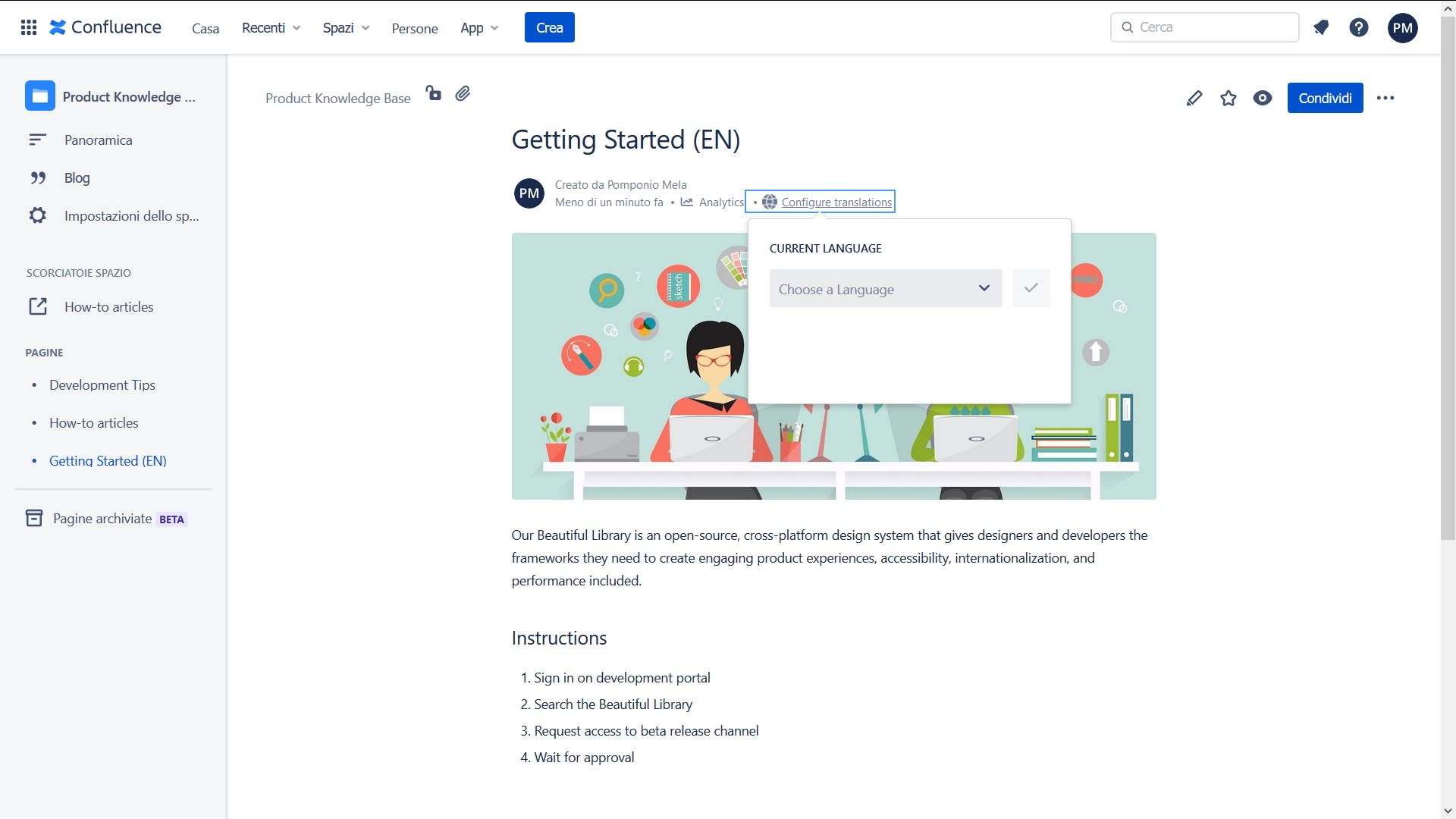
Creators can set the current page language with a byline item popup
-
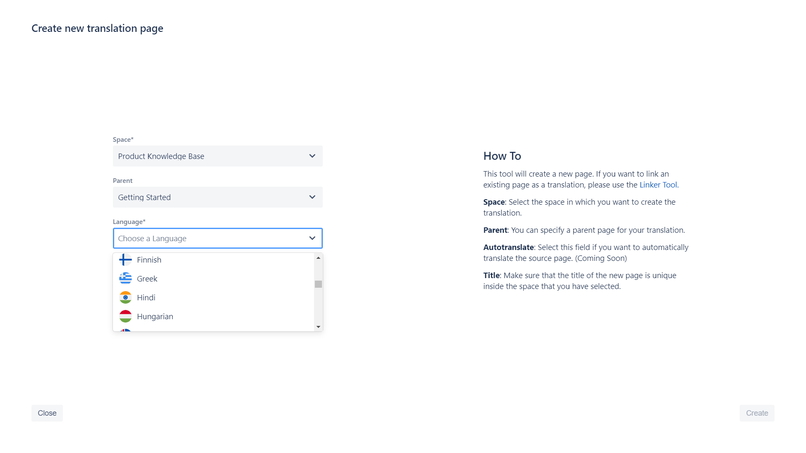
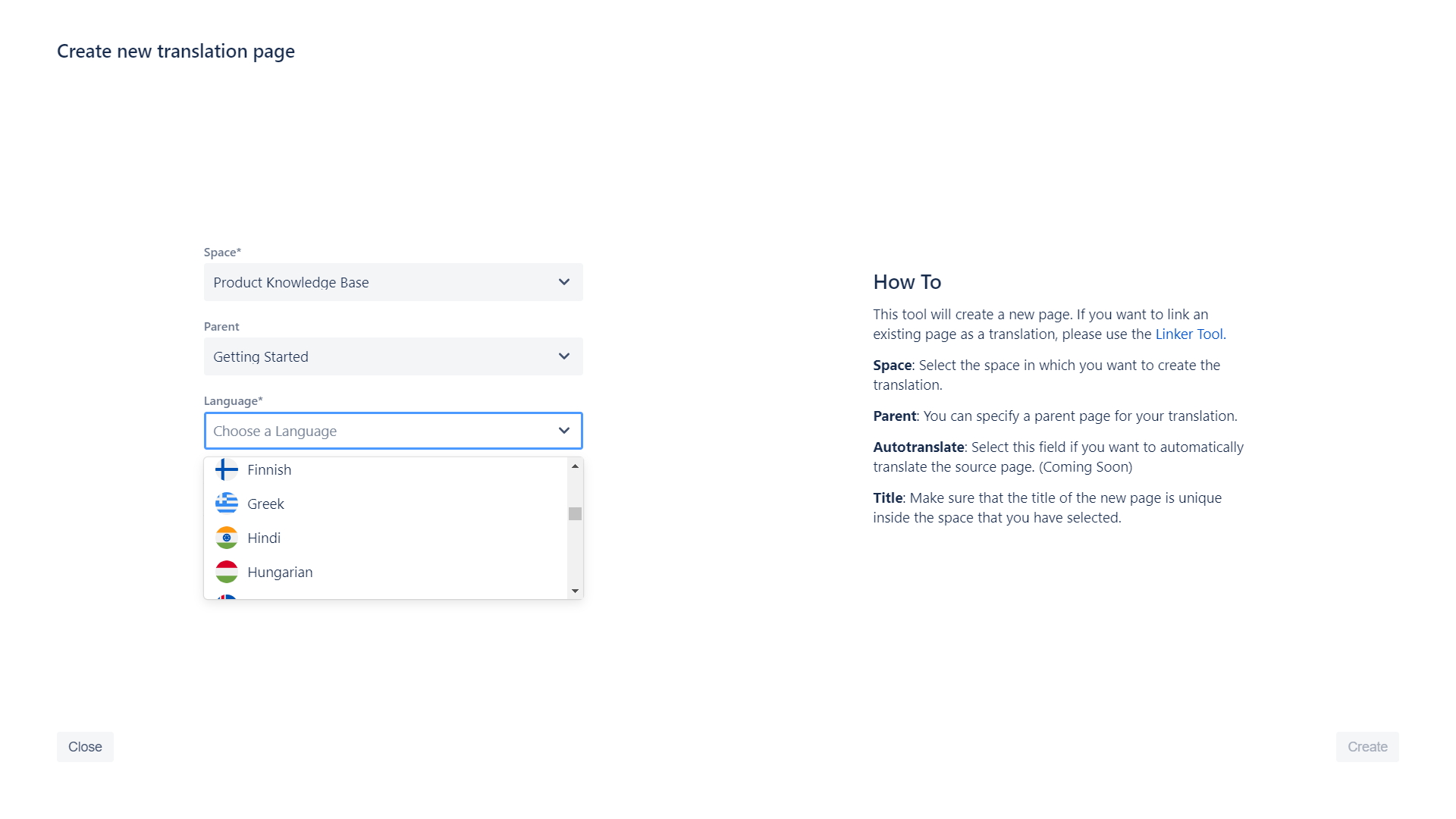
Create new translations with Creator Tool
-
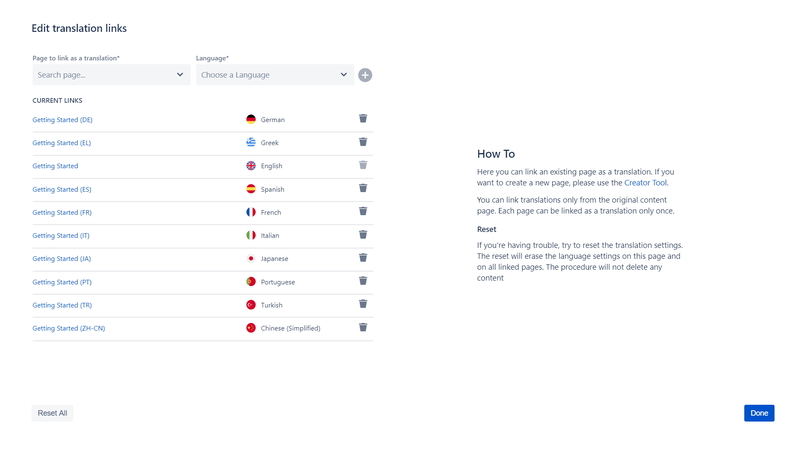
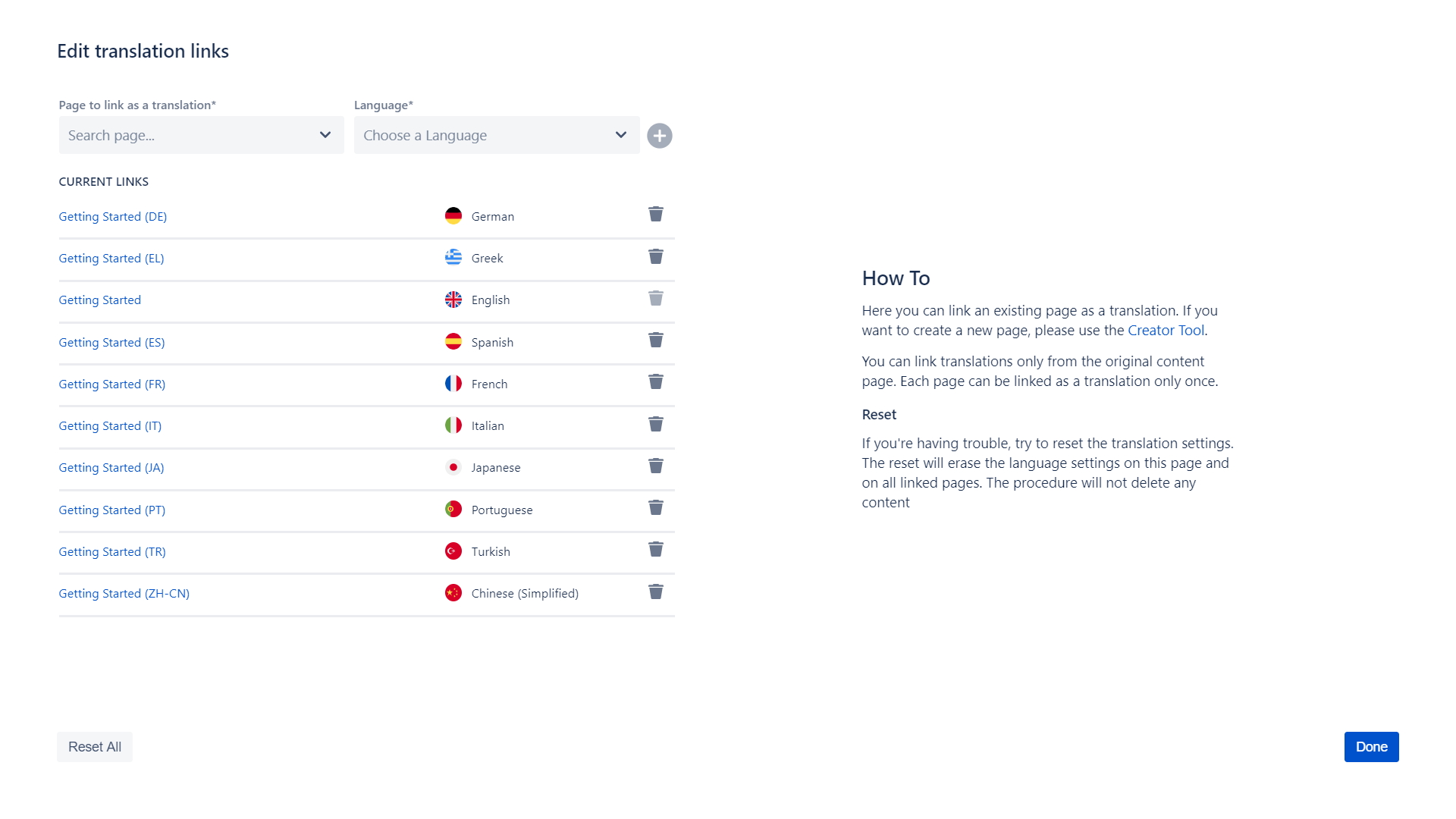
Link existing pages as translation of another content with the Linker Tool
Inspiration
Confluence does not have native support for multilingual content. Managing multiple versions of the same content in different languages can be complex.
What it does
Lango simplifies the creation and management of multilingual content
Features:
- Switch between languages using a simple drop-down
- Create localized content with a simple click
- You can link existing pages as translation of another page
- Over 40 supported language
How I built it
Atlassian Connect and nodejs for backend, reactjs for frontend using atlaskit as base for my react components. Lango adds a new content-property on page for linking original content with its translations.
Challenges I ran into
Creating plug-ins for Atlassian cloud products has proven very challenging and sometimes frustrating. The iframe limits the creation of complex plugins: it is not possible for developers to interact with the pages content and this has huge implications on the user-experience design. Moreover, often there aren't enough extension points.
Accomplishments that I'm proud of
- I built a simple and intuitive interface that integrates seamlessly with the native Confluence user experience.
What I learned
- Develop applications within an iframe using events to make them communicate with each other
- Use expressjs as a backend
- Build highly interactive interfaces with atlaskit
What's next for Lango: Language and translation manager
Support for automatic translation for content, with the ability to choose a preferred translation provider (example: Google Cloud, Microsoft, Deepl, etc)
Built With
- atlassian-connect
- confluence
- express.js
- gitlab
- heroku
- javascript
- node.js
- react

Log in or sign up for Devpost to join the conversation.