-
-
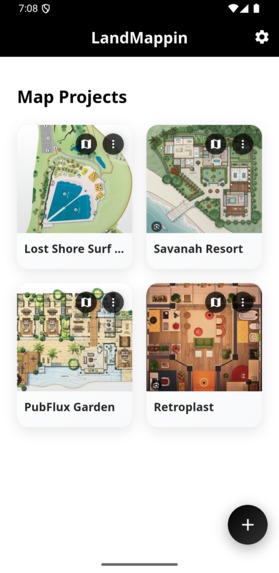
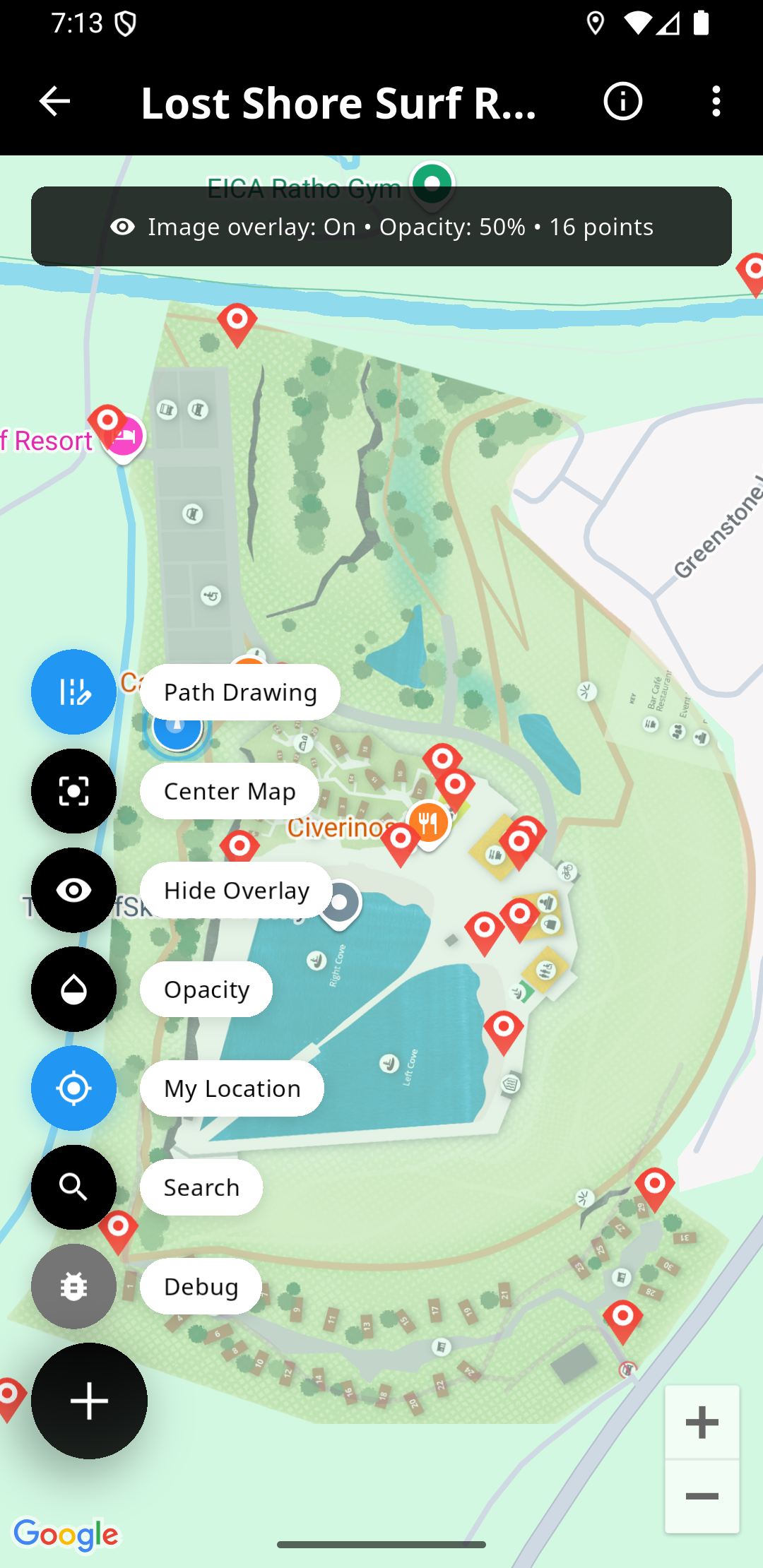
Muti-floorplan Management
-
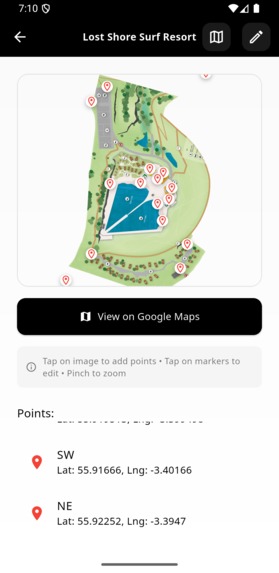
Geo-referencing Mapping
-
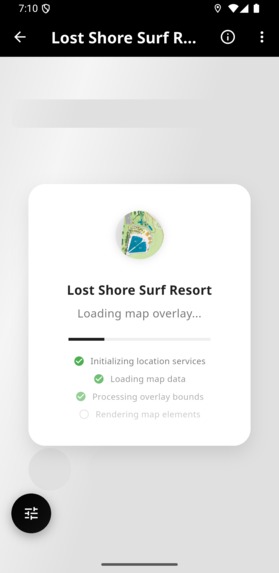
Custom Map Overlaying
-
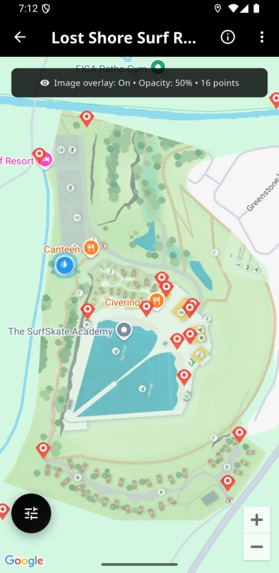
Overlay Embedded
-
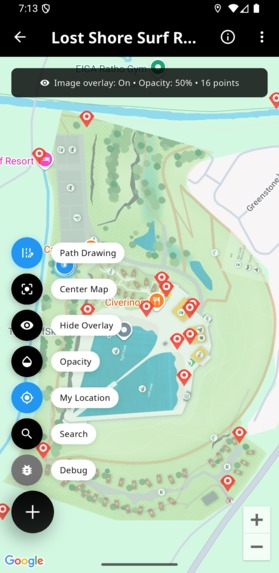
Engaging Manu
-
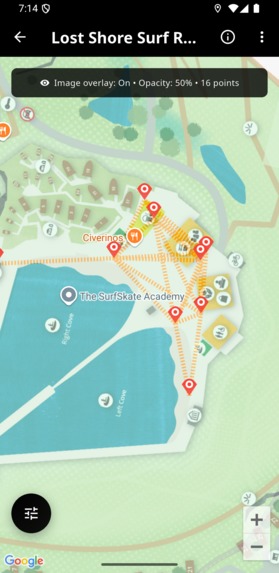
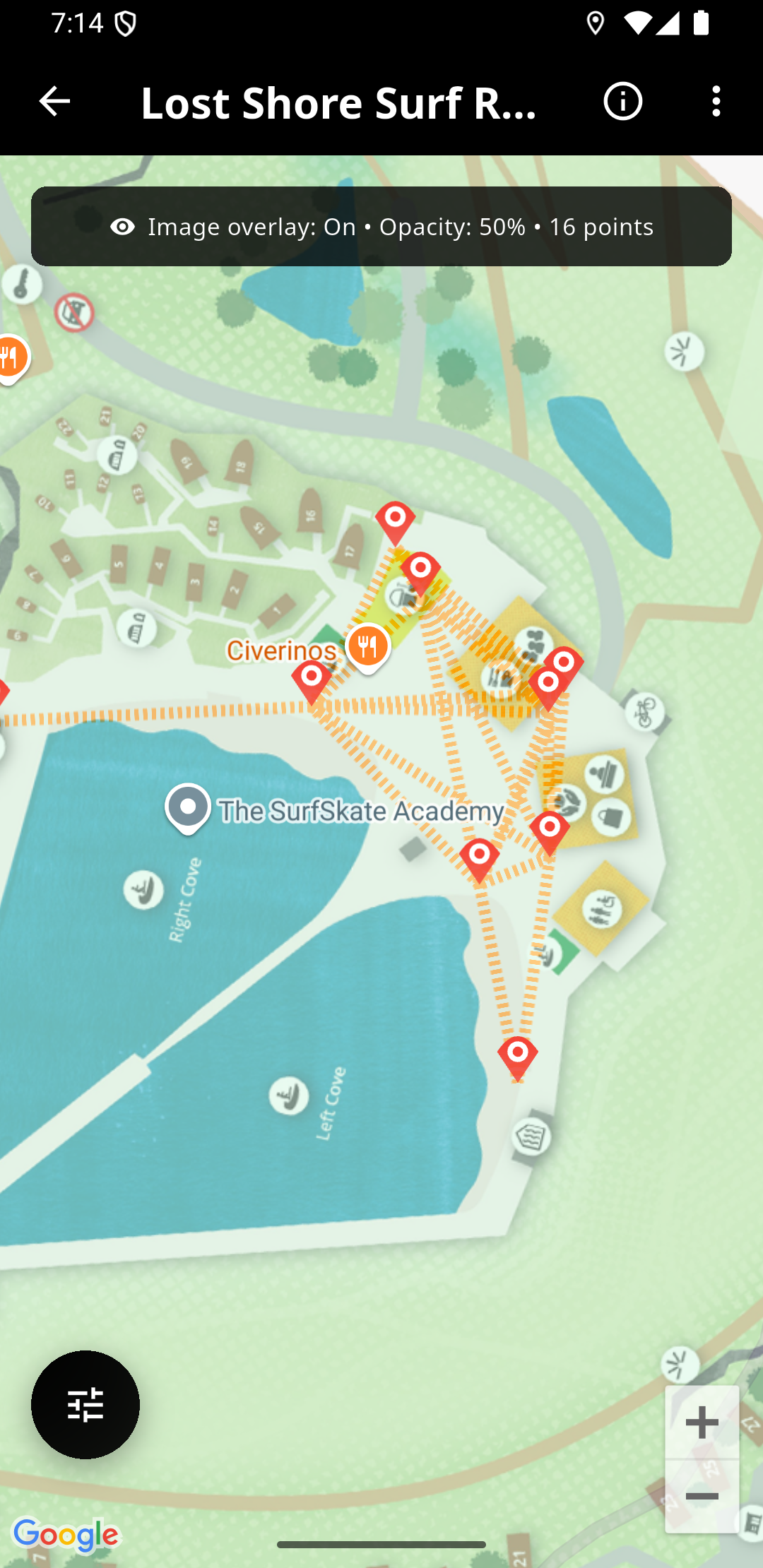
Custom Path Navigation
-
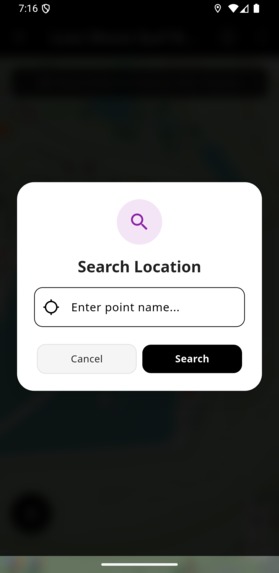
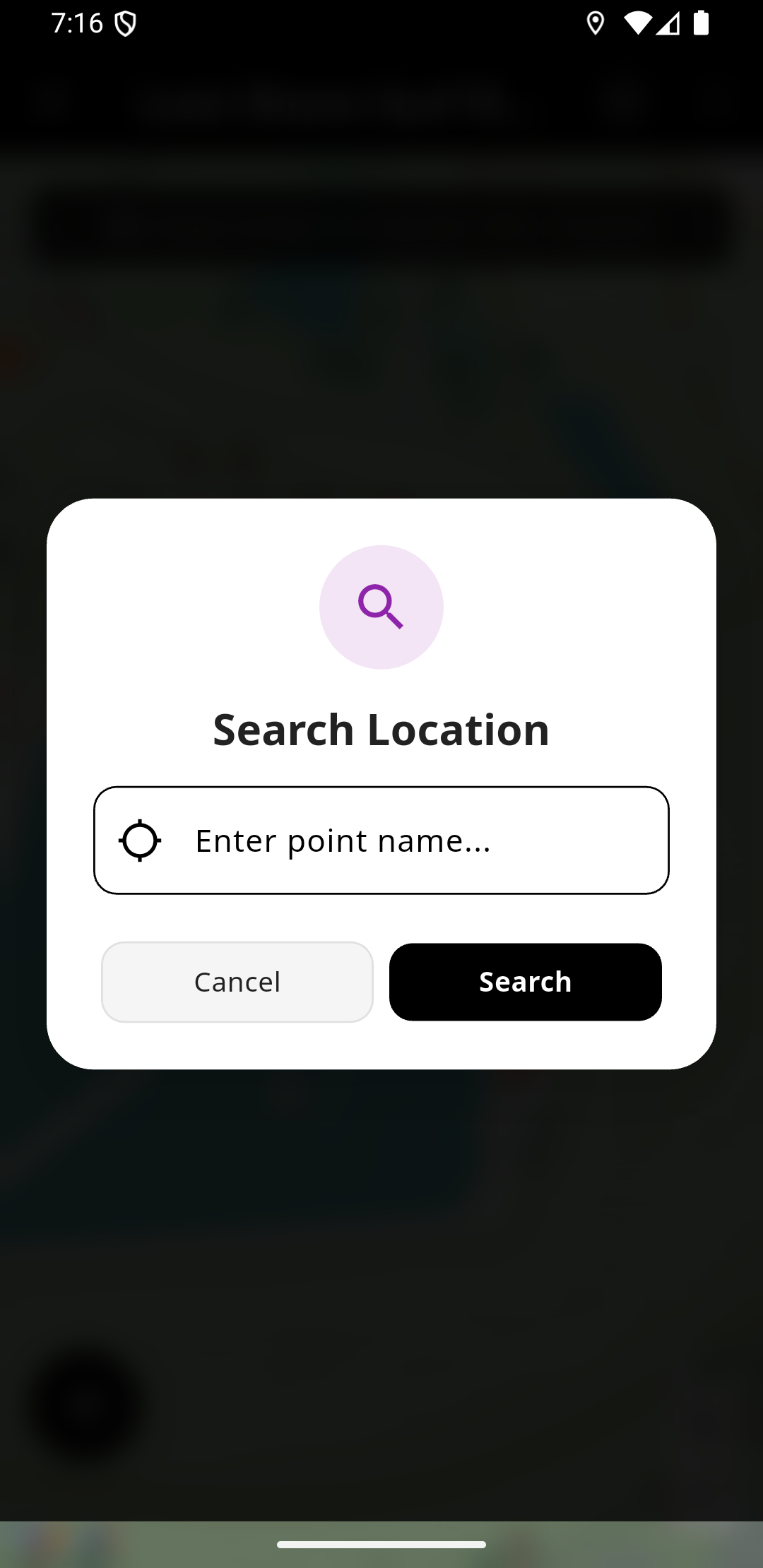
Location/Building Finder
-
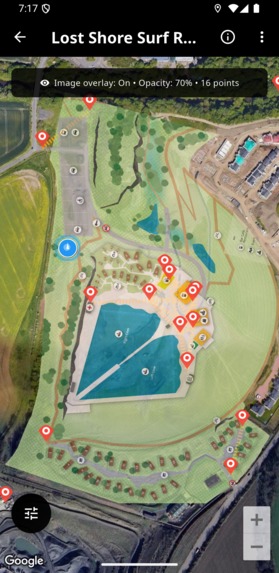
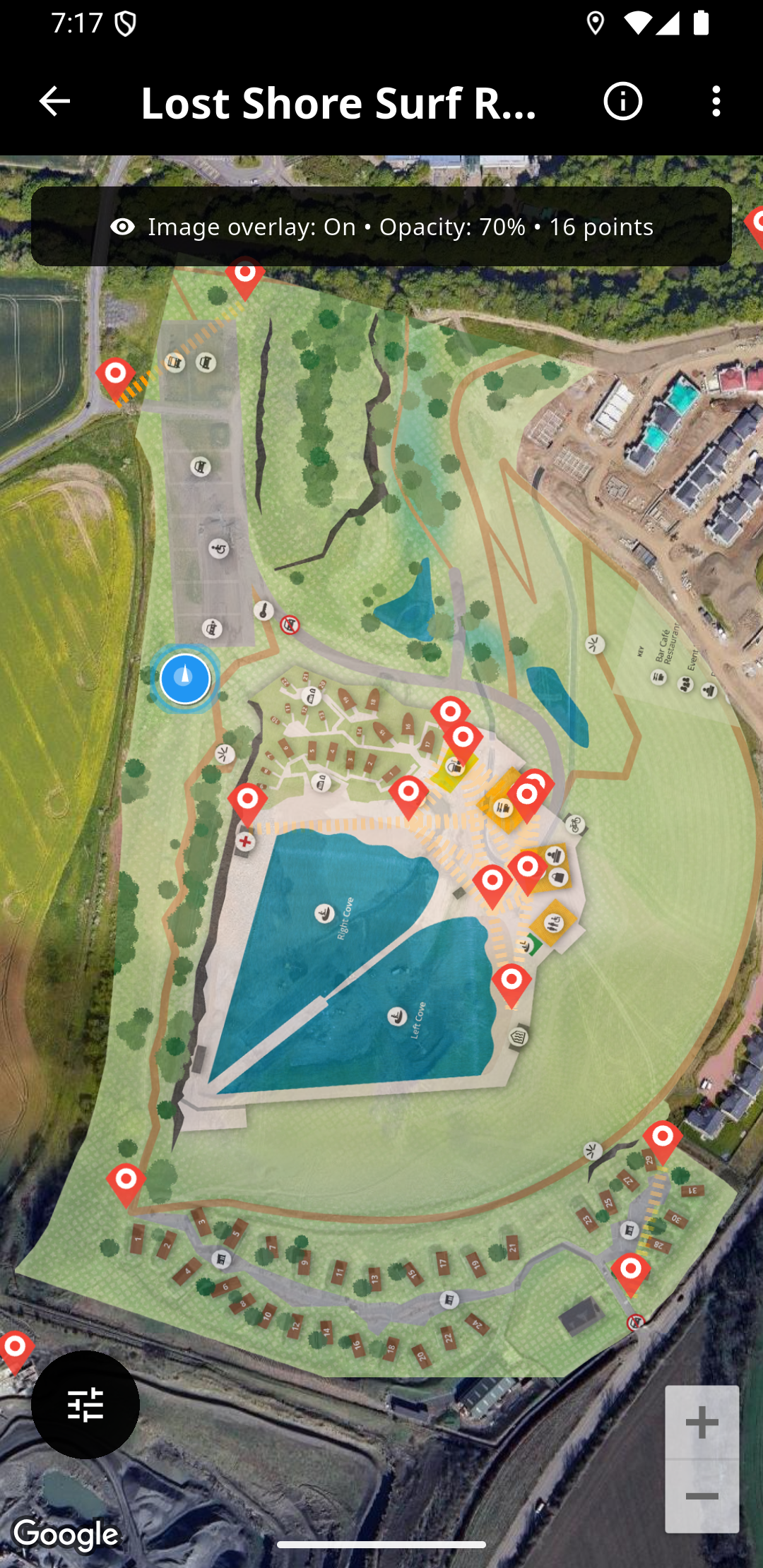
Satellite View
Inspiration
LandMappin was inspired by the real-world challenges faced during large events, resort operations, campus classroom/office locations, and navigation within complex sites or buildings. Traditional mapping solutions often fall short when it comes to overlaying custom layouts, like floorplans, estate maps, or event grounds, on top of standard map platforms. This makes it difficult for visitors/students, staff, and organizers/institutions to find their way, especially in venues with intricate layouts or temporary structures.
We saw the need for a tool that could bridge the gap between custom site images and geo-referenced navigation, enabling seamless wayfinding, improved visitor experience, and efficient site management.
LandMappin solves this by allowing anyone to upload their own maps, calibrate coordinates, and provide real-time navigation and directions, making location discovery and movement intuitive for everyone.
What it does
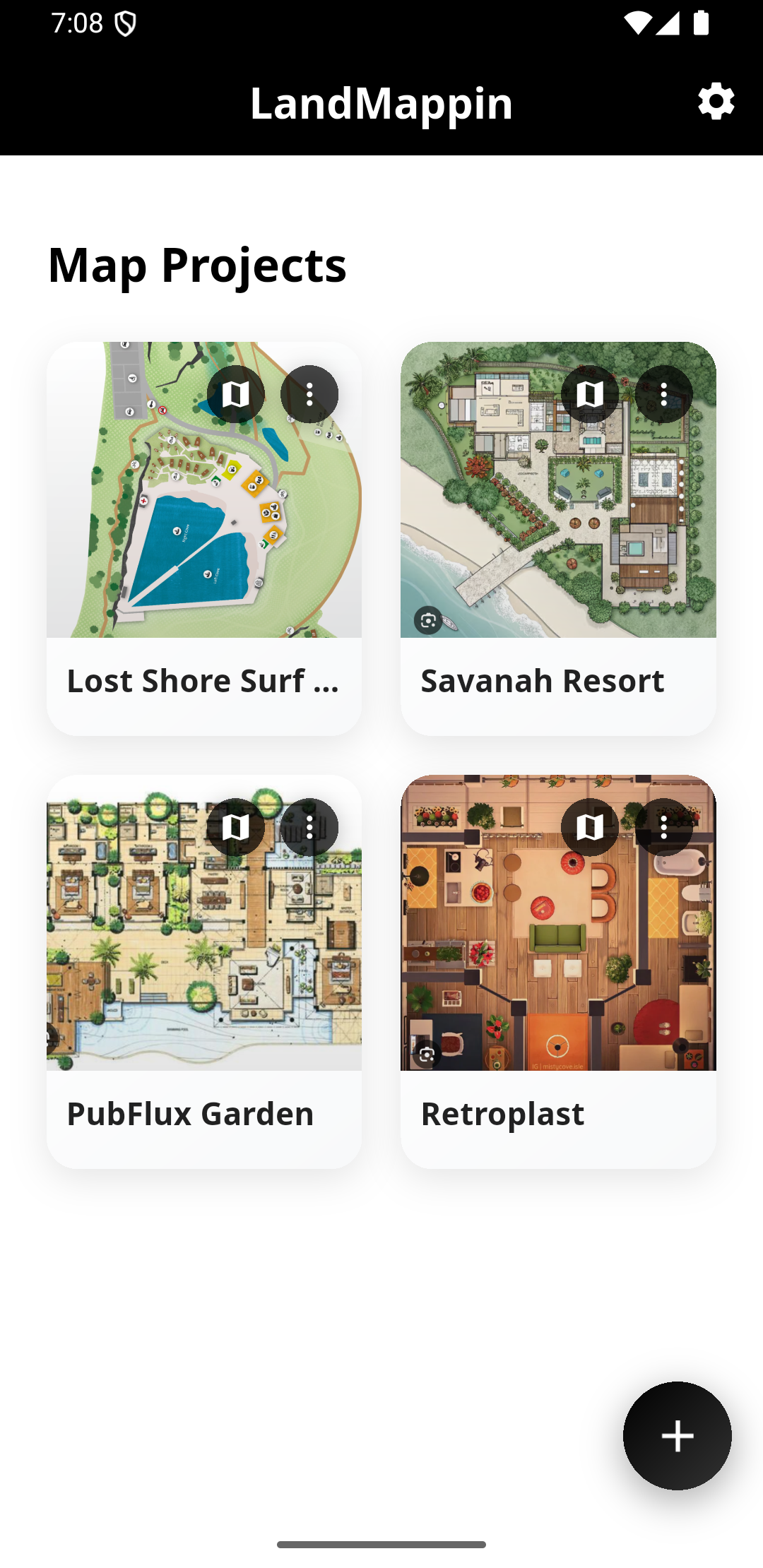
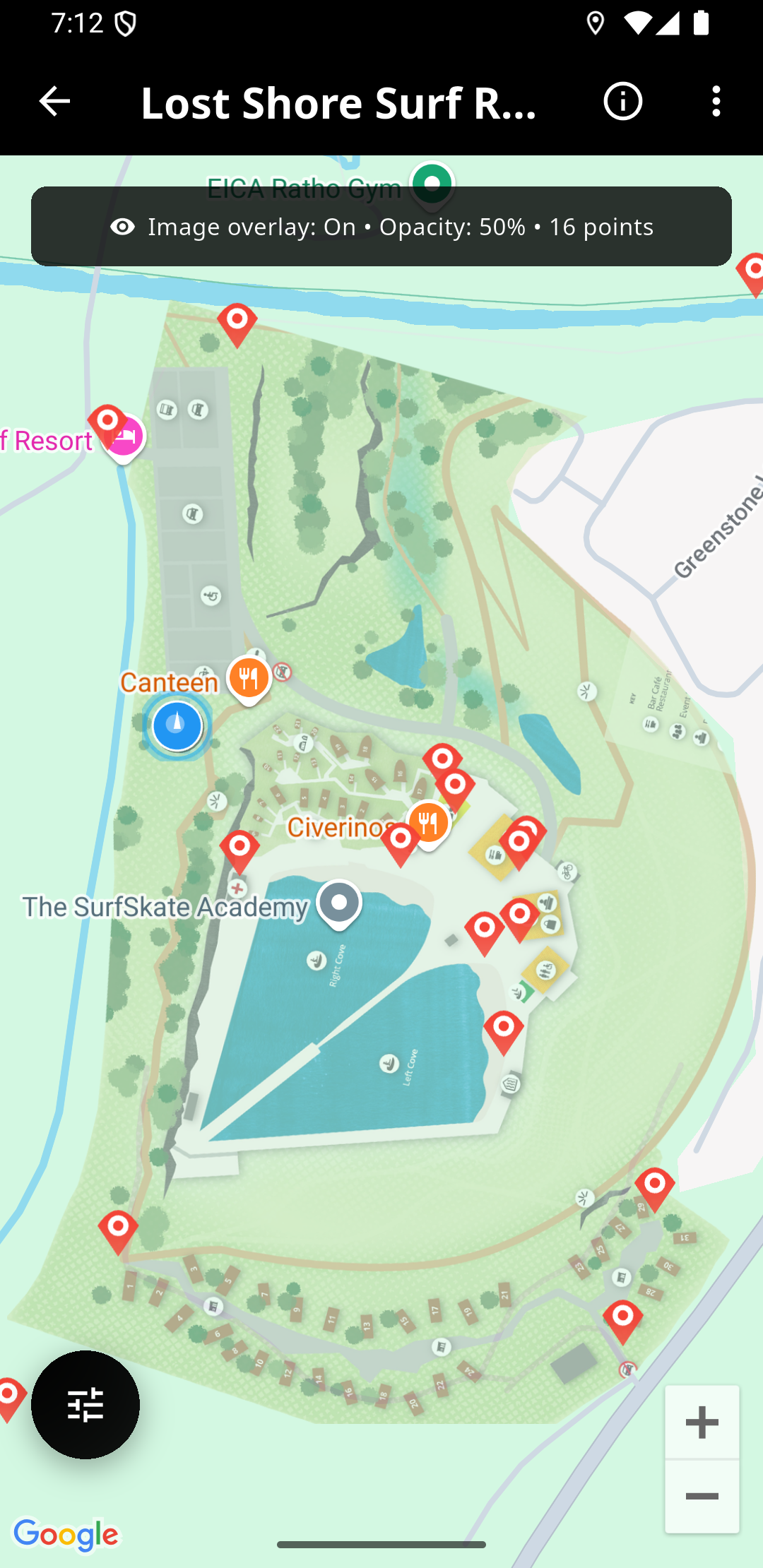
LandMappin empowers users to overlay custom architectural or landscape images, such as floorplans, estate layouts, or event maps, directly onto Google Maps.
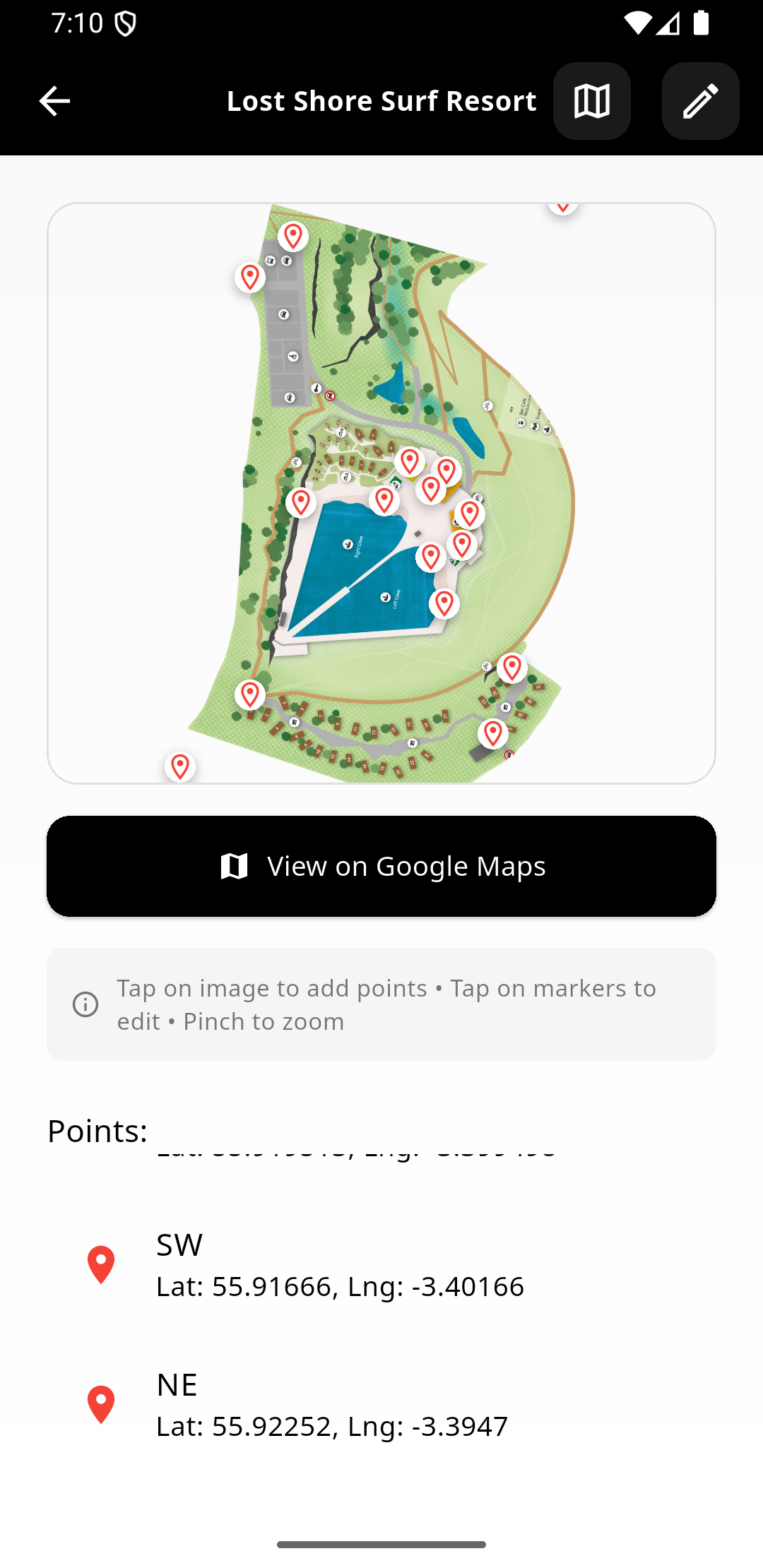
With an intuitive coordinate mapping tool, users can geo-reference points on their images, calibrate them to real-world GPS coordinates, and create interactive overlays. The app supports adding custom markers, real-time navigation, and pathfinding between locations using algorithms.
Visitors can easily find their way, interact with overlays, and get directions to any mapped destination. LandMappin also allows for multiple map projects, quick demo import, and seamless switching between map views, making navigation and site management simple, visual, and accurate for any complex venue or event.
How we built it
LandMappin was built using:
- Flutter for a fast, cross-platform mobile experience and a beautiful, modern UI.
- We leveraged the Google Maps Flutter plugin to enable interactive mapping and overlays, allowing users to place custom images directly on top of real-world maps.
- Hive DB was chosen for lightweight, local data storage, making it easy to manage multiple map projects and their geo-referenced points efficiently.
- The app’s architecture uses modular widgets for animated cards, custom markers, and navigation panels, ensuring a smooth and engaging user experience.
- We implemented a coordinate mapping tool for calibration, and integrated A* algorithm pathfinding to provide accurate, real-time navigation between mapped locations.
- The demo import feature and intuitive settings make it easy for users to get started and explore all functionalities. Throughout development, we focused on scalability, maintainability, and a seamless workflow for both event organizers and visitors
LandMappin can be categorized as either Art of the Map or Immersive.
As Art of the Map: LandMappin transforms maps into creative visual experiences:
- Using maps as canvas for custom overlays and designs.
- Creating visually appealing UI for navigation and location finding.
- Turning standard maps into site-specific, interactive experiences.
As Immersive: LandMappin creates a rich, interactive mapping experience by:
- Overlaying custom architectural and landscape images onto Google Maps.
- Implementing geo-referenced points that connect virtual maps to real-world locations.
- Providing real-time navigation with custom paths.
- Offering seamless toggling between map views.
Challenges we ran into
- Building LandMappin presented several technical and design challenges. One major hurdle was implementing accurate image overlaying on Google Maps using the SDK plugin. Aligning custom floorplans or site maps with real-world coordinates required precise calibration and handling of image bounds, anchors, and transparency.
- Ensuring overlays remained responsive and visually correct across different devices and zoom levels was complex, especially when users mapped points manually.
- Another challenge was developing a custom navigation logic on top of the overlay, since standard Google Maps navigation does not work with non-standard pathways or indoor layouts. We had to design a pathfinding system (A*) that works with user-defined nodes and edges, and render navigation polylines seamlessly on top of both the overlay and the map.
- A key disadvantage of image overlaying with the Google Map SDK plugin is limited interactivity and performance. Overlays are essentially static images, so they do not support dynamic features like clickable areas, smooth scaling, or advanced animations. Additionally, overlays may not always align perfectly due to projection differences and can become distorted at extreme zoom levels or on devices with varying screen sizes. Despite these limitations, we worked to optimize the user experience and provide robust tools for calibration and navigation.
Accomplishments
We’re proud to have built a robust and user-friendly navigation solution that bridges the gap between custom site images and real-world mapping.
LandMappin enables seamless overlaying of floorplans and landscapes on Google Maps, with accurate geo-referencing and real-time navigation.
One of our key accomplishments is developing a methodology for laying out and aligning custom images with Google Map landscapes, ensuring efficient and precise placement regardless of the site’s complexity. This approach allows users to calibrate points, define paths, and interact with overlays intuitively.
We also implemented a modular architecture, smooth animated UI, and a demo import feature for instant exploration. Our codebase supports scalable project management, custom markers, and pathfinding, making navigation easy for both organizers and visitors.
These achievements set LandMappin apart as a flexible and innovative mapping tool for events, resorts, and complex venues.
What we learned
Throughout the development of LandMappin, we gained valuable insights into advanced map integration and custom overlay techniques using the Google Maps SDK. We learned how to accurately calibrate and align custom images with real-world coordinates, overcoming challenges in projection and scaling.
Implementing a flexible pathfinding system taught us the importance of modular architecture and efficient data management, especially when handling multiple map projects and user-defined navigation nodes.
We discovered the limitations of image overlaying, such as static interactivity and potential distortion, but also found creative ways to optimize user experience through calibration tools and intuitive UI design.
Most importantly, we learned how crucial seamless navigation and visual clarity are for users in complex environments, and how thoughtful engineering can transform site management and visitor experience.
What's next for LandMappin
- Upcoming features include indoor navigation for multi-floor buildings, enhanced analytics for visitor movement, and integration with event management platforms.
- Our goal is to make LandMappin the go-to solution for custom navigation in any complex venue, continually evolving to meet the needs of organizers and visitors worldwide.
Built With
- dart
- flutter
- geolocator
- google-fonts
- google-maps-flutter
- hive

Log in or sign up for Devpost to join the conversation.