-
-
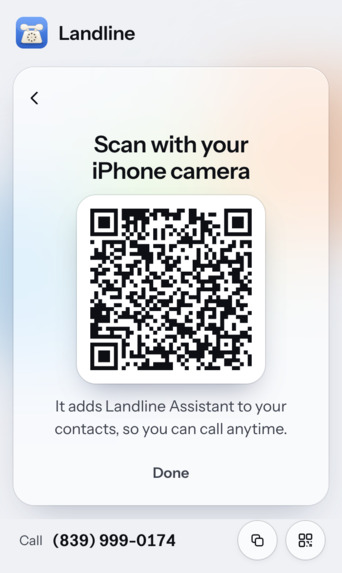
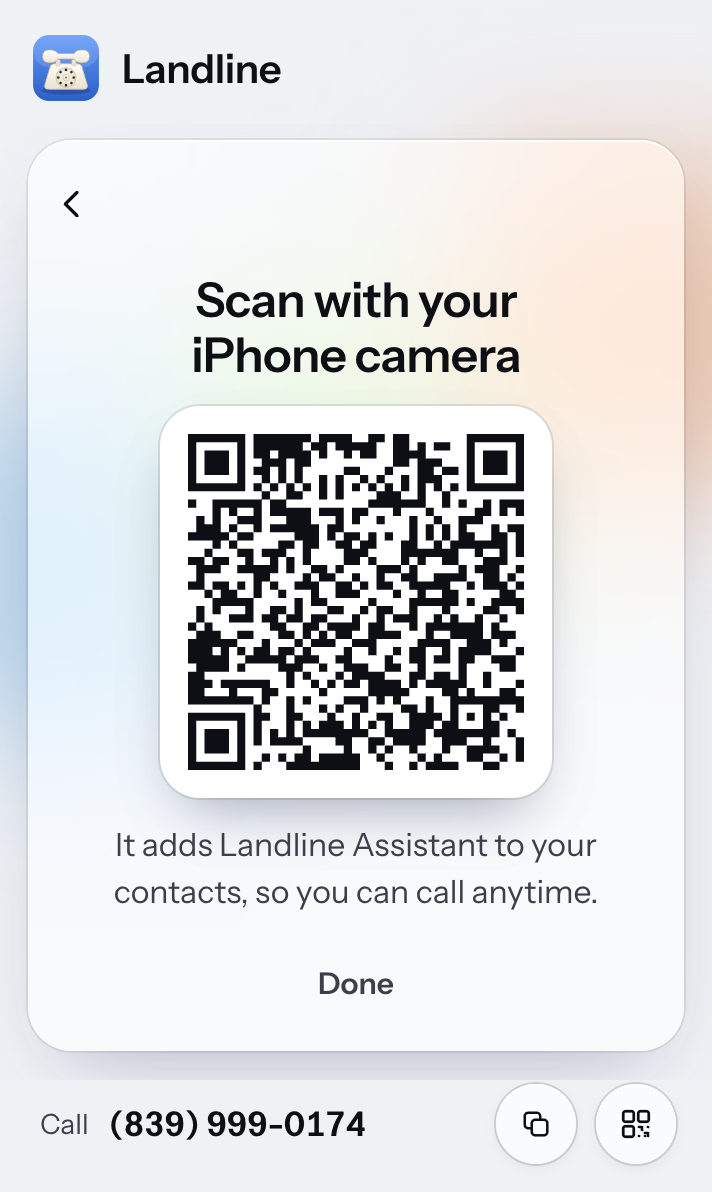
Landline Extension QR Code Voice Agent Contact
-
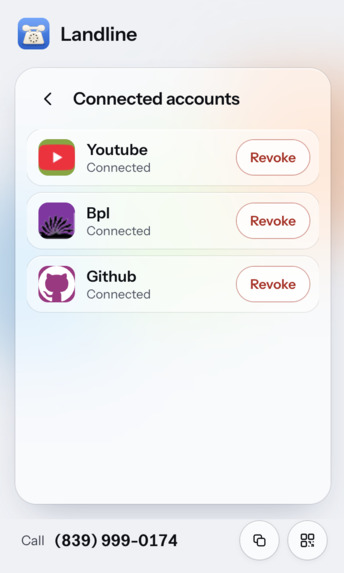
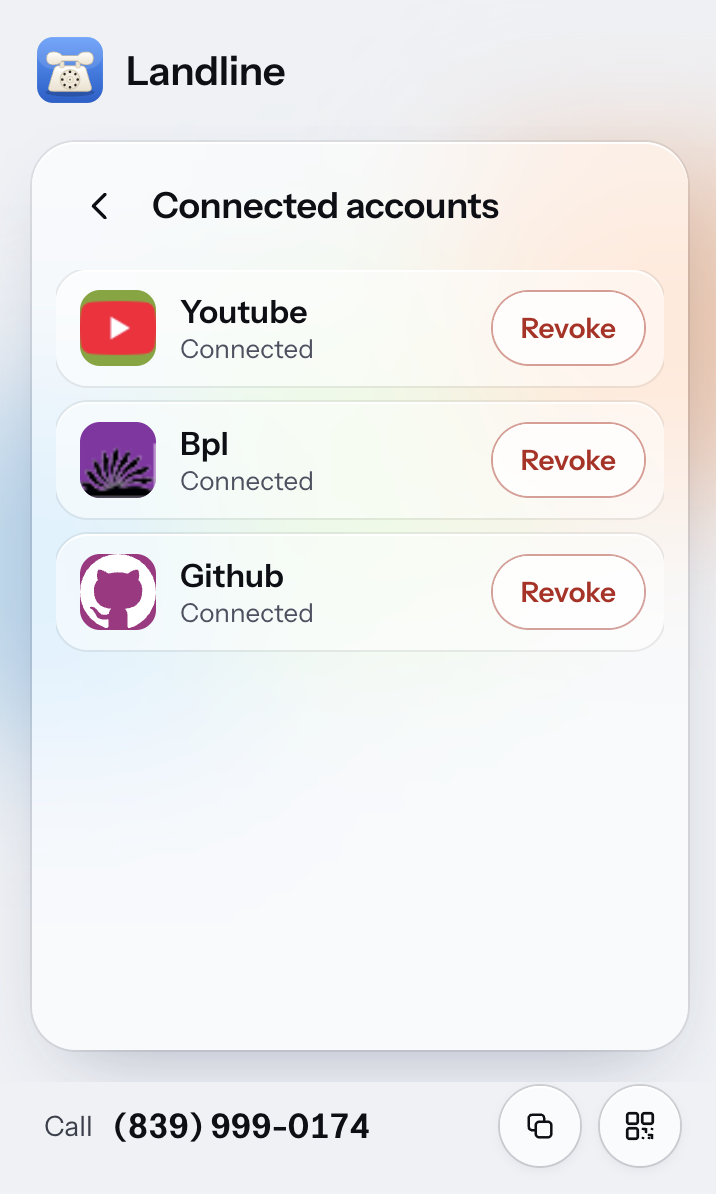
Landline Extension Manage Connections
-
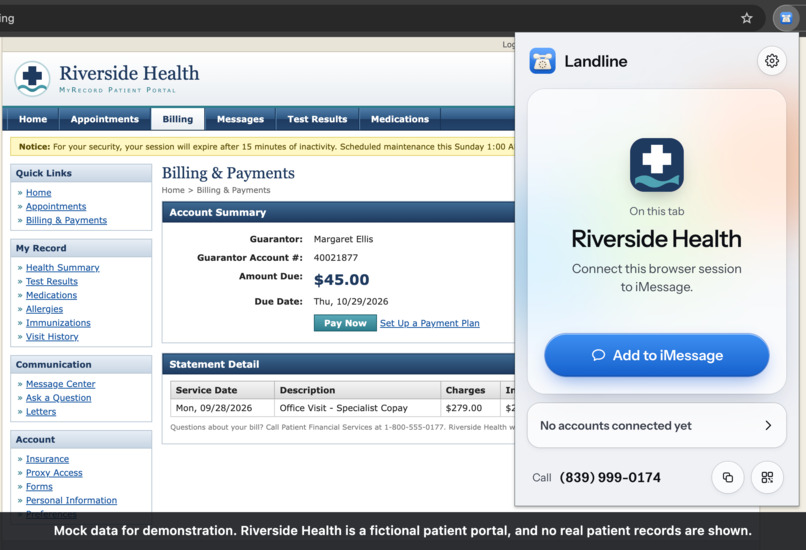
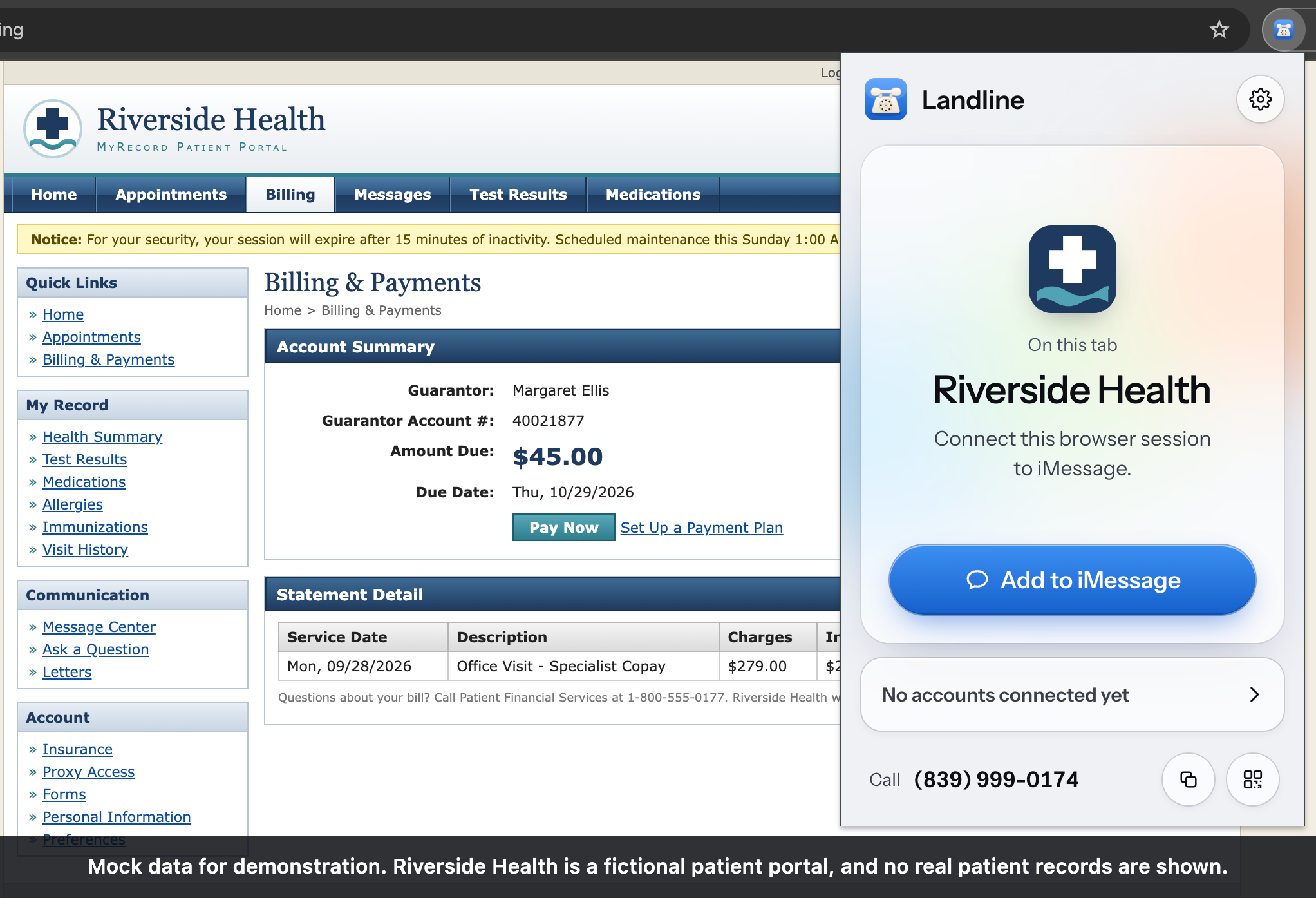
Landline Extension Connect Site
-
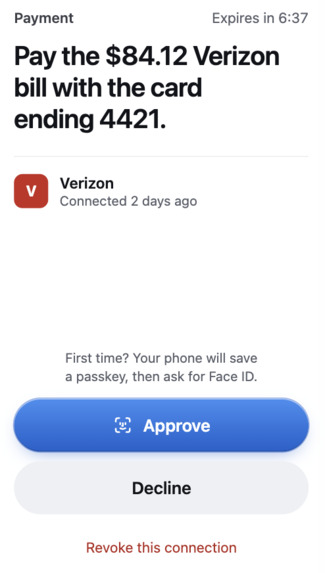
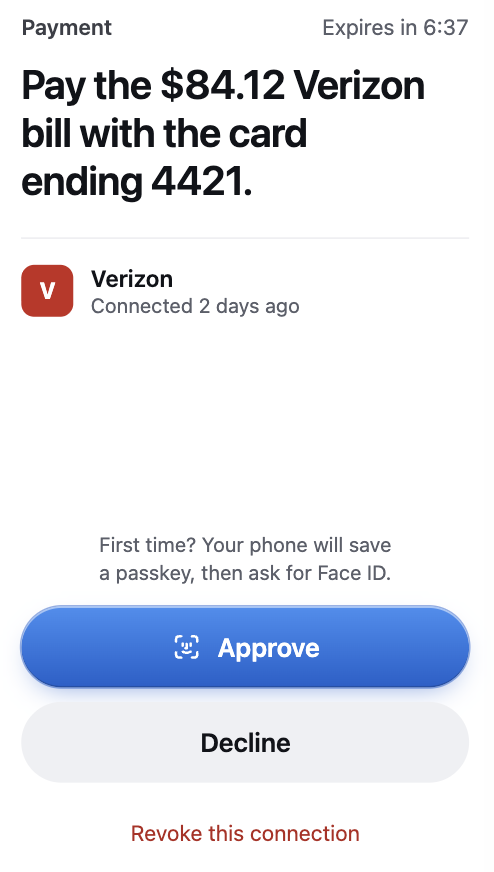
Landline Authentication Proposal (caretaker view)
Inspiration
63 million Americans are family caregivers (AARP, 2025), and for many seniors that caregiver is the only way anything gets done online. Health portals, utilities, insurance, the library: check a bill, move an appointment, read a message from the doctor. The senior waits for something that should take a minute. One of us is the person who gets those calls. It's never one big thing, it's that every small thing comes through you.
The same people are the main target of fraud. Americans 60 and older reported $7.7 billion lost to scams in 2025, up 59% in one year (FBI IC3).
The products we found for this mostly take control away from the senior, either with a caregiver dashboard or a locked-down phone. We wanted the senior to ask for things in their own words and the caregiver to only have to say yes or no. This was the original idea. We talked ourselves into something broader on day one and came back to it on day two. See Challenges. In the end, our goal is to give back autonomy to seniors, enable them to safely interface with the web, all through a native interface (calling).
What it does
The senior calls. A normal phone number, on purpose. There's no app, password, or smartphone involved. A phone call is a universal and comfortable form of communication across all generations. They talk: "When is my next bill?" "Move my appointment to Thursday." "What did the doctor's office send me?" An agent that is already logged into their accounts answers in seconds, in plain words. It doesn't say "portal," "session," or "approval request." It says "I'll check with your family first."
The caregiver approves. Any write action holds: a payment, a new appointment time, a changed setting. The caregiver taps a link on their phone and passes Face ID. Then the agent finishes. Anything that only reads goes straight through. Anything that changes something waits for the caregiver.
The security model:
- The person who asks cannot approve. Social-engineering the senior gets a scammer nothing. A write needs the caregiver's passkey, and the passkey is stored on the caregiver's device.
- No credentials move. The caregiver enrolls a senior's account in one click from a browser that is already logged in. The password never leaves that browser and the agent never sees it; only the user's session is transferred.
- The agent has ground truth. It reads the real account, from the site's own API traffic. In our demo a scam email tells the senior they owe $500 immediately with a sketchy link attached. They call Landline to pay it, as it is there interface to the web. The agent sees a $45 balance and says so, shielding the person from a would be scam.
How we built it
- Enrollment, one click. The caregiver opens the site logged in and clicks the Landline extension. The session goes to the backend. The password stays in the browser. On the first connection the caregiver gets a contact card with the Landline number for the senior, and the first approval registers their Face ID passkey.
- One cloud browser per account, on Chalk. Each connected site gets its own Chalk sandbox running real Google Chrome under Xvfb. Sandboxes accept no inbound traffic, so a relay inside the sandbox dials out to the backend over WebSocket and we multiplex Chrome DevTools Protocol channels over it.
- Residential exit per account. Sites challenge datacenter IPs. Each sandbox gets a sticky residential proxy pinned to that connection, through a local forwarder that answers the upstream auth challenge Chrome can't.
- One Factory Droid SDK instance per account, grounded in network traffic. Each account gets its own Droid (Droid SDK, TypeScript) running in the backend at autonomy
Off, with a permission handler on every tool call. It drives the browser through Playwright MCP tools and grounds itself in the site's own network traffic: we tap CDP and log every XHR and fetch, with bodies, to anetwork.jsonlin the Droid's working directory, and its instructions tell it to grep or script over that file instead of reading pages. Its instructions requirerequest_approvalbefore any write andask_userwhen a detail is missing, both in-process SDK tools. The Droid blocks until the caregiver decides. - Droid reverse-engineers the site's API as it goes. That is how it gets the real balance: from the JSON the site's own frontend fetched. This is an optimization in place so the agent never needs to parse volatile images/frontend text.
- Voice on a Photon number. The senior's call lands on a Photon 2.0 phone number connected over SIP to an ElevenLabs conversational agent. The agent talks to our MCP server over Streamable HTTP with a bearer token:
list_connections,send_action,wait_result,stop_action.wait_resultkeeps the call alive and gives short updates while the Droid works through a site. The voice prompt is written for someone who has never used a website: short sentences, no technical words, and a general rule for what to say when the account doesn't match what the caller was told. - Approvals over Photon. A single-use link, five-minute expiry, texted to the caregiver over the Landline iMessage line with an idempotency key so a retry never double-texts. The page uses WebAuthn (passkeys, Face ID). On restart the backend drops any passkey registered on a different host, so a moved deployment can't be approved from a stale credential.
- Demo Dashboard. Next.js, served by the backend. Live screencast, call transcript, browser identity, and a timeline with lanes for Photon · ElevenLabs, Factory Droid, Playwright over CDP, and Face ID passkey. Reads flow blue. Writes hold amber until approval, then green. It only watches. The approve button exists only on the caregiver's phone.
Backend is Express 5 in TypeScript. Shared event types live in one package used by backend, dashboard and extension.
How we used each sponsor
- Factory Droid SDK: the agent itself. One Droid per connected account, TypeScript SDK, autonomy
Off, permission handler on every tool call, two in-process MCP tools (request_approval,ask_user), Playwright MCP attached to the sandbox's CDP endpoint. Seebackend/src/agent/droid.tsand the README. - Chalk: every account's browser runs in its own Chalk sandbox (HOST compute class, restart always), built from
Image.debian_slimwith real Chrome installed, reached through a dial-out relay with CDP multiplexed over WebSocket and a sticky residential exit per connection. Seebackend/src/browser/chalk.tsandbackend/sandbox/. - Photon 2.0: the phone number the senior calls, routed over SIP to the voice agent, and the iMessage line that texts the caregiver each approval link using Photon's Users, Spaces and Messages API with idempotency keys. See
backend/src/photon.ts. - Digital Trust (category alignment): the asker cannot approve, no credentials move, and the agent checks the real account before any payment.
Challenges we ran into
- The pivot. The idea started as seniors and caregivers. On day one we talked ourselves into the bigger version, "text or call any website you're logged into," because it sounded more powerful. A judge said "so, like Instinct," and he wasn't wrong. For a few hours on day two we thought the idea was dead. Then we noticed the one thing we had that Instinct doesn't is the approval flow: a second person with a passkey between the request and the write. Instinct doesn't stop someone from buying a gift card to send to a scammer. Ours does. And the people that gate matters most for were the people we'd started with. The stack stayed the same, with some minor tweaks.
- Sandboxes take no inbound traffic. We could not connect to Chrome normally. We built the dial-out relay and multiplexed CDP.
- Datacenter IPs got challenged. A logged-in session that worked on a laptop hit bot walls from the sandbox. We added the sticky residential exit.
- Cookies live on more domains than you think. Capturing cookies for the site's exact host left logins half-dead on the other side. The extension now copies every cookie the browser would send for that page, across all domains, before the session moves to the sandbox.
- The voice agent swallowed the important question. It noticed the $500 vs $45 mismatch and asked about it. A closing "done" message overwrote the question before
wait_resultreturned. We fixed the message order and a timeout cap that was killing long tasks before they started. - No central server. We never deployed a backend, so each of us ran one on a laptop behind a Cloudflare quick tunnel, and we kept tripping over each other: tunnels expired, the sandboxes dialed a dead hostname, errors being masked, and the passkey stopped matching the new origin.
Accomplishments that we're proud of
- The demo is a phone call, a logged-in account in a cloud browser, and a Face ID prompt on a phone, end to end, nothing mocked. It works on almost every website we have tried.
- A write cannot run without passkey approval. The Droid blocks in-process until the approval resolves.
- The agent caught a fake $500 bill against a real $45 balance using a general rule for mismatched amounts, and it read the number from the site's own API response.
- Two people, 36 hours, and going back to the first idea after a day of thinking it was dead.
What we learned
Agents for vulnerable users need two principals. Separating who asks from who approves is a stronger safety property than any prompt, and it lets seniors get their independence back. Most of what people want from a website is reading, and the few writes are exactly the moments someone should be asked first.
A portion of the stack was familiar. The new part for us was the cloud browser: a real Chrome in a sandbox we could not open a connection into, so everything from the CDP relay to the residential exit was built backwards from that constraint. Additionally, we had never implemented a voice agent or used the Droid SDK. It was a lot of fun interfacing with all of these sponsor tools to bring our product to life.
What's next for Landline
- Compile each site into an API. The Droid already reverse-engineers requests from the network log. Next it writes them down as typed tools, so the second question about a site never touches a browser.
- Reach out proactively. Most seniors do not live in email. Wire the integrations' notifications to the Photon number so Landline calls or texts them: "your electric bill is due Friday, want me to ask about paying it?"
- Agent evals on Chalk. A fixed task set per site type, run on every prompt change, with the mismatch catch as a required pass. Outside of the demo scope, observability and proactively recognizing errors is everything. Immersion and smoothness is critical.
- Caregiver-defined rules so a small copay needs no approval and a "collections" payment always does.
- Pilots with senior living communities and caregiver networks.
Team
James: Chrome Extension, Photon, voice agent, dashboard
Caius: sandboxes/Chalk, Droid, approvals and passkeys. We paired on the pivot and the demo.
Thank you for reading!
Built With
- chalk
- chrome
- chrome-devtools-protocol
- elevenlabs
- express.js
- factory
- imessage
- mcp
- next.js
- node.js
- passkeys
- photon
- playwright
- python
- react
- typescript
- webauthn
- websockets
- xvfb

Log in or sign up for Devpost to join the conversation.