-
-
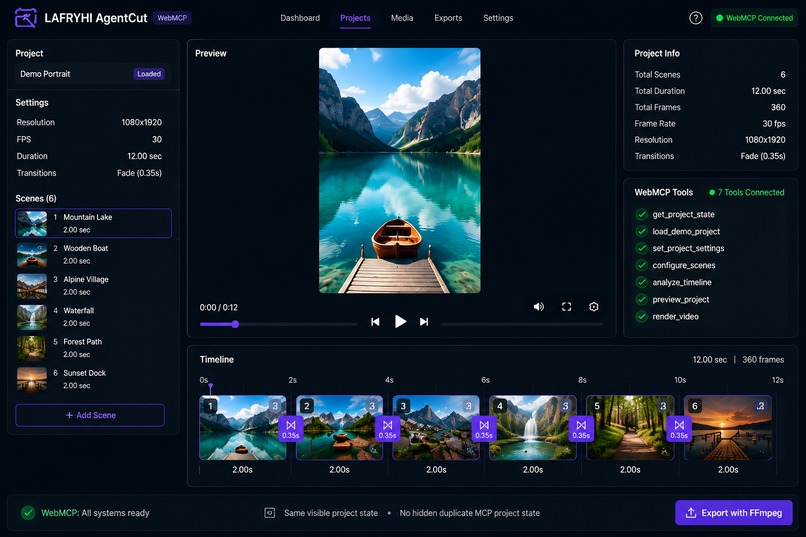
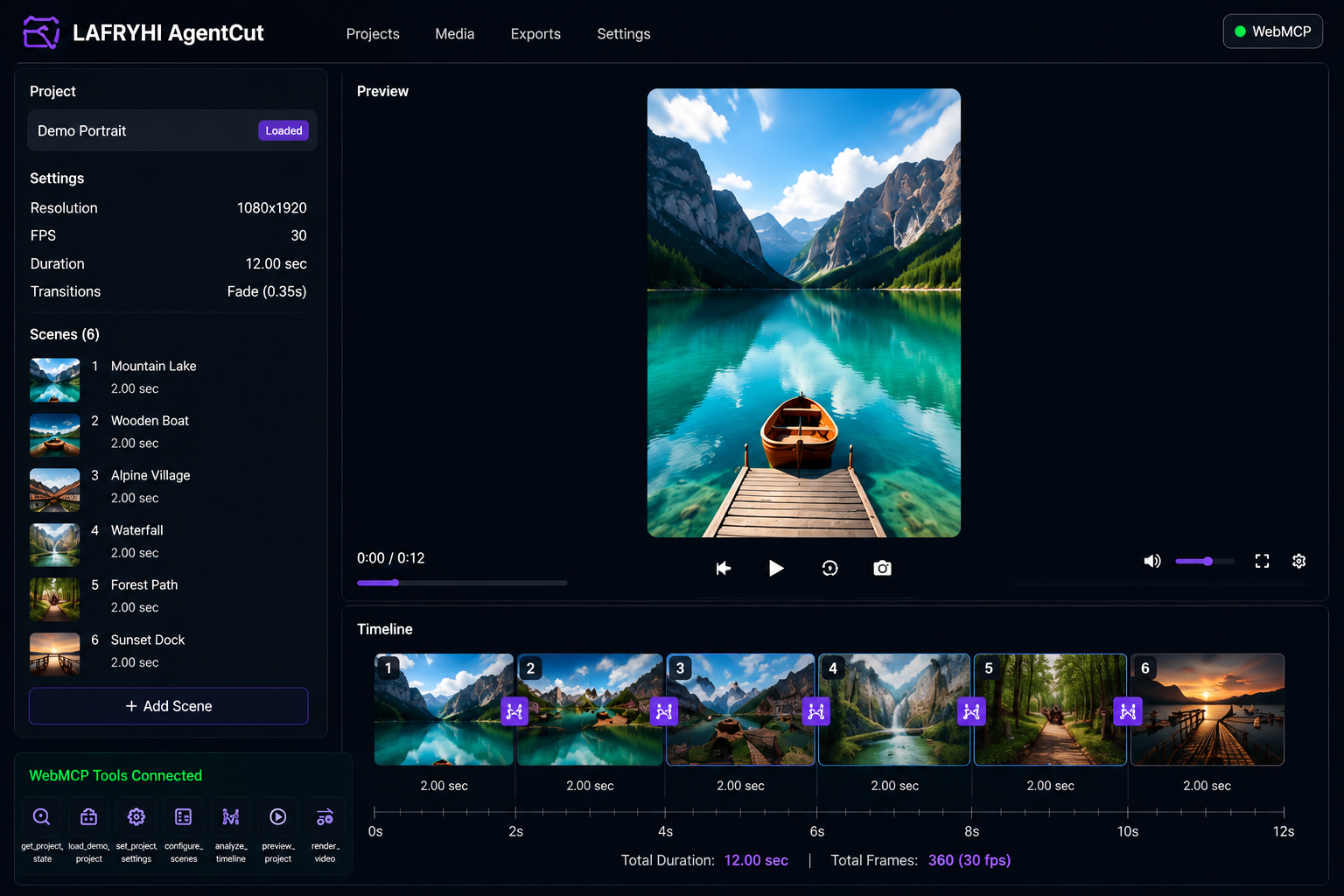
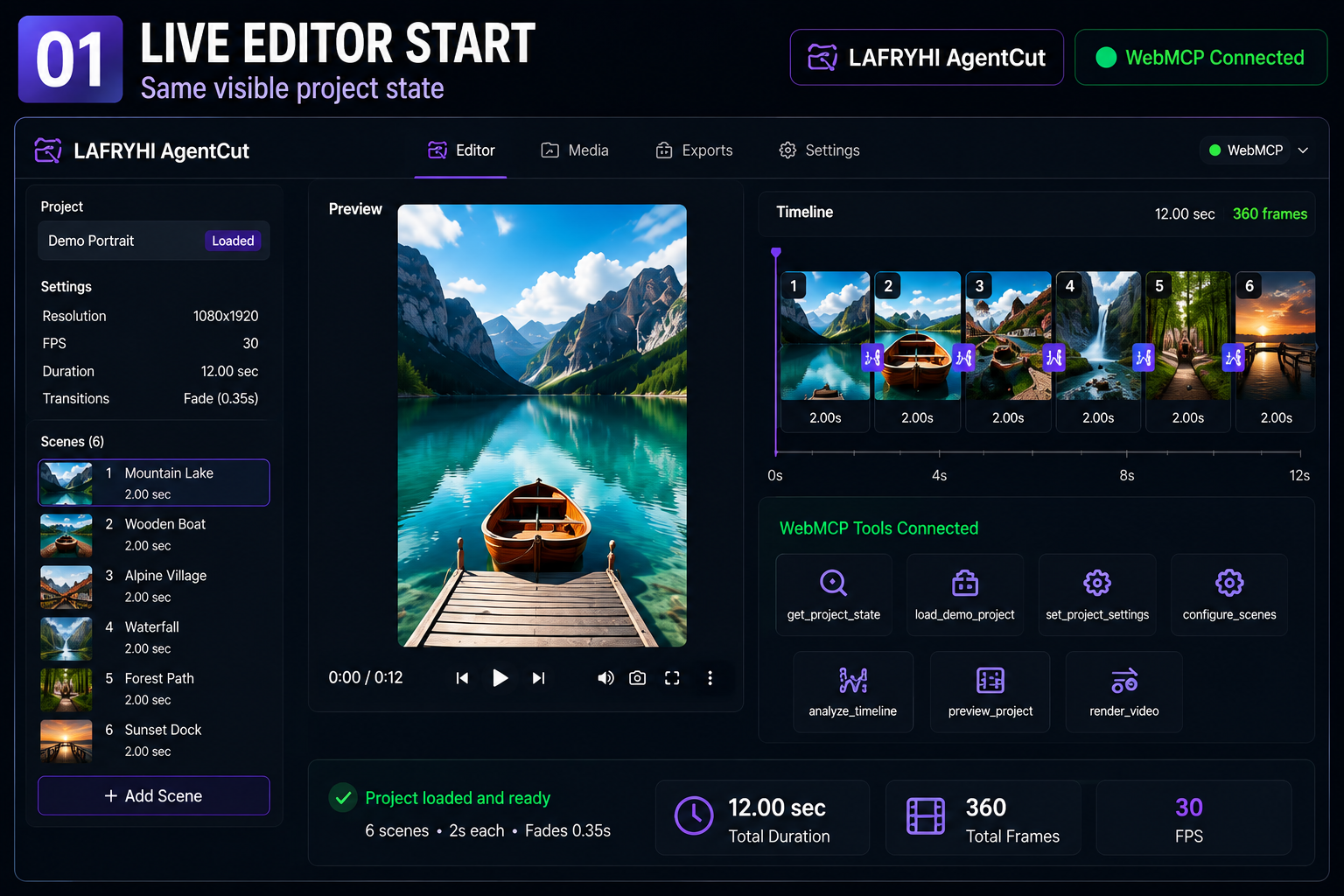
Human and agent sharing the same visible editor state through WebMCP.
-
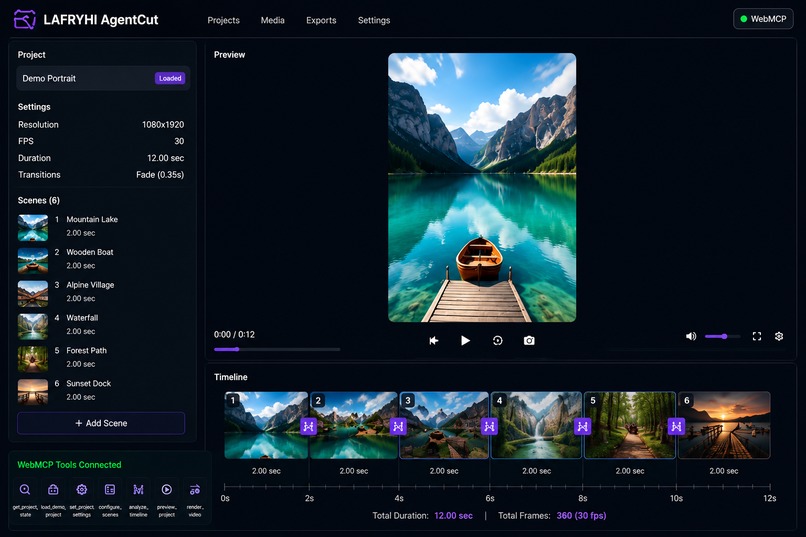
WebMCP calls the real backend analysis workflow and confirms a 12-second timeline with 360 frames at 30 FPS.
-
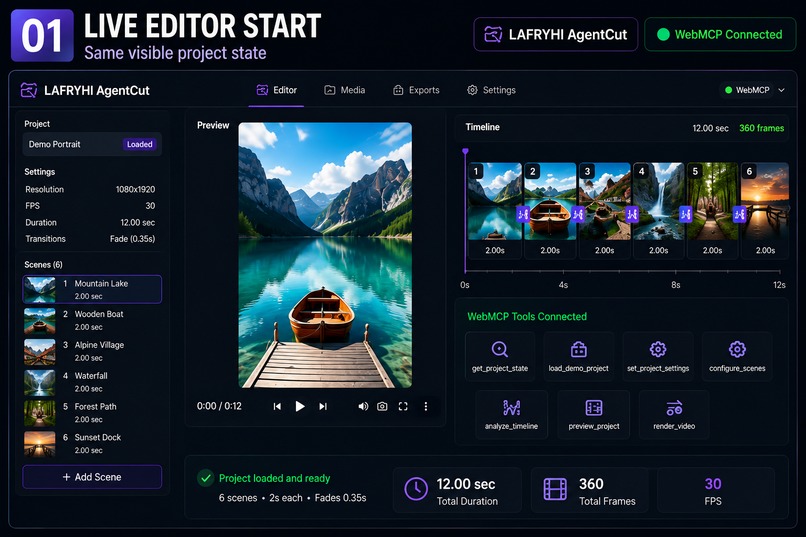
The agent enters the existing FFmpeg export pipeline and produces a real, playable MP4.
Inspiration
LAFRYHI Video Factory already existed as a human-operated video editor. I wanted to explore a more practical human-and-agent workflow: instead of asking an agent to guess where to click, the editor itself exposes structured WebMCP tools that the agent can call directly while the human watches the same visible project.
What it does
LAFRYHI AgentCut is a real video editor enhanced with WebMCP.
The human provides the trusted media, creative direction, and final approval. The agent handles precise, repetitive editing actions through WebMCP.
The app can load a demo project, inspect the current project state, change project settings, configure scenes, analyze the authoritative timeline, control the browser preview, and start the real FFmpeg render/export pipeline.
What I added during the WebMCP Challenge
LAFRYHI Video Factory existed before August 25 as a human-operated video editor. During the challenge period, I added the WebMCP agent-control layer that turns the existing editor into a human-and-agent workflow.
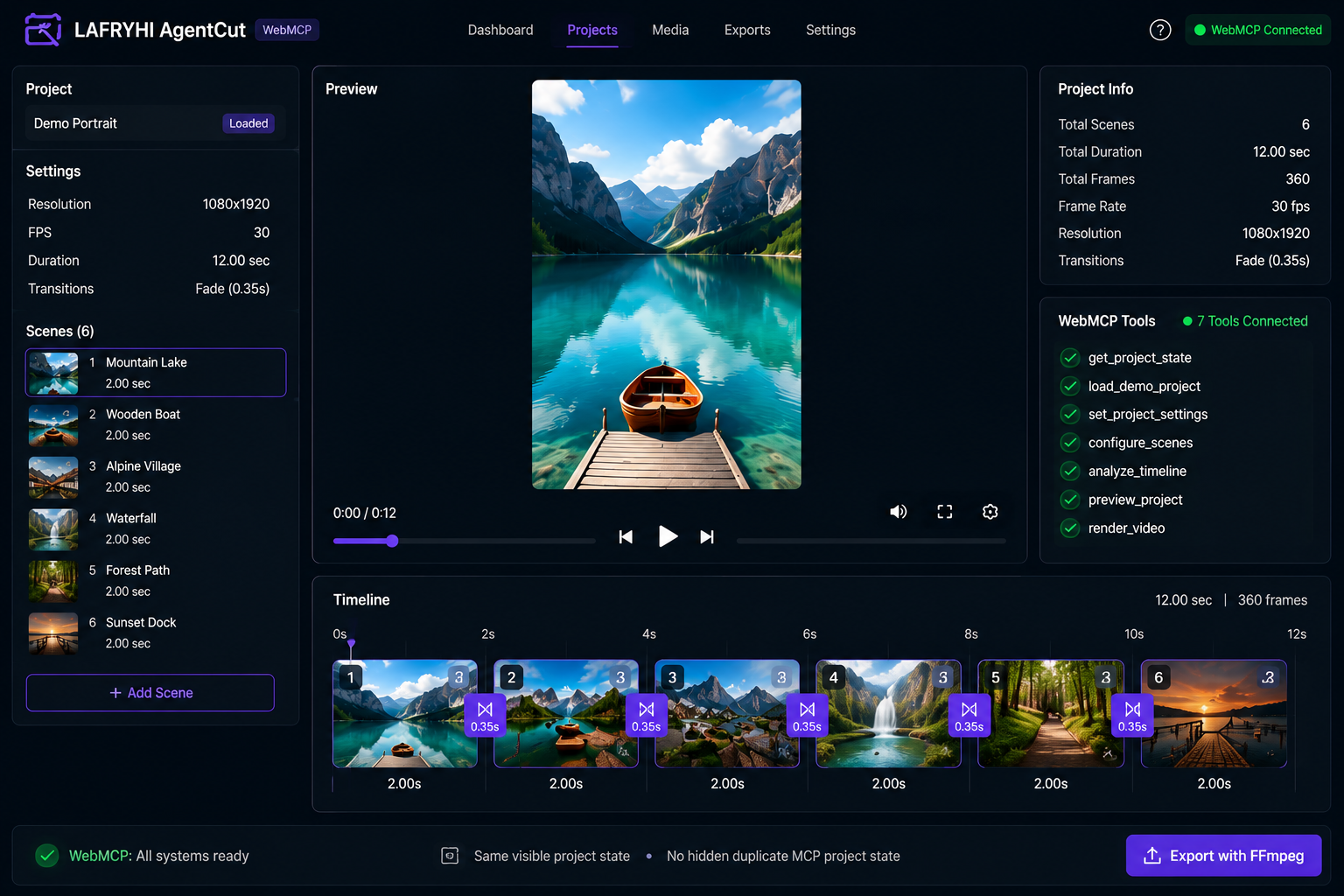
The new integration registers seven WebMCP tools:
get_project_stateload_demo_projectset_project_settingsconfigure_scenesanalyze_timelinepreview_projectrender_video
I also added the browser/editor command layer that connects those WebMCP calls to the same visible React project state.
It supports live project inspection and editing, authoritative timeline analysis through the existing backend, browser preview control, and entry into the existing FFmpeg render/export pipeline.
There is no separate hidden MCP project state.
To make the workflow publicly testable, I prepared the live Railway deployment, fixed runtime compatibility issues found during real browser WebMCP validation, including hosts that omit the tool execution AbortSignal, and reduced FFmpeg peak memory for successful cloud rendering.
The underlying editor predates the challenge; the WebMCP agent-control layer and live browser workflow are the challenge work.
The submission does not claim that the app internally generates images, speech, or scripts with an LLM.
Why WebMCP is a strong fit
Video editing is a multi-step workflow with many precise operations: inspecting the current project, changing timing, configuring scenes, analyzing the timeline, previewing the result, and exporting the video.
WebMCP gives the agent structured access to those actions instead of relying on brittle screen-coordinate automation.
The agent operates the same visible project that the human sees, so every change remains inspectable and editable.
Human + agent collaboration
The human remains responsible for:
- media selection
- creative direction
- visual judgment
- approval
- final decisions
The agent handles:
- project inspection
- repetitive scene configuration
- timing changes
- timeline analysis
- preview control
- starting the render workflow
This keeps the human in control while giving the agent precise, structured actions.
How I built it
The frontend is built with React, TypeScript, and Vite.
The backend uses FastAPI and Python.
FFmpeg handles video processing and rendering.
The WebMCP integration is registered in the browser and connected to the existing editor command layer, React project state, backend analysis workflow, preview controls, and render pipeline.
The public version is deployed on Railway.
Challenges
The main challenges were not just registering tools, but making the complete workflow reliable in a real browser and cloud environment.
During live testing I had to solve:
- WebMCP execution contexts where
AbortSignalwas not provided - deployment serving an older frontend bundle
- cloud-memory limits during multi-scene FFmpeg rendering
- keeping WebMCP actions synchronized with the same visible editor state
These issues were fixed and then validated again against the public deployment.
Accomplishments
The final public project has seven live WebMCP tools working end to end.
A validated demo workflow can:
- retain and configure 6 scenes
- set each scene to 2 seconds
- apply 0.35-second fades
- analyze a 12-second timeline
- verify 360 total frames at 30 fps
- play, pause, and seek the real browser preview
- start the real FFmpeg render pipeline
- produce a playable and downloadable MP4
What I learned
I learned that useful agent integration is not only about exposing many tools.
The important part is connecting a small set of focused tools to the real application state and existing workflows, so the human can see and verify what the agent is doing.
I also learned how important deployment and runtime behavior are for browser-based agent systems. A tool that works locally is not enough; the public version must behave the same way.
What's next
Next I would like to expand the WebMCP layer with more editing actions while keeping the same human-visible workflow.
Possible future additions include more precise text editing, richer transition controls, reusable editing presets, and better project history inspection.
The goal is not to replace the human editor, but to make repetitive editing tasks easier for agents to execute accurately while humans keep creative control.

Log in or sign up for Devpost to join the conversation.