-
-
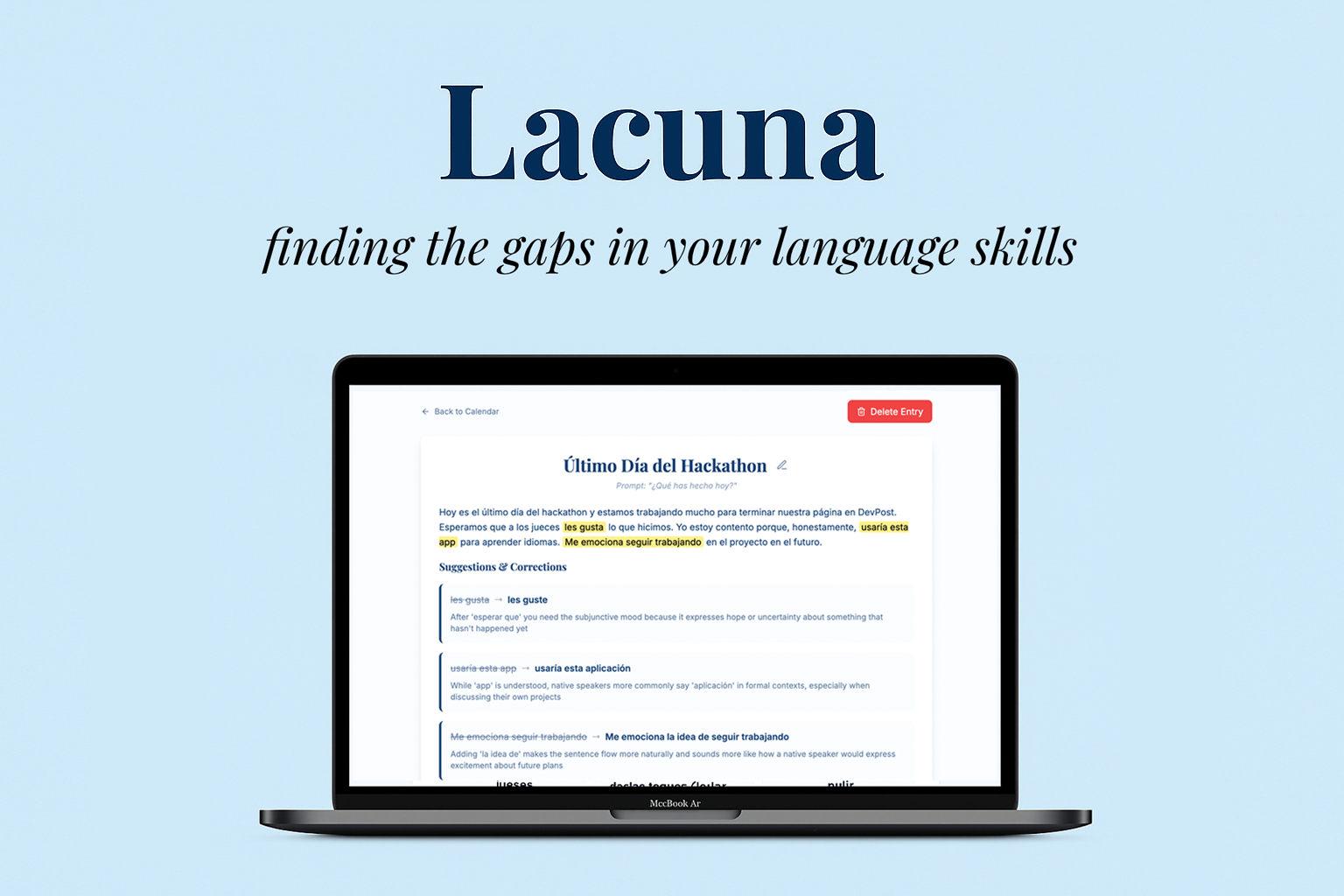
Hero Image
-
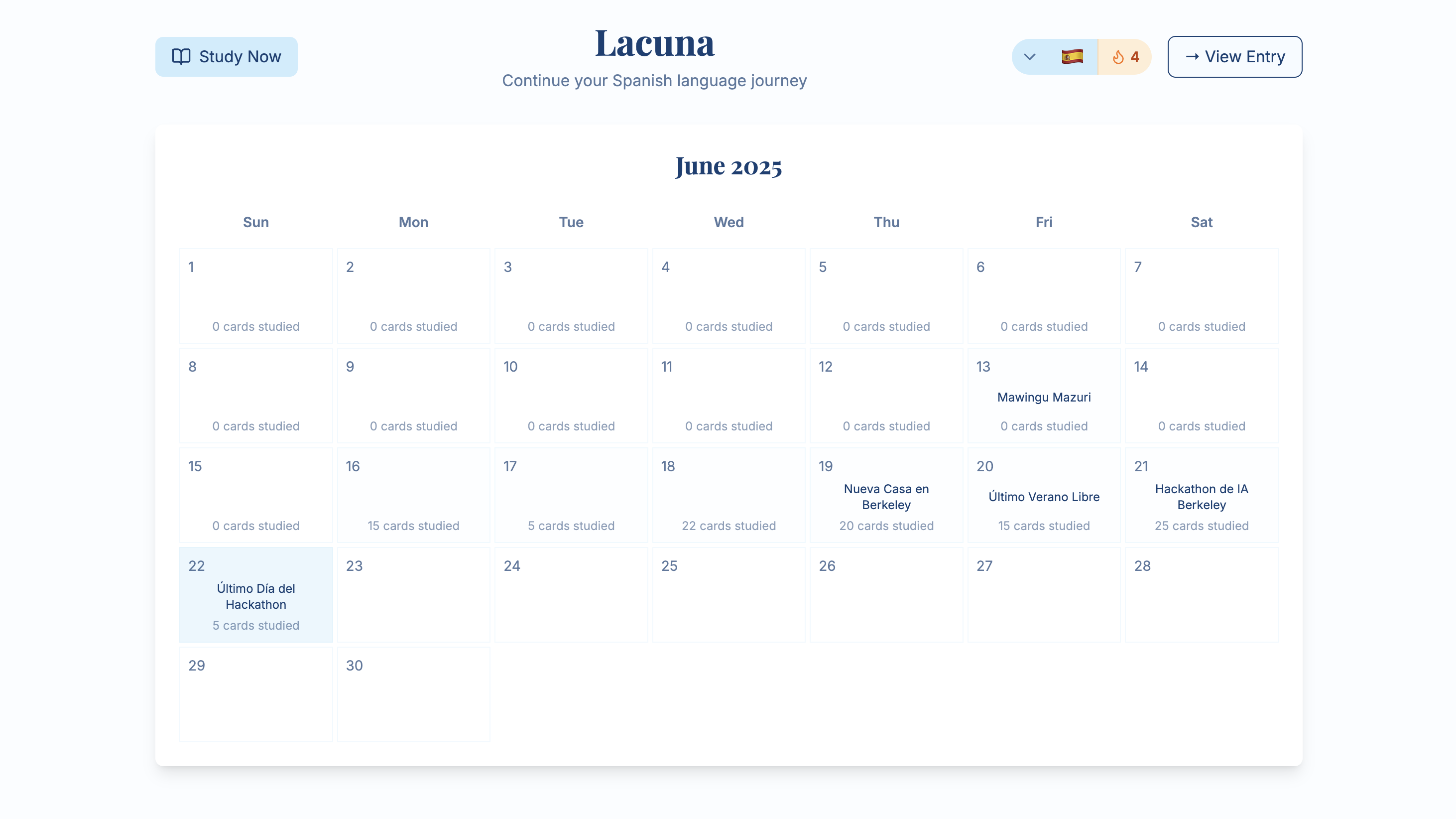
Home / Calendar View
-
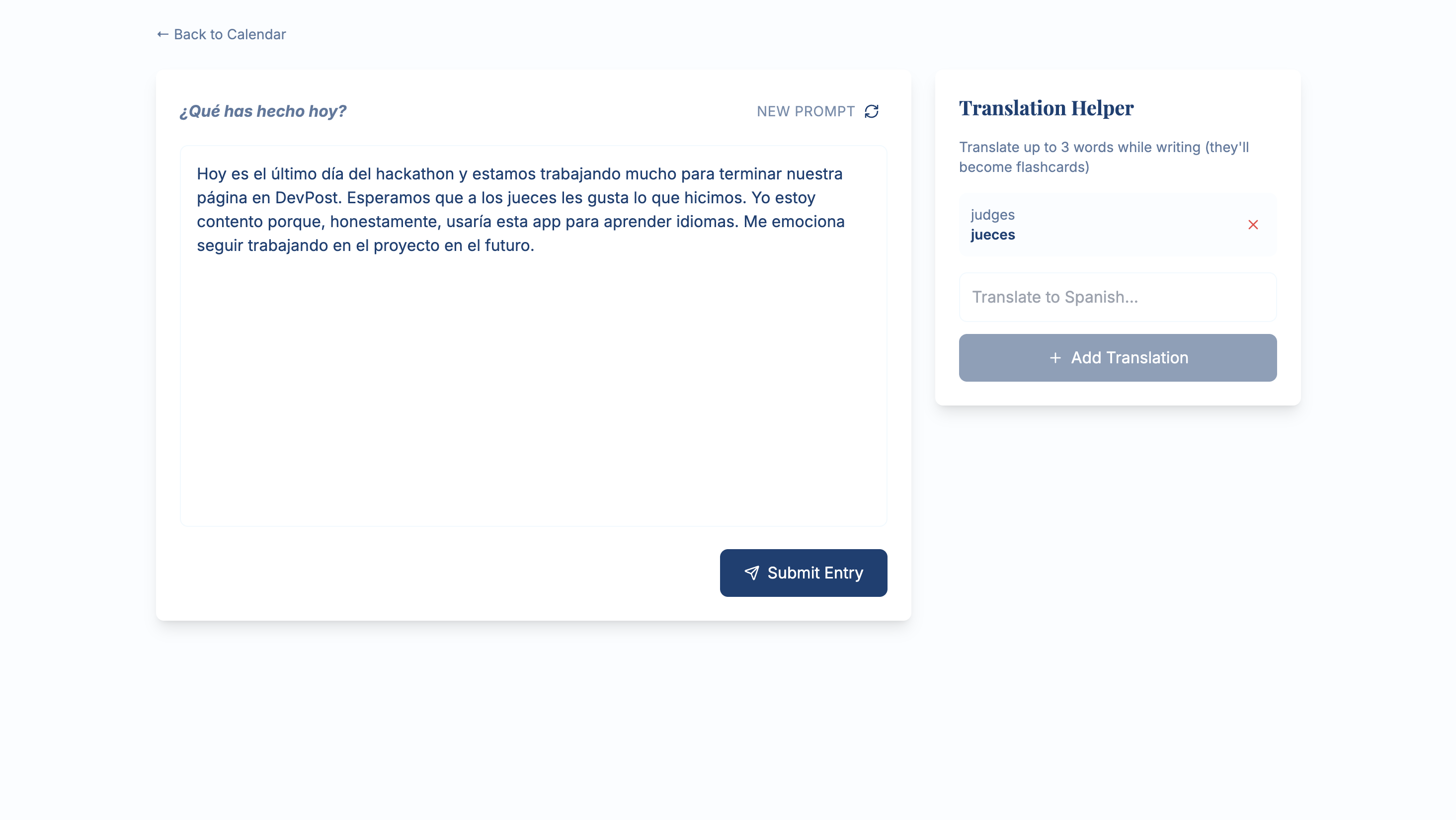
Writing Your Journal Entry
-
Reviewing Your Journal Entry
-
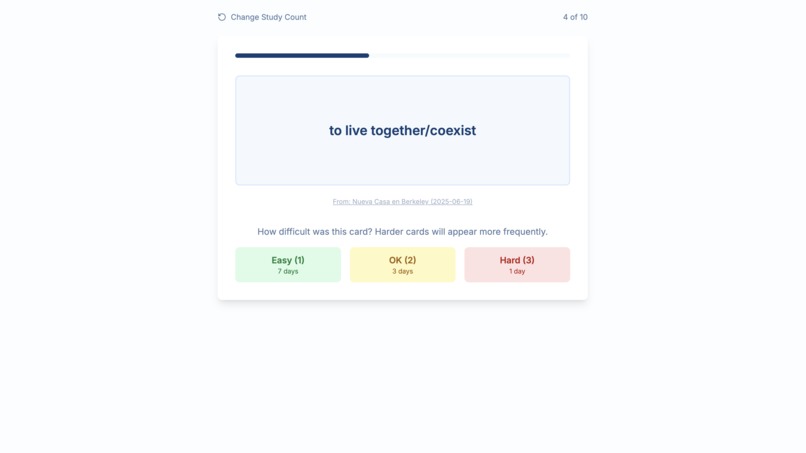
Revising Vocabulary Flashcards
Inspiration
Lacuna was born from our shared love of personal writing and our shared pain points in developing skills in secondary languages. Many modern language-learning apps are focused on building skills from strict curriculums that rarely seem relevant to the actual vocabulary and grammar we would use in our day-to-day life. Many of these apps are great for building foundational language skills, but struggle to round out fluency for intermediate or advanced language learners. Likewise, many apps focus on reading/comprehension and speaking, and neglect to teach early learners how to string together increasingly complex sentences to have meaningful conversations with others. We sought to reconcile these issues by building a platform for language enthusiasts to simultaneously express themselves and learn to think like a native-language speaker.
What it does
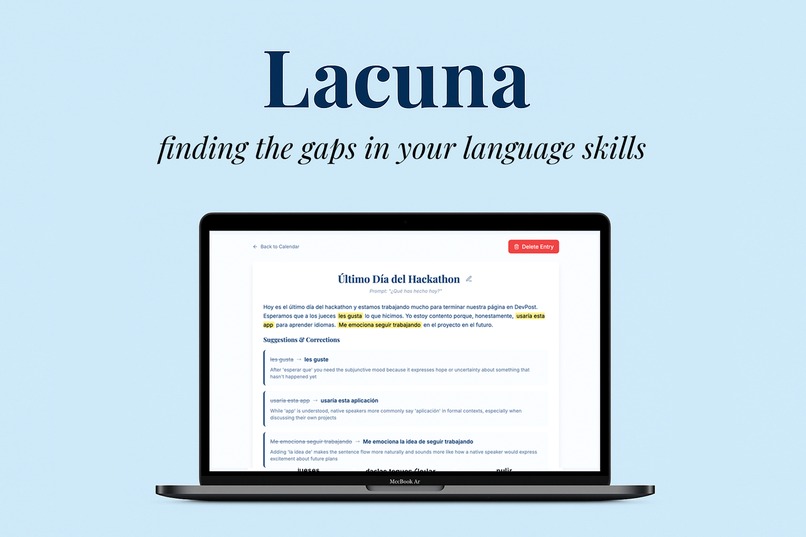
Lacuna is a daily journaling app that helps you achieve native-level fluency in your target language. You write a short journal each day and Lacuna gives you helpful corrections, more natural turns of phrase, and flashcards for you to review to help you express your ideas like a native speaker.
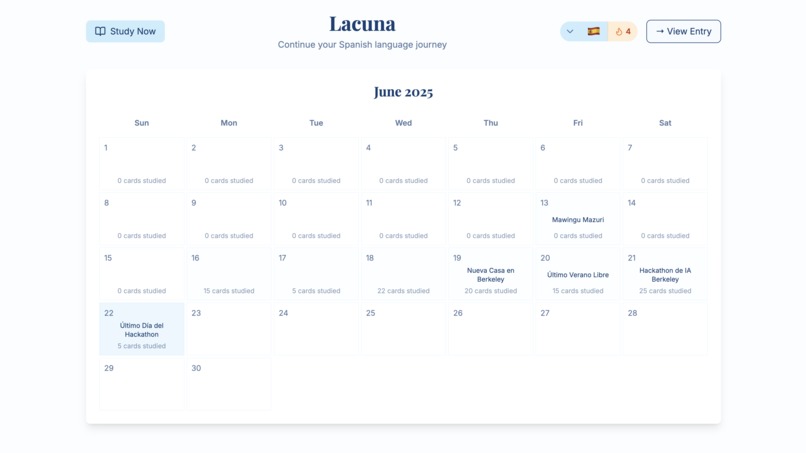
1. Start in Calendar View See your language journey at a glance. Each day of the month shows your journal summary, the number of flashcards you studied. You can tap the ➕ button to write a new journal entry or enter Study Mode to review vocabulary flashcards.
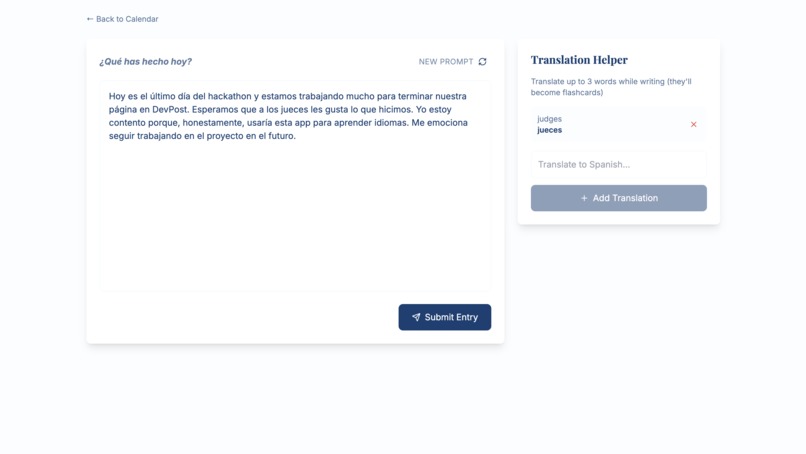
2. Write in the Word Processor Jot down your thoughts in a distraction-free space. Write daily journal entries using pre-generated prompts to help spark ideas, with optional translations for tricky words you want to implement to better express yourself. Translated words are automatically saved as flashcards to study at a later time. When you’re done, hit “Submit Entry” to progress to your journal review.
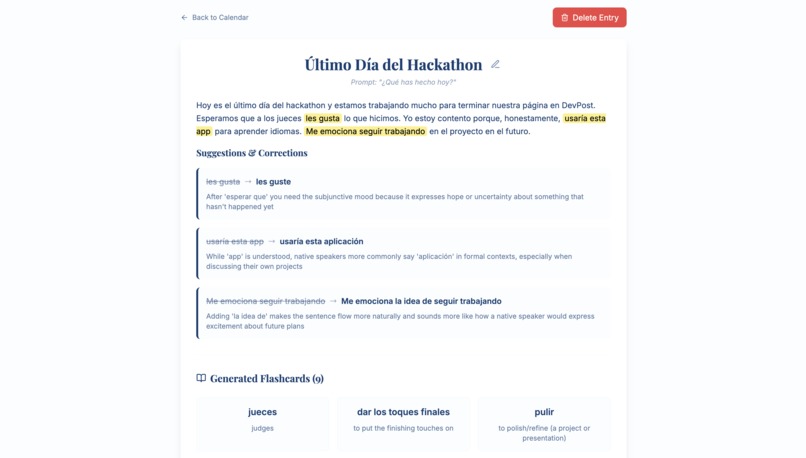
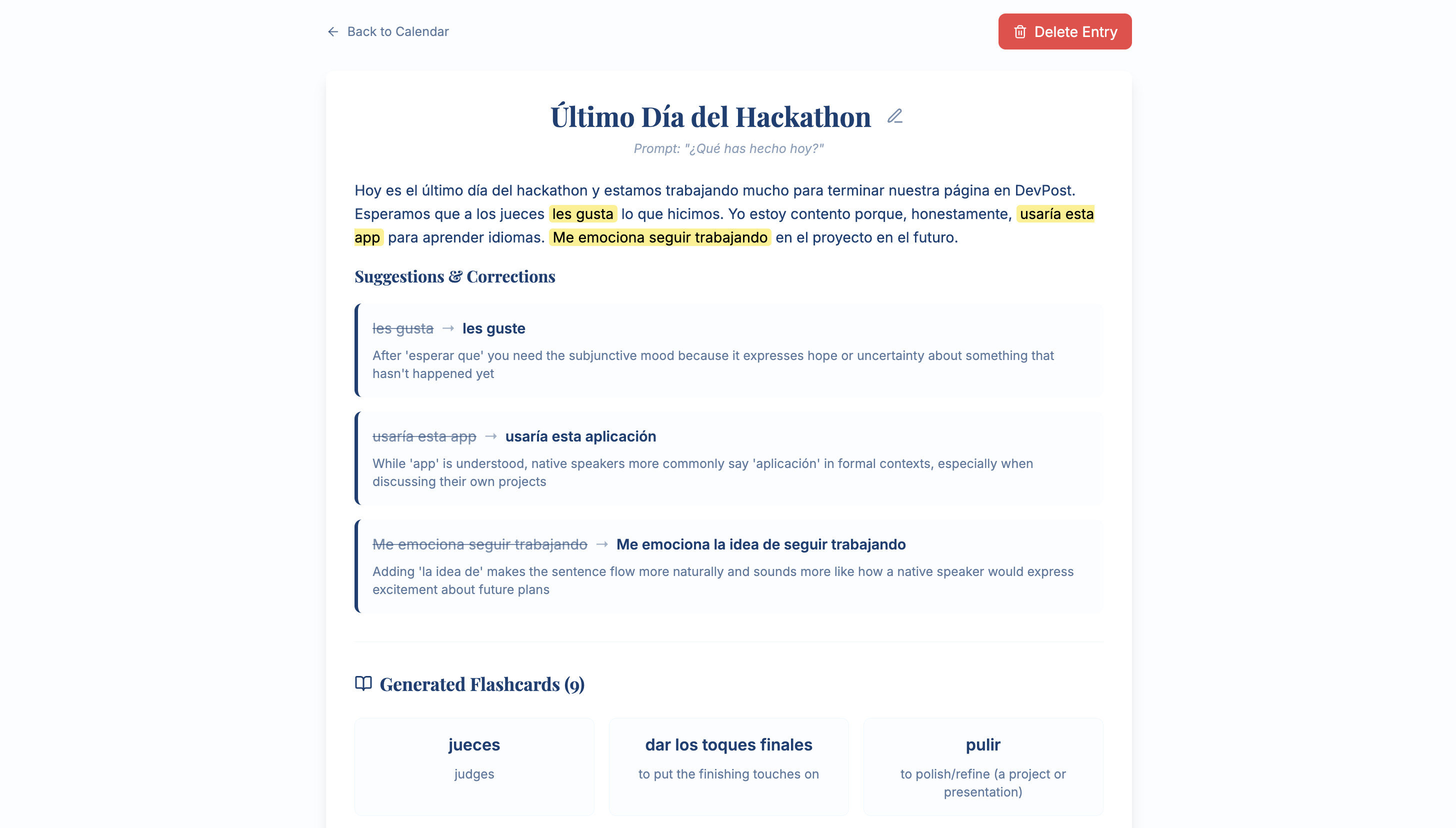
3. Review with AI Feedback Lacuna analyzes your entry to help you grow. With help from AI, get grammar and natural phrasing suggestions, as well as a short AI-generated title to easily refer back to this journal entry later on. New words or expressions that are suggested are turned into flashcards.
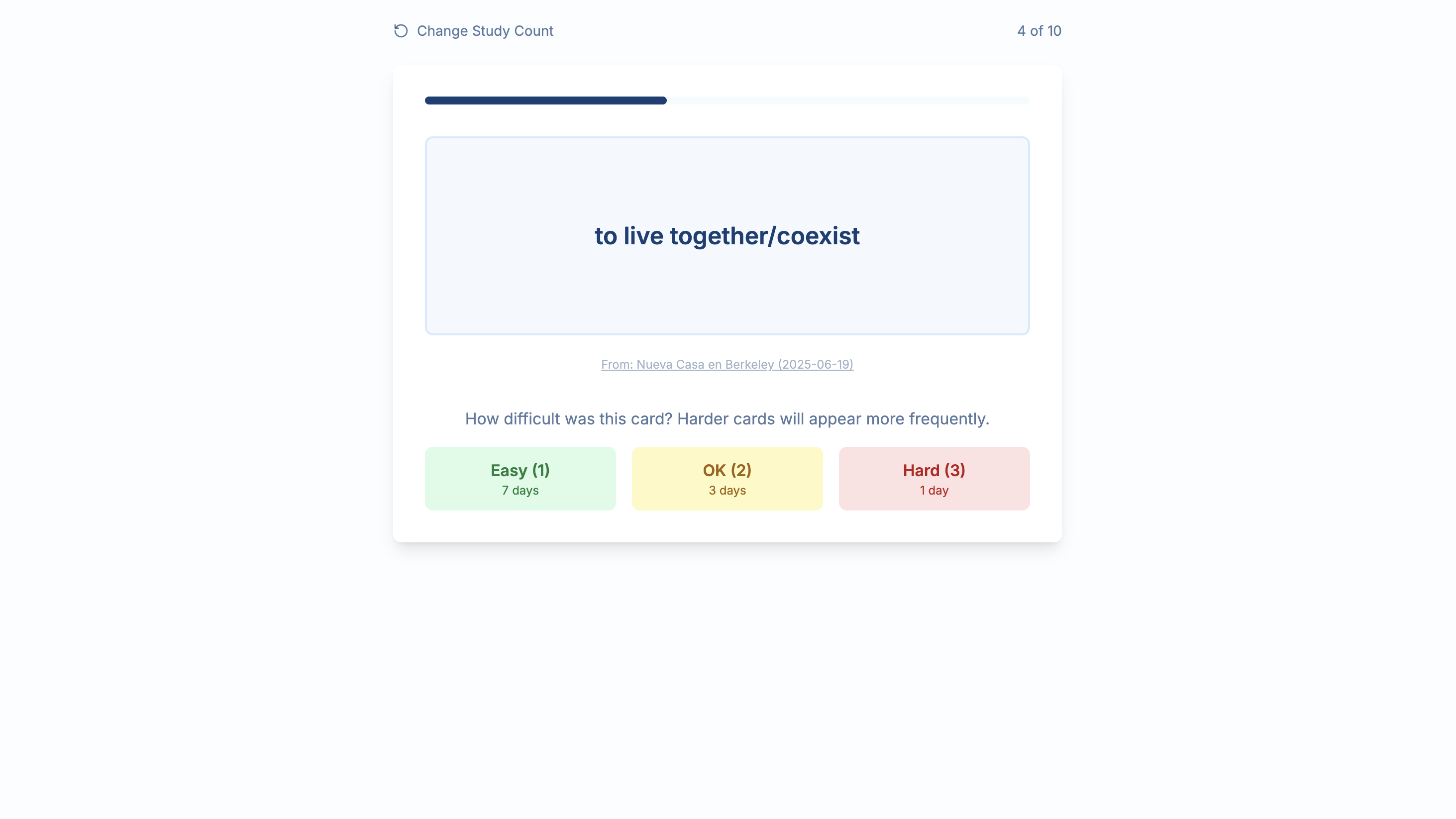
4. Study in Flashcard Mode Reinforce what you’ve learned. Choose to study 5, 10, 15, or 20 flashcards from your deck of cards generated through your journal entries. Cards are spaced out using smart repetition based on user-assigned difficulty of the card (7 day return for “Easy”, 3 day return for “OK”, 1 day return for “Hard”). Each card links back to its respective journal entry it came from, so you can revisit the original context.
How we built it
Our ideation phase began with collaborative brainstorming sessions, where we used Figma to sketch out rough UI layouts and compile a comprehensive feature list. We prioritized features based on user value and technical feasibility, ensuring a clear roadmap for development.
To accelerate prototyping, we leveraged Vercel’s v0 model for strategic prompt engineering. By crafting prompts, we generated initial UI components and code snippets, which allowed us to quickly visualize and iterate on our ideas. This approach significantly reduced the time spent on boilerplate code and enabled us to focus on core functionality.
The foundation of our web app was built using Next.js in a full-stack capacity, utilizing both server-side and client-side features. We integrated Tailwind CSS for styling, establishing a consistent design system from the outset.
For language translation, we integrated Anthropic’s Claude Sonnet 4 model. Our backend API routes handled requests to the Claude API, dynamically translating user input and content. This allowed us to support multilingual flashcards, enhancing accessibility for a global audience.
Flashcards were represented as dynamically constructed JSON arrays, with each object containing the term, translation, and additional metadata. We used AI for translation and help in generating and curating flashcard content, ensuring variety and educational value.
Throughout development, we iterated rapidly, incorporating feedback from user testing and internal reviews. This iterative process helped us refine both the user experience and the technical architecture, guiding the project from prototype to MVP.
Challenges we ran into
We primarily struggled with challenges related to our backend engineering, particularly related to data storage. We also did not have a very elaborate collaborative continuous implementation and continuous development pipeline with our use of v0, Git, Cursor, Vercel, and Google Docs; however, luckily we communicated very well and were able to reconcile the issue of not having this formal organization from the onset. Finding user testers also proved to be a challenge but luckily we relied on recruitment from other teams to provide new perspectives on our product. Lastly, we had an issue regarding the fact that native speakers do not often use textbook language constructions, yet Claude’s API defaults to that to be helpful. However, this is not a goal of lacuna users, so we had to develop more strategic prompt engineering to circumvent these default systems.
Accomplishments that we're proud of
Our team is entirely composed of beginner hackathon attendees (one of us has 1 previous hackathon under their belt, the rest of us have none!). So we are incredibly proud to have built a product of this caliber in such a short amount of time. We’re also proud of making clear improvements in user experience through iterative usability testing, and making sure our design aligns with consumer expectations. Lastly, we’re very proud of making a product that does not compromise our original design visions. We could have taken the easy route of making concessions and just settling for less, but we wanted to create a language-learning web app that we would actually use and could actually be instrumental in developing our language skills. And we strongly believe we achieved that!
What we learned
Through this process, we’ve learned to love the capabilities of AI tools like Cursor. It was instrumental in helping us debug and build processes that we did know how to perform otherwise. Beyond that, we learned that AI tools are becoming sophisticated enough to work in tandem with each other as “collaborators”; however, to achieve this harmony, we realized one still needs a decent baseline technical knowledge in order to make the distinct systems operate together. Lastly, we learned that language learning is a very difficult task to design for. Each user has unique goals for their language learning journey that need to be accounted for. This presents a unique benefit of using LLMs to address these various concerns, but consequently we need to be careful about prompt engineering to meet those needs.
What's next for Lacuna
We would love to build support for more languages. Currently, our web app supports 8 different languages, and ideally an app like this could help language-learners develop skills in dozens of languages. More importantly, emphasis on particular regional dialects could further help language-learners develop skills like native speakers, so we would love to implement that in our platform as well. Lastly, we would love to optimize the mobile user experience. Considering this platform is designed to be used on a daily basis, we want to create an intuitive and seamless mobile experience so that people can manage their continuous language learning with no issues.
Built With
- claude
- nextjs
- react
- vercel

Log in or sign up for Devpost to join the conversation.