-
-
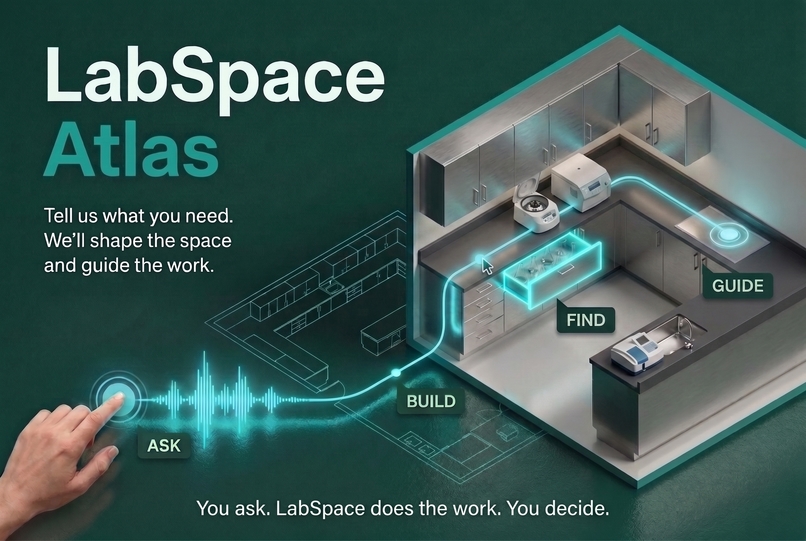
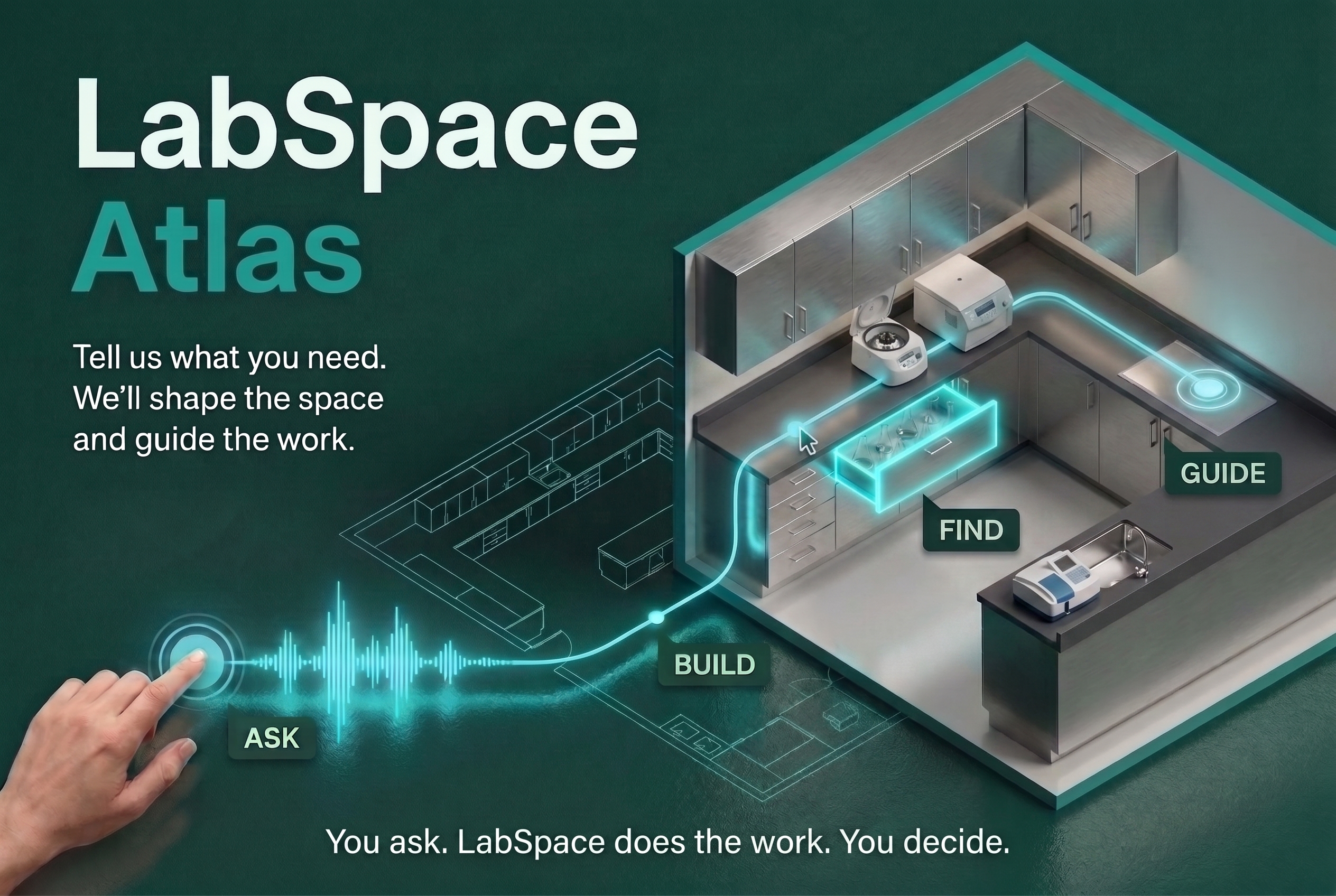
LabSpace Atlas connects synchronized 2D and 3D planning with inventory and exact-location evidence.
-
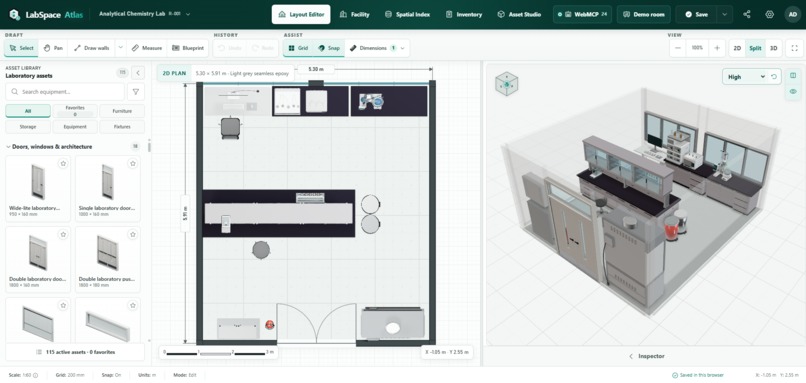
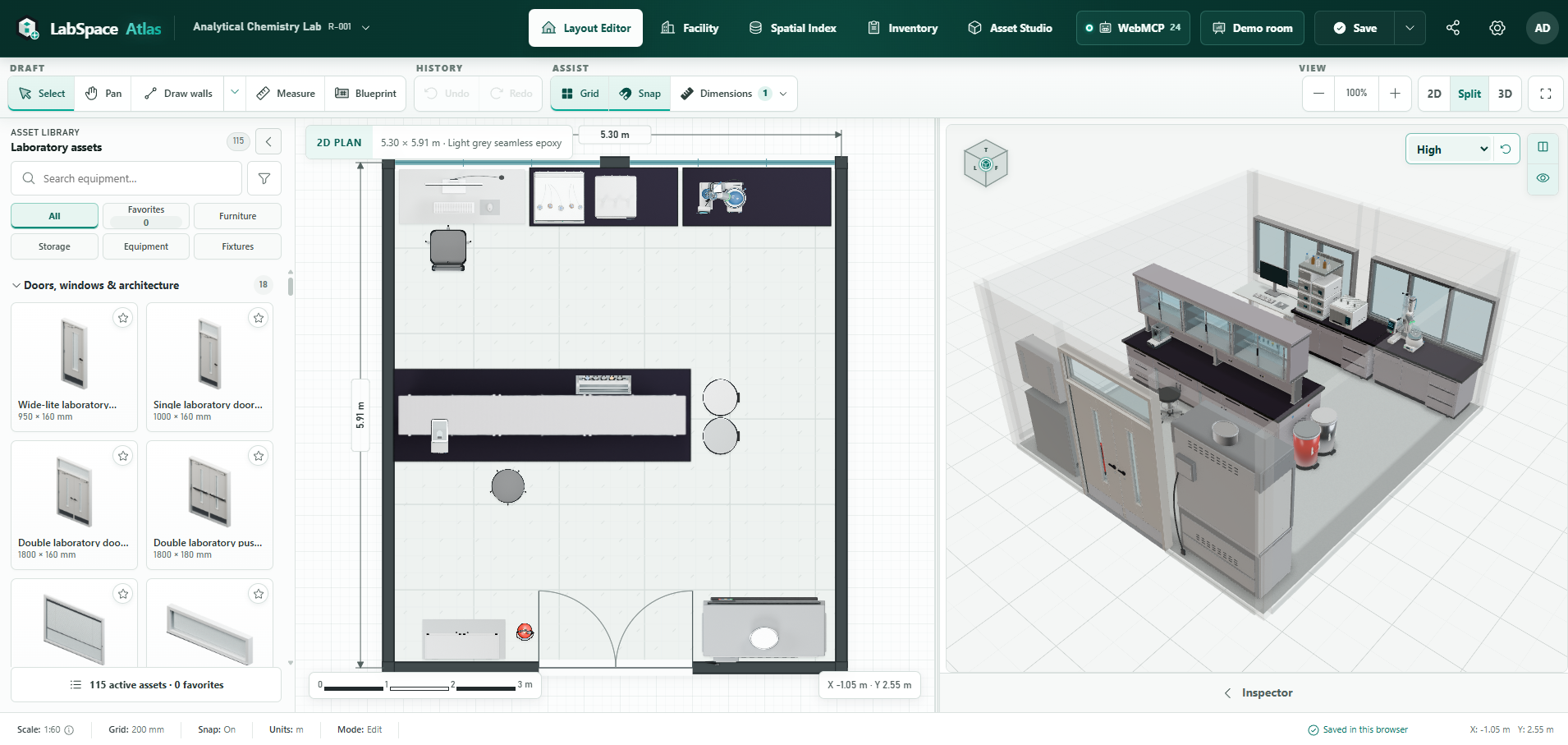
Improved UI for Layout Editor and Inspector
-
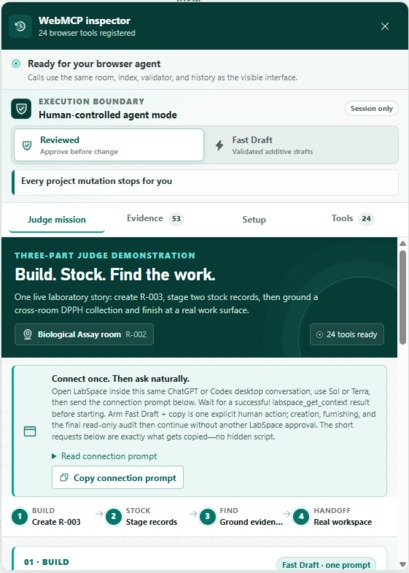
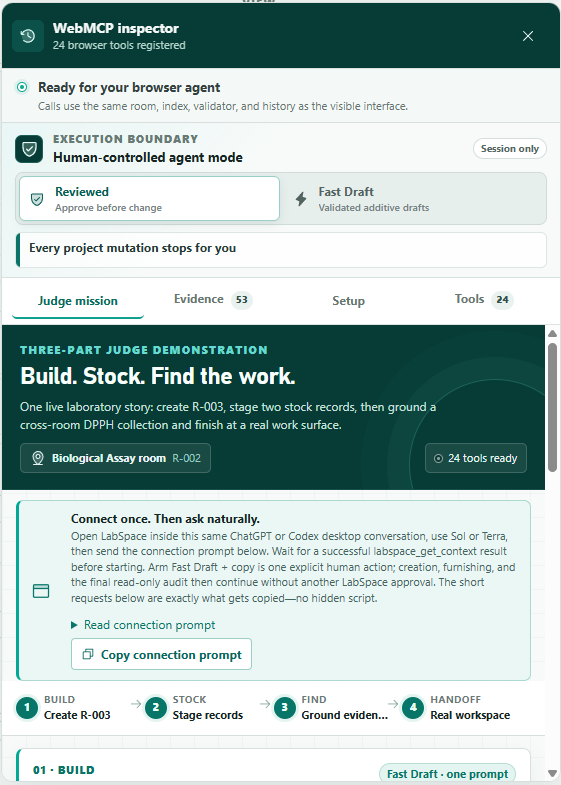
WebMCP UI Pop-up / Judges Mission and Use Cases Suggestions
-
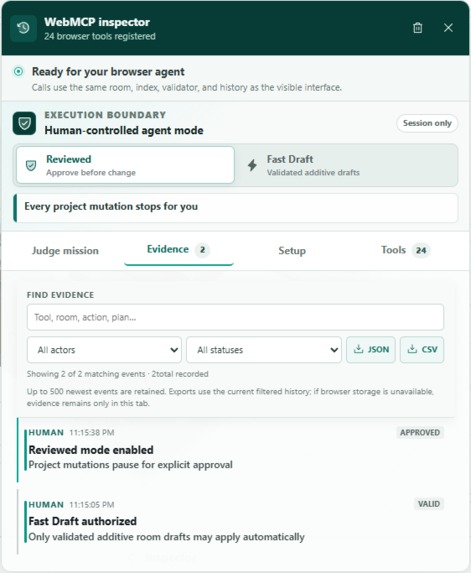
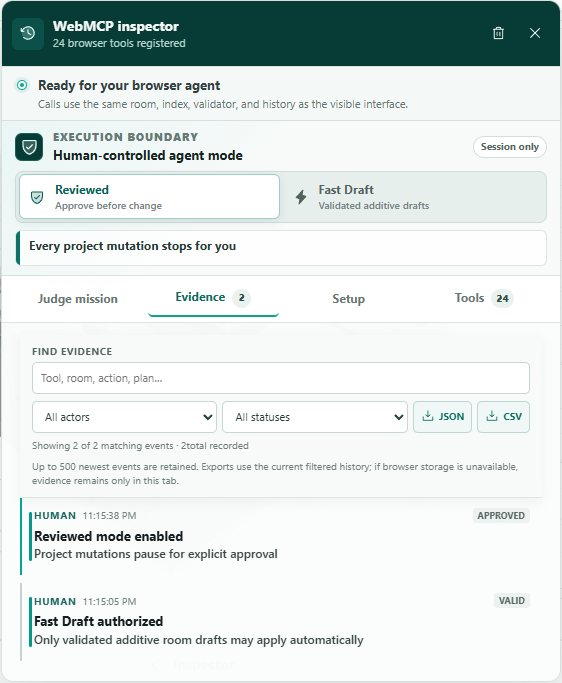
WebMCP UI Pop-up / Evidence Tracker with export
-
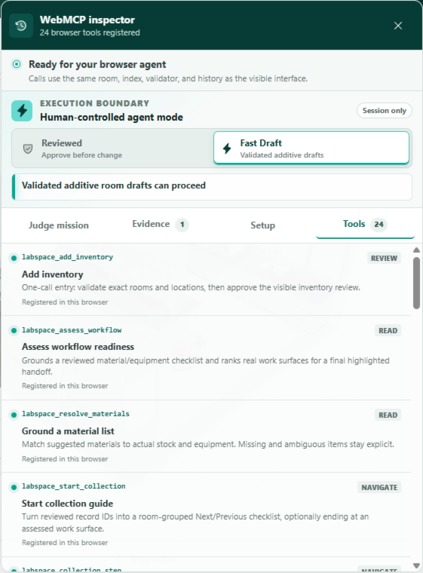
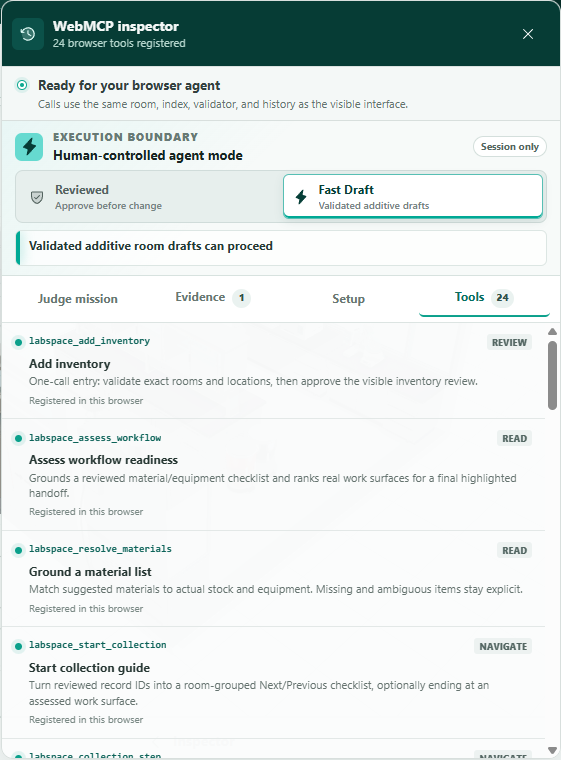
WebMCP UI Pop-up / Tools UI
-
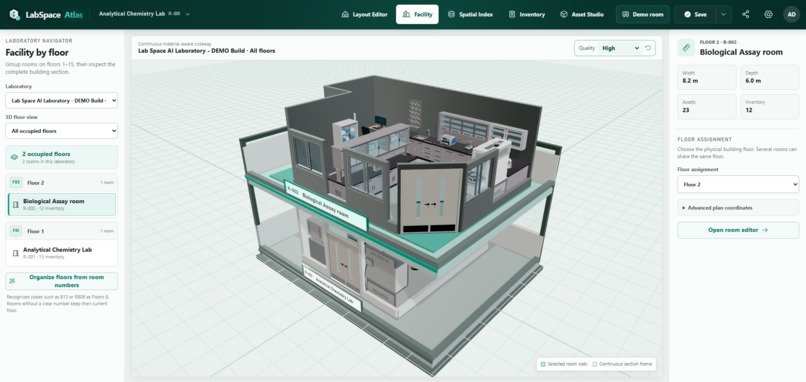
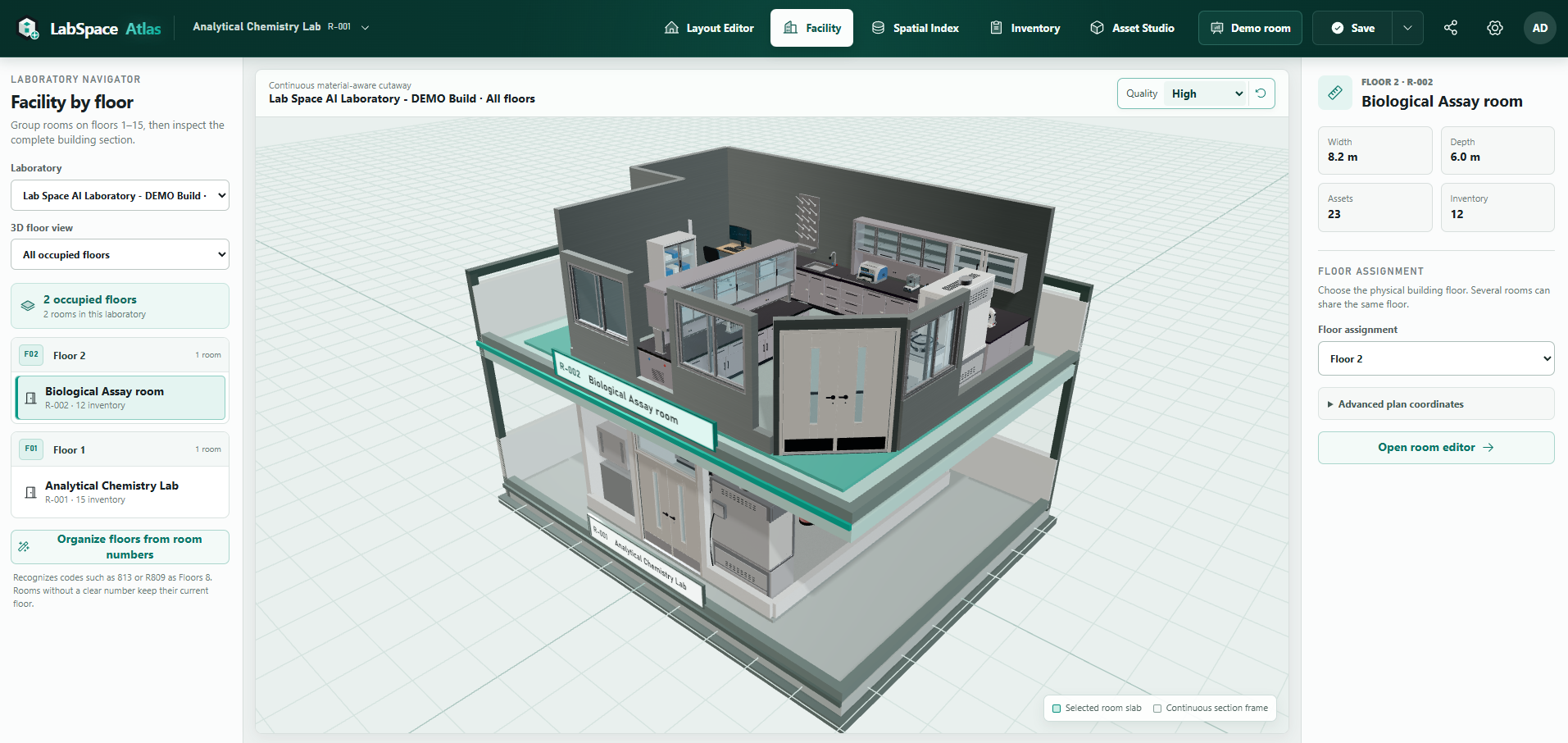
Facility Viewer (For Research Institutions and University usage)
-
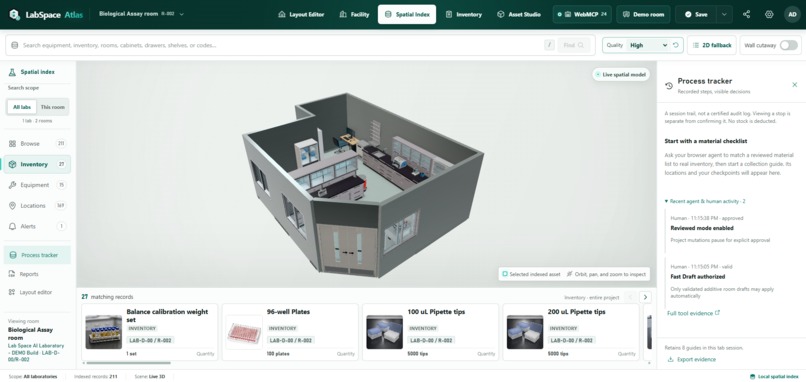
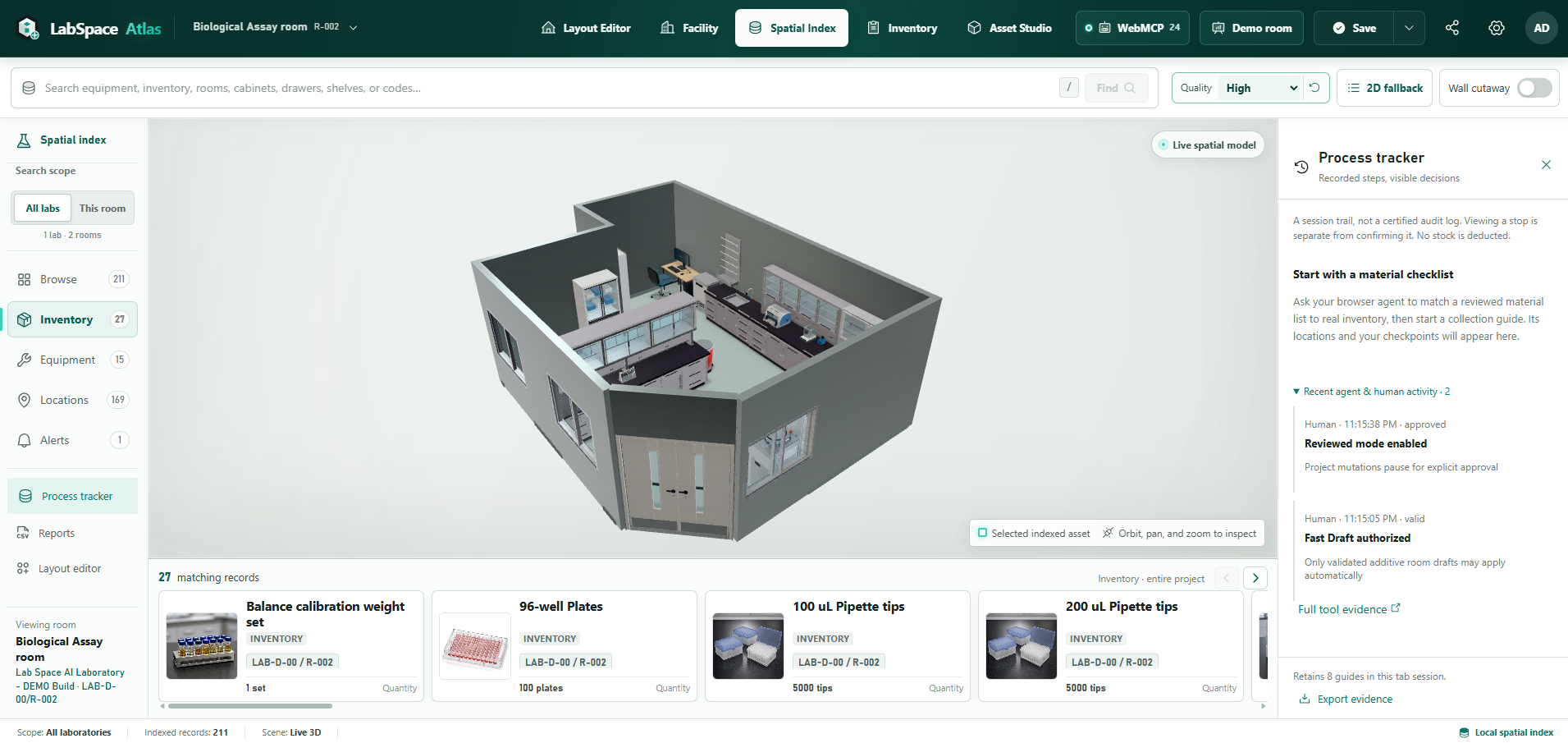
Spatial Index Update With Agent Progress Tracker
-
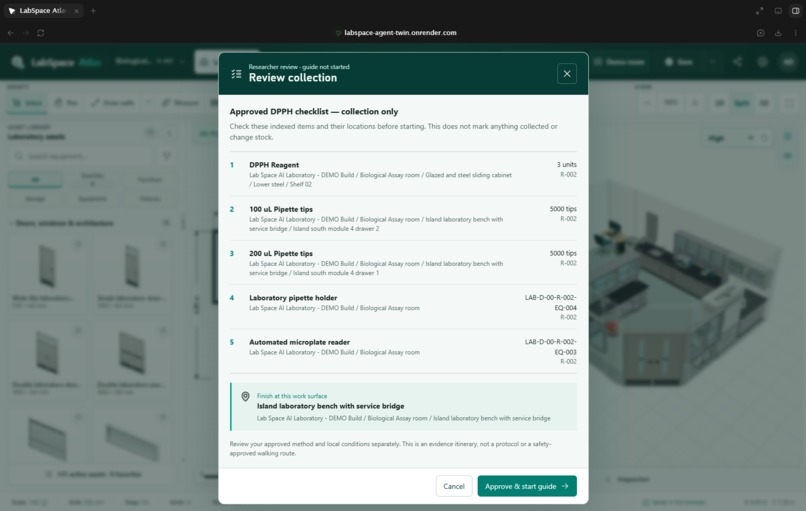
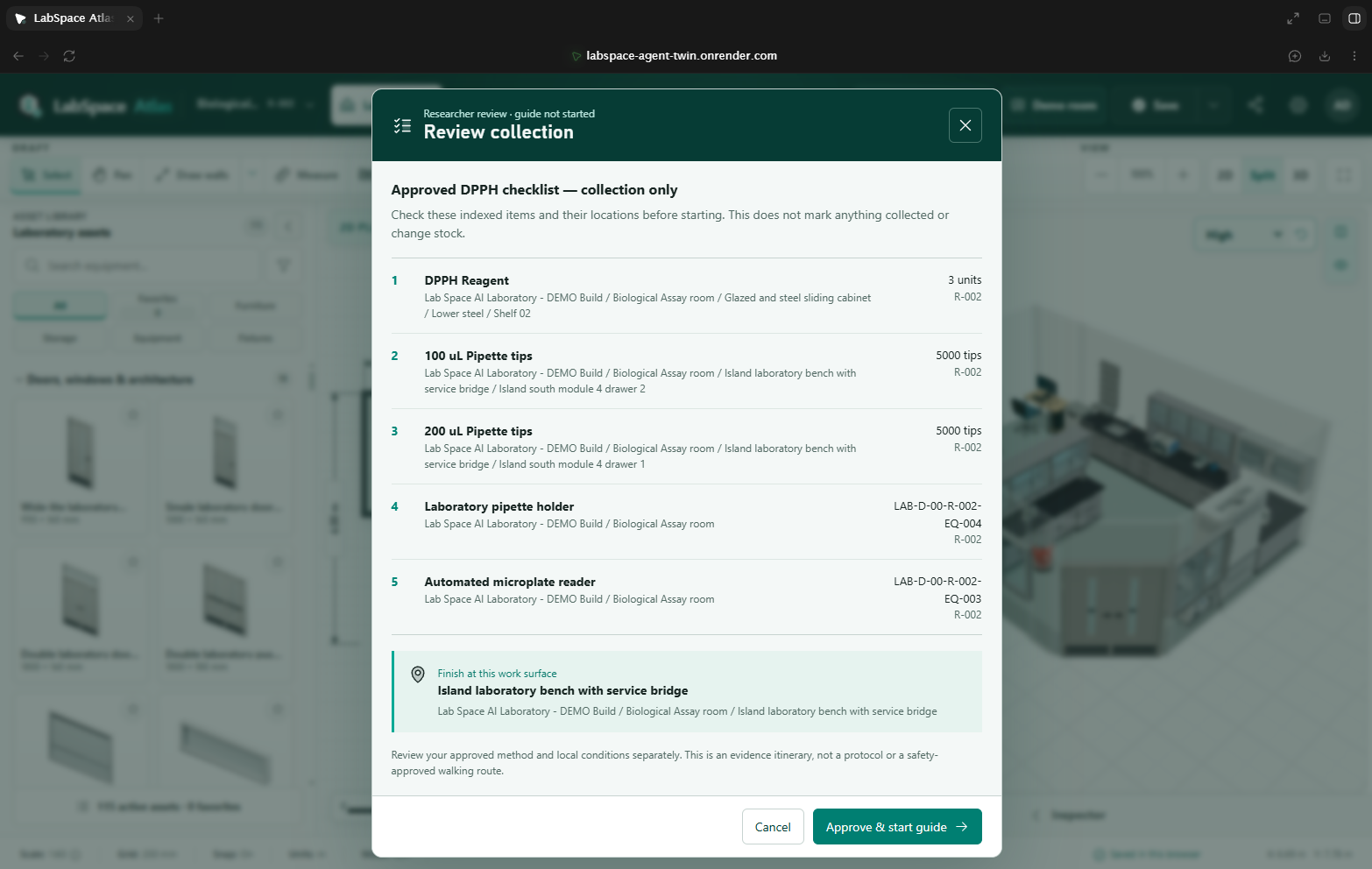
Confirmation Window for Human Approval / Reviewed Mode
-
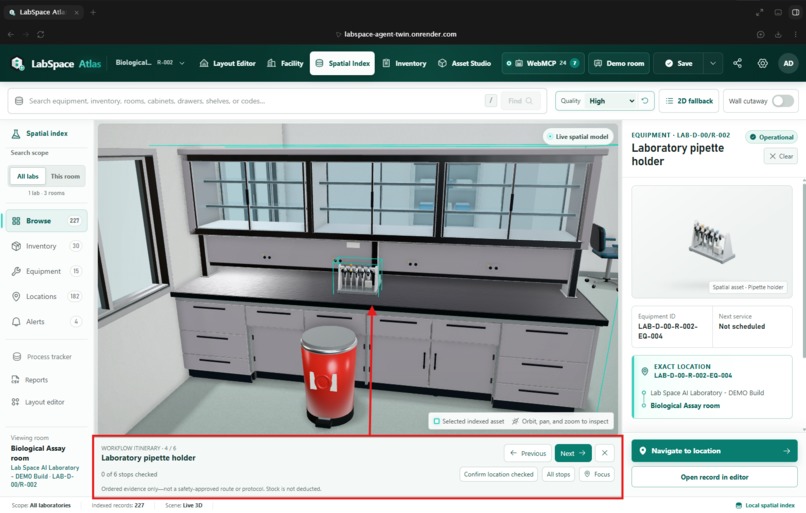
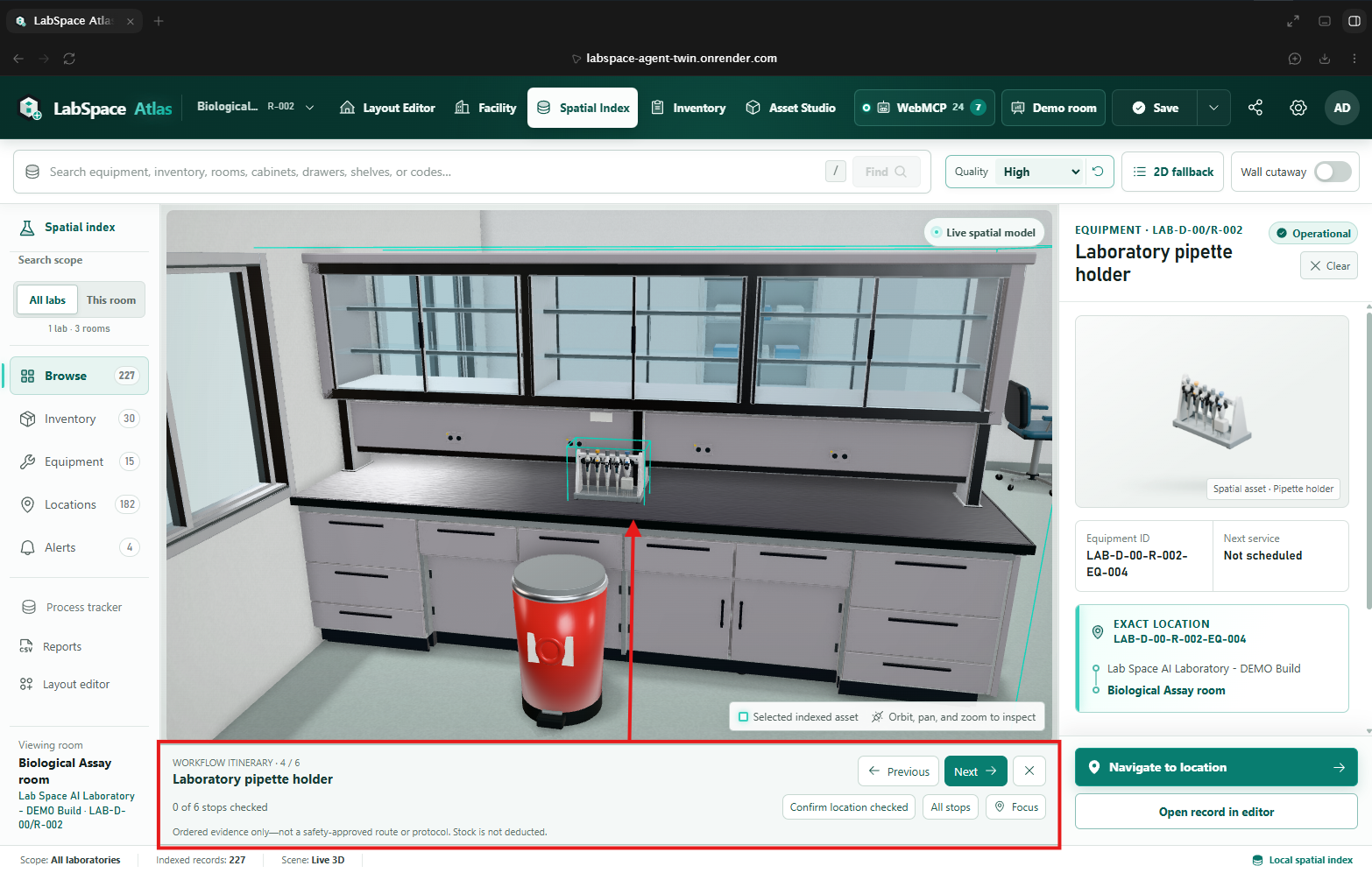
Process Tracker in Action / Go With The Experiment Step-by-Step
-
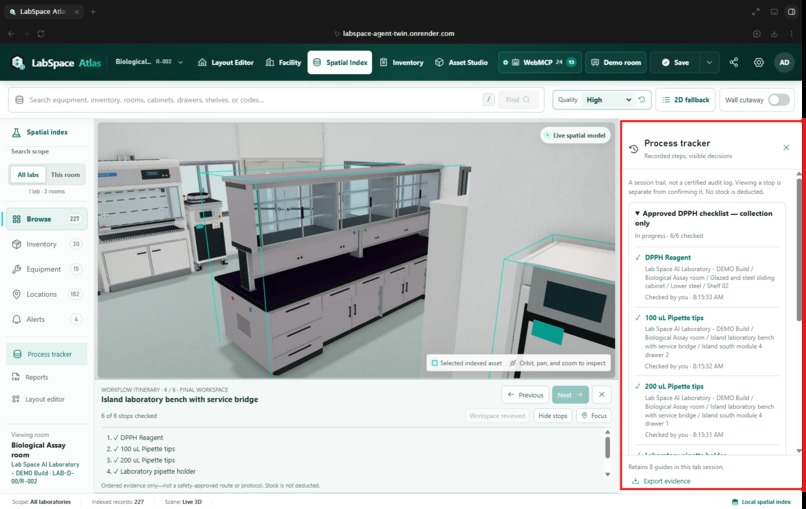
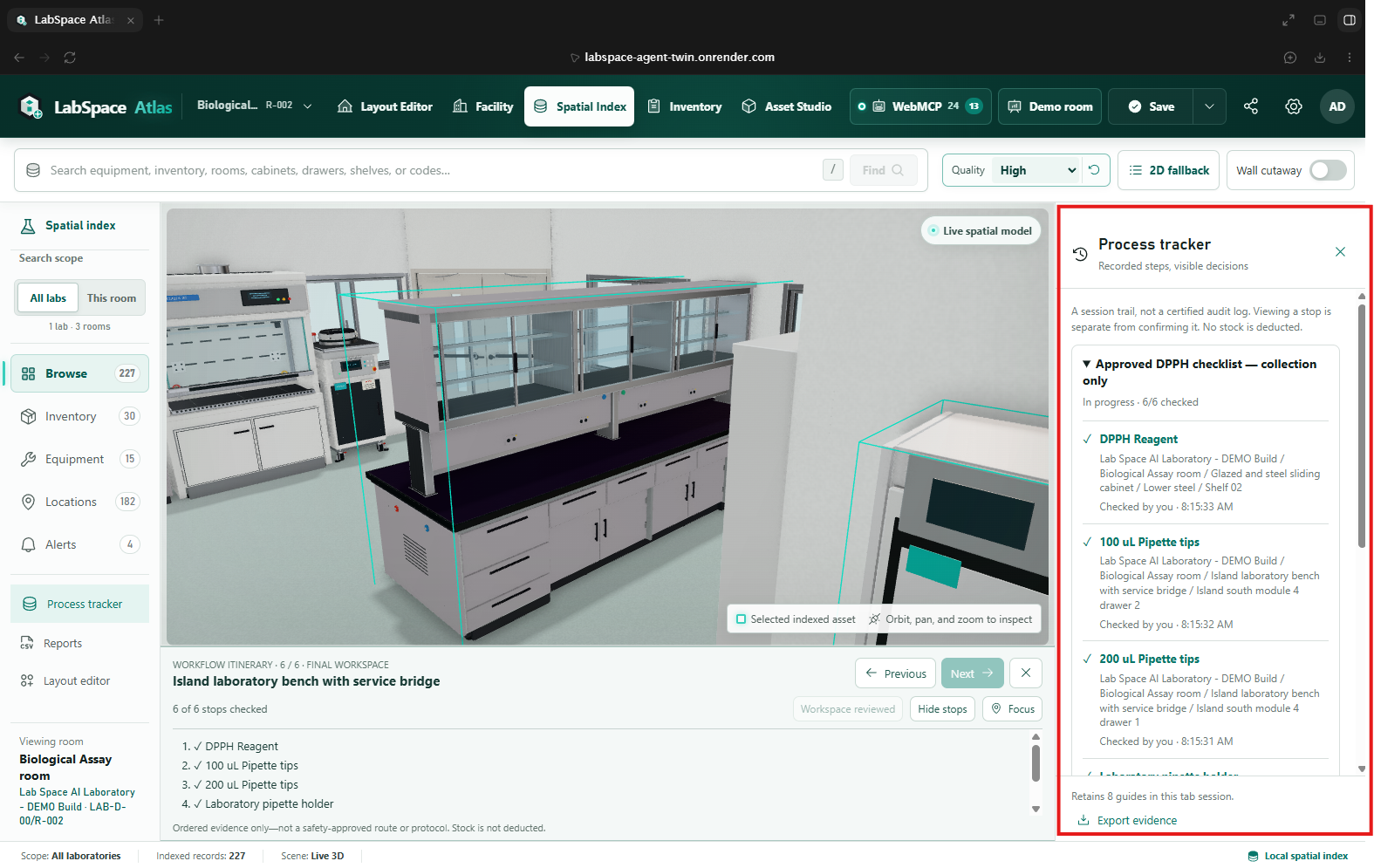
Process Tracker Records Holder
-
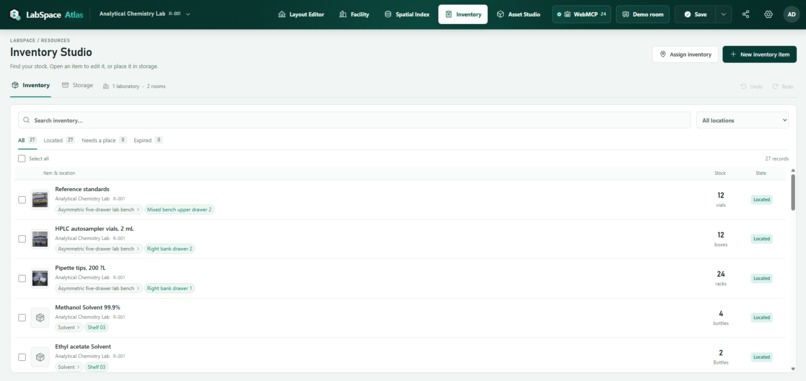
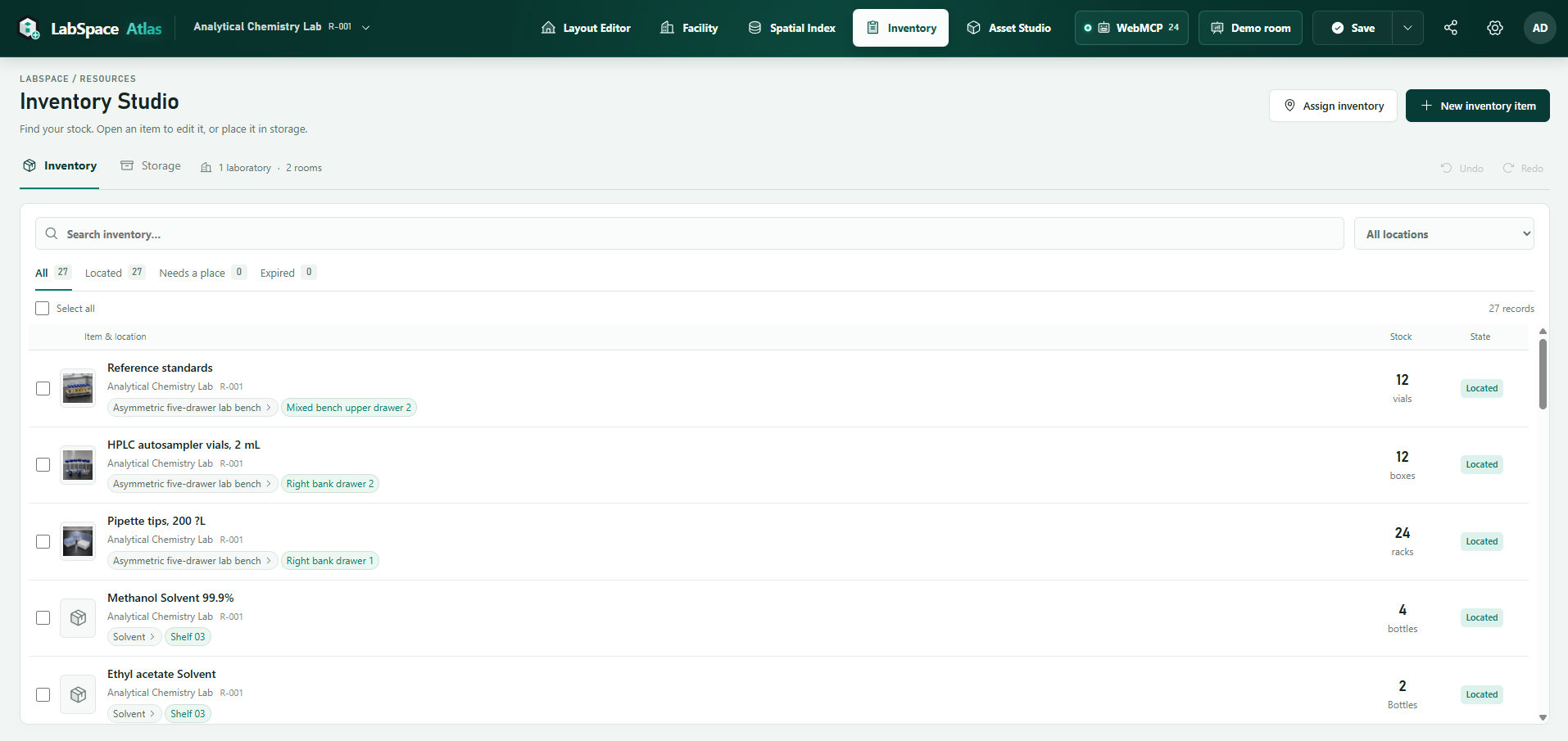
The New Universal Inventory Studio
-
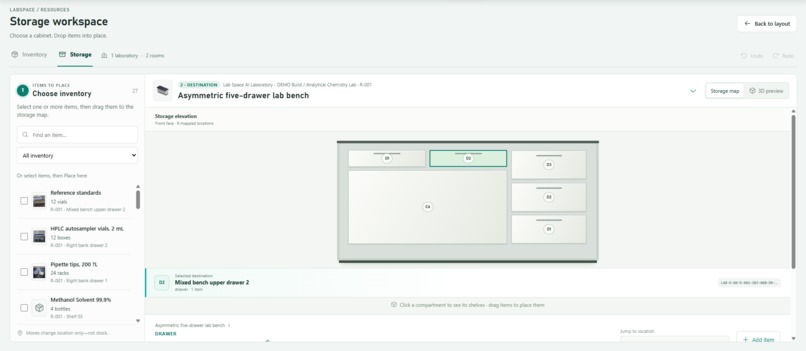
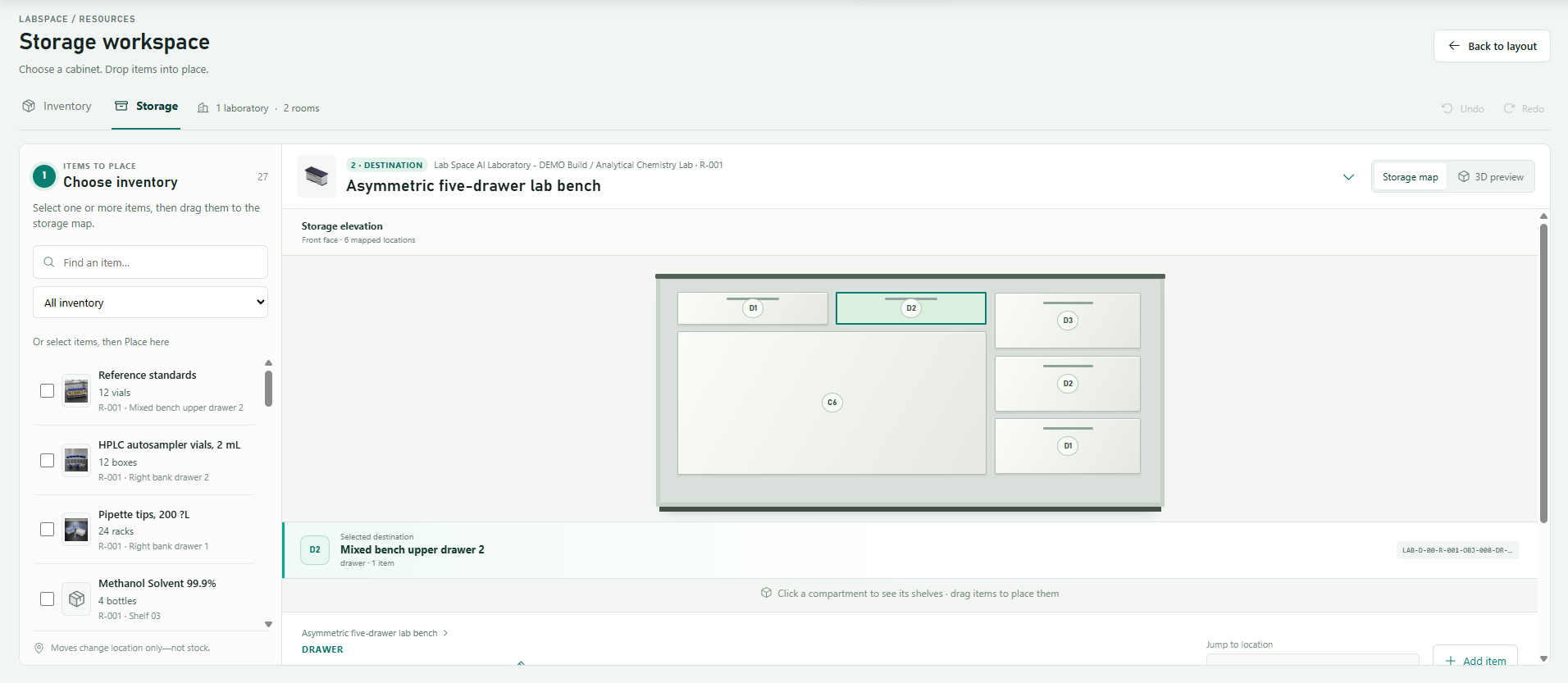
Storage Workspace - Assigning Items Location Couldn't Be Easier
-
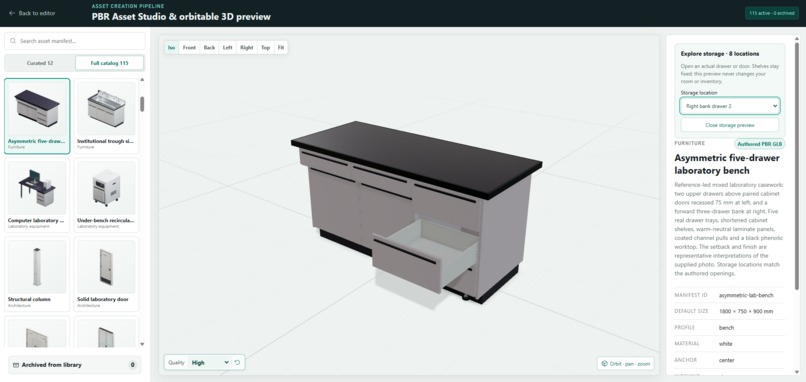
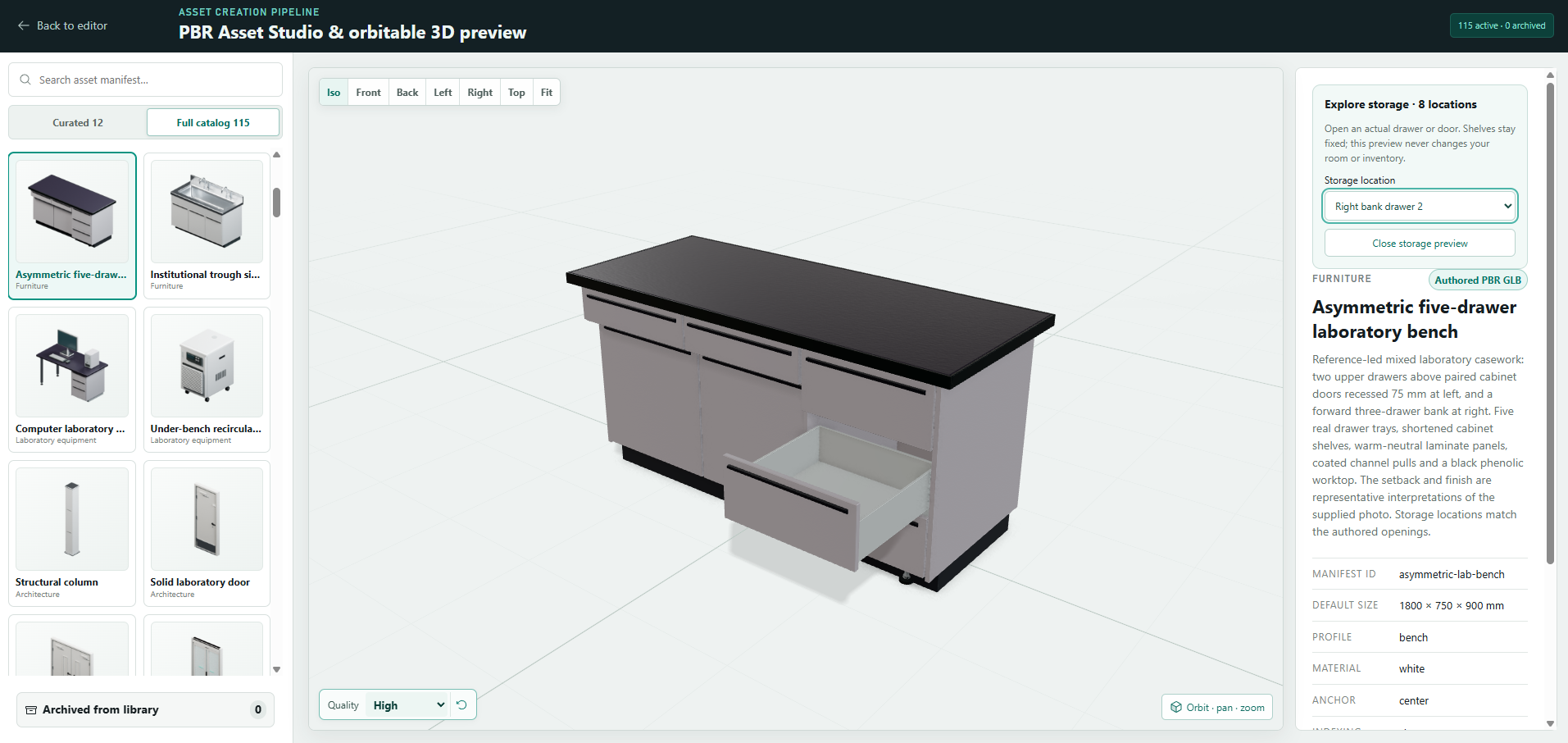
New Assets Detailed Viewer
-
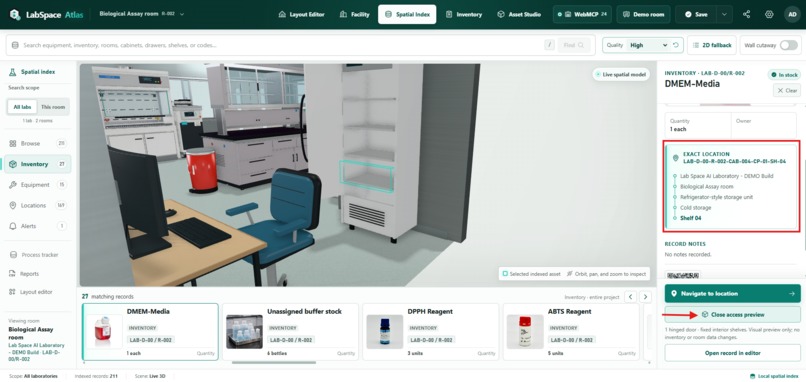
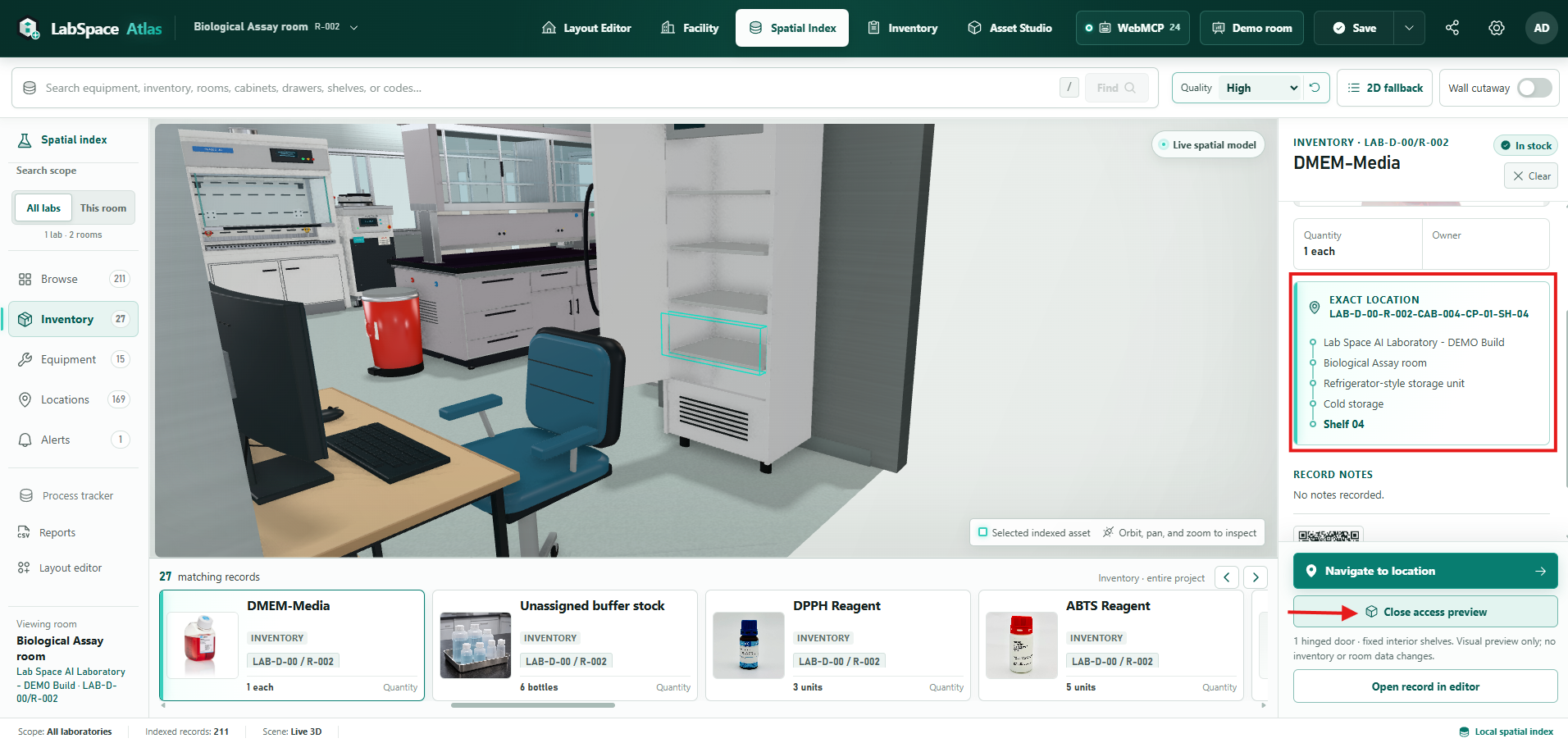
Spatial Index Update With Agent Placement Tracking
Inspiration
I am a biologist and researcher, not a programmer. LabSpace began with a familiar laboratory question: “Where is it?”
The answer might be in a spreadsheet, on a label, or in the memory of the person who last used it. A floor plan tells me where a cabinet stands; an inventory list tells me a reagent exists. Neither necessarily helps me find the right drawer and get ready to work.
I started LabSpace to bring those pieces together. For this challenge, I wanted to go further: could I describe what I need to a browser agent, watch it work with my actual laboratory, and still make the decisions myself? That became LabSpace Atlas.
What it does
Atlas is where I can plan a room, keep track of its contents, and find what I need for work. The three tasks in the video are just the tip of the iceberg. I chose them to tell one short story, not to limit what you can try.
Once you have connected the browser agent, please make it your own. Open the Inspector's Tools tab and explore all 24 tools: plan an annex, inspect nested storage, check a room for placement problems, or validate a move before approving it. Change the requests, combine the tools, and bring a question from your own lab. The same checks and approval controls still apply.
Here is the short journey I chose for the video:
Build a place to work. I ask for a 38-square-metre researcher office, R-003, with three desks and matching chairs, doors and windows in specific positions, a locker, and basic safety equipment. After I enable Fast Draft, one request takes it through building, furnishing, and checking the layout. I can then inspect and edit the room in 2D and 3D.
Record new stock. I ask it to add alpha-glucosidase and lipase, with quantities and expiry dates. Atlas prepares both entries together and waits for me to approve them inside the app. I have not specified a shelf, so it leaves storage unassigned. Later, I can add a photograph from my computer or an image URL, and place the record on a named shelf or drawer in the Storage workspace.
Find the materials, then the workspace. I give the agent my DPPH checklist: reagent, pipette holder, 100 and 200 microlitre tips, and a microplate reader. It looks for those records, points out anything missing or uncertain, and recommends a work surface. I also ask about chloroform separately to show what happens when an item has no recorded match. That check does not add chloroform, methanol, or any other solvent to my checklist.
Before the collection starts, I see the items and final workbench in Atlas's Review collection dialog. After I approve, I can move through the locations with Next and Previous, see supported drawers or doors open, and finish at the chosen bench. The guide stays below the scene, leaving the location details in view. I confirm each step myself. Following the guide does not deduct stock or approve the experiment.
Why WebMCP fits this problem
“Put this on the bench” sounds simple until there are several benches, different heights, and equipment already in the way. The agent needs to know which object I mean and whether the placement makes sense. The same is true when I ask for something inside a particular drawer.
The 24 WebMCP tools give the browser agent those details: record IDs, dimensions, storage paths, stock information, and the results of the app's checks. It works with the same room and records that I see on screen.
I can describe a task without knowing every menu or field. The browser agent interprets my request, and Atlas carries out the supported actions and checks. If the host supports voice, I can speak the request there too. There is no second chatbot inside Atlas.
I also wanted to decide how much freedom to give it. Every session starts in Reviewed mode. I can switch on Fast Draft for a validated new blank room and its complete first blueprint, but that choice lasts only for the session. Inventory changes, moves, resizes, and changes to existing rooms still need review; a failed check cannot silently pass. The agent cannot enable Fast Draft or approve its own proposals.
What existed before, and what I added for this challenge
I brought an existing project to this challenge: LabSpace AI. It already had the synchronized 2D/3D editor, inventory and storage, a Spatial Index, placement checks, and local saving. I am not claiming that foundation as new challenge work.
For the challenge, I added the WebMCP tools and the workflows around them: room and annex planning, inventory and layout proposals, Reviewed and Fast Draft modes, checklist assessment, and a collection guide with approval and exportable evidence. Getting that to work also meant revisiting the cameras, storage views, assets, and tests. A tool call succeeding was not enough if I still could not understand its result on screen.
The repository's annotated pre-webmcp-2026-08-27 tag and dated implementation notes preserve that boundary.
How we built it
I came up with LabSpace from problems I encountered as a researcher and shaped its development into LabSpace Atlas. I defined the laboratory workflows, supplied reference photographs and equipment requirements, and directed the product design and AI-assisted development. I tested the application myself, set priorities for fixes, and kept revising layouts, cameras, and equipment models when they did not make sense in a real lab. I also planned, recorded, and edited the demonstration video.
GPT-5.6 helped me turn those observations into requirements, and Codex helped implement, debug, test, and document the application. I repeatedly tested the results myself and pushed back when an arrangement, camera view, or equipment model did not make sense as a researcher.
Hilal helped with end-to-end regression testing and debugging, including checking how natural-language requests worked through WebMCP.
Eman helped review the designs and created reference diagrams to guide our work with GPT-5.6 Sol. She also checked for inconsistencies as the designs developed.
The application uses React and TypeScript, React Konva for 2D planning, and Three.js/React Three Fiber for 3D. Detailed assets use optimized Blender-authored GLBs. Node and Express serve the Render-hosted app; SQLite supports local development, while each public visitor's workspace persists in that browser's IndexedDB.
Under the hood, document.modelContext.registerTool registers each tool with an input schema and an execution handler. The handlers call the same search, planning, validation, and staging functions used by the app. I can inspect the calls and my decisions in the Inspector, or export them to review later.
Atlas has no embedded language model and requires no application API key. Tool results are shared with the browser agent the user connects; that host's privacy policies and usage limits still apply.
Challenges I ran into
Getting the right record was only half the problem. Early camera views could leave it hidden behind a wall or another object. I refined the viewpoints around actual storage faces, with closer, slightly elevated framing and temporary wall cutaways.
Trust also needed more than a confirmation sentence in chat. Inventory and collection approvals became visible product dialogs, with cancellation and recorded decisions. The collection guide was reorganized so it no longer competed with the evidence panel.
Even connection setup mattered. Tools being registered on the page did not mean a new conversation had discovered them. Atlas now separates “connect once” from the shorter task prompts and makes that first step explicit.
Accomplishments I am proud of
The moment that matters to me is when the answer leaves the chat and appears in the room: the office is there, the inventory entry is saved after my approval, or the drawer I was looking for opens in front of me.
There are 115 searchable assets that can be viewed from all sides, along with storage maps, item photographs, and reversible editing. I kept Low, Balanced, and High rendering options because extra visual detail should be a choice, especially on a slower device.
I tested the flows with a real browser agent, alongside automated browser tests and a small four-case Chrome WebMCP evaluation pack. That pack checks expected tool calls; it does not prove that every model will understand every request. We also checked tablet-sized layouts and touch-enabled emulation. Landscape gives the full workspace more room to breathe.
An earlier controlled browser benchmark passed 140 outcome checks and reduced direct operations from 54 to 12 across three fixed tasks. The published method includes a slower Reviewed-inventory case. Those measurements predate the latest collection-approval step and are not human-speed claims or timings for this final demo.
Try it yourself
Open the live application in a WebMCP-capable ChatGPT/Codex in-app browser, with Website Tools enabled. No LabSpace login is needed. In a new conversation, use WebMCP → Setup → Copy connection prompt before starting a task:
Select the open LabSpace Atlas browser tab, discover and load its WebMCP tools, then call labspace_get_context. Read-only browser setup is allowed; laboratory actions must use labspace_* tools, not clicks, drags, or form edits. Only report tools unavailable after attempting browser-level discovery.
Wait for the agent to identify the actual lab and room. “24 tools ready” confirms page registration, not connection to your particular conversation.
The public starting workspace is LAB-D-00, containing R-001, Analytical Chemistry, and R-002, Biological Assay. R-003 is created during the demonstration. The Inspector supplies short, editable Build, Stock, and Find prompts; choose Arm Fast Draft + copy for the uninterrupted office-building example.
You do not need to repeat my wording. Ask a question in your own way, then check the result against the room and records. If something is unclear, ask the agent to inspect it before proposing a change. That is how I would want to use it in my own work.
What I learned, and what comes next
Building this changed what I look for in an AI tool. A quick answer is useful, but I also need to see what it is based on, know when information is missing, and be able to undo a change. Those needs became part of the product as I tested it.
There are still clear limits. The website is hosted, but each visitor's work is saved in that browser; shared cloud workspaces are not built yet. The rooms and stock entries are planning records, not proof of physical conditions or an approved laboratory protocol.
Next, I want to test it with more researchers, technicians, and students, then build authenticated shared workspaces and richer stock-update workflows around what they actually need.
I want to spend less time figuring out where things are and more time on the research itself. That is the job I want Atlas to help with.
Built With
- blender
- express.js
- indexeddb
- node.js
- playwright
- react
- react-konva
- react-three-fiber
- render
- sqlite
- three.js
- typescript
- vite
- vitest
- webmcp


Log in or sign up for Devpost to join the conversation.