-
-
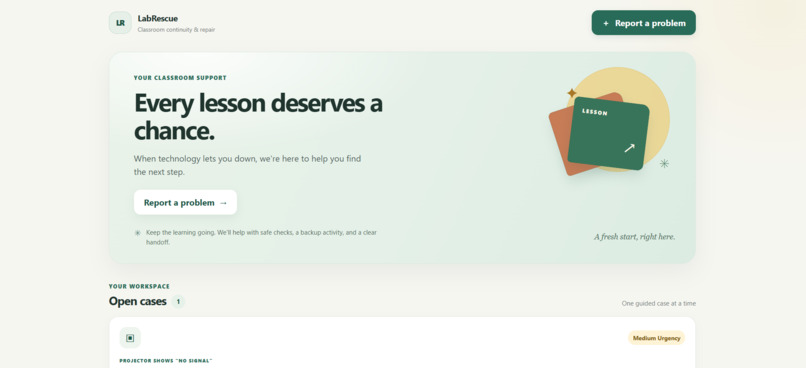
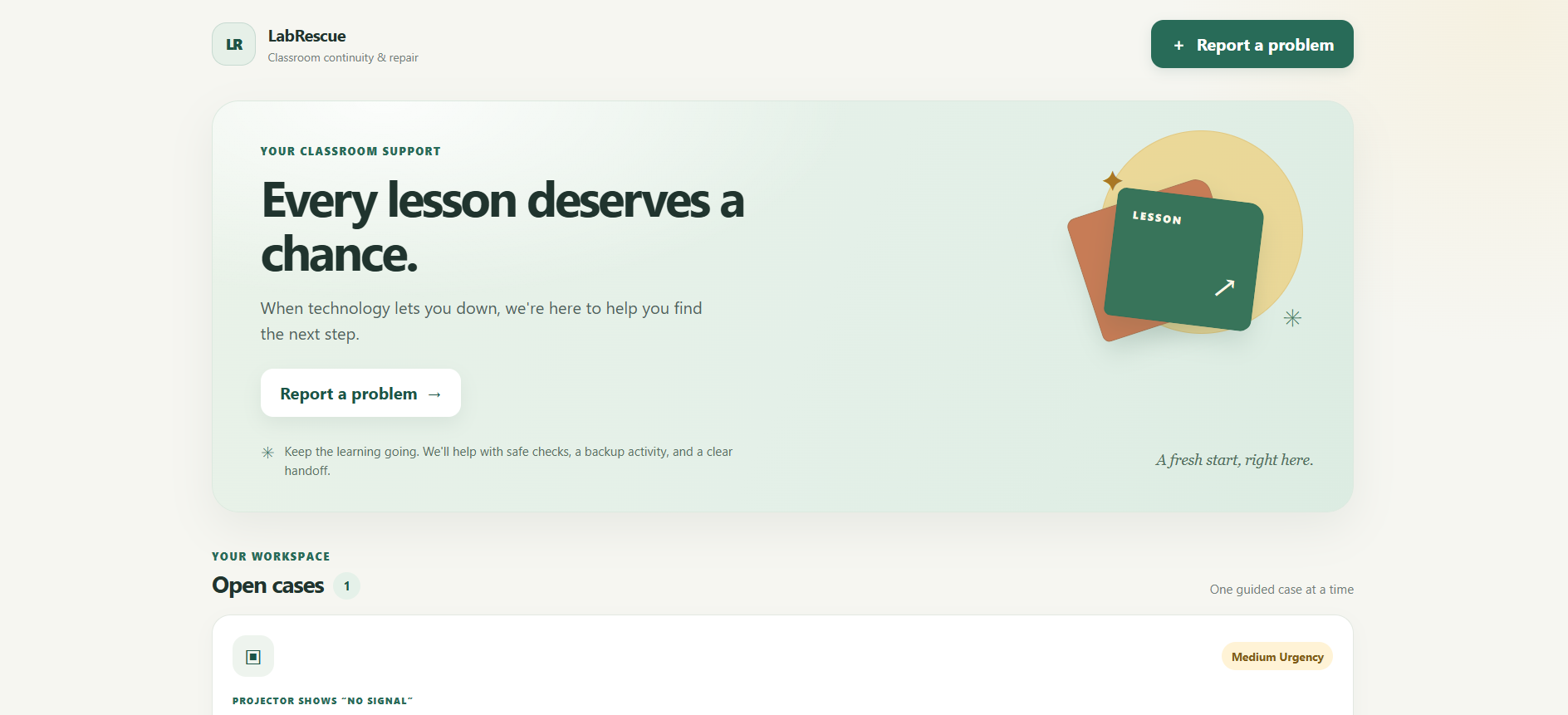
Main dashboard
-
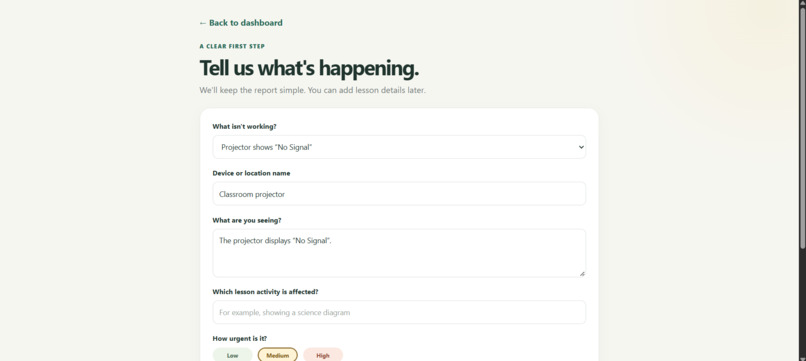
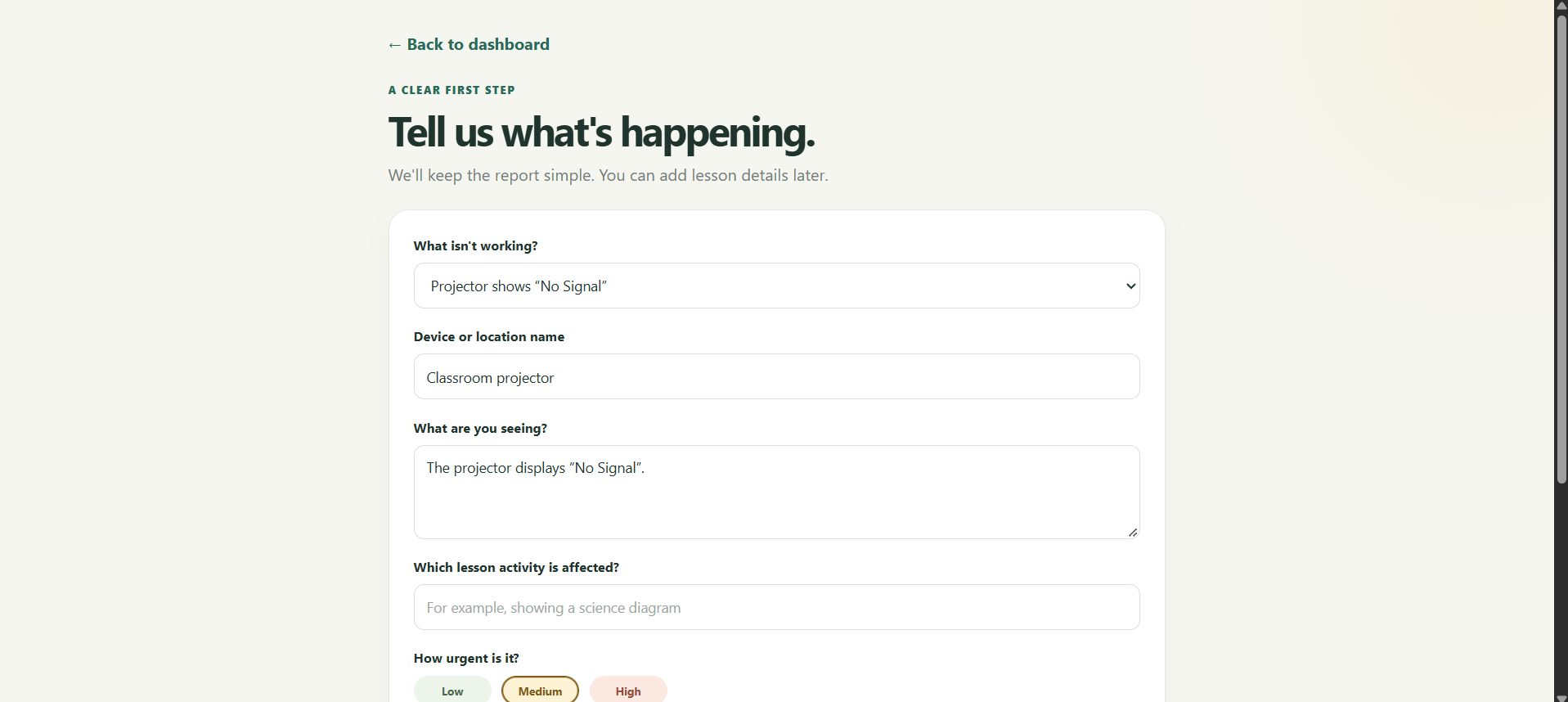
2. Report an equipment problem
-
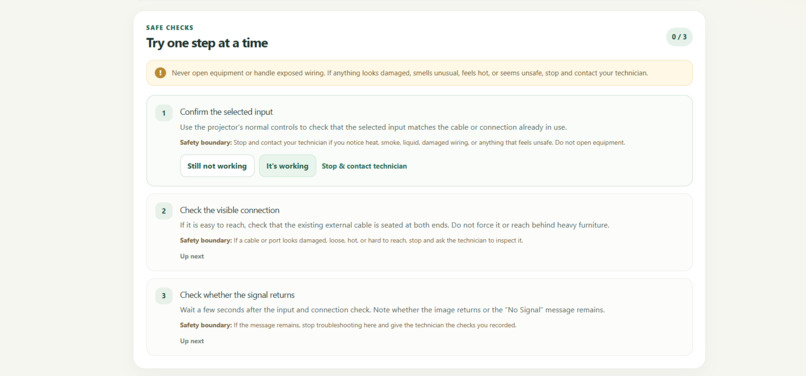
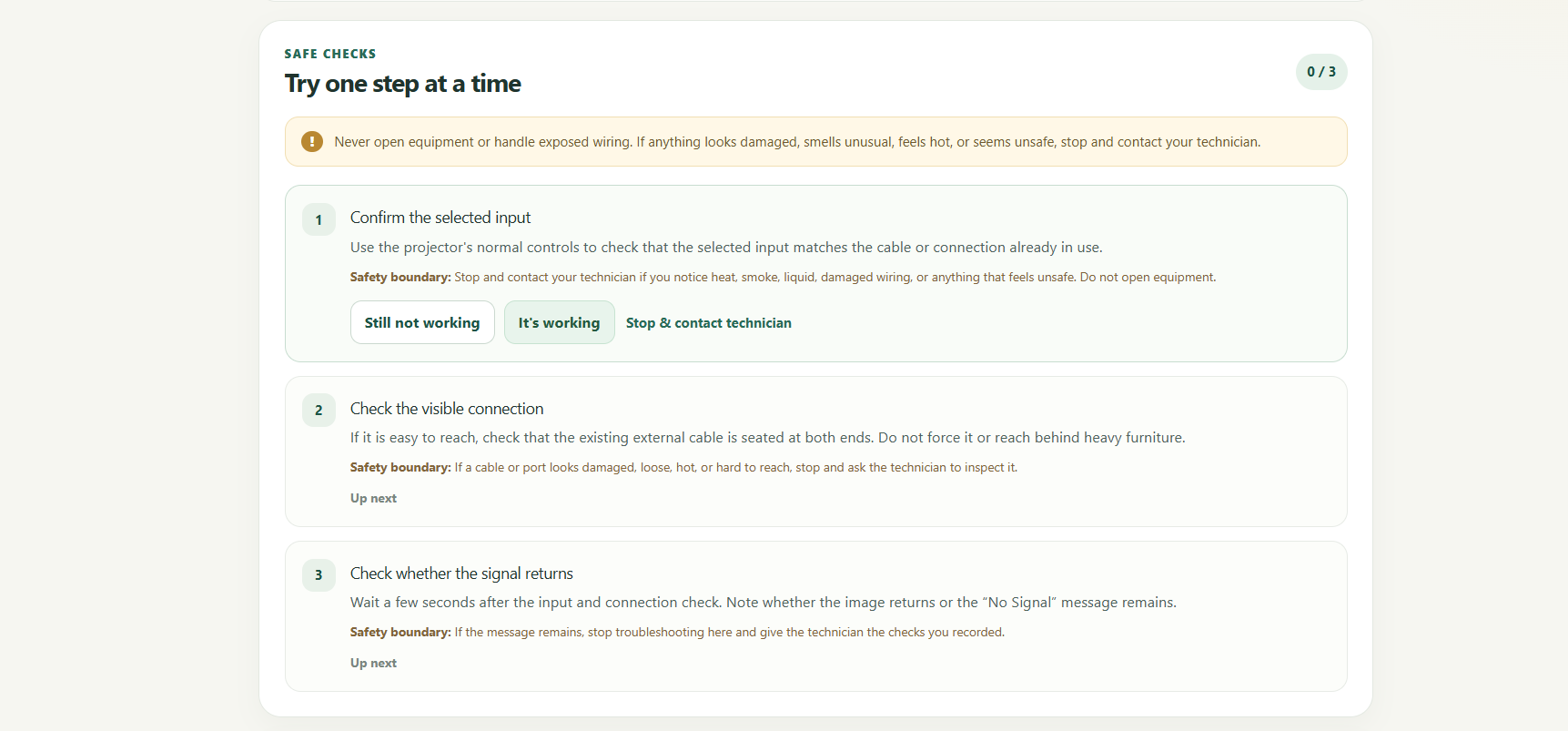
3. Guided troubleshooting
-
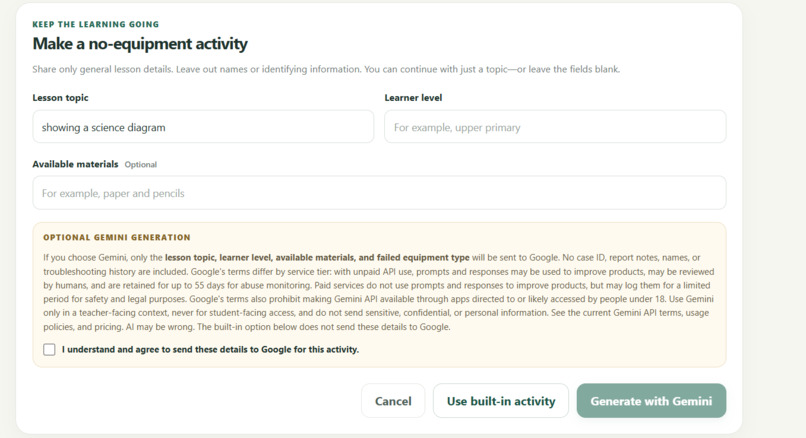
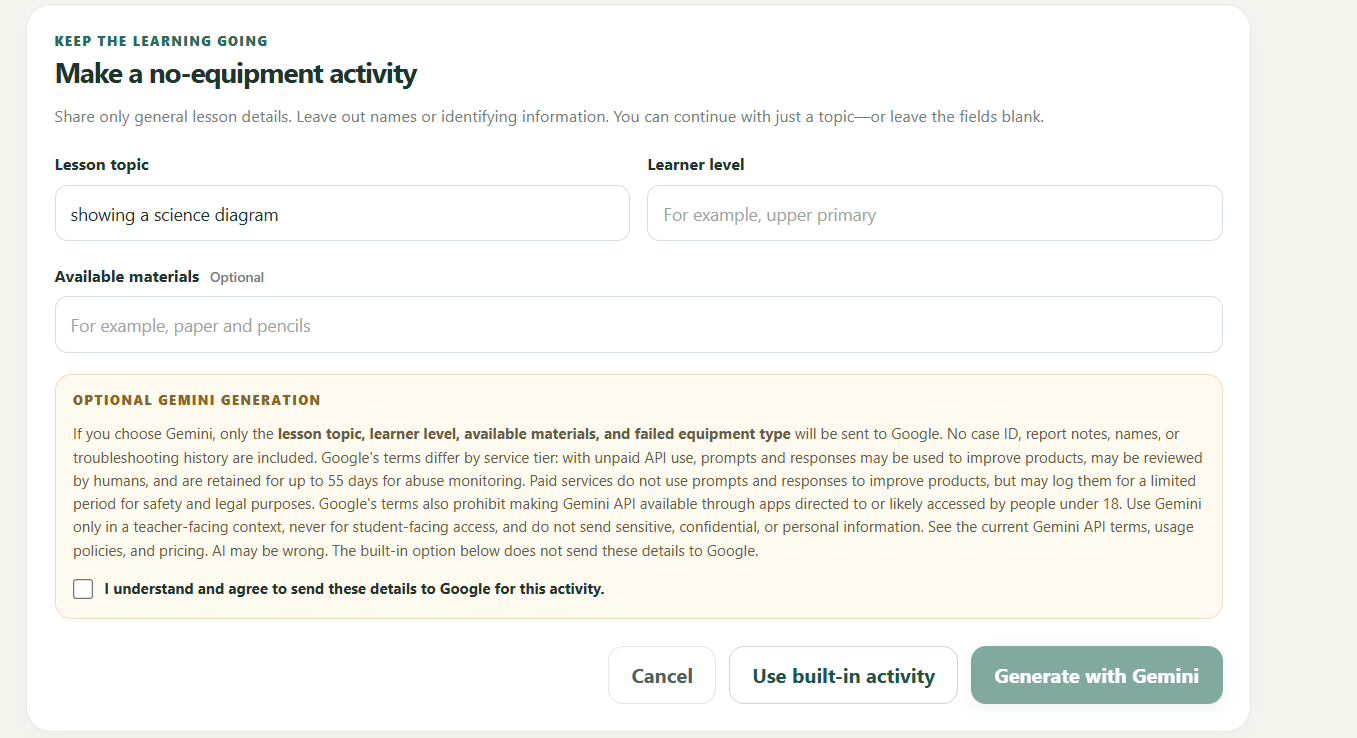
4. Keep the lesson moving
-
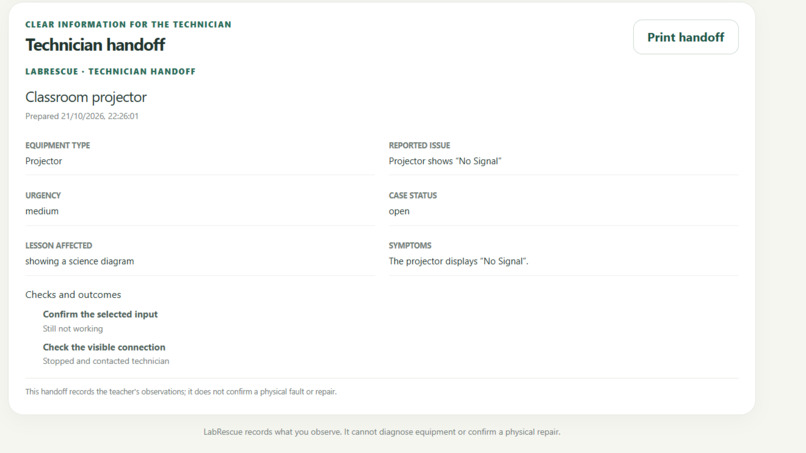
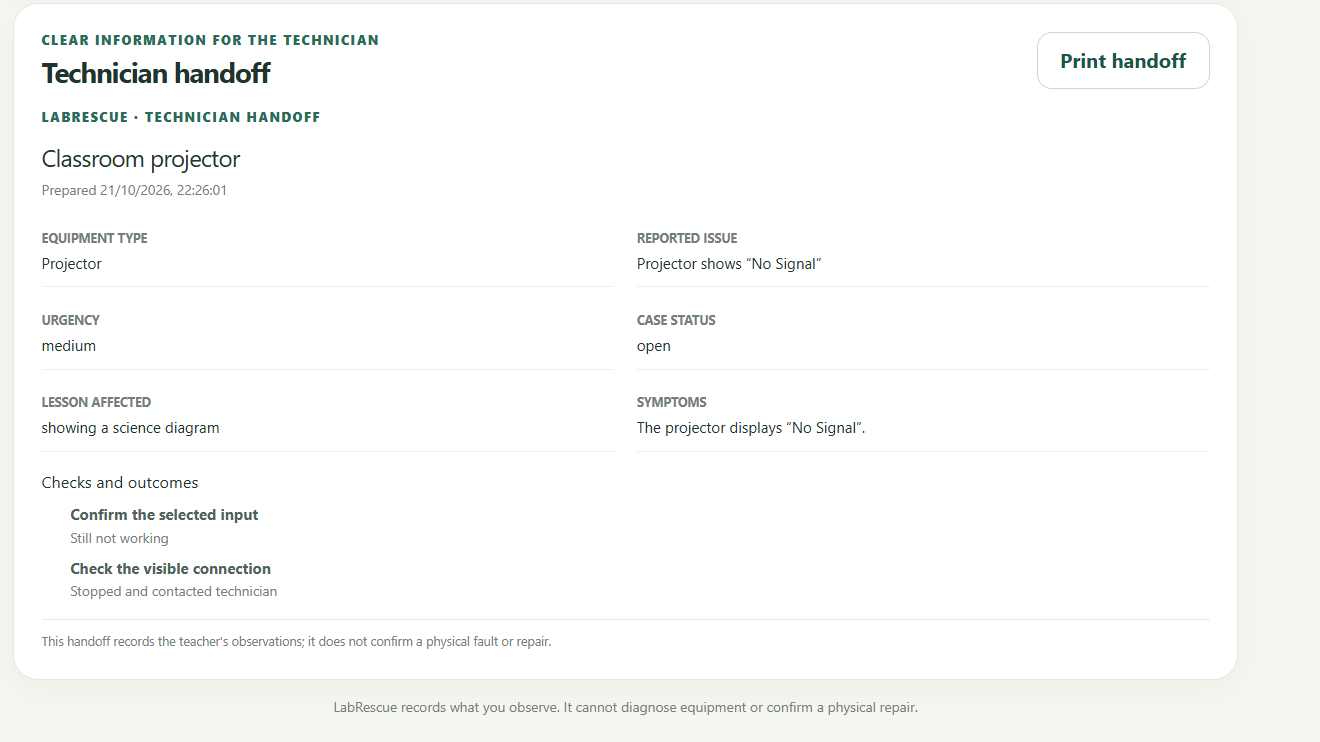
5. Technician handoff
-
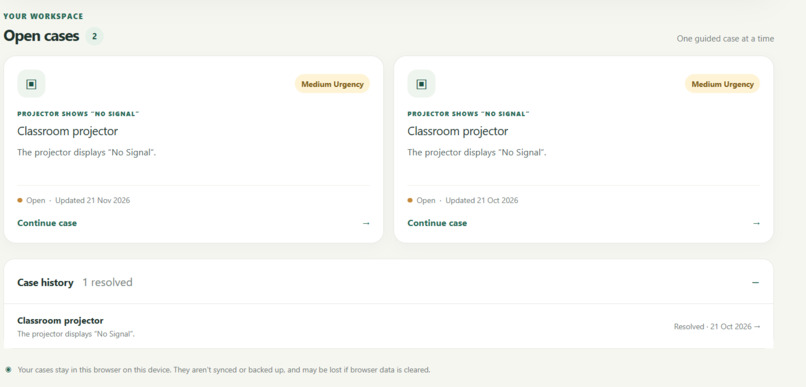
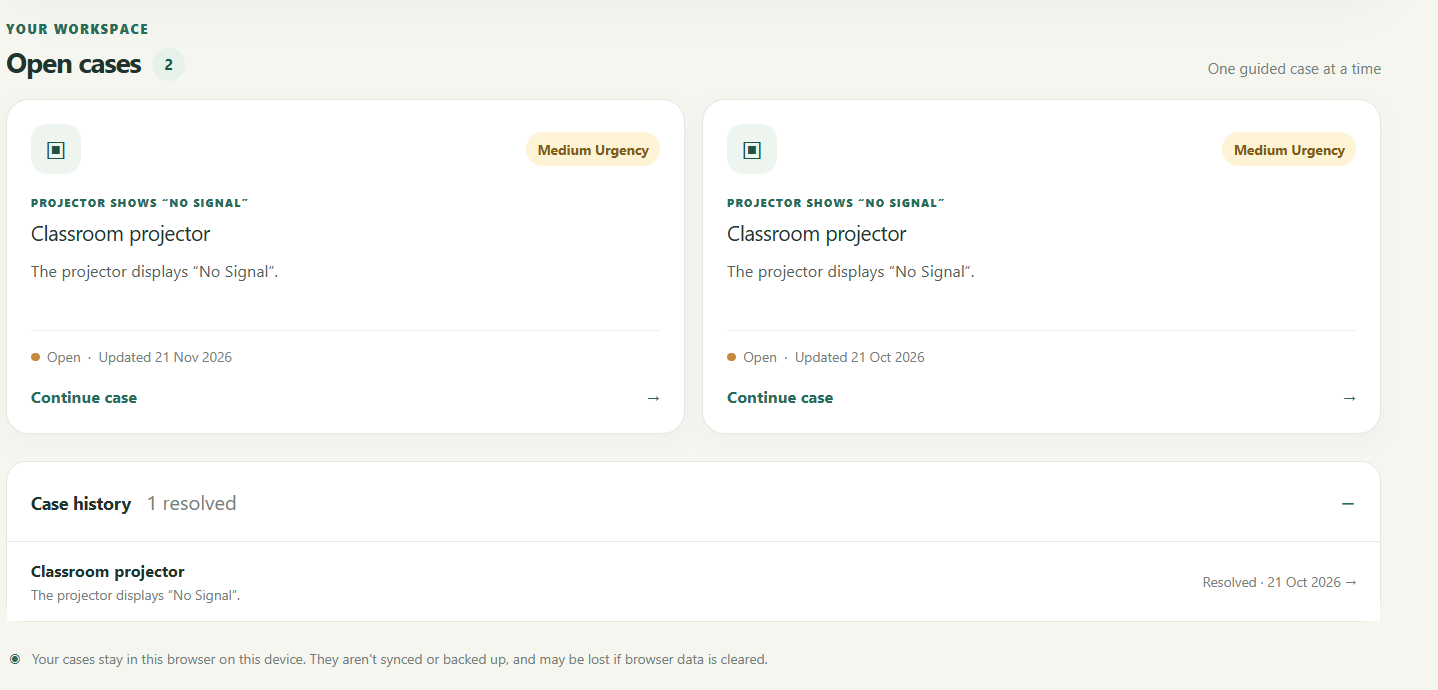
6. Case tracking
-

7. Repair Confirmation with Technician

Inspiration
I believe technology should make life better for people, and nowhere is that more important than in education. A classroom should be a place where curiosity grows, ideas come alive, and students get the opportunity to discover what they are capable of.
But what happens when the technology a teacher depends on suddenly stops working?
A projector displays “No Signal.” A computer refuses to start. A printer stops working when important materials are needed. Sometimes, a seemingly small technical problem can interrupt an entire lesson. And while everyone waits for a solution, valuable learning time can be lost.
That is the problem that inspired LabRescue. I wanted to explore how technology, including AI, could help teachers respond to these moments instead of feeling stuck. More importantly, I wanted to address something beyond repairing equipment: helping learning continue even when the equipment cannot be fixed immediately.
For me, LabRescue is about a simple idea: when technology fails, learning should not have to stop.
What it does
LabRescue is a classroom continuity and repair-support application designed to help teachers navigate common classroom equipment problems.
It allows users to report an issue, follow guided troubleshooting steps, access alternative learning activities when equipment is unavailable, and prepare a structured handoff for a technician when further assistance is needed.
Its main features include:
Guided troubleshooting: Clear steps to help users check common equipment problems safely.
Fallback learning activities: Alternatives that can help teachers keep lessons moving while equipment is unavailable.
Technician handoff: A structured summary of unresolved issues to make technical follow-up easier.
Case tracking: Saved reports that users can revisit as they work through problems.
AI-assisted guidance: Optional AI support alongside built-in fallback functionality, so the core experience does not depend entirely on an AI service.
The goal is not to replace technicians or promise that every problem can be fixed instantly. It is to help teachers know what to do next and make the waiting time more productive.
How we built it
I approached LabRescue by thinking about the experience of someone standing in a classroom with a lesson to teach and equipment that is not cooperating.
Rather than treating troubleshooting as the only goal, I wanted the application to support the whole process: identifying the problem, attempting appropriate checks, finding another way to continue learning, and communicating the unresolved issue to someone who can help.
I built LabRescue as a web application with a dashboard and a guided workflow for managing classroom equipment cases. The project brings reporting, troubleshooting guidance, fallback activities, and technician handoffs together in one place.
I also worked to make the core workflow useful without relying entirely on AI. Built-in fallback functionality and local case storage help support the main experience when AI assistance is unavailable.
Challenges we ran into
One of the biggest challenges was thinking beyond the technical fault itself.
A broken projector is not just a broken projector when a teacher has prepared a lesson around it. Learning time is being lost, students may be waiting, and the teacher still has a responsibility to keep the class moving. This made me realize that a useful solution should do more than help identify what is wrong with a device. It should also help teachers or staff figure out what to do next.
Another major challenge was that we joined the hackathon later than we would have liked. We came in with a bigger vision for LabRescue, but we had to be realistic about the time available. Instead of trying to build the entire idea at once, we had to scale down the initial scope, identify the most important features, and develop the application one step at a time.
That meant prioritizing the core experience first:
Reporting classroom equipment problems so issues could be documented clearly.
Guided troubleshooting to help users work through appropriate checks safely.
Fallback learning activities to help lessons continue when equipment could not be fixed immediately.
Technician handoffs to make it easier to communicate unresolved problems.
Case tracking and persistence so users could revisit reports instead of starting over.
A built-in fallback for AI assistance so the application could remain useful even when an AI service was unavailable.
And more. We had to make decisions about what belonged in the first working version and what could wait for future iterations. That was not always easy, especially when we could see how much more the project could become.
We also had to think carefully about making AI useful without making the entire application dependent on it. Along the way, we considered safe troubleshooting boundaries, privacy, and how to keep the experience useful when network access or AI services were unavailable.
These challenges taught me that building a project under time pressure is not simply about working faster or writing more code. It is about knowing what matters most, making thoughtful trade-offs, and turning a bigger vision into smaller, achievable steps.
We may not have built everything we originally imagined, but we focused on bringing the core idea to life and creating a foundation we can continue improving beyond the hackathon.
Accomplishments that we're proud of
Working on LabRescue has reinforced an important lesson for me: the best solutions begin by looking at the human problem behind the technical one.
A feature can be technically impressive and still fall short if it does not help someone in a difficult moment. Good design means making the next step clear, knowing when to escalate a problem, respecting privacy, and considering what happens when the ideal solution is not immediately available.
It has also strengthened my appreciation for building resilient AI-assisted applications. AI can be valuable, but a responsible application should have clear limitations and a useful fallback when AI is unavailable.
What we learned
Building LabRescue has taught us that creating a meaningful technology solution is about much more than writing code or making features work. It starts with understanding the people behind the problem and asking ourselves how technology can genuinely make their lives easier.
One of our biggest lessons was learning how to build under pressure. Since we joined the hackathon late, we could not build everything we had originally imagined. We had to prioritize, break the bigger vision into smaller steps, and focus on getting the most important parts working first. This taught us that scaling down an idea does not mean giving up on it. Sometimes, it is what makes progress possible.
We also learned the importance of thinking beyond the immediate problem. With LabRescue, a successful response is not always about fixing a device. It can mean helping someone troubleshoot safely, finding an alternative way to continue a lesson, or communicating the problem clearly to a technician. That broader perspective changed how we approached the solution.
Another important lesson was that AI should be a tool that strengthens an application, not a weakness that makes the entire experience dependent on it. Building fallback functionality reminded us to consider what happens when a service is unavailable, connectivity is unreliable, or a user needs a different way forward.
Most importantly, we learned to embrace iteration. Our first version does not have to contain every feature or answer every challenge. It needs to provide a useful foundation that we can test, learn from, and improve. We still have more to explore, especially through feedback from teachers and technical support staff, but this experience has helped us understand how to turn a broad idea into something tangible.
LabRescue has reminded us that innovation is not always about building the biggest or most complicated solution. Sometimes, it is about identifying a problem that matters, taking the first step, learning along the way, and having the determination to keep improving.
We started with a bigger vision, adapted to the time we had, and learned that meaningful progress happens one step at a time.
What's next for LabRescue
This is a beginning, not the finish line.
Our next goal is to improve LabRescue through feedback from teachers and technical support staff, validate its troubleshooting guidance, strengthen accessibility, and explore more classroom equipment scenarios.
I also want to learn how well the application works in real educational settings, where connectivity, available equipment, and access to technical support may vary.
Ultimately, I want LabRescue to grow into a tool that helps schools respond to equipment problems with greater confidence and less disruption.
Because behind every classroom device is a person trying to teach, a student trying to learn, and an opportunity worth protecting.
When technology fails, learning should not have to stop.
Built With
- ai
- automation
- css
- education
- gerativeai
- googlegemini
- html
- javascript
- localstorage
- next.js
- node.js
- react
- typescript
- webapp


Log in or sign up for Devpost to join the conversation.