-
-
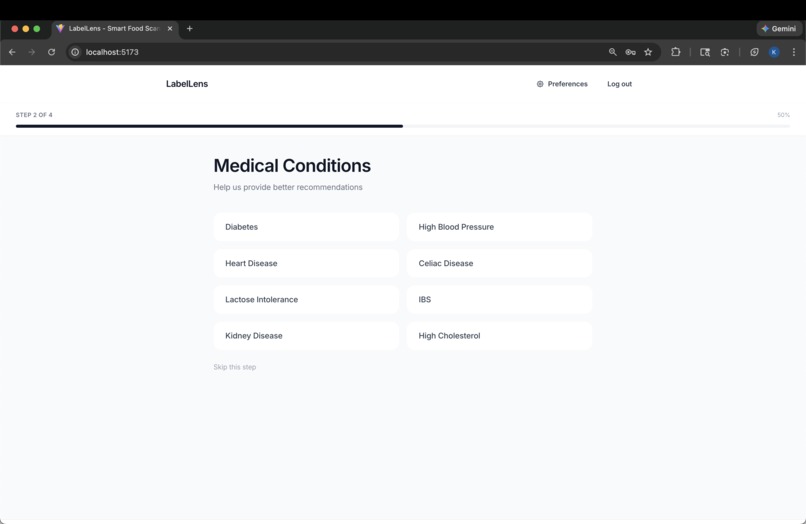
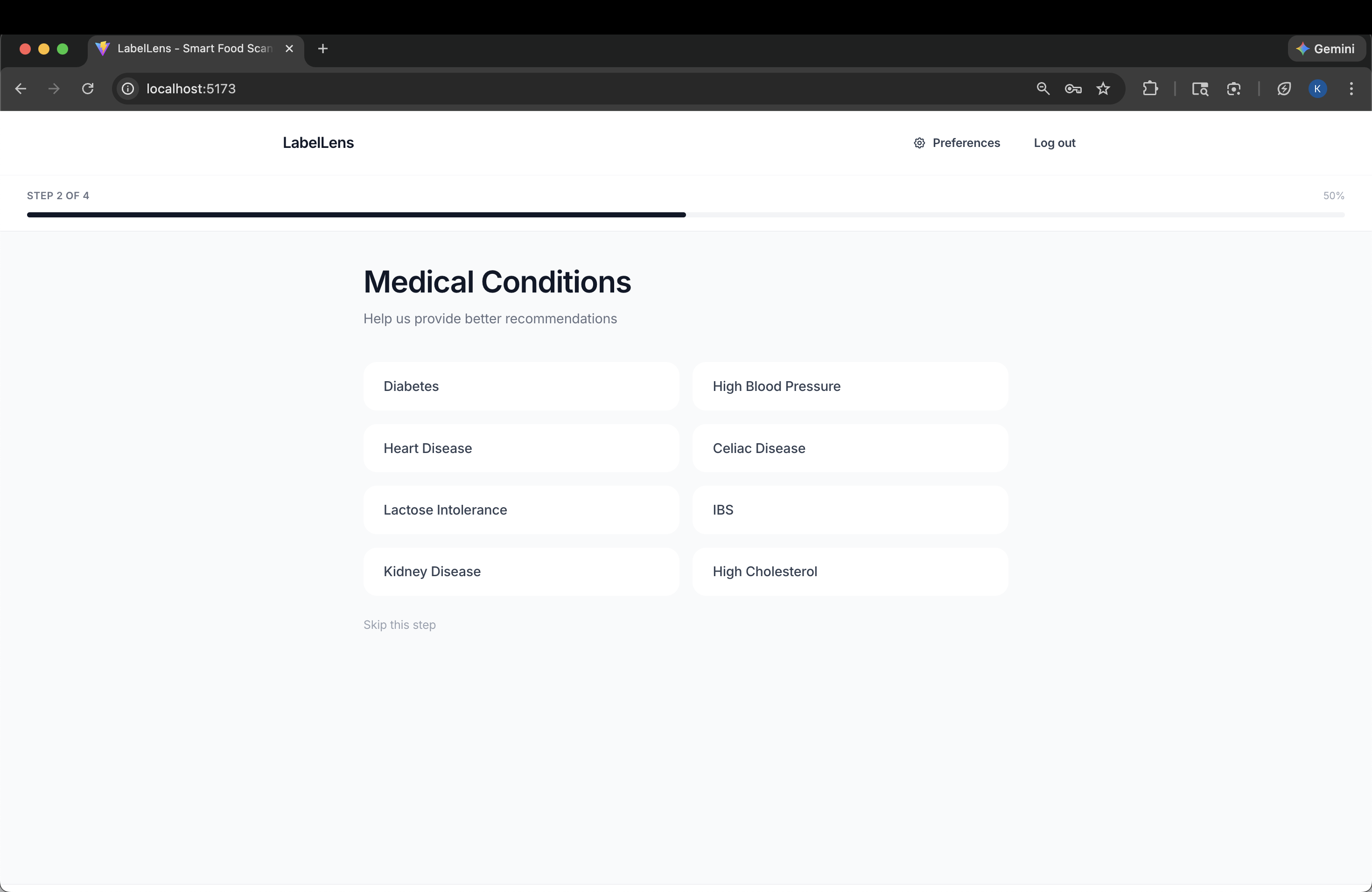
Onboarding
-
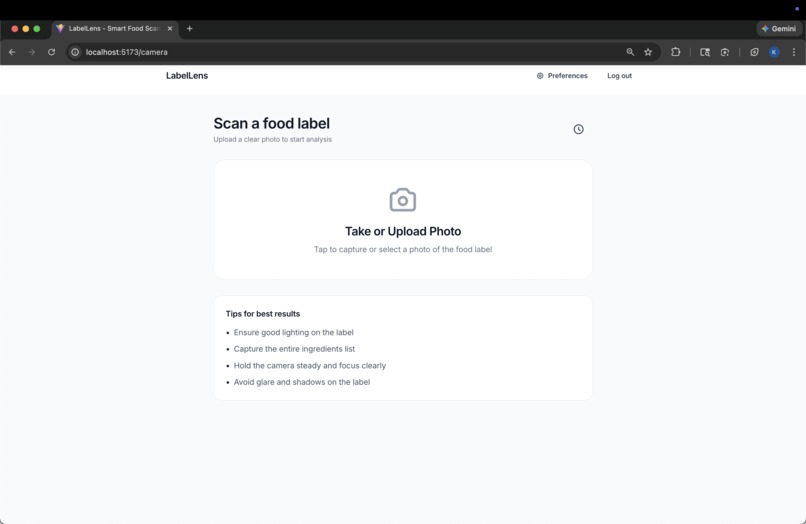
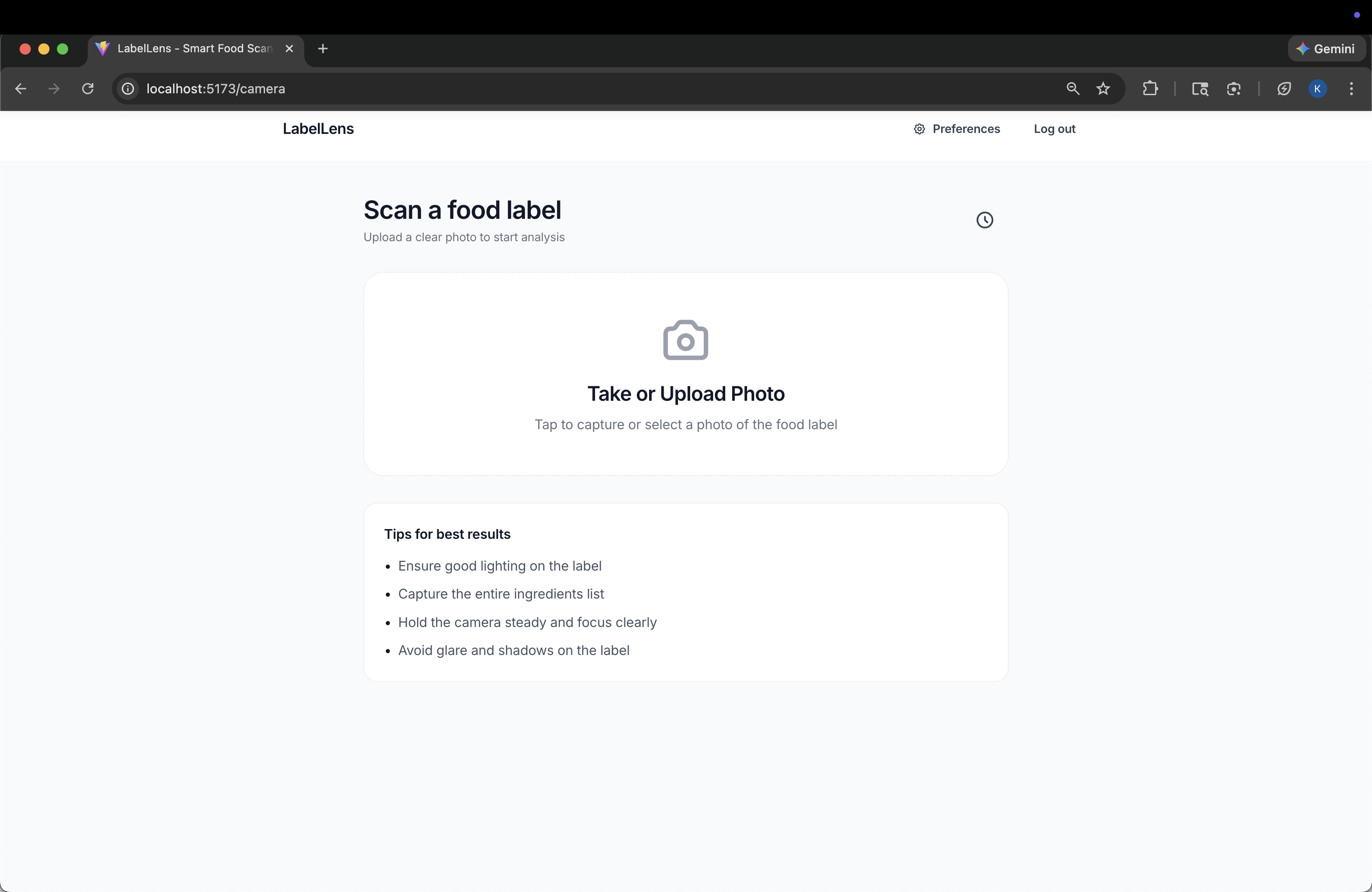
Scan Image
-
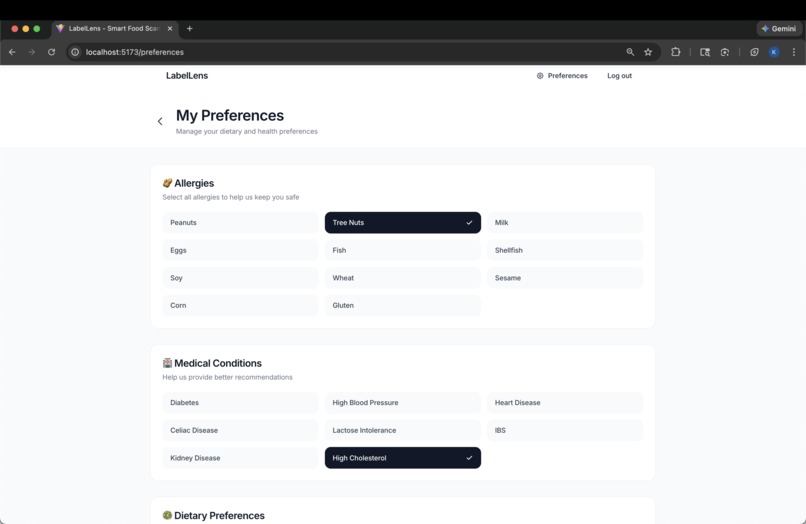
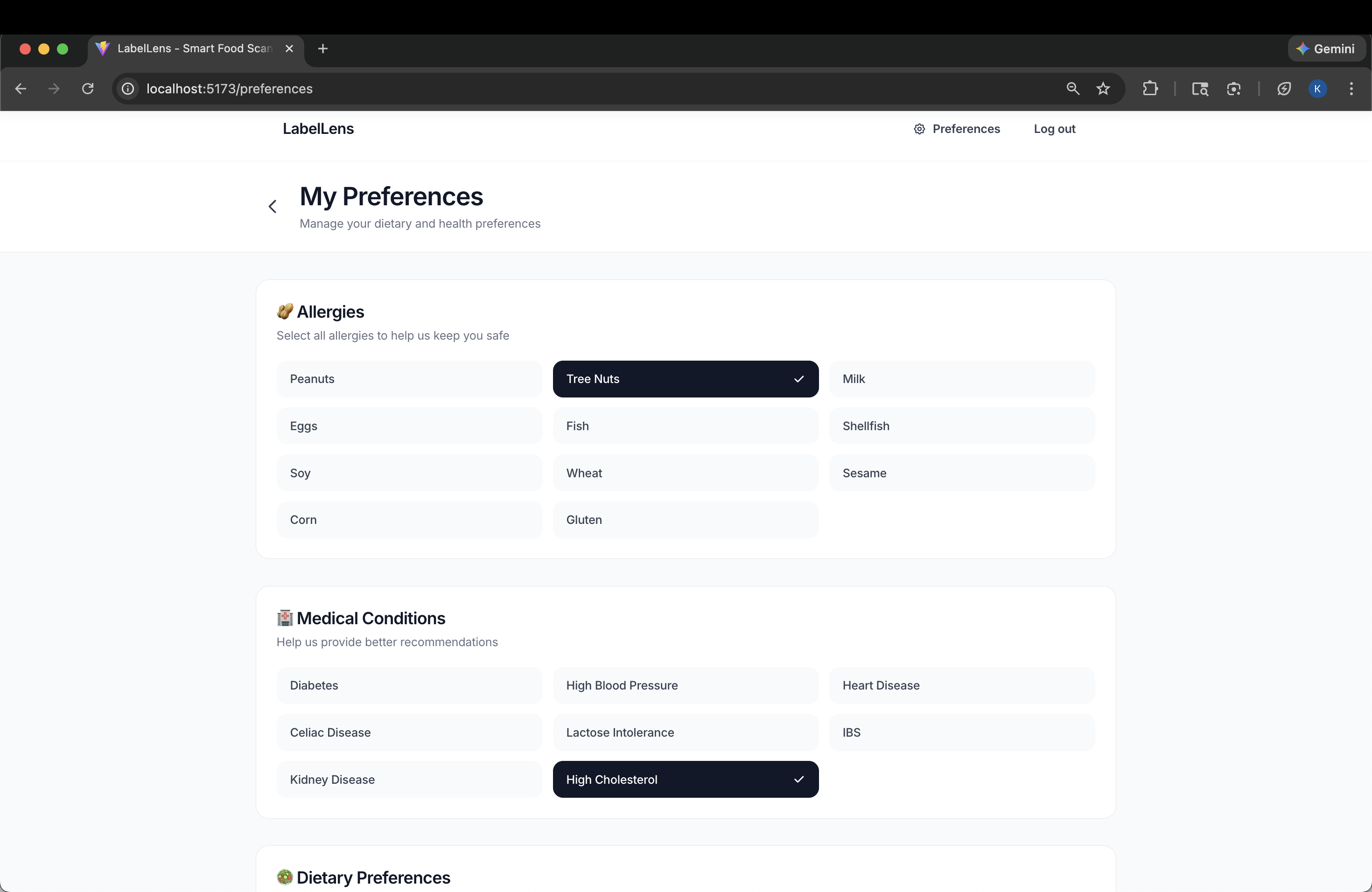
Current preferences
-
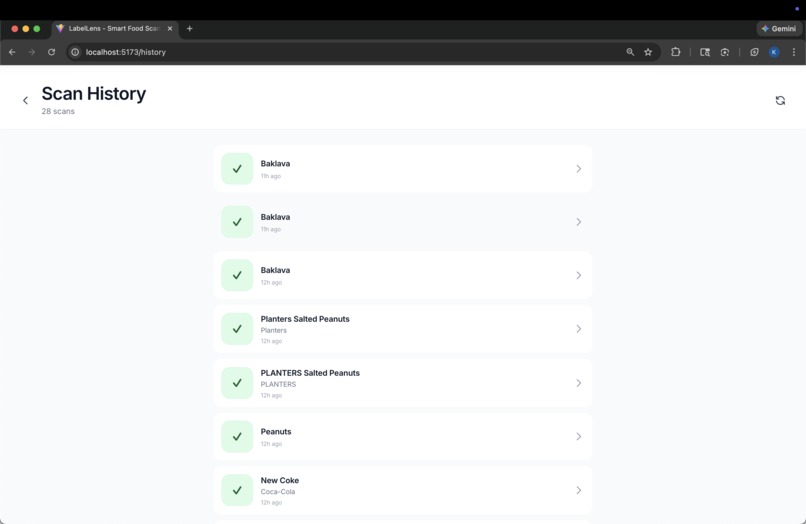
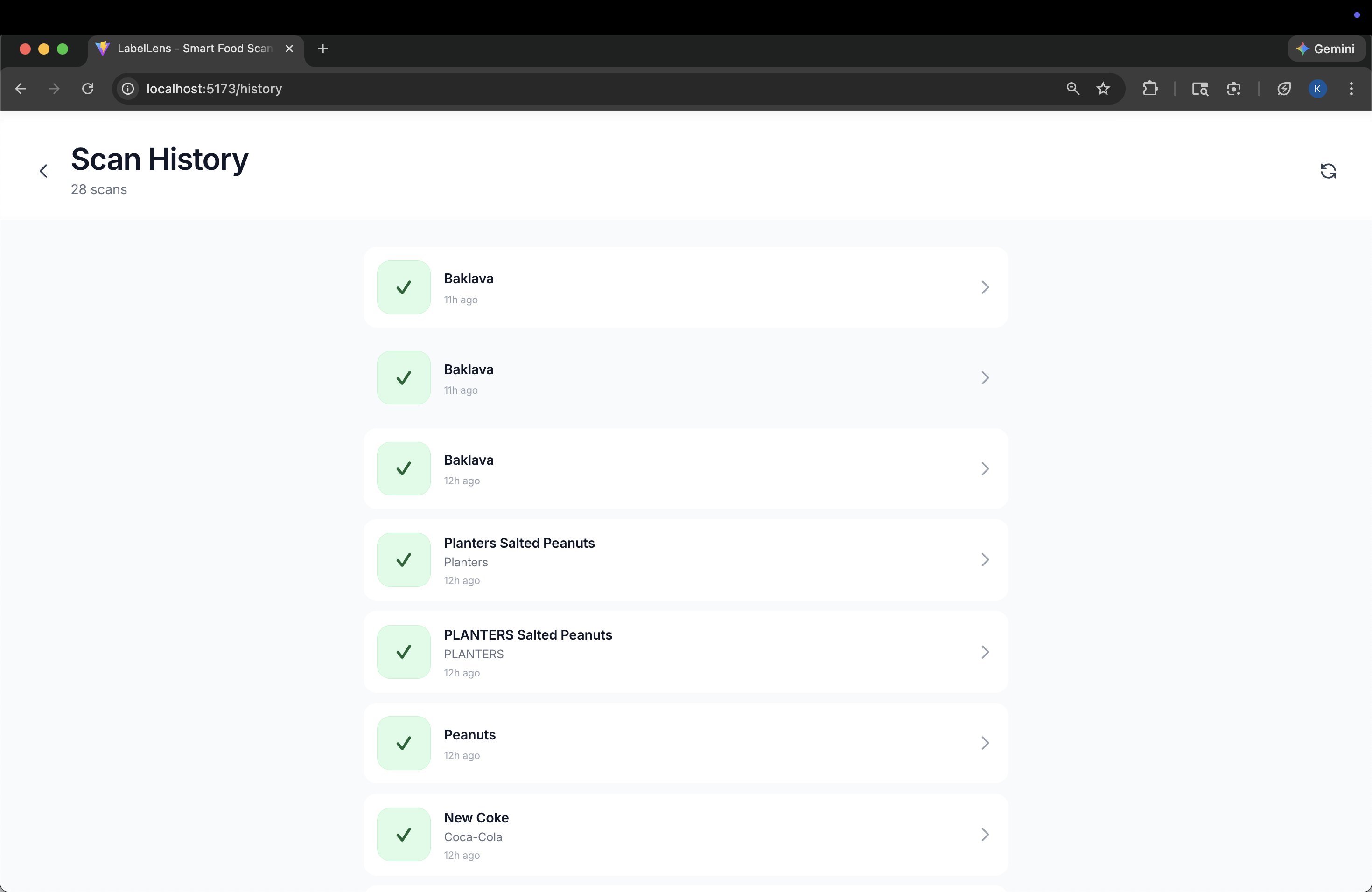
Scan History
Inspiration
Our teammate Tona’s older brother has a severe shellfish allergy. While shopping, he has occasionally purchased foods whose ingredient labels didn’t clearly indicate shellfish: only to later experience an allergic reaction and need medication. We wanted to help him (and anyone with dietary restrictions) make faster, safer decisions by turning a food label photo into a personalized “can I eat this?” recommendation.
What it does
Our app LabelLens asks users to enter their preferences, and then stores these preferences so that they can later drop images of food items onto the site and receive analysis about whether they should eat or drink the item based on their selected preferences. Users can change these preferences and also view the previous analysis results from past drops if necessary. Overall, our app workflow works like this. First, user preferences are stored and associated with their account. Next, the user uploads an image of a label/product. Then the backend sends relevant extracted/structured context to Gemini for analysis. Finally, Results are returned to the frontend and saved to the database for history.
How we built it
We developed our LabelLens frontend using React, TailwindCSS, and Typescript to create our UI/UX for our website. We used Supabase as our authentication provider and database for our application. Our Supabase database stored our past analysis/scan results, user information, and cached alternatives. We used Python’s FastAPI framework to create our API endpoints for connecting our server-side logic with our Supabase Database, React Frontend, and Gemini API. We also used a plethora of external dependencies on the frontend and backend to bring functionalities. For example, we utilized routing on the frontend by using reactRouter.
Challenges we ran into
We wanted to compete for the best use of the MongoDB Atlas track as well, but we weren’t able to successfully connect to the same database due to SSL issues. Even though we added our IPs to the allowed IP addresses list in MongoDB Atlas and shared the correct MongoDB URI, we still couldn’t connect. Another challenge we faced was deploying both our backend and frontend, and getting the app working the same way we did while hosting locally. It was our first time deploying our projects onto the internet, and we did manage to deploy our frontend and backend successfully using Vercel and Railway, respectively. However, we weren’t able to fix an issue with CORS, no matter how hard we tried. As a result, we couldn’t do our demo on a smartphone as we had planned.
Accomplishments that we're proud of
We accomplished all of our most important objectives: creating an app that provides detailed guidance for identifying food items that violate or meet a person’s dietary needs, and making its UI/UX intuitive and appealing to users.
What we learned
HoyaHacks2026 was an incredible learning experience. We learned a lot about LLM APIs through our experience using the Gemini API: we learned how to engineer prompts to best meet our needs, how to pool relevant information into JSON files to be processed by the LLM, and how to create instances of the Gemini API and use it to carry out the necessary tasks. We also delved deep into the world of FastAPI, a Python backend framework that none of us had used before, and thanks to our teammate Tona’s past experience with Flask, we were able to create our FastAPI backend promptly. It was particularly challenging to learn about asynchronous functions, the discrepancy between a web app and a web server, and how this relates to why we need to use uvicorn whenever we want to create a Python app that utilizes the FastAPI framework. By far the most challenging thing we learned was the difficulty of using Git to keep remote commits to the app synced with our local versions of it, making sure not to overwrite one another’s code, and avoiding errors like adding new features to the main branch without testing them first.
What's next for LabelLens
Ideally, the next step for Labellens would be to fix our CORS issues and finally have our backend and frontend deployed, as well as communicate correctly on the internet. After accomplishing this, we would be able to use Labellens a lot more conveniently by accessing it on our phone rather than a personal computer. Once we can use LabelLens on our phone, we will go through with making steady improvements to the UI, UX, and accuracy of our analysis through constant trial and error. The end goal would definitely be to release Labellens for free purchase on the Apple App Store and Google Play Store, and later monetize it with ads and a purchase fee to cover operating costs for hosting and Gemini API credit use.
Built With
- css
- fastapi
- gemini
- html
- javascript
- python
- react
- supabase
- tailwindcss
- typescript


Log in or sign up for Devpost to join the conversation.