-
-
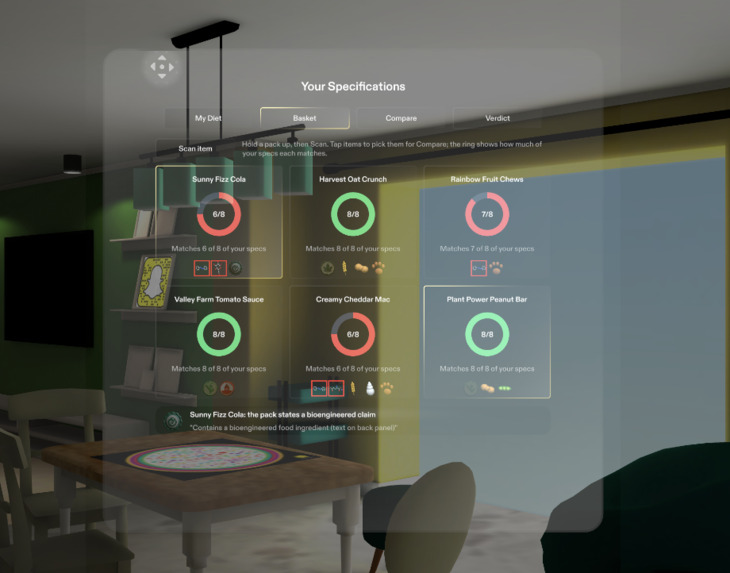
Diet Specifications Panel
Inspiration
Food labels are written to be legal, not to be understood. I wanted to know what it would feel like to pick up a product in a grocery aisle and have the pack simply report itself: what it claims, what it contains, and how it lines up with the way I eat. Glasses are the first device that can do that without taking the item out of your hand or your eyes off the shelf.
What it does
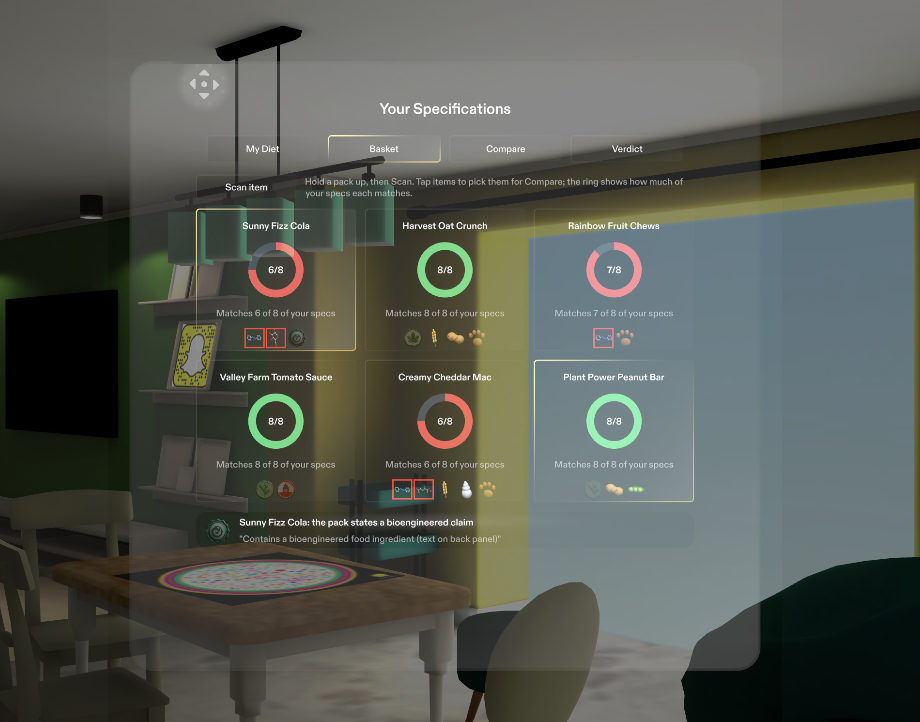
Hold a product up and Label Lens reads the pack for you. Claim badges appear beside the item (organic, non-GMO verified, bioengineered, local), molecule icons flag specific additives, and nutrient numbers are checked pass or fail against your own diet specs, with the math shown. A grabbable control panel offers My Diet presets, a Basket, side-by-side Compare, and a Verdict tab with a 3D balance scale. Label Lens never calls a product healthy or unhealthy. It reports what the pack states: "Matches 6 of 8 of your specs," "Best match," or "No claim found."
How I built it
I planned the Lens in a guided design interview (the plan-lens skill), which produced a written design brief, then had a coding agent build it inside Lens Studio through Snap's CLAD toolkit. Under the hood: a product model, an additive database of about 40 entries, diet profiles with one-tap presets, and a scoring engine, all covered by a 35-check self-test. The panel is UIKit, driven by real buttons, switches and sliders, and an in-Lens test passes 14 of 14. The 18 icons are generated 3D models. The scan pipeline (camera frame to Gemini vision to Open Food Facts barcode lookup) is in progress, so this demo simulates the scan with six sample products.
Challenges I ran into
Writing reporting language that never sneaks in judgment was harder than expected: a missing claim has to read "no claim found," never "non-GMO." Several Asset Library packages had import names that didn't match a fresh SPECS project, so I patched them by hand. And the preview can't use a live camera, so the recognition moment had to be designed as a stand-in for the demo.
Accomplishments that I'm proud of
A complete scoring engine, control panel and icon set, all tested and passing, built by someone who had never opened Lens Studio before this weekend. Also the philosophy holding together: it reports, it never scolds.
What I learned
AR design is mostly restraint: a few big targets at arm's length, information that earns its glance. I also learned the whole CLAD loop, from design brief to LEAF tests, and how much of a Lens is really UX writing.
What's next for Label Lens AR
Finish the scan pipeline so real packs become products in the basket, add the local-grown resolver, and do a real-device pass so hand input replaces mouse input. Longer term: more additives, more languages, and community-sourced corrections.
Built With
- clad
- claude-code
- google-gemini
- lens-studio
- open-food-facts-api
- remote-service-gateway
- snap-spectacles
- spectacles-interaction-kit
- typescript
- uikit
