-
-
result
-
evidence
-
home
-
cover
Inspiration
Labels are written for the average person, and almost nobody is average. Someone with a peanut allergy has to read every ingredient line in small print. Someone on a blood thinner has to know that common pain relievers can interact with it. Someone who reads Spanish better than English, or who has low vision, may not be able to read the label at all. The information that keeps people safe is right there on the package — it's just not written for them. I wanted a tool that reads the fine print for you, personally.
What it does
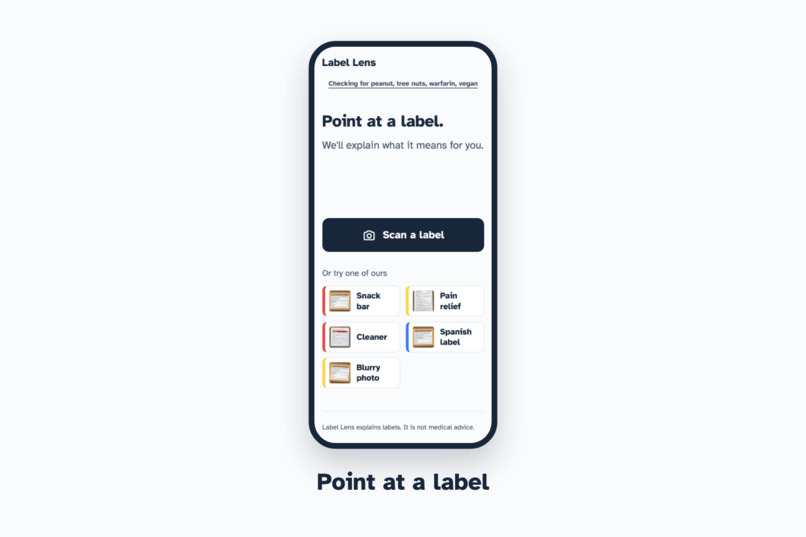
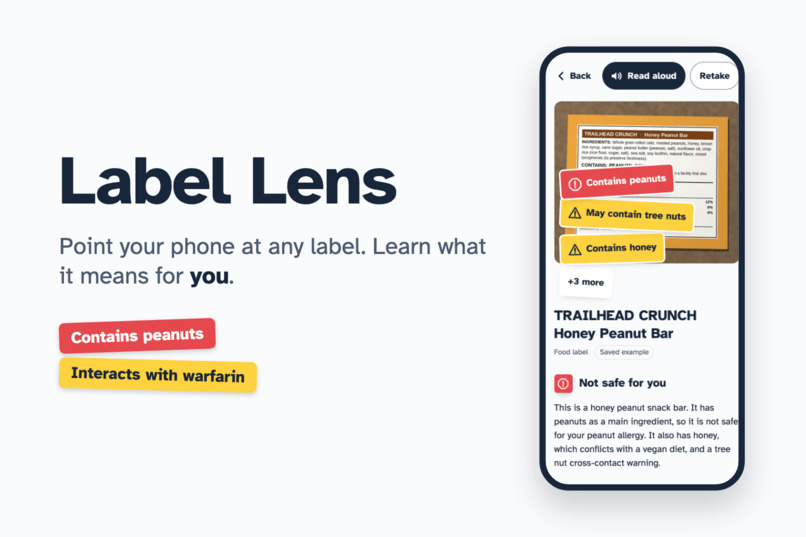
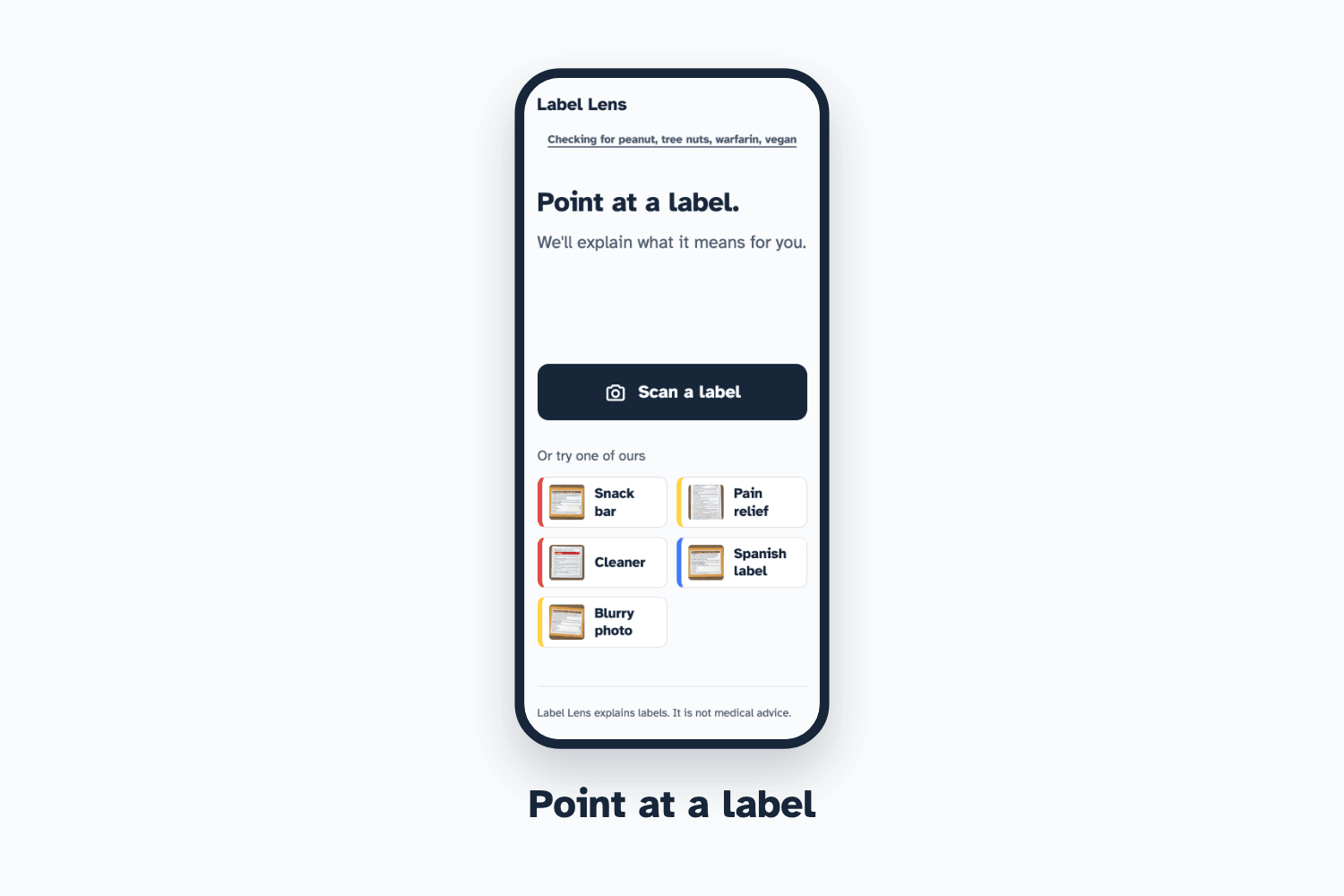
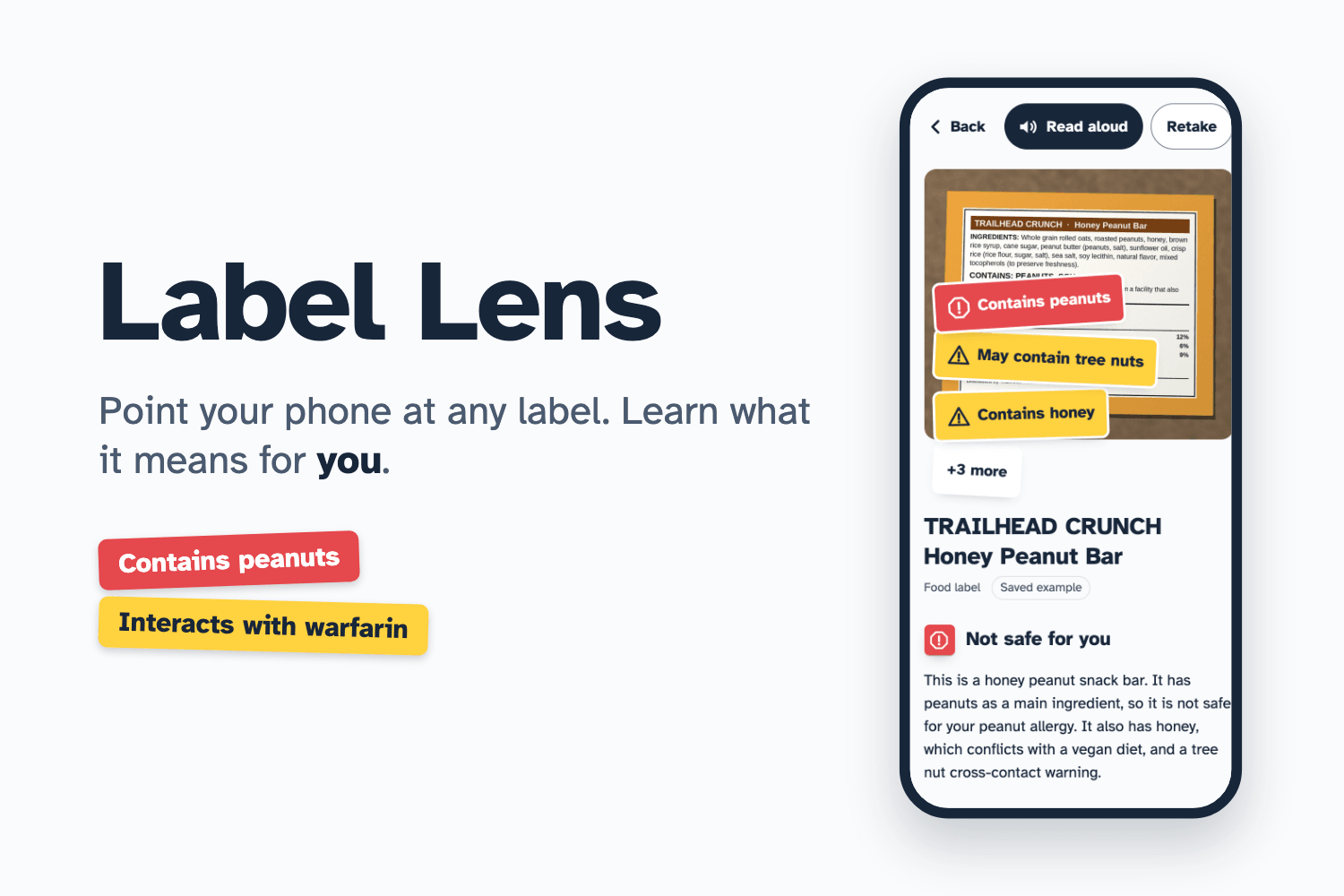
Point your phone at any label — food, medicine, or household products. Label Lens:
- Reads it instantly and names the product within a couple of seconds
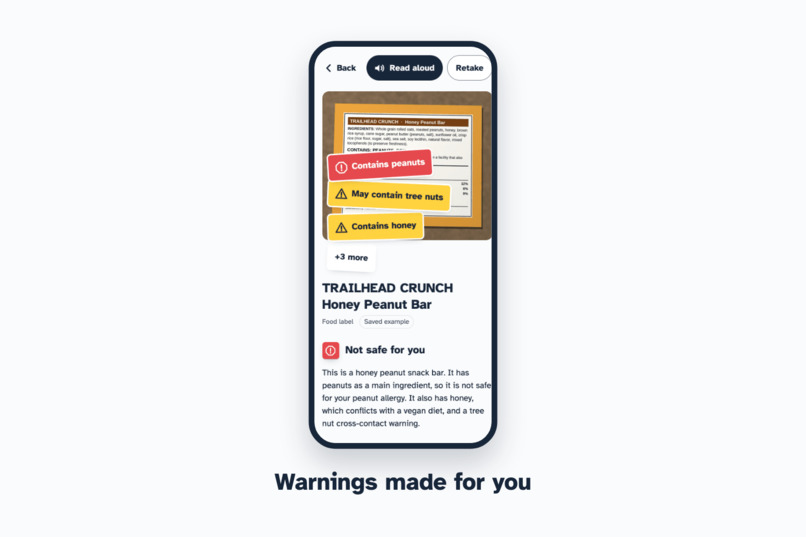
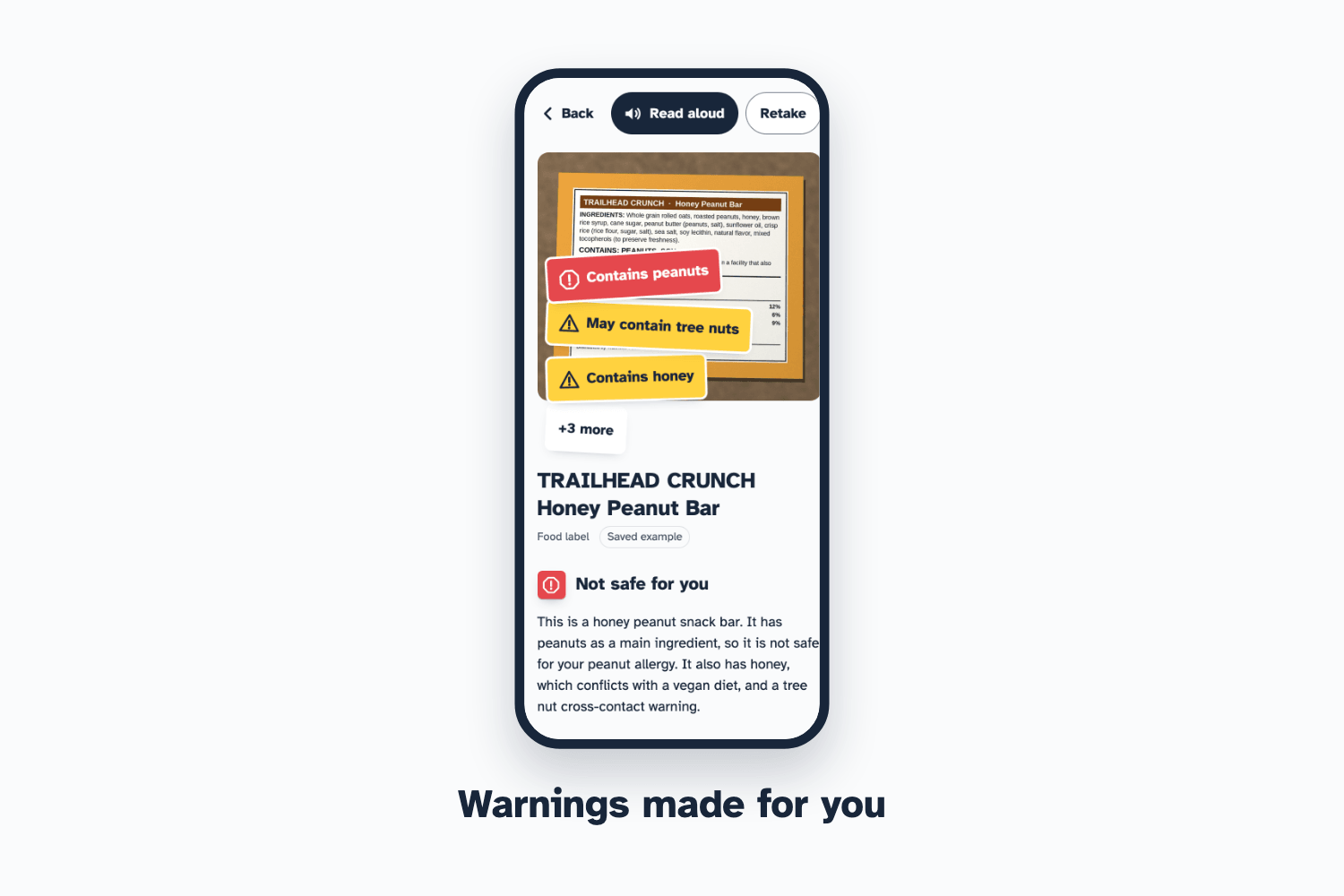
- Checks it against your profile (allergies, medications, diet) and places color-coded warning "stickers" on your photo, inspired by the auxiliary stickers pharmacists put on pill bottles
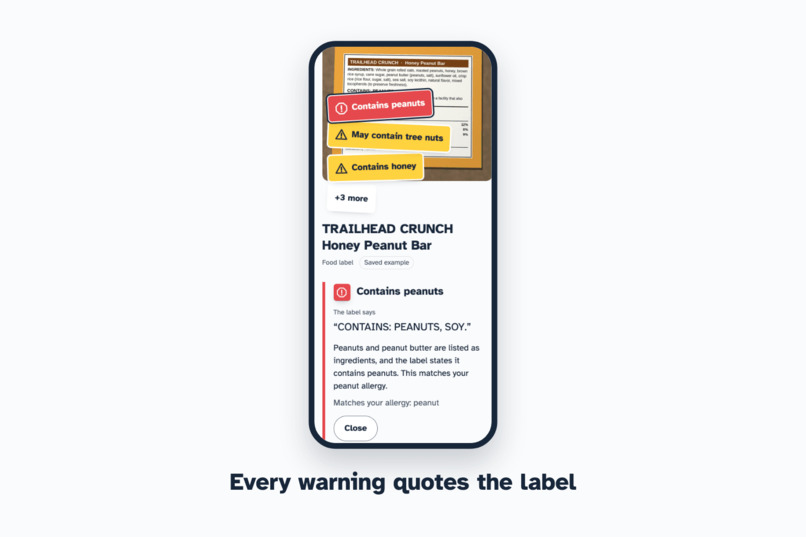
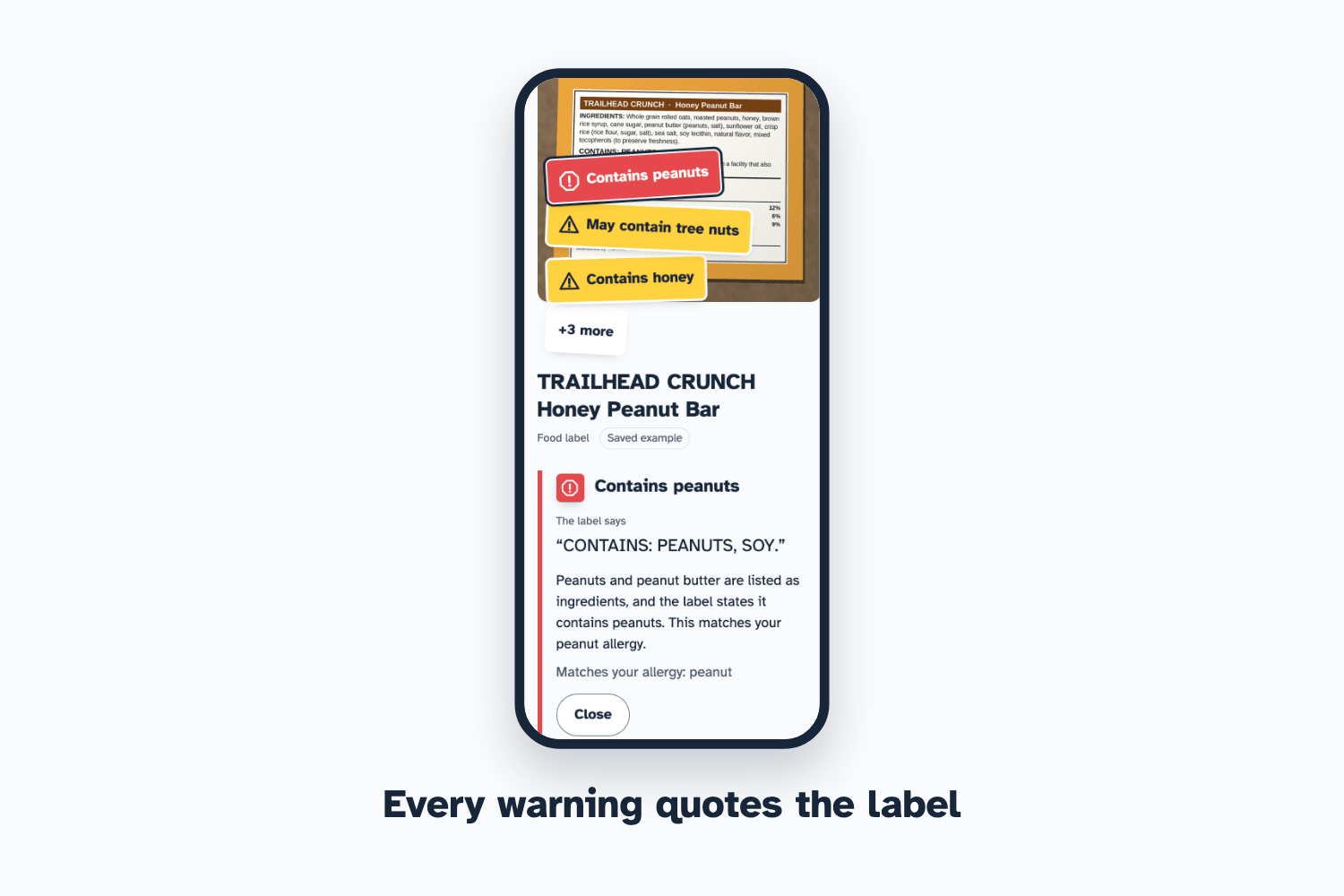
- Proves every warning: tap any sticker and it shows the exact words from the label that triggered it
- Explains in your language (e.g. Spanish), while keeping the label's quotes in the original
- Reads results aloud and answers follow-up questions like "Can I take this with food?"
Your profile never leaves your device. No account, no database.
How I built it
- Two Claude models in parallel. Claude Haiku 5.5 does an instant first read (product name, label type, readable or not) while Claude Sonnet 5.5 performs the full vision analysis. If Haiku says the photo is too blurry, the slower call is cancelled and you're asked to retake.
- Structured output validated with zod, with one automatic retry on invalid responses.
- Evidence grounding. Every warning must include a verbatim quote from the label; any flag without one is discarded. I checked all 44 evidence quotes in the recorded sample responses against the label images, and every one appears verbatim.
- Safety post-processing in code, not just prompts: severity rules (red only for real physical risk like your allergen; diet conflicts are capped at caution), interaction warnings always point to a pharmacist, the model may never claim something is "vegan" or "allergen-free" unless the label says so, and emergency questions get an immediate "call emergency services / poison control" response.
- Stack: Next.js, TypeScript, Tailwind, Anthropic SDK, Web Speech API for read-aloud, deployed on Vercel. The font is Atkinson Hyperlegible, designed for low-vision readers.
- Built with Claude Code using the ECC configuration and Anthropic's frontend-design skill, with fresh-context reviews for code quality, security, TypeScript, silent failures and accessibility. 56 unit tests and 6 Playwright end-to-end tests.
- A no-API-key mock mode replays real recorded model responses, so anyone can run the project for free.
Challenges I ran into
- Overconfident severity. Early on, honey for a vegan got the same red sticker as peanuts for someone with an allergy. I wrote a severity rubric and enforced it in code.
- Claims the model couldn't know. One summary said a medicine had "no animal-based ingredients," but stearic acid can be animal-derived. I banned negative claims; ambiguous ingredients now get a gentle "check with the maker" note.
- Speed. The medicine analysis took up to 16 seconds. Capping output length and running the fast and deep models in parallel brought it to roughly 4–9 seconds, with the product name showing in about 2.
- Real-world testing. The first real photo on my phone revealed stickers far too large for a phone screen, which mock testing hadn't caught. They now show short titles, with the full explanation one tap away.
Accomplishments that I'm proud of
- Every warning is traceable to the label — it shows its evidence instead of asking you to trust it.
- It works on a real phone with real products, not just demo images.
- Accessibility was designed in from the start: a hyperlegible font, read-aloud, screen-reader labels, and respect for reduced-motion settings.
What I learned
- Prompts set intent, but code enforces safety — the most important rules live in post-processing.
- Showing evidence is a powerful way to make AI output trustworthy.
- Testing with a real photo on a real phone finds problems that no amount of simulated testing will.
What's next for Label Lens
- Live camera viewfinder with auto-capture
- Scan history and side-by-side product comparison
- Document mode for leases and fine-print contracts
- Pharmacist-reviewed interaction guidance and more languages
Built With
- accessibility
- anthropic-api
- claude
- claude-code
- claude-haiku
- claude-sonnet
- computer-vision
- next.js
- node.js
- playwright
- react
- serverless
- tailwindcss
- typescript
- vercel
- vitest
- web-speech-api
- zod

Log in or sign up for Devpost to join the conversation.