-
-
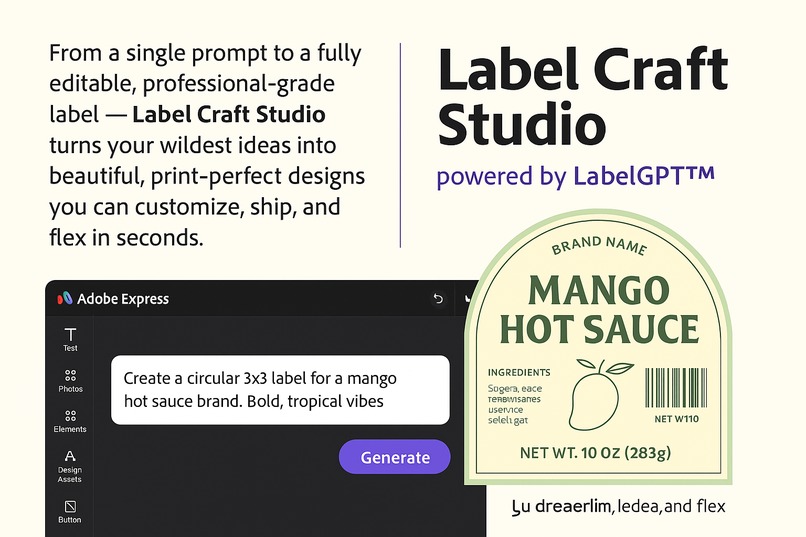
You type it does

How it started.
I'm a dev, but I like to make stuff. And I kept hitting the same wall every time I needed a product label. It was this whole song and dance of jumping between Canva and Illustrator, with a million tabs open for hex codes. It was just a pain.
I finally got fed up and thought, "Why can't this just be easier?"
So I decided to build the solution myself. I call it Label Craft Studio. It's a tool I'm building that runs on an engine I call LabelGPT™. The whole point is to make one simple tool for creators, Etsy sellers, or anyone who just needs to make a label without all the drama.
What it does.
Label Craft Studio transforms a simple, natural language prompt into a complete, ready-to-use package. With one command, you get:
- A print-perfect label or sticker design.
- A downloadable and editable PDF file.
- A detailed JSON blueprint that outlines every design element, including colors, fonts, icons, and text.
Think of it as the love child of Midjourney, Figma, and Illustrator—an intuitive, AI-driven tool that produces stunning, practical labels.
How I'm building it.
I'm taking it one step at a time, trying to build something people would actually use.
- The Plan: I started by just drawing out how it should work. What's the simplest path from an idea to a printable file?
- The Look: I mocked up a simple UI in Figma. I even used Adobe Express and DALL·E to make some quick graphics for it, just to give it a face.
- The Engine: The whole thing runs on a JSON structure I came up with. It's basically the skeleton for every label, making sure everything can be changed later.
- Getting Stuff Out (Work in Progress): I'm working on the backend now so it can export PDFs with layers you can actually mess with in other programs. I'm looking at PDFKit or maybe Adobe's APIs for that.
The Headaches.
It hasn't been easy. A couple of things have been a real struggle:
- Making the AI generate designs that look good but also make sense. A pretty label is useless if you can't even edit the text.
- Figuring out a JSON format that won't break when you try to use it with different tools.
- I really didn't want to make just another "AI thing." It had to actually be useful.
What I'm happy about.
- I actually have a working prototype. It can spit out a label based on my JSON, which was a great feeling.
- It has a look now. I have a brand and a clear idea of what Label Craft Studio is supposed to be.
- Mostly, I'm just glad I'm building something to solve a real problem I had, not just chasing whatever is trendy in tech.
What I've learned.
This has been a huge learning process.
- I figured out how to write prompts that give me both a picture and the data behind it.
- JSON is way more interesting than I thought. You can get really creative with it.
- AI can be a good assistant, but you have to build it for speed and trust, and always let the user have the last word.
What's next.
I'm not stopping here. This is what I'm focused on now:
- Adobe Express Plugin: I want to build it right into Adobe Express so it's easy to access.
- Better Exports: Finish the PDF export feature so it works with Illustrator and Figma.
- More File Options: Add SVG and PNG exports for people who don't live in design software.
- Get It Out There: The dream is to turn this into a real tool that people can actually use for their businesses.
The Point.
Go from an idea to a real, editable label in seconds. That's it. That's the whole point of Label Craft Studio.
